System information
Version: 1.9.17-stable
Git Commit: 748f22c192d24082723f935afd0b0b63e7fd50f4
Architecture: amd64
Protocol Versions: [65 64 63]
Go Version: go1.14.2
Operating System: linux
GOPATH=
GOROOT=/build/ethereum-oJIima/.go
Router = ZTE F660
Expected behaviour
UPnP gets mapped into the router.
Even when using flag --nat upnp don't works.
Actual behaviour
Nothing happens.
Steps to reproduce the behaviour
Not sure.
 3esmit
All 30 comments
Can you share logs with --vmodule=p2p/nat=6 please?
 fjl
on 28 Jul 2020
fjl
on 28 Jul 2020
I'm running with this flags: --maxpeers 200 --light.serve 75 --light.maxpeers 100 --nat upnp --vmodule=p2p/nat=6
This errors appear:
DEBUG[07-28|18:23:07.277] Couldn't add port mapping                proto=tcp extport=30303 intport=30303 interface=UPnP err="no UPnP router discovered"
DEBUG[07-28|18:23:07.277] Couldn't add port mapping                proto=udp extport=30303 intport=30303 interface=UPnP err="no UPnP router discovered"
If I disable the firewall on my computer, the log changes:
DEBUG[07-28|18:29:45.201] Couldn't add port mapping                proto=tcp extport=30303 intport=30303 interface="UPNP IGDv1-IP1" err="goupnp: error performing SOAP HTTP request: Post \"http://192.168.1.1:52869/upnp/control/WANIPConn1\": EOF"
DEBUG[07-28|18:29:45.203] Couldn't add port mapping                proto=udp extport=30303 intport=30303 interface="UPNP IGDv1-IP1" err="goupnp: error performing SOAP HTTP request: Post \"http://192.168.1.1:52869/upnp/control/WANIPConn1\": EOF"
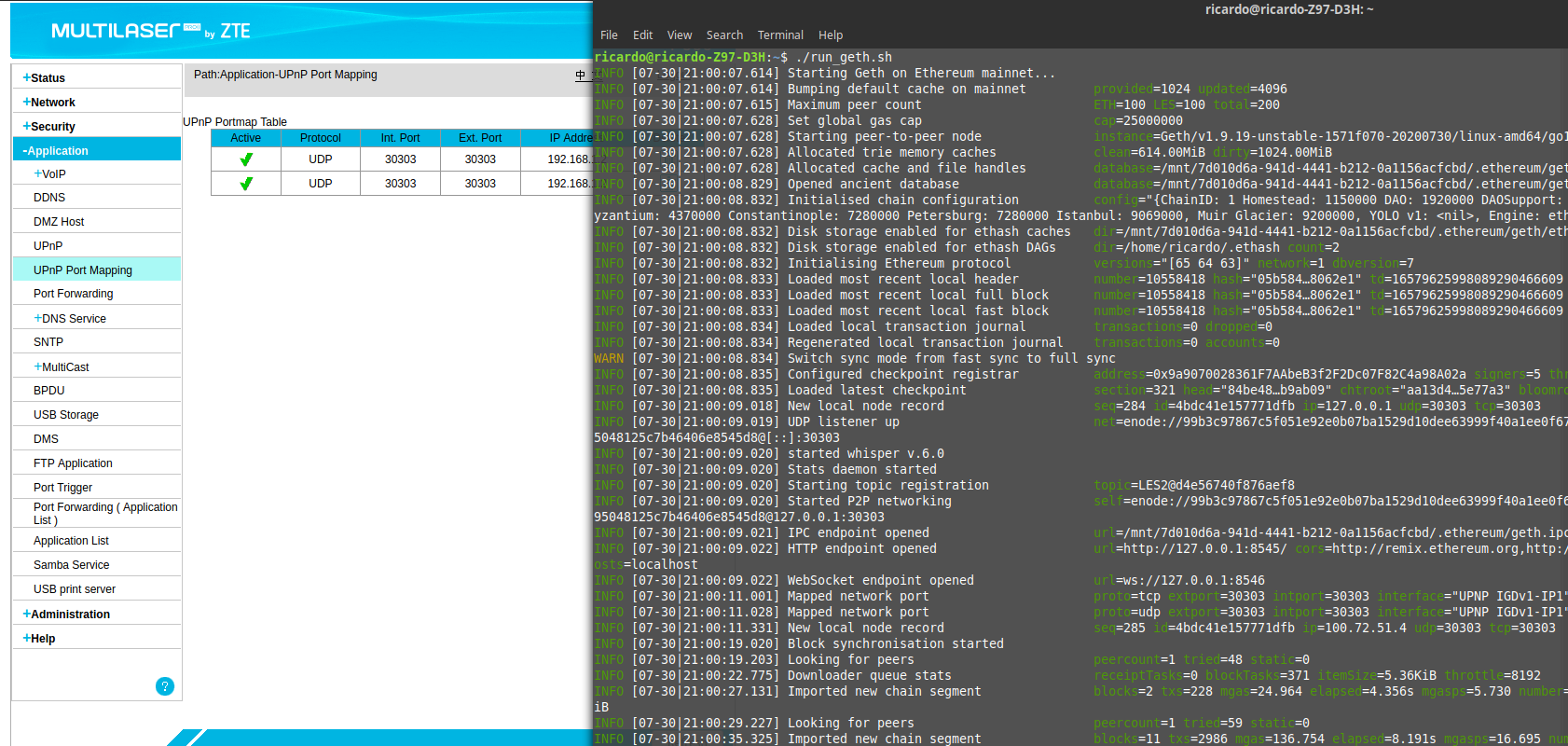
Log screenshot:

Router config screenshot:

I'm trying to light.serv, but not sure if its working because of this error in UPnP. My router clearly supports UPnP, and it's enabled.
If I use the torrent client Transmission, it maps the UPnP in the router, see:

3esmit
on 28 Jul 2020
IPFS also maps UPnP with no problems:

3esmit
on 28 Jul 2020
Thank you, your responses are very helpful! It looks like either the router isn't responding correctly or we're not processing the response correctly. It would be nice to also get packet trace, but only if you have the time to create it.
fjl
on 29 Jul 2020
Sure, I love messing with wireshark!!!
I captured before running geth and closed it. I did this for --nat upnp (geth_upnp.pcapng) and for --nat any (geth_nat_any.pcapng). For the --nat any I simply removed the flags in the geth init script, as this is the default behavior. I was using --nat upnp flag in geth trying to fix the issue, but ideally it should work with no flag.
Also, I did the same running ipfs daemon (ipfs_upnp.pcapng) and enabling/disabling transmission upnp (transmission_unp.pcapng), which are cases where UPnP works with ZTE F660 router.
The files were exported from wireshark 2.6.0 with the following filter: tcp.port == 52869 || ip.dst == 192.168.1.1
Let me know if you need anything else! Thanks!
3esmit
on 30 Jul 2020
Hmm, very interesting. Looks like the router simply closes the connection when it receives the AddPortMapping request from geth. That's also why the error message says EOF in the log.
The port mapping requests from Geth and IPFS are almost identical, except for two minor differences:
- Geth requests a port mapping lease time of 1200 seconds, IPFS wants 60 seconds.
- In Geth's request, the NewPortMappingDescription XML element contains a space character.
fjl
on 30 Jul 2020
I was trying to intercept the packets in Webscarab, for IPFS I could with no problem, however for geth my MITM attack is not working... I get this strange error:
DEBUG[07-29|22:57:56.896] Couldn't add port mapping                proto=udp extport=30303 intport=30303 interface="UPNP IGDv1-IP1" err="goupnp: SOAP request got HTTP 500 WebScarab error"
DEBUG[07-29|22:57:56.906] Couldn't add port mapping                proto=tcp extport=30303 intport=30303 interface="UPNP IGDv1-IP1" err="goupnp: SOAP request got HTTP 500 WebScarab error"
I don't see why, it's a unsecure "http" call, should be easy to intercept and alter the packet... I was going to try to change the lease time to 60 and also to remove the space character to see if it helps... Do you have any suggestion of other MITM tool or some special configuration I need to do in OWASP WebScarab?
In WebScarab I get this error:
23:23:25 Listener-127.0.0.1:8008-22(ConnectionHandler.run): IOException retrieving the response for http://192.168.1.1:52869/upnp/control/WANIPConn1 : java.io.IOException: No data received from the server
Maybe it would be easier to modify geth source and compile it, I can do that as well, I would just have to know what to change, then I can test it.
3esmit
on 30 Jul 2020
I captured the packets and send them manually, and then it works fine.
POST http://192.168.1.1:52869/upnp/control/WANIPConn1 HTTP/1.1
Host: 192.168.1.1:52869
User-Agent: Go-http-client/1.1
Content-length: 612
CONTENT-TYPE: text/xml; charset="utf-8"
SOAPACTION: "urn:schemas-upnp-org:service:WANIPConnection:1#AddPortMapping"
Accept-Encoding: gzip

<?xml version="1.0" encoding="UTF-8"?>
<s:Envelope xmlns:s="http://schemas.xmlsoap.org/soap/envelope/" s:encodingStyle="http://schemas.xmlsoap.org/soap/encoding/"><s:Body><u:AddPortMapping xmlns:u="urn:schemas-upnp-org:service:WANIPConnection:1"><NewRemoteHost></NewRemoteHost><NewExternalPort>30303</NewExternalPort><NewProtocol>TCP</NewProtocol><NewInternalPort>30303</NewInternalPort><NewInternalClient>192.168.1.3</NewInternalClient><NewEnabled>1</NewEnabled><NewPortMappingDescription>ethereum p2p</NewPortMappingDescription><NewLeaseDuration>1200</NewLeaseDuration></u:AddPortMapping></s:Body></s:Envelope>
POST http://192.168.1.1:52869/upnp/control/WANIPConn1 HTTP/1.1
Host: 192.168.1.1:52869
User-Agent: Go-http-client/1.1
Content-length: 618
CONTENT-TYPE: text/xml; charset="utf-8"
SOAPACTION: "urn:schemas-upnp-org:service:WANIPConnection:1#AddPortMapping"
Accept-Encoding: gzip

<?xml version="1.0" encoding="UTF-8"?>
<s:Envelope xmlns:s="http://schemas.xmlsoap.org/soap/envelope/" s:encodingStyle="http://schemas.xmlsoap.org/soap/encoding/"><s:Body><u:AddPortMapping xmlns:u="urn:schemas-upnp-org:service:WANIPConnection:1"><NewRemoteHost></NewRemoteHost><NewExternalPort>30303</NewExternalPort><NewProtocol>UDP</NewProtocol><NewInternalPort>30303</NewInternalPort><NewInternalClient>192.168.1.3</NewInternalClient><NewEnabled>1</NewEnabled><NewPortMappingDescription>ethereum discovery</NewPortMappingDescription><NewLeaseDuration>1200</NewLeaseDuration></u:AddPortMapping></s:Body></s:Envelope>
Analyzing the pcaps I attached in the message above
I noticed that geth is being too agressive in the requests, this might be causing the bug on ZTE F660, but might not happen on all routers.
This is the order of callings:
geth --> router: GET /gatedesc.xml
router --> geth: responds gatedesc.xml (200 OK)
geth --> router:
router --> geth:
geth --> router:
geth --> router:
geth --> router:
router --> geth:
geth --> router:
router --> geth: DROPs connection
router --> geth:
geth --> router:
router --> geth: never answers
Notice that the geth asks for ExternalIPAddress, DeletePortMapping (for TCP 30303) and DeletePortMapping (for UDP 30303) without waiting a response. Router dont have time to response, and never responds the GetExternalIP, and just responds one DeletePorMapping.
If I reproduce the packets sent by geth, manually, one by one, it works fine, it just errors in geth, probably due this asyncronous calls to the router.
To fix this, probably geth should do one thing, wait response, and then do other. (or add some delays)
3esmit
on 30 Jul 2020
Please try the linked PR.
fjl
on 30 Jul 2020
It works! Thanks a lot for the fix!
3esmit
on 31 Jul 2020
Strange, it worked once... And now it's again showing this error:
DEBUG[07-30|22:05:00.832] Couldn't add port mapping                proto=tcp extport=30303 intport=30303 interface="UPNP IGDv1-IP1" err="goupnp: error performing SOAP HTTP request: Post \"http://192.168.1.1:52869/upnp/control/WANIPConn1\": EOF"
DEBUG[07-30|22:05:00.844] Couldn't add port mapping                proto=udp extport=30303 intport=30303 interface="UPNP IGDv1-IP1" err="goupnp: error performing SOAP HTTP request: Post \"http://192.168.1.1:52869/upnp/control/WANIPConn1\": EOF"

3esmit
on 31 Jul 2020
Here are the captures using the PR version...
geth_pr_wire_capture.zip
3esmit
on 31 Jul 2020
My computer have WiFi and Wired connection. When I use WiFi connection, it works fine, when I use Wired connection it errors, even in the stable geth or in the PR.
The first time I tried the stable on WiFi it errored, but subsequent times it worked fine.
Everytime I run geth PR on WiFi, stops, and then run geth stable on Wifi, it errors, but after I close it and run again geth stable, it works fine.
Captures: geth_over_wifi_captures.zip
3esmit
on 31 Jul 2020
I was able to alter the code of your PR, add a time.Sleep(time.Millisecond) on ExternalIP(), and now it works fine... What the frick? :laughing:
I created a PR in your personal repo with the exact line I changed, I used 100 ms of wait there because when using only 1 ms, it sometimes works, it sometimes doesn't.
https://github.com/fjl/go-ethereum/pull/6
I am not sure if this is the best solution, or neither why this happens with this router, I guess the ZTE F660 is a shitty router.
I am happy to test any other solution you might want to use instead of this ugly Sleep.
3esmit
on 31 Jul 2020
I think the issue might be that the router can't process the requests if they're coming too fast?
fjl
on 31 Jul 2020
I've updated the PR to use a rate limiter instead of avoiding concurrent requests. The rate limit is super high at 500ms.
fjl
on 31 Jul 2020
I tried the new commit and it doesn't works...
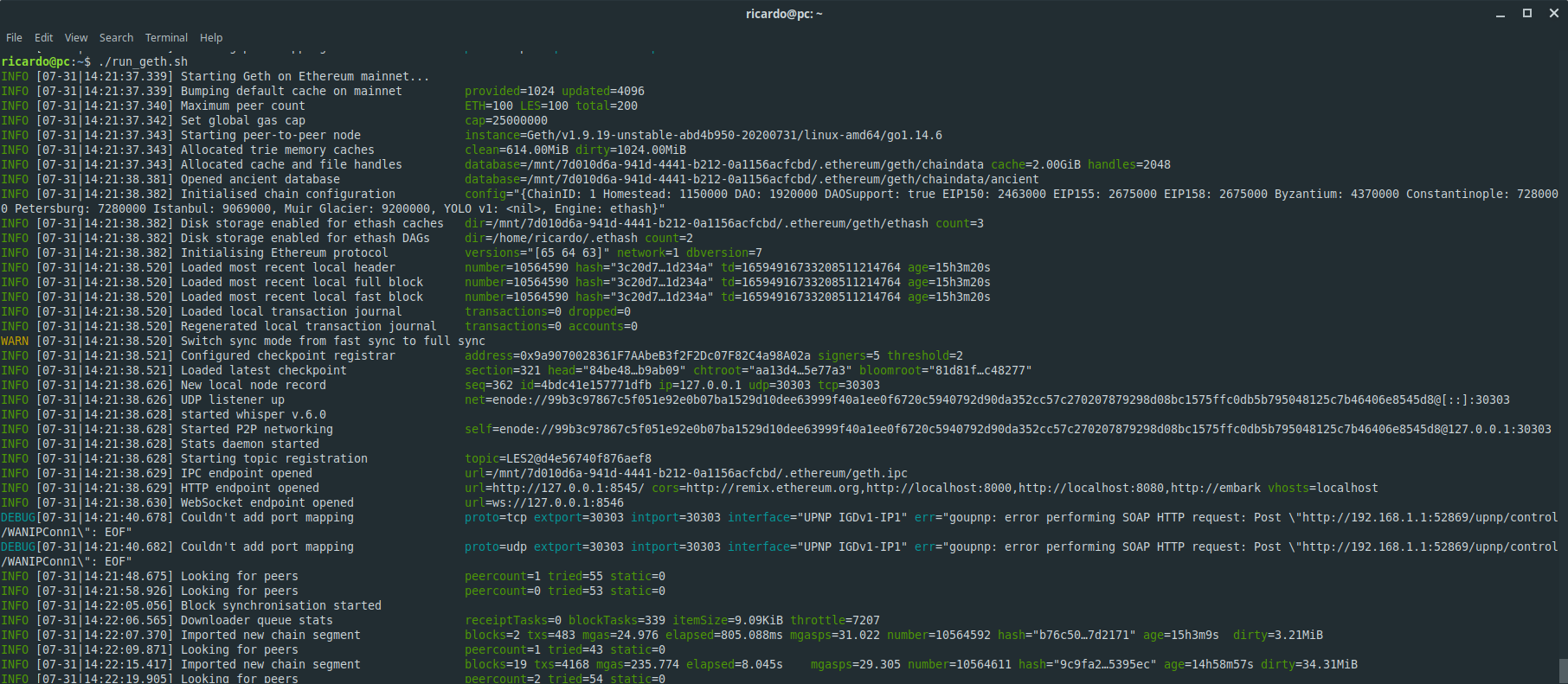
3esmit
on 31 Jul 2020
Here are the wireshark captures:
geth_pr_abd4b950_nat_captures.zip
There is 3 files:
- geth_pr_abd4b950_nat_pnp.pcapng: When using Ethernet cable connected directly to Router, always errors.
- geth_pr_abd4b950_nat_pnp_wifi_errored.pcapng: When using Wifi, sometimes it errors.
- geth_pr_abd4b950_nat_pnp_wifi_worked.pcapng: When using Wifi, it usually works.
3esmit
on 31 Jul 2020
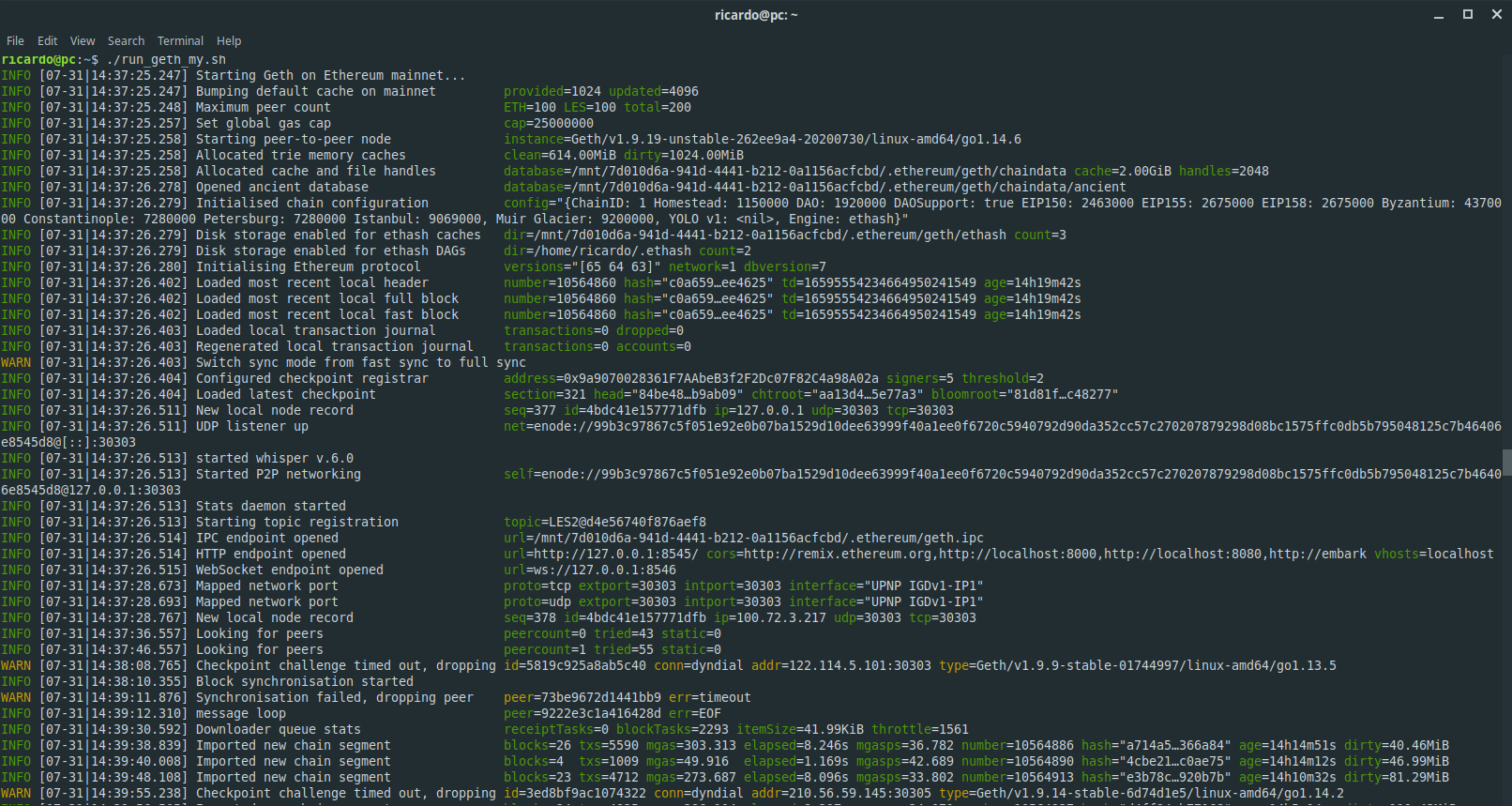
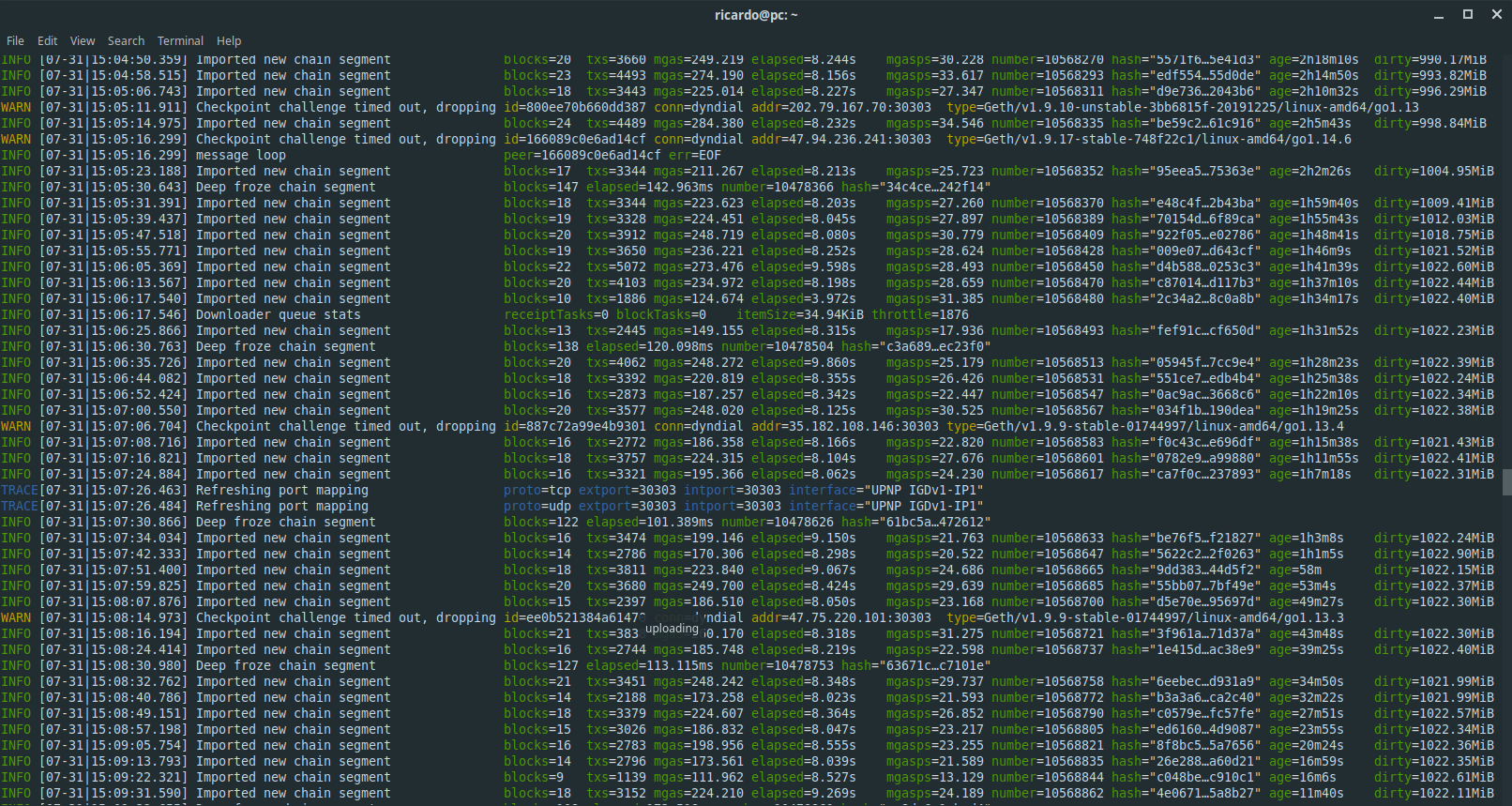
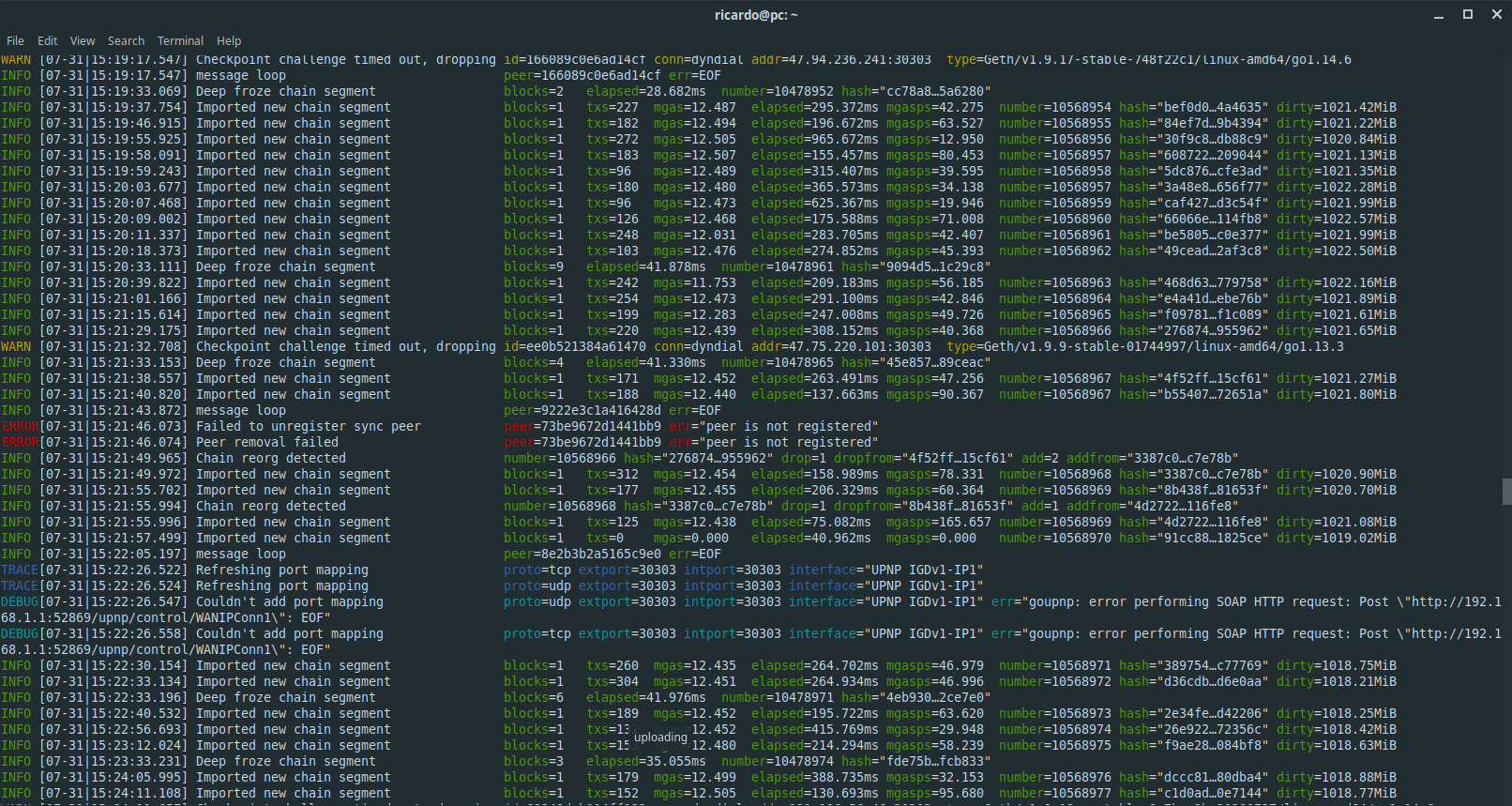
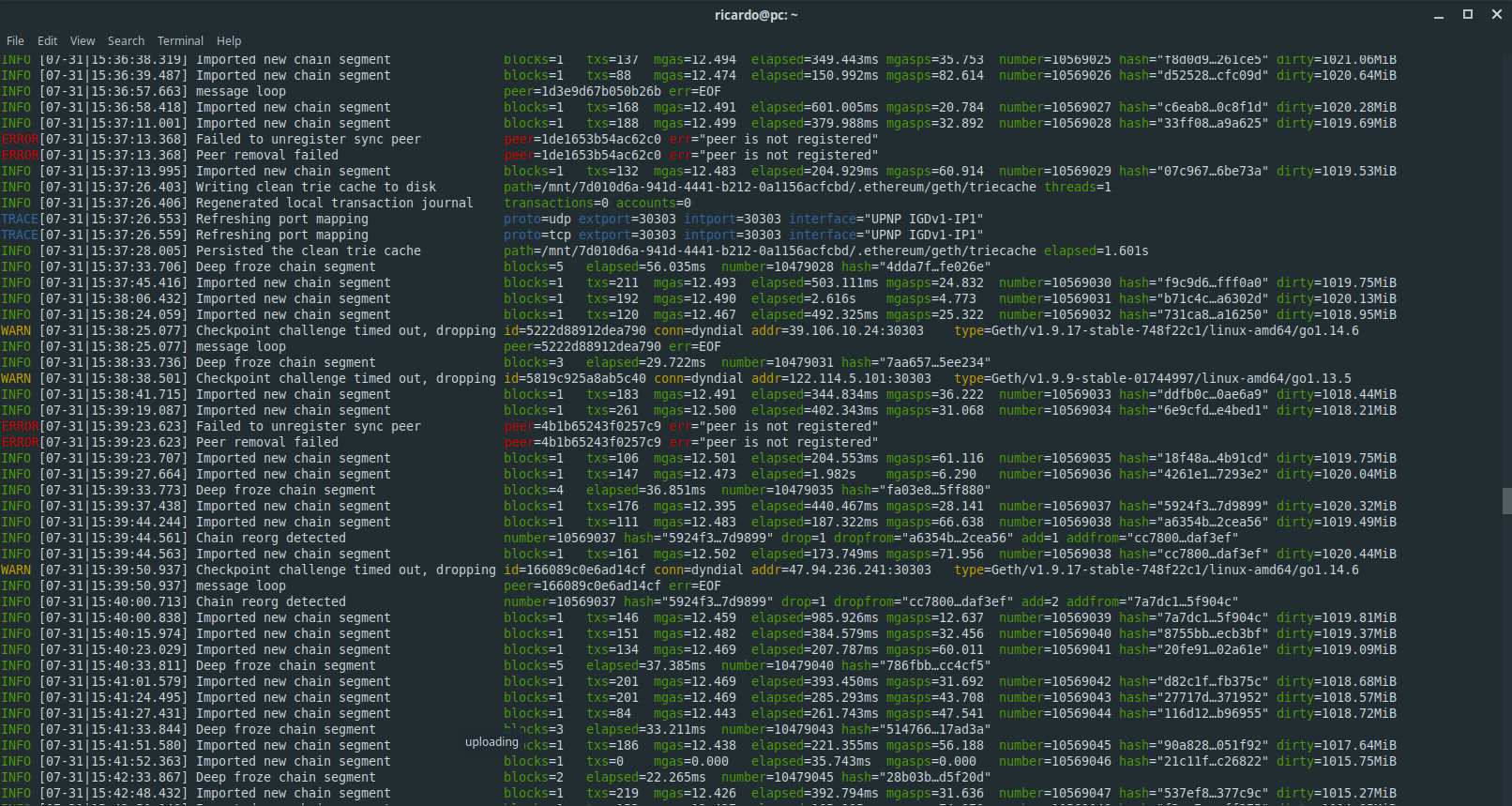
For these screenshots I am using the commit I modified. I noticed that the "refreshing of UPnP" also gives me errors, but only when synced. So I will try add a Sleep in all calls?
It starts and maps the ports normal at first:
While syncing it refreshed the ports with success:
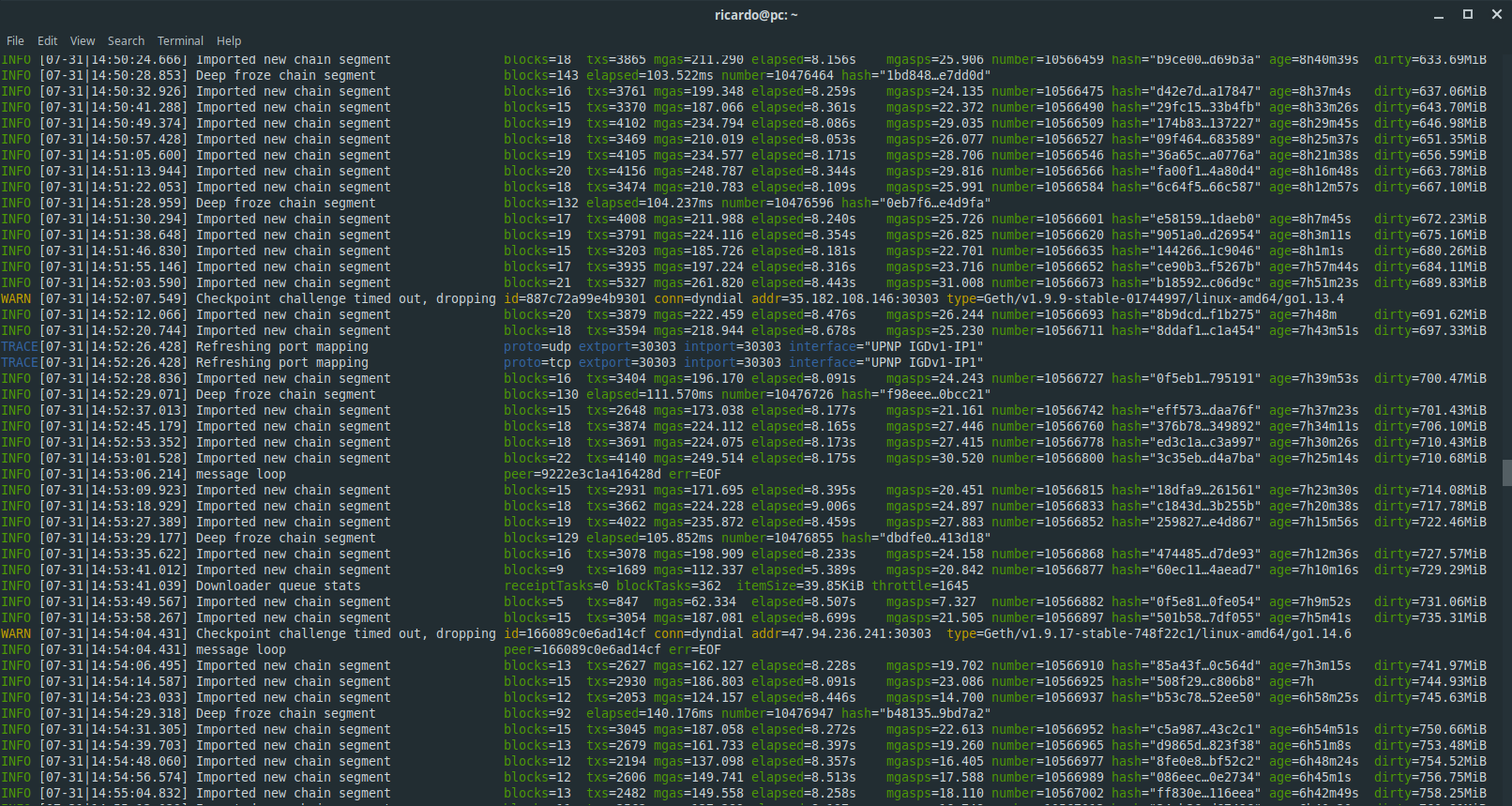
But when it tries to do it while synced, the errors begin:
Sometimes it does not errors:

But then it errors again and forever:
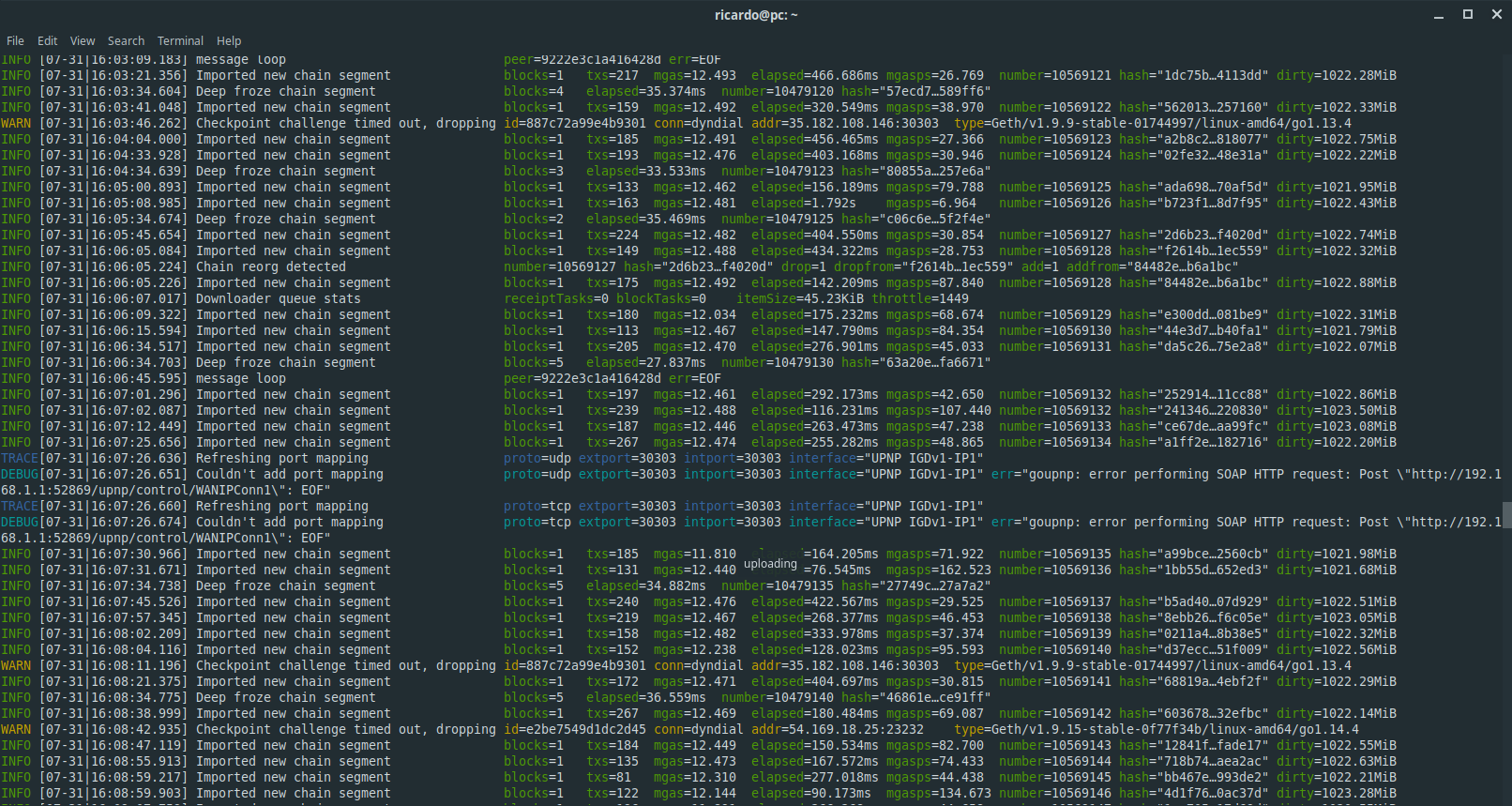
(...) many errors similar to this (...)

Then once it errored just at one port:
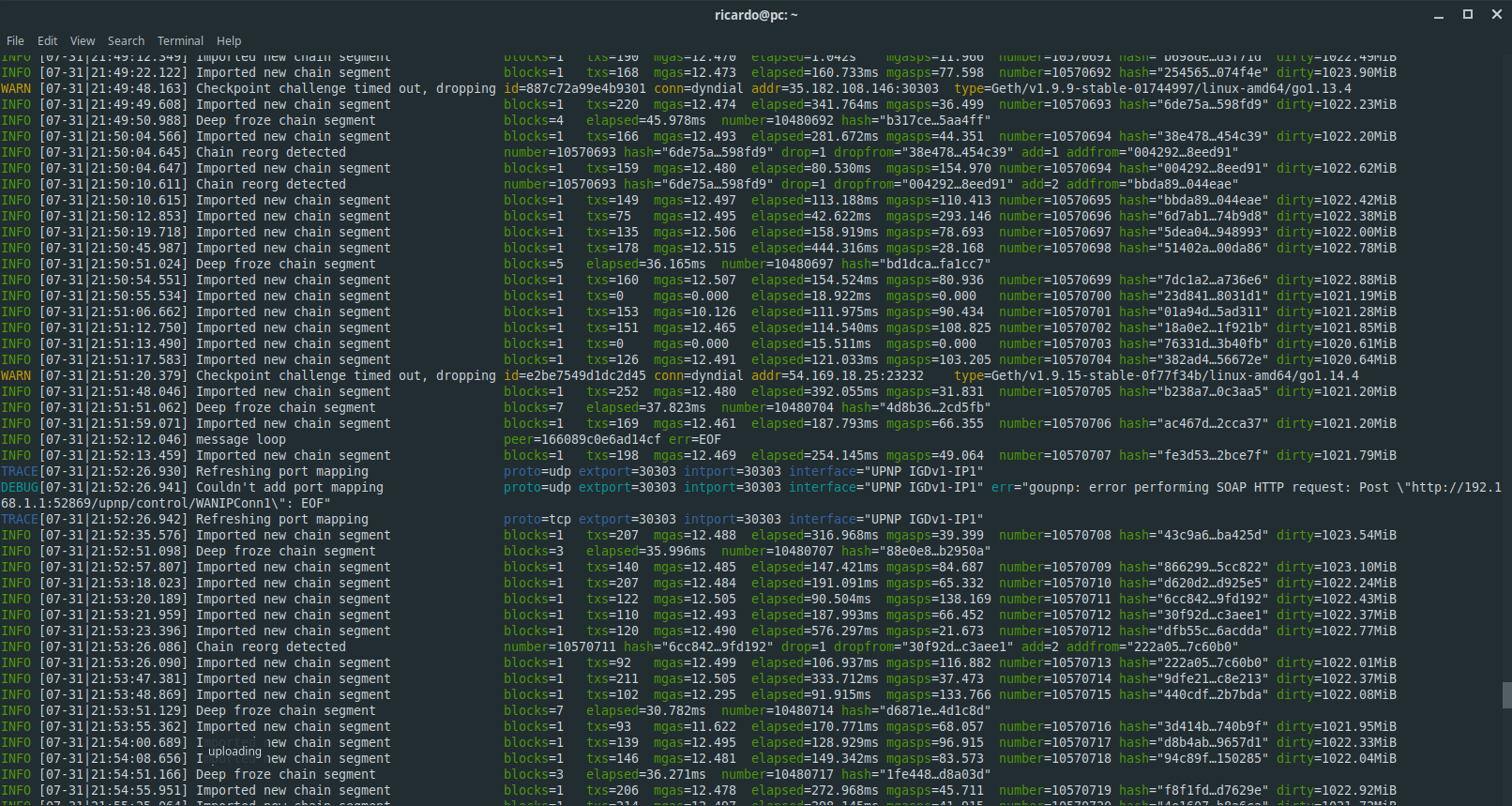
And back to normal erroring in both:
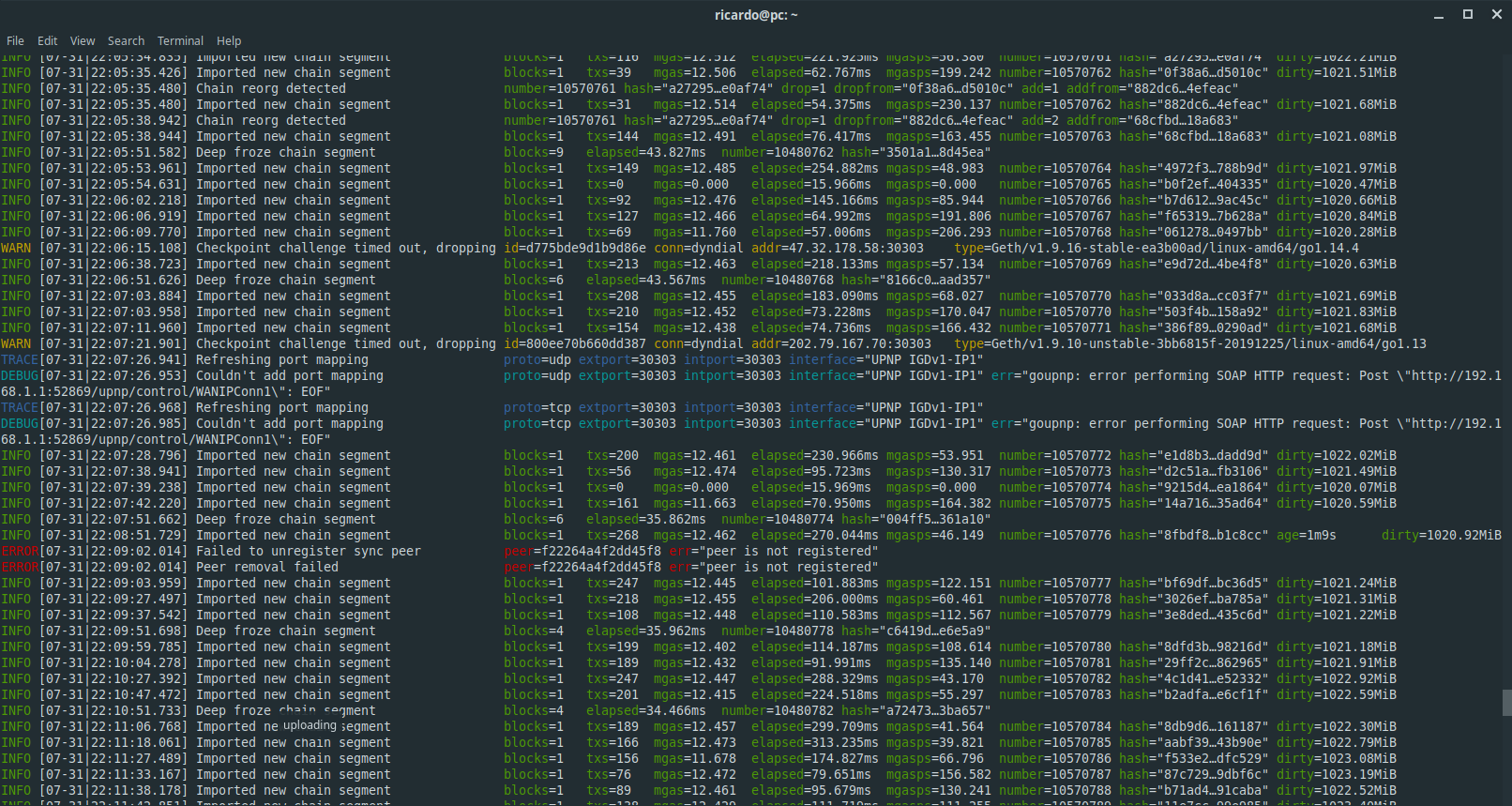
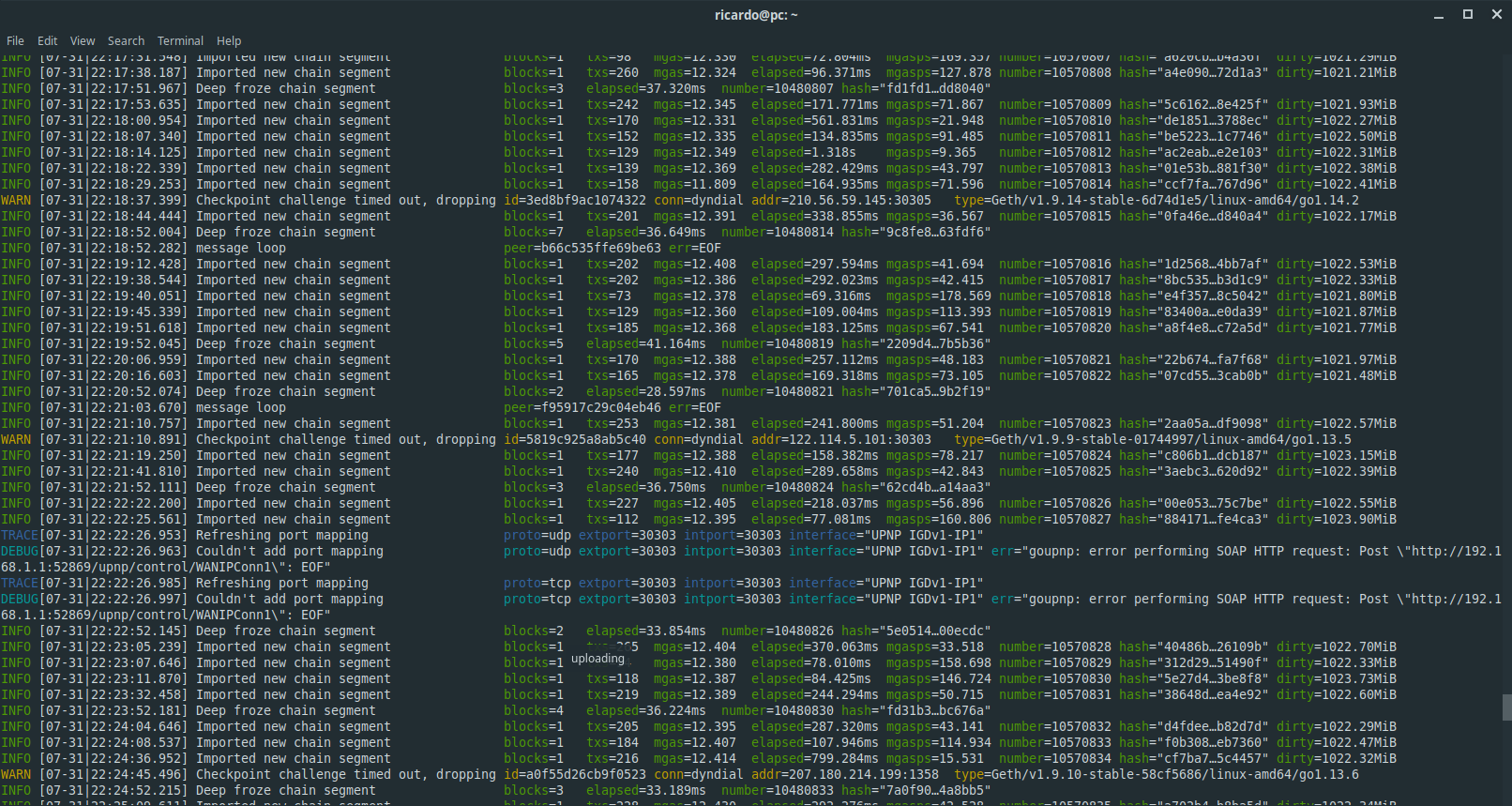
Erroed just in one again:
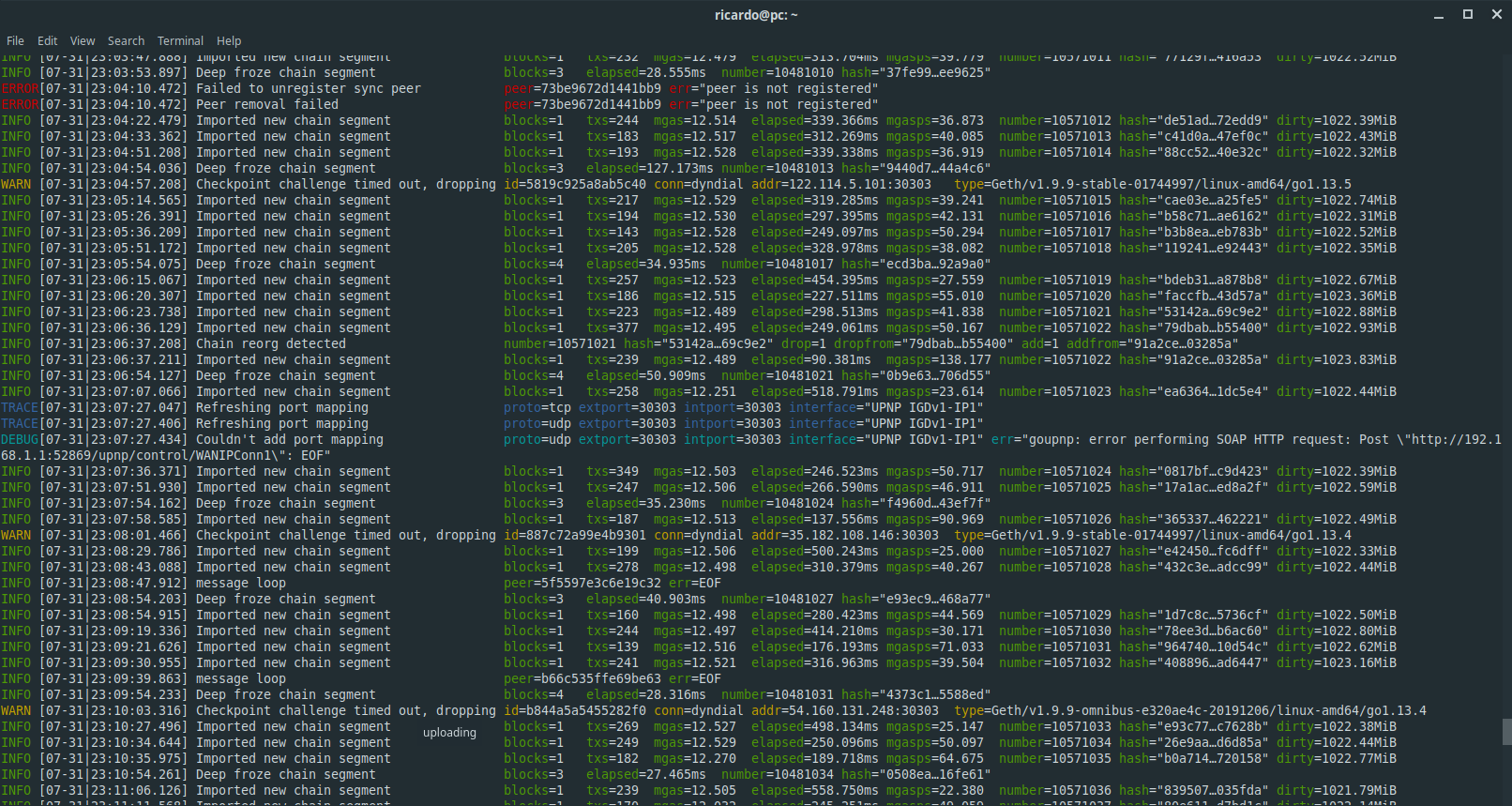
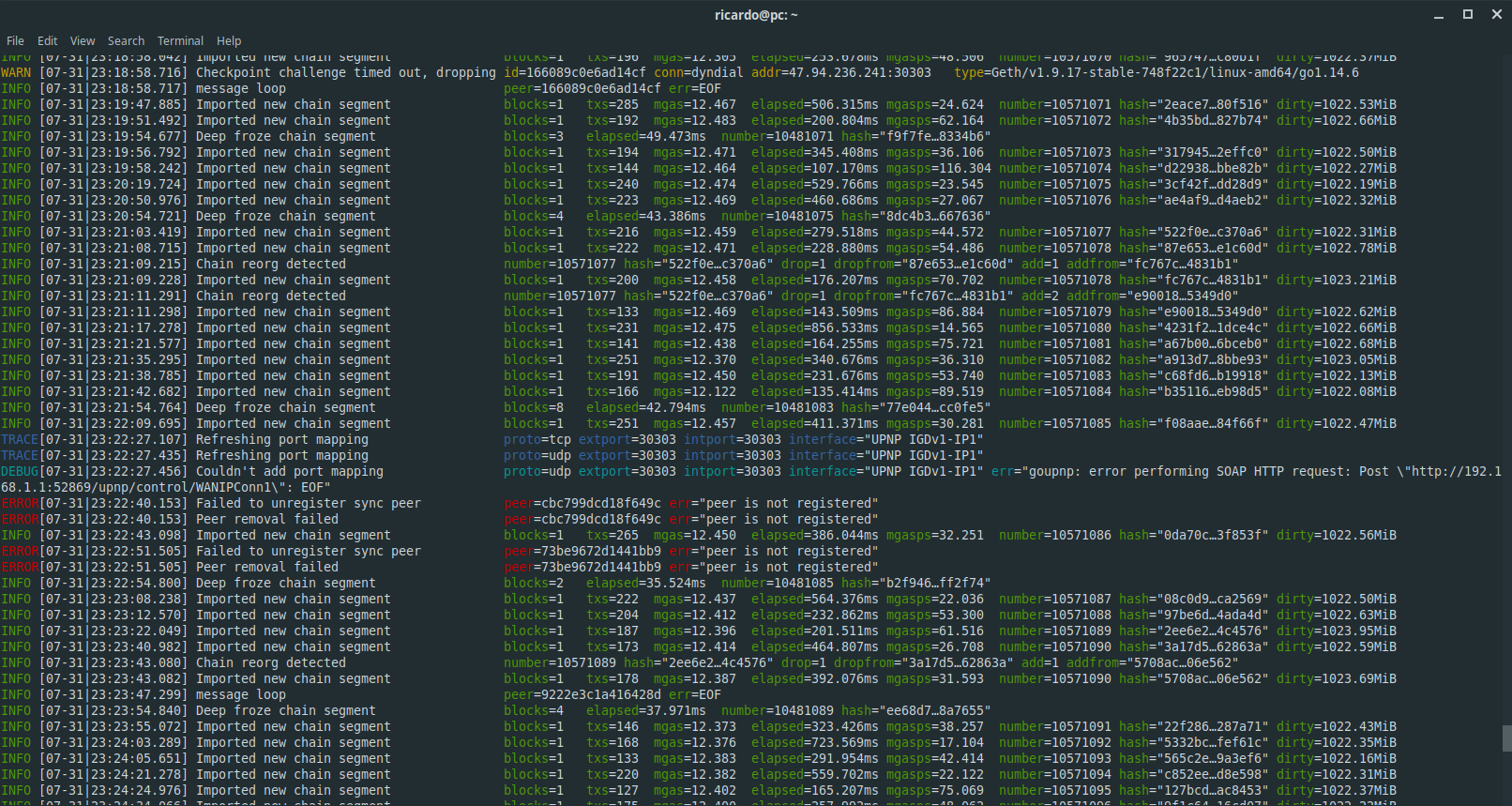
And it keeps with this... And currently I am running geth and no mapping in my router...
3esmit
on 1 Aug 2020
I added a new commit on the PR that was working best for me, https://github.com/fjl/go-ethereum/pull/6, and now it works in all cases...
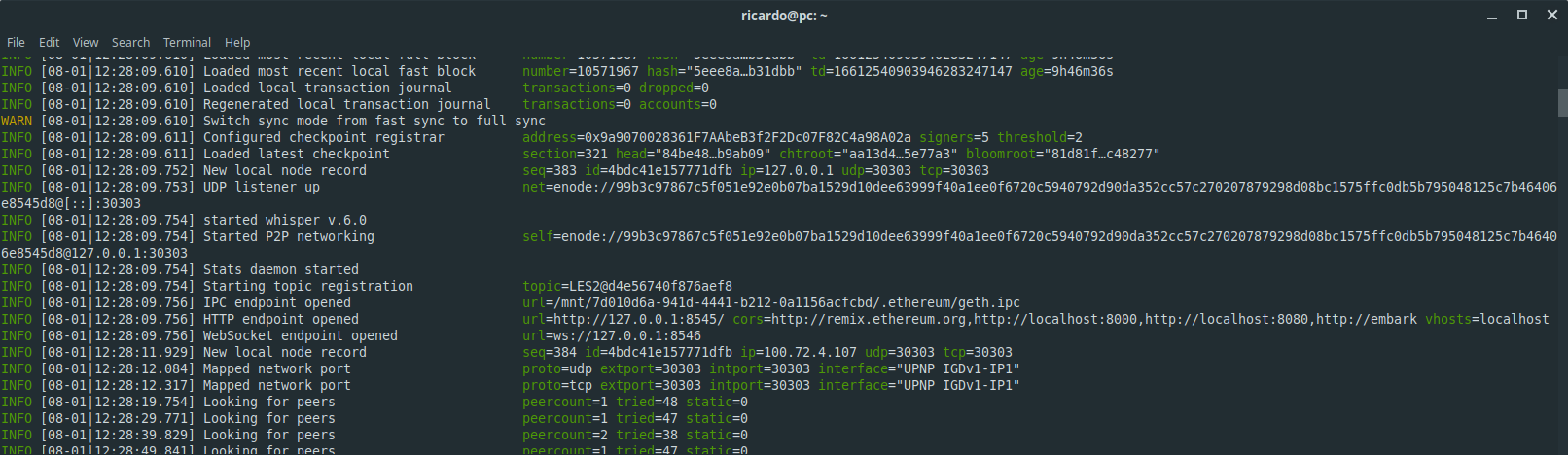
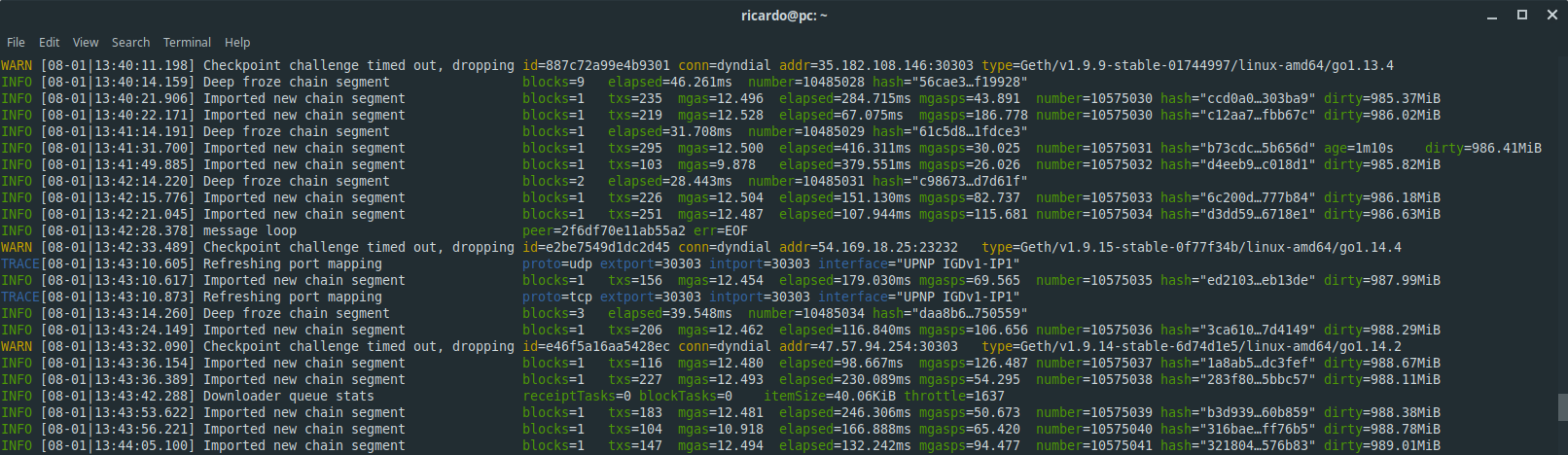
3esmit
on 1 Aug 2020
Not working so great...
I don't get any error messages, but this is what is being mapped at the router:
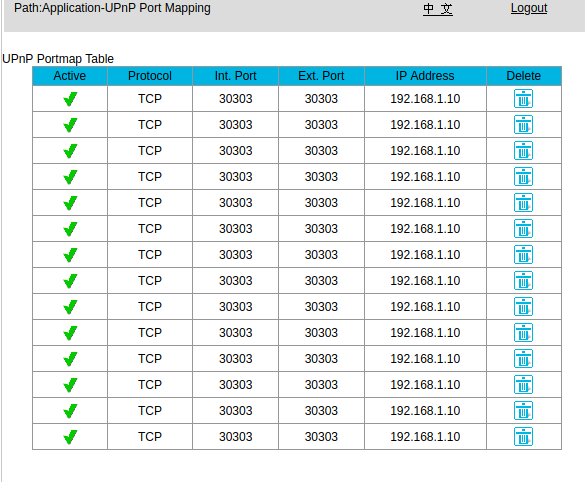
3esmit
on 1 Aug 2020
At beginning it maps correctly, one TCP and one UDP, but the "remappings" are problematic, removing UDP, not adding it back, and adding many TCP entries of the same thing.
3esmit
on 1 Aug 2020
Hey, thanks for spending so much time on this!
I don't know how to best proceed with this issue. In the https://github.com/fjl/go-ethereum/pull/6 PR, with the sleep added everywhere, the code basically does everything it possibly could to avoid confusing your router (not sending any concurrent requests and waiting between requests). I checked the libp2p library and it uses the same underlying implementation of UPNP, and generally does things in the exact same way as go-ethereum does now. We can try and increase the sleep duration even more, but I doubt it'll help much.
Will have another look at this on Monday.
fjl
on 1 Aug 2020
I also have an Ubiquiti EdgeRouter here, and the stable version of geth seems to have troubles with it as well. For the EdgeRouter, the initial UPnP works fine, but the "remappings" have problems. Why are these remappings needed?
For the fjl#6 PR in ZTE, it seems to work, but the mappings are all messed up after some time. At one test it was just "flooding" TCP mappings, and other test it was "flooding" UDP mappings.
As for libp2p, it generally does the same thing, but for some reason I have problems just with geth.
3esmit
on 3 Aug 2020
but the "remappings" have problems. Why are these remappings needed?
The port mapping will time out after a while and needs to be recreated. In theory, the router should just delete those mappings after the specified timeout, which is set to 20 minutes in the request. For some reason, that doesn't seem to happen with your router.
However, the logic in p2p/nat is weird for this. It recreates the mapping every 15 minutes, but requests 20 minutes of mapping time. I'll change it in the PR so both times are the same, then we can check if that helps.
fjl
on 3 Aug 2020
Pushed to #21390
fjl
on 3 Aug 2020
Thanks, I will test this new PR.
Seems like this bugs does affect other routers as well, and would be good to have this sorted out to improve the network.
3esmit
on 3 Aug 2020
Congratz! The latest instance=Geth/v1.9.19-unstable-a44bd481-20200803/linux-amd64/go1.14.6 it's working without I noticing the bugs I noticed with other implementations.
The commit a44bd481 is:
- Initialization mapping working;
- Remapping while syncing working;
- Remapping while synced/lightserv working;
- Had always correct mappings on router (no duplicate and missing mappings).
I also verified that it:
- Removes mappings on exit
- Works normally after a restart of geth
- Works on WiFi
Log of the runs I tried so far: geth.log
I think is good to go, as it worked perfectly, but I will keep testing as my main node and try it replacing ZTE-F660 by a Ubiquiti EdgeRouter (in a second nat, which should NAT only in the first router) which had problems with UPnP of current stable geth.
3esmit
on 3 Aug 2020
Commit a44bd481 works fine in EdgeRouter as well.
3esmit
on 4 Aug 2020
Related issues
 cheershendtco
·
3Comments
cheershendtco
·
3Comments
 362228416
·
3Comments
362228416
·
3Comments
 bgrieder
·
3Comments
bgrieder
·
3Comments
 VoR0220
·
3Comments
VoR0220
·
3Comments
 RoodyChan
·
3Comments
RoodyChan
·
3Comments