Gns3-gui: GNS kicks the hyper-V VM but never goes through
NOTE
I have already a thread aroung GNS VMWare VM which seems not stable and not working correctly at https://github.com/GNS3/gns3-gui/issues/3074, that is the reason why I switched to Hyper-V VM
Describe the bug
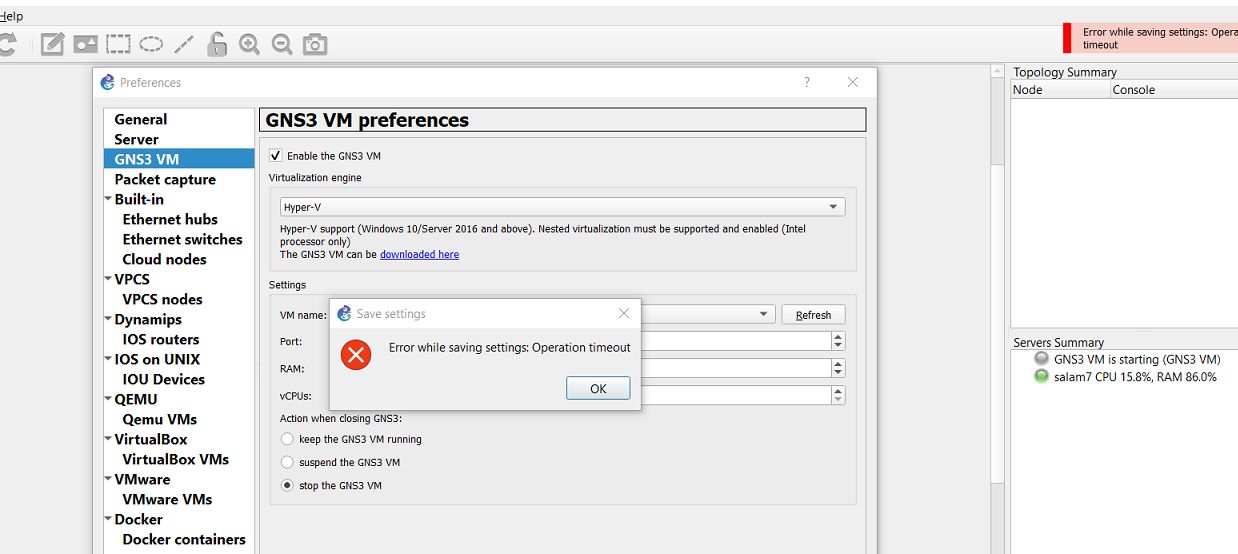
I have most recent version of GNS3, downloaded the Hyper-V VM, created it with the script. GNS 3 succesfuly trigers the VM and can see it is in "Starting status", I switch to Hyper-V, I see indeed that VM started correctly and ready. I can ssh to it from commandline, as well as it can go to internet. However, in GNS3 it keeps saying "is starting..." and never able to finalize connection. then 5 minutes later I get an error "not able to save ...as you can notice in the snapshot
Thanks for your help
GNS3 version and operating system (please complete the following information):
- OS: win 10 64bit
- GNS3 version 2.1.15
- Hyper-V
To Reproduce
Steps to reproduce the behavior:
- Go to '...'
- Click on '....'
- Scroll down to '....'
- See error
Screenshots or videos

Additional context
I also opened a thread on GNS3 community at https://www.gns3.com/initiatives/gns-kicks-the-vm-but-never-go-through but the response is not really satisfactory
 eliassal
All 9 comments
Do you still have the issue with version 2.2.16?
 grossmj
on 6 Nov 2020
grossmj
on 6 Nov 2020
No, I reinstalled the VM, now it is working but there is a huge issue with the design. GNS3 VM is configured with NIC (Default switch) of the Hyper-V win 10. The Hyper-V Default Switch will randomly use one these IP address ranges based on the host system IP address:
- Start IP: 192.168.0.0 – End IP: 192.168.255.255
Start IP: 172.17.0.0 – End IP: 172.31.255.255
Any idea of how can we configure the VM with a fixed IP on another hyper-V switch and make GNS3 able to connect to it?
eliassal
on 6 Nov 2020
Sorry, I have 2.2.15, do you mean that there is a new GNS3 version? I have visited GNS3 web site, yes I can see that there is a new version, can I run the install to upgrade 2.2.15 to 2.2.16? or Should I uninstall 2.2.15 before?
Thanks for your help
eliassal
on 6 Nov 2020
Do you still have the issue with version 2.2.16?
Yes, same problem here yet with 2.2.16.
 Mario156090
on 8 Nov 2020
Mario156090
on 8 Nov 2020
@Mario156090 apparently a package is missing. Please go to the shell from the VM menu and type this command: sudo apt update && sudo apt install linux-cloud-tools-common then reboot.
grossmj
on 9 Nov 2020
@Mario156090 apparently a package is missing. Please go to the shell from the VM menu and type this command:
sudo apt update && sudo apt install linux-cloud-tools-commonthen reboot.
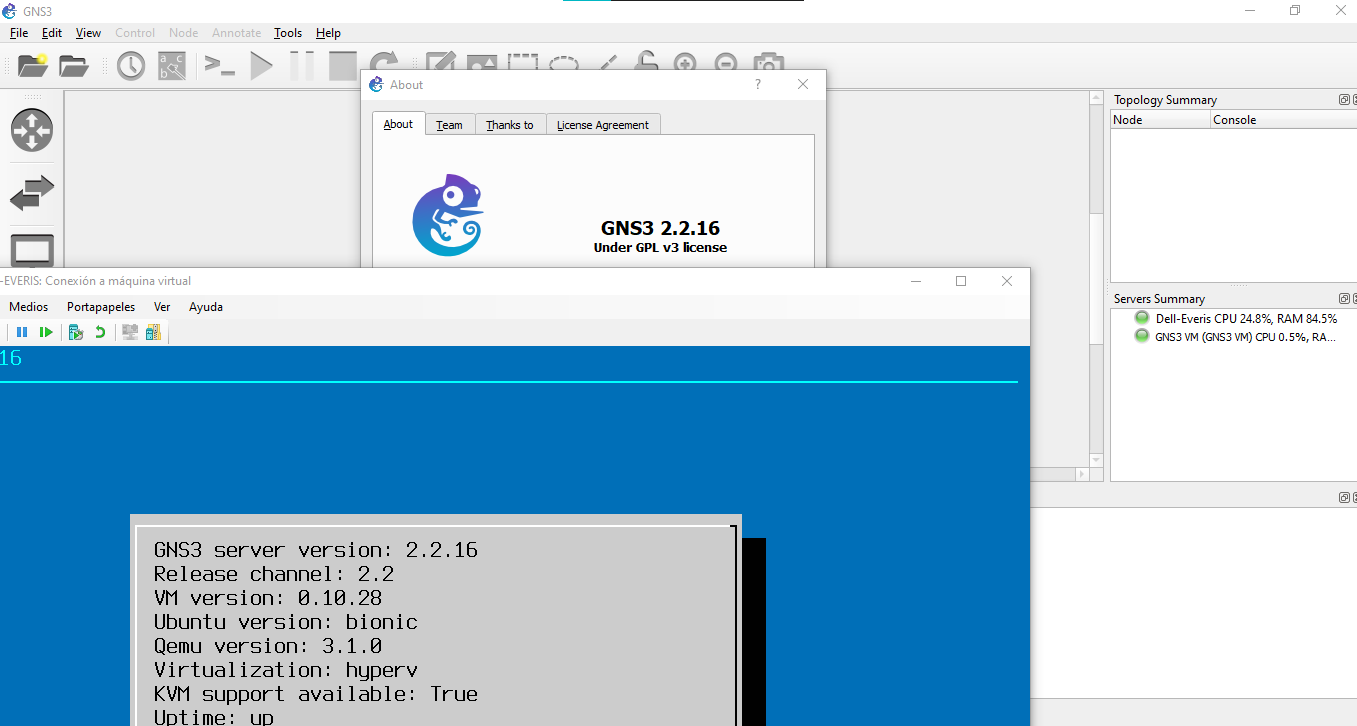
Ok, yes, that is the problem. Works perfectly now after package install. Thank's a lot newly.
Mario156090
on 9 Nov 2020
I have added the missing package when building the GNS3 VM. Hopefully this is all what is needed.
grossmj
on 10 Nov 2020
Thanks Jermey. I understand that a new version is out, 2.2.16, is there will be a new VM for this version? If yes, should we use the new VM with the new 2.2.16 GNS3 or can we continue with the exisiting VM? If in case we need to upgrade the VM, will topologies and images that run in the image are saved somewhere or should we start from scratch and the possibility of losing all our topologies, thanks again for your help
eliassal
on 10 Nov 2020
Yes, there is a new GNS3 VM after each release. However, you can just upgrade the one you have from the menu which is the preferred way since you don't have to migrate your topologies to another VM.
grossmj
on 10 Nov 2020
Related issues
 sachinsebastian
·
7Comments
grossmj
·
4Comments
sachinsebastian
·
7Comments
grossmj
·
4Comments
 jingle0927
·
5Comments
jingle0927
·
5Comments
 Raizo62
·
8Comments
Raizo62
·
8Comments
 jJit0
·
6Comments
jJit0
·
6Comments