Gnome-shell-extension-gsconnect: Paired devices not visible in Gnome Shell
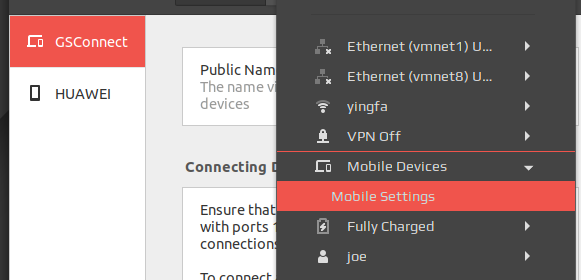
im using ubuntu1804 gnome 3.28 xorg.
clipboard(both pc and phone) and other function work ok,but just can't see the phone paired in 'Moible Devices' menu.so i can't browse my phone's files at my ubuntu.
 gmmp
gmmp
All 24 comments
This seems like it might be a duplicate of #117, can you tell me what icon set you are using and if you have updated it recently?
 andyholmes
on 31 May 2018
andyholmes
on 31 May 2018
icons 'SoftNumix' from Numix theme.not updated util last month.
i have tried change my icons to default 'Adwaita', restart gnome by alt+f2 'restart'.still can't see deivce
gmmp
on 31 May 2018
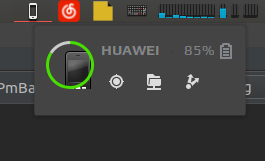
good news,maybe after installed system update of today.phone device icon show in the user menu,never show before,finally can browser phone files!but still can't see in the mobile device dropdown😂
gmmp
on 1 Jun 2018
Are you using the latest version (v11) from the releases page? That might help with these problems.
andyholmes
on 1 Jun 2018
yes,i'm using verison 11.and the icon disappeared😂.i will send comment when i figure out how it show and disappear.
gmmp
on 1 Jun 2018
Just one thing I wanted to point out:
good news,maybe after installed system update of today.phone device icon show in the user menu,never show before,finally can browser phone files!but still can't see in the mobile device dropdown
You may be aware of this, but when "Show Indicators" is activated in the extension preferences the individual device entries are moved from the User menu to the top bar. So, not seeing them in the "Mobile Devices" dropdown is normal unless you turn off "Show Indicators" to move the device entries back into the User menu.
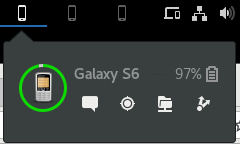
Other than that, your system sure is using a strange icon, even when it did show up. I wonder if the size might be causing an issue? I'm also using the Adwaita icon theme (Fedora's default), and here's what the panel looks like for me in both Indicator and User Menu forms:
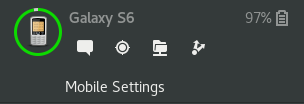
The gtk3-icon-browser tool (part of the gtk3-devel package under Fedora) might be helpful in examining the icons available in the current theme. Here's what a search for "phone" looks like on my system:
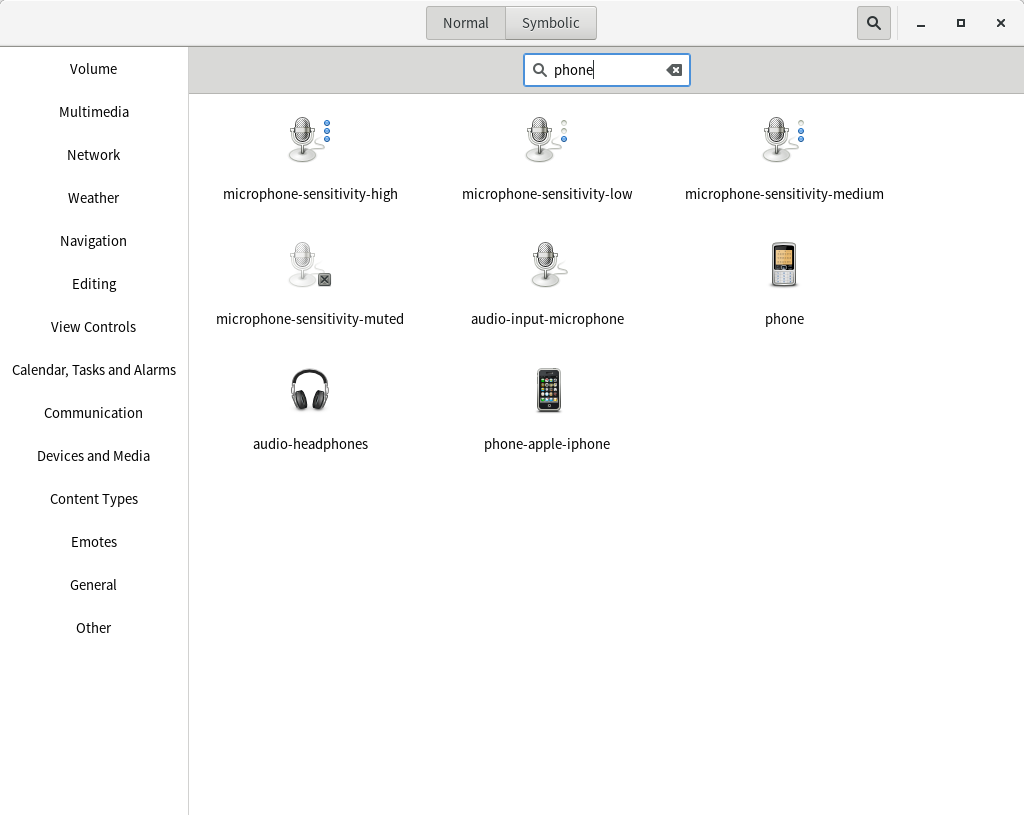
(As you can see, the icons match.)
 ferdnyc
on 10 Jun 2018
ferdnyc
on 10 Jun 2018
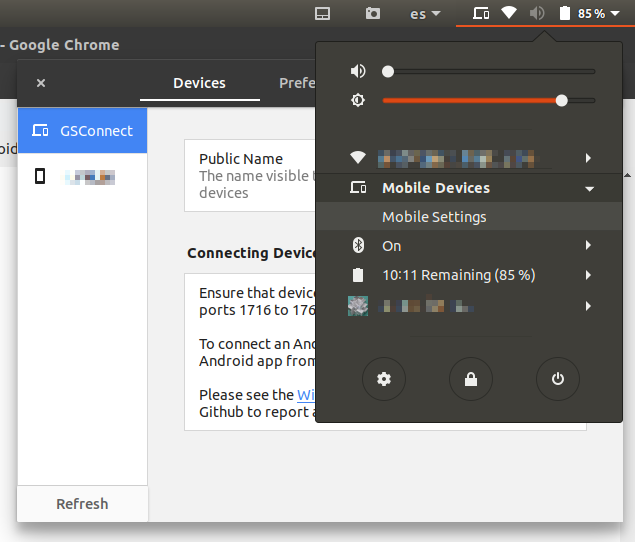
Hi, I'm experimenting the same issue. Ubuntu 18.04.1 + GSconnect 12 here, HiDPi screen. I've tested all the Gnome themes (default, materia, arc, etc.) and icons sets (default, paper, papyrus, etc.) I have installed, and while all functionality is there, I can't see my device in the top bar or the submenu, regardless of the settings:
 AbelVM
on 24 Aug 2018
AbelVM
on 24 Aug 2018
Same issue for me. 18.04 with GSConnect 12. I've tried lots of icon sets and the standard theme. I don't see the device in the user menu, or an icon on my top bar when "show indicators" is activated. All other functionality seems fine. My phone is paired, and I see notifications etc.
 joearcher
on 18 Sep 2018
joearcher
on 18 Sep 2018
Are you sure KDE Connect isn't installed or running?
$ pidof kdeconnectd
See also: Network Service Failed
andyholmes
on 19 Sep 2018
@andyholmes I definitely don't have kde connect running.
The two tests on the Network Service Failed page show the following...
lsof -i UDP:1716
COMMAND PID USER FD TYPE DEVICE SIZE/OFF NODE NAME
gjs 1513 joe 18u IPv4 32167 0t0 UDP *:1716
ss -lup sport = :1716
State Recv-Q Send-Q Local Address:Port Peer Address:Port
UNCONN 15232 0 0.0.0.0:1716 0.0.0.0:* users:
(("gjs",pid=1513,fd=18))
joearcher
on 19 Sep 2018
Are there any errors in the debug log for Gnome Shell? You can turn that on in the About page, although you'll probably have to enable and disable the extension to catch any errors.
andyholmes
on 19 Sep 2018
@andyholmes It doesn't appear so, after enabling debug mode, then disabling and re-enabling the extensions I see this in the extension tab of the terminal:
[[email protected]]: enabling extension
[[email protected]]: extension.SystemIndicator._serviceAppeared()
[[email protected]]: extension.SystemIndicator._deviceAdded(/org/gnome/Shell/Extensions/GSConnect/Device/206b46d23b67dc09)
Hmm, I think there should be some _sync() messages at least, but if there are no errors it must be something theme or icon related. Do you also have a HiDPI screen?
andyholmes
on 19 Sep 2018
@andyholmes Nope just a 16:9 1920 x 1080. I'll have to try some more themes.
joearcher
on 19 Sep 2018
The instance that it was an icon theme problem, I believe it ended up being old icon files in ~/.local/share/icons that were overriding the system ones. Without an error, the only other thing I can think is to use the object selector in Looking Glass (Alt+F2 and lg) and see if you can "mouse-over" where the panel indicator should be.
andyholmes
on 19 Sep 2018
@andyholmes I get nothing in the panel using Looking Glass where the icon should be (show indicators is enabled), it just outlines the whole panel or the visible user-menu icons.
joearcher
on 19 Sep 2018
Can anyone confirm that this issue still exists on v13, or if it used to affect you and now doesn't?
andyholmes
on 26 Oct 2018
(Sorry, deleted my previous comment. I was discussing the wrong issue.)
ferdnyc
on 27 Oct 2018
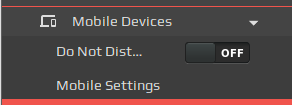
Can anyone confirm that this issue still exists on v13, or if it used to affect you and now doesn't?
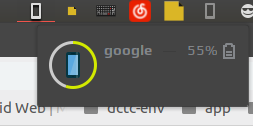
i hvae tried v13, still can't see the paired devices in dropdown menu mobile devices. but show at the head menu.
gmmp
on 27 Oct 2018
i hvae tried v13, still can't see the paired devices in dropdown menu mobile devices. but show at the head menu.
Okay, is that including if you toggle the "Display Mode" option in settings? Like if it's set to _"Panel"_ it does show the indicators, but if it's set to _"User Menu"_ it does not show in the dropdown?
andyholmes
on 27 Oct 2018
Confirmed as fixed for me.
joearcher
on 27 Oct 2018
After updating to v13 and system restart it is properly displays paired devices in both mode: panel & user menu. Thanks!
Using Ubuntu 18.04 with custom theme and icons.
 sergio-code
on 27 Oct 2018
sergio-code
on 27 Oct 2018
I toggle the display mode option ,devices show in drop down. Thanks,problem fixed.
gmmp
on 28 Oct 2018
Alright, I'll close this one since it seems to be fixed for everyone.
andyholmes
on 28 Oct 2018
Related issues
 amivaleo
·
4Comments
amivaleo
·
4Comments
 sk0gen
·
4Comments
sk0gen
·
4Comments
 rugk
·
4Comments
rugk
·
4Comments
 danieldeng2
·
4Comments
danieldeng2
·
4Comments
 jeetsrs
·
4Comments
jeetsrs
·
4Comments