Glide: GlideModule integration with custom OkHttp not working with HTTPS images
Hi,
When I try to load images from "https" the image is not loading throwing the exception in Log "javax.net.ssl.SSLHandshakeException: java.security.cert.CertPathValidatorException: Trust anchor for certification path not found.".
I tried the solution provided in the following link, but no improvements
https://futurestud.io/tutorials/glide-module-example-accepting-self-signed-https-certificates
I can use the custom Okhttp which I used with glide for Retrofit, which works fine.
Looking forward for your reply,
Thanks.
 Nickx27
All 6 comments
If it works for Retrofit with your custom OkHttpClient, then make Glide use that client.
See for example glide-support#1133_stetho + wiki on how to register the GlideModule
That FutureStudio article looks like it's doing the same but rewriting the whole OkHttp integration unnecessarily which may lead to potential bugs.
 TWiStErRob
on 13 Feb 2017
TWiStErRob
on 13 Feb 2017
Thanks Rob, It works with
<meta-data android:name="com.bumptech.glide.integration.okhttp.OkHttpGlideModule" tools:node="remove" /> code in manifest :) :+1:
Nickx27
on 14 Feb 2017
@Nickx27 <meta-data
android:name="com.bumptech.glide.integration.okhttp3.OkHttpGlideModule"
tools:node="remove" /> if using okhttp3
 muthuraj57
on 13 Apr 2017
muthuraj57
on 13 Apr 2017
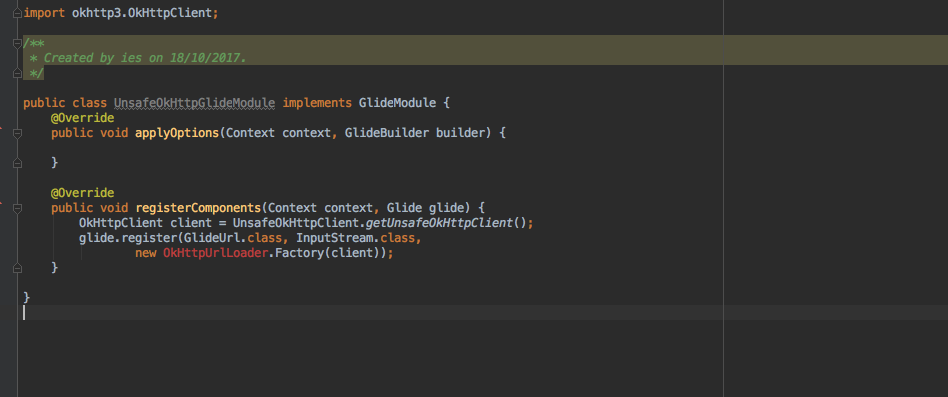
I have errors when I try to Override the registerComponents
 @Override
    public void registerComponents(Context context, Glide glide) {
        OkHttpClient client = UnsafeOkHttpClient.getUnsafeOkHttpClient();
        glide.register(GlideUrl.class, InputStream.class,
                new OkHttpUrlLoader.Factory(client));
    }
 Allan-Nava
on 18 Oct 2017
Allan-Nava
on 18 Oct 2017
@Allan-Nava looks like you're missing an import.
You need to reference these: https://github.com/bumptech/glide/tree/master/integration/okhttp3/src/main/java/com/bumptech/glide/integration/okhttp3
TWiStErRob
on 18 Oct 2017
@TWiStErRob Yes, i solved with adding missing import.
Allan-Nava
on 19 Oct 2017
Related issues
 FooBarBacon
·
3Comments
FooBarBacon
·
3Comments
 mttmllns
·
3Comments
mttmllns
·
3Comments
 ersen-osman
·
3Comments
ersen-osman
·
3Comments
 r4m1n
·
3Comments
r4m1n
·
3Comments
 kooeasy
·
3Comments
kooeasy
·
3Comments
Most helpful comment
Thanks Rob, It works with
<meta-data android:name="com.bumptech.glide.integration.okhttp.OkHttpGlideModule" tools:node="remove" />code in manifest :) :+1: