Gitpod: Self hosted gitpod and gitlab Auth issues
Hi
i've installed gitpod (non-ssl) onto a local box, and tried to integrate into our local gitlab instance (non-ssl)
when I hit the login button it redirects to gitlab, accessing for authorisation and then the callback to gitpod occurs, however gitpod just says
"Sorry, something went wrong 😓
Please allow Cookies in your browser and try to log in again."
disabled all extension and allowed cookies,
Server logs show
User started the login process
(GitLab Auth) No session found during auth callback
 hm2075
All 13 comments
How does the values.yaml file of your helm installation look like? Do you have an authProviders section?
 corneliusludmann
on 23 Sep 2020
corneliusludmann
on 23 Sep 2020
Attached below
id, secret key works fine as well as the callback,
just looks like its not picking up the session after that
```
Gitpod needs at least one auth provider to allow users to log in.
# The auth providers below are examples only. Please change/remove them to fit your installation.
authProviders:
- id: "LocalGitlab"
host: "aaa.xxx.xxx.xxx"
protocol: "http"
type: "GitLab"
oauth:
clientId: "id"
clientSecret: "secretkey"
callBackUrl: "http://bbb.xxx.xxx.xxx/auth/gitlab/callback"
settingsUrl: "http://aaa.xxx.xxx.xxx/profile/applications"
````
hm2075
on 23 Sep 2020
@AlexTugarev Could you have a look?
corneliusludmann
on 23 Sep 2020
both our gitlab and gitpod instances are non-ssl
i've got a feeling i'm going to have to end up adding ssl certs to both
hm2075
on 23 Sep 2020
@hm2075, which version of Gitpod did you install? At least the protocol attribute is not supported and https is used for OAuth in the latest release.
No session found during auth callback
That could be related to "browser does not want to persist cookies in unsecure environments", which we've seen in the past.
 AlexTugarev
on 23 Sep 2020
AlexTugarev
on 23 Sep 2020
btw, are you using one of the mainstream browsers, or something special?
AlexTugarev
on 23 Sep 2020
using chrome and edge chromium, also tested firefox,
i used
https://www.gitpod.io/docs/self-hosted/latest/install/install-on-kubernetes/
git clone https://github.com/gitpod-io/self-hosted
I have requested ssl certs from our team, hoping to get them installed in the next few days to see if that is the issue
hm2075
on 23 Sep 2020
added ssl certs to both gitlab and gitpod
unfortunately still seeing the error
hm2075
on 24 Sep 2020
hmmmm
i think i know what the issue could be
@AlexTugarev
myserver name is gitpod.domain.xyz.uk
so when you click on login it is saying
set-cookie was blocked because domain attribute was invalid with regard to the current host url
does it come down to this line of code
i'm guessing this will cause further issues down the line too based on some other issues ive read regarding having more than 3 parts
is there a plan to patch this?
hm2075
on 24 Sep 2020
That looks like a bug indeed. Thanks for helping to narrow down it!
AlexTugarev
on 25 Sep 2020
AlexTugarev
on 25 Sep 2020
@AlexTugarev Note FYI: We seem to have exactly the same bug in our current open-source Gitpod deployments:
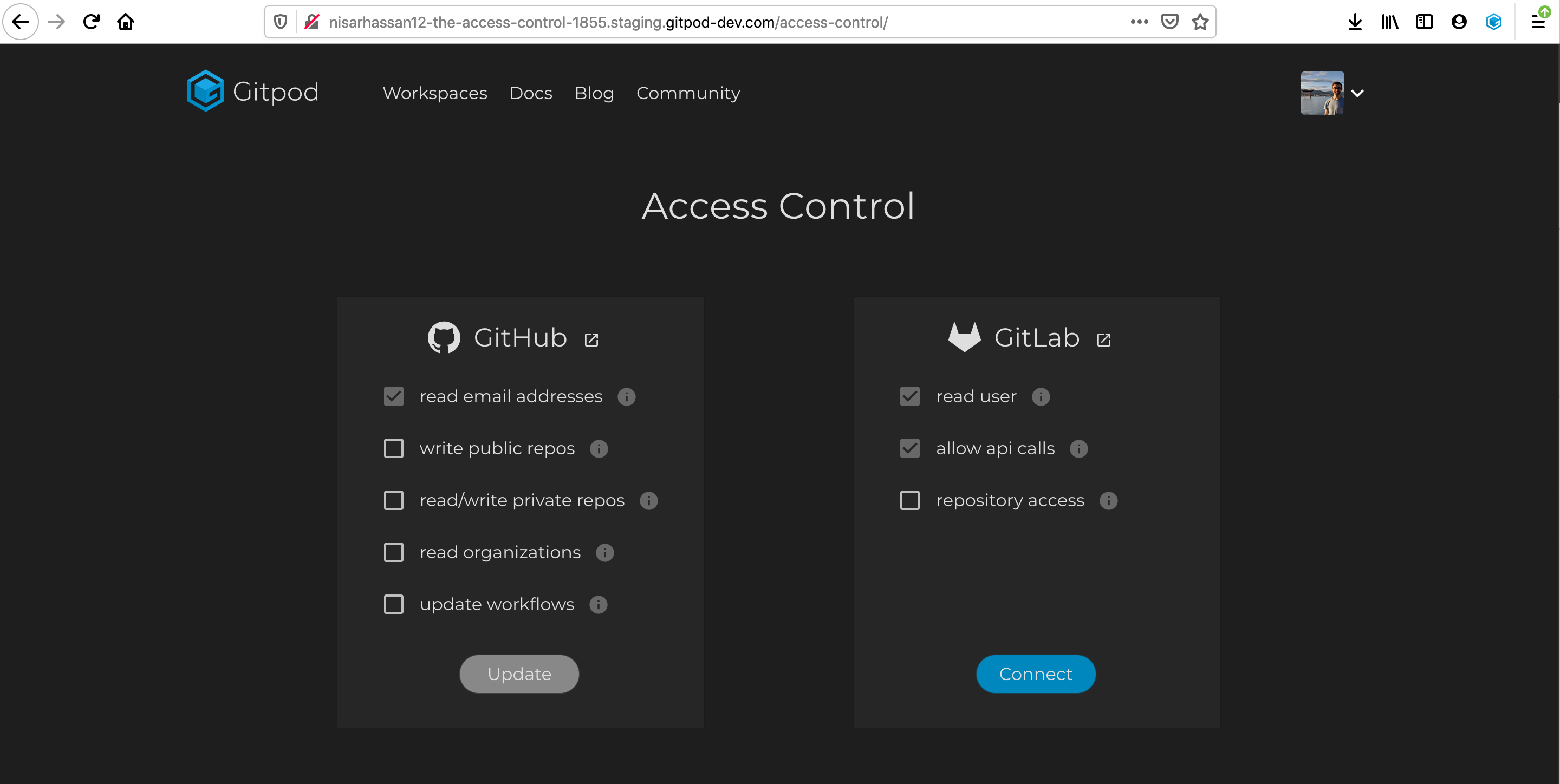
... click on "Connect" ...
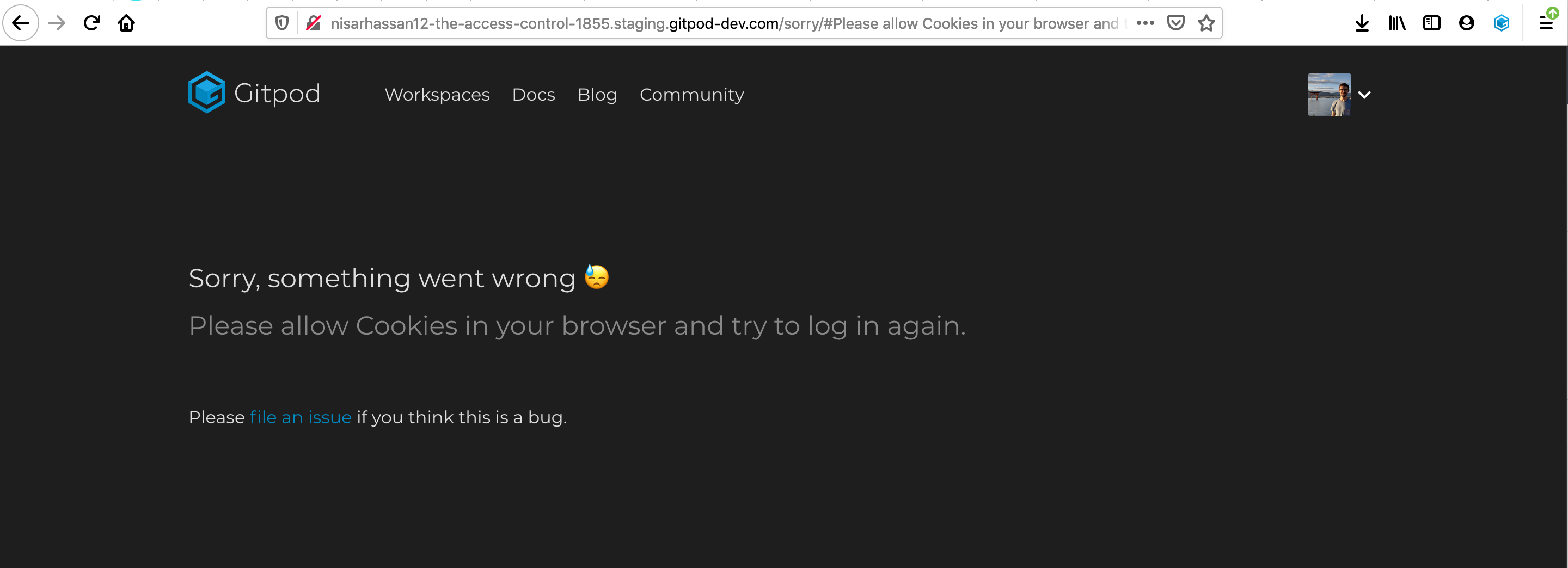
Saw that while testing https://github.com/gitpod-io/gitpod/pull/1891.
EDIT: Oh, or maybe it's Firefox-specific? (Just managed to get it to work on mobile, in the Chrome-based Android webview).
 jankeromnes
on 25 Sep 2020
jankeromnes
on 25 Sep 2020
+1
 oshelb
on 6 Oct 2020
oshelb
on 6 Oct 2020
Related issues
 geraldthedev
·
21Comments
geraldthedev
·
21Comments
 BSFishy
·
42Comments
jankeromnes
·
25Comments
BSFishy
·
42Comments
jankeromnes
·
25Comments
 patlecat
·
25Comments
patlecat
·
25Comments
 kevin-ci
·
19Comments
kevin-ci
·
19Comments