Gitpod: cannot set environment variables: invalid request: 500
.gitpod.yml:
tasks:
    - init: gp env -e PATH="/usr/local/cargo/bin:$PATH" && eval $(gp env -e) && /workspace/rustlings/install.sh
    - command: eval $(gp env -e) && /workspace/.cargo/bin/rustlings watch
image:
    file: .gitpod.Dockerfile

vscode:
  extensions:
    - [email protected]:CvNqMTgDdt3UXt+6BCDTVg==
.gitpod.Dockerfile:
FROM rust

ENV export PATH="/usr/local/cargo/bin:$PATH"
Repo:
https://github.com/ryanpcmcquen/rustlings/tree/add-gitpod-support
 ryanpcmcquen
All 4 comments
My end goal here is just to modify the PATH, and I've tried a lot of things, but nothing seems to be working.
ryanpcmcquen
on 17 Jul 2020
Hello @ryanpcmcquen!
There are some pitfalls in the initial Gitpod setup. There are some things to know. I'm happy to help you out.
- Is there any good reason that you use your own Docker image based on
rustinstead of using our default workspace image? It has rust installed already:
Please find at https://github.com/corneliusludmann/rustlings/tree/gitpod-test a working example with our image.
https://gitpod.io/#https://github.com/corneliusludmann/rustlings/tree/gitpod-test
If there is a good reason for building your own image, here are some hints that you need to know:
- The usage of
gpdoes not work well ininit. Theinitcommand could be running as prebuild or when the workspace is not fully started. Then, thegpservice is not there yet. The best way to change the PATH variable is by adding it to .bashrc, IMO. You can do this in your.gitpod.Dockerfilelike this:
# See https://github.com/gitpod-io/workspace-images/blob/1ed69ba76d99485b8dab7900dc03d1a8e240398d/full/Dockerfile#L35-L37
RUN useradd -l -u 33333 -G sudo -md /home/gitpod -s /bin/bash -p gitpod gitpod
USER gitpod

RUN echo 'export PATH="/usr/local/cargo/bin:$PATH"' >> /home/gitpod/.bashrc
- Everything that you modify in the
/workspacesfolder in your Dockerfile will be overwritten by the Git repo contents and it lost. Everything that you modify outside of the/workspacefolder (e.g. the home folder) in your.gitpod.ymlis be lost after a workspace restart. That also means that changes of aninitcommand during a prebuild outside of/workspaceis lost. As a general rule of thumb:
> Never change something in/workspacein your Dockerfile and never change something outside of/workspacein your.gitpod.ymltasks.
That could be challenging when tools store data in the home folder. Therefore we change some folders in our workspace image. So: If possible, take our base image instead.
- Something like this in your
.gitpod.yaml:
tasks:
    - init: /workspace/rustlings/install.sh
    - command: /workspace/.cargo/bin/rustlings watch
leads to two separate terminals in parallel. If the second command relies on the first one you need to write it like this:
tasks:
    - init: /workspace/rustlings/install.sh
      command: /workspace/.cargo/bin/rustlings watch
(Be aware of the second - that is missing.)
--
I hope this helps you.
 corneliusludmann
on 20 Jul 2020
corneliusludmann
on 20 Jul 2020
Wow, @corneliusludmann, thank you so much for the fix and the very thorough explanation, I've bookmarked this page because that is very helpful data.
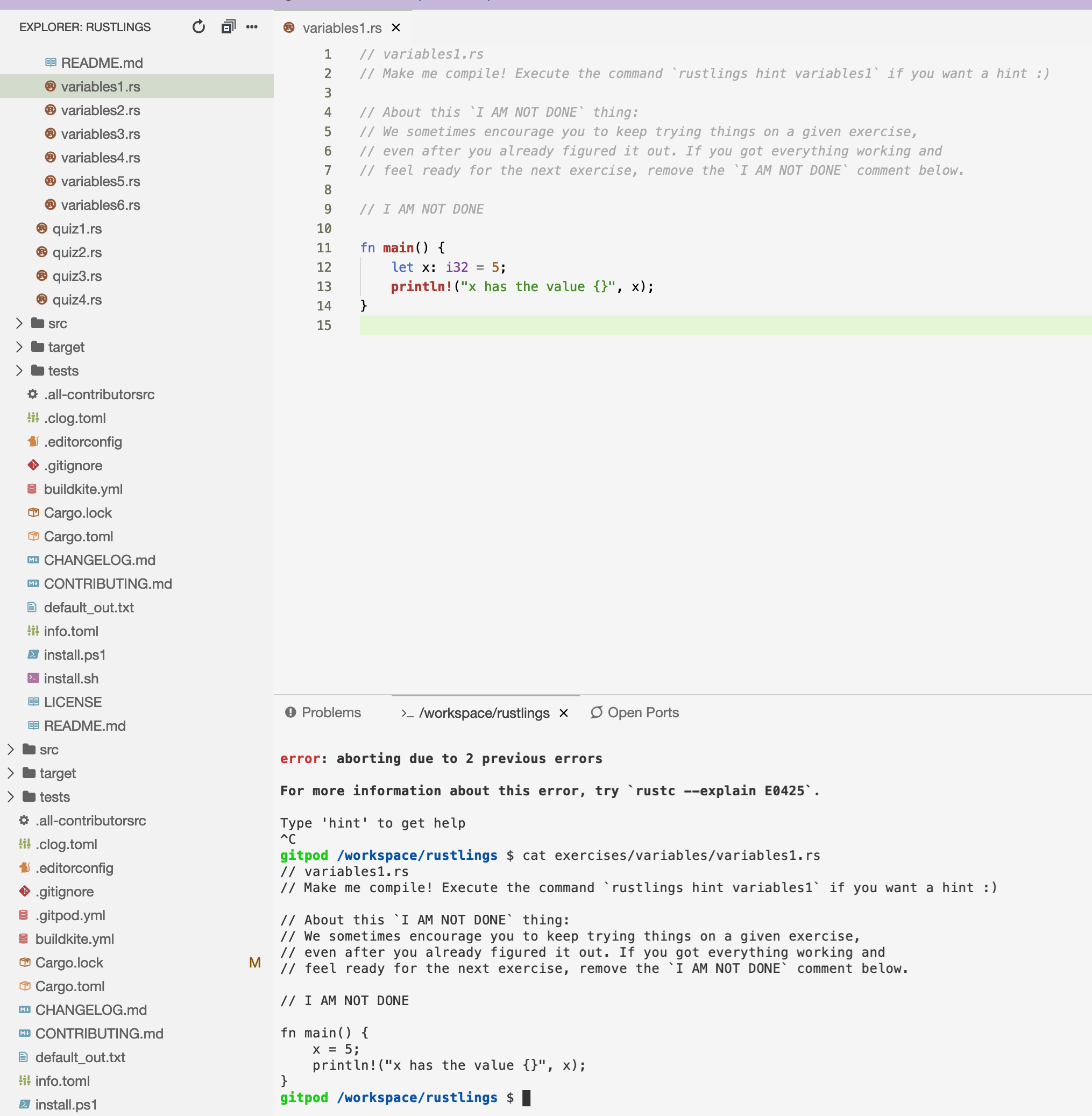
I'm only having one issue, it appears the watch command isn't noticing filesystem changes:
ryanpcmcquen
on 20 Jul 2020
@corneliusludmann, it appears I was linked to an old container, after destroying that, everything is working perfectly!
ryanpcmcquen
on 21 Jul 2020
Related issues
 tekumara
·
3Comments
tekumara
·
3Comments
 LinqLover
·
3Comments
LinqLover
·
3Comments
 Kreyren
·
3Comments
Kreyren
·
3Comments
 kuniss
·
3Comments
kuniss
·
3Comments
 kittaakos
·
3Comments
kittaakos
·
3Comments