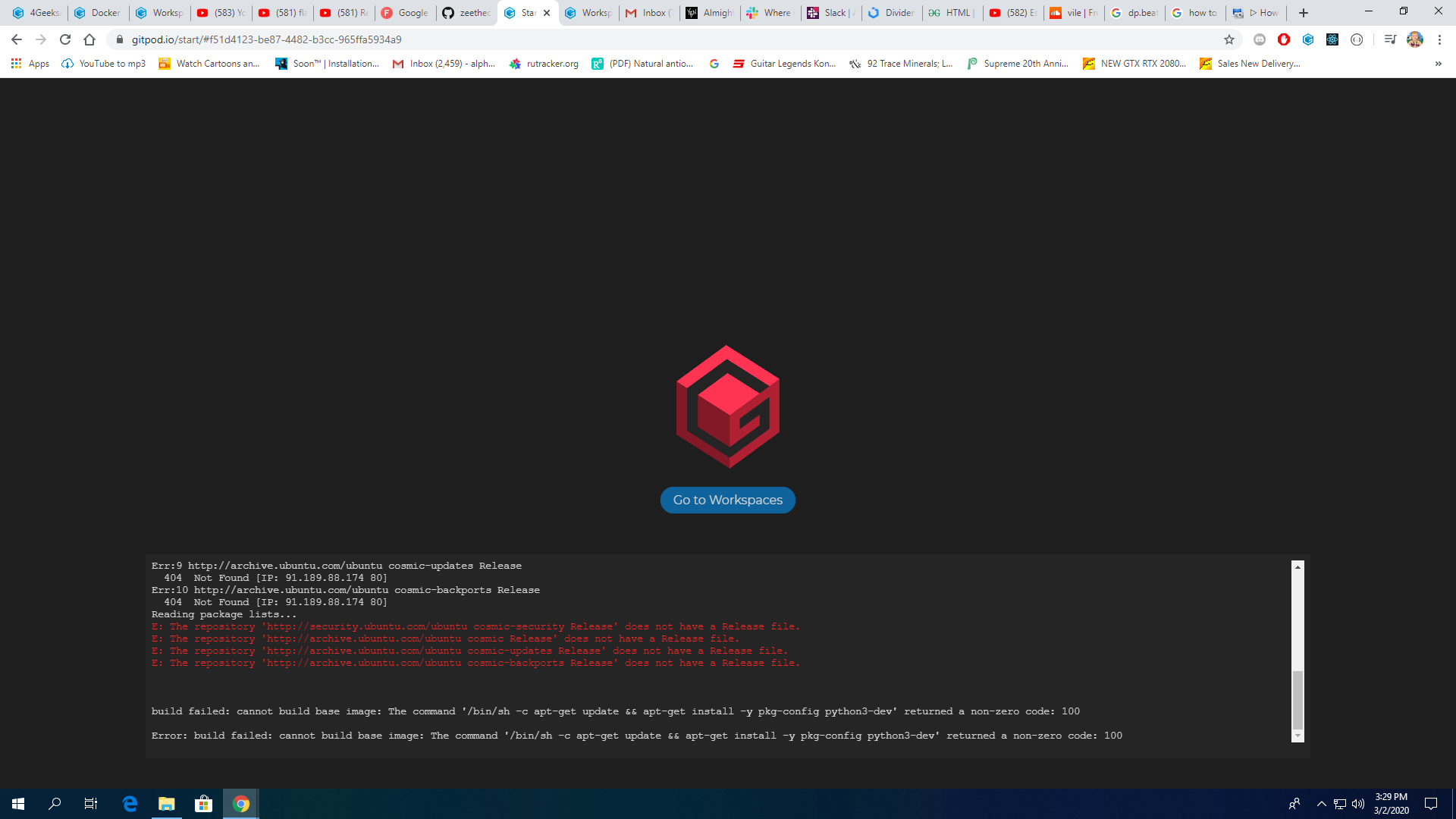
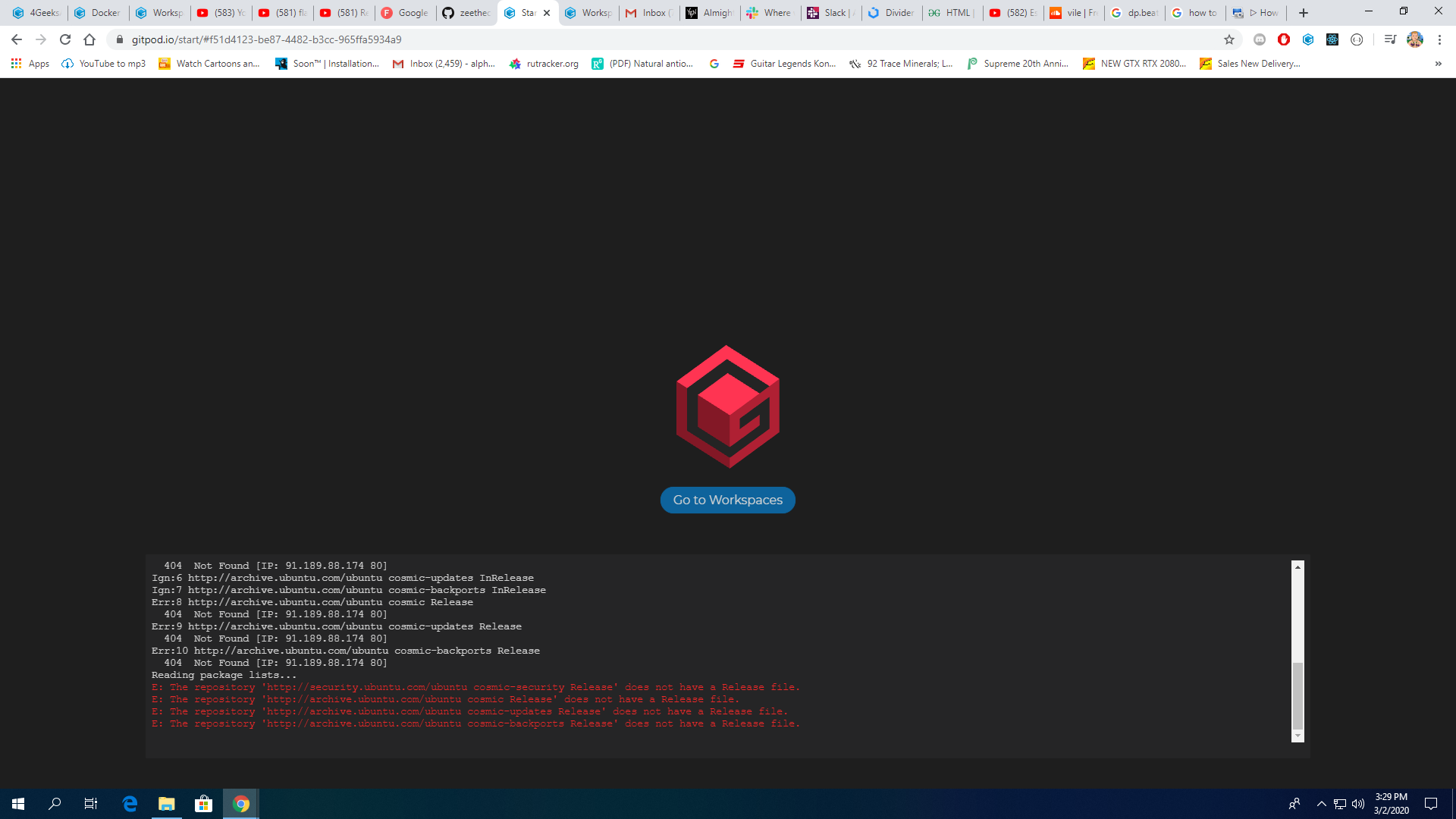
Describe the bug
Error: build failed: cannot build base image: The command '/bin/sh -c apt-get update && apt-get install -y pkg-config python3-dev' returned a non-zero code: 100
Steps to reproduce
kept trying to restart my teacher tired to trick it and couldn't figure it out
Expected behavior
Additional information
Example repository
https://a5d8d8aa-2199-4cab-b334-be37dcf5fa44.ws-us02.gitpod.io/#/workspace/html-hello
https://github.com/zeethecoder/gugs
 zeethecoder
All 9 comments
Hi @zeethecoder,
Thank you for reporting this problem. I was able to reproduce it by visiting https://gitpod.io/#https://github.com/zeethecoder/gugs
Also, thank you for providing the repository URL. I'll take a look, and see if I can send you a PR that fixes this problem.
 jankeromnes
on 3 Mar 2020
jankeromnes
on 3 Mar 2020
The IP works http://91.189.88.174/
So it seems like an issue on with gitpod's networking assuming following used?
FROM gitpod/workspace-mysql:branch-mysql

# install python3-dev to make sure the pip package "mysqlclient" works fine.
USER root
RUN apt-get update && apt-get install -y pkg-config python3-dev
 Kreyren
on 3 Mar 2020
Kreyren
on 3 Mar 2020
FROM gitpod/workspace-mysql:branch-mysql
FYI, :branch-mysql is a temporary development tag, which hasn't been updated in 9 months. The image should be gitpod/workspace-mysql (or gitpod/workspace-mysql:latest, which are the same thing).
RUN apt-get update && apt-get install -y pkg-config python3-dev
I'm not sure that this is required, given that Python 3 is already installed in gitpod/workspace-full. But I may be wrong.
jankeromnes
on 3 Mar 2020
@zeethecoder I've sent you a PR: https://github.com/zeethecoder/gugs/pull/1 please take a look when you have time 🙂
jankeromnes
on 3 Mar 2020
Thank you @jankeromnes this project was created using the academy boilerplate:
https://github.com/4GeeksAcademy/flask-rest-hello
I implemented the same changes you made but upgrated to python 3.7, thank you!
The two errors you mention happen because the command pipenv init should only run one time during the entire project life, that I why I tried adding it into the "init" section of the gitpod.yml, where should I put it?
You can do a PR if you think there are important changes that have to be made, I'm a developer with really bad devops or configuration skills 😢
 alesanchezr
on 3 Mar 2020
alesanchezr
on 3 Mar 2020
Thank you @jankeromnes this project was created using the academy boilerplate:
https://github.com/4GeeksAcademy/flask-rest-hello
Aha, I was suspecting this, because I noticed you were the top committer 😄 (but I couldn't find an upstream repository for https://github.com/zeethecoder/gugs/ )
I implemented the same changes you made but upgrated to python 3.7, thank you!
Awesome!
FROM gitpod/workspace-mysql:latest

# install python3-dev to make sure the pip package "mysqlclient" works fine.
USER root
#RUN apt-get update && apt-get install -y pkg-config python3-dev
I guess you no longer need a custom .gitpod.Dockerfile, and could simply reference image: gitpod/workspace-mysql:latest in your .gitpod.yml instead.
Also, for the .gitpod.yml tasks syntax, I was experimenting with:
tasks:
  - command: |
      set -x
      yarn install
      yarn build
      yarn start
      set +x
But I'm no longer sure I like this new syntax, because subsequent commands tend to continue running even if you had an error earlier. I've also tried set -e (or set -ex if you combine both), but then I think my Terminal just got closed whenever there was an error(!)
Maybe this syntax is still better:
tasks:
  - command: >
      set -x &&
      yarn install &&
      yarn build &&
      yarn start &&
      set +x
Or with ; separators as you seem to prefer them (but I think maybe having a ; at the very end can cause problems with prebuilds maybe?)
The two errors you mention happen because the command
pipenv initshould only run one time during the entire project life, that I why I tried adding it into the "init" section of the gitpod.yml, where should I put it?
In theory, the init steps will only ever be run once throughout the entire workspace lifetime. From the looks of your .gitpod.yml, it seems that pipenv run init should only be run once.
Maybe other commands implicitly run pipenv run init as well? E.g. pipenv install or pipenv run migrate / pipenv run upgrade? (I'm not familiar with pipenv, sorry.)
You can do a PR if you think there are important changes that have to be made
Sure! Will try to see if I see any potential improvements. 👍 But since I'm not yet sure what the ideal multi-line command syntax is, I'll give it some time to think about it more.
I'm a developer with really bad devops or configuration skills 😢
Haha, same here. 😂 But I secretly think all configuration file syntaxes are optimized to facilitate shooting yourself in the foot in various ways.
jankeromnes
on 3 Mar 2020
@zeethecoder I've sent you a PR: zeethecoder/gugs#1 please take a look when you have time 🙂
zeethecoder
on 11 Mar 2020
Thank you for your detailed response @jankeromnes! Students are not experiencing errors anymore :) You guys can close this if you want.
I have not had any issues using ; so far.
I'll be monitoring the boilerplate and share any improvements/knowledge we gain overtime! 😄
alesanchezr
on 14 Mar 2020
This issue has been automatically marked as stale because it has not had recent activity. It will be closed if no further activity occurs. Thank you for your contributions.
![stale[bot] picture](https://avatars3.githubusercontent.com/in/1724?v=4&s=40) stale[bot]
on 4 Oct 2020
stale[bot]
on 4 Oct 2020
Related issues
Kreyren
·
3Comments
Kreyren
·
3Comments
 LinqLover
·
3Comments
Kreyren
·
3Comments
LinqLover
·
3Comments
Kreyren
·
3Comments
 ColbyWTaylor
·
3Comments
ColbyWTaylor
·
3Comments
Most helpful comment
Hi @zeethecoder,
Thank you for reporting this problem. I was able to reproduce it by visiting https://gitpod.io/#https://github.com/zeethecoder/gugs
Also, thank you for providing the repository URL. I'll take a look, and see if I can send you a PR that fixes this problem.