Describe the bug
It seems like recently, a Gitpod update came out.
It now opens previews even if set to open the browser in the config.
This may be a bug, or a feature, but either way I am fed up with it.
Please, make it STOP. This is a BIG pain.
 RDIL
RDIL
All 11 comments
Hi @RDIL, thanks for reporting this annoying-sounding issue.
Could you please provide a repository URL where this error can be reproduced?
Also, please note that onOpen: open-browser can lead to some problems, e.g. because many browsers prevent websites from opening "pop-ups" by default (because they're usually unwanted ads). We try to detect such blocks in Gitpod, and open a notification instead, that asks you if you want to open a Preview or a Browser tab (and when you click on Browser tab, it's no longer blocked, because the user-click tells the browser that the user actually wants to open the "pop-up" / new tab).
 jankeromnes
on 2 Mar 2020
jankeromnes
on 2 Mar 2020
I was unable to reproduce this :(

 JesterOrNot
on 2 Mar 2020
JesterOrNot
on 2 Mar 2020
It only happens on first start
RDIL
on 2 Mar 2020
Please provide a repository URL where this issue can be reproduced, or a screencast.
jankeromnes
on 2 Mar 2020
https://github.com/rdil/eduaid - I'll give you collaborator so you can open it since its private
RDIL
on 2 Mar 2020
This may be irelevant, but while i was working on gitpod/website where i've notice it opening a preview on page build which i also find pretty annoying.
confirm relevance and i will provide steps to reproduce
 Kreyren
on 2 Mar 2020
Kreyren
on 2 Mar 2020
https://github.com/rdil/eduaid - I'll give you collaborator so you can open it since its private
@RDIL Thanks! Will take a look now.
This may be irelevant, but while i was working on gitpod/website where i've notice it opening a preview on page build which i also find pretty annoying.
@Kreyren This is because of this .gitpod.yml configuration:
https://github.com/gitpod-io/website/blob/d4369f5db174999d3737a7245417729bb36d6d79/.gitpod.yml#L2-L3
I.e., whenever something becomes active on port 8000, Gitpod automatically opens a preview for that port.
jankeromnes
on 2 Mar 2020
Do you use create react app? It does open the website in a browser on start and we are now supporting such calls. I.e. it behaves as it would do locally (open a browser tab).
You can disable that with a command line flag.
 svenefftinge
on 2 Mar 2020
svenefftinge
on 2 Mar 2020
Bug confirmed in Gitpod production in Firefox on Mac OS:
.gitpod.ymlsaysonOpen: open-browser:
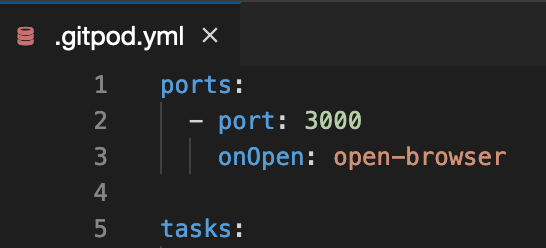
- when the port becomes active, port 8000 is opened in both a (blocked) pop-up and a preview panel:
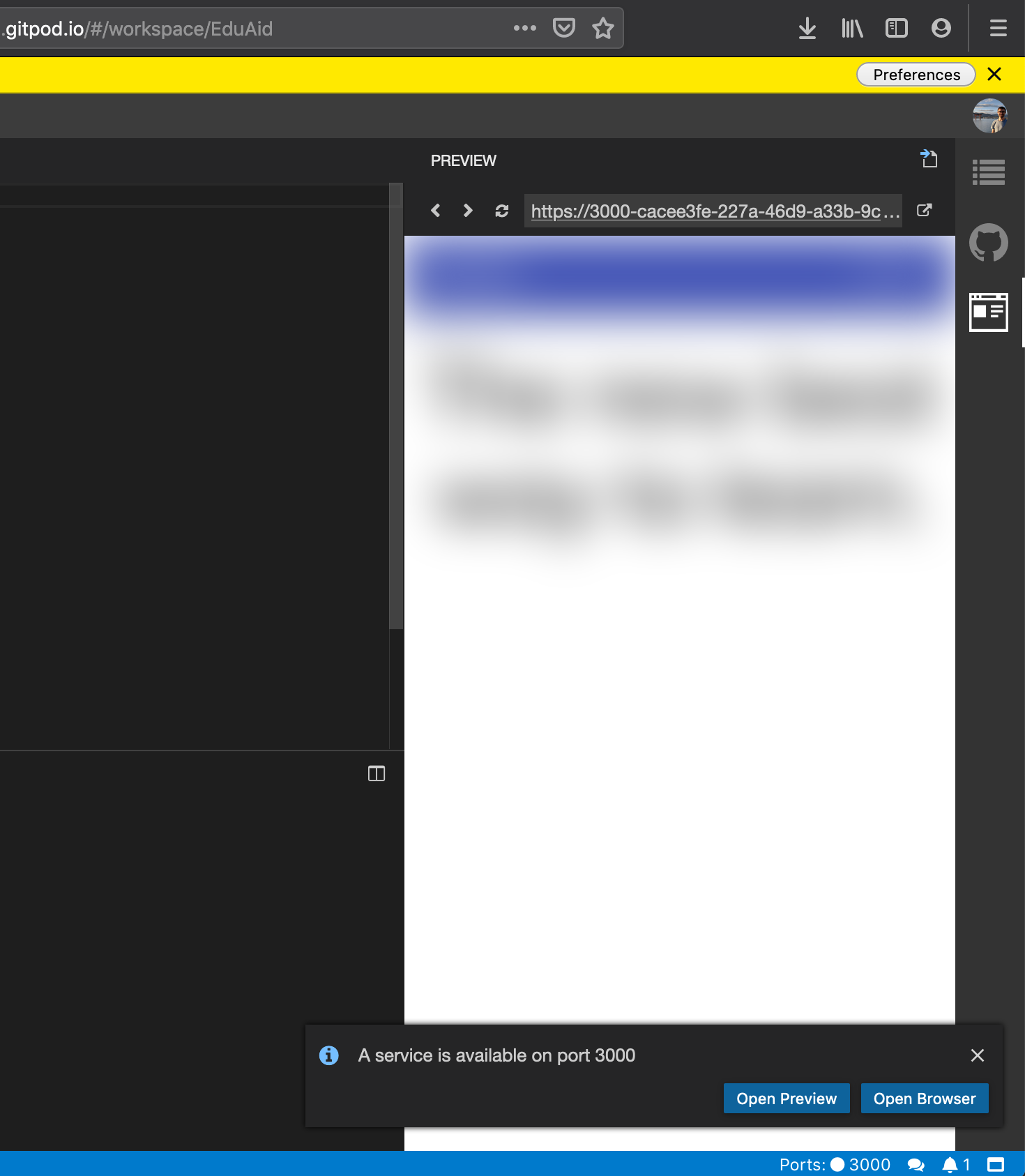
jankeromnes
on 2 Mar 2020
Do you use
create react app? It does open the website in a browser on start and we are now supporting such calls. I.e. it behaves as it would do locally (open a browser tab).
You can disable that with a command line flag.
Ah, that should be it.
@RDIL If you start your server with BROWSER=none yarn start, the preview no longer opens.
I think you can also configure BROWSER on a project- or user-wide basis in https://gitpod.io/environment-variables/
jankeromnes
on 2 Mar 2020
Ahh okay, thanks @jankeromnes!
p.s. thanks a ton for blurring the content ❤️
RDIL
on 2 Mar 2020
Related issues
Kreyren
·
3Comments
Kreyren
·
3Comments
 kittaakos
·
3Comments
kittaakos
·
3Comments
 hidehiro98
·
3Comments
hidehiro98
·
3Comments
 akosyakov
·
3Comments
akosyakov
·
3Comments