Gitpod: 404 not found redirects replace history
Sometimes web server stops serving stuff when recompiling, it would be great if 404 page let you retry visiting your port by pressing back button.
 janat08
All 11 comments
Could you give us an example repo?
 JesterOrNot
on 12 Nov 2019
JesterOrNot
on 12 Nov 2019
Could you give us an example repo?
Not necessary, it happens with any preview. I it is not already served you will be redirected to the sorry page, so the URL is gone and you can not simply click reload.
I agree it is annoying.
 svenefftinge
on 13 Nov 2019
svenefftinge
on 13 Nov 2019
@svenefftinge wdyt if we redirect to /goto?url=${port_url_with_404} instead of /sorry which would provide us an option to navigate to port_url_with_404?
 AlexTugarev
on 13 Nov 2019
AlexTugarev
on 13 Nov 2019
I think in case of an error we should never do a redirect. This would allow to
- reload to try again
- look at the URL in the address bar to get a better understand what one was trying to do. This is particularly useful when working with many tabs :)
 meysholdt
on 13 Nov 2019
meysholdt
on 13 Nov 2019
It won't help with webviews trying to load local resources from exposed port. A user won't be able to do anything about it except closing and opening a webview till it works. Would it be possible to timeout after let's 30seconds without redirect that there is a chance that a port gets actually exposed?
 akosyakov
on 15 Nov 2019
akosyakov
on 15 Nov 2019
I've noticed that I'm hitting this issue, even though I've exposed port already, but restarting a service. Could we make sure that exposed ports stay always exposed regardless whether something running on them or not? If it is feasible then one can list needed ports in gitpod yml and never see this issue again. cc @geropl @32leaves ?
akosyakov
on 16 Nov 2019
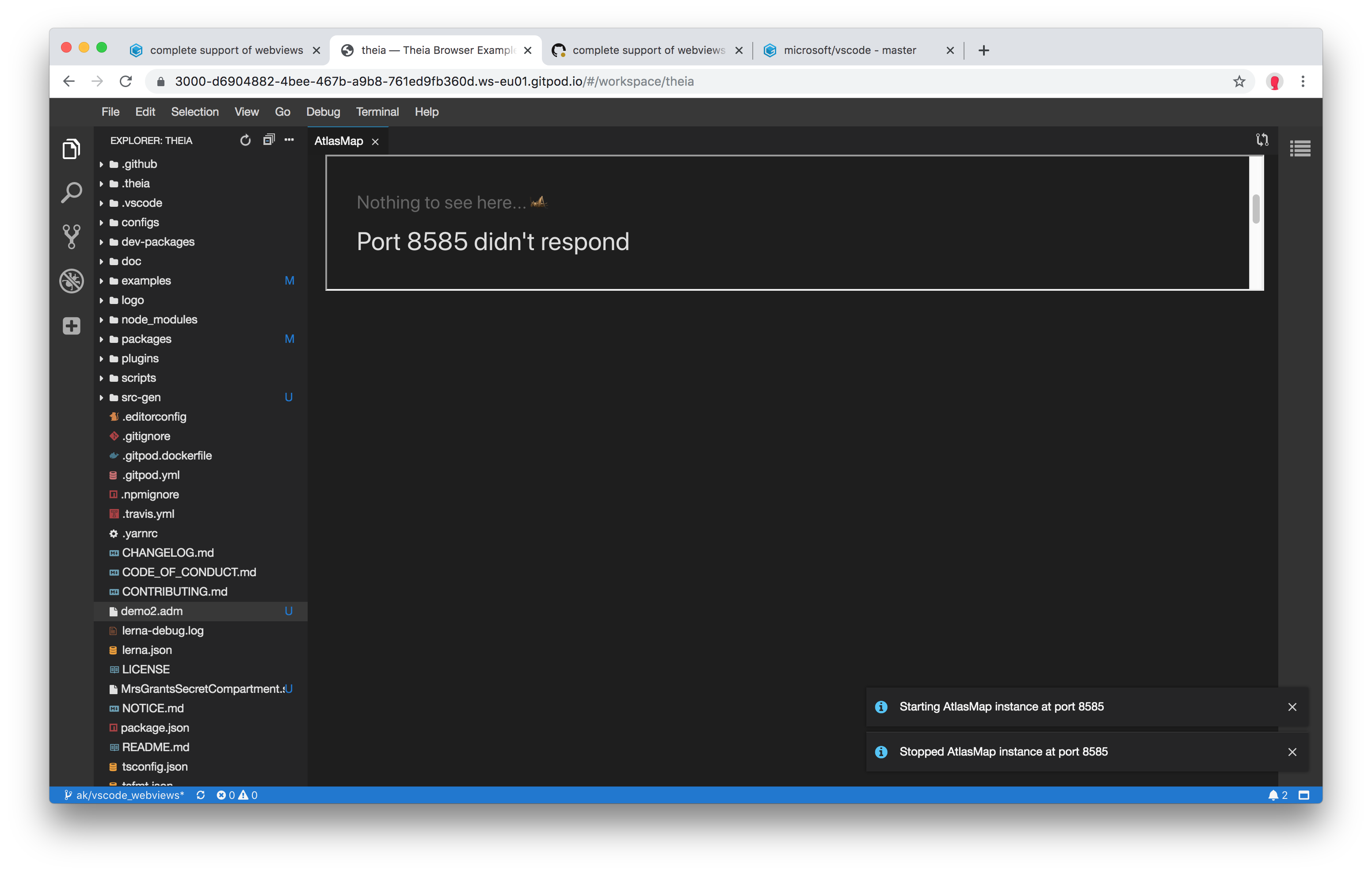
Port is exposed, but service is restarted before opening each webview, so most of the time a user is going to see:
akosyakov
on 18 Nov 2019
I totally agree with @meysholdt's comment https://github.com/gitpod-io/gitpod/issues/913#issuecomment-553336993
Not redirecting when there is an error allows refresh-to-retry (also maybe a refresh button, and/or a timer that auto-refreshes every N seconds), and also allows tweaking the URL in-place.
The only requirement for that is to make the "Port X didn't respond" error page self-contained (it needs to be a single HTML file, because the nginx proxy can't deal with follow-up resource requests like CSS, JS, images, etc.)
Port is exposed, but service is restarted before opening each webview, so most of the time a user is going to see:
The problem is not that the port isn't exposed, but that it doesn't respond. It will remain exposed forever, however the proxy will redirect to the error page if the server doesn't respond immediately.
Generally, I've worked around this issue by introducing a delay (e.g. in .gitpod.yml tasks, I do gp await-port 8585 && sleep 5 && gp preview $(gp url 8585)). That's not very clean, but may help you for now.
We've also discussed a "retry-once-after-short-delay" proxy policy for such errors, however we don't know nginx config syntax well enough to implement it (if that's even possible).
 jankeromnes
on 18 Nov 2019
jankeromnes
on 18 Nov 2019
Generally, I've worked around this issue by introducing a delay (e.g. in .gitpod.yml tasks, I do gp await-port 8585 && sleep 5 && gp preview $(gp url 8585)). That's not very clean, but may help you for now.
I cannot bake in such code in Theia to load resource from the remote http endpoint. It relies on the browser for request timeouts. Could we introduce timeout in the proxy instead?
akosyakov
on 18 Nov 2019
Update:
Not redirecting when there is an error allows refresh-to-retry (also maybe a refresh button, and/or a timer that auto-refreshes every N seconds), and also allows tweaking the URL in-place.
I just merged a change that removes the redirection to a static error page, and instead the workspace port proxy will now serve the error page without navigating away or changing the history (i.e. the port URL in your URL bar should not change, and you can safely refresh to try again, or edit the URL in-place).
The new error page also has a "Try again" button, that refreshes the page for you.
This improvement should land in Gitpod with the next production deployment, currently planned for next week.
jankeromnes
on 28 Nov 2019
In production now
svenefftinge
on 5 Dec 2019
Related issues
 mouse484
·
3Comments
mouse484
·
3Comments
 iksaif
·
3Comments
iksaif
·
3Comments
 nisarhassan12
·
3Comments
nisarhassan12
·
3Comments
 Kreyren
·
3Comments
Kreyren
·
3Comments
 PatMyron
·
3Comments
PatMyron
·
3Comments
Most helpful comment
I think in case of an error we should never do a redirect. This would allow to