Gitpod: [git] I cannot push to a remote Theia
Describe the bug
I cannot push to Theia. I have write-access to the repository.
To Reproduce
- Open Gitpod on a Theia issue, I picked this one: https://github.com/theia-ide/theia/issues/5743
- Do your work and commit it with sign-off by. I do not know if sign-off by matters.
- Publish changes from the status bar.

gitpod /workspace/theia $ git remote -v
origin  https://github.com/theia-ide/theia.git (fetch)
origin  https://github.com/theia-ide/theia.git (push)
gitpod /workspace/theia $
root INFO GitHubGitErrorHandler > error message: Request push failed with message: Authentication failed. You may not have permission to access the repository or the repository may have been archived.
Expected behavior
I can push.
 kittaakos
All 7 comments
By the way, I use 2FA for GH.
kittaakos
on 18 Jul 2019
Thanks for reporting this @kittaakos! I know for sure that you have write access to that repo 🙏
We've two issues to solve here:
- get rid of the second error message from above which is just confusing
- reword first message to tell you that Gitpod needs to be authorized to be allowed to perform git actions on your behalf
We definitely need to improve those flows to make it clear, that it's a different set of permissions your granting to the Gitpod services in order to work with. For example: you need to explicitly allow access for organizations on GitHub even if you're an owner.
 AlexTugarev
on 19 Jul 2019
AlexTugarev
on 19 Jul 2019
Almost forgot to mention: a click on Grant Permissions and repeating of Publish changes from the status bar. should be "enough". Well, as I said this is not obvious.
AlexTugarev
on 19 Jul 2019
I can confirm, Granting Permissions and the pushing the branch to the remote again worked.
- I clicked on Grant Permissions.
- Open the GH auth page.
- Entered username and pwd.
- I entered the 2FA code.
- Seen this:
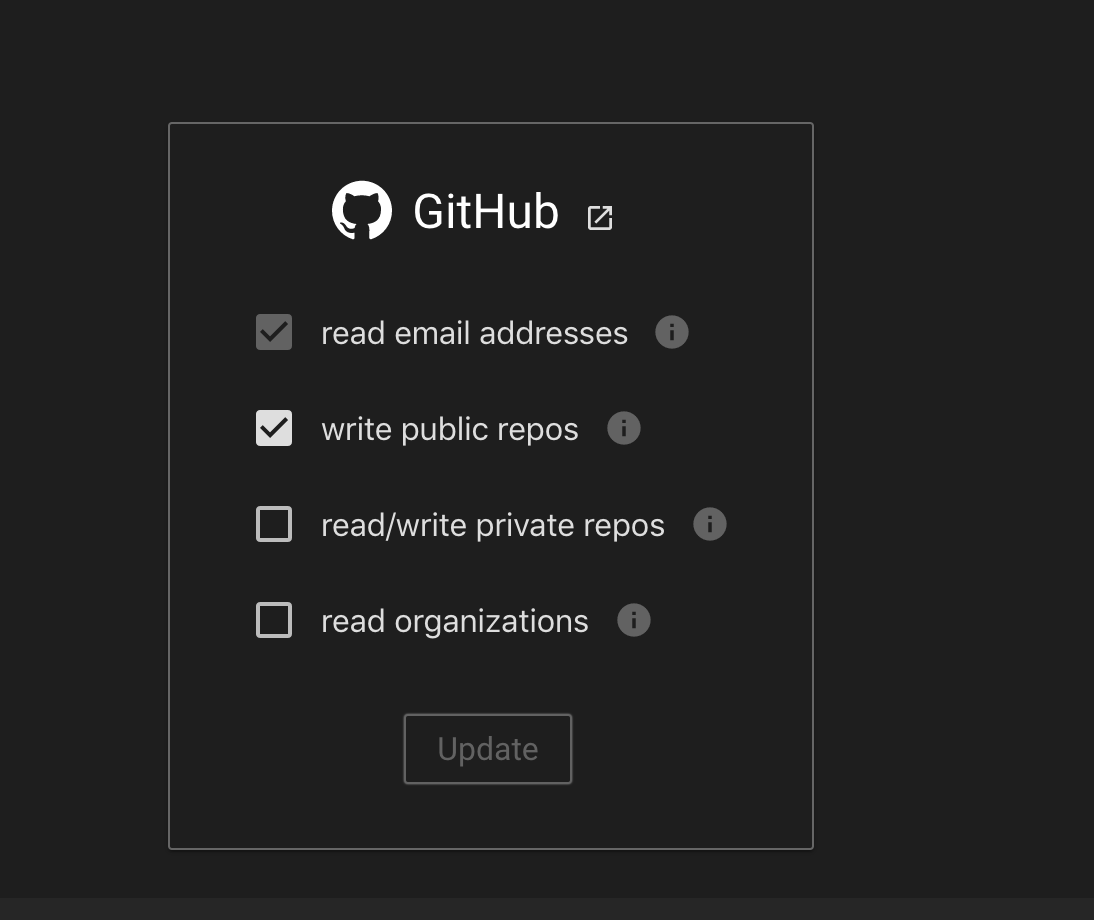
- Then I switched back to my Gitpod window.
- I pushed the branch.
- It worked. ✨
kittaakos
on 19 Jul 2019
Where can I find this "Grant permissions" button?
 felixfbecker
on 15 Oct 2019
felixfbecker
on 15 Oct 2019
 JesterOrNot
on 16 Oct 2019
JesterOrNot
on 16 Oct 2019
Thanks for making a screen cast @JesterOrNot!
Also, direct link is https://gitpod.io/access-control/
 jankeromnes
on 16 Oct 2019
jankeromnes
on 16 Oct 2019
Related issues
 Kreyren
·
3Comments
Kreyren
·
3Comments
 PatMyron
·
3Comments
PatMyron
·
3Comments
 mouse484
·
3Comments
mouse484
·
3Comments
 bytekast
·
3Comments
bytekast
·
3Comments
 ColbyWTaylor
·
3Comments
ColbyWTaylor
·
3Comments
Most helpful comment
I can confirm,
Granting Permissionsand the pushing the branch to the remote again worked.