Describe the bug
JSX syntax not working when I create a file with this extension.
To Reproduce
Open a file with .jsx extension
Expected behavior
Highlight code with specified syntax.
 juliolugo96
All 7 comments
AFAIK JSX is not yet supported but can be in a future plugin support via VS Code extensions. The only JS superset with integration to Theia, which is native to Monaco, is TypeScript
 sr229
on 18 Feb 2019
sr229
on 18 Feb 2019
That is not true. JSX as well as TSX is support. I'll look into it, thanks for creating the issue.
 svenefftinge
on 18 Feb 2019
svenefftinge
on 18 Feb 2019
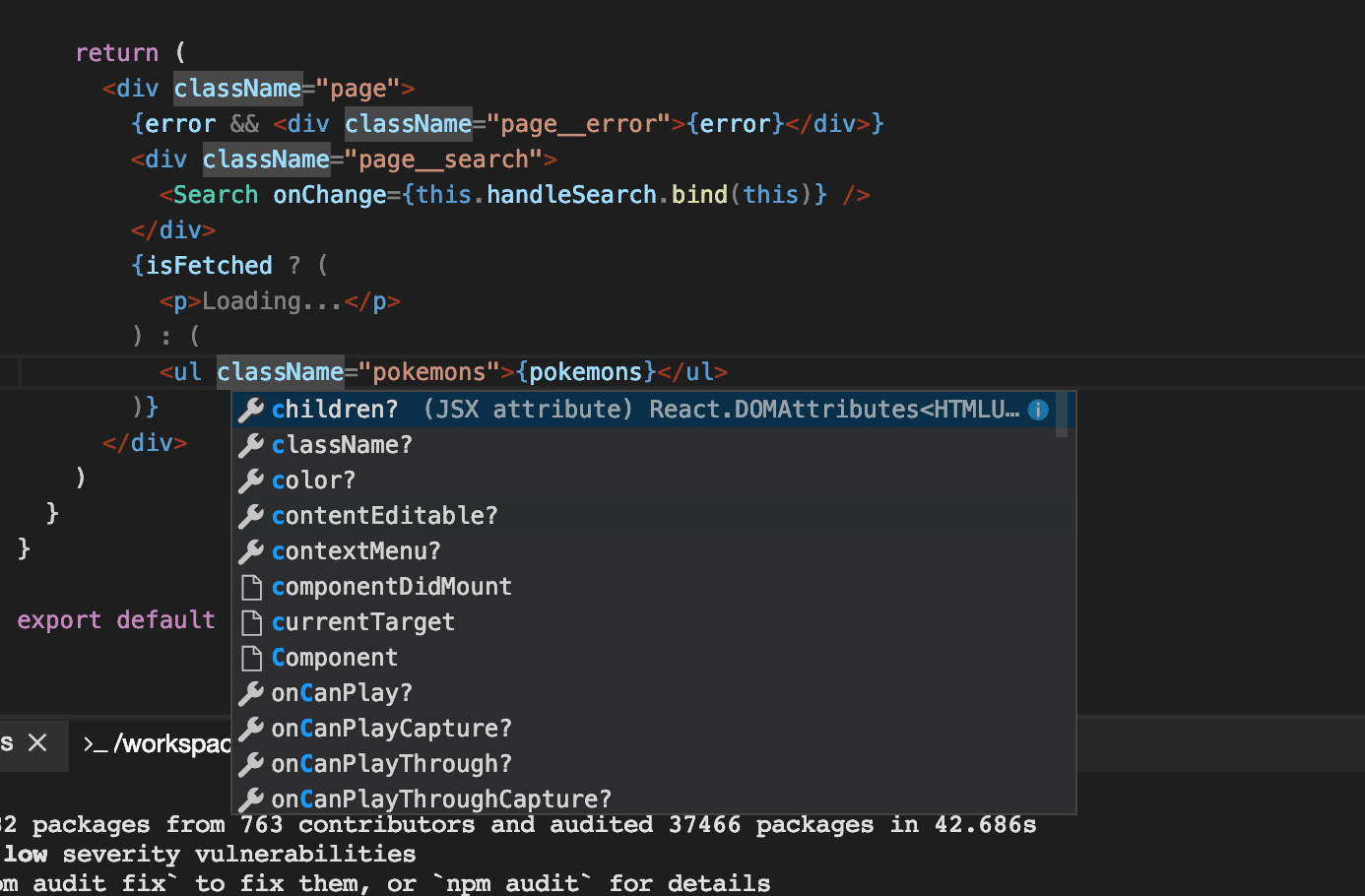
I tried to reproduce but couldn't.
For instance the snapshot below contains js files with JSX components in it, which work for me.
Could you clarify what is not working and maybe share a repository to reproduce?

svenefftinge
on 18 Feb 2019
Hello. Thank you for replying.
Yeah, I actually did exactly what you do there: I used 'JavaScript' Language Mode, and it solved the JSX issue.
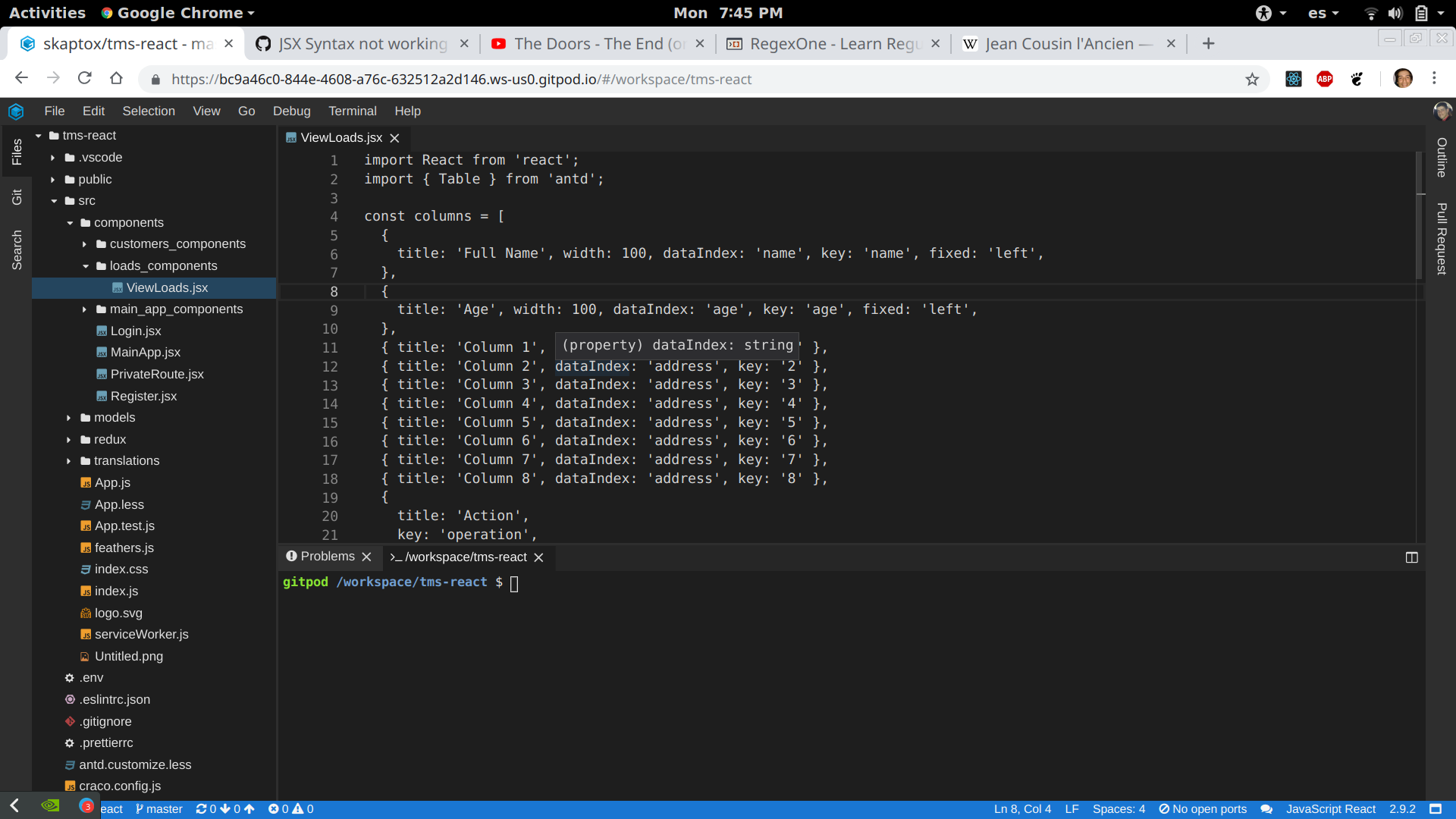
However, there's a problem that occurs when I select 'JavaScript React' in the Language Mode: syntax doesn't highlight. By default, when I create a file with .jsx extension (MyComponent.jsx, for example), 'JavaScript React' is established as Language by the editor, and JSX syntax is not highlighted in this new file. Take a look:
juliolugo96
on 19 Feb 2019
Ok, thank you, so it is broken with *.jsx files. We'll look into it.
svenefftinge
on 19 Feb 2019
Upvote on this!
 burmester
on 3 Apr 2019
burmester
on 3 Apr 2019
This works now.
svenefftinge
on 19 Nov 2019
Related issues
 LezaiNiubi
·
3Comments
LezaiNiubi
·
3Comments
 ColbyWTaylor
·
3Comments
ColbyWTaylor
·
3Comments
 kuniss
·
3Comments
kuniss
·
3Comments
 Kreyren
·
3Comments
Kreyren
·
3Comments
 PatMyron
·
3Comments
PatMyron
·
3Comments