Github-readme-stats: help with hosting
I am new to vercel hosting,
When I clicked on deploy I got an error related to code not found,
I belive I did a mistake in setting the correct directory of code on vercel. Can you please be adding more info for self hosting.
- Thanks
 1UC1F3R616
All 16 comments
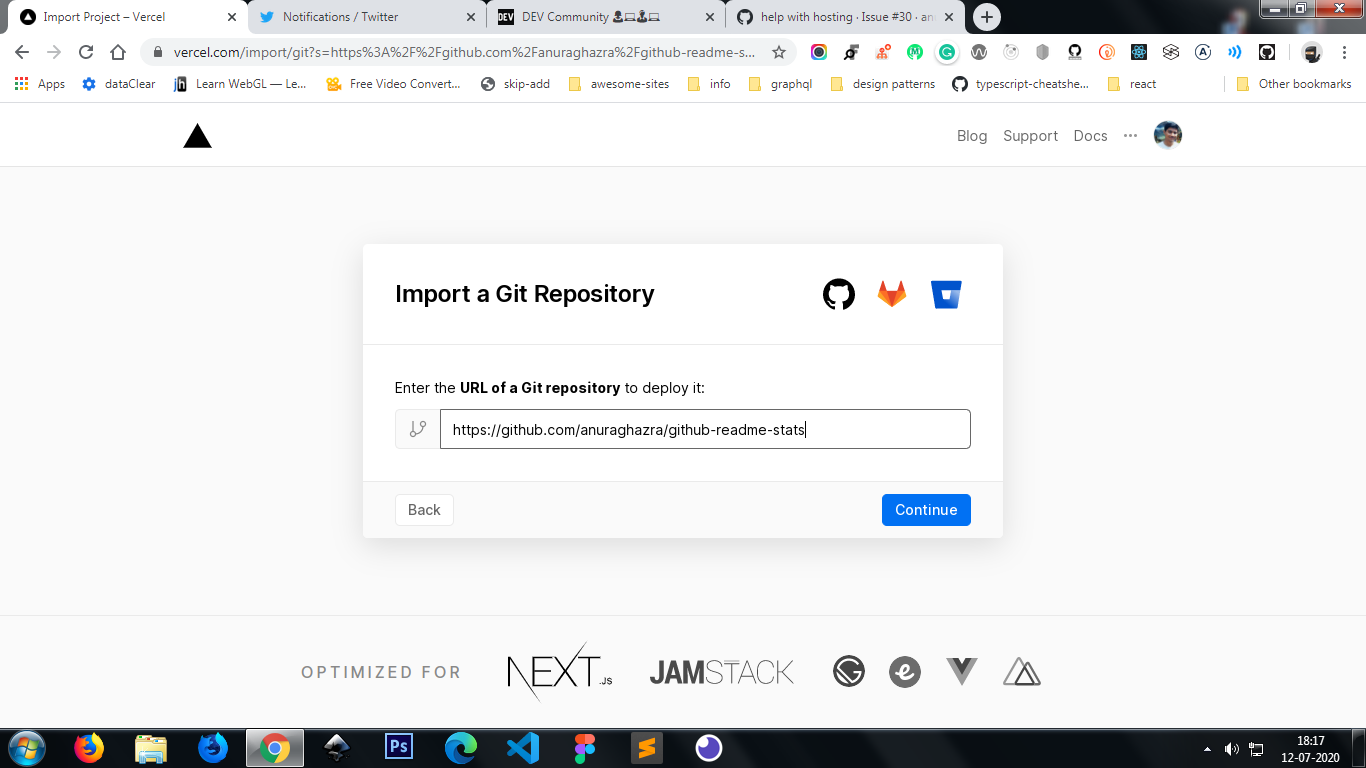
After clicking the deploy button you should get this screen
 anuraghazra
on 12 Jul 2020
anuraghazra
on 12 Jul 2020
@anuraghazra yes after here please
1UC1F3R616
on 12 Jul 2020
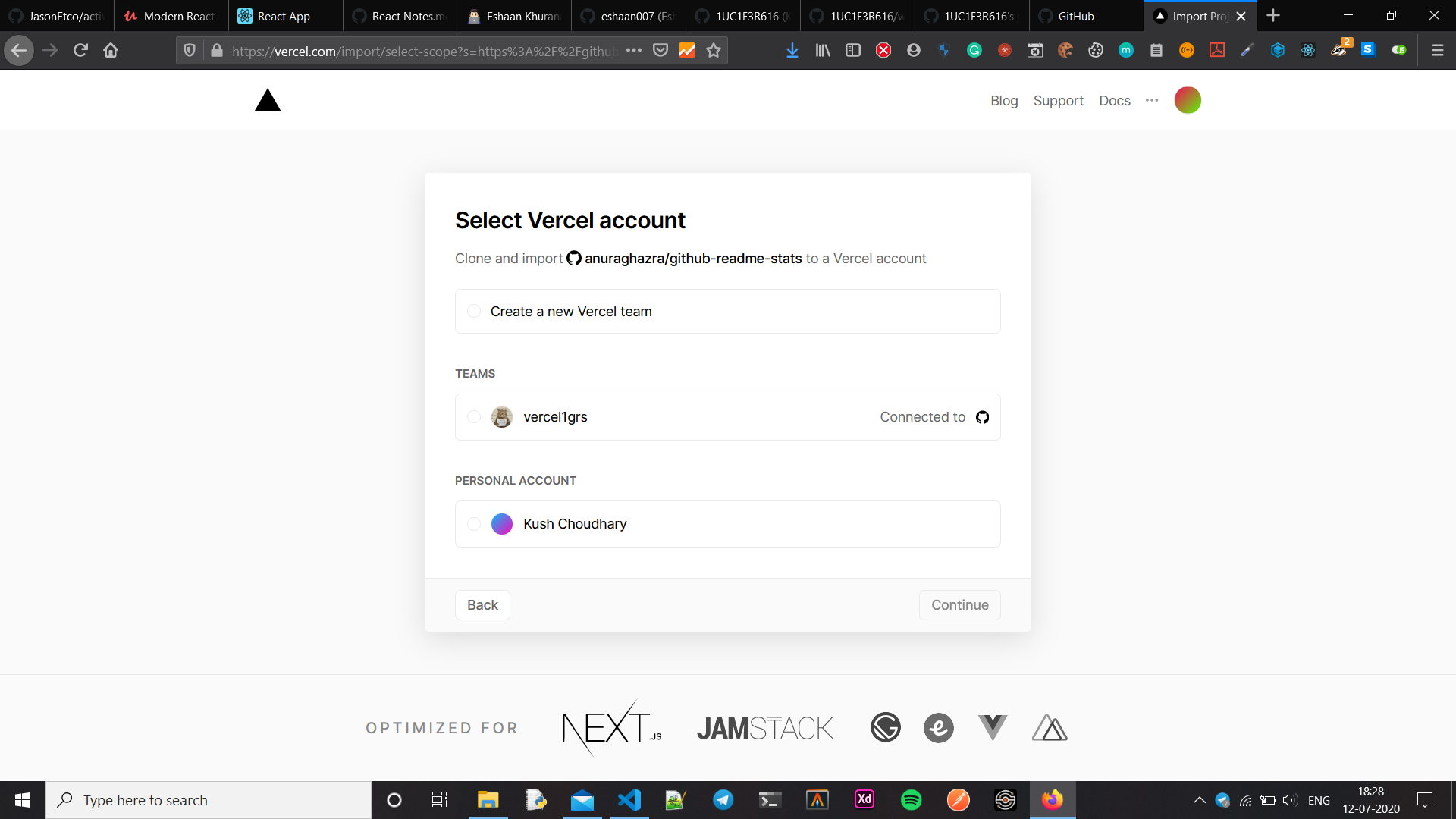
Then just click continue and select your account and again click continue, after that you have to create a personal access token from github to add it in the environment variables
anuraghazra
on 12 Jul 2020
@anuraghazra
1UC1F3R616
on 12 Jul 2020
yeah just select the personal account
anuraghazra
on 12 Jul 2020
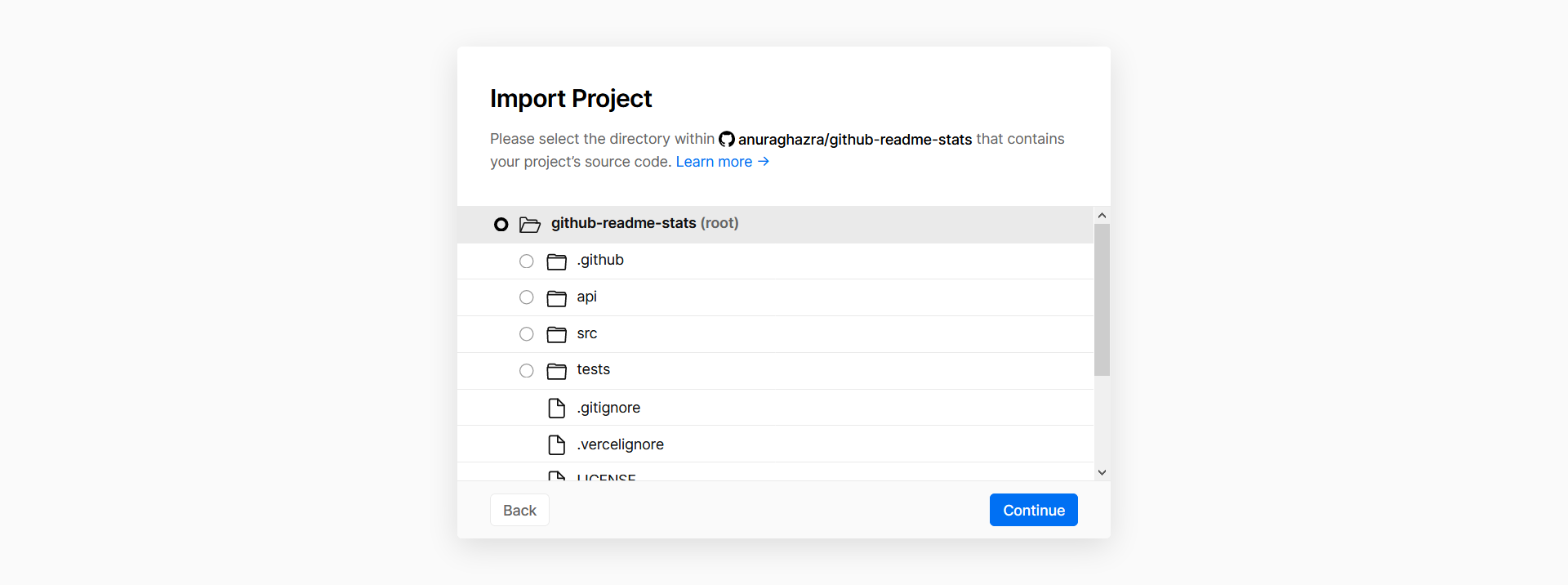
Continue from here
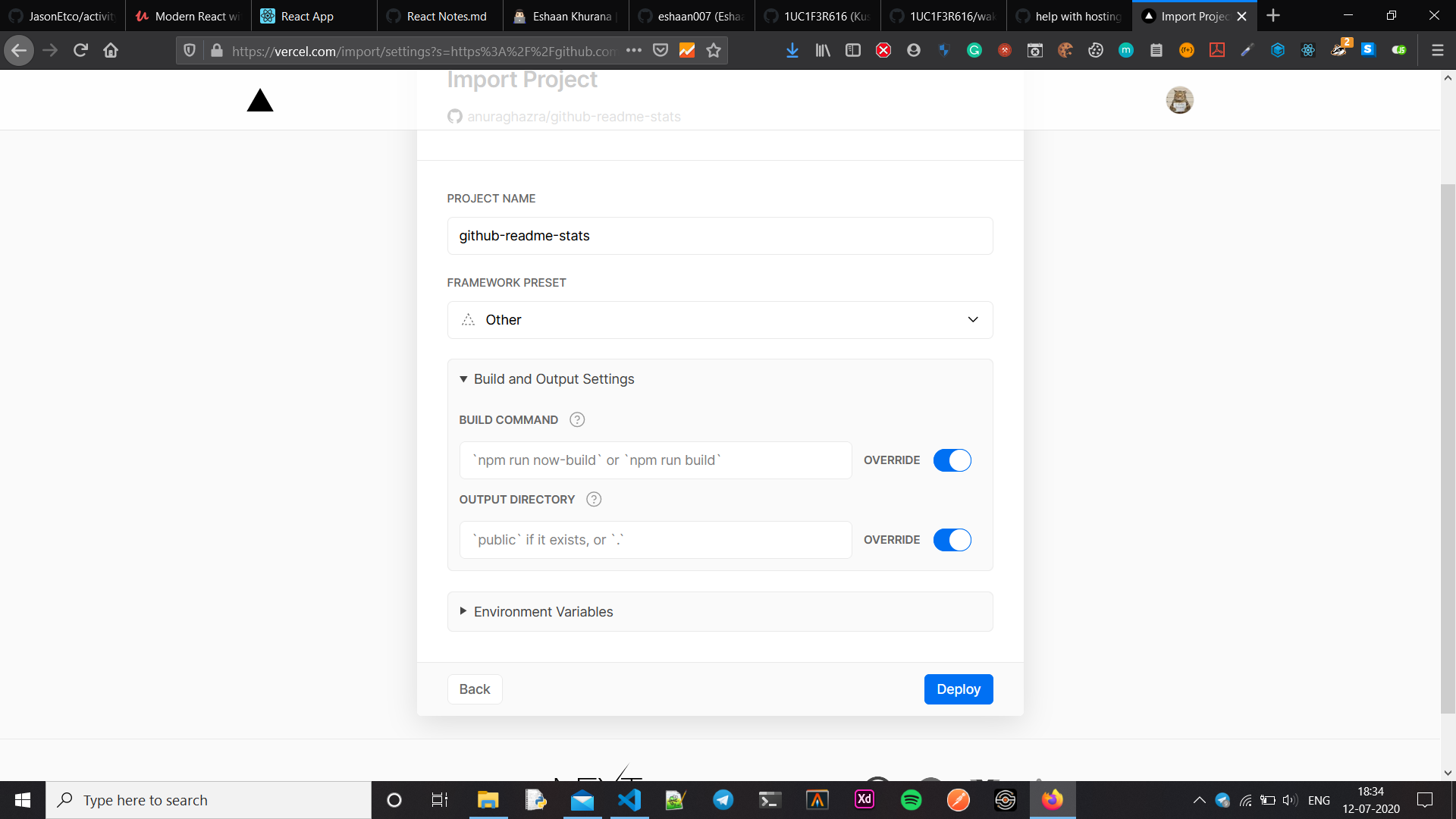
Environment variable set here any other change required? @anuraghazra
1UC1F3R616
on 12 Jul 2020
It should just work. try it
anuraghazra
on 12 Jul 2020
@anuraghazra
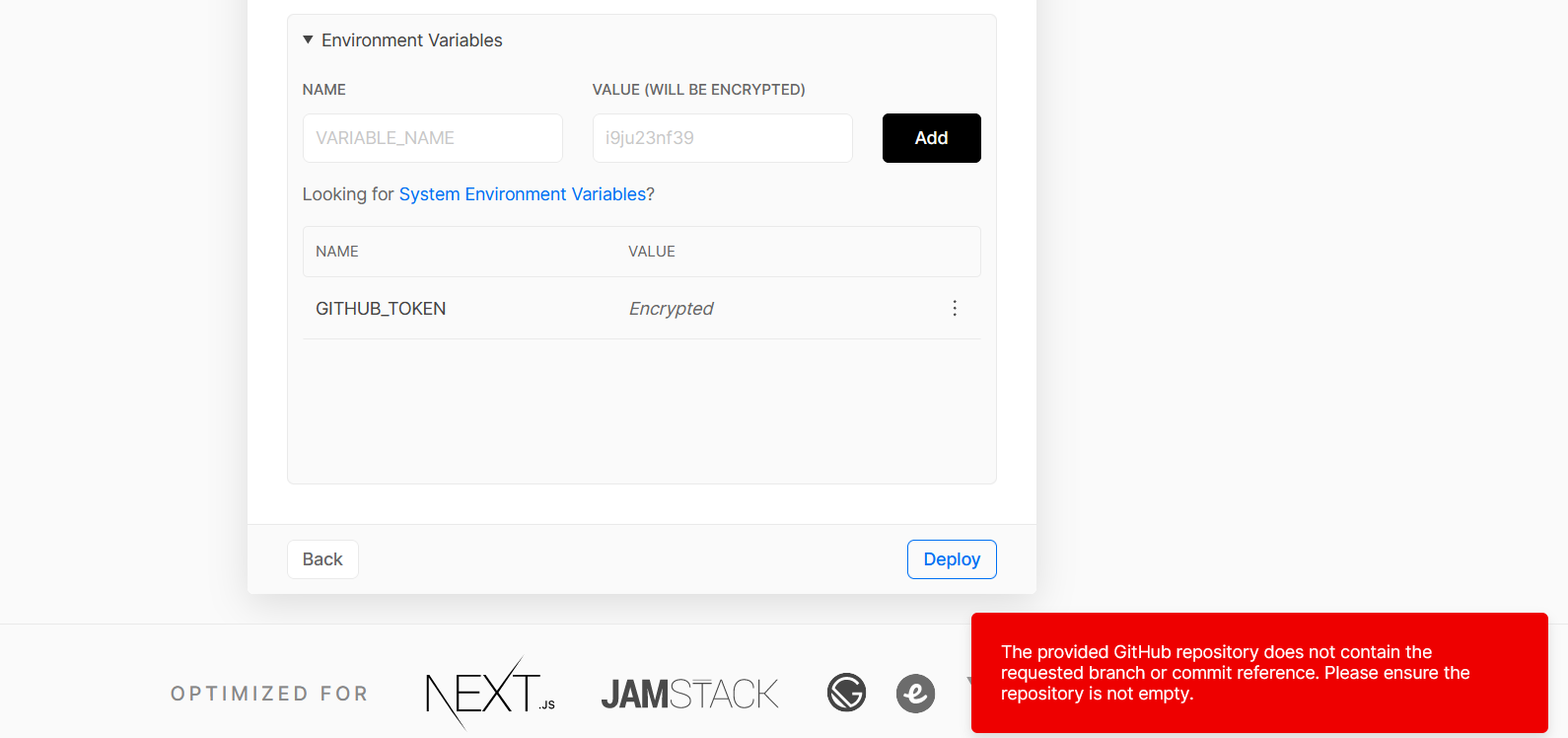
Below is the error that is coming
1UC1F3R616
on 12 Jul 2020
Tried after cleaning also but no benefit
Thanks for the quick help :)
1UC1F3R616
on 12 Jul 2020
Make sure your vercel account is connected to Github
anuraghazra
on 12 Jul 2020
It got deployed, recived a mail
I found that the repo that it created was empty so I cloned the code and added in it's created repo and then used a different name.
I am not sure if this is the reason that solved the issue. But maybe someone can try this in future.
Thankyou again
1UC1F3R616
on 12 Jul 2020
I see, well vercel should automatically clone the repo to your account if you have github integration enabled
anuraghazra
on 12 Jul 2020
Yes it's enabled without that it wasn't letting me go ahead.
Btwn this is a really nice project, thanks for this.
Issue is solved.
1UC1F3R616
on 12 Jul 2020
Great!
anuraghazra
on 12 Jul 2020
I had the same issue: Vercel created a new empty repo. I'm new to Vercel so don't know if this is a Vercel bug.
My solution was to fork this repo, then at https://vercel.com/import, "Import Git Repository" _not_ "Import Template"
Might even be better than using this repo as a template, because GitHub recognizes my repo as a fork. So your fork count goes up, and I get the convenient UI for seeing if my repo is behind.
 olets
on 12 Jul 2020
olets
on 12 Jul 2020
Thanks @olets , This is perfect.
1UC1F3R616
on 13 Jul 2020
Related issues
 pablohs1986
·
5Comments
pablohs1986
·
5Comments
 NikhilCodes
·
3Comments
NikhilCodes
·
3Comments
 thisispratt
·
4Comments
anuraghazra
·
3Comments
thisispratt
·
4Comments
anuraghazra
·
3Comments
 nathanchu
·
5Comments
nathanchu
·
5Comments
Most helpful comment
I had the same issue: Vercel created a new empty repo. I'm new to Vercel so don't know if this is a Vercel bug.
My solution was to fork this repo, then at https://vercel.com/import, "Import Git Repository" _not_ "Import Template"
Might even be better than using this repo as a template, because GitHub recognizes my repo as a fork. So your fork count goes up, and I get the convenient UI for seeing if my repo is behind.