I get my notifications through github per day, but none show up here. My organization has granted access. Please let me know if there is anything else I need to do.
Thanks
Bug Report Dump (Auto-generated)
Version 1.21.0 (1528145114)
Device: iPhone X (iOS 11.4)
TestFlight: false
 BBarone1
All 6 comments
@BBarone1 if you go to notifications on GitHub.com, what do you see? What happens when you tap “review access” in GitHawk settings?
Sent with GitHawk
 rnystrom
on 26 Jul 2018
rnystrom
on 26 Jul 2018
hey @rnystrom , thanks for following up. here's a screenshot of my notifications on github. i'm guessing I need to enable web notifications?
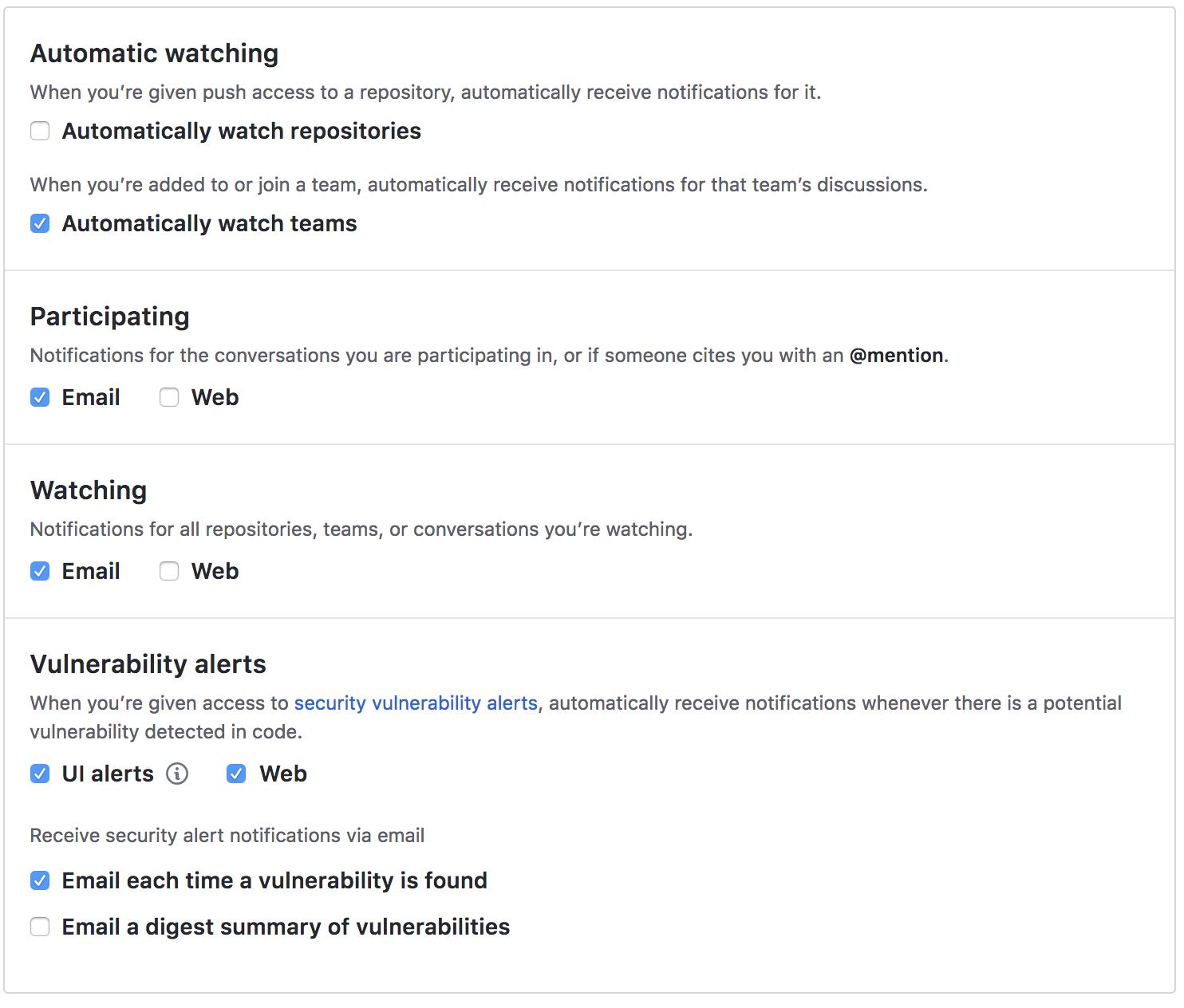
re: GitHawk settings -> review access - the relevant organization has a green check next to it for approval
BBarone1
on 26 Jul 2018
@BBarone1 sorry I meant your actual notifications list. The little bell in the top right.
Sent with GitHawk
rnystrom
on 26 Jul 2018
Or https://github.com/notifications :)
Sent with GitHawk
 BasThomas
on 27 Jul 2018
BasThomas
on 27 Jul 2018
Ah got it - turns out turning on those checkboxes was the key. Notifictions now pulling through to GitHawk.
Thanks for the help, marking this resolved. Closing
Sent with GitHawk
BBarone1
on 27 Jul 2018
Yeah makes sense, you'd need web alerts for them to be available via the API. :)
BasThomas
on 27 Jul 2018
Related issues
rnystrom
·
3Comments
 viktorgardart
·
3Comments
viktorgardart
·
3Comments
 rizwankce
·
3Comments
BasThomas
·
3Comments
BasThomas
·
3Comments
rizwankce
·
3Comments
BasThomas
·
3Comments
BasThomas
·
3Comments
Most helpful comment
Ah got it - turns out turning on those checkboxes was the key. Notifictions now pulling through to GitHawk.
Thanks for the help, marking this resolved. Closing
Sent with GitHawk