Githawk: Flashing header during transition from issue to index
 gingerbeardman
All 17 comments
Hmmmmm my guess is that the view of the issues VC doesn’t have a background set? Something has a black background and it’s bleeding through.
Sent with GitHawk
 rnystrom
on 5 Apr 2018
rnystrom
on 5 Apr 2018
Also I tried to report this through the app but "report a bug" was broken. I assumed it would be fixed imminently, but if it's still broken I'll report it separately.
gingerbeardman
on 5 Apr 2018
Already tracking, it’s from the org move
Sent with GitHawk
rnystrom
on 5 Apr 2018
Closing b/c it looks like this is fixed on the latest TF build? I didn't do anything... 🤷♀️
rnystrom
on 10 Apr 2018
I'm still seeing it
Version

gingerbeardman
on 10 Apr 2018
@gingerbeardman which version of iOS?
Sent with GitHawk
rnystrom
on 10 Apr 2018
11.3 (15E216)
It looks to me that the flashing is changing transparency of whatever is behind the overlap of the header.
gingerbeardman
on 10 Apr 2018
Interestingly if I slide back when not replying (view moves horizontally) the flashing is less severe than if i swipe whilst replying (view moves diagonally, simultaneously horizontal and vertical)
So it's the content of this view that is being seen through the header as it fades between the two.
gingerbeardman
on 10 Apr 2018
Can you walk through exact steps to repro?
Better yet if you could check out the project and help debug+fix that’d be great! I’ve got extremely limited time to spend on these edge cases.
Sent with GitHawk
rnystrom
on 10 Apr 2018
Reproduction: see below
gingerbeardman
on 10 Apr 2018
Hmm ya doesn’t happen for me, gonna leave closed unless it resurfaced with more detail on what’s going on
Sent with GitHawk
rnystrom
on 10 Apr 2018
Strange, now it's not doing it for me in this issue. I'll keep an eye out
gingerbeardman
on 10 Apr 2018
OK. Here are new steps to reproduce:
- Start GitHawk fresh
- Tap a link that opens in a web view
- Dismiss web view
- Swipe screen slowly from left edge
- Notice the flashing header
It does not happen unless a web view has been opened.
gingerbeardman
on 10 Apr 2018
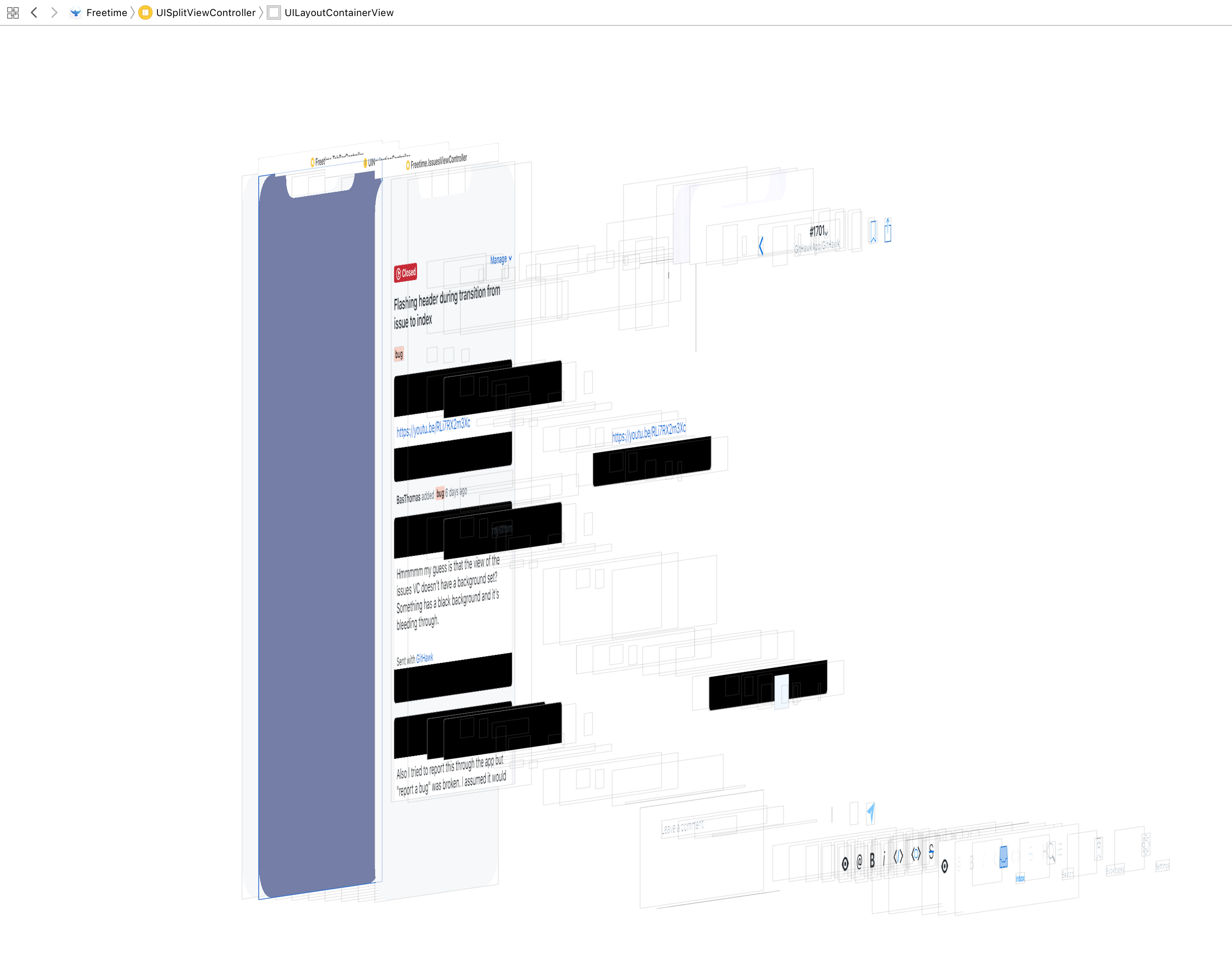
🤔 so the only blackish thing I can find in the view hierarchy is this UILayoutContainerView from the UISplitViewController.
 BasThomas
on 10 Apr 2018
BasThomas
on 10 Apr 2018
I think the "something black" is a red herring?
gingerbeardman
on 11 Apr 2018
It might be 🤷♂️
Sent with GitHawk
BasThomas
on 11 Apr 2018
Ya those are the CALayers storing text bitmaps.
Thanks for the repro steps @gingerbeardman! I’ll take a look when I have time.
I’m able to repro this too.
Sent with GitHawk
rnystrom
on 11 Apr 2018
Related issues
rnystrom
·
3Comments
 jessesquires
·
3Comments
BasThomas
·
3Comments
rnystrom
·
3Comments
BasThomas
·
3Comments
jessesquires
·
3Comments
BasThomas
·
3Comments
rnystrom
·
3Comments
BasThomas
·
3Comments