Git-updater: Updating plugins stored in Gists
I create various mini plugins to support users on the support forums to work around various issues. Since they are often very small and temporary I will throw them up into Gists rather than full GItHub repos. Does this plugin support updates for plugins stored in Gists?
 westonruter
All 30 comments
Unfortunately the plugin really doesn’t rely on the structure of repo where the repo name will be the plugin slug.
It might work but the results might be unexpected. I’ve never really tried to put a single file plugin from a gist.
My guess is that the slug would end up being the gist hash.
I’m working most of the next week so I can’t really test that theory.
 afragen
on 16 May 2020
afragen
on 16 May 2020
So just a quick test and I would likely need to create a whole additional API for gists.
I couldn't install a gist.
They would install with the hash as a the slug and I would need to create a new download link.
It's probably easier to just put the plugin in an actual repo, sorry.
I could probably figure it out. We'll call it a feature request. When I get some more time I'll see if I can figure out some of the details.
afragen
on 17 May 2020
afragen
on 17 May 2020
@westonruter a few questions to scope this out. If we assume a semi-par functionality with a regular repository we're looking at the following functions.
- Install a gist given the URL. If possible re-write the slug to
pathinfo()[filename] - Update to latest hash/version. Could possibly key to
Versionheader. - No branches, tags, README, changelog, etc
- Only for plugins! Not themes.
Is this relatively complete? Anything else?
afragen
on 17 May 2020
Thank you!
- Install a gist given the URL. If possible re-write the slug to
pathinfo()[filename]
Given this Gist plugin for example: https://gist.github.com/westonruter/26667d26ea34ef8e9f5e1053a747c73f
The resulting plugin will be installed into a directory pwa-lovecraft-theme-compat since the plugin file is pwa-lovecraft-theme-compat.php?
- Update to latest hash/version. Could possibly key to
Versionheader.
Updating when the Version changes would be good, but I can also see it being useful to update when a new commit is pushed as well.
- No branches, tags, README, changelog, etc
Gists do actually support branches, although there is no UI for it. I push and pull commits to Gist repos from the command line via SSH. Nevertheless, it is probably very rare for Gists to use branches. Likewise, I'm sure Gists support tags as well, but they are also probably not commonly used.
Gists can also have a readmes and changelog, just like plugins in normal GitHub repos. A gist can have any number of files in it; the main restriction imposed is that it can't have subdirectories (in the UI at least).
- Only for plugins! Not themes.
It could actually be used for themes as well. For example, perhaps you want to throw up a quick child theme in a Gist to customize an existing theme.
This is out of scope for this issue, but is it possible plugins/themes installed from a Git repo to be pulled down using git pull? Just thinking generally about users who may have plugins/themes installed in development environments as Git repos. It would not be good if those Git repos got deleted in the process of updating.
westonruter
on 17 May 2020
@westonruter i just tested and remote installation using Zipfile As the Remote Repository Host works. You need to copy the download URL and set the slug.
I have some ideas about updating to work out .
afragen
on 19 May 2020
@westonruter I've got something for you to play with.
Use branch switching to switch to the gist branch.
You can Remote Install a gist using the Zipfile remote repository host as follows. You must copy the download ZIP to use here.

Resulting in

In order for the updating to function you must add the header Gist Plugin URI: https://gist.github.com/westonruter/26667d26ea34ef8e9f5e1053a747c73f
To the plugin file.
Please test the updating by committing an increase to the version number.
LMK what you think.
Branches and tags don't work. readme.txt and changelog parsing should work.
I haven't testing themes yet. If you have one please let me know the URL.
afragen
on 19 May 2020
I'm testing in the gist branch as follows:
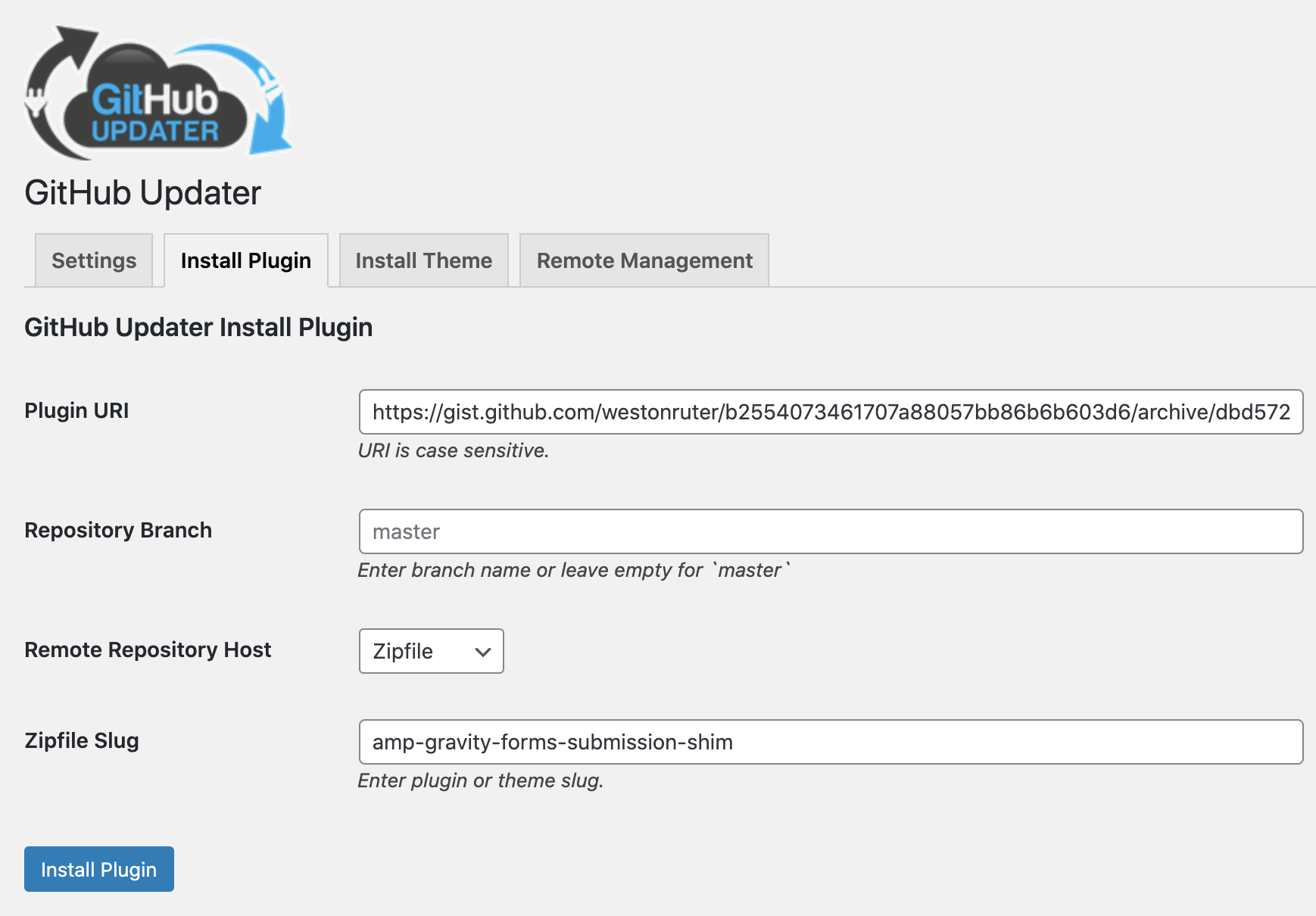
I've selected Zipfile.
I provided the URL: https://gist.github.com/westonruter/b2554073461707a88057bb86b6b603d6/archive/dbd572cc854523da55bc09e3377747d9ed5b490d.zip
And I gave a slug of amp-gravity-forms-submission-shim.
Installation succeeds:
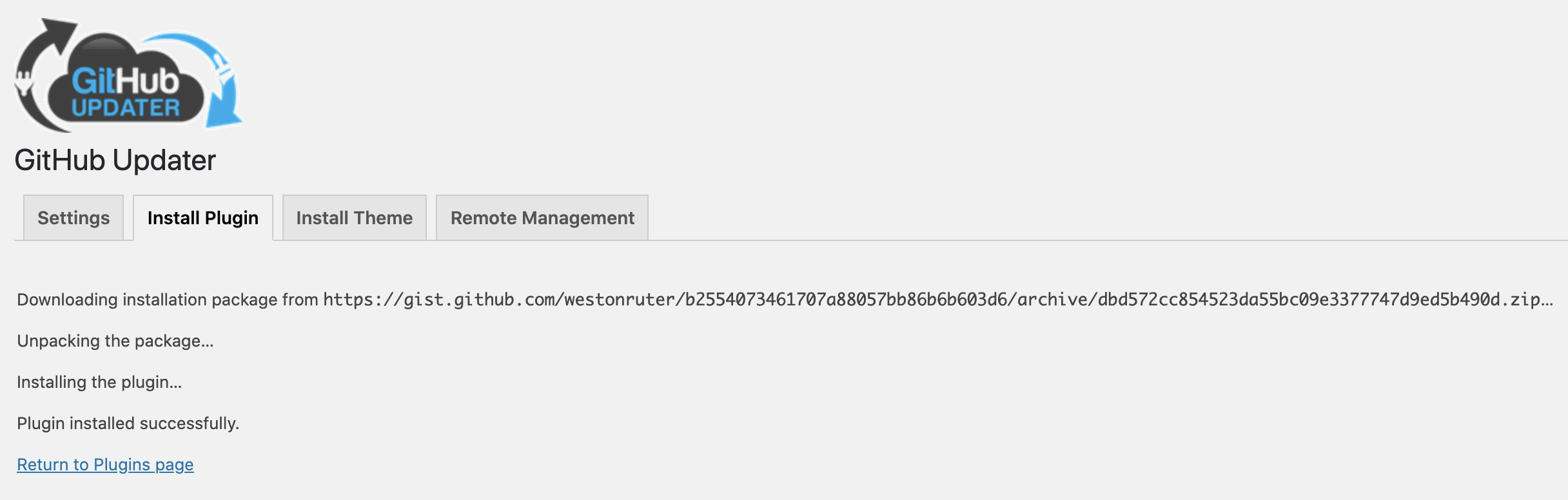
The plugin is installed:
$ tree amp-gravity-forms-submission-shim
amp-gravity-forms-submission-shim
└── amp-gravity-forms-submission-shim.php

0 directories, 1 file
I then updated the Gist to bump the version:
Version: 0.1.4
...
Gist Plugin URI: https://gist.github.com/westonruter/b2554073461707a88057bb86b6b603d6
I tried clicking Check Again button in the Updates screen, but the new version didn't show up.
I then when to the GitHub Updater settings and under the Gist tab there was a warning about an API token not being supplied. So I switched to the GitHub tab and provided an access token that has read access for public repos and saved. After waiting for cron to run, then I checked the Gist tab again and still saw the same:
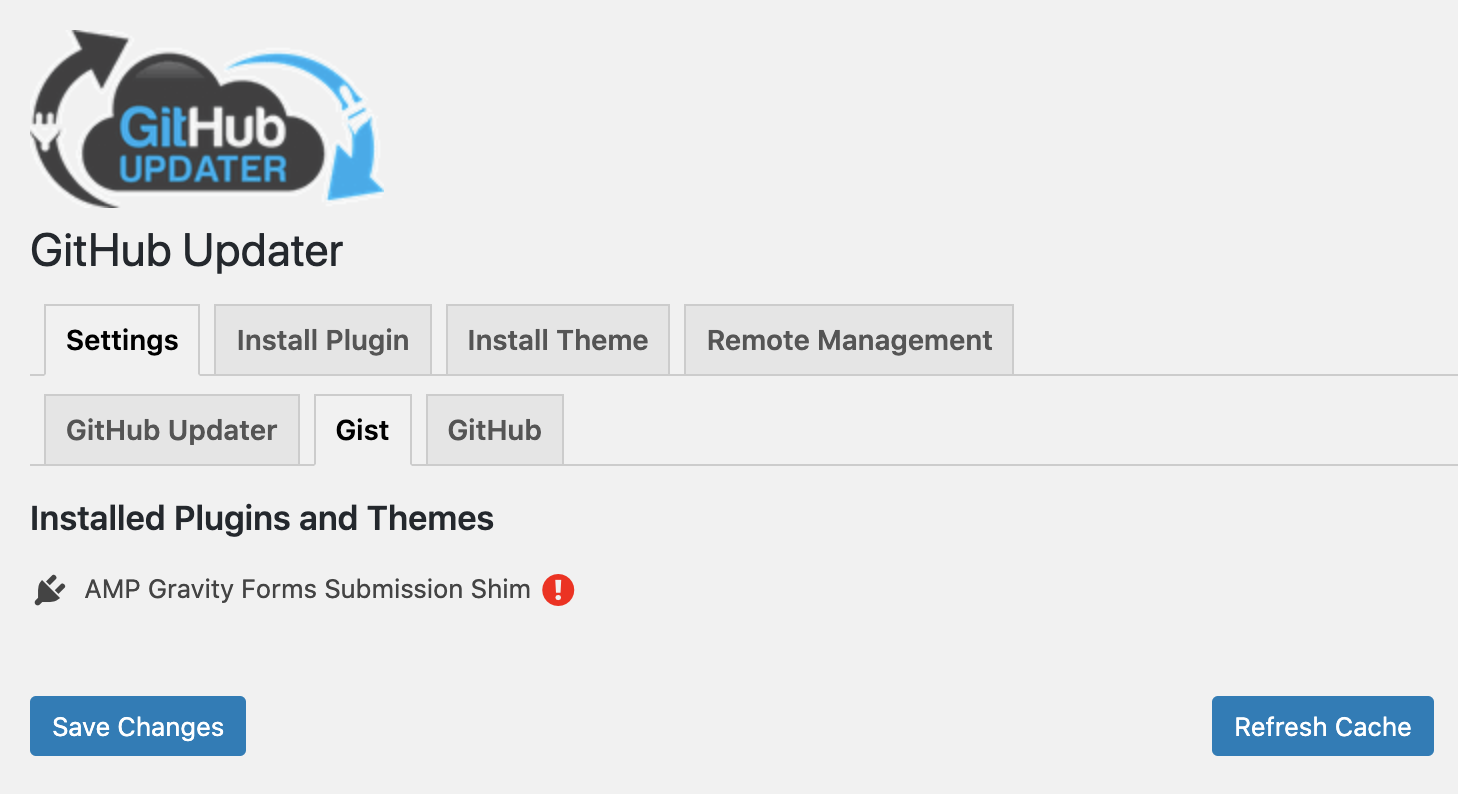
The tooltip for that error icon is:
This repository has not connected to the API or was unable to connect.
So something doesn't seem to be working properly.
westonruter
on 20 May 2020
Can you check the Bypass WP-Cron in the settings and see if some HTTP error shows. I love Query Monitor.
I’ll try to replicate but I’m at the hospital till morning.
afragen
on 20 May 2020
I’m seeing an error on my test site that would be problematic.
afragen
on 20 May 2020
So it seems to work when bypassing WP-Cron. Seems I have something to fix tomorrow 😉
afragen
on 20 May 2020
Turning off the WP-Cron setting made the warning go away:
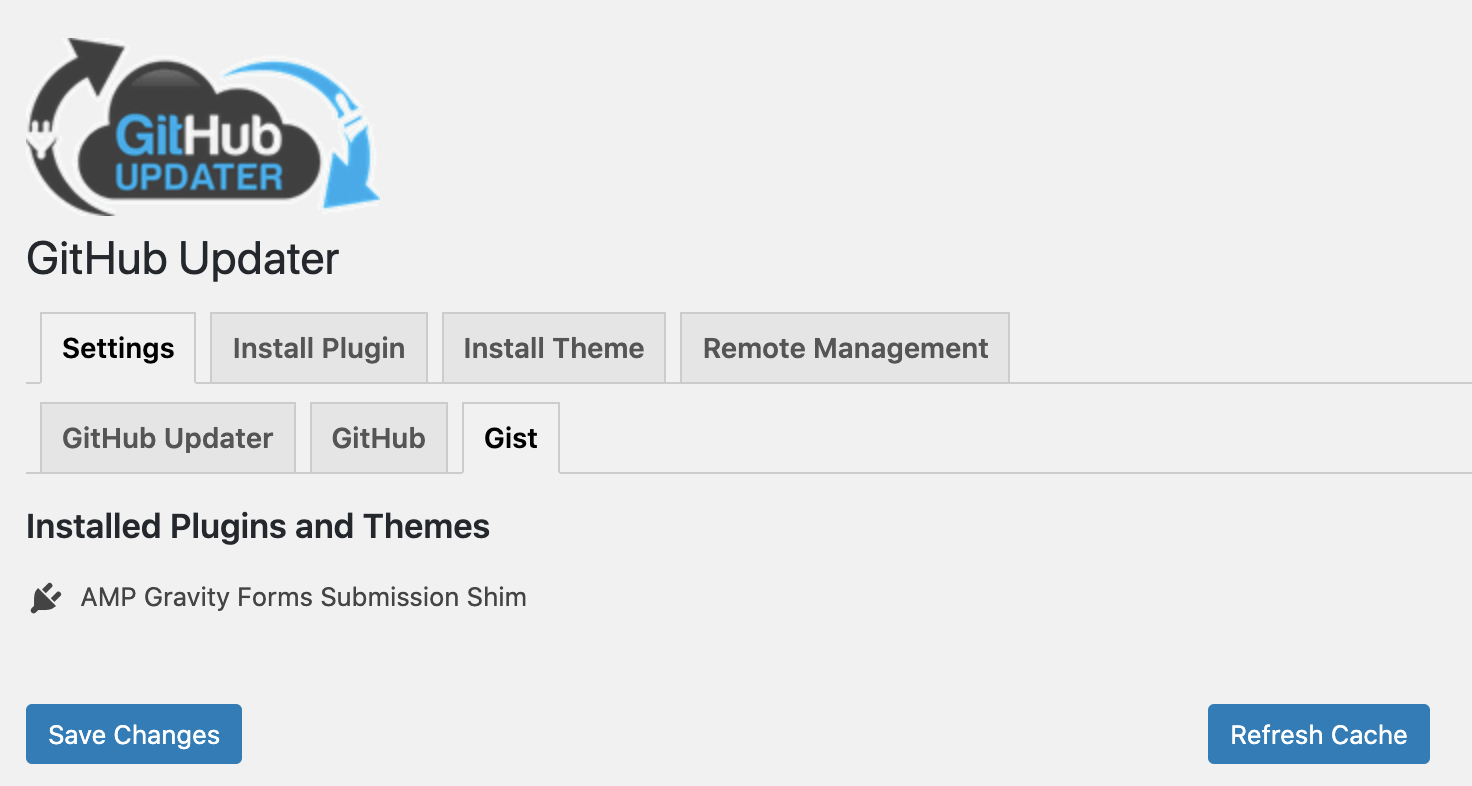
And after I refresh the Gist cache, I'm now seeing the update show up:

Updating succeeds:
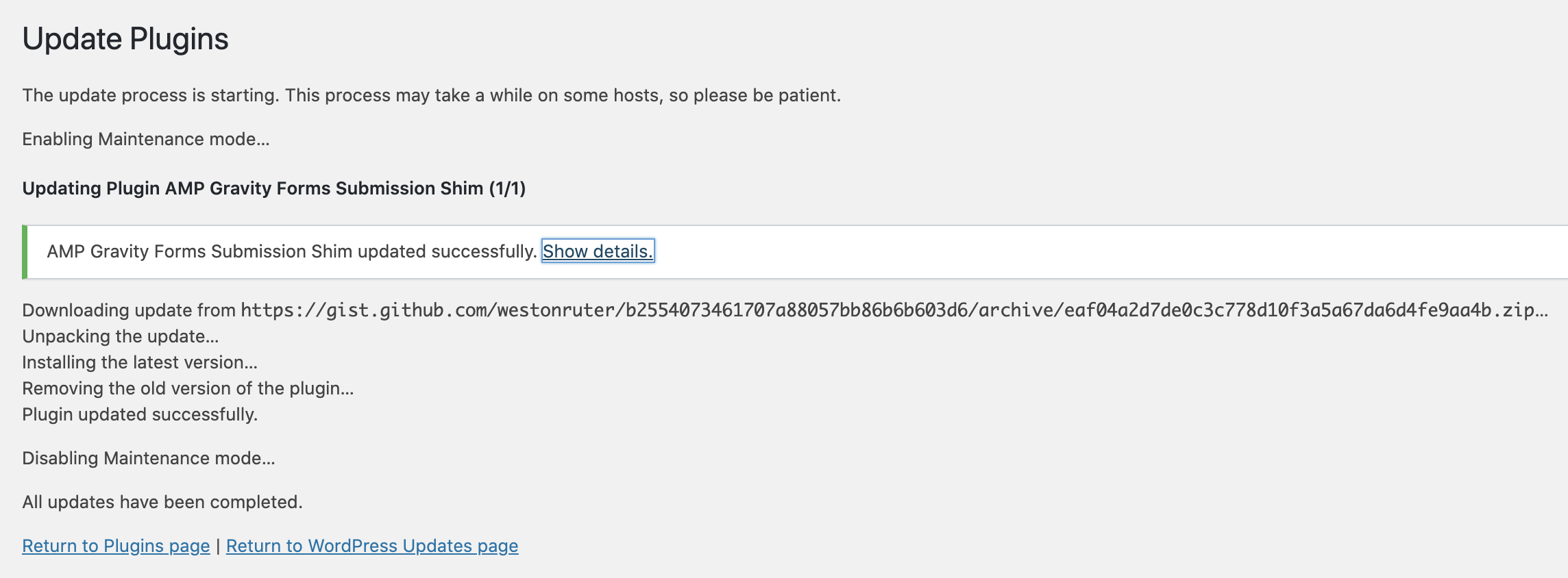

westonruter
on 20 May 2020
I find providing the URL to the Zipfile not the best user experience. I also tried providing the URL to a Gist after selecting the Gist host option:
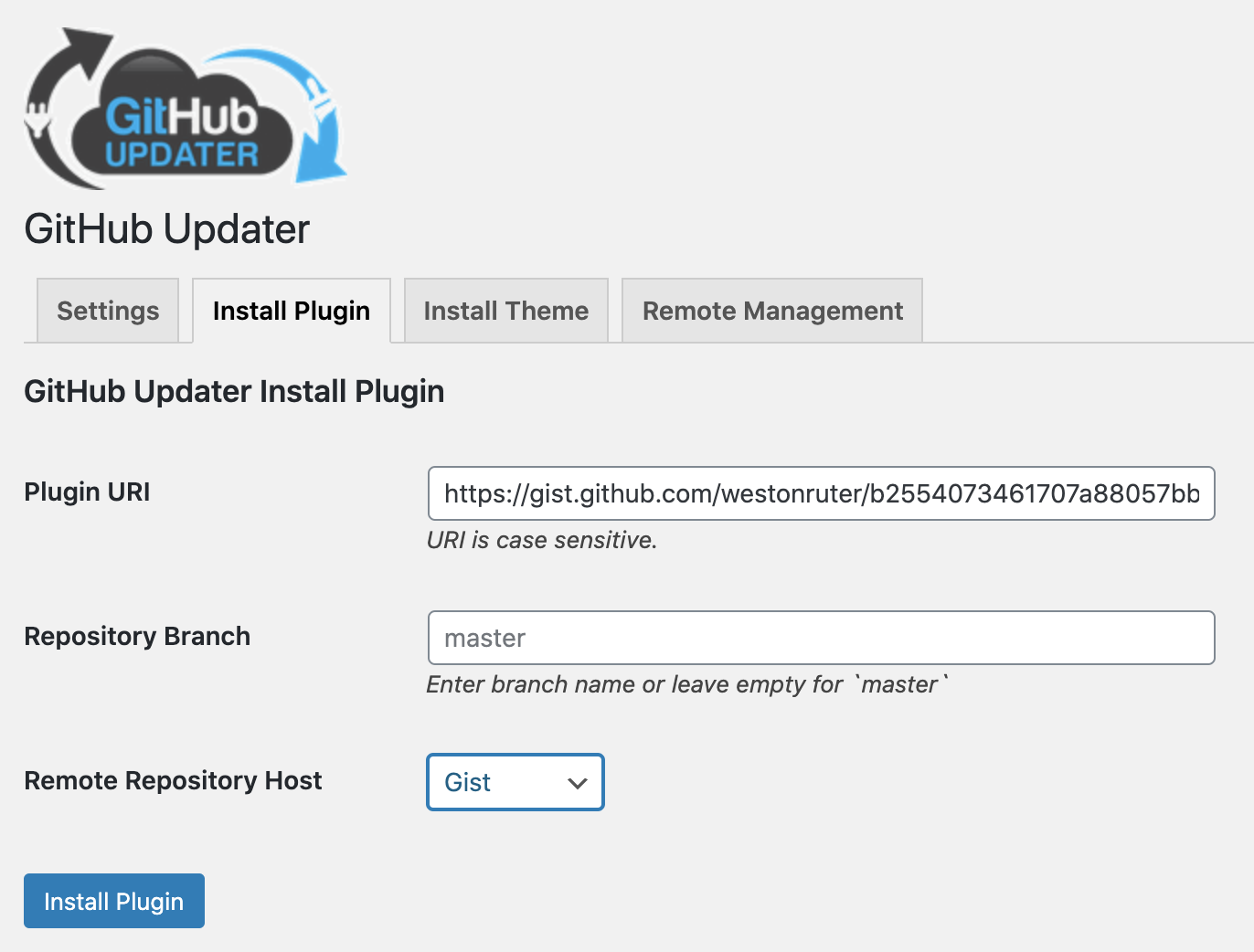
But this failed for some reason:

westonruter
on 20 May 2020
That error was cosmetic.
afragen
on 20 May 2020
But I still need to figure out why it’s not working with WP-Cron.
afragen
on 20 May 2020
I didn’t realize the Gist was a option on the install. I didn’t code that in 🙃
I’ll have to look for a standard zip that can download the latest gist for that to work. Otherwise I’ll just hide it.
Your current instructions are to download that link. We’re just asking the user to copy it an place it in the install tab. Yes, not optimal. If I can figure something else out I will.
afragen
on 20 May 2020
https://github.com/afragen/github-updater/commit/081e39b79243647c3fd0e18cf5bc9ccbbece4115
Remote install using _Install Plugin_ tab and Gist remote repo host is now working. Simply use the usual Gist Plugin URI.
I think it's now working with WP-Cron.
afragen
on 20 May 2020
@westonruter I think this is now _feature complete_. Give it a whirl.
afragen
on 20 May 2020
I tried installing a Gist plugin but leaving the slug blank:

I got an unexpected warning:
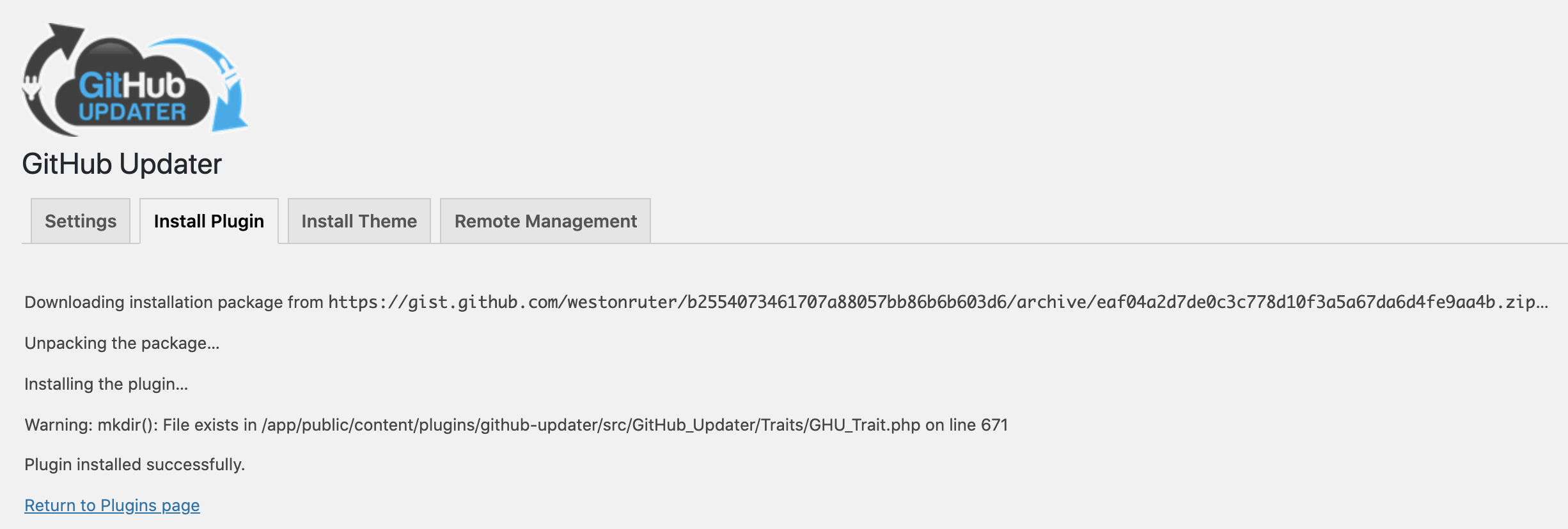
Nevertheless, the plugin was installed into the directory name eaf04a2d7de0c3c778d10f3a5a67da6d4fe9aa4b-n0AI35.
I deleted the plugin and tried again, this time with a slug provided:
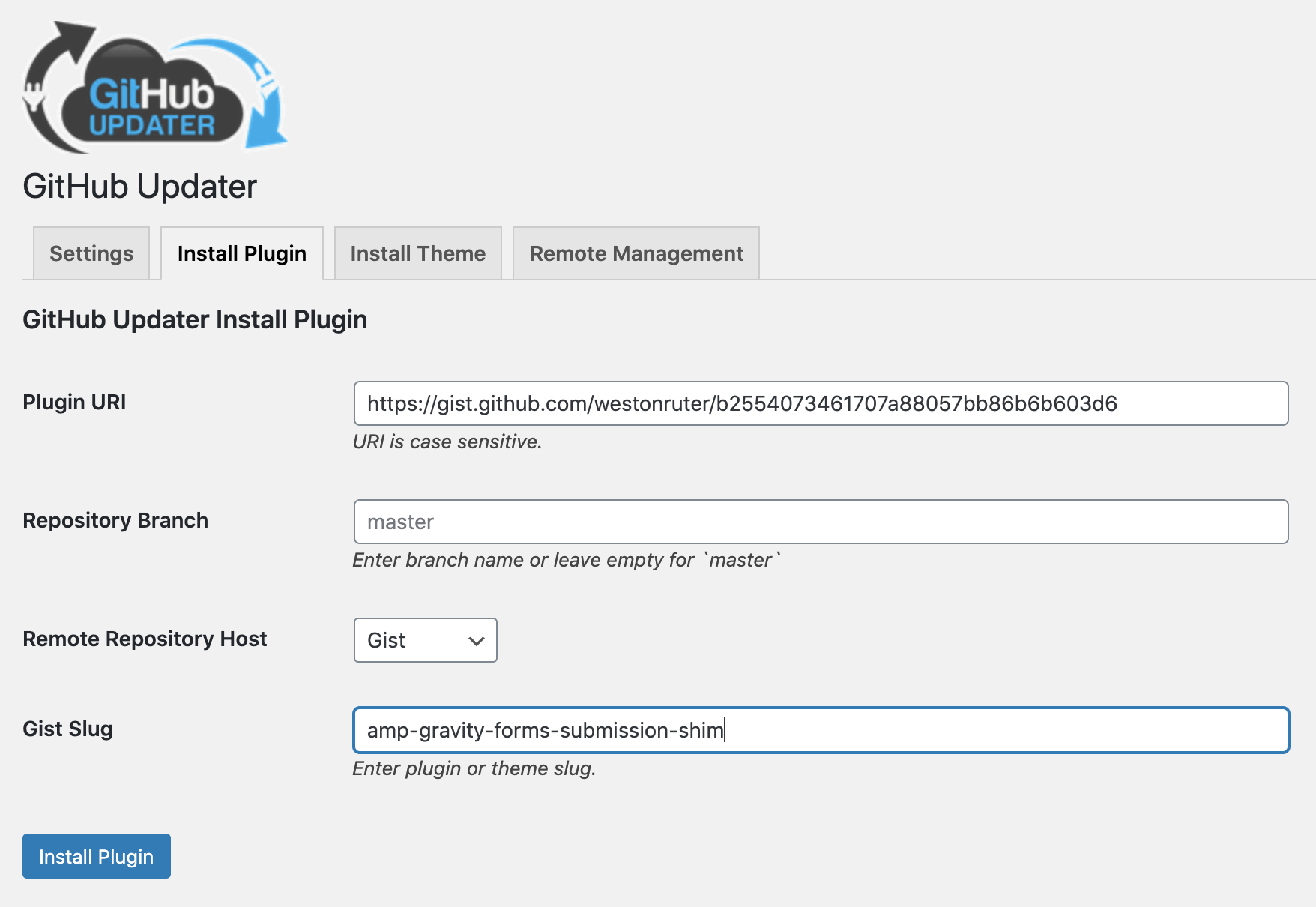
This time no warning:
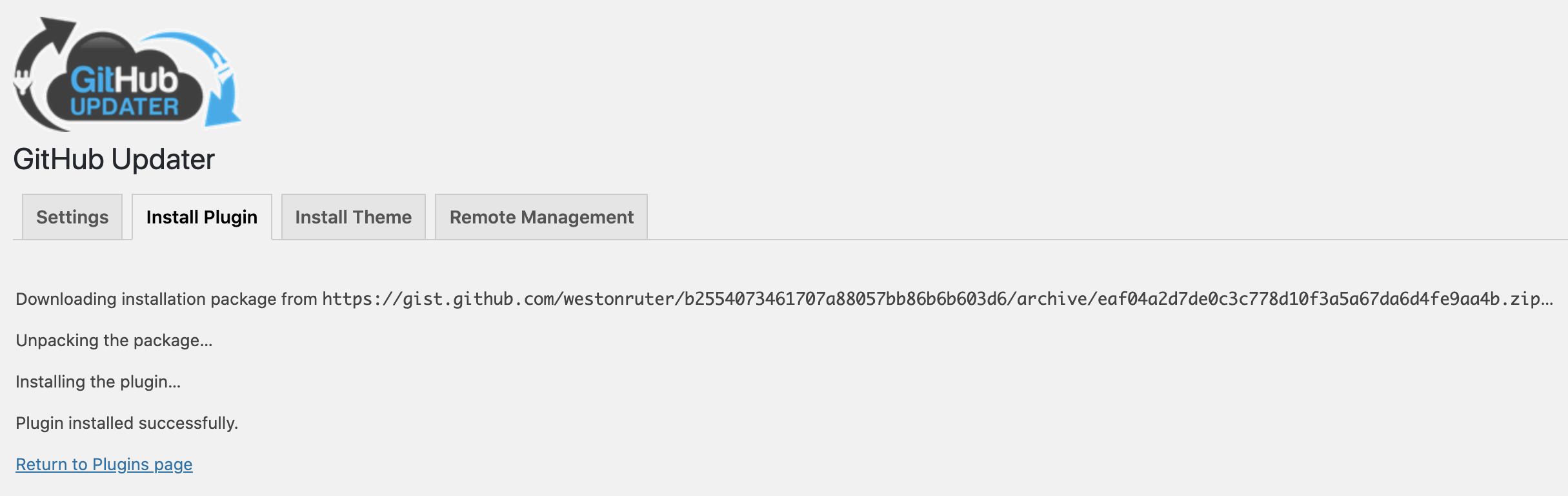
It was installed into the amp-gravity-forms-submission-shim directory as expected.
I'm seeing the plugin listed without the warning now:
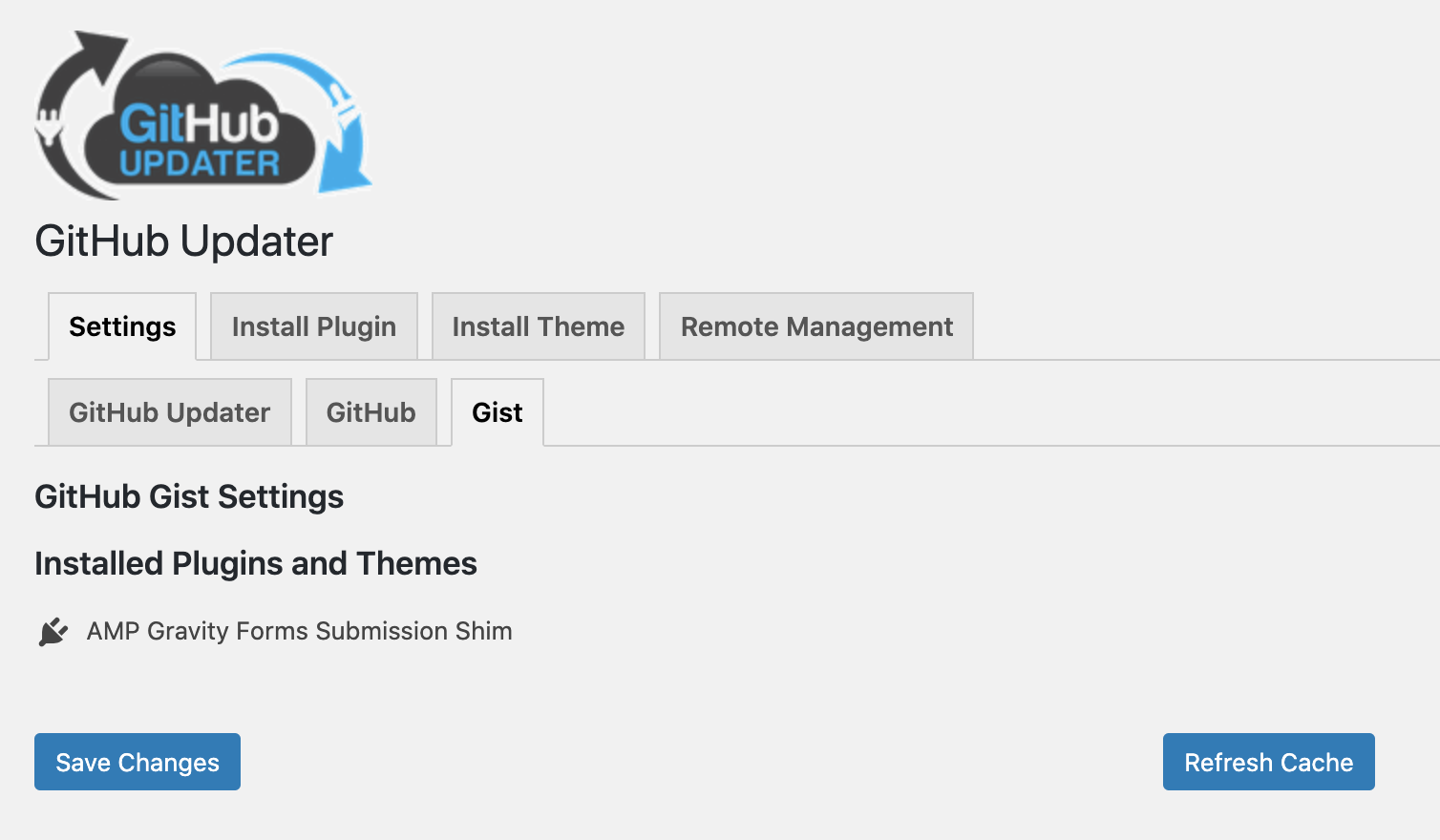
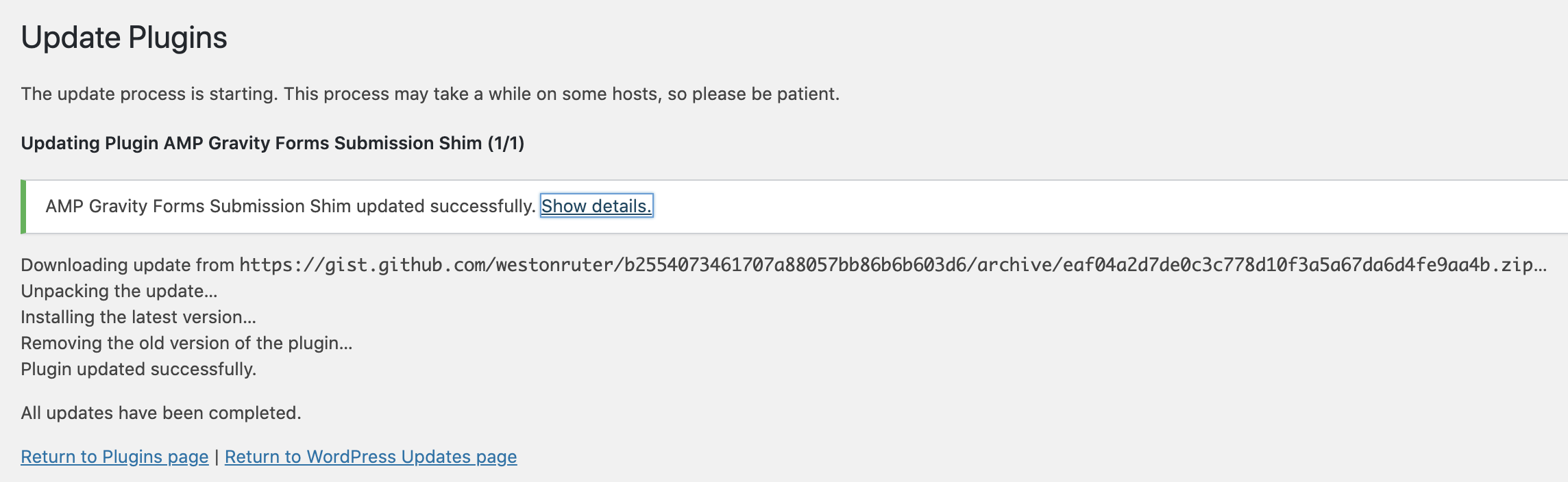
And if I manually change the local copy's version to an older version (0.1.3) and then check for updates, I see it:

The update succeeds:

westonruter
on 20 May 2020
I tried installing a Gist plugin but leaving the slug blank:
It would be nice if it tried to automatically detect the plugin's slug from the plugin file in the Gist. But otherwise, installing with the Gist ID as the directory is not bad. The warning is unexpected, however.
westonruter
on 20 May 2020
The problem with guessing the slug is I would need to do an API GET for the gist meta, then parse all the files for the one will with the plugin headers. I think this would be way too long.
Currently I already parse the meta, but in this case to check for the existence of style.css file so I can designate as a theme. The then install simply uses the hash as a slug. I would need to GET all PHP files in the gist then check for the plugin headers.
If you have any ideas about how to easily determine the main plugin file and therefore the slug. I’m all ears.
Installing without a slug shouldn’t give an error. I need to fix that.
afragen
on 21 May 2020
The other problem with not using a slug for the plugin install is that the next plugin update might correctly rename the slug and give the error that the original was not found. You would also need to reactivate the plugin.
afragen
on 21 May 2020
@westonruter I think you'll like this update.
Automagically set plugin slug on Install. Gist Theme Install uses hash as slug.
Other errors squished.
Have a test and LMK.
afragen
on 23 May 2020
Awesome.
I've tried installing https://gist.github.com/westonruter/b2554073461707a88057bb86b6b603d6 as follows:
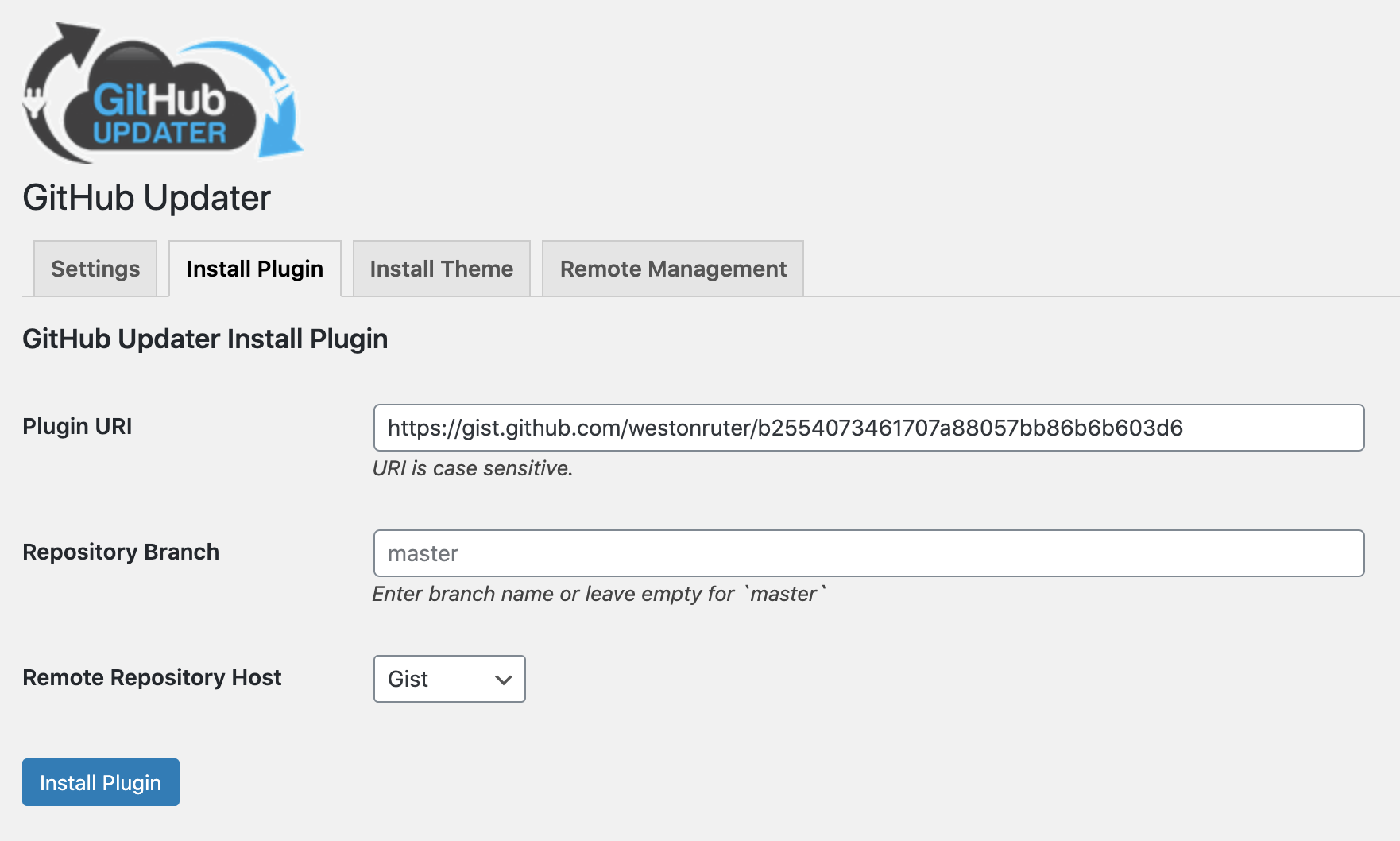
Shouldn't the Remove Repository Host dropdown field be moved to the top as the first field, before the Plugin URI?
The plugin gets successfully installed:

The plugin was placed into a directory amp-gravity-forms-submission-shim based on the plugin file of amp-gravity-forms-submission-shim.php. That's perfect.
However, on this screen there is no indication of the name of the plugin that was installed. Should there not be the name of the plugin shown (or at least the slug) in addition to an Activate button?
westonruter
on 24 May 2020
There was some issue early on about trying to include the activation link here and it was simpler to either remove it or not work real hard to make it appear.
The Remote Repository Host drop down is locales there as there are specific fields for other hosts that could be filled out. I’ve never really had anyone say anything about it’s placement until now 😉
I’ll probably merge this into develop tomorrow. At hospital today.
afragen
on 24 May 2020
However, on this screen there is no indication of the name of the plugin that was installed. Should there not be the name of the plugin shown (or at least the slug) in addition to an Activate button?
All I'm really doing here is echoing out the usual message from an Upgrader message. I'm not aware of any other plugin install that reports back the name of the newly installed plugin. It's an interesting thought and I'm certain it's possible, I've just never seen it in the wild.
afragen
on 25 May 2020
in addition to an Activate button?
I have added this back into the develop branch. I'm not certain anymore why I had removed it.
afragen
on 25 May 2020
This was merged into develop, please switch back to this branch.
afragen
on 25 May 2020
Excellent. Working as expected. I'll be sure to update my Gist plugin installation instructions document to recommend your plugin as the best method once a release has been made.
westonruter
on 26 May 2020
Instructions updated: https://gist.github.com/westonruter/6110fbc4bef0c4b8c021a112012f7e9c#installing-via-github-updater-plugin
westonruter
on 2 Jun 2020
Related issues
 ploplu
·
11Comments
ploplu
·
11Comments
 franzarmas
·
8Comments
franzarmas
·
8Comments
 klihelp
·
4Comments
klihelp
·
4Comments
 andruwa13
·
3Comments
andruwa13
·
3Comments
 alexjose
·
14Comments
alexjose
·
14Comments