Git-point: Logging middleware is slow
So redux-logger has already been included in this app and it does slow the simulator down. The introduction of remote-redux-devtools is now making things significantly slower.
I tried setting up environment variables using babel-plugin-transform-inline-environment-variables and separate script commands (yarn start ios:logger and yarn start ios:devtools) which will include the middleware separately and only when those commands were run. However process.env only seemed defined for NODE_ENV and nothing else.
Will really appreciate if someone can help find a way to conditionally add separate logging middleware instead of having them included everytime we run yarn run ios or yarn run android.
 housseindjirdeh
All 13 comments
@housseindjirdeh do you want to separate devtools and logger (yarn start ios:logger and yarn start ios:devtools), and if you need to have both of them started, like now?
 lex111
on 16 Jul 2017
lex111
on 16 Jul 2017
Yep that's what I'm thinking - separate commands for each.
Hmm to have them both started I guess what we could do is use two separate env variables and depending on either value, push their appropriate middleware like so:
const getMiddleware = () => {
const middlewares = [reduxThunk];
if (__DEV__) {
if (process.env.LOGGER_ENV = 'logger' {
middlewares.push(createLogger());
}
if (process.env.DEVTOOLS_ENV = 'devtools' {
const composeEnhancers = composeWithDevTools({
name: 'debugger',
hostname: 'localhost',
port: 5678,
suppressConnectErrors: false,
});
return composeEnhancers(applyMiddleware(...middlewares));
}
}
return applyMiddleware(...middlewares);
};
But again this is under the impression that setting env variables will work which I wasn't able to unfortunately. To be honest I'm also okay with keeping them as just separate commands - not sure if many folks would like to have them both run at the same time (but anybody reading this who disagrees please let me know)
housseindjirdeh
on 16 Jul 2017
@housseindjirdeh I think it turned out, look, please. Maybe not so?
lex111
on 16 Jul 2017
@lex111 Could you see the DevTools' redux panel when starting with start:devtools?
If it works, it should be like:
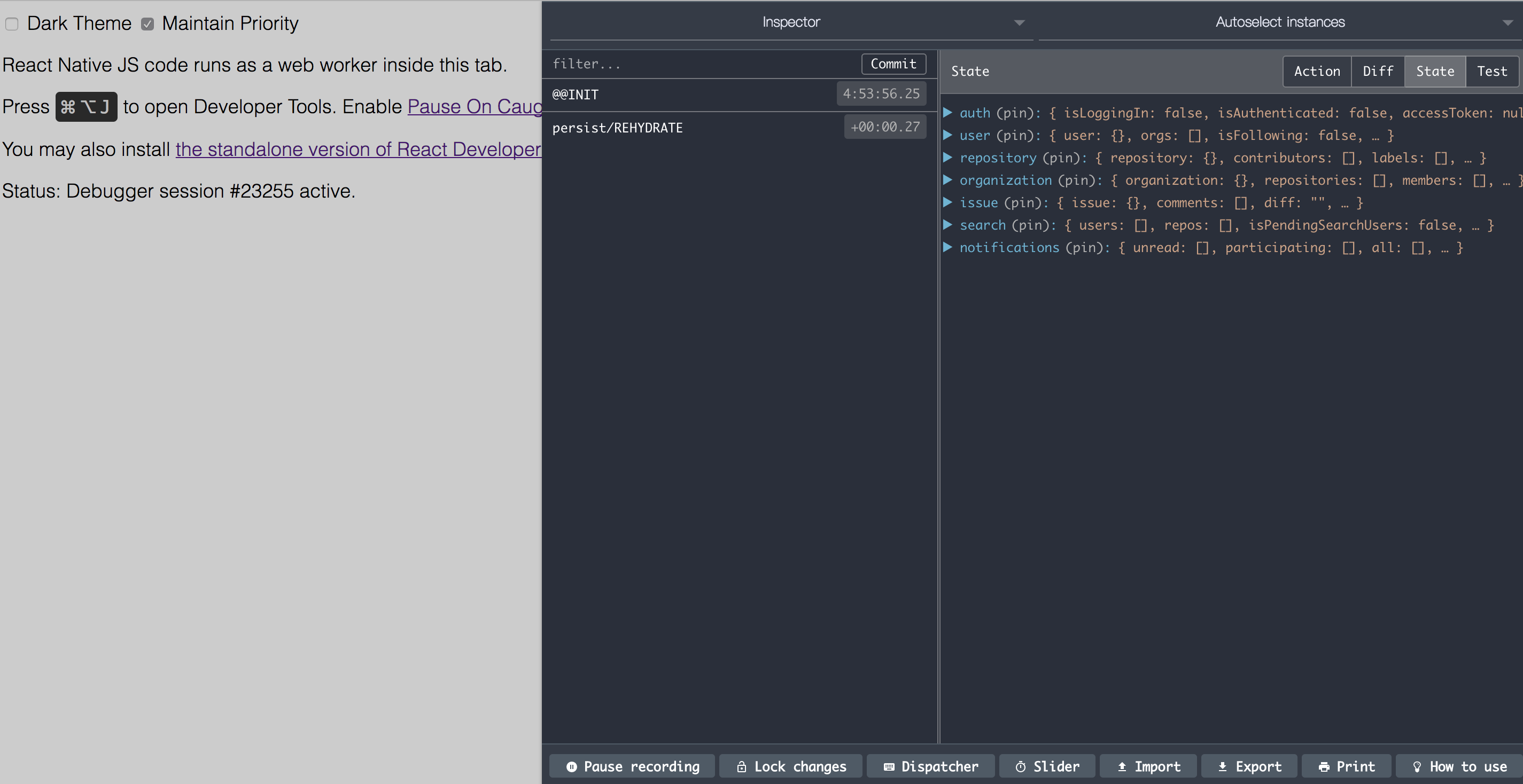
(At the right side, we can see redux store structure)
I can't...
Seems like babel-plugin-transform-inline-environment-variables break something related with it. 😨
--
Updated:
For experiment, I've revise node_modules/babel-plugin-transform-inline-environment-variables/lib/index.js, excluding the NODE_ENV:
"use strict";
module.exports = function (_ref) {
var t = _ref.types;
return {
name: "transform-inline-environment-variables",
visitor: {
MemberExpression(path) {
if (path.get("object").matchesPattern("process.env")) {
var key = path.toComputedKey();
if (t.isStringLiteral(key) && key.value !== 'NODE_ENV') { // exclude NODE_ENV here
path.replaceWith(t.valueToNode(process.env[key.value]));
}
}
}
}
};
};
And it works... 🤔
 patw0929
on 16 Jul 2017
patw0929
on 16 Jul 2017
@patw0929 I returned to the master, and in DevTools I have a store so displayed, it seems to me it does not work as it should
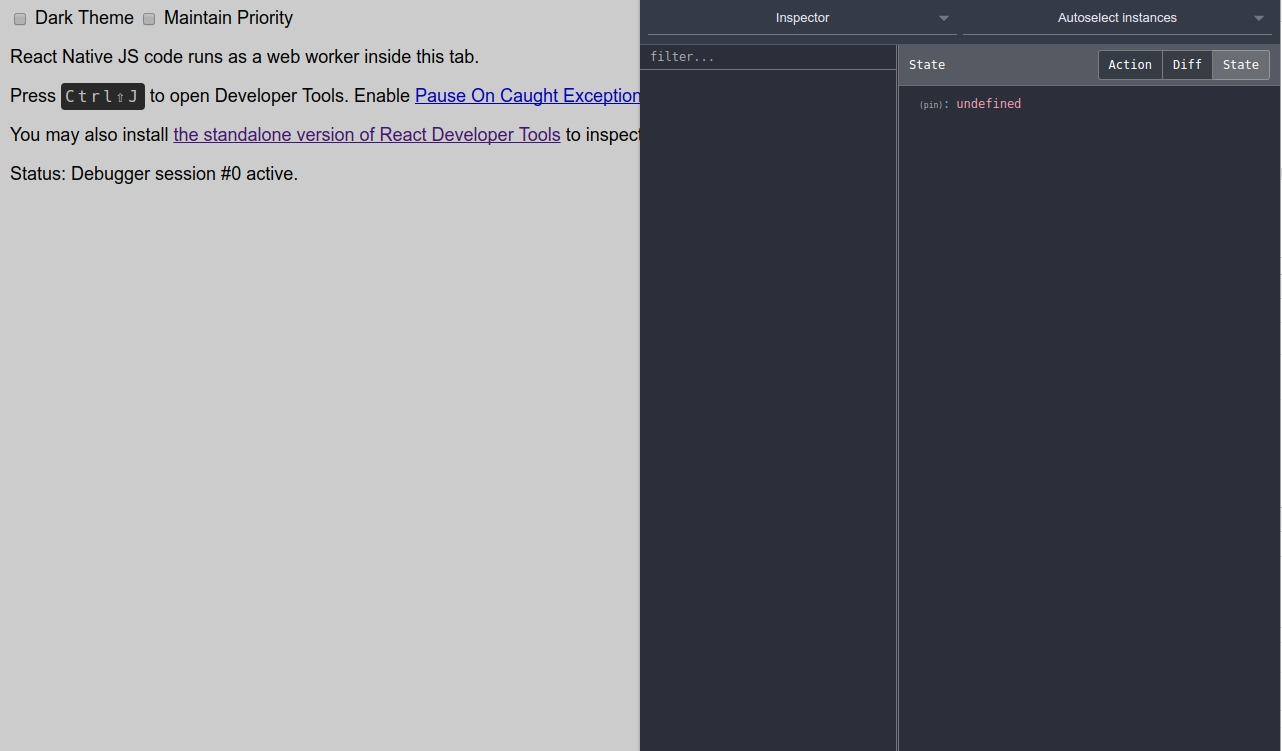
UPD: I always have this error. :confused:
UPD 2: Will it be interesting? Means it is necessary to specify explicitly NODE_ENV=development?
lex111
on 16 Jul 2017
@lex111 After switching to master branch, did you restart the start script?
Yes, I think the pr might solve it.
patw0929
on 16 Jul 2017
@lex111 After switching to master branch, did you restart the start script?
@patw0929 Yes, I even reinstalled it, but still in store pin - undefined
Yes, I think the pr might solve it.
It is a pity that this PR is not accepted for a long time. How do you think can write there? Or what else could be the solution?
lex111
on 16 Jul 2017
Quite weird. 😵
Hmm... react-native-config might be another solution.
Other thoughts, maybe we should only left one of them (redux-dev-tools / redux-logger). In my own project, I only use redux-dev-tools.
patw0929
on 16 Jul 2017
@patw0929 try to update babel-preset-react-native, look, did not solve this problem?
- "babel-preset-react-native": "^ 1.9.1",
+ "babel-preset-react-native": "^ 1.9.2",
I would have looked, but I can not make redux-dev-tools work :disappointed:
lex111
on 16 Jul 2017
I can't thank the both of you enough for taking a look into this 🙌
@patw0929 agreed I think having one solution for this application is sufficient. Unfortunately I'm seeing the same error as @lex111 in that it seems to return pin: undefined and I'm not sure why (however I did see it work once yesterday so I'm not sure what caused it to break).
I just merged in a commit removing redux-dev-tools as redux-logger is a lot more lightweight. Although you're most likely used to using it @patw0929, please feel free to use it for development and just not merge it in for future PRs. I'm happy to later explore an option to have it included in the app instead of logger and make sure it works for everybody.
housseindjirdeh
on 16 Jul 2017
In package.json file there are:
"postinstall": "remotedev-debugger --hostname localhost --port 5678 --injectserver"
@housseindjirdeh If you remove redux-dev-tools it is no longer needed? Now the error is given, after installation:
$ remotedev-debugger --hostname localhost --port 5678 --injectserver
sh: 1: remotedev-debugger: not found
error Command failed with exit code 127.
Woops sorry I should have caught that, cheers thank you so much for spotting it
housseindjirdeh
on 16 Jul 2017
Good job, thank you guys! 💯 @housseindjirdeh @lex111
patw0929
on 17 Jul 2017
Related issues
 umarmughal
·
4Comments
housseindjirdeh
·
5Comments
patw0929
·
5Comments
umarmughal
·
4Comments
housseindjirdeh
·
5Comments
patw0929
·
5Comments
 TautFlorian
·
4Comments
TautFlorian
·
4Comments
 gulien
·
5Comments
gulien
·
5Comments
Most helpful comment
In
package.jsonfile there are:@housseindjirdeh If you remove
redux-dev-toolsit is no longer needed? Now the error is given, after installation: