Gin: Debug output formatted incorrectly in Windows
When I run this service on OS X, output is as expected, but in Windows there are characters that are unable to be displayed.
Windows 10
[GIN-debug] Listening and serving HTTP on 127.0.0.1:6969
[GIN] 2017/06/13 - 13:42:26 |[97;43m 404 [0m| 0s | 127.0.0.1 |[97;44m [0m GET /c
[GIN] 2017/06/13 - 13:42:30 |[97;43m 404 [0m| 501.3µs | 127.0.0.1 |[97;44m [0m GET /favicon.ico
[GIN] 2017/06/13 - 13:43:26 |[97;42m 200 [0m| 0s | 127.0.0.1 |[97;44m [0m GET /api/v1/c

 SCKelemen
All 9 comments
mattn/go-colorable seems to be a popular way of doing cross-platform color escape codes.
Might be worth refactoring the hard-coded ANSI escape codes in logger.go to use this?
 bbrks
on 14 Jun 2017
bbrks
on 14 Jun 2017
@SCKelemen could you please try again as follows?
To support coloring in Windows use:
import "github.com/mattn/go-colorable"
gin.DefaultWriter = colorable.NewColorableStdout()
 easonlin404
on 14 Jun 2017
easonlin404
on 14 Jun 2017
How strange. Everything displays fine for me

But maybe it's because I run everything through ConEmu and not the raw command prompt...
I remember having issues with those color tags months ago, but they suddenly disappeared one day 😄
 nazwa
on 14 Jun 2017
nazwa
on 14 Jun 2017
Under OS X, there seems to be a bug in that package where the line color is never reset:


This appears to be a bug though.... I was playing around with it earlier, and it seems like it's due to some unfriendly conventions. https://github.com/sckelemen/gocat
SCKelemen
on 15 Jun 2017
Under Windows 10, cmd.exe, there bug persists:
$ go get
$ go run main.go
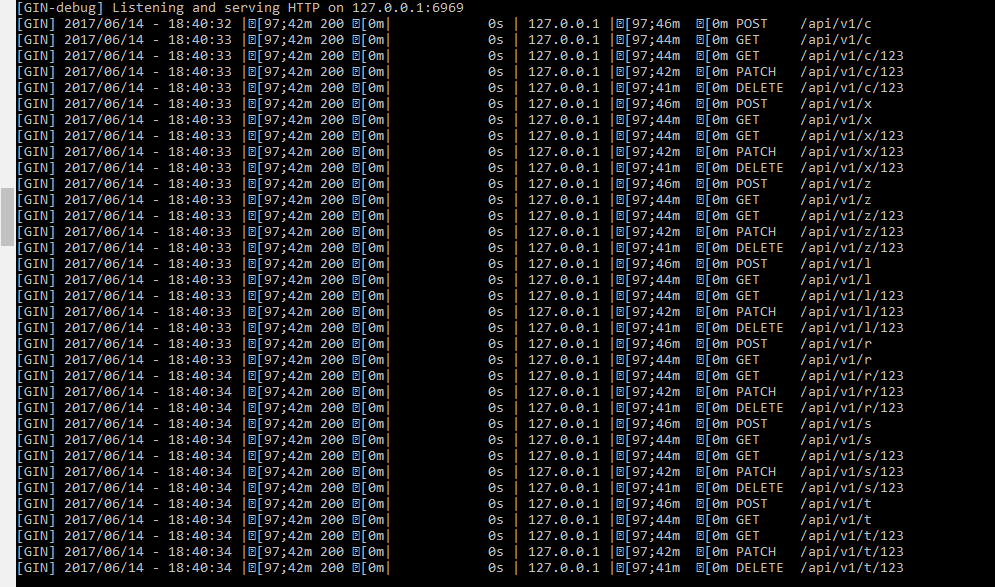
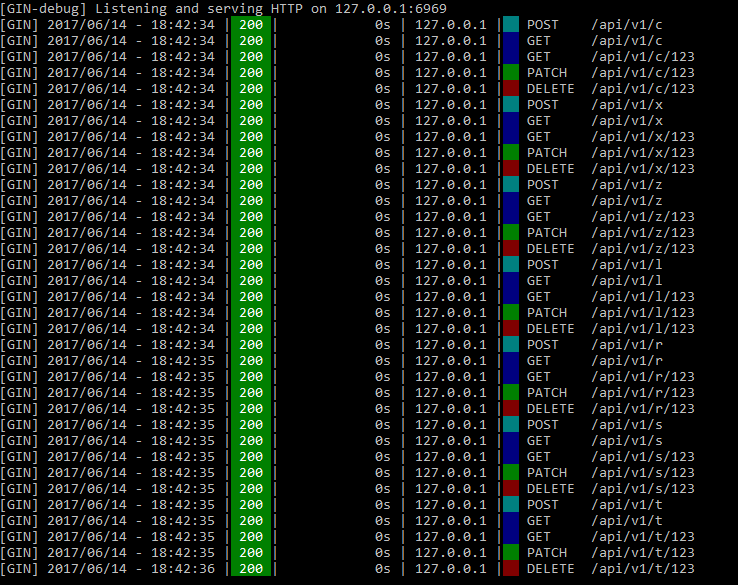
Running with powershell
$ powershell
$ go run .\main.go
It seems to work, and not have the line feed bug
Running with Bash on Windows 10 also fails to color
$ go get
$ go run main.go
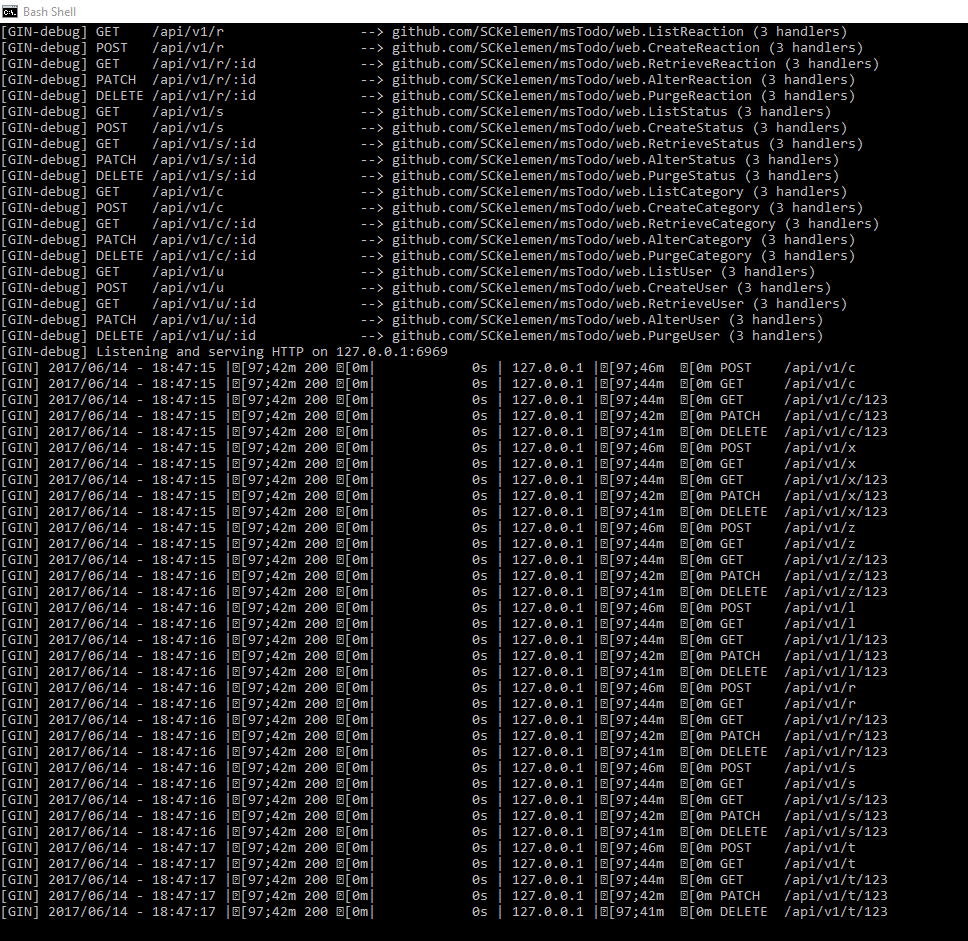
You can get the test code at https://github.com/sckelemen/mstodo
If you want me to try it with CMDr or some other shell/terminal emulator, let me know
SCKelemen
on 15 Jun 2017
@SCKelemen Working on my MacOS
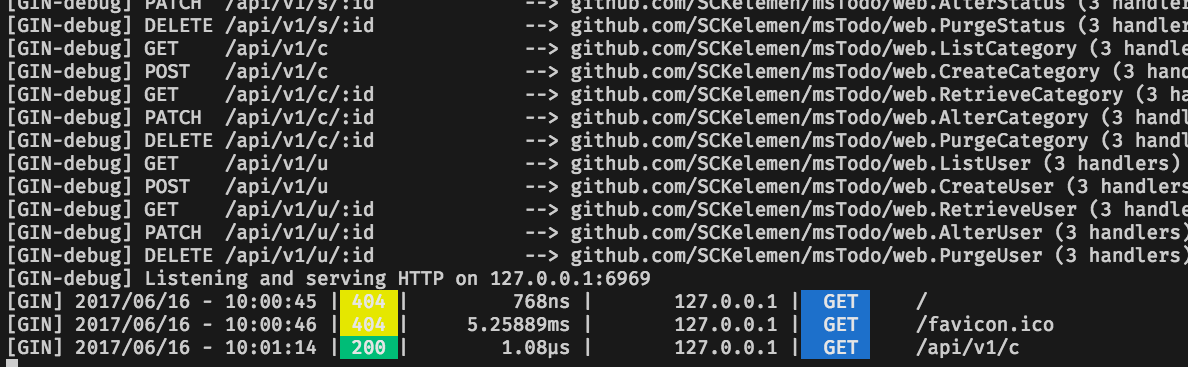
 appleboy
on 16 Jun 2017
appleboy
on 16 Jun 2017
@SCKelemen maybe you should try the following solution on Windows.
import "github.com/mattn/go-colorable"
gin.DefaultWriter = colorable.NewColorableStdout()
the solution works. thanks.
could you make this default in codes of gin, or document it in the tutorial of Github page of gin? that's better maybe
 NewUserHa
on 13 Aug 2019
NewUserHa
on 13 Aug 2019
I found gin will not print color depend on detected TTY.
but actually at first gin show square in debug log like the pic of first one comment. after using the solution go-colorable, it stop print square but still no color. it finally print color by using gin.ForceConsoleColor().
so it detected the TTY, and not print color but do print square.
hope fix.
NewUserHa
on 13 Aug 2019
Related issues
 ghost
·
3Comments
ghost
·
3Comments
 nxvl
·
3Comments
nxvl
·
3Comments
 wangcn
·
3Comments
wangcn
·
3Comments
 frederikhors
·
3Comments
frederikhors
·
3Comments
 oryband
·
3Comments
oryband
·
3Comments
Most helpful comment
@SCKelemen could you please try again as follows?
To support coloring in Windows use:
https://github.com/gin-gonic/gin/blob/master/mode.go#L31