Ghost: Can't Delete a test member from ghost after deleting the customer on stripe
Summary:
A test user whose associated stripe test customer has been deleted cannot be deleted.
Steps to reproduce:
- sign up on your ghost site.
- subscribe to any membership using stripe test API keys.
- go to the /ghost admin endpoint and select members.
- select that member and then select their stripe customer.
- delete the customer on stripe.
- click on delete member on ghost admin.
Expected result: admins should be able to delete members regardless of Stripe membership.
Actual result: on version 3.3.0 I used to get 500 and that "message" can't be undefined.
On 3.4.0 which I updated to since it included a crucial fix to Lyra, I simply get 404.
I would appreciate a fix to this as I'm on the cusp of importing my entire email list to the site as subscribers.
I'm on ubuntu, self-hosting on AWS. Let me know if you need any more information and I'll include what I can.
 oreniko26
All 8 comments
Hi @oreniko26 have put this into our backlog. Will update when it's prioritized to be worked on.
 naz
on 11 Feb 2020
naz
on 11 Feb 2020
I couldn't reproduce this. I am able to delete the member successfully in the latest version. Is this fixed in any of the patches done recently?
 lunaticmonk
on 19 Apr 2020
lunaticmonk
on 19 Apr 2020
@oreniko26 are you still experiencing this issue?
naz
on 20 Apr 2020
Still getting a 'resource not found' error. Did you try to delete the member's associated stripe info before deleting them in ghost?
oreniko26
on 21 Apr 2020
@oreniko26 Here is what I did:
- I subscribed to the blog and paid with stripe.
The member appeared in the members tab in ghost admin.

Then, I went to stripe dashboard and deleted the test customer from there.
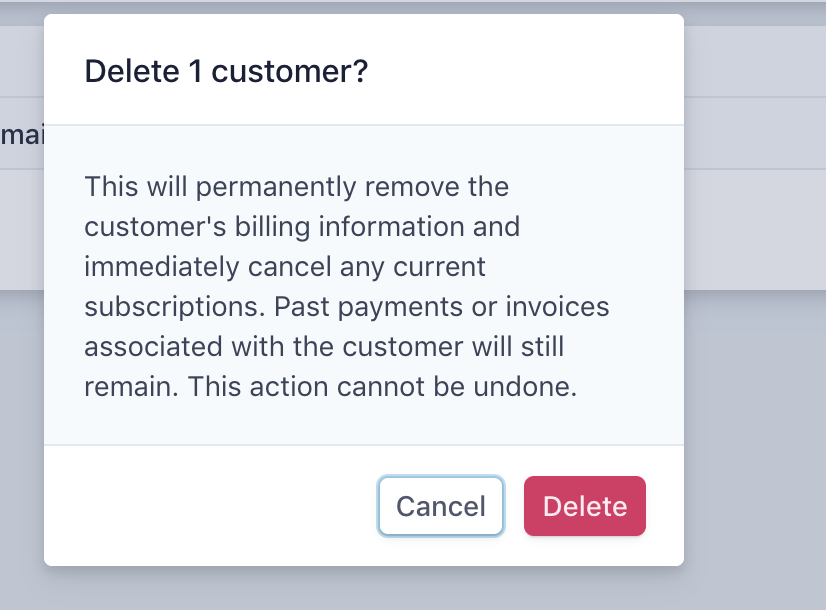
Came back to ghost admin and deleted the member from there. It got deleted.

The only thing I am concerned here is that when I subscribed to the blog by paying via stripe, the stripe info did not appear in the member tab in ghost. I mean the following:

Not sure if the above is the reason.
lunaticmonk
on 24 Apr 2020
This should not be picked up until we've clarified members delete behaviour, as it may go away as part of changing that instead.
 ErisDS
on 9 Jul 2020
ErisDS
on 9 Jul 2020
I'm facing the exact same issue. How do i correctly delete it from the database?
https://forum.ghost.org/t/help-unable-to-delete-member/15743
 SaurabhPGunjal
on 9 Jul 2020
SaurabhPGunjal
on 9 Jul 2020
Anyone facing the same issue -
I solved it by going to :
sudo mysql -u ghost -p
enter password (You'll get this in the ghost config file)
show databases
USE ghost_production
(if 'ghost_production' is the name of your db)
show tables
navigate to tables and delete all entries from 'members_stripe_customers_subscriptions'
Use basic commands from this -
https://dev.mysql.com/doc/mysql-getting-started/en/
(I figured it out myself by googling, surfing YT videos after tirelessly requesting on the forum and github. Posting the solution here so you don't have to go through all this.) :)
SaurabhPGunjal
on 10 Jul 2020
Related issues
 pateskinasy
·
3Comments
pateskinasy
·
3Comments
 RadoslavGatev
·
3Comments
RadoslavGatev
·
3Comments
 krokofant
·
3Comments
krokofant
·
3Comments
 fueko
·
3Comments
fueko
·
3Comments
 marcuspoehls
·
4Comments
marcuspoehls
·
4Comments