Describe the bug
I have two views, in which each view I need to have a formKey in order to validate the data from the fields. But when I create these formKeys (formKey = GlobalKey
To Reproduce
- Create two views with their given controllers.
- Add a form to each view.
- Create a formKey for each controller (Form).
- Pass the formKey to the key property in the form widget of each view.
- An error will happen.
Expected behavior
Each form should be able to manage/use their own formKey without any issue.
Screenshots
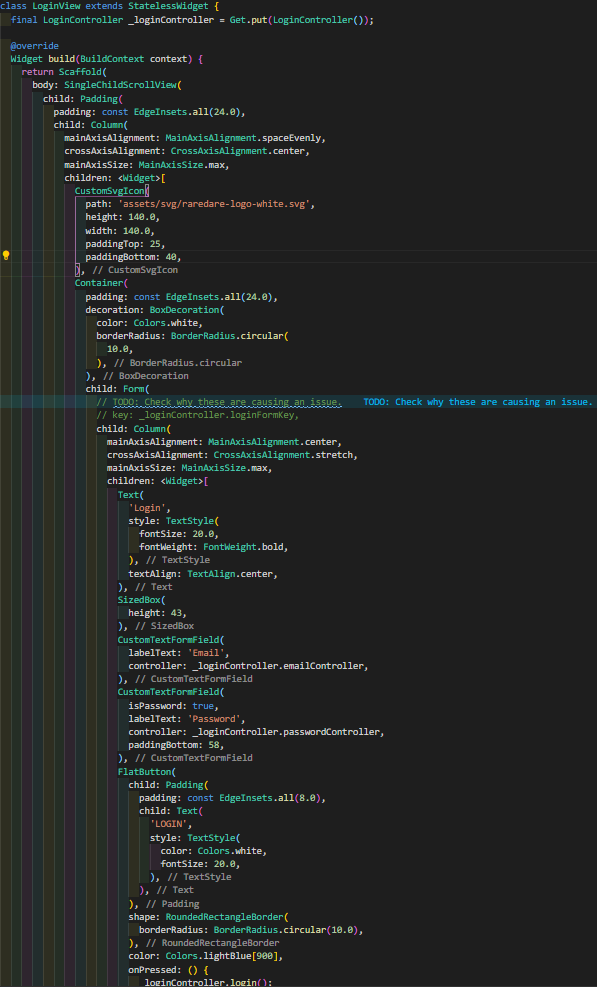
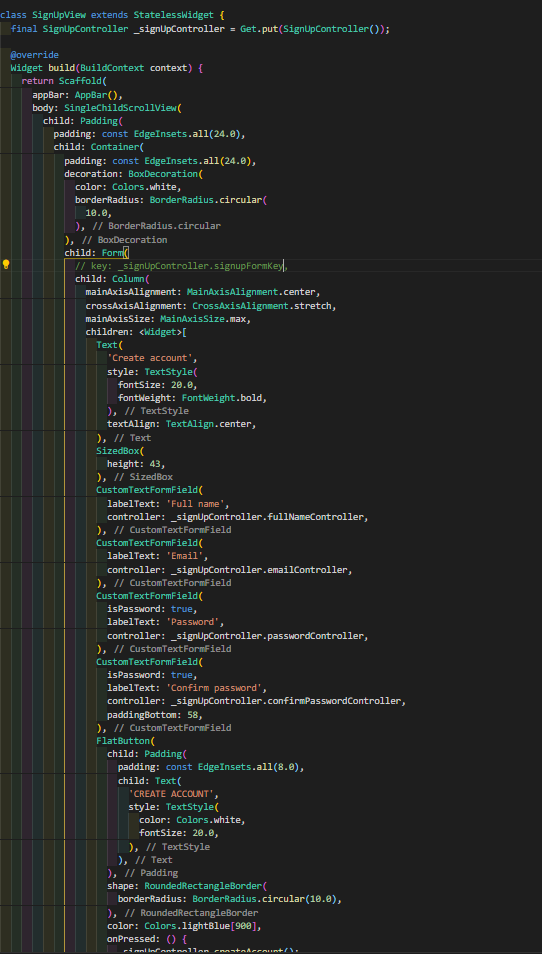
Flutter Version:
Enter the version of the Flutter you are using
Get Version:
Latest
Describe on which device you found the bug:
Android
Minimal reproduce code
Signup Controller
import 'package:flutter/cupertino.dart';
import 'package:get/get.dart';

class SignUpController extends GetController {
  final signupFormKey = GlobalKey<FormState>();
  final fullNameController = new TextEditingController();
  final emailController = new TextEditingController();
  final passwordController = new TextEditingController();
  final confirmPasswordController = new TextEditingController();

  Future<bool> createAccount() async {
    // TODO: Create account.
    // TODO: Extract validation logic.
    return false;
  }
}
Signup View
import 'package:flutter/material.dart';
import 'package:get/get.dart';

class SignUpView extends StatelessWidget {
  final SignUpController _signUpController = Get.put(SignUpController());

  @override
  Widget build(BuildContext context) {
    return Scaffold(
      appBar: AppBar(),
      body: SingleChildScrollView(
        child: Padding(
          padding: const EdgeInsets.all(24.0),
          child: Container(
            padding: const EdgeInsets.all(24.0),
            decoration: BoxDecoration(
              color: Colors.white,
              borderRadius: BorderRadius.circular(
                10.0,
              ),
            ),
            child: Form(
              // key: _signUpController.signupFormKey,
              child: Column(
                mainAxisAlignment: MainAxisAlignment.center,
                crossAxisAlignment: CrossAxisAlignment.stretch,
                mainAxisSize: MainAxisSize.max,
                children: <Widget>[
                  Text(
                    'Create account',
                    style: TextStyle(
                      fontSize: 20.0,
                      fontWeight: FontWeight.bold,
                    ),
                    textAlign: TextAlign.center,
                  ),
                  SizedBox(
                    height: 43,
                  ),
                  CustomTextFormField(
                    labelText: 'Full name',
                    controller: _signUpController.fullNameController,
                  ),
                  CustomTextFormField(
                    labelText: 'Email',
                    controller: _signUpController.emailController,
                  ),
                  CustomTextFormField(
                    isPassword: true,
                    labelText: 'Password',
                    controller: _signUpController.passwordController,
                  ),
                  CustomTextFormField(
                    isPassword: true,
                    labelText: 'Confirm password',
                    controller: _signUpController.confirmPasswordController,
                    paddingBottom: 58,
                  ),
                  FlatButton(
                    child: Padding(
                      padding: const EdgeInsets.all(8.0),
                      child: Text(
                        'CREATE ACCOUNT',
                        style: TextStyle(
                          color: Colors.white,
                          fontSize: 20.0,
                        ),
                      ),
                    ),
                    shape: RoundedRectangleBorder(
                      borderRadius: BorderRadius.circular(10.0),
                    ),
                    color: Colors.lightBlue[900],
                    onPressed: () {
                      _signUpController.createAccount();
                    },
                  ),
                  SizedBox(
                    height: 18,
                  ),
                  GestureDetector(
                    child: Text(
                      "Already have an account? Login instead",
                      style: TextStyle(
                        fontSize: 10.0,
                      ),
                      textAlign: TextAlign.center,
                    ),
                    onTap: () {
                      print('Tapped');
                      Get.back();
                    },
                  )
                ],
              ),
            ),
          ),
        ),
      ),
    );
  }
}
Login Controller
import 'package:flutter/cupertino.dart';
import 'package:get/get.dart';

class LoginController extends GetController {
  final emailController = new TextEditingController();
  final passwordController = new TextEditingController();
  final loginFormKey = GlobalKey<FormState>();

  Future<bool> login() async {
    loginFormKey.currentState.validate();
    print('working ${emailController.text} - ${passwordController.text} - ${loginFormKey.currentState}');
    return false;
  }
}
Login View
import 'package:flutter/material.dart';
import 'package:get/get.dart';

import 'login_controller.dart';

class LoginView extends StatelessWidget {
  final LoginController _loginController = Get.put(LoginController());

  @override
  Widget build(BuildContext context) {
    return Scaffold(
      body: SingleChildScrollView(
        child: Padding(
          padding: const EdgeInsets.all(24.0),
          child: Column(
            mainAxisAlignment: MainAxisAlignment.spaceEvenly,
            crossAxisAlignment: CrossAxisAlignment.center,
            mainAxisSize: MainAxisSize.max,
            children: <Widget>[
              Container(
                padding: const EdgeInsets.all(24.0),
                decoration: BoxDecoration(
                  color: Colors.white,
                  borderRadius: BorderRadius.circular(
                    10.0,
                  ),
                ),
                child: Form(
                  // TODO: Check why these are causing an issue.
                  // key: _loginController.loginFormKey,
                  child: Column(
                    mainAxisAlignment: MainAxisAlignment.center,
                    crossAxisAlignment: CrossAxisAlignment.stretch,
                    mainAxisSize: MainAxisSize.max,
                    children: <Widget>[
                      Text(
                        'Login',
                        style: TextStyle(
                          fontSize: 20.0,
                          fontWeight: FontWeight.bold,
                        ),
                        textAlign: TextAlign.center,
                      ),
                      SizedBox(
                        height: 43,
                      ),
                      CustomTextFormField(
                        labelText: 'Email',
                        controller: _loginController.emailController,
                      ),
                      CustomTextFormField(
                        isPassword: true,
                        labelText: 'Password',
                        controller: _loginController.passwordController,
                        paddingBottom: 58,
                      ),
                      FlatButton(
                        child: Padding(
                          padding: const EdgeInsets.all(8.0),
                          child: Text(
                            'LOGIN',
                            style: TextStyle(
                              color: Colors.white,
                              fontSize: 20.0,
                            ),
                          ),
                        ),
                        shape: RoundedRectangleBorder(
                          borderRadius: BorderRadius.circular(10.0),
                        ),
                        color: Colors.lightBlue[900],
                        onPressed: () {
                          _loginController.login();
                        },
                      ),
                      SizedBox(
                        height: 18,
                        width: double.infinity,
                      ),
                      GestureDetector(
                        child: Text(
                          "Don't have an account? Sign up here!",
                          style: TextStyle(
                            fontSize: 10.0,
                          ),
                          textAlign: TextAlign.center,
                        ),
                        onTap: () {
                          print('Tapped');
                          Get.toNamed('/signup');
                        },
                      )
                    ],
                  ),
                ),
              )
            ],
          ),
        ),
      ),
    );
  }
}
 joanofdart
All 13 comments
Can you paste here the full of error?
Also, try to put your Get.put() inside your build() method.
 ghprod
on 15 Jun 2020
ghprod
on 15 Jun 2020
Hey @ghprod
Moving the Get.put's inside the build method, did the trick, do you mind explaining why? Is that the way to do when setting it up? What other do's and don't do's are there?
Thanks!
joanofdart
on 15 Jun 2020
class SignUpView extends StatelessWidget {
  final SignUpController _signUpController = Get.put(SignUpController());

  @override
  Widget build(BuildContext context) {
you can made this
class SignUpView extends StatelessWidget {
  @override
  Widget build(BuildContext context) {
  final SignUpController _signUpController = Get.put(SignUpController());
I'm working on an update that may allow using the first form, but it will require a little more boilerplate in declaring the routes, and I'll leave that as an option.
 jonataslaw
on 15 Jun 2020
jonataslaw
on 15 Jun 2020
Hey @jonataslaw Thank you for your reply.
Can you explain to me why do we need to declare it inside the build method? Just wondering :)
joanofdart
on 15 Jun 2020
Get.find being called in the implicit constructor, which causes the "find" event to be called earlier than it should.
jonataslaw
on 15 Jun 2020
Moving the Get.put's inside the build method, did the trick, do you mind explaining why? Is that the way to do when setting it up? What other do's and don't do's are there?
@joanofdart Ok so @jonataslaw has a better explanation :+1:
ghprod
on 15 Jun 2020
Thank you both @ghprod and @jonataslaw
joanofdart
on 15 Jun 2020
Tho it's weird... this issue happens only if you have multiple Get.put, if you just have one it works without any problem
joanofdart
on 15 Jun 2020
I think this issue of having it set inside the build method is a no-no, as it will be re-created everytime we rebuild. Wdyt? @jonataslaw
joanofdart
on 16 Jun 2020
He said put inside build method maybe not best practice, but with Get, It will not add more memory. So it's safe with it.
ghprod
on 16 Jun 2020
If it's not a good practice then it shouldn't be done. I'm gonna wait for a better implementation before moving my projects to Get :)
joanofdart
on 16 Jun 2020
1- Get.find() points to a memory space, just like Provider.of(context), getIt.get
2- If you follow the architecture correctly, there will be only 1 build, which is the page construction. You are not working with StatefulWidget and setState for your build method to be called again.
3- Saying that I intend to change the approach in the future does not mean that the current one is wrong, only that a new one can guarantee more flexibility.
jonataslaw
on 16 Jun 2020
@jonataslaw thank you
joanofdart
on 16 Jun 2020
Related issues
 manojeeva
·
3Comments
manojeeva
·
3Comments
 aztecrabbit
·
3Comments
aztecrabbit
·
3Comments
 rupamking1
·
3Comments
rupamking1
·
3Comments
 na2axl
·
3Comments
na2axl
·
3Comments
 NO-ob
·
4Comments
NO-ob
·
4Comments
Most helpful comment
1- Get.find() points to a memory space, just like Provider.of(context), getIt.get and etc. It will not create instances if called 1, 2 or 10 times. Creating instances in the build method is a bad practice, and can lead to memoryLeak, but you are not creating instances when you use any of these, you are only pointing to the same space in memory.
2- If you follow the architecture correctly, there will be only 1 build, which is the page construction. You are not working with StatefulWidget and setState for your build method to be called again.
3- Saying that I intend to change the approach in the future does not mean that the current one is wrong, only that a new one can guarantee more flexibility.