Gesturefy 1.2.1 major issue but not on a new clean profile [RESOLVED]
Gesturefy 1.2.1 / Firefox 59.0.1 (x64) / Windows 7 (x64)
After 1.2.0 updated to 1.2.1 : no trace and no gesture (trace could have been invisible and nevertheless gestures active, but neither operate).
Restored Gesturefy to 1.2.0 and all is fine again.
The only change I did with 1.2.1 was to disable update notifications, which is a new option specific to 1.2.1.
I restarted Firefox, twice, to be sure. Version 1.2.0 is flawless in my context.
 ghost
ghost
All 20 comments
Can you please try to update again and see if it happens another time? Also your config could be helpfull, you can export it in the addon options under the about section.
 Robbendebiene
on 26 Mar 2018
Robbendebiene
on 26 Mar 2018
@Robbendebiene I've just updated again Gesturefy from 1.2.0 to 1.2.1, same issue.
I exported 1.2.0 and then 1.2.1, these are json files, no idea if I should publish them here so i've made them available as follow:
Gesturefy 1.2.0 Mon Mar 26 2018.json
Gesturefy 1.2.1 Mon Mar 26 2018.json
Hope this can help but I doubt it. Odd scenario.
Thanks.
ghost
on 26 Mar 2018
Thanks.
This is weird..
Can you please:
- open the console (Ctrl + Shift + J)
- clear it (by clicking the bin in the upper left corner, but keep the window open)
- open a normal webpage or reload an existing one
- execute a gesture/try to draw a gesture
- look in the console output for any errors/posting a screenshot of the output
Btw have you tried to deinstall and reinstall 1.2.1? Maybe you should also restart Firefox before reinstalling it.
Edt: Are there any other extensions installed which may conflict with Gesturefy?
Robbendebiene
on 26 Mar 2018
@Robbendebiene , I'm going to try first to uninstall 1.2.0, install 1.2.1, test, and if ok then restore 1.2.0 saved settings. If issue remains I'll operate with the console with the 5 steps you mention.
Please stay tuned.
ghost
on 26 Mar 2018
1- Clean install of 1.2.1 : same issue
2- Reverted to 1.2.0 and console tracing:
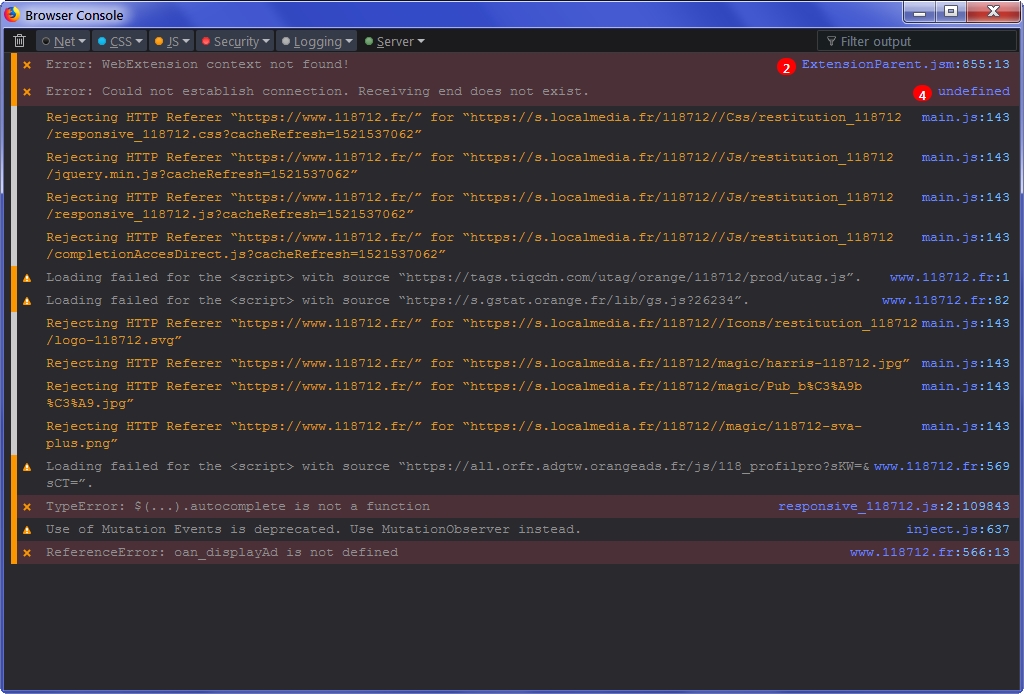
3- Updated again to 1.2.1 and console tracing : the console is empty after testing a mouse gesture : nothing is sent to the console.
I followed your steps 1-5 in both scenarios.
ghost
on 26 Mar 2018
I'm afraid I've mistaked somewhere. The above console screenshot displays only the reload of the page but there is no Gesturefy related data. I'm not used to handling the console, never use it. Please consider above tests as obsolete. What I can say is that, be it with 1.2.0 or 1.2.1 it seems the console doesn't reflect the gesture I performed, though the gesture is ok with 1.2.0 and ko with 1.2.1. I'm missing something obviously.
ghost
on 26 Mar 2018
Okay thanks for testing things. To be honest, I am at my wit's end.
There is another issue with the new Gesturefy version (https://github.com/Robbendebiene/Gesturefy/issues/273) which was solved by "refreshing firefox". However this is a quite drastically step because it will reset your Firefox settings too.
Robbendebiene
on 26 Mar 2018
I've opened a new dummy Firefox profile, installed latest Gesturefy 1.2.1 from AMO and it runs fine.
=> Issue is related to my Firefox profile configuration. Why does 1.2.0 work fine and not 1.2.1 on my present profile, no idea but a conflict is obvious. I'll have to try to find it.
ghost
on 26 Mar 2018
The only reason I can think of is, that dom.event.coalesce_mouse_move under about:config is set to false. However in this case I would expect that gestures doesn't work at all.
Robbendebiene
on 26 Mar 2018
I have dom.event.coalesce_mouse_move at default = true
I've changed the title accordingly as Gesturefy is not as such faulty. It's a conflict, is it with an about:config modified value (I have a heavy user.js), is it related to another extension? I have 36 extensions running, testing to discover the culprit may take some time (or not: let's be optimistic).
I'll of course share my testings here. Gesturefy is an essential extension for me so i'll work on the issue.
Sorry if I forgot to consider creating a new profile before accusing Gesturefy 1.2.1.
We'll find the culprit.
ghost
on 26 Mar 2018
I have the same problem and I think I found the culprit - when privacy.resistFingerprinting is set to false, then the plugin works; when it's set to true, then the plugin doesn't work.
Can the plugin be fixed to work when privacy.resistFingerprinting is set to true?
 M-HT
on 26 Mar 2018
M-HT
on 26 Mar 2018
@M-HT I have privacy.resistFingerprinting set to false (default) so in my case it's unrelated.
I had a look as well on privacy.firstparty.isolate which I've set to true (default=false) : resetting it doesn't change my issue.
Investigating. Call me Dick Tracy!
ghost
on 26 Mar 2018
Testing Rocker and Wheel Gestures with 1.2.1 : OK
Only the mouse gestures ...
ghost
on 26 Mar 2018
The issue is resolved, I've found the culrprit
My issue was related to an about:config setting: dom.w3c_pointer_events.enabled
Default is true, I had it set to false (as part of a privacy advice). Resetting to true allows Gesturefy 1.2.1 to perform correctly.
Gesturefy 1.2.0 ran correctly with the value false, 1.2.1 requires true.
There we go.
ghost
on 26 Mar 2018
@mazesy Thanks for letting me now.
Pointer events is is a new web technology which is (together with the property I mentioned above) enabled since firefox 59. The first setting drastically affected the smoothness of the gesture trail so I had to find a fix and it turns out that using pointer events is the only possibility to fix this.
Edit: I guess the reason why it is "recommended" to be deactivated is, because it's currently just supported by chrome, firefox and opera and therefore makes you a little bit more unique.
@M-HT Yes and No. I could revert some of the code back to the previous version, however it still would be problematic for example on this webpage if you draw on the white area (so called iframe). You will see what happens if you use the older version of Gesturefy. In my point of view addons should still be able to get the "unspoofed" values/properties whether or not the property is enabled.
Robbendebiene
on 26 Mar 2018
I guess the reason why it is "recommended" to be deactivated is, because it's currently just supported by chrome, firefox and opera and therefore makes you a little bit more unique.
The reason is that this API allows high entropy in fingerprinting, AFAICT. Since it has only just been flipped to true in FF59+, we decided to keep it disabled (false) until we see what Tor Browser Bundle does with it when they move to ESR60 in one release cycle's time.
If it is a problem, I would expect in the long run that the Tor Uplift Project would look at it - and there solutions are to always fudge the results first before outright denying a service/API.
In the meantime, mazesy can flip the pref to true. Long term though, you could possibly detect (I am not a coder) if dom.w3c_pointer_events.enabled=false in your options and alert the user with a warning on the options page (and as you said, fall back to pre-59 methods, although this gives an inferior product, which your alert would say)
.. or you could just wait and see what we/TBB do in about 8 weeks
Edit: FYI: here is the bugzilla for the Tor Uplift to deal with pointer events, likely under the pref privacy.resistFingerprinting. Might pay to keep an eye on it to see what they do (eg how they smudge/block/spoof precision measurements etc - eg they might emulate a mouse for all pointer types)
 Thorin-Oakenpants
on 26 Mar 2018
Thorin-Oakenpants
on 26 Mar 2018
In the meantime, mazesy can flip the pref to true
I'm not the only user having set dom.w3c_pointer_events.enabled to false while running Gesturfy 1.2.1, am I?
A webextension developer looks at the APIs availability to build his extension, asking him to moreover take into consideration the privacy issues of an API is maybe not a correct attitude, IMO. This is the job of privacy and security dedicated tools such as Ghacks-user.js which does a terrific work. Should a conflict appear that users such as myself inform about it, after what the user.js settings may include a setting proved to be problematic with at least one webextension as commented with a brief description of why it is commented. This is already what is done, documentation regarding the proposed settings is rich; it can be enriched by users reporting a conflict. This seems to me a clear scheme. But asking a webextension developer to include an alarm given he is using an API with privacy implications is, IMO, not legitimate.
ghost
on 26 Mar 2018
asking him to moreover take into consideration the privacy issues of an API is maybe not a correct attitude
No one asked that
But asking a webextension developer to include an alarm given he is using an API with privacy implications is, IMO, not legitimate.
What does privacy have to do with anything, what if it was a pref with zero-privacy implications? Given that ANY user can fiddle around in about:config and change ANY setting, this issue is an opportunity for the dev to consider making the extension more fool-proof - many extensions do this (fallbacks and code workarounds) and with notifications/messages - it makes for a better product, even if it is only to inform end users.
with at least one webextension as commented with a brief description of why it is commented
No sure if you meant for Gesturefy to say why (privacy stuff?), because I didn't. If implemented (and if possible), I envisage something along the lines of when the Gesturefy options pages is opened, it checks for FF59+ and if dom.w3c_pointer_events.enabled=false then displays an exclamation mark with a comment like "Oophs, looks like you have dom.w3c_pointer_events.enabled disabled. This breaks Gesturefy's performance ..."
Thorin-Oakenpants
on 26 Mar 2018
[...] this issue is an opportunity for the dev to consider making the extension more fool-proof
The Firefox planet doesn't turn around a Ghacks-user.js sun and superstar. We all have aims and responsibilities, Firefox devs have theirs, developers have theirs, privacy & security have their own, to the benefit of all users but in a dialog with a browser and with its developers. Privacy and security is a component it is not, IMO, the summit of the pyramid, many factors intervene, we all proceed accordingly to our aims and, I hope, in an open-dialog. Beyond is, IMO, a dictatorship, should it be built on valuable aims, a dictatorship nevertheless.
ghost
on 26 Mar 2018
What are you on about. It has nothing explicitly to do with ghacks user.js. ANYONE can flip that pref. You're reading too much into it. My suggestion(s) to @Robbendebiene to mitigate future issues from this setting are pretty stock standard solutions
Thorin-Oakenpants
on 26 Mar 2018
Related issues
 Dituar
·
6Comments
Dituar
·
6Comments
 KES777
·
7Comments
KES777
·
7Comments
 aold619
·
4Comments
aold619
·
4Comments
 happysurf
·
7Comments
happysurf
·
7Comments
 seascape
·
3Comments
seascape
·
3Comments
Most helpful comment
The reason is that this API allows high entropy in fingerprinting, AFAICT. Since it has only just been flipped to true in FF59+, we decided to keep it disabled (false) until we see what Tor Browser Bundle does with it when they move to ESR60 in one release cycle's time.
If it is a problem, I would expect in the long run that the Tor Uplift Project would look at it - and there solutions are to always fudge the results first before outright denying a service/API.
In the meantime, mazesy can flip the pref to true. Long term though, you could possibly detect (I am not a coder) if
dom.w3c_pointer_events.enabled=falsein your options and alert the user with a warning on the options page (and as you said, fall back to pre-59 methods, although this gives an inferior product, which your alert would say).. or you could just wait and see what we/TBB do in about 8 weeks
Edit: FYI: here is the bugzilla for the Tor Uplift to deal with pointer events, likely under the pref
privacy.resistFingerprinting. Might pay to keep an eye on it to see what they do (eg how they smudge/block/spoof precision measurements etc - eg they might emulate a mouse for all pointer types)