First of all, thanks for this add-on. I was feeling miserable thinking Firefox 57 would be stealing my mouse gestures - I can't live without them.
I use All-in-One Gestures and I have a request for an action I use a lot, one to hide the HTML element beneath the place where you start the gesture.
So it's quick and practical to remove an image that is annoying you, a column from the right-hand site, a stupid floating button over your content, a modal pop-up, etc. I use left-right for this, so I just scratch things off my screen! I whack them away.
Is it easy to get code from All-in-One gestures and put it here? Can we copy actions from it? I understand there might be API limitations in FF 57, but apart from that, is it possible?
 pgorod
All 33 comments
This particular action should be possible, but I need a little bit more explanation of how it works.
The elment is only hidden untill you refresh the page, right?
The action will always hide the lowest DOM element where the gesture started? I'm asking this because you are talking about modal-popups. If this popup contains further elements like a p tag and you start the gesture on it, only the p tag will be hidden.
 Robbendebiene
on 18 Nov 2017
Robbendebiene
on 18 Nov 2017
Yes the element is only hidden until refresh. There is another action called "unhide" which can be used to reverse the last deletion (actually - it goes back like a history, reversing all successive deletion you made).
Actually this "Unhide" action is quite important because this is a bit by trial-and-error. If you start the gesture in the wrong place you may end up hiding relevant content, or even the entire page.
And yes, I think it will hide the lowest DOM element, because I know I usually look for the margins when I want to hide a bigger block. If I start the gesture over a paragraph, it hides the paragraph only.
Looking into the .jar file I wonder if this could be it:
function aioNukeAnything() {
  var node = aioSrcEvent.target;
  if (!node) return;
  var view = node.ownerDocument.defaultView;
  var disp = view.getComputedStyle(node, "").getPropertyValue("display");
  node.setAttribute("aioDisp", "display:" + disp + ";");
  var style = node.getAttribute("style") || "";
  node.setAttribute("style", style + "display:none;");
  aioUndoHide.push(node);
}

function aioUndoNukeAnything() {
  try {
    var node = aioUndoHide.pop();
    if (!node || !node.hasAttribute("aioDisp")) return;
    var style = node.getAttribute("style") || "";
    node.setAttribute("style", style + node.getAttribute("aioDisp"));
  }
  catch(err) {}
}
The homepage for the extension is here. I don't know what the license is, but there's plenty more great code where this came from. Loads of cool actions. :-)
pgorod
on 18 Nov 2017
Update: it says here that the license is Mozilla Public License Version 1.1. But I am not a lawyer, reading license texts only confuses me. It looks pretty open, though.
pgorod
on 18 Nov 2017
@Robbendebiene have you had a chance to look into this awesome repository of gesture functions? There's a lot you can get from here.
The Hide object function would be especially useful. :-)
pgorod
on 28 Feb 2018
@pgorod The main reason why I did not implemented this feature yet, is because of the "undo hide" functionality. Hiding is quite easy, but undoing is not, respectively it requires an additional variable which no other action currently needs.
Robbendebiene
on 1 Mar 2018
Is that so, even if it had just one level of Undo (instead of many)?
One is better than nothing... and I can always refresh the page to get the hidden elements to show again.
pgorod
on 1 Mar 2018
Is that so, even if it had just one level of Undo (instead of many)?
No, the amount doesn't really matter.
Robbendebiene
on 1 Mar 2018
I know it's a bit ridiculous that I am still in Firefox 56 just because I don't want to lose the extension that gives me this feature. That's how critical it has become for me.
If one day, out of mere charity, you are able to put this feature into Gesturefy I will be immensely grateful.
It's ok to do just the hiding, without the unhiding, because I can always refresh the page to get back something I hid accidentally.
I am sure other people will love it, it's the kind of thing you don't know you need, until you use it. :-)
Thanks in advance.
pgorod
on 11 Sep 2018
@pgorod I totaly understand your decission and can raise your hopes a little bit.
I planned to write a user script for this once they are implemented in Gesturefy (The target was Firefox 63 but Mozilla delayed the required API to Firefox 64). The odds are good that it will happen this year :)
Robbendebiene
on 11 Sep 2018
I'm really happy to hear that! I will be waiting eagerly.
pgorod
on 11 Sep 2018
I think Firefox 64 is now in Beta, am I correct? Does it include what you need?
pgorod
on 26 Oct 2018
As far as I know YES :) but it is not documented at the moment, so I haven't tried it yet.
Robbendebiene
on 29 Oct 2018
@Robbendebiene sorry for so much nagging, but is there any chance I'll get my nice little gesture anytime soon? I feel it would be immensely useful even in it's simplest form, without undo feature (I can always refresh page).
Is there anything I can do to help?
pgorod
on 2 Jul 2019
User scripts will first arrive in Firefox 68 (https://bugzilla.mozilla.org/show_bug.cgi?id=1514809) this is much later than Mozilla planned to do. And even then Gesturefy still requires the following API to be implemented: https://bugzilla.mozilla.org/show_bug.cgi?id=1516478 Since this got P3 as priority it won't happen any time soon unless some volunteer picks this up and implements it. So there is nothing you can do (except implementing the required API if you can).
Robbendebiene
on 4 Jul 2019
Sorry to hear this... Thanks for taking the time to explain.
What makes this particular action different from the ones Gesturify already has, so that it requires a "user script"? Is it because it changes page content? You currently don't have any other action that changes page content?
Would you be able to call a TamperMonkey script from a gesture? Or a script injected into Firefox in any other way (a file, for example)?
pgorod
on 4 Jul 2019
What makes this particular action different from the ones Gesturify already has, so that it requires a "user script"? Is it because it changes page content? You currently don't have any other action that changes page content?
It would be fairly easy to implement it directly in Gesturefy, but by the amount of "command feature requests" we get, we always have to evaluate if this could actually be used by a number of people or if it's just one specific use case that one user requires. If we would not do this the command list would be even more cluttered than it already is. It's always hard to judge, and heavily depends on the point of view. We just felt that most people won't need nor use this command and also thought that there are other add-ons that can better handle this task (like https://addons.mozilla.org/en-US/firefox/addon/lizardextension/).
Nevertheless we do not want to left this people behind, that's why we planned to implement a command called "Run Custom Userscript" which allows users to execute their own custom scripts. Unfortunately the Firefox API is not ready yet and we do not want to implement insecure workarounds like tampermonkey currently uses.
Would you be able to call a TamperMonkey script from a gesture? Or a script injected into Firefox in any other way (a file, for example)?
Technically yes, and Gesturefy already provides such a command that allows you to execute functionality of other add-ons (more info: https://github.com/Robbendebiene/Gesturefy/wiki/Send-message-to-other-addon) but I don't know if tampermonkey or greasemonkey support this.
Robbendebiene
on 4 Jul 2019
Ok, I see.
In my experience, solutions like Lizard (or Aardvark which is the same and I have tried it) are cumbersome for this purpose. The selection is harder, then there's a menu to select from... it's distracting. When what you're trying to do is to remove a distraction, it just doesn't feel right. Gestures are ideal for this purpose. A left-right scratch, and _this here_ is gone.
I can actually do this without an extension by right-click, inspect element, and then "del" to remove it from the web console - but again, it's cumbersome. Many popular gestures are meant to save us from even easier things (like closing a tab...).
I also think I can defend the gesture as being very generic. I don't think it's in any way limited to me (something I want, but others won't be able to find a use for), or that it's limited to a single kind of use, or to a single kind of page. It's about hiding "objects", and that is quite generic, isn't it? Every page has them all over the pace. If you've ever felt annoyed by the presence of something on a page, this gesture would be useful. I would say this is an extremely common situation.
I used it since 2004 to clean up pages before printing them, or remove ads, or images I don't want to see, paragraphs I've finished reading, static elements like overlays that are blocking my view, or static top menus that take up vertical space, hide entire columns with menus I won't be using while I read, or full screen overlays telling me I can't access the site because of some reason, and for dozens of other applications I can't remember right now :-)
TLDR; it's a really cool gesture that my friends always ask "how did you do that?" when they see me use it.
But ok, I have to trust your judgment about your own extension. I can explore those messages to Tampermonkey, they might work if they can pass the location of the gesture start...
Thanks anyway, even if you don't implement it 🎉
pgorod
on 4 Jul 2019
Hi Robbendebiene,
I agree pgorod that the hide-option is a very nice one - especially for those annoying overlay windows.
With the Inspector it works fine but aren't we all a little bit comfortable ^^
In the old FF days I also used "all in one gesture" but it is not updated anymore...unfortunately.
I am following this request almost since it was opend by pgorod an will also look forward to the day your extension will support user-scripts or the option is implemented directly in gesturefy.
Nevertheless is this the best mouse-gesture extension I have found and I am pleased you are still motivated to work an it.
Thank you and BR
 kintaro79
on 14 Jul 2019
kintaro79
on 14 Jul 2019
@pgorod @kintaro79 Thanks for your kind and extensive feedback, I have to admit that I'm almost convinced :) Lets assume I would implement this as 2 separated commands in one of the next releases. Should the command only hide objects (display: none) or should it remove them entirely? The main reason I'm asking this is because the restoration of elements may become difficult when I remove them, however a hidden video will still play sound.
Robbendebiene
on 15 Jul 2019
I would suggest using the exact same approach of the All-in-one Gestures extension, which served us well since 2004 (!). I posted the code above in one of my comments.
I never had any issues with videos playing after being hidden, maybe the browser is smart enough to cut them off?
Thanks for even considering this!
pgorod
on 15 Jul 2019
The old code just hides the content, which won't stop videos from playing afaik.
Robbendebiene
on 18 Jul 2019
Yes, I just tried it, and you are right (at least on Youtube). Any way I don't think that's much of a problem (after years using this, I hadn't noticed it). Setting display: none is a good method because it keeps the elements there and doesn't result in other page problems (javascript errors etc).
The videos can be stopped with a simple click, that's usually what I do to stop annoying ones, I guess I don't need to use the gesture.
I hear some browsers are working to completely remove auto-play video from pages which should also help to reduce the amount of times a video annoys you.
pgorod
on 18 Jul 2019
All right thanks for your feedback. I'm going to implement the hiding mechanism then :)
Robbendebiene
on 18 Jul 2019
@Robbendebiene thanks for the latest update to Gesturify!
I miss this Hide Object feature every day of my life... if you can get around to implementing this one day I would be super-thankful...
pgorod
on 28 Jan 2020
I'm sorry. I know its been years since this ticket was first opened.
I try to ship this with version 3 which is already half way done, but since I'm currently very busy I cannot continue to work on it.
For the moment I can only repeat myself and recommend extensions like: https://addons.mozilla.org/de/firefox/addon/nuke-anything-enhanced/ or https://addons.mozilla.org/en-US/firefox/addon/lizardextension/ I think By learning and using their keyboard shortcuts they can be even better than a gesture.
Robbendebiene
on 4 Feb 2020
@Robbendebiene it's perfectly ok if you don't have time, I can't really demand anything from you here, I can only be thankful for all that you've done so far.
But this is open-source, and I am a developer... if you can just help me go over the initial learning curve, I think I can develop my requests myself.
How do you build/bundle this source code into a Firefox extension? If I can understand that and start developing, I can start playing with this.
And if you can also point me to some past PR that adds a new gesture, so that I know where to start, that would be great.
I hope this won't take too much of your time, and I can help document what I learn to help others contribute in the future.
pgorod
on 5 Feb 2020
Thanks for the offer. The following commit is usually a good place to get a glance of how to add a command. While I like to motivate people contributing to this project, it has become a little bit more complicated since I'm forced to use an external bundle tool.
Anyway I think I can give you a little sneak peak of what I accomplished yesterday. :)
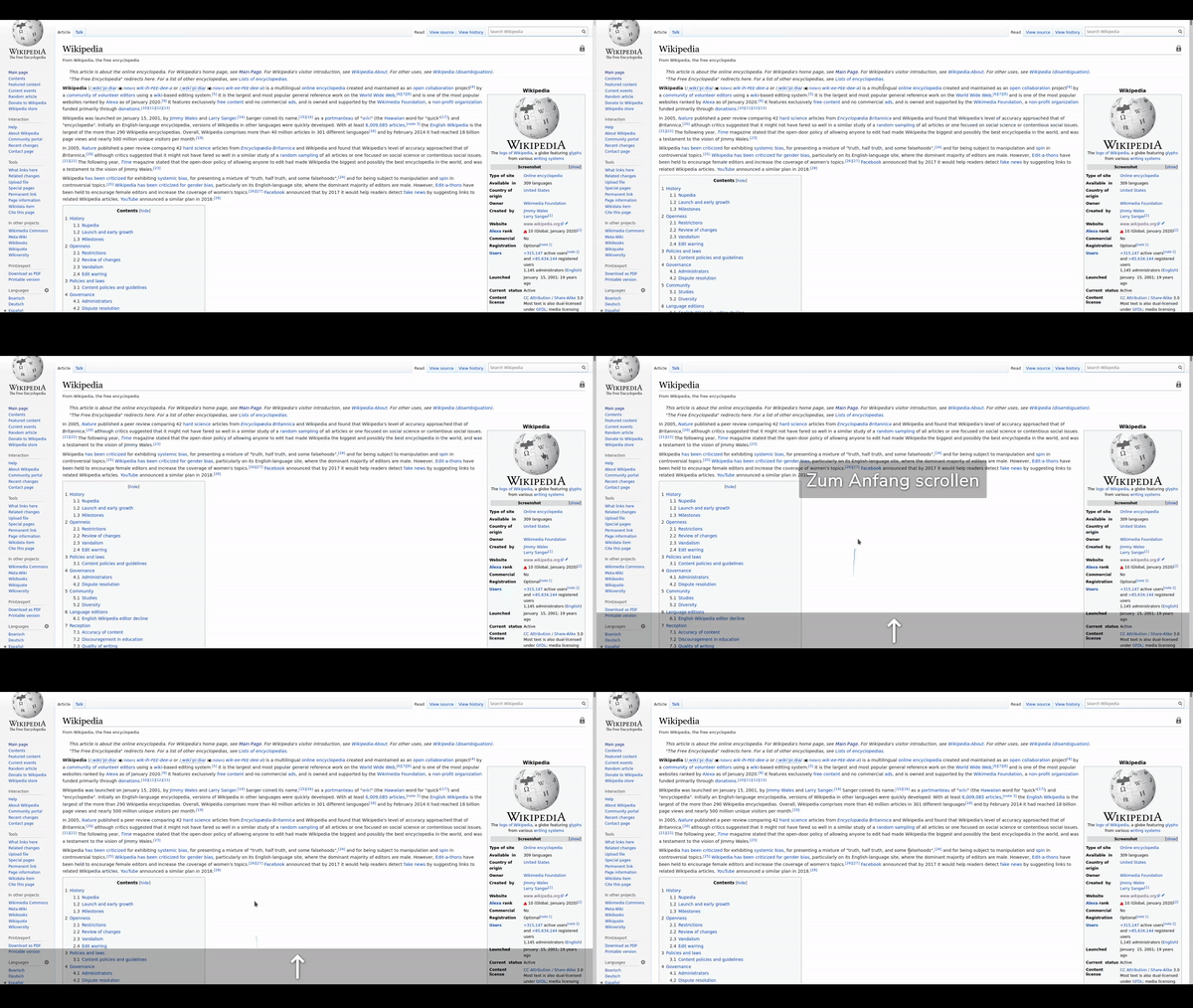
I originally wanted to wait for the user script api, but it probably won't be added any time soon.. So I decided to ship a rudimentary user script command. This means that I won't ship your requested feature as an extra command, but you can easily add it by using the 2 user scripts I'll provide below. (I'll try to release a new version within 7 days which will include the execute user script command)
Robbendebiene
on 6 Feb 2020
Hide Element
// define global history variable
if (!window._elementHidingHistory) window._elementHidingHistory = [];

// push current element state to history
window._elementHidingHistory.push({
  targetElement: TARGET,
  originalValue: TARGET.style.getPropertyValue("display"),
  originalPriority: TARGET.style.getPropertyPriority("display"),
});
// hide element
TARGET.style.setProperty("display", "none", "important");
Undo Hide Element
// check if global history variable is defined and not empty
if (window._elementHidingHistory && window._elementHidingHistory.length > 0) {
  // get last history entry
  const elementHidingHistoryEntry = window._elementHidingHistory.pop();
  // show element
  elementHidingHistoryEntry.targetElement.style.removeProperty("display");
  // apply original display styles if any
  elementHidingHistoryEntry.targetElement.style.setProperty(
    "display",
    elementHidingHistoryEntry.originalValue,
    elementHidingHistoryEntry.originalPriority
  );
}
Hoorray!!!! 🎉
pgorod
on 6 Feb 2020
I want to ship a fix for a wheel/rocker gesture bug as well. That's why I could not release this yet.
Robbendebiene
on 15 Feb 2020
Today I release a new version which should be available soon. :)
One thing I have to mention is, that the current user script I provided is not perfect. The history (which is used to revert hidden elements) is separately saved in every frame. So you can only revert previously hidden elements from an iframe if you start the gesture inside that iframe.
With some effort though you should be able to solve this problem (using the "inject in all frames" option and the post messages api)
Some more info can be found here: https://github.com/Robbendebiene/Gesturefy/wiki/Execute-user-script
Robbendebiene
on 17 Feb 2020
I just tried this today...
You brought tears of joy to my eyes (slight exaggeration)!!!
Thanks, I finally have my favorite gesture back! 🎉 🎉 🎉
pgorod
on 18 Feb 2020
After more than two years... :D
You're welcome :)
Robbendebiene
on 18 Feb 2020
Related issues
 ghost
·
7Comments
ghost
·
7Comments
 kramola-RU
·
6Comments
kramola-RU
·
6Comments
 happysurf
·
7Comments
happysurf
·
7Comments
 derStephan
·
7Comments
derStephan
·
7Comments
 thany
·
8Comments
thany
·
8Comments
Most helpful comment
@pgorod @kintaro79 Thanks for your kind and extensive feedback, I have to admit that I'm almost convinced :) Lets assume I would implement this as 2 separated commands in one of the next releases. Should the command only hide objects (display: none) or should it remove them entirely? The main reason I'm asking this is because the restoration of elements may become difficult when I remove them, however a hidden video will still play sound.