Geonode: Styling issues at welcome page
_edited by @gannebamm to hold all sub-issues as list_
Expected Behavior
We have a nice and smooth welcome page UI.
- [ ] Correct display without bar on the right
- [ ] Categories do display well without strange linebreaks
- [ ] Maps Thumbnails are resized proportionnal when resizing window
- [ ] themed cookie bar does have proper colors
- [ ] Search input ID is unique
Actual Behavior
We have some UI glitches in the welcome page UI.
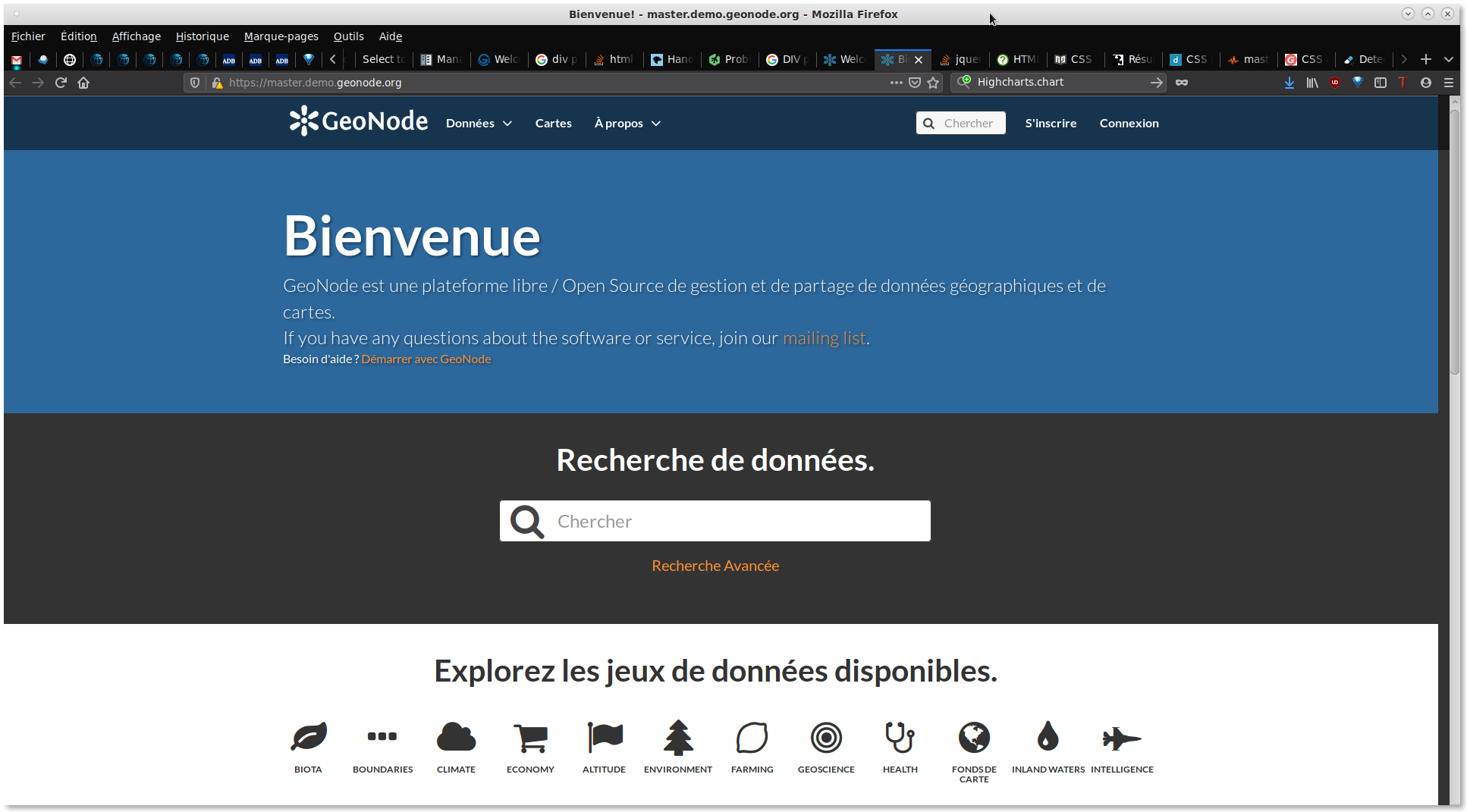
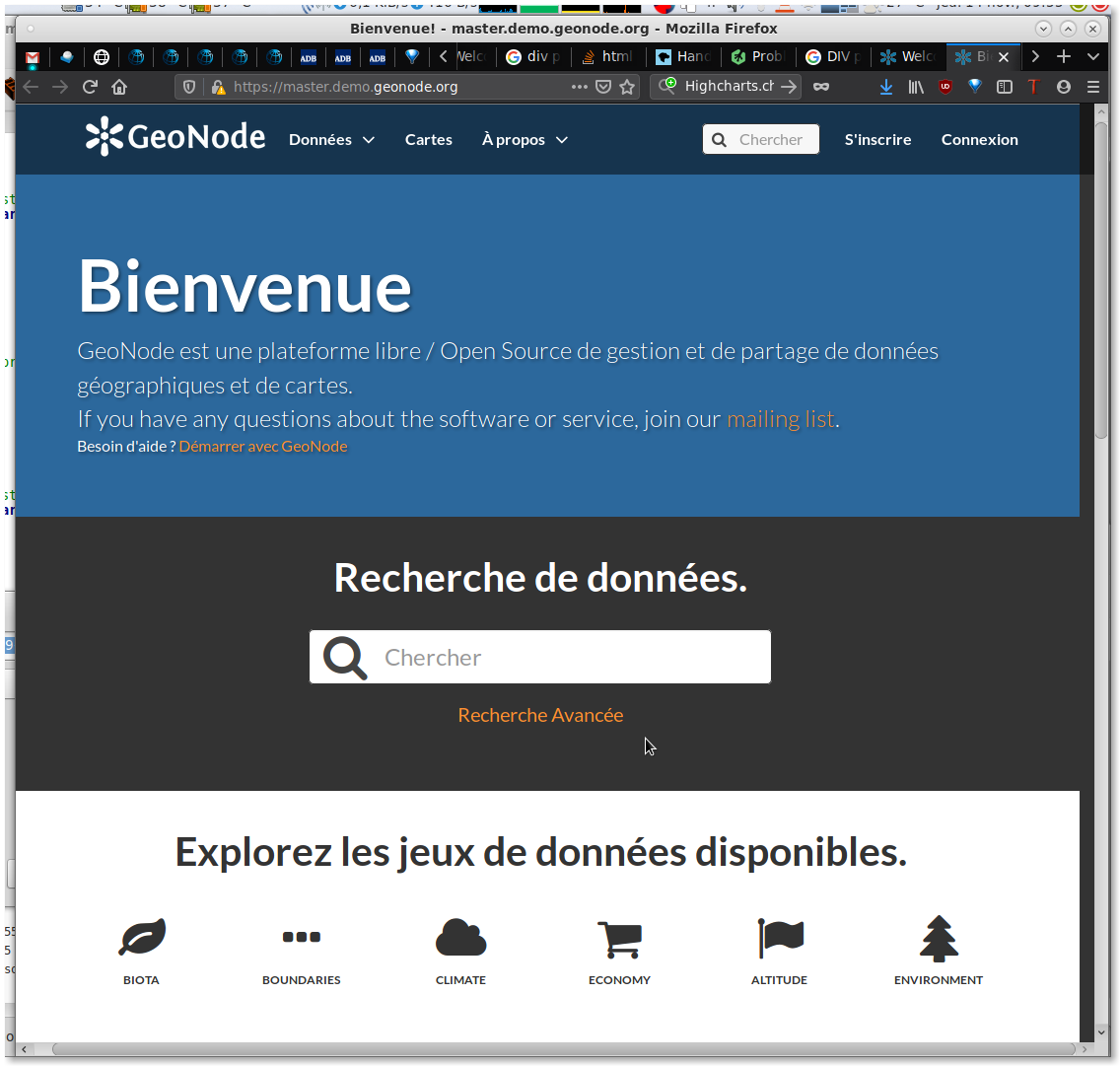
Bar on the right, resulting in horizontal scrolling:

Categories doesn't display well and do strange linebreaks: https://github.com/GeoNode/geonode/issues/5263#issuecomment-554609023
Maps Thumbnails are not resized proportionnal when resizing window: https://github.com/GeoNode/geonode/issues/5263#issuecomment-554834035
Issues with cookie bar (themes): https://github.com/GeoNode/geonode/issues/5263#issuecomment-554884478
ID for search input is used twice: https://github.com/GeoNode/geonode/issues/5263#issuecomment-554884478
Steps to Reproduce the Problem
- Open Geonode demo
- Inspect the welcome page ui and html
Specifications
- GeoNode version: 2.10
- Installation method (manual, GeoNode Docker, SPCGeoNode Docker): All
- Platform: All
 kikislater
All 7 comments
This is caused by the negative margin of https://github.com/GeoNode/geonode/blob/0601f1575eb95ccbe620471bd29644fb0d9f0177/geonode/templates/index.html#L253
scrolls do not appear with chrome but ff.
might be a bug with bootstrap3 - a quick fix would be to give the row: margin: 0px 0px;
 t-book
on 15 Nov 2019
t-book
on 15 Nov 2019
Cool ! Thank you @t-book
So error is not here ? =>
https://github.com/GeoNode/geonode/blob/0601f1575eb95ccbe620471bd29644fb0d9f0177/geonode/static/geonode/css/base.css#L1600-L1603
It seems to be well known :
kikislater
on 15 Nov 2019
And another one. It happens in Firefox and Chrome if you switch to French language at some resizing window : Categories doesn't display well.
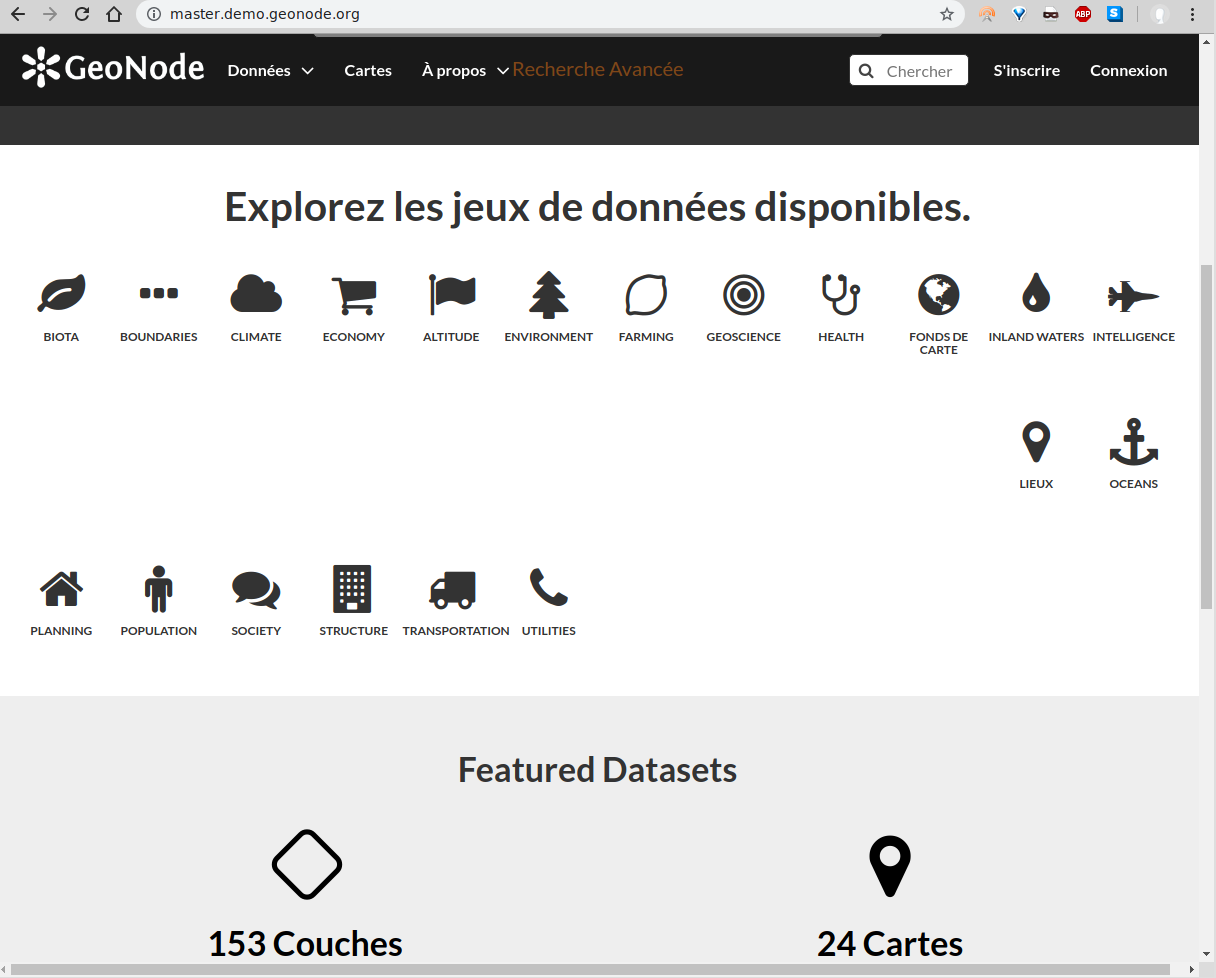
Problem disappear if we remove width line :
kikislater
on 16 Nov 2019
Oh that is ugly ;/ the problem here is that _Fonds de cart_ breaks in the next line. Doing so it's parent div has a different height. Hence the next row children order after it. I think making child divs flex-items by applying the following to the table row would be the way to go.
container.text-center .row {
    display: flex;
    display: -webkit-flex;
    flex-wrap: wrap;
}
Thank you, it works !
Another ugly one IMO but I'm not using it :
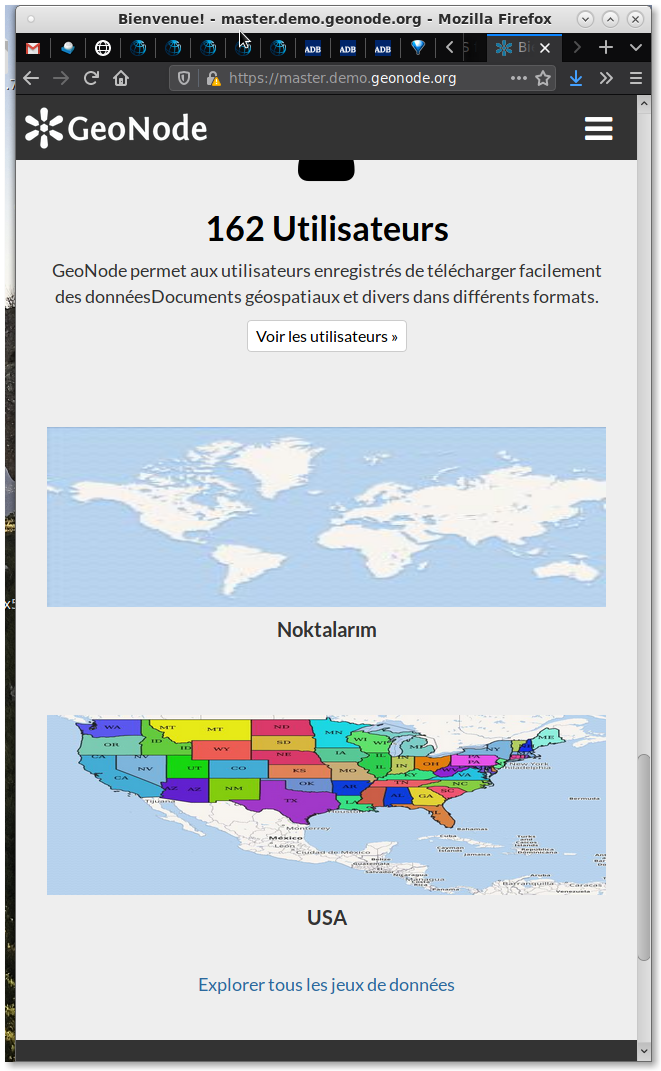
Maps are not proportionnal when resizing window
kikislater
on 18 Nov 2019
Oh I see. Problem here is the 100% width of the img and the fixed height.
it will get better when https://github.com/GeoNode/geonode/blob/0601f1575eb95ccbe620471bd29644fb0d9f0177/geonode/templates/index.html#L304
get's some more classes like: <div class="col-xs-12 col-sm-6 col-md-3"> further a bit more responsive height handling:
.home #showcase .col-md-3 img {
    max-height: 180px;
    width: auto;
}
@capooti the right image looks like a custom uploaded thumbnail. Where the left is resized to 180px height the curated one keeps it's original size of ~700px width. This is nothing urgent but wouldn't it be nice to downsize the thumb at curated section as well?
t-book
on 18 Nov 2019
And as this is growing to something like a frontend wish list I will add two more:
Issues with cookie bar (themes):
- The bar is not the first item on the page and focus is not on the bar when the page loads. Keyboard users have to tab through all items on the page to access the cookie consent bar.
- The anchor tag is being used as a button instead of a navigational link. (The href attribute contains a placeholder value that links to the same page but does not navigate to an anchor point). The semantically correct way would be the use of a button instead.

ID for search input is used twice
- the top search and the big search both use
id="search_input"(An id should be unique no matter on which tag it's added.) I would suggest using either an data attribute for js access or some namespaced class likejs_search
_(this is not urgent at all)_
t-book
on 18 Nov 2019
Related issues
 afabiani
·
8Comments
afabiani
·
8Comments
 gannebamm
·
6Comments
gannebamm
·
6Comments
 ingenieroariel
·
10Comments
ingenieroariel
·
10Comments
 jondoig
·
8Comments
jondoig
·
8Comments
 hishamkaram
·
9Comments
hishamkaram
·
9Comments
Most helpful comment
This is caused by the negative margin of https://github.com/GeoNode/geonode/blob/0601f1575eb95ccbe620471bd29644fb0d9f0177/geonode/templates/index.html#L253
scrolls do not appear with chrome but ff.
might be a bug with bootstrap3 - a quick fix would be to give the row:
margin: 0px 0px;