Expected Behavior
It should be possible to set Thesauri in settings and import Thesaurus-keywords as described here:
https://github.com/geosolutions-it/geonode/wiki/Thesaurus-keywords
Actual Behavior
The mentioned link https://raw.githubusercontent.com/geonetwork/util-gemet/master/thesauri/inspire-theme.rdf does not exist anymore. From what I read it has been moved to http://inspire.ec.europa.eu/theme (https://github.com/geonetwork/core-geonetwork/issues/2506)
Using a scheme from inspire.ec.europa.eu to import to geonode fails. It looks the structure has changed and the management command load_thesaurus needs to be updated to deal with the new scheme.
Steps to Reproduce the Problem
- enable thesauri in settings
- try to follow the instructions from above link
Specifications
- GeoNode version: master
- Installation method (manual, GeoNode Docker, SPCGeoNode Docker): manual
- Platform: osx
 t-book
All 15 comments
Let's also update the official documentation instead of relying on old https://github.com/geosolutions-it/geonode/wiki/Thesaurus-keywords
 afabiani
on 30 Oct 2019
afabiani
on 30 Oct 2019
For reference, the old inspire file can be found here: https://raw.githubusercontent.com/geonetwork/util-gemet/ffe12d1e498ef4416670d6bd7c8b72b64e012350/thesauri/inspire-theme.rdf
Testing the old inspire-theme.rdf fails with:
  File "/Users/ts/Documents/env/test/env/lib/python2.7/site-packages/django/db/utils.py", line 94, in __exit__
    six.reraise(dj_exc_type, dj_exc_value, traceback)
  File "/Users/ts/Documents/env/test/env/lib/python2.7/site-packages/django/db/backends/utils.py", line 64, in execute
    return self.cursor.execute(sql, params)
  File "/Users/ts/Documents/env/test/env/lib/python2.7/site-packages/django/db/backends/sqlite3/base.py", line 328, in execute
    return Database.Cursor.execute(self, query, params)
django.db.utils.IntegrityError: UNIQUE constraint failed: base_thesaurus.identifier
which might be cause as migrations are missing. However it's unclear where
geonode/base/migrations/0008_add_thesaurus_keywords.py
geonode/base/migrations/0009_resourcebase_tkeywords.py
can be found.
Edit: the migration can be found here:
https://raw.githubusercontent.com/geosolutions-it/geonode/6a9aeaa74635ef7ebd77304326340aff0c894bff/geonode/base/migrations/0009_resourcebase_tkeywords.py
https://raw.githubusercontent.com/geosolutions-it/geonode/6a9aeaa74635ef7ebd77304326340aff0c894bff/geonode/base/migrations/0008_add_thesaurus_keywords.py
I do not think we need to care about them. After flushing the db table I can import the old inspire thesauri file.
t-book
on 30 Oct 2019
@t-book I just tested against master
$> wget https://raw.githubusercontent.com/geonetwork/util-gemet/ffe12d1e498ef4416670d6bd7c8b72b64e012350/thesauri/inspire-theme.rdf

$> python manage.py load_thesaurus --file inspire-theme.rdf --name inspire_themes

# worked as expected

$> DJANGO_SETTINGS_MODULE=geonode.local_settings python manage.py load_thesaurus --file inspire-theme.rdf --name inspire_themes

# worked as expected
$> wget http://inspire.ec.europa.eu/theme/theme.en.rdf

$> DJANGO_SETTINGS_MODULE=geonode.local_settings python manage.py load_thesaurus --file theme.en.rdf --name inspire_themes_new

# Errored with: CommandError: ConceptScheme not found in file
@t-book by the way the file http://inspire.ec.europa.eu/theme/theme.en.rdf is not a valid thesaurus one
We need one with concepts. The former just report descriptions.
afabiani
on 31 Oct 2019
@t-book those seem to be valid
You'll need to apply this simple patch
diff --git a/geonode/base/management/commands/load_thesaurus.py b/geonode/base/management/commands/load_thesaurus.py
index d7d4db1..fd402ef 100644
--- a/geonode/base/management/commands/load_thesaurus.py
+++ b/geonode/base/management/commands/load_thesaurus.py
@@ -91,7 +91,7 @@ class Command(BaseCommand):
             raise CommandError("ConceptScheme not found in file")

         title = scheme.find('dc:title', ns).text
-        descr = scheme.find('dc:description', ns).text
+        descr = scheme.find('dc:description', ns).text if scheme.find('dc:description', ns) else title
         date_issued = scheme.find('dcterms:issued', ns).text

         print 'Thesaurus "{}" issued on {}'.format(title, date_issued)
@afabiani Thanks for having a look.
I can confirm that imports work. After that I'm able to apply thesauri to some resource in django admin. Which will get populated as filter as expected.
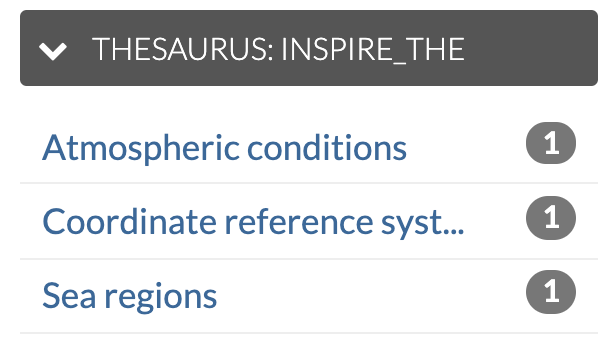
However, where I'm currently stuck in is the DAL widget itself in meatadata wizard which should populate the data from
/autocomplete/thesaurus_inspire_theme/ endpoint. Unfortuantely It looks as it does not get initialized at all (but stays an empty select):
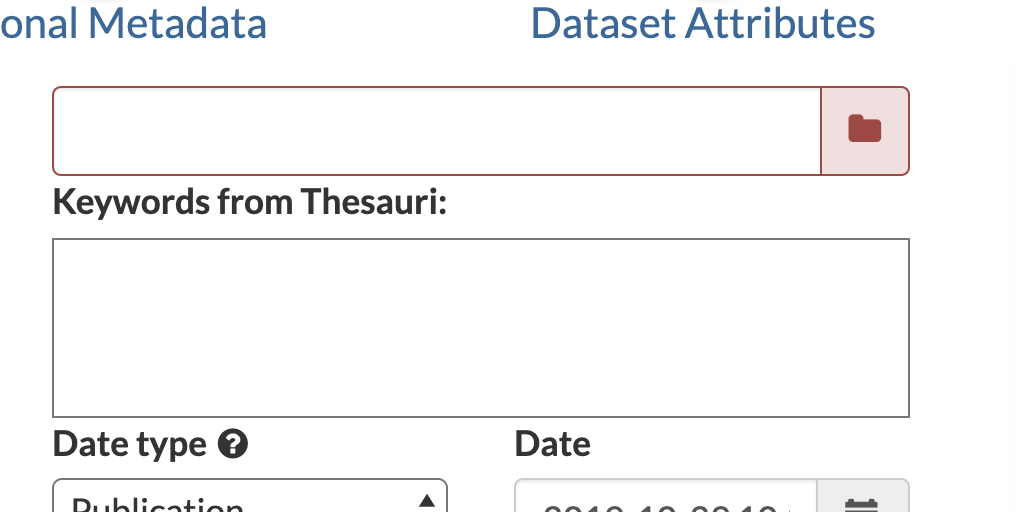
By now I do not have any idea why it's not working (no console error...). One possible thing could be to update DAL (to solve some conflict with newer libs like select2) however I'm a bit afraid doing so as I do not know where else the widget is in use.
Will further have a look at the widget scripts, in case you have an idea what could go wrong here I'm all open ear.
t-book
on 31 Oct 2019
Trying to have a look today. Will let you know if I find something.
afabiani
on 31 Oct 2019
... thought it's some conflict with jquery, looks this is not the case.
t-book
on 31 Oct 2019
The implementation seems quite standard, just a TkeyForm with a custom field and widget.
It looks to me more a Python initialization problem.
afabiani
on 31 Oct 2019
It looks to me more a Python initialization problem.
interesting. thought it's more likely a frontend issue as the autocomplete endpoint get's created correctly but the widget does not get initialized nor do I see any request against the endpoint.
t-book
on 31 Oct 2019
seems like
autocomplete_light.widgets.MultipleChoiceWidget
is not working with
forms.MultiWidget
As an instance this small change
class MultiThesauriWidget(autocomplete_light.widgets.MultipleChoiceWidget):
    def __init__(self, attrs=None):
        widget_name = ""
        cleaned_name = ""
        for el in settings.THESAURI:
            widget_name = el['name']
            cleaned_name = el['name'].replace("-", " ").replace("_", " ").title()
            break

        super(MultiThesauriWidget, self).__init__(
            'thesaurus_' + widget_name,
            attrs={'placeholder': '%s - Start typing for suggestions' % cleaned_name},
            extra_context={'thesauri_title': cleaned_name})
allows me to fetch the keywords, even if this draft implementation accepts only one THESAURI.
However, when I try to save the form I get weird issues. But this might depend on the other logic.
afabiani
on 31 Oct 2019
True, this makes it work. But unfortunately ending in a weird loaded modal (as you said).
Further it will fail when thesaurus is empty in settings:

Another quick but ugly fix (no option)
        $( "select[name^='tkeywords-tkeywords_']" ).each(function (){
            let uri = $(this).data('autocomplete-url')
            let select_element = $(this)
            $.get( uri, function( data ) {
                data = data.replace(/<span/g, '<option');
                data = data.replace(/<\/span/g, '</option');
                $(select_element).html(data)
            });
        });
@afabiani I can at least see why the weird modal is showing up:
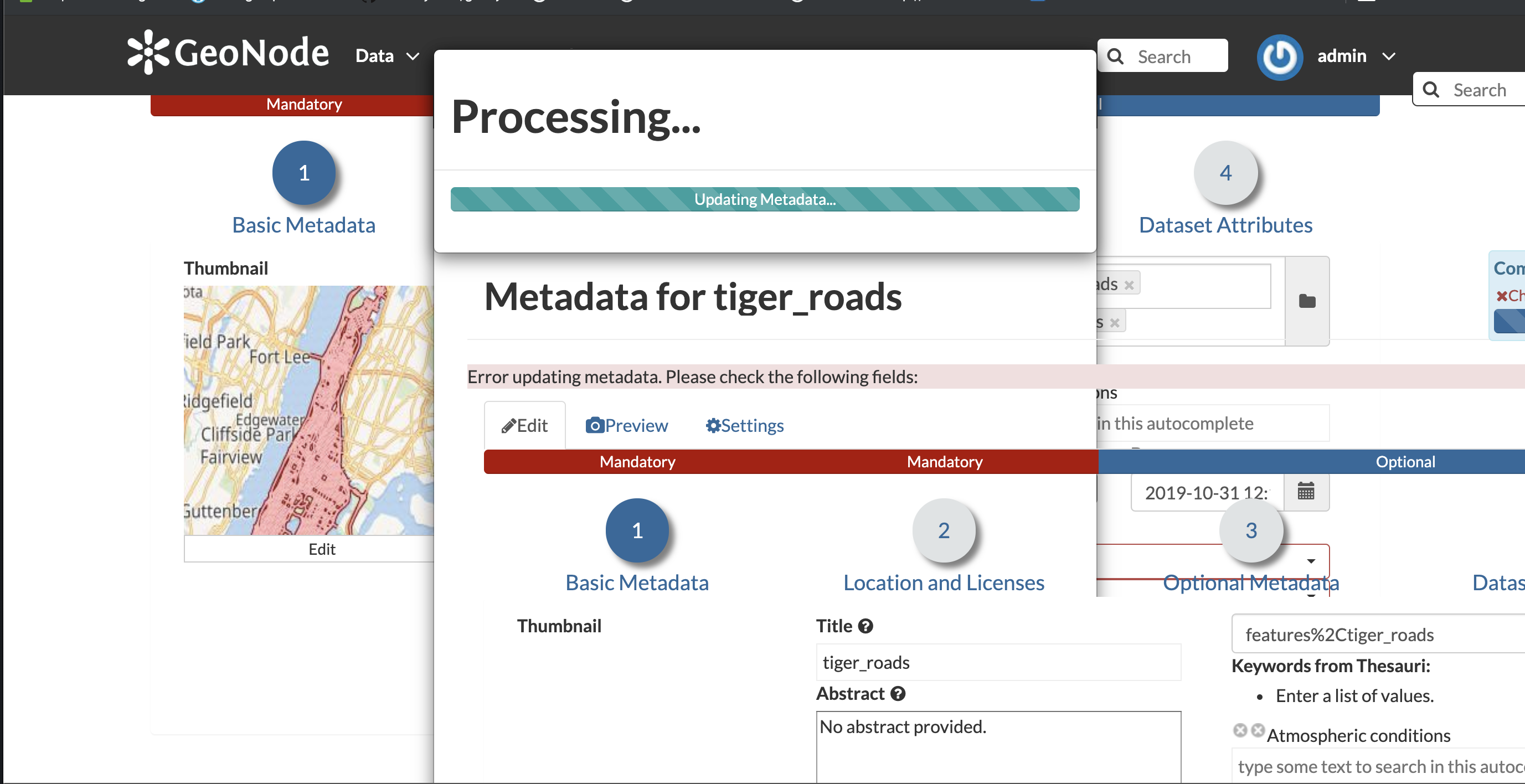
somehow the update of metadata fails when formdata of tkeywords
<select style="display:none" class="value-select" name="tkeywords-tkeywords" id="id_tkeywords-tkeywords" multiple="multiple">
is sent. What now happens is that instead of some error text. the full /metadata template is returned as responseText which is injected into the error modal here:
} else {
    $("#preview_errorDialog .modal-body").html(xhr.responseText);
}
https://github.com/GeoNode/geonode/blob/master/geonode/templates/metadata_form_js.html#L598
t-book
on 31 Oct 2019
@t-book I see, nice catch.
I'm struggling to try to make MultiWidget working with autocomplete_light.widgets.MultipleChoiceWidget, but without any success.
At this point, I suggest forcing to only one Thesaurus and adapt the code accordingly.
What do you think?
afabiani
on 31 Oct 2019
At this point, I suggest forcing to only one Thesaurus and adapt the code accordingly.
+1
_... after burning several hours without any success and growing frustration I'd welcome whatever solves this issue._
t-book
on 31 Oct 2019
Related issues
 gannebamm
·
6Comments
gannebamm
·
6Comments
 jondoig
·
8Comments
jondoig
·
8Comments
 capooti
·
8Comments
capooti
·
8Comments
 Coop56
·
10Comments
Coop56
·
10Comments
 cezio
·
6Comments
cezio
·
6Comments