Generator-jhipster: RTL lang in react home page is incorrect
Overview of the issue
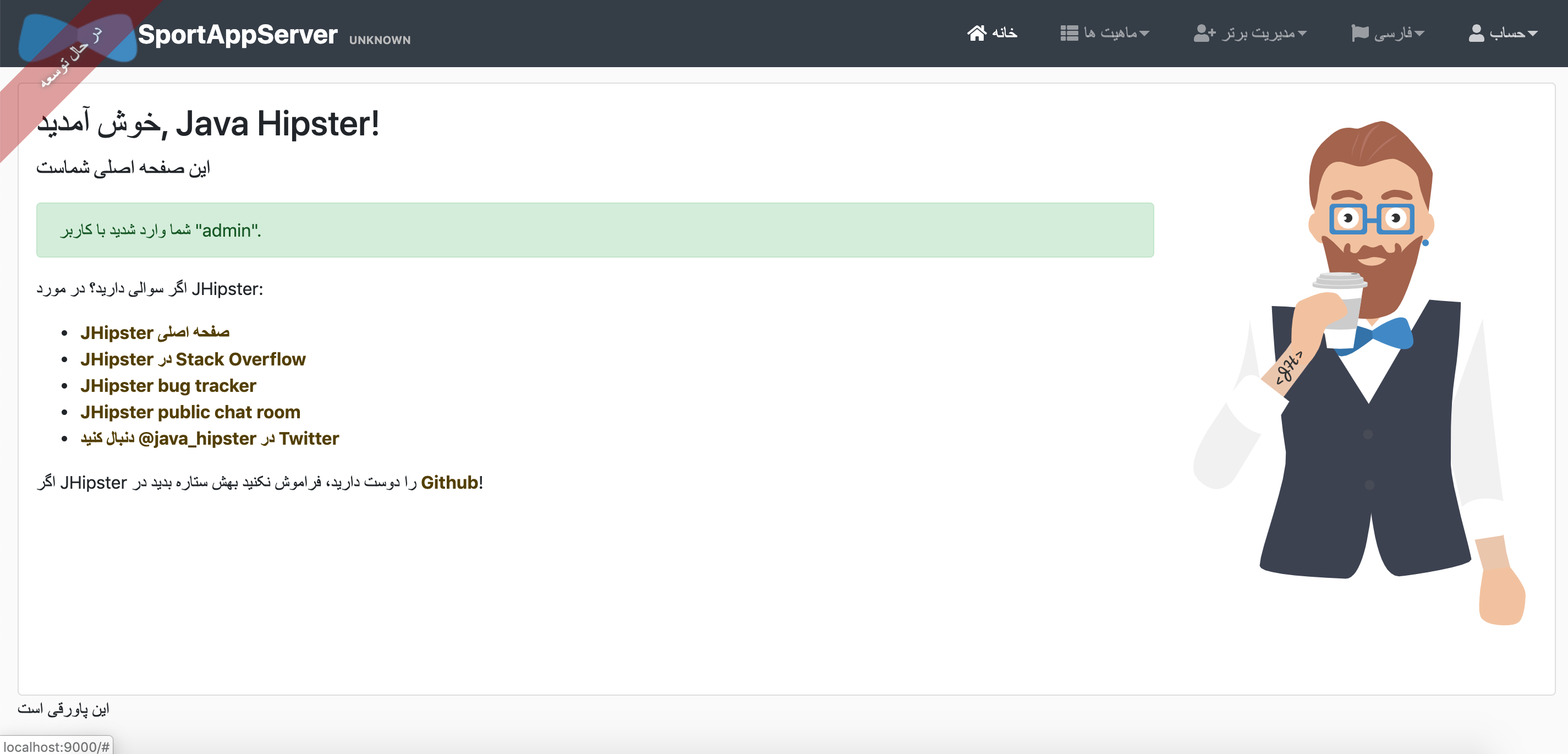
If you select right-to-left in the desired language settings form, the home screen and menus do not change right to left correctly.
JHipster Version(s)
[email protected] /Users/developer/Desktop/sportAppServer
└── [email protected]
.yo-rc.json file
{
  "generator-jhipster": {
    "promptValues": {
      "packageName": "sport.mobile.app",
      "nativeLanguage": "en"
    },
    "jhipsterVersion": "6.2.0",
    "applicationType": "monolith",
    "baseName": "sportAppServer",
    "packageName": "sport.mobile.app",
    "packageFolder": "sport/mobile/app",
    "serverPort": "8080",
    "authenticationType": "jwt",
    "cacheProvider": "ehcache",
    "enableHibernateCache": true,
    "websocket": false,
    "databaseType": "sql",
    "devDatabaseType": "h2Disk",
    "prodDatabaseType": "mssql",
    "searchEngine": false,
    "messageBroker": false,
    "serviceDiscoveryType": false,
    "buildTool": "maven",
    "enableSwaggerCodegen": false,
    "jwtSecretKey": "bXktc2VjcmV0LXRva2VuLXRvLWNoYW5nZS1pbi1wcm9kdWN0aW9uLWFuZC10by1rZWVwLWluLWEtc2VjdXJlLXBsYWNl",
    "useSass": true,
    "clientPackageManager": "npm",
    "clientFramework": "react",
    "clientTheme": "none",
    "clientThemeVariant": "",
    "testFrameworks": [
      "gatling"
    ],
    "jhiPrefix": "jhi",
    "entitySuffix": "",
    "dtoSuffix": "DTO",
    "otherModules": [],
    "enableTranslation": true,
    "nativeLanguage": "en",
    "languages": [
      "en",
      "fa"
    ],
    "blueprints": []
  }
}
JDL for the Entity configuration(s) entityName.json files generated in the .jhipster directory
JDL entity definitions
entity Foo {
  name String
}
dto Foo with mapstruct
paginate Foo with pagination
service Foo with serviceClass
filter Foo
Environment and Tools
java version "1.8.0_60"
Java(TM) SE Runtime Environment (build 1.8.0_60-b27)
Java HotSpot(TM) 64-Bit Server VM (build 25.60-b23, mixed mode)
git version 2.20.1
node: v10.16.0
npm: 6.9.0
yeoman: 3.1.0
yarn: 1.16.0
Docker version 18.06.0-ce, build 0ffa825
docker-compose version 1.25.0-rc2, build 661ac20e
 manisi
All 14 comments
Hi
I tried to reproduce it with your .yo-rc but it seems to work fine, what do you mean by "do not change right to left correctly"
 chrisdns
on 10 Sep 2019
chrisdns
on 10 Sep 2019
Hi
I tried to reproduce it with your .yo-rc but it seems to work fine, what do you mean by "do not change right to left correctly"
Hi @chrisdns
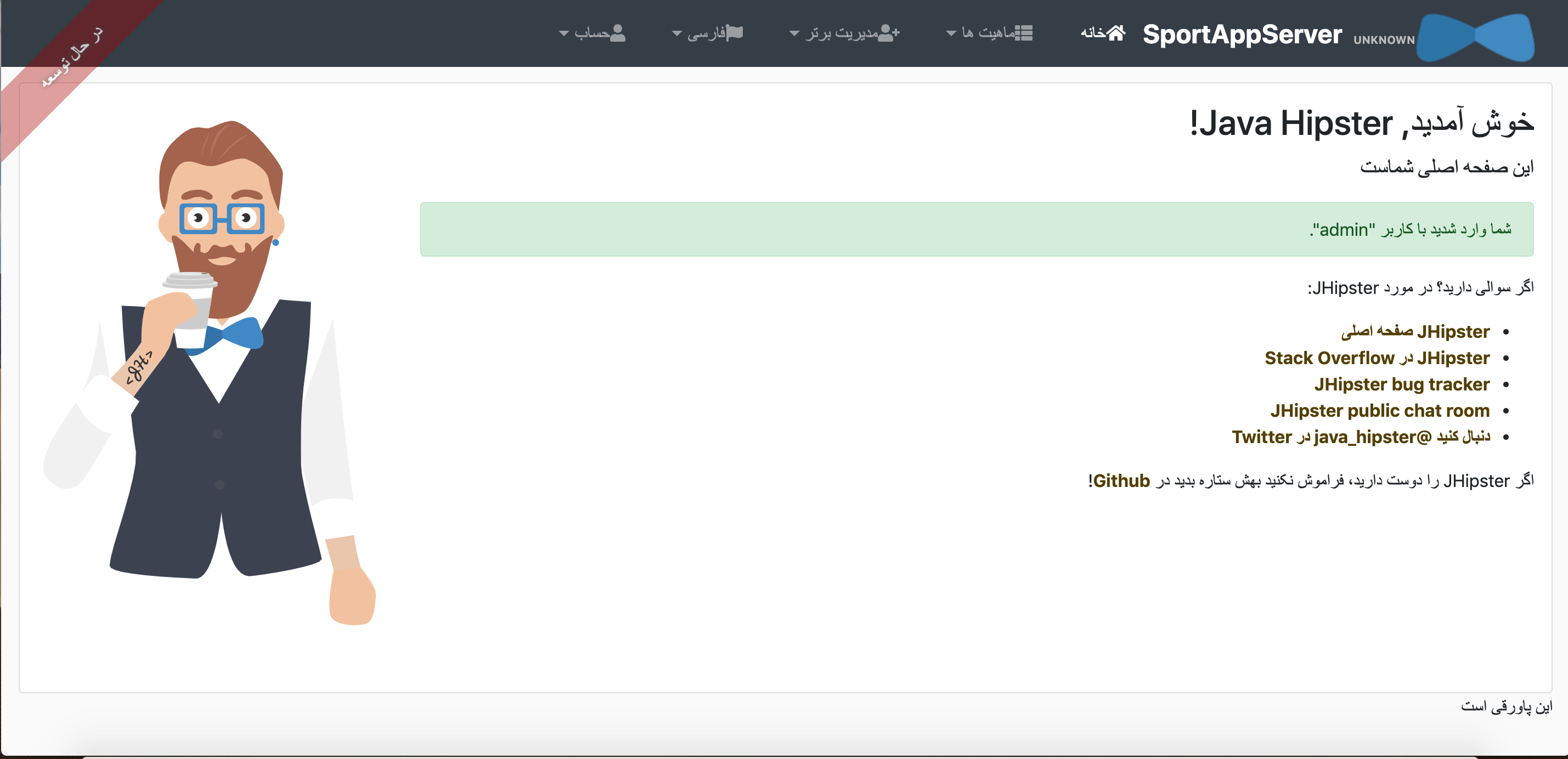
please see this picture
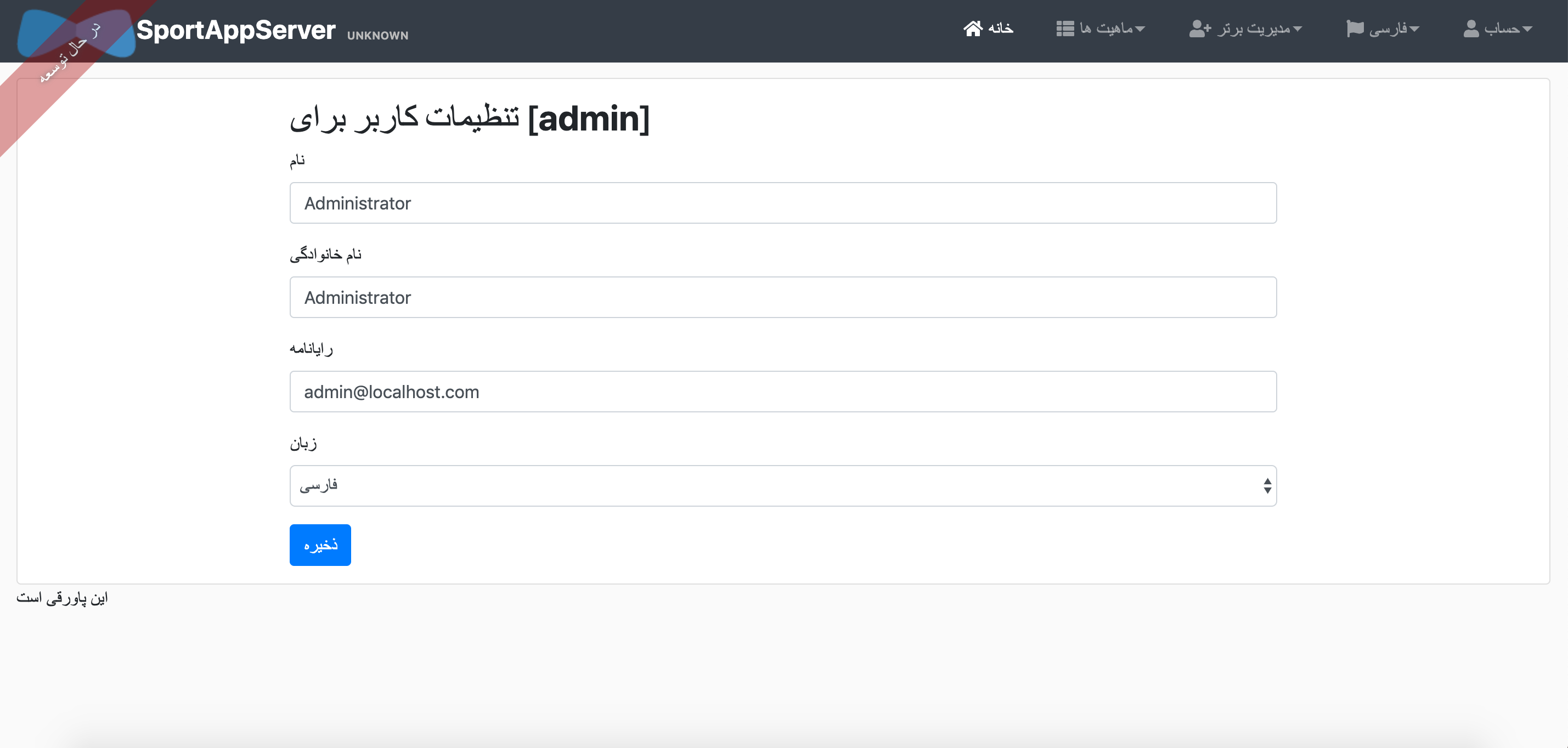
page align not set to RTL
but correct is:
manisi
on 10 Sep 2019
@manisi, it seems you have understanding about changes to be done. Can you contribute?
 vishal423
on 10 Sep 2019
vishal423
on 10 Sep 2019
Yes
but how can i start?
Thanks
manisi
on 10 Sep 2019
@manisi : We have a pretty detailed guide about how to contribute; https://github.com/jhipster/generator-jhipster/blob/master/CONTRIBUTING.md
Let us know if you have any specific questions or issues. :smile:
 SudharakaP
on 10 Sep 2019
SudharakaP
on 10 Sep 2019
@manisi : I didn't manage to reproduce.
I used your config and I got the 2nd screen, the one you mentioned as "correct"
Are you sure it's not a problem from your cache or something like that ?
Better, if you can push a project on Github, or use https://start.jhipster.tech
it will help us to reproduce
 pascalgrimaud
on 12 Sep 2019
pascalgrimaud
on 12 Sep 2019
See my screenshot:

For now, I'm closing this. I can reopen if you provide more information to reproduce or a project on GitHub, like suggested
pascalgrimaud
on 12 Sep 2019
@pascalgrimaud
Hi
Thanking and appreciating your efforts.
If you change the language menu( from navbar menu) everything is OK.
But this problem arises when you change the language settings from(accunt->setting) the menu.
All page alignment not RTL and incorrect.
Thanks
manisi
on 13 Sep 2019
reopening this
I'll have a look later with your steps
pascalgrimaud
on 13 Sep 2019
I confirm the issue, when changing the language in account > settings
@manisi : feel free to propose a PR for that, if you know how to fix it
pascalgrimaud
on 16 Sep 2019
Hello, I've found the culprit:
In Angular, when submitting the form, this is the code that is executed:
While in React, when using the form to change settings, this is what happens:
We have an API call:
The Back End part:
    /**
     * {@code POST  /account} : update the current user information.
     *
     * @param userDTO the current user information.
     * @throws EmailAlreadyUsedException {@code 400 (Bad Request)} if the email is already used.
     * @throws RuntimeException {@code 500 (Internal Server Error)} if the user login wasn't found.
     */
    @PostMapping("/account")
    public void saveAccount(@Valid @RequestBody UserDTO userDTO) {
        String userLogin = SecurityUtils.getCurrentUserLogin().orElseThrow(() -> new AccountResourceException("Current user login not found"));
        Optional<User> existingUser = userRepository.findOneByEmailIgnoreCase(userDTO.getEmail());
        if (existingUser.isPresent() && (!existingUser.get().getLogin().equalsIgnoreCase(userLogin))) {
            throw new EmailAlreadyUsedException();
        }
        Optional<User> user = userRepository.findOneByLogin(userLogin);
        if (!user.isPresent()) {
            throw new AccountResourceException("User could not be found");
        }
        userService.updateUser(userDTO.getFirstName(), userDTO.getLastName(), userDTO.getEmail(),
            userDTO.getLangKey(), userDTO.getImageUrl());
    }
By the way, for information, in React's side, this is what is happening when changing the language without going through Account's settings
I think these informations can help in making a PR (if there isn't any yet) :)
 Hawkurane
on 19 Sep 2019
Hawkurane
on 19 Sep 2019
@Hawkurane : it looks like you know how to fix this.
Do you have the bandwidth to do it plz ?
pascalgrimaud
on 19 Sep 2019
Sure I can take a look at this tomorrow
Hawkurane
on 19 Sep 2019
The Pull Request fixes your specific issue but after changing account settings, opening a private navigtation page and relogging again, the language is still in the wrong order (LTR instead of RTL)
Hawkurane
on 20 Sep 2019
Related issues
 sdoxsee
·
4Comments
SudharakaP
·
3Comments
sdoxsee
·
4Comments
SudharakaP
·
3Comments
 chegola
·
4Comments
chegola
·
4Comments
 frantzynicolas
·
3Comments
SudharakaP
·
3Comments
frantzynicolas
·
3Comments
SudharakaP
·
3Comments