Describe the bug
Multiple lines of text merge together on preview when using BBText objects as shown in the attached screenshots. HTML5 exports are also affected in different browsers.
_Please double check that the bug is not already reported in the issues list._
Was advised here to open a new issue.
To Reproduce
Steps to reproduce the behavior:
- Create a BBText object and choose custom font
- Add more than one line of text
- Preview
- Please include a link to a game if possible!
My existing app showing the problem within two clicks is here.
- Click Studio
- Click the question mark icon to open a brief help layer
The latest updates were made with version 89 and the issue is more obvious in Firefox.
Example projects with the same font and both text types are included below.
- If applicable, add screenshots to help explain your problem.
Version 88
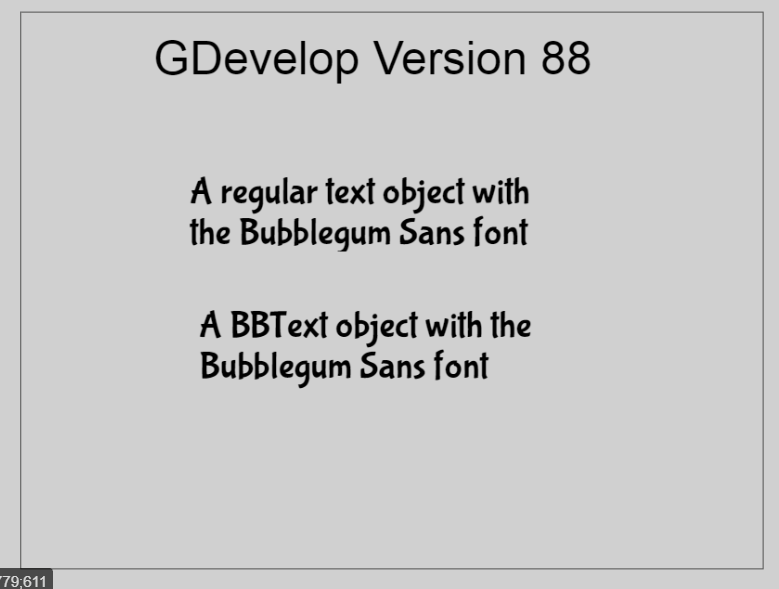
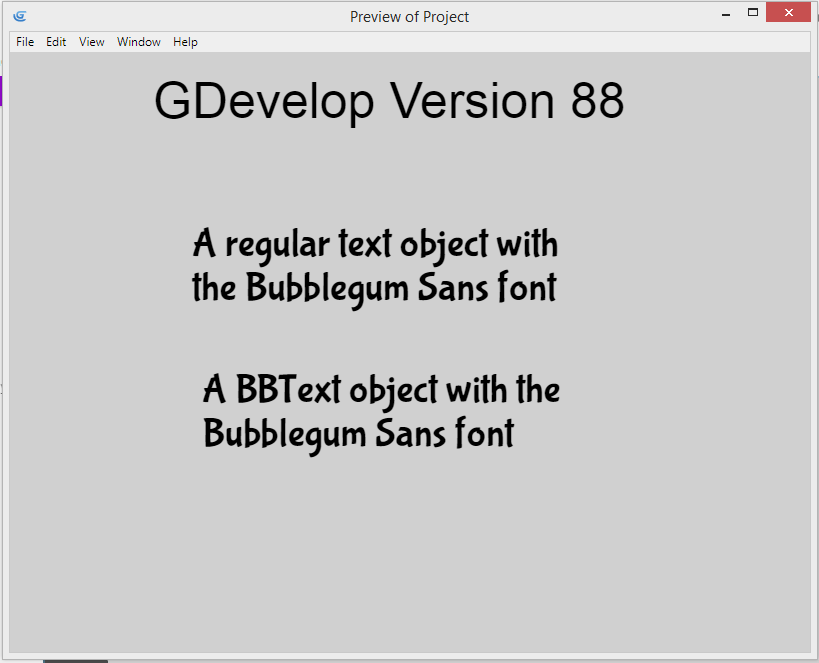
Version 89
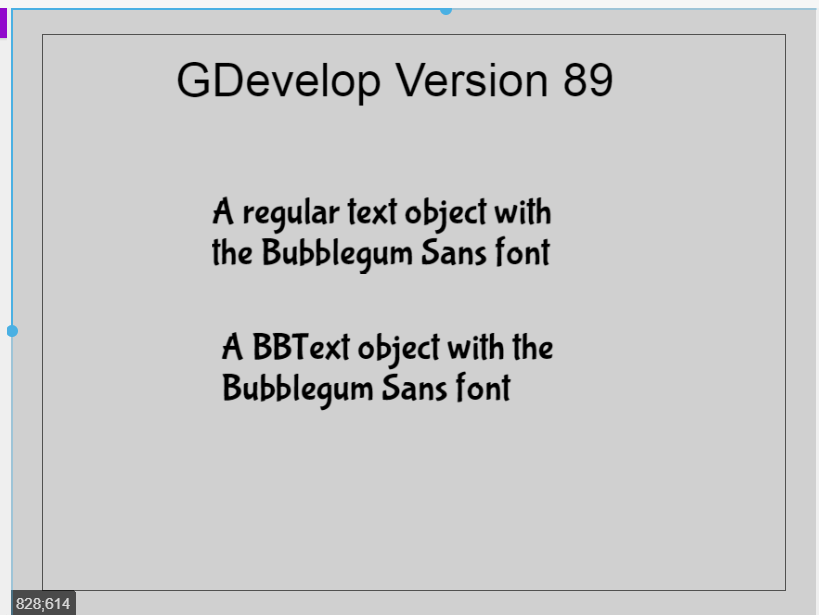
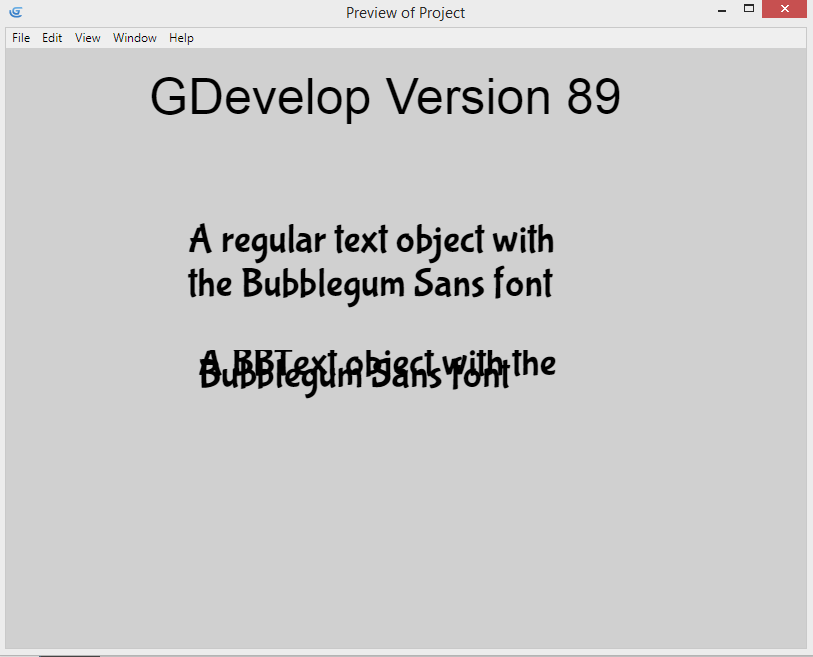
The example projects
They are exactly same except one was saved in V88 and the other V89.
v88text.zip
v89text.zip
Other details
- Include any OS/browser version/smartphone that you're using
Windows 8.1, Laptop
- Which version of GDevelop are you using? The desktop app or the web-app?
See above and desktop app.
- Add any other context about the problem here.
This doesn't appear to be a problem with the default Arial font.
 Phenomena3
All 12 comments
I think @Bouh added a better selector for the custom fonts in BBtext, but it could also be something else that caused a regression
 blurymind
on 12 Mar 2020
blurymind
on 12 Mar 2020
Would be a good idea to investigate changes made in the BBText object - not sure what it could be linked to.
 4ian
on 12 Mar 2020
4ian
on 12 Mar 2020
My previous PR for add font on BBtext is here https://github.com/4ian/GDevelop/pull/1394
I use only the resource loader and set the fontFamily, but instead write the name manually in BBtext propertie panel, now the resource loader provide the name.
So if we have a bug, the bug is in the resource loader.
Because font is loaded differently when we load with the resource loader?
What is used when we have no resource loader, who load the font?
 Bouh
on 12 Mar 2020
Bouh
on 12 Mar 2020
@Bouh Any news on this issue?
Phenomena3
on 16 Apr 2020
up! Facing the issue too, beta92.
 KinkGD
on 5 May 2020
KinkGD
on 5 May 2020
Unfortunately, this issue still persists in beta95.
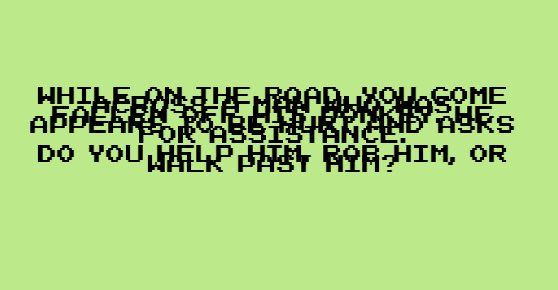
 convictedweirdo
on 2 Jun 2020
Bouh
on 15 Jun 2020
convictedweirdo
on 2 Jun 2020
Bouh
on 15 Jun 2020
Let's try to find a solution to this issue, it's a bummer and makes the BB text hard to use: https://forum.gdevelop-app.com/t/need-tester-gdevelop-5-branch-pixi-v5/24819/36
I think it's a font issue, because even the default font is not the same as the one rendered in the scene editor. Also if it's correctly rendered in the scene editor, no reason we can't fix this in the game engine :)
4ian
on 22 Jun 2020
Something odd I noticed, is that the default Arial font works as intended when there is only one bbtext object in the scene. The Arial renders differently once a second bbtext object is added.
convictedweirdo
on 22 Jun 2020
Definitely something weird/wrong in the way the fonts are handled.. I wonder if the issue is that the font used by the BB Text is not properly exposed to the editor, which is not loading it at the game startup, so it's loaded "on demand" when the object is created... at which point, because the font is not loaded yet in memory, the BB text use another font to do the line height calculations.
4ian
on 22 Jun 2020
I finally found the issue :)
4ian
on 25 Jun 2020
FYI the reason behind this was the CSS "font family" name generated was having a dot (as it was named after the filename) and this was causing issue with BB Text/Pixi text rendering. This was not the case in the editor where the font family name were pre-processed to eliminate any non alphanumeric character and spaces. This is now also done in the game engine :)
4ian
on 25 Jun 2020
Related issues
 ddabrahim
·
4Comments
ddabrahim
·
4Comments
 Wend1go
·
3Comments
Wend1go
·
5Comments
Bouh
·
3Comments
Wend1go
·
3Comments
Wend1go
·
5Comments
Bouh
·
3Comments
 giusreds
·
4Comments
giusreds
·
4Comments
Most helpful comment
I finally found the issue :)