Gdevelop: Copy an object between Scenes and paste it over a Global Object --> Object automatically becomes Global
Describe the bug
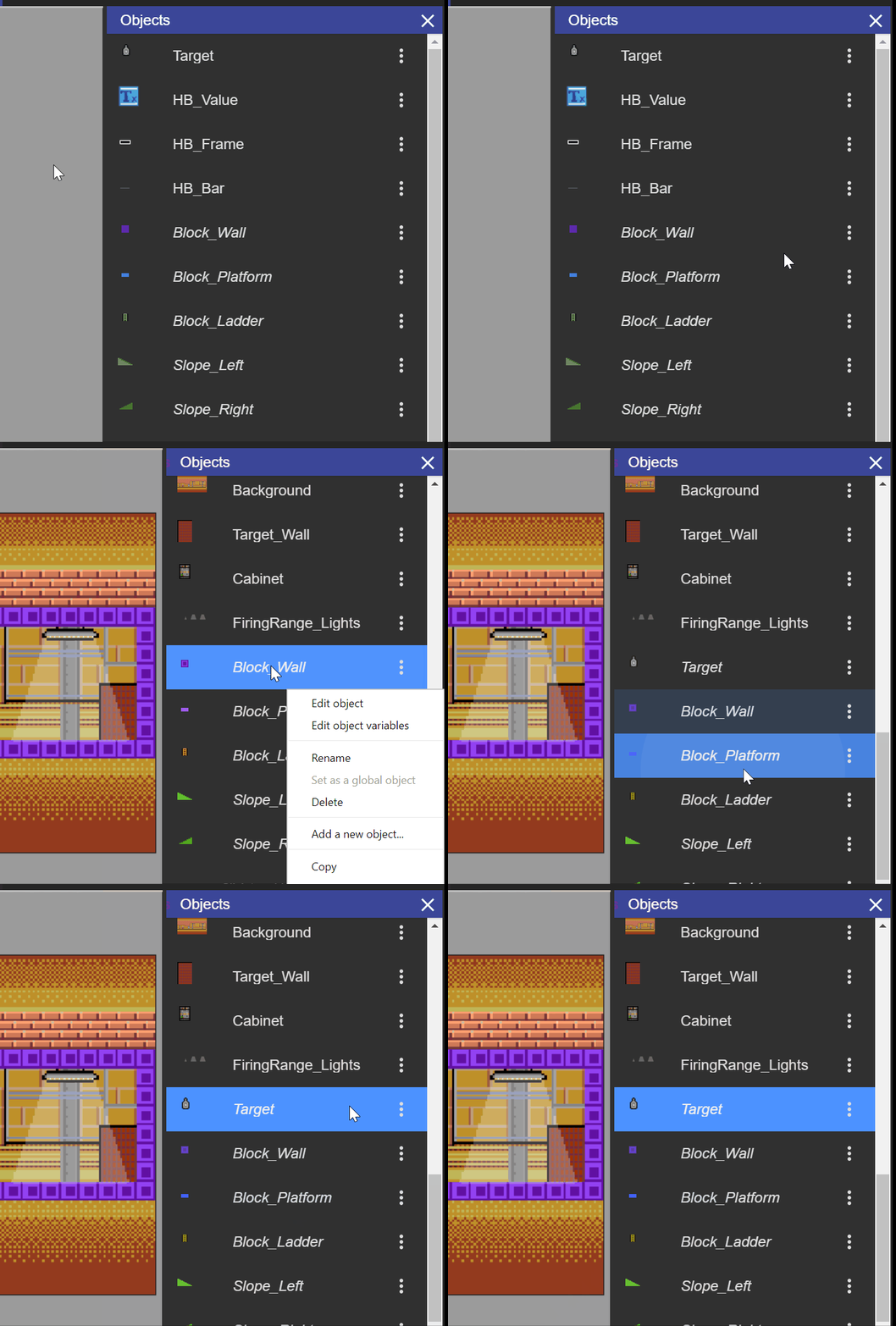
As the title stands, pretty annoying bug. Here it is in action:
To Reproduce
Steps to reproduce the behavior:
- Copy an object in a scene
- Paste it into another one, hovering on a Global Object
Other details
- Latest Win10, GDevelop 5.0.0-beta64
 MercurioC
All 20 comments
I noted this too.
If there was a clearer separation between normal and global objects, I guess it could be a feature rather than a bug...
 PascalLadalle
on 5 Mar 2019
PascalLadalle
on 5 Mar 2019
So is the problem that an object is not indicated as global clearly enough in the list?
 blurymind
on 5 Mar 2019
blurymind
on 5 Mar 2019
No, a common object is turned into a global one automatically on pasting, very annoying as scene > global object conversion can't be undo.
 Lizard-13
on 5 Mar 2019
Lizard-13
on 5 Mar 2019
I assumed this was working as designed as once you paste the object from one scene to another it has to be global.....
If this isn't the case then Scenes can have objects with same name as other scene but not same object which could be quite confusing.
This could become complicated! 😄
 zatsme
on 5 Mar 2019
zatsme
on 5 Mar 2019
This is indeed a feature :) A clearer separation would I guess do the trick?
 4ian
on 5 Mar 2019
4ian
on 5 Mar 2019
Maybe a yes/no prompt warning the user that the object will become global? Should warn the user that this can't be undone
blurymind
on 6 Mar 2019
I can try to add the prompt tonight, if you guys think it would be a sufficient solution :)
blurymind
on 28 Mar 2019
Not sure if a prompt is really useful. If you made the mistake of clicking on the button to paste as a global object, you can remove the object.
I think a good first step would be to make things more obvious: if the object will be pasted as a global object, the context menu could display "Paste as a global object" instead of "Paste".
4ian
on 28 Mar 2019
@4ian that's a fantastic idea!
blurymind
on 28 Mar 2019
Let me know if you give it a try or have questions :)
4ian
on 28 Mar 2019
I'll try to add it tonight :) seems like another easy one to tackle
blurymind
on 28 Mar 2019
Ok I looked at this and now I am not sure if this is a bug or not.
@4ian have you removed the feature?
When you copy a normal object and paste it in another scene- you dont get a global object. It's another local object!
When you copy a global object and paste it in another scene - your pasted object is global again.
If I get this right- this report says that copying a local object from one scene and pasting it into another scene makes both the object and its copy in the other scene a global object. This is not happening for me
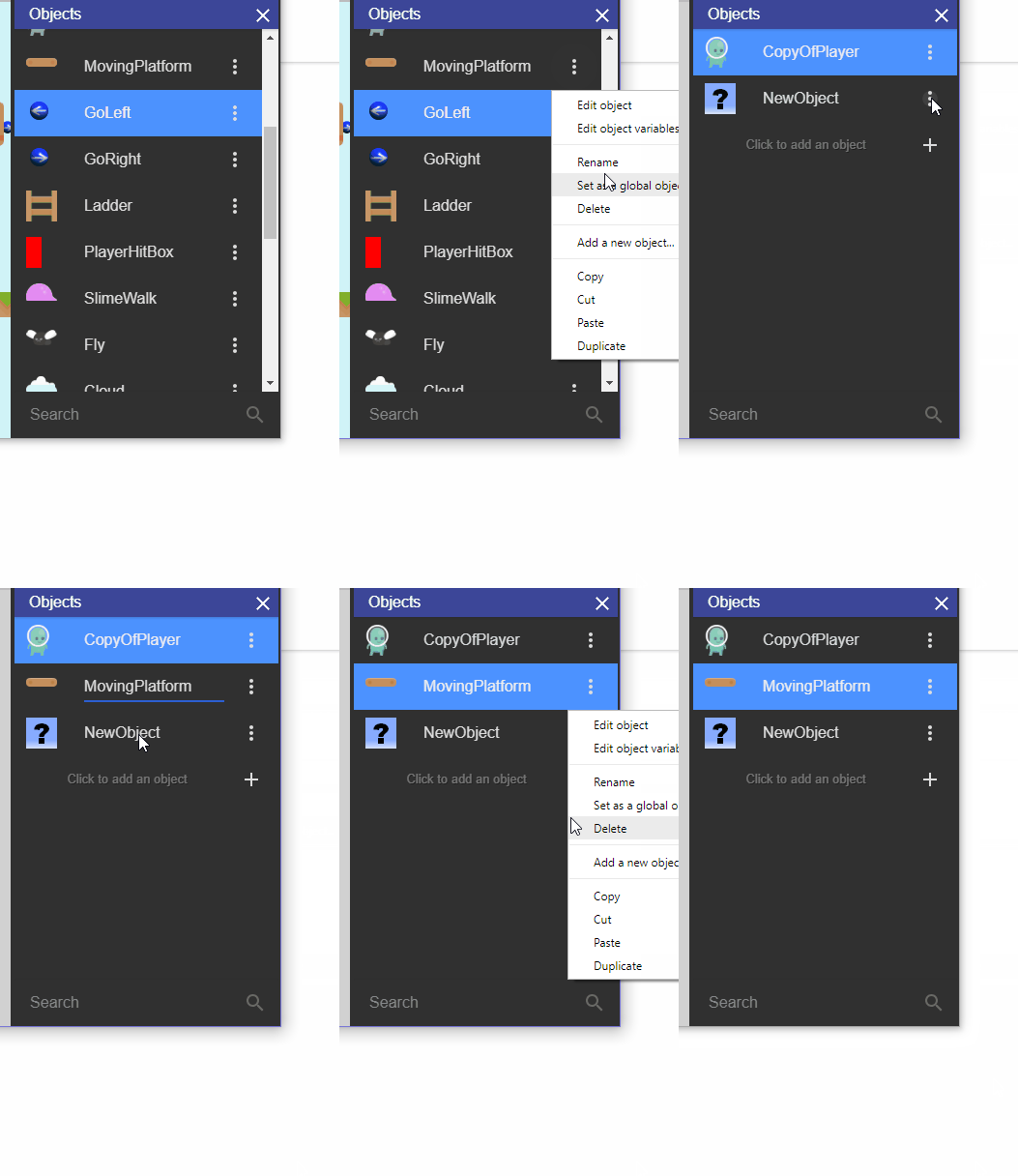
As I see it- the pasting should prompt the user if he/she wants to globalize it. Or there should be two pasting commands (paste and paste as global)
blurymind
on 28 Mar 2019
You have to paste on a global object to get it as a global object :)
On Thu, 28 Mar 2019, 21:29 Todor Imreorov, notifications@github.com wrote:
Ok I looked at this and now I am not sure if this is a bug or not.
@4ian https://github.com/4ian have you removed the feature?When you copy a normal object and paste it in another scene- you dont get
a global object. It's another local object!When you copy a global object and paste it in another scene - your pasted
object is global again.If I get this right- this report says that copying a local object from one
scene and pasting it into another scene makes both the object and its copy
in the other scene a global object. This is not happening for me—
You are receiving this because you were mentioned.
Reply to this email directly, view it on GitHub
https://github.com/4ian/GDevelop/issues/945#issuecomment-477778305, or mute
the thread
https://github.com/notifications/unsubscribe-auth/ABOIgtTuwAEY9EJ2lKdmbcUfhJGZBMz2ks5vbTRDgaJpZM4bUr4Y
.
4ian
on 28 Mar 2019
@4ian I see. Will try again tonight :)
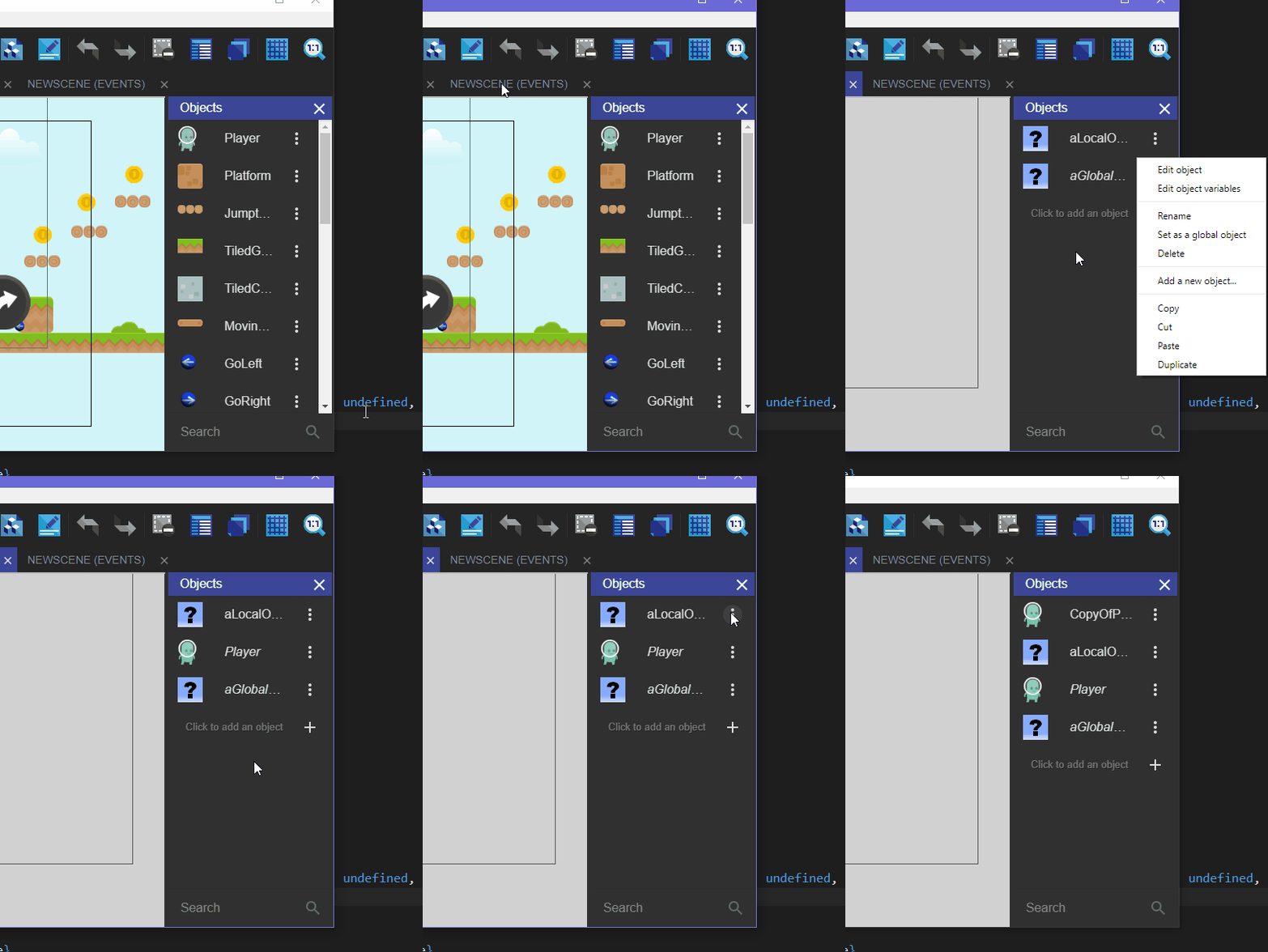
Btw the current context menu is a bit flawed. For example you cant get the menu until you create at least one object in the scene. To paste objects from another scene, you have to create an empty object. To paste them as global, you need to create one empty object and make it global
Wouldn't it be better if we had two paste commands whose availability doesnt depend on having an object in the scene or a global object in the scene?
blurymind
on 29 Mar 2019
made a pull here
https://github.com/4ian/GDevelop/pull/997
blurymind
on 29 Mar 2019
Seems a great solution! Thanks for your work 👍
MercurioC
on 30 Mar 2019
I also made it show the name of the copied object. Hope that is ok
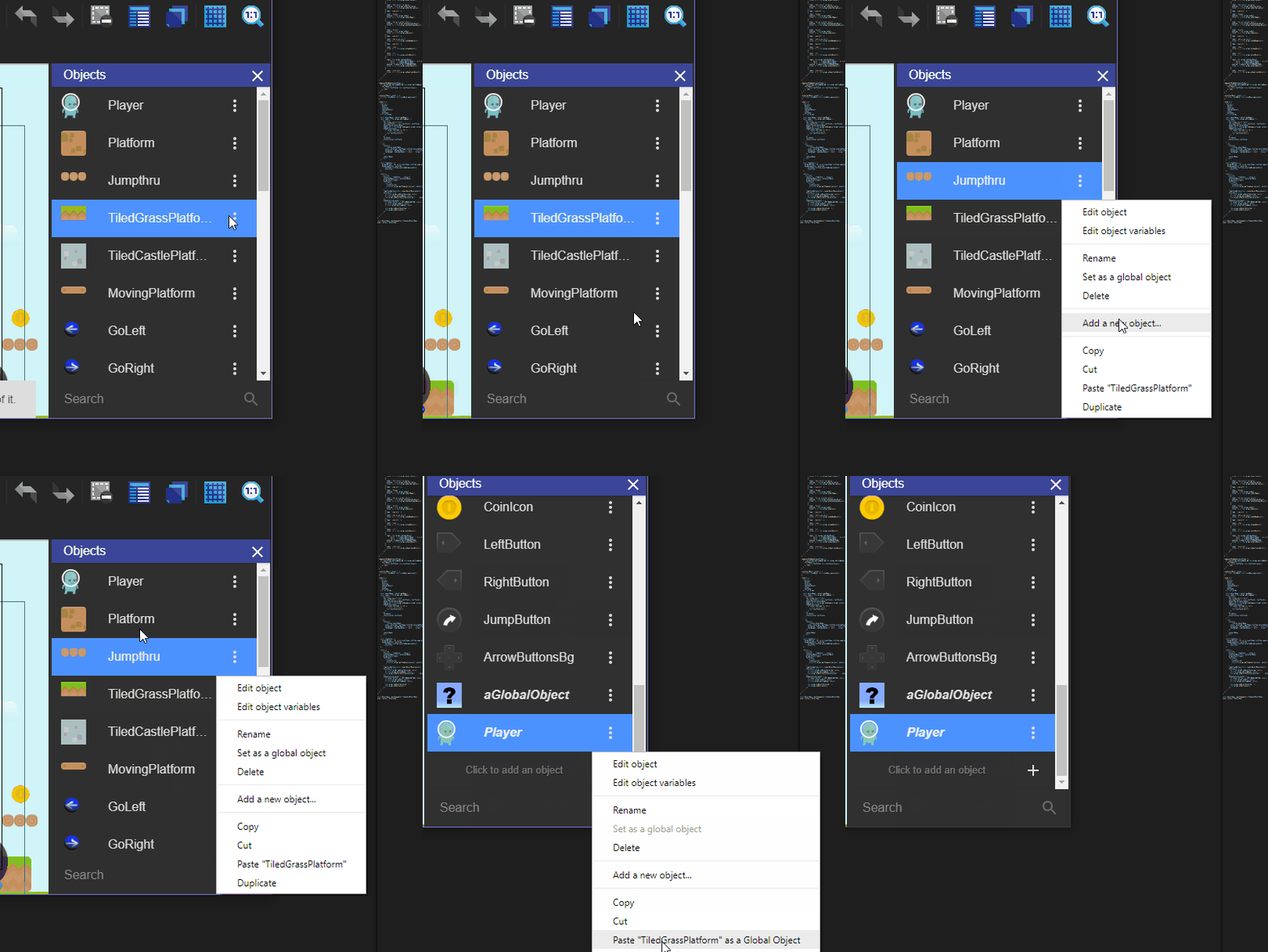
Makes it even clearer imo
blurymind
on 1 Apr 2019
@MercurioC thank you :)
Now that this has been merged, can you close this issue please
blurymind
on 1 Apr 2019
What you've done should make things more intuitive. Closing this for now :)
4ian
on 1 Apr 2019
Bumping this as I had to do it three times today:
@blurymind
Btw the current context menu is a bit flawed. For example you cant get the menu until you create at least one object in the scene. To paste objects from another scene, you have to create an empty object.
PascalLadalle
on 14 Aug 2019
Related issues
 giusreds
·
4Comments
4ian
·
3Comments
giusreds
·
4Comments
4ian
·
3Comments
 Wend1go
·
5Comments
Wend1go
·
5Comments
 Bouh
·
3Comments
Bouh
·
3Comments
 ddabrahim
·
4Comments
ddabrahim
·
4Comments
Most helpful comment
Maybe a yes/no prompt warning the user that the object will become global? Should warn the user that this can't be undone