Gb-studio: [Request] Multiple choice with more than 2 choices
Note: for support questions, please use one of the following channels.
Reddit: /r/gbstudio
Discord: Join Chat
This repository's issues are reserved for feature requests and bug reports.
I'm submitting a ...
- [ ] bug report
- [x] feature request
- [ ] support request => Please do not submit support request here, see note at the top of this template.
Do you want to request a feature or report a bug?
It would be really useful to have a multiple choice tool that allows for more than two options. As it is now multiple choice sets a variable to true if option A is chosen and false if option B is chosen. Maybe if there are more choices than true then each choice could set a different variable to true and a variable for all other choices to false.
 sittingrisk
All 10 comments
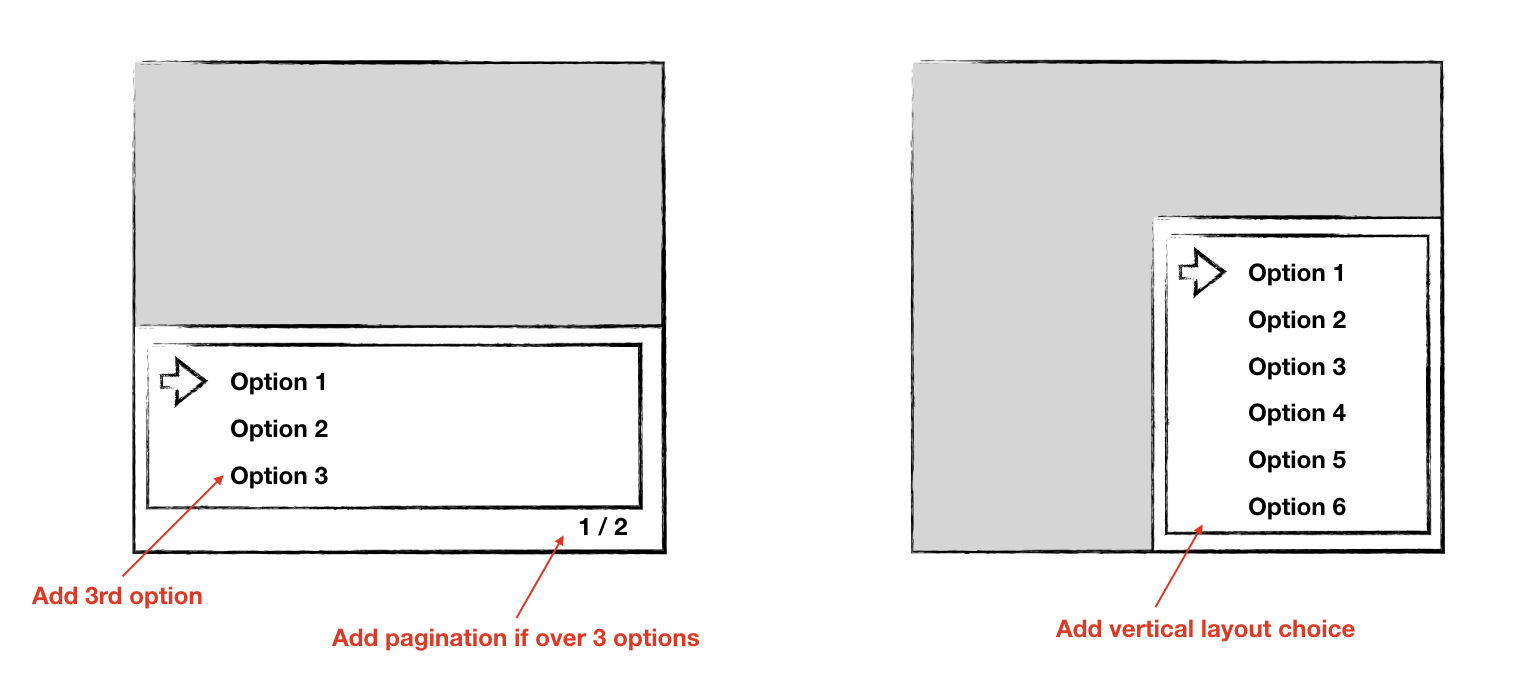
I'd been thinking about this one for a while, and will probably look at this after the next release. I'm thinking rather than setting multiple variables like you suggest it would just set the value of a variable to a different number based on the option chosen (so variable would be "0" if the first option is chosen, "1" if the second option, "2" if the third option etc. I think you should also be able to have more options than fit into the box, in which case it will show pagination on the bottom right. Finally I think it's a good idea to have an alternate view where the menu appears on the bottom right of the screen which will allow people to do menus which has been requested a lot.
Rough mock of UI below:
 chrismaltby
on 14 May 2019
chrismaltby
on 14 May 2019
Would it be possible to have "B" cancel out of a multiple choice? Or would we always need to include a "Cancel" option?
 KitF
on 15 May 2019
KitF
on 15 May 2019
In most GB games the convention when pressing B in a multiple choice dialog is to select the "negative" option. So if the options are "Yes" and "No", B would usually select "No", not cancel it
 thomas-alrek
on 15 May 2019
thomas-alrek
on 15 May 2019
I think making it work like the following should be okay, and also allow the event to be backwards compatible with everyone who's used it previously (this is going to be quite important but also difficult as features are added/modified going forwards)
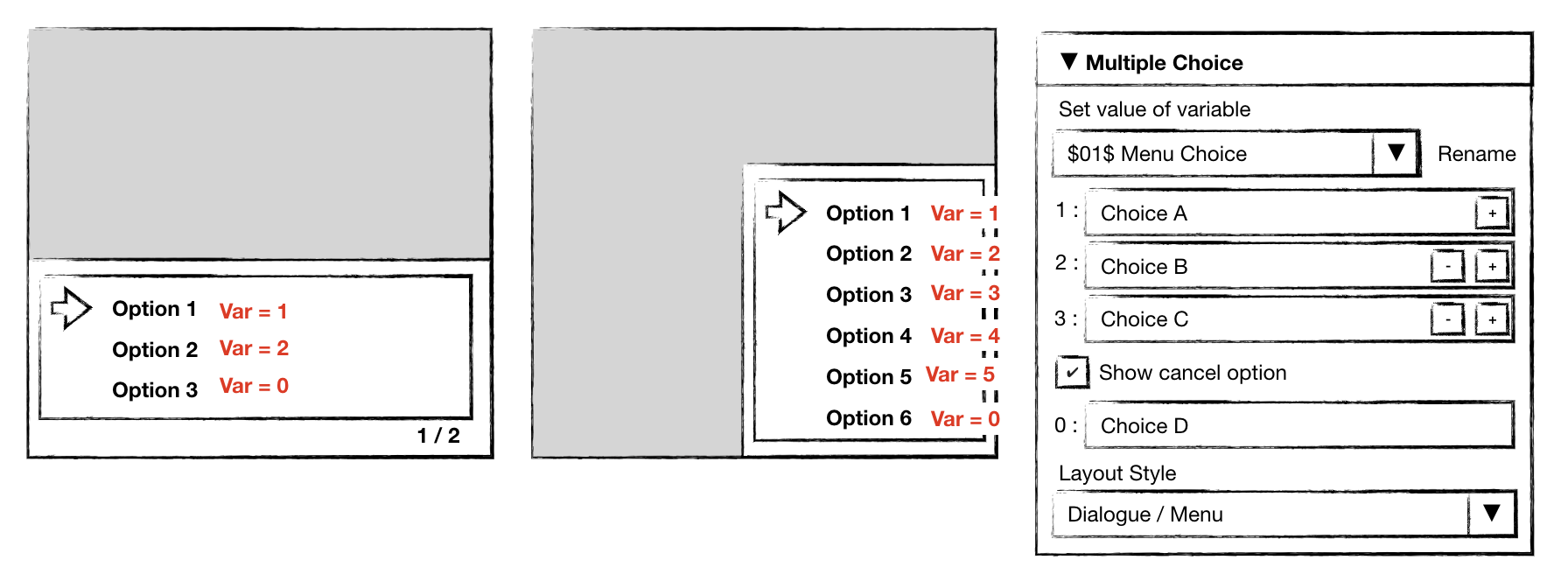
So the last option always returns 0/false as that is the cancel choice, but you can have as many options before that as you want and they will set the variable to a different value based on which option you chose. B button will automatically select the last option, but you can optionally hide the last option.
That way if you wanted to make a menu but didn't want close to be the last option you could hide it but B button would still close the menu. Or if you wanted a multiple choice with two positive options and B to cancel you could make Choice A and Choice B and hide the cancel option.
chrismaltby
on 15 May 2019
In commit 8ba7180f841f009f1a9884ebd4342c8828901d20 I've made it so pressing B sets the cancel option. Multiple choice with more than 2 options will probably be implemented later working as described above
chrismaltby
on 15 May 2019
What about 4 options like this?
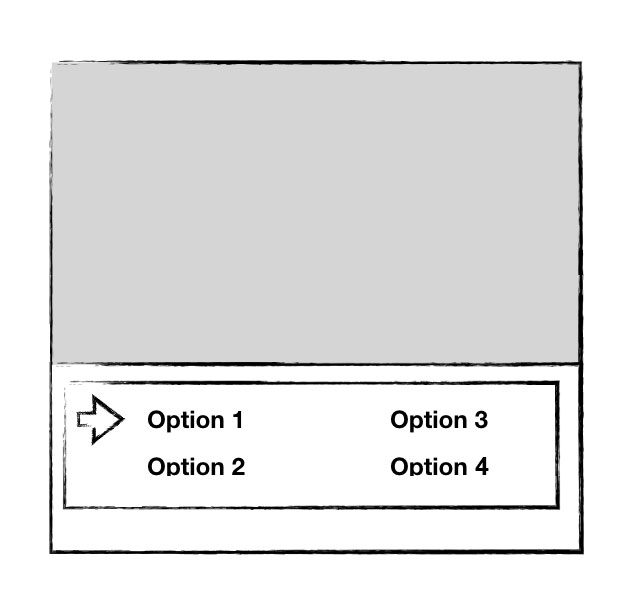
Where the pointer wraps back to 1 after 4.
This could also support pagination, with 4 more options on each new page, although, imho, games like this shouldn't have more than one page of options.
 timsamoff
on 15 May 2019
timsamoff
on 15 May 2019
I think we should generalize the multiple-choice menu and make it fit to the longest option, in the vertical layout. Then, allow user to set position where the menu would open (which also would allow to display text box and the menu at the same time). That way, we could make Pokemon-style menu with just that command.
 darkhog
on 8 Jun 2019
darkhog
on 8 Jun 2019
I'd love the options, 4 isn't a lot of options for a menu.
KitF
on 8 Jun 2019
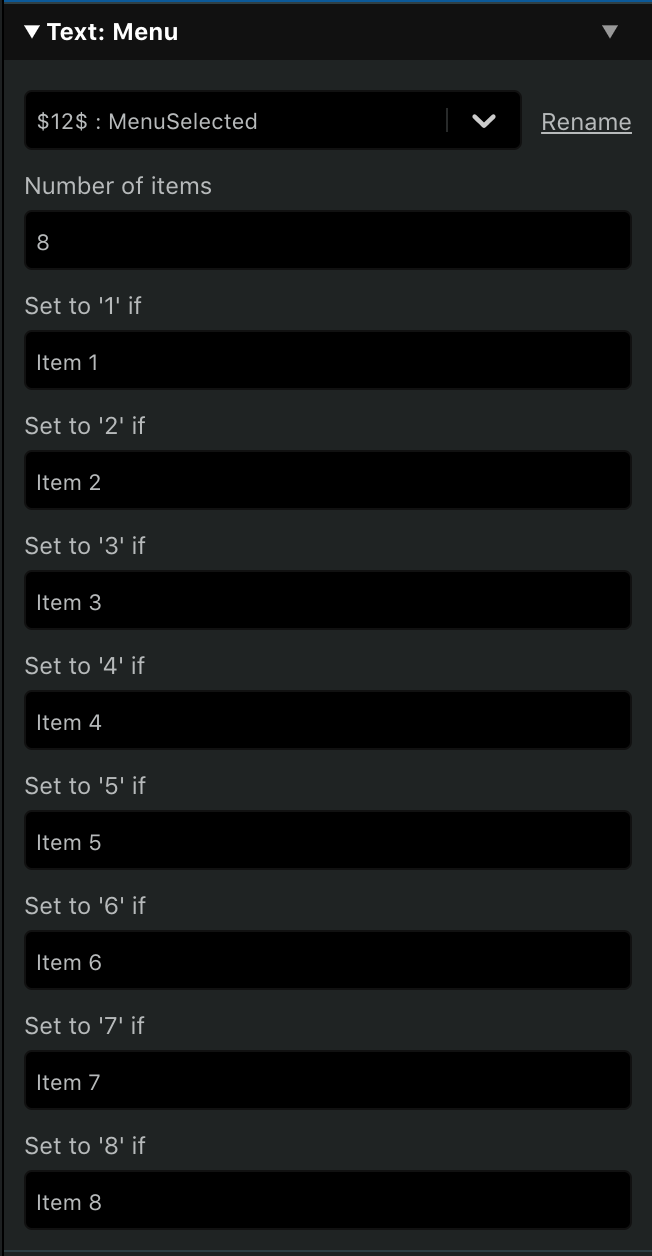
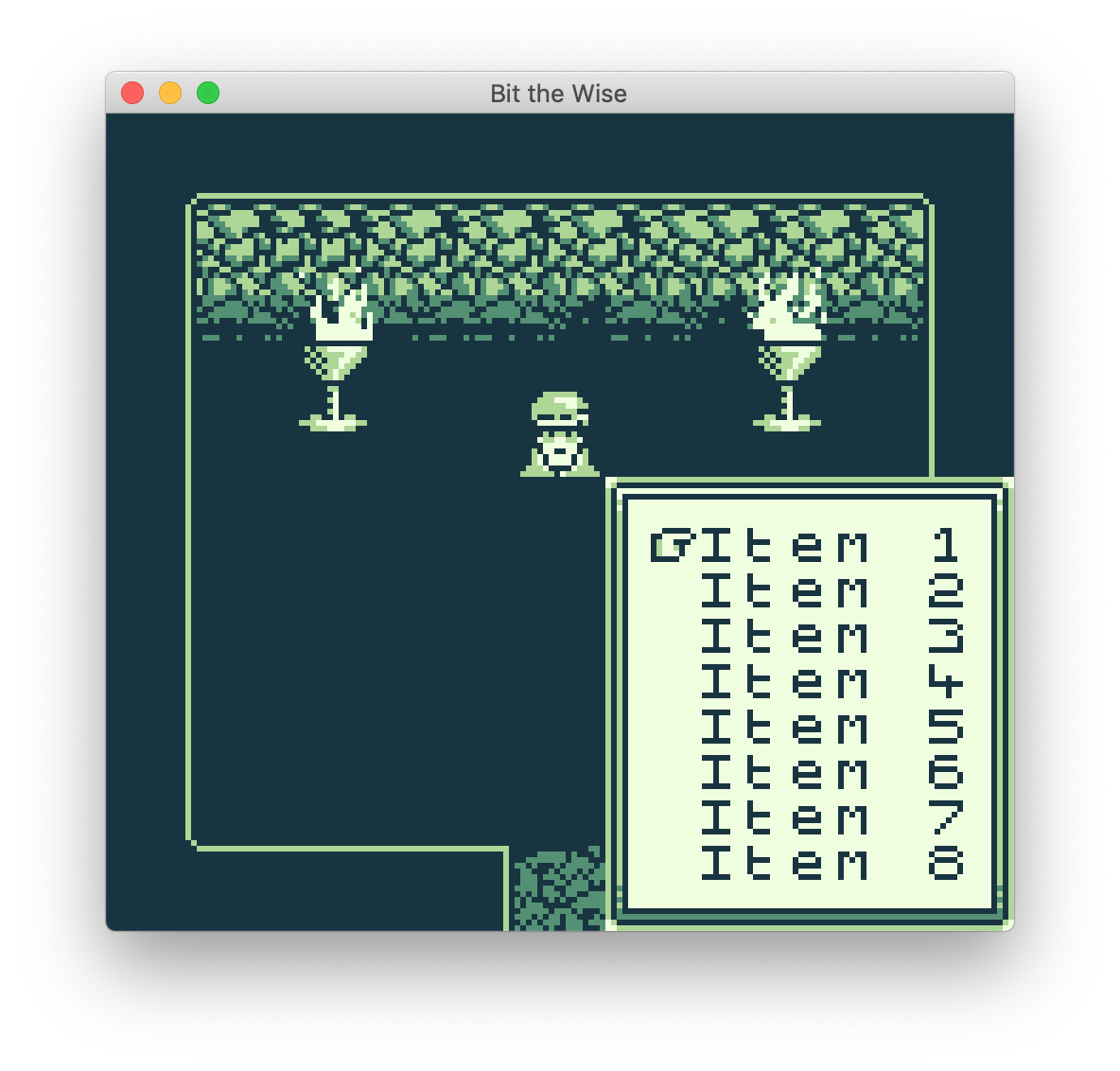
I worked on a DRAFT patch for a Menu event that covers the vertical layout case. It's dependent on the conditional changes introduced on the Case Event branch so right now isn't a clean merge with develop but it's pretty much functional.
It allows to render up to 8 options with 6 characters max each.
To me, it feels more natural that selecting an option sets the variable to a value between 1 and 8, while cancelling (by pressing B) sets it to 0. That's why I opted to implement a separate event instead of reusing the Choice one.
Some screenshots:
 pau-tomas
on 14 Sep 2019
pau-tomas
on 14 Sep 2019
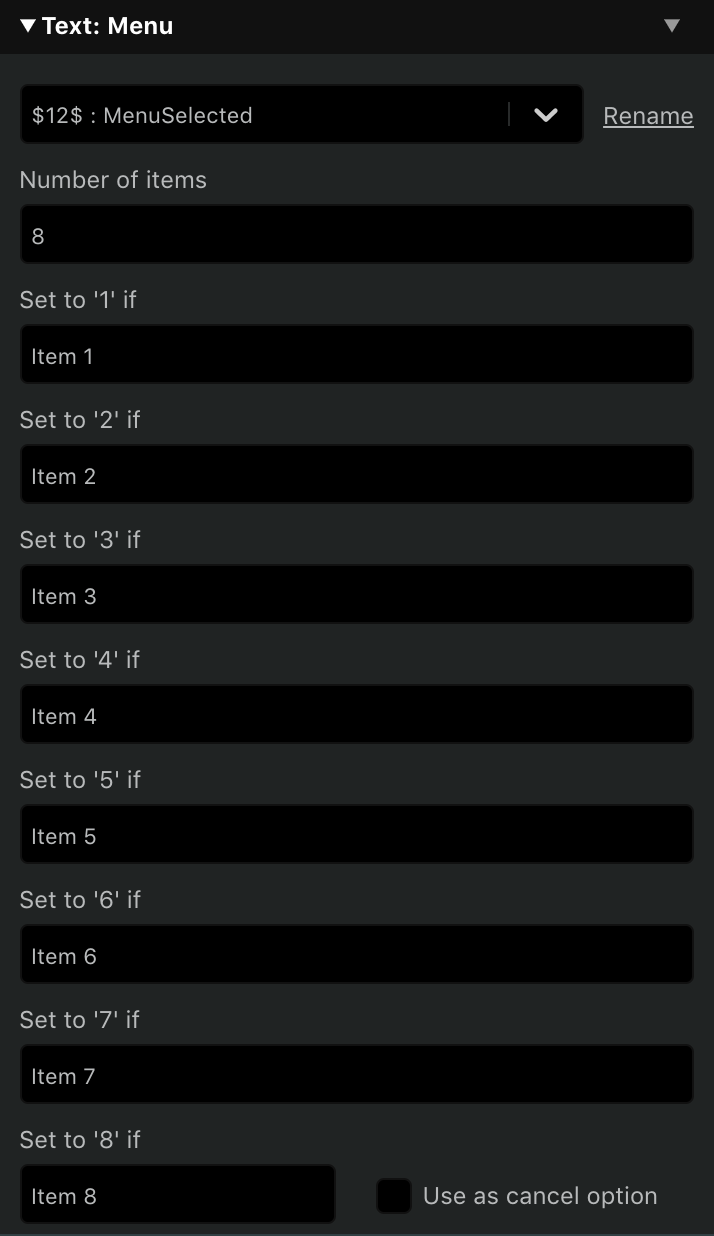
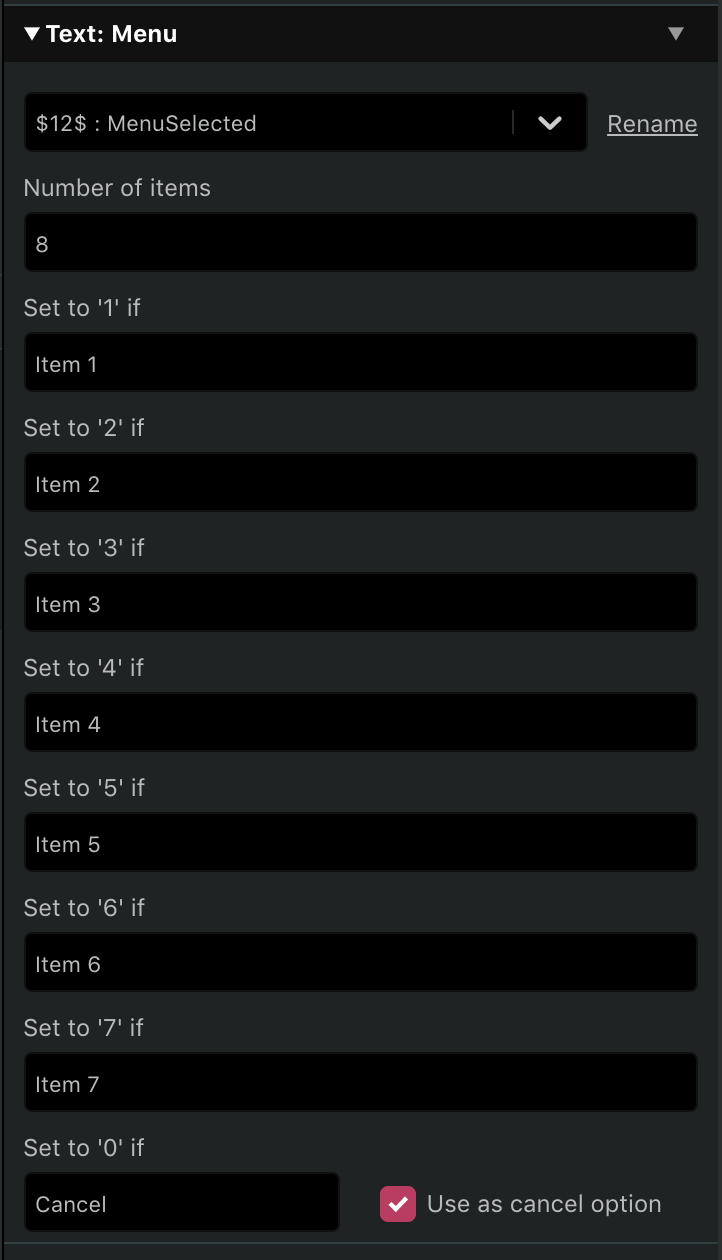
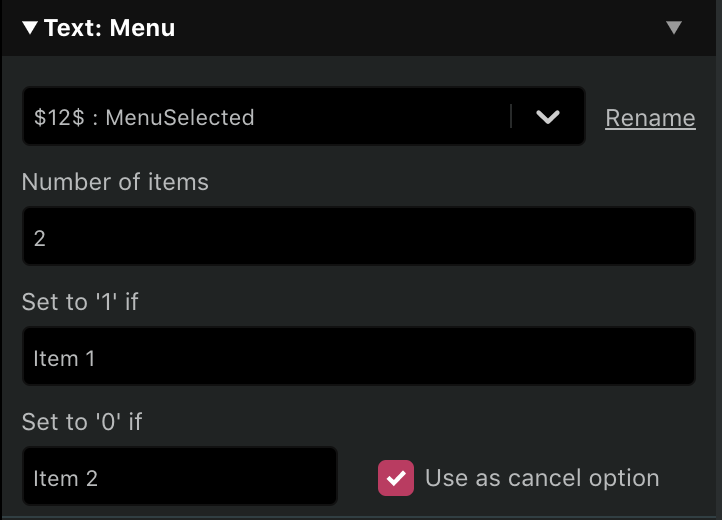
Did a bit of tweaking on my Menu code to support up to 8 options, with the last one optionally being _Cancel_ and setting the variable to 0 or a normal option and setting the variable to 8, making it compatible with the current Choice Event.
This is what I came out with:
8 options, with values from 1 to 8
8 options, with values from 1 to 7 and then 0
2 options, with values 1 and 0 (same as the current Choice)
pau-tomas
on 16 Oct 2019
Related issues
 JasonB32
·
3Comments
timsamoff
·
4Comments
JasonB32
·
3Comments
timsamoff
·
4Comments
 diguifi
·
7Comments
diguifi
·
7Comments
 wrt0302
·
5Comments
wrt0302
·
5Comments
 Veund
·
3Comments
Veund
·
3Comments
Most helpful comment
Did a bit of tweaking on my Menu code to support up to 8 options, with the last one optionally being _Cancel_ and setting the variable to
0or a normal option and setting the variable to8, making it compatible with the currentChoiceEvent.This is what I came out with:
8 options, with values from 1 to 8

8 options, with values from 1 to 7 and then 0

2 options, with values 1 and 0 (same as the current

Choice)