Gatsby: Gatsby-Image rendering in low quality
Description
Hi all! I have a problem with the gatsby-image plugin. I hope you can help me because I looked everywhere and I can't find the solution. When I run the project using gatsby develop I see the images correctly and in good quality, whether they are static or fluid, but when I deploy the images are totally out of focus, pixelated as you will see in the image that I copy below, even up to I started a new project from scratch with the default project that comes with gatsby and the problem continues.
I would really appreciate your help with this problem that is driving me totally crazy. Thank you!
Steps to reproduce
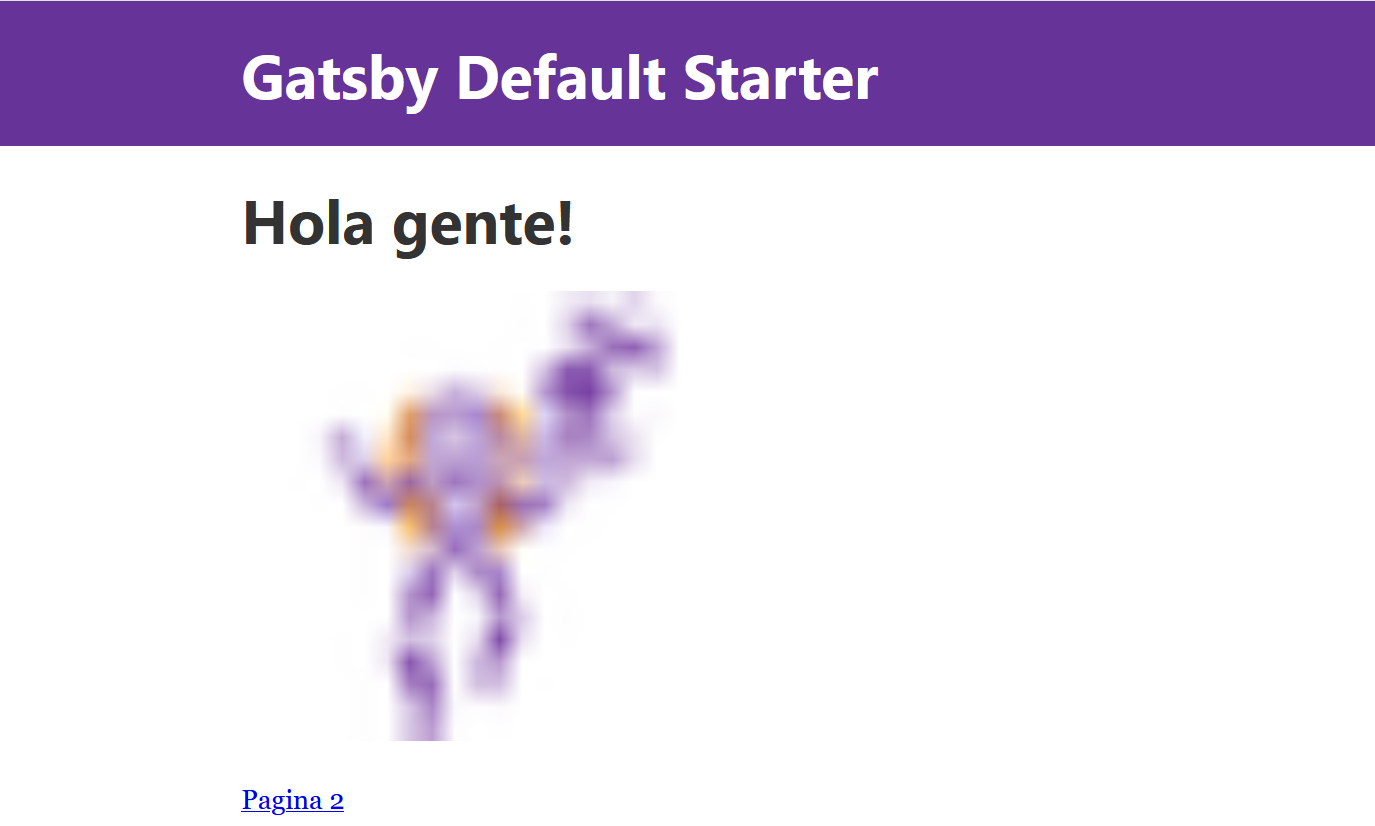
image.js
import React from "react"
import { useStaticQuery, graphql } from "gatsby"
import Img from "gatsby-image"

/*
 * This component is built using `gatsby-image` to automatically serve optimized
 * images with lazy loading and reduced file sizes. The image is loaded using a
 * `useStaticQuery`, which allows us to load the image from directly within this
 * component, rather than having to pass the image data down from pages.
 *
 * For more information, see the docs:
 * - `gatsby-image`: https://gatsby.dev/gatsby-image
 * - `useStaticQuery`: https://www.gatsbyjs.org/docs/use-static-query/
 */

const Image = () => {
  const data = useStaticQuery(graphql`
    query {
      placeholderImage: file(relativePath: { eq: "gatsby-astronaut.png" }) {
        childImageSharp {
          fluid(maxWidth: 300 quality: 90) {
            ...GatsbyImageSharpFluid
          }
        }
      }
    }
  `)

  return <Img fluid={data.placeholderImage.childImageSharp.fluid} />
}

export default Image
gatsby-config.js
module.exports = {
siteMetadata: {
title: Gatsby Default Starter,
description: Kick off your next, great Gatsby project with this default starter. This barebones starter ships with the main Gatsby configuration files you might need.,
author: @gatsbyjs,
},
plugins: [
gatsby-plugin-react-helmet,
{
resolve: gatsby-source-filesystem,
options: {
name: images,
path: ${__dirname}/src/images,
},
},
gatsby-transformer-sharp,
gatsby-plugin-sharp,
{
resolve: gatsby-plugin-manifest,
options: {
name: gatsby-starter-default,
short_name: starter,
start_url: /,
background_color: #663399,
theme_color: #663399,
display: minimal-ui,
icon: src/images/gatsby-icon.png, // This path is relative to the root of the site.
},
},
// this (optional) plugin enables Progressive Web App + Offline functionality
// To learn more, visit: https://gatsby.dev/offline
// gatsby-plugin-offline,
],
}
package.json
{
"name": "gatsby-starter-default",
"private": true,
"description": "A simple starter to get up and developing quickly with Gatsby",
"version": "0.1.0",
"author": "Kyle Mathews mathews.kyle@gmail.com",
"dependencies": {
"gatsby": "^2.23.12",
"gatsby-image": "^2.4.9",
"gatsby-plugin-manifest": "^2.4.14",
"gatsby-plugin-offline": "^3.2.13",
"gatsby-plugin-react-helmet": "^3.3.6",
"gatsby-plugin-sharp": "^2.6.14",
"gatsby-source-filesystem": "^2.3.14",
"gatsby-transformer-sharp": "^2.5.7",
"prop-types": "^15.7.2",
"react": "^16.12.0",
"react-dom": "^16.12.0",
"react-helmet": "^6.1.0"
},
"devDependencies": {
"prettier": "2.0.5"
},
"keywords": [
"gatsby"
],
"license": "0BSD",
"scripts": {
"build": "gatsby build",
"develop": "gatsby develop",
"format": "prettier --write \"*/.{js,jsx,ts,tsx,json,md}\"",
"start": "npm run develop",
"serve": "gatsby serve",
"clean": "gatsby clean",
"test": "echo \"Write tests! -> https://gatsby.dev/unit-testing\" && exit 1"
},
"repository": {
"type": "git",
"url": "https://github.com/gatsbyjs/gatsby-starter-default"
},
"bugs": {
"url": "https://github.com/gatsbyjs/gatsby/issues"
}
}
Expected result
In what I shared, you will see that the plugin is not installed, since it is the default project that Gatsby brings, even if you install the gatsby-image plugin the result is the same, the images are pixelated in the display, but in the localhost, when i run gatsby develops they look good.
Actual result
Environment
System:
OS: Windows 10 10.0.19041
CPU: (6) x64 Intel(R) Core(TM) i5-8400 CPU @ 2.80GHz
Binaries:
Node: 12.18.1 - C:\Program Files\nodejs\node.EXE
npm: 6.14.5 - C:\Program Files\nodejsnpm.CMD
Browsers:
Edge: 44.19041.1.0
npmPackages:
gatsby: ^2.23.12 => 2.23.12
gatsby-image: ^2.4.9 => 2.4.9
gatsby-plugin-manifest: ^2.4.14 => 2.4.14
gatsby-plugin-offline: ^3.2.13 => 3.2.13
gatsby-plugin-react-helmet: ^3.3.6 => 3.3.6
gatsby-plugin-sharp: ^2.6.14 => 2.6.14
gatsby-source-filesystem: ^2.3.14 => 2.3.14
gatsby-transformer-sharp: ^2.5.7 => 2.5.7
npmGlobalPackages:
gatsby-cli: 2.12.61
 juanmanuelcrego
All 14 comments
Hi. This means that the images aren't being loaded, and you're just seeing the low-res previews. You say this happens when you deploy. Where are you deploying to, and how? When you load the page, can you see any network errors in the browser? If you run gatsby build then gatsby serve locally, does it work?
 ascorbic
on 16 Jul 2020
ascorbic
on 16 Jul 2020
Hi. This means that the images aren't being loaded, and you're just seeing the low-res previews. You say this happens when you deploy. Where are you deploying to, and how? When you load the page, can you see any network errors in the browser? If you run
gatsby buildthengatsby servelocally, does it work?
Hi @ascorbic I deployed to github pages and the images load fine. But, my idea is to have the page in a hosting that is not heroku, netlify or github, and I cannot make the deploy so that the images are seen correctly. Maybe I'm doing the deploy wrong, I use the command that is in the gatsby documentation which is "gatsby build" according to the documentation with that the deploy would be well done.
On the other hand I tell you that the browser console throws a javascript loading error only when I deployed, in the develop environment it does not throw any error.
juanmanuelcrego
on 16 Jul 2020
On the other hand I tell you that the browser console throws a javascript loading error only when I deployed, in the develop environment it does not throw any error.
Yes, because you are managing your own deployment, the error about JS is the same as with your images. The blurry/low-quality image is the inlined base64 data, it's only 20px wide and stretched to fill the real image width/height, this data is included in the html file.
The build outputs a public directory with page-data and static directories + a index.html file. If you are deploying that correctly, so that your URL points to that index.html, then all the resources it adds URLs to in the html document need to resolve to those files on the server at those URLs...
You are perhaps serving this public directory at a sub-path, eg mydomain.com/blog/index.html, if so you would notice that the HTML source has urls such as mydomain.com/static/resource/path/here.jpg, but you probably wanted mydomain.com/blog/static/.... You need to configure gatsby to use a path prefix, it won't know what that is in advance when building otherwise.
 polarathene
on 18 Jul 2020
polarathene
on 18 Jul 2020
On the other hand I tell you that the browser console throws a javascript loading error only when I deployed, in the develop environment it does not throw any error.
Yes, because you are managing your own deployment, the error about JS is the same as with your images. The blurry/low-quality image is the inlined base64 data, it's only 20px wide and stretched to fill the real image width/height, this data is included in the html file.
The build outputs a public directory with
page-dataandstaticdirectories + aindex.htmlfile. If you are deploying that correctly, so that your URL points to thatindex.html, then all the resources it adds URLs to in the html document need to resolve to those files on the server at those URLs...You are perhaps serving this
publicdirectory at a sub-path, egmydomain.com/blog/index.html, if so you would notice that the HTML source has urls such asmydomain.com/static/resource/path/here.jpg, but you probably wantedmydomain.com/blog/static/.... You need to configure gatsby to use a path prefix, it won't know what that is in advance when building otherwise.
Hi! @polarathene I really don't understand, I don't understand how to do the deploy you mention, I want to do the deploy without any sub domain, directly to the domain index, for example www.mydomain.com but I don't know how I should configure the pathPrefix to do it that way, if I leave it alone with "/" the images continue to look blurry ... Sorry for not understanding, but this is driving me crazy, I already tried in a thousand ways
juanmanuelcrego
on 21 Jul 2020
Provide a way for others to reproduce, otherwise it's difficult to assist you.
Look at the URLs in the index.html from your gatsby build, the ones for images should show you what URL they are trying to use. Visit that URL and if your image does not load and you get 404 instead, that is your problem you need to fix.
I want to do the deploy without any sub domain, directly to the domain index, for example www.mydomain.com but I don't know how I should configure the pathPrefix to do it that way
What is the URL for an image that is blurry, and does the image exist at that URL?
polarathene
on 21 Jul 2020
I've been experiencing this same issue for a little while now.
You can see the result at https://brettstevenson.io/gatsby-plugin-disqus and the repo is https://github.com/tterb/gatsby-plugin-disqus/tree/site.
It looks like the picture has a valid URL, but only the low-res preview is being shown.
 tterb
on 21 Jul 2020
tterb
on 21 Jul 2020
Provide a way for others to reproduce, otherwise it's difficult to assist you.
Look at the URLs in the
index.htmlfrom your gatsby build, the ones for images should show you what URL they are trying to use. Visit that URL and if your image does not load and you get 404 instead, that is your problem you need to fix.I want to do the deploy without any sub domain, directly to the domain index, for example www.mydomain.com but I don't know how I should configure the pathPrefix to do it that way
What is the URL for an image that is blurry, and does the image exist at that URL?
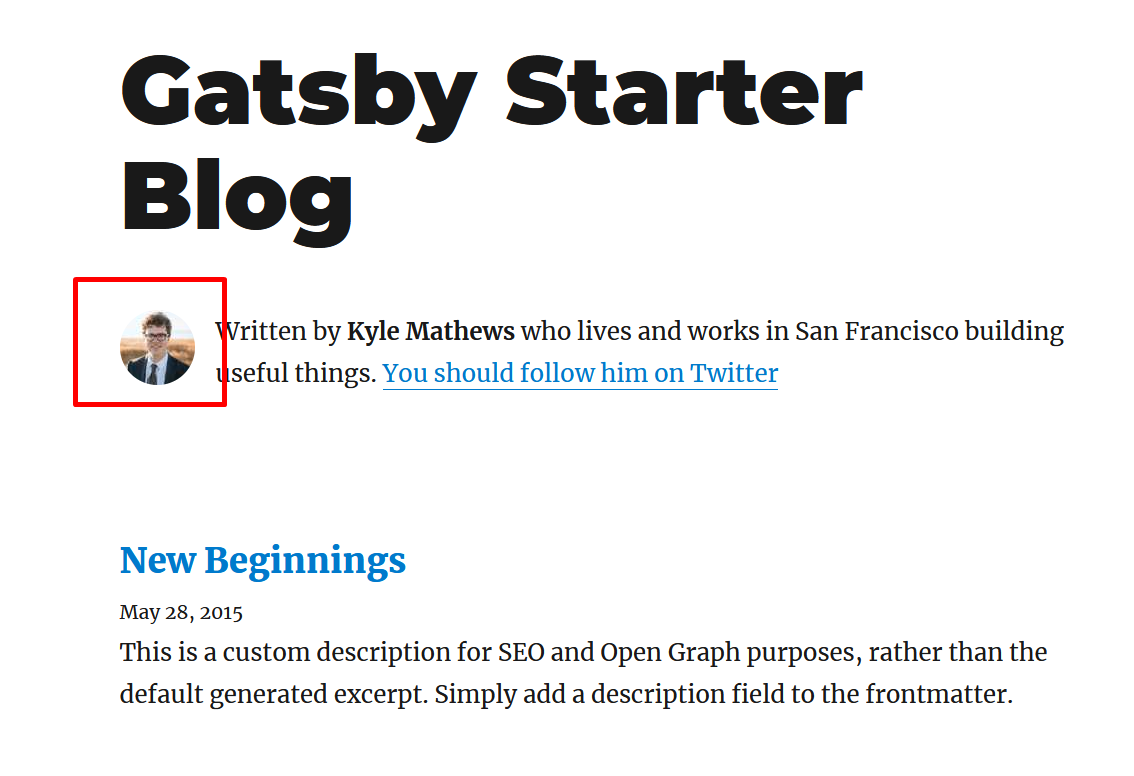
Okay! @polarathene for example I have created this site with the Gatsby blog theme, I did not touch any code, I left it by default as it is installed, when I run it through gatsby develop the image looks good (image that is using the gatsby-image plugin)
But, here comes the problem, if I now run gatsby build (whether or not I have configured the pathPrefix) the image breaks. For this example, once I build, I go to the Public folder and double-click the index.html which opens in the browser but with a broken image.
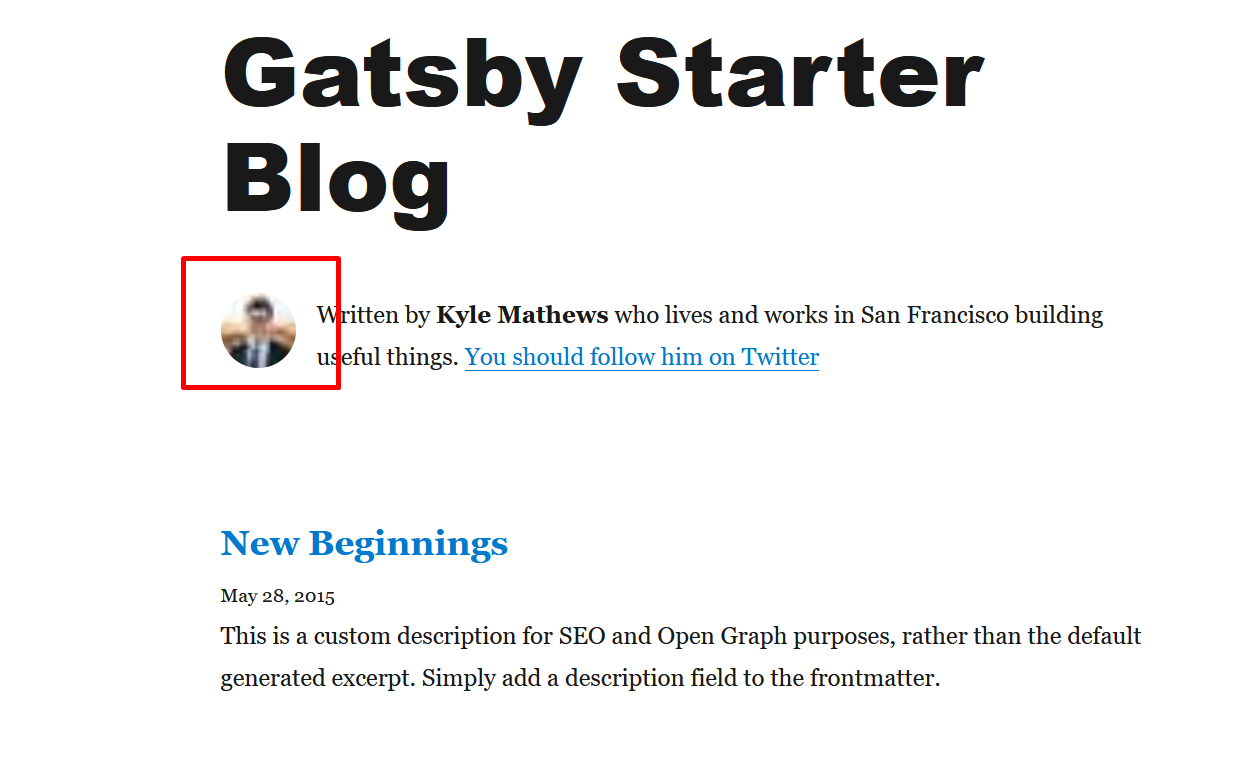
My idea is to make the build of my page to upload it to a hosting that I hired, the problem is that when uploading it to the hosting the page remains with the blurred images as I mentioned before because the index.html that is generated in the public folder does not load the images correctly
But, I found another mystery, if after doing the gatsby-build I run gatsby server, the images do look good without the blur ... I'm going crazy haha
juanmanuelcrego
on 21 Jul 2020
You can see the result at https://brettstevenson.io/gatsby-plugin-disqus and the repo is https://github.com/tterb/gatsby-plugin-disqus/tree/site.
@tterb Thank you for the live site and repo links!
It looks like the picture has a valid URL, but only the low-res preview is being shown.
That's the placeholder base64 image, note that the URL begins with data:image/png;base64, followed by the base64 encoded string. That URI contains all the pixel data for the small placeholder image that gets stretched to the larger image size. Your actual image isn't loaded.
What also confused me was that the React DevTools Chrome extension didn't recognize the website as using React, it seems that JS resources are linked and those URLs are valid, but for whatever reason the JS isn't loading on the website... This would explain why the HTML hasn't been updated with the actual image. That should work if you disable JS in your browser which will load the <noscript> tags instead.
I cloned your project and switched to the site branch you linked, built it locally with gatsby build followed by gatsby serve and visited the localhost URL, everything is working ok. So something must be going wrong with your deployment, what is being done differently?
I noticed at the end of your HTML document is a JS script pulled from Cloudfront called main.js, this is empty though? That does not exist on my local build, instead the same JS scripts that are preloaded in the <head> are appended for use there:
<script src="/component---src-pages-index-jsx-5e5c5f54b423f5eff6bf.js" async=""></script>
<script src="/styles-ed96473967cbc2ea44df.js" async=""></script>
<script src="/app-4631ea1f120f9e66d853.js" async=""></script>
<script src="/commons-d08fcaf92fb1566625c3.js" async=""></script>
<script src="/webpack-runtime-3019476ecf4734795449.js" async=""></script>
So basically, your website is serving the pre-rendered HTML, but for some reason has omitted the inclusion of the necessary JS files to run, these are in the <head> for preloading so they're retrieved over the network, but as the console warnings in dev tools point out, these preloaded resources aren't ever used.
@juanmanuelcrego I assume that it's possible you're experiencing a similar problem?
polarathene
on 21 Jul 2020
You can see the result at https://brettstevenson.io/gatsby-plugin-disqus and the repo is https://github.com/tterb/gatsby-plugin-disqus/tree/site.
@tterb Thank you for the live site and repo links!
It looks like the picture has a valid URL, but only the low-res preview is being shown.
That's the placeholder base64 image, note that the URL begins with
data:image/png;base64,followed by the base64 encoded string. That URI contains all the pixel data for the small placeholder image that gets stretched to the larger image size. Your actual image isn't loaded.What also confused me was that the React DevTools Chrome extension didn't recognize the website as using React, it seems that JS resources are linked and those URLs are valid, but for whatever reason the JS isn't loading on the website... This would explain why the HTML hasn't been updated with the actual image. That should work if you disable JS in your browser which will load the
<noscript>tags instead.I cloned your project and switched to the
sitebranch you linked, built it locally withgatsby buildfollowed bygatsby serveand visited the localhost URL, everything is working ok. So something must be going wrong with your deployment, what is being done differently?I noticed at the end of your HTML document is a JS script pulled from Cloudfront called
main.js, this is empty though? That does not exist on my local build, instead the same JS scripts that are preloaded in the<head>are appended for use there:<script src="/component---src-pages-index-jsx-5e5c5f54b423f5eff6bf.js" async=""></script> <script src="/styles-ed96473967cbc2ea44df.js" async=""></script> <script src="/app-4631ea1f120f9e66d853.js" async=""></script> <script src="/commons-d08fcaf92fb1566625c3.js" async=""></script> <script src="/webpack-runtime-3019476ecf4734795449.js" async=""></script>So basically, your website is serving the pre-rendered HTML, but for some reason has omitted the inclusion of the necessary JS files to run, these are in the
<head>for preloading so they're retrieved over the network, but as the console warnings in dev tools point out, these preloaded resources aren't ever used.@juanmanuelcrego I assume that it's possible you're experiencing a similar problem?
@polarathene Yes! It is very rare, because if I deploy for Github pages the images load works correctly, it seems that the problem is only local, the strange thing is that I tried on different computers and the same thing happens on both computers, so I rule it out. problem of my OS or some local configuration.
juanmanuelcrego
on 21 Jul 2020
For this example, once I build, I go to the Public folder and double-click the index.html which opens in the browser but with a broken image.
@juanmanuelcrego yes, because the web browser is opening the document from the filesystem not from a running webserver. Thus you are only viewing the contents of the html file, if you look at the dev tools console, you should see a bunch of errors as the files it wants to download aren't retrievable.
My idea is to make the build of my page to upload it to a hosting that I hired, the problem is that when uploading it to the hosting the page remains with the blurred images
You cannot just serve the index.html, are you using a proper VPS and setting up a webserver or are you only using shared hosting with FTP to transfer files? You must ensure that the index.html is able to retrieve the assets from the URLs, and that JS is loaded properly.
If you do not have any needs for a backend server and just want to put your website online, Netlify or Vercel are great services that make this very easy(a few clicks, register via connecting your github account, choose a github repo for your website, click deploy and you'll get a URL). Both have generous free tier, so you don't have to pay for webhosting service, and it will be deployed without any setup hassles you might be running into now.
Netlify also supports drag/drop your website files instead of using Github if you prefer that instead.
polarathene
on 21 Jul 2020
For this example, once I build, I go to the Public folder and double-click the index.html which opens in the browser but with a broken image.
@juanmanuelcrego yes, because the web browser is opening the document from the filesystem not from a running webserver. Thus you are only viewing the contents of the html file, if you look at the dev tools console, you should see a bunch of errors as the files it wants to download aren't retrievable.
My idea is to make the build of my page to upload it to a hosting that I hired, the problem is that when uploading it to the hosting the page remains with the blurred images
You cannot just serve the
index.html, are you using a proper VPS and setting up a webserver or are you only using shared hosting with FTP to transfer files? You must ensure that theindex.htmlis able to retrieve the assets from the URLs, and that JS is loaded properly.If you do not have any needs for a backend server and just want to put your website online, Netlify or Vercel are great services that make this very easy(a few clicks, register via connecting your github account, choose a github repo for your website, click deploy and you'll get a URL). Both have generous free tier, so you don't have to pay for webhosting service, and it will be deployed without any setup hassles you might be running into now.
Netlify also supports drag/drop your website files instead of using Github if you prefer that instead.
@polarathene Yes! Thank you very much, I was just looking to directly host my website on Netlify and put a domain of my own, thank you very much for the patience and the great help you have given me, I thank you very much!
juanmanuelcrego
on 21 Jul 2020
@polarathene Thanks for taking a look!
I did some investigating and found out that the random links were being added by Netlify's default asset-optimization settings. After disabling these settings the problem appears to be fixed.
tterb
on 22 Jul 2020
Hiya!
This issue has gone quiet. Spooky quiet. 👻
We get a lot of issues, so we currently close issues after 30 days of inactivity. It’s been at least 20 days since the last update here.
If we missed this issue or if you want to keep it open, please reply here. You can also add the label "not stale" to keep this issue open!
As a friendly reminder: the best way to see this issue, or any other, fixed is to open a Pull Request. Check out gatsby.dev/contribute for more information about opening PRs, triaging issues, and contributing!
Thanks for being a part of the Gatsby community! 💪💜
![github-actions[bot] picture](https://avatars2.githubusercontent.com/in/15368?v=4&s=40) github-actions[bot]
on 11 Aug 2020
github-actions[bot]
on 11 Aug 2020
Hey again!
It’s been 60 days since anything happened on this issue, so our friendly neighborhood robot (that’s me!) is going to close it.
Please keep in mind that I’m only a robot, so if I’ve closed this issue in error, I’m HUMAN_EMOTION_SORRY. Please feel free to comment on this issue or create a new one if you need anything else.
As a friendly reminder: the best way to see this issue, or any other, fixed is to open a Pull Request. Check out gatsby.dev/contribute for more information about opening PRs, triaging issues, and contributing!
Thanks again for being part of the Gatsby community! 💪💜
github-actions[bot]
on 20 Sep 2020
Related issues
 mikestopcontinues
·
3Comments
mikestopcontinues
·
3Comments
 kalinchernev
·
3Comments
kalinchernev
·
3Comments
 jimfilippou
·
3Comments
jimfilippou
·
3Comments
 magicly
·
3Comments
magicly
·
3Comments
 hobochild
·
3Comments
hobochild
·
3Comments