Gatsby: [gatsby-plugin-mdx] Code blocks on docs site are not pre-rendered
Description
Pasting https://www.gatsbyjs.org/contributing/docs-templates/#plugin-readme-template into Chrome, Firefox or Safari on Mac loads the correct page on the gatsbyjs.org website but the site doesn't scroll to the correct location in the document.
I've checked the HTML in the dev tools and there is only one element on the page with that id and it is on the correct h element. There is also a right hand li that references this id and clicking it after the page loads does scroll the correct element into view - but, obviously, only after the page has fully loaded.
Steps to reproduce
- Paste https://www.gatsbyjs.org/contributing/docs-templates/#plugin-readme-template into a browser
- Observe the section titled 'Plugin README template' does not scroll into view
- Click the right hand side menu item titled: 'Plugin README template' and observe the correct section does scroll into view.
Expected result
The correct element should scroll into place upon page load.
Actual result
An element earlier in the page flow scrolls l into place upon page load.
Environment
This is on the gatsbyjs.org website itself.
 saschwarz
All 6 comments
Hi @saschwarz . Could you check if this is still happening, because I can't reproduce it. I've tried clickign that link in FF, Safari and Chrome and each takes me to the correct section
 ascorbic
on 25 Mar 2020
ascorbic
on 25 Mar 2020
For me it originally does load in the correct spot, but due to some other items loading on the page like the code-blocks that come in after the initial render, it jumps to a different area.
 zslabs
on 25 Mar 2020
zslabs
on 25 Mar 2020
Hi @ascorbic,
I think @zslabs is correct. I hadn't noticed that the browser ever so briefly shows the correct spot and then it gets pushed down a page or two by the content. I also cleared my application cache, in case that has some effect.
I posted a video: https://youtu.be/OTvawdwlWys
saschwarz
on 25 Mar 2020
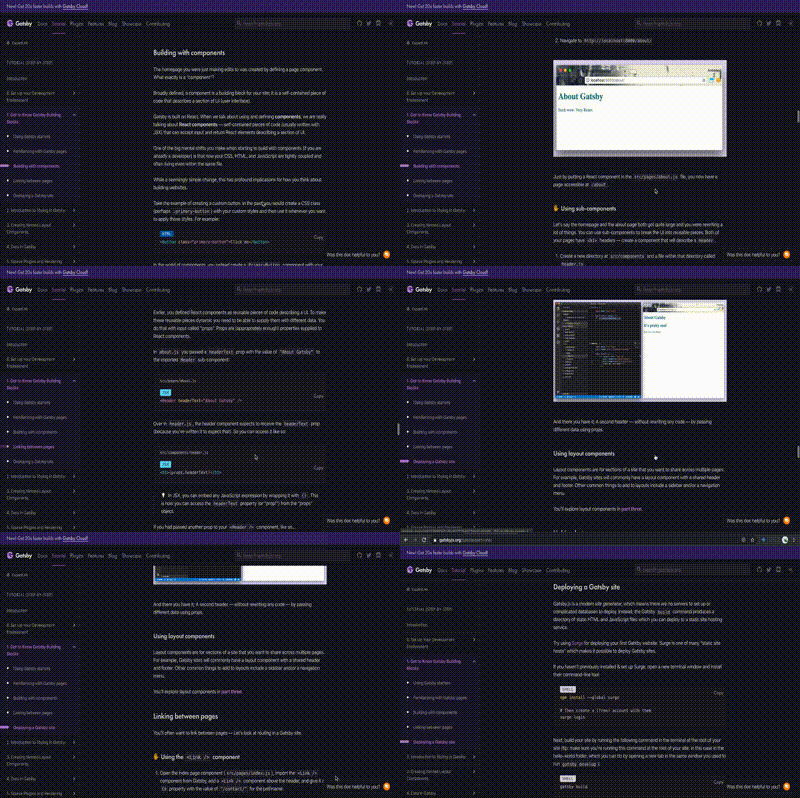
Not sure if this issue should be posted here or as a new issue, but I found an issue in page https://www.gatsbyjs.org/tutorial/part-one/ of docs. The scroll progress is not in sync with the side bar links. For eg: we reach "Deploying a Gatsby site" ( last section ) by the time we have started reading the section before, and etc. I think content was added later on or something. Here's a GIF showing the same, sorry for the clarity, had some issue while converting :)
 danedavid
on 27 Mar 2020
danedavid
on 27 Mar 2020
OK, I've worked out what the problem is here. It's nothing to do with the navigation. It seems the codeblocks aren't being pre-rendered on the server. The page loads initially (and scrolls to the correct spot), but as soon as the page-data is loaded and the page is hydrated, then the code blocks appear, changing the length of the page.
ascorbic
on 7 Apr 2020
OK, after an internal discussion it seems this is a known issue, and is because we're using @loadable/component for codeblocks on .org, and right now we don't have SSR support working for that. We are aware of this problem, and are looking at either getting SSR support added, or removing @loadable/component if the new chunk optimisations remove the need for it. Closing now. Thanks for the help on this.
ascorbic
on 7 Apr 2020
Related issues
 dustinhorton
·
3Comments
dustinhorton
·
3Comments
 hobochild
·
3Comments
hobochild
·
3Comments
 ghost
·
3Comments
ghost
·
3Comments
 3CordGuy
·
3Comments
3CordGuy
·
3Comments
 totsteps
·
3Comments
totsteps
·
3Comments