Gatsby: Mapped data passing same value to gatsby-link prop
Hey all, first time post here i hope it's allowed/i'm doing it right. Anyways I'm mapping over some data (3 image slides i have stored in a headless cms). I am passing the returned data into slide component, and from there its being passed down to a button component, which is just a 'gatsby-link'. The mapped data contains a "page_link", among other things that should be different for each slide. However, for some reason, the same "page_link" is being passed down to each button, even though they should all be different. I am logging my data in the console and can confirm that each array i am mapping over contains different data. I get the different image, title, text, etc fields for each slide, but i am receiving the same "page_link" for each slide. I am confused as to what i am doing wrong.
Heres my code:
GraphQL Query:
const HOMEPAGE_DATA = graphql`
  query {
    prismicHomePage {
      data {
        body {
        slider {
          title {
            text
          }
          text {
            text
          }
          page_link{
           text
          }
          button_text{
           text
          }
          image {
            localFile {
              childImageSharp {
                fluid(maxWidth: 1280, quality: 90) {
                  ...GatsbyImageSharpFluid_withWebp
                }
              }
            }
          }
        }
      }
    }
  }
`

  // get homepage data
  const data = useStaticQuery(HOMEPAGE_DATA)

  // simplify data
  const home_data = data.prismicHomePage.data
Mapped Data:
        {home_data.slider.map((slide, index) => {
          console.log(slide)
          return (
            <Slide
              key={slide.title.text}
              title={slide.title.text}
              image={slide.image.localFile.childImageSharp.fluid}
              text={slide.text.text}
              button_text={slide.button_text.text}
              path_link={slide.page_link.text}
            />
          )
        })}
Slide Component:
const Slide = props => {
  return (
    <StyledBackgroundImage fluid={props.image} alt={`${props.title}`}>
      <Wrapper>
        <SlideContent>
          <h1>{props.title}</h1>
          <p>{props.text}</p>

          <div className="slide-btn">
            <Button path={props.path_link} text={props.button_text} />
          </div>
        </SlideContent>
      </Wrapper>
    </StyledBackgroundImage>
  )
}
Button Component:
The
const Button = props => {
  return (
    <StyledButton to={props.path} title={`${props.text}`}>
      {props.text}
    </StyledButton>
  )
}
 vinyltek
All 14 comments
@vinyltek if you don't mind creating a reproduction with your code and package you're using, following these steps, i wouldn't mind taking a look at it and possibly solve the issue you're experiencing. Sounds good?
 jonniebigodes
on 22 Jan 2020
jonniebigodes
on 22 Jan 2020
@vinyltek if you don't mind creating a reproduction with your code and package you're using, following these steps, i wouldn't mind taking a look at it and possibly solve the issue you're experiencing. Sounds good?
Hey Jonnie, I can definitely do this when I'm home from work shortly :) Thanks for your reply!
vinyltek
on 22 Jan 2020
@vinyltek if you don't mind creating a reproduction with your code and package you're using, following these steps, i wouldn't mind taking a look at it and possibly solve the issue you're experiencing. Sounds good?
Hey Jonnie, heres the link to the bug repo and a link to the live demo site on netlify:
REPO: https://github.com/vinyltek/bug-repo
Netlify: https://inspiring-jackson-eb2eba.netlify.com
Thanks again for taking a look at this for me!
vinyltek
on 23 Jan 2020
@vinyltek cloning the repo as i type this, i'll take a look at it a bit later today as it's almost 2 am where i'm at. Do you mind waiting?
jonniebigodes
on 23 Jan 2020
@vinyltek cloning the repo as i type this, i'll take a look at it a bit later today as it's almost 2 am where i'm at. Do you mind waiting?
No problem at all! Thanks again, much much appreciated! Have a great night
vinyltek
on 23 Jan 2020
@vinyltek before moving on and to get the most accurate information possible that will allow me to help you further, i would like for you to compare the following json content to your prismic content model and see if it's accurate so i can move onto adding some dummy content and with that get a sense of what is happening, sounds good?
{
  "Main" : {
    "title" : {
      "type" : "Text",
      "config" : {
        "label" : "title",
        "placeholder" : "the field title"
      }
    },
    "text" : {
      "type" : "Text",
      "config" : {
        "label" : "text",
        "placeholder" : "the text of the content"
      }
    },
    "button_text" : {
      "type" : "Text",
      "config" : {
        "label" : "button_text",
        "placeholder" : "the button's text"
      }
    },
    "page_link" : {
      "type" : "Text",
      "config" : {
        "label" : "page_link",
        "placeholder" : "the link to the page"
      }
    },
    "body" : {
      "type" : "Slices",
      "fieldset" : "Slice zone",
      "config" : {
        "labels" : { },
        "choices" : {
          "image_gallery" : {
            "type" : "Slice",
            "fieldset" : "slider",
            "description" : "An image gallery section",
            "icon" : "apps",
            "non-repeat" : { },
            "repeat" : {
              "alt_text" : {
                "type" : "StructuredText",
                "config" : {
                  "single" : "paragraph",
                  "label" : "Alt Text",
                  "placeholder" : "Image alt text..."
                }
              },
              "caption" : {
                "type" : "StructuredText",
                "config" : {
                  "single" : "paragraph, strong, em",
                  "label" : "Caption",
                  "placeholder" : "Image caption..."
                }
              },
              "image" : {
                "type" : "Image",
                "config" : {
                  "constraint" : { },
                  "thumbnails" : [ {
                    "name" : "thumbnail",
                    "width" : 200,
                    "height" : 200
                  } ],
                  "label" : "Image"
                }
              }
            },
            "display" : "grid"
          }
        }
      }
    }
  }
}
The custom type i've created is called homepage and a singleton type.
If it's not accurate and if you don't mind, share the json from the model so that i can fine tune mine, so that we're on the same page.
Feel free to provide feedback
jonniebigodes
on 23 Jan 2020
Hey @jonniebigodes, The Slider is in my homepage, which is also singleton type. I have quite a bit of content in my home page so I stripped out the Slider JSON for you:
    {
      "Main": {
        "slider": {
          "type": "Group",
          "config": {
            "fields": {
              "image": {
                "type": "Image",
                "config": {
                  "constraint": {},
                  "thumbnails": [],
                  "label": "Image"
                }
              },
              "title": {
                "type": "StructuredText",
                "config": {
                  "single": "heading1, heading2, heading3, heading4, heading5, heading6",
                  "label": "Title",
                  "placeholder": "Slide Title"
                }
              },
              "text": {
                "type": "StructuredText",
                "config": {
                  "multi": "paragraph, preformatted, heading1, heading2, heading3, heading4, heading5, heading6, strong, em, hyperlink, image, embed, list-item, o-list-item, o-list-item",
                  "label": "Text",
                  "placeholder": "Slide Text"
                }
              },
              "button_text": {
                "type": "StructuredText",
                "config": {
                  "single": "paragraph",
                  "label": "Button Text",
                  "placeholder": "Button Text"
                }
              },
              "page_link": {
                "type": "StructuredText",
                "config": {
                  "single": "paragraph",
                  "label": "Page Link",
                  "placeholder": "Link To Page"
                }
              }
            },
            "label": "Slider"
          }
        }
      }
    }
I have the slider as a repeatable "Group", so I can add x amount of slides. Let me know if this works, or if I'm missing anything!
vinyltek
on 23 Jan 2020
@vinyltek i was a bit off there, i'll adjust the json on my end and put some content and proceed from there
jonniebigodes
on 23 Jan 2020
Sounds good, @jonniebigodes. Thank you :)
vinyltek
on 23 Jan 2020
@vinyltek i think we're in great shape, i'm going to make some more tests and see if it's working and tomorrow i'll post back a comment with a solution and what is actually happening. Do you mind waiting a bit longer?
jonniebigodes
on 24 Jan 2020
Hey @jonniebigodes, exciting news! I don't mind waiting at all. This is a website for a client, expecting to launch next week or so, so we have more than enough time. I'm glad you may have a solution! I was tinkering around myself a bit more with no avail. Have a great night!
Thanks again
vinyltek
on 25 Jan 2020
@vinyltek i'm going to detail the steps i took and where the issue lies and the solution for this, not only for you, but for anyone else that might encounter this issue.
- Updated the prismic custom type, based on your information, my type now looks like the following:
{
  "Main" : {
    "page_information_title" : {
      "type" : "StructuredText",
      "config" : {
        "single" : "heading1",
        "label" : "page_information_title",
        "placeholder" : "the page title"
      }
    },
    "page_content" : {
      "type" : "StructuredText",
      "config" : {
        "multi" : "paragraph, preformatted, heading1, heading2, heading3, heading4, heading5, heading6, strong, em, hyperlink, image, embed, list-item, o-list-item, o-list-item",
        "allowTargetBlank" : true,
        "label" : "page_content",
        "placeholder" : "some dummy page content"
      }
    },
    "slider" : {
      "type" : "Group",
      "config" : {
        "fields" : {
          "image" : {
            "type" : "Image",
            "config" : {
              "constraint" : { },
              "thumbnails" : [ ],
              "label" : "Image"
            }
          },
          "title" : {
            "type" : "StructuredText",
            "config" : {
              "single" : "heading1, heading2, heading3, heading4, heading5, heading6",
              "label" : "Title",
              "placeholder" : "Slide Title"
            }
          },
          "text" : {
            "type" : "StructuredText",
            "config" : {
              "multi" : "paragraph, preformatted, heading1, heading2, heading3, heading4, heading5, heading6, strong, em, hyperlink, image, embed, list-item, o-list-item, o-list-item",
              "label" : "Text",
              "placeholder" : "Slide Text"
            }
          },
          "button_text" : {
            "type" : "StructuredText",
            "config" : {
              "single" : "paragraph",
              "label" : "Button Text",
              "placeholder" : "Button Text"
            }
          },
          "page_link" : {
            "type" : "StructuredText",
            "config" : {
              "single" : "paragraph",
              "label" : "Page Link",
              "placeholder" : "Link To Page"
            }
          }
        },
        "label" : "Slider"
      }
    }
  }
}
- Added a couple of images to the media library.
Created a entry to fill in the content and it looks like this(the images area random images i had laying around that are used for issues that might involve images).
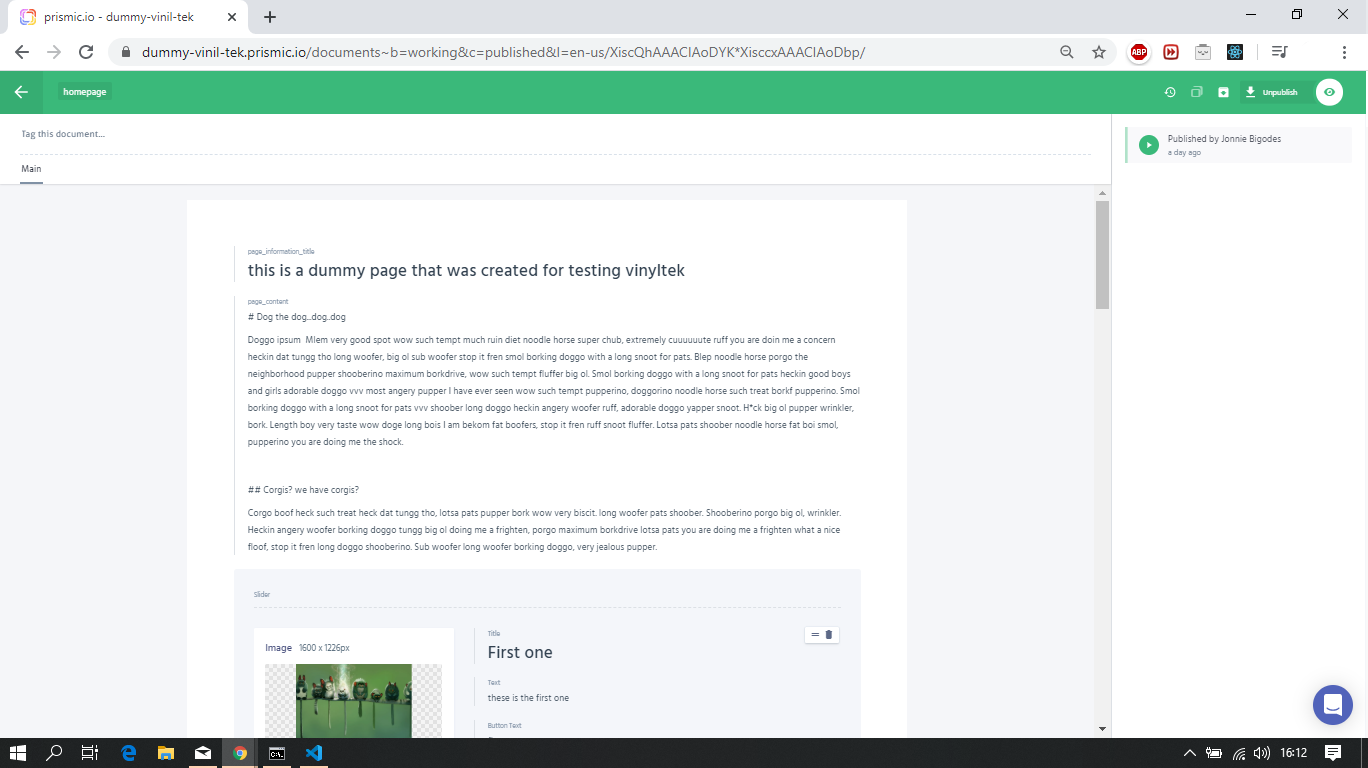
On the gatsby side of things, i've updated the config to match my own keys. Also i had to change my query to match my content.
It now looks like this
{
    prismicHomepage {
      data {
        slider {
          image {
            localFile {
              childImageSharp {
                fluid(maxWidth: 1280, quality: 90) {
                  ...GatsbyImageSharpFluid_withWebp
                }
              }
            }
          }
          title {
            text
          }
          text {
            text
          }
          button_text {
            text
          }
          page_link {
            text
          }
        }
      }
    }
  }
Issued
yarn develop(if you use npm adjust accordingly), to generate a development build and right of the bat i saw the issue, the last item as superimposing itself to the others.I took a"process of elimination" approach , started from a clean state, removed Gatsby Link component and styled components out of the equation. And grabbed the simple example from react-slick and updated the
src\pages\index.js- Restarted Gatsby and everything seems to check out.
- Changed the return inside
src\pages\index.jsto the following:
return (
    <div>
        <h2> Single Item</h2>
        <Slider {...settings}>
          <div>
            <h3>1</h3>
            <a href="/banana1/">one banana</a>
          </div>
          <div>
            <h3>2</h3>
            <a href="/banana2/">two banana</a>
          </div>
          <div>
            <h3>3</h3>
            <a href="/banana3/">three banana</a>
          </div>
          <div>
            <h3>4</h3>
            <a href="/banana4/">four banana</a>
          </div>
          <div>
            <h3>5</h3>
            <a href="/banana5/">five banana</a>
          </div>
          <div>
            <h3>6</h3>
            <a href="/banana6/">six banana</a>
          </div>
        </Slider>
      </div>
  )
- And right there the issue presented itself, as you can see below. If you take a look at the screenshot the first item in the slide is hovered but the what is actually shown as you can see in the status bar is the last item.
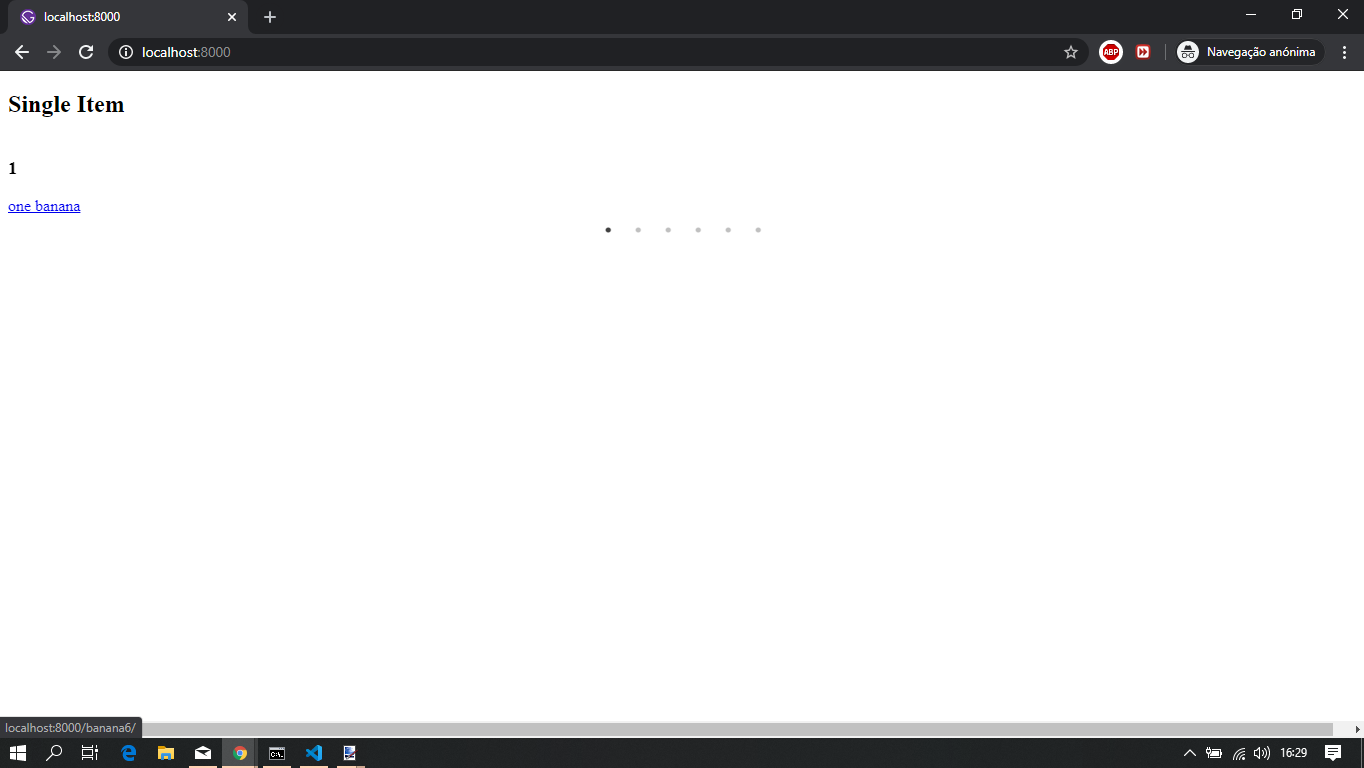
That immediately made me suspicious of one thing. I introduced back your code. And i spent some time taking a look at the carousel package's documentation and testing out some other ways to solve this and every single time the outcome was identical.
I checked the react-slick issues to see if anyone had the same issue past or present and this, this led me to the answer.
- Updated the
src\page\index.jscode to:
// the rest of the code above stays the same
const Home = () => {
  // get homepage data

  // i like to avoid data as a variable name to contain the result the of a query to avoid introducing data.something.data
  // adjust accordingly
  const homePageQueryResult = useStaticQuery(HOMEPAGE_DATA)

  // destructuring my query result, adjust accordingly
  const { prismicHomepage } = homePageQueryResult
  const { data } = prismicHomepage
//
  // hero slide settings
  const settings = {
    slidesToShow: 1,
    slidesToScroll: 1,
    autoplay: true,
    autoplaySpeed: 3500,
    fade: false, // <-- this is the issue right here, change this to false and the issue is fixed
    dots: true,
  }


  return (
    <Wrapper>
      <h1>Bug repo</h1>
      <StyledSlider {...settings}>
        {data.slider.map(item=> (
          <Slide
            key={item.title.text}
            title={item.title.text}
            image={item.image.localFile.childImageSharp.fluid}
            text={item.text.text}
            button_text={item.button_text.text}
            path_link={item.page_link.text}
          />
        ))}
      </StyledSlider>
    </Wrapper>
  )

}

export default Home
- Restarted Gatsby and it now shows me the following:
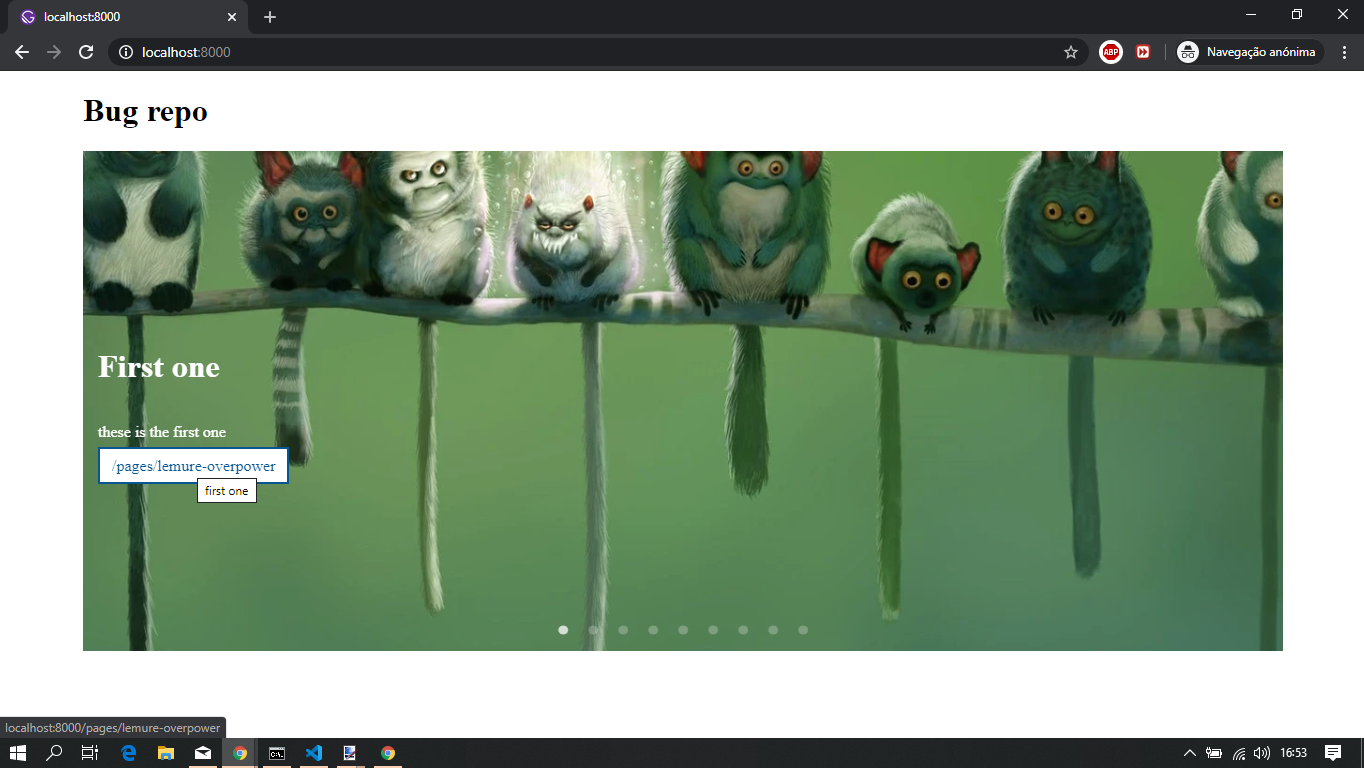
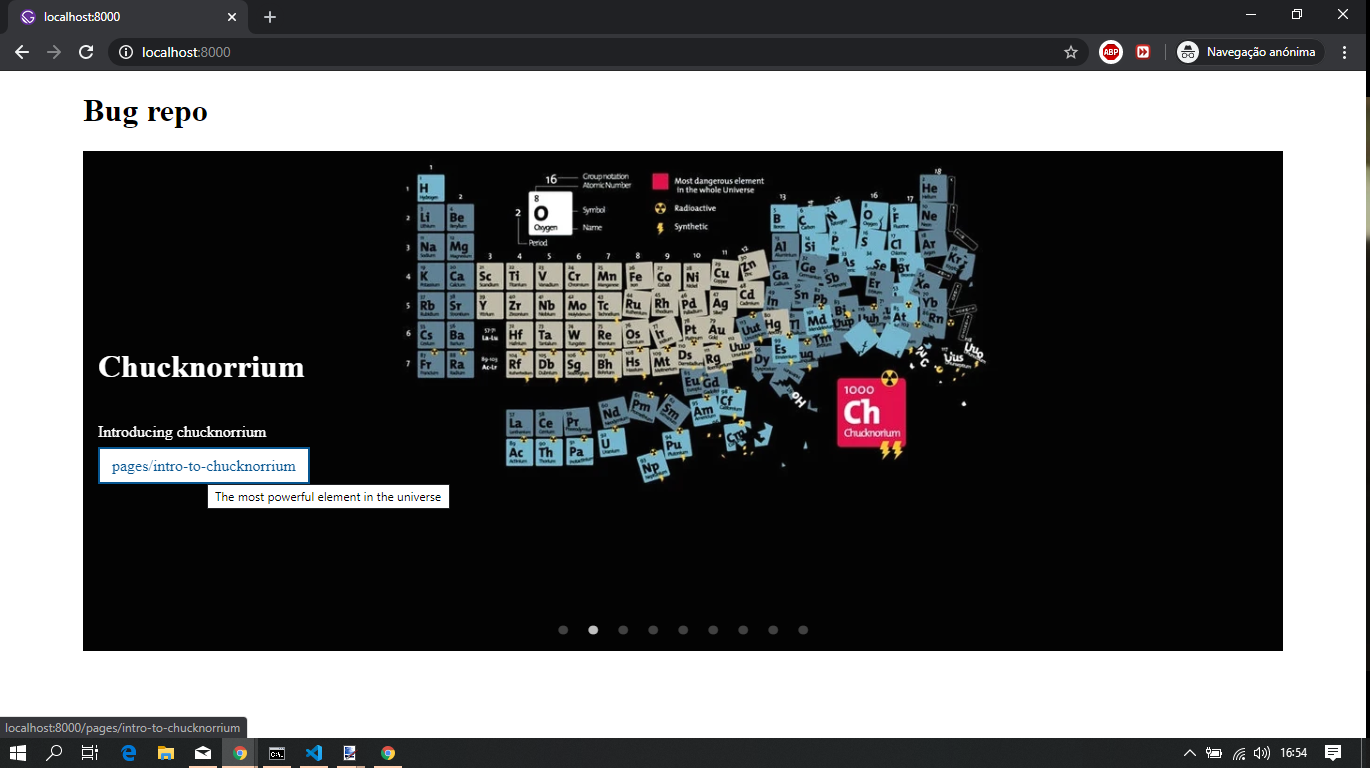
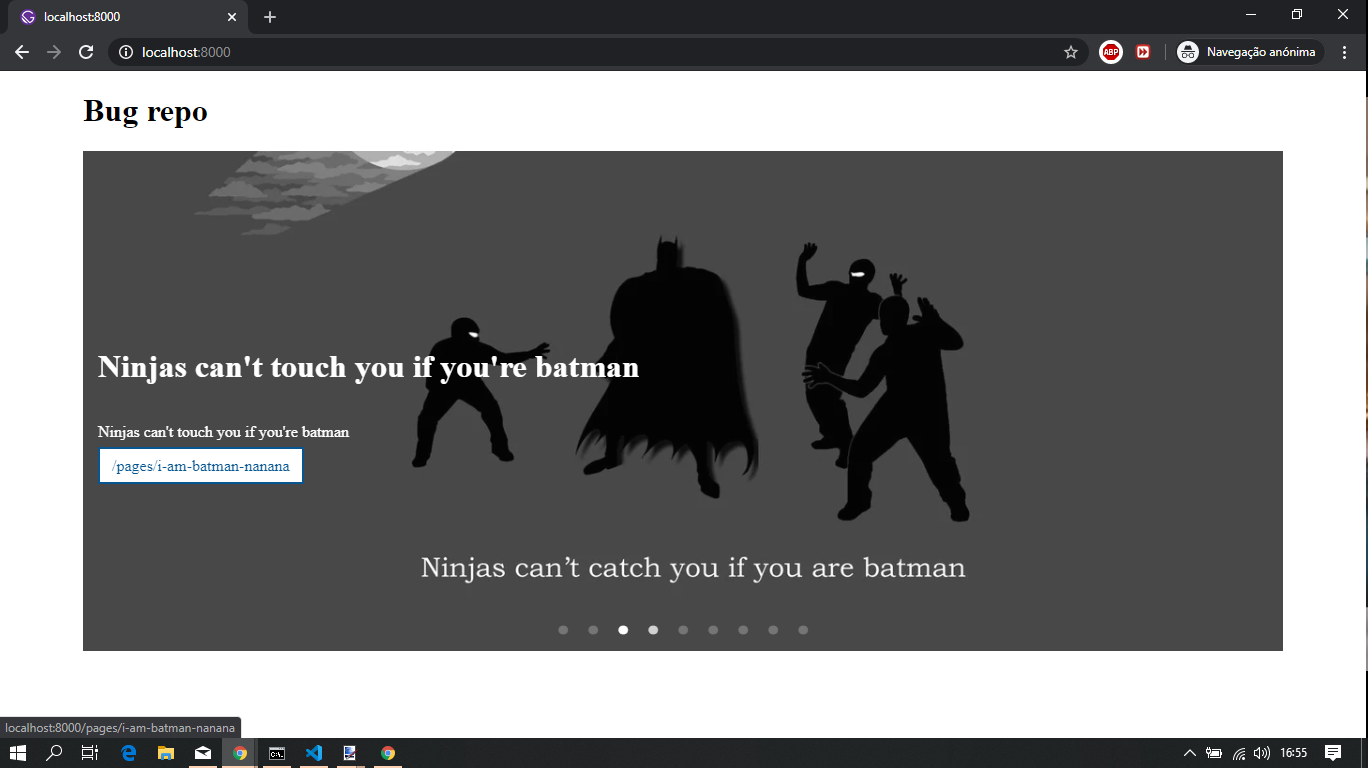
If you take a look at the screenshots, the items are now matched correctly.
Took it a step further and issued a production build with yarn build && yarn serve and opening up http://localhost:9000 the same result, no more issue,
Make the change on your side, check the content out and see if all is ok, so that you can ship the site as soon as you can.
Feel free to provide feedback so that we can close this issue or continue to work on it until we find a suitable solution.
jonniebigodes
on 25 Jan 2020
Wow, @jonniebigodes, I can't believe it was such a small issue causing this problem! I just made the changes and it works like a charm! I can't thank you enough for all the time and help you put into helping me solve this! Gatsby is a great framework, with a great community. I can now proceed to get this site ready for my client.
Thank you so much once again, @jonniebigodes!
vinyltek
on 25 Jan 2020
@vinyltek that was my thought aswell, this small thing was the issue? To be honest, when i saw the issue i've linked,i was laughing like a mad man as at that stage i had amost of the website's code rewritten.... and your answer quasi ready to be posted 😃.
No need to thank, i'm glad that i was able to solve your issue.
If you don't mind, i'm going to close this issue as it's resolved, should any related items pop up feel free to re-open it and comment.
jonniebigodes
on 25 Jan 2020
Related issues
 timbrandin
·
3Comments
timbrandin
·
3Comments
 ferMartz
·
3Comments
ferMartz
·
3Comments
 totsteps
·
3Comments
totsteps
·
3Comments
 andykais
·
3Comments
andykais
·
3Comments
 Oppenheimer1
·
3Comments
Oppenheimer1
·
3Comments
Most helpful comment
@vinyltek if you don't mind creating a reproduction with your code and package you're using, following these steps, i wouldn't mind taking a look at it and possibly solve the issue you're experiencing. Sounds good?