Gatsby: Gatsby Starter does not pull images from Unsplash
Description
I am following https://www.gatsbyjs.org/tutorial/part-one/ and on #4, there is the following code
import React from "react"
export default () => (
  <div style={{ color: `purple` }}>
    <h1>Hello Gatsby!</h1>
    <p>What a world.</p>
    <img src="https://source.unsplash.com/random/400x200" alt="" />
  </div>
)
Useful Links:
- Documentation: https://www.gatsbyjs.org/tutorial/part-one/
Steps to reproduce
gatsby new hello-world https://github.com/gatsbyjs/gatsby-starter-hello-world
gatsby develop
Replace the code in src/pages/index.js with following
import React from "react"

export default () => (
  <div style={{ color: `purple` }}>
    <h1>Hello Gatsby!</h1>
    <p>What a world.</p>
    <img src="https://source.unsplash.com/random/400x200" alt="" />
  </div>
)
Expected result
The image should show up
Actual result
The image doesn't show up
You get the following error
source.unsplash.com/random/400x200:1 GET https://source.unsplash.com/random/400x200 net::ERR_BLOCKED_BY_CLIENT
While, the URL works well independently, it does not work with Gatsby project

Environment
  System:
    OS: macOS 10.14.6
    CPU: (8) x64 Intel(R) Core(TM) i7-4870HQ CPU @ 2.50GHz
    Shell: 5.3 - /bin/zsh
  Binaries:
    Node: 11.14.0 - ~/.nvm/versions/node/v11.14.0/bin/node
    Yarn: 1.17.3 - /usr/local/bin/yarn
    npm: 6.10.3 - ~/.nvm/versions/node/v11.14.0/bin/npm
  Languages:
    Python: 2.7.10 - /usr/bin/python
  Browsers:
    Chrome: 76.0.3809.100
    Safari: 12.1.2
  npmGlobalPackages:
    gatsby-cli: 2.7.30
Run gatsby info --clipboard in your project directory and paste the output here.
 hhimanshu
All 2 comments
Most of the time as far as I know the error ERR_BLOCKED_BY_CLIENT means that something local (like an extension) is blocking something. have you tried this with no extensions activated?
 SimonMayerhofer
on 20 Aug 2019
SimonMayerhofer
on 20 Aug 2019
👍1
@SimonMayerhofer, that was a fast reply 💯
you're right, when I ran it in incognito window on Chrome, things seemed fine. Thanks for educating me!
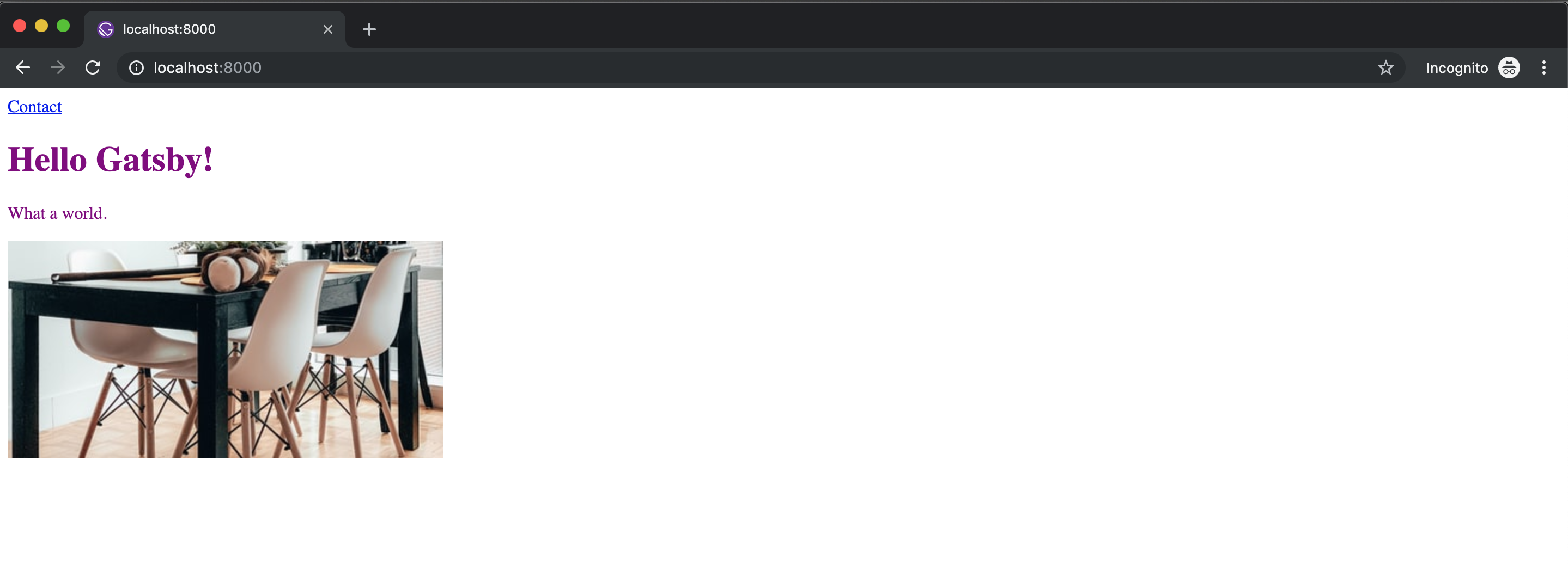
Closing this issue!
hhimanshu
on 20 Aug 2019
🎉2
Was this page helpful?
0 / 5 - 0 ratings
Related issues
 ferMartz
·
3Comments
ferMartz
·
3Comments
 theduke
·
3Comments
theduke
·
3Comments
 Oppenheimer1
·
3Comments
Oppenheimer1
·
3Comments
 kalinchernev
·
3Comments
kalinchernev
·
3Comments
 timbrandin
·
3Comments
timbrandin
·
3Comments
Most helpful comment
@SimonMayerhofer, that was a fast reply 💯

you're right, when I ran it in
incognitowindow on Chrome, things seemed fine. Thanks for educating me!Closing this issue!