Gatsby: Site breaks on build/serve but works perfectly in develop
Description
Here's the repo (note: very much a WIP): https://github.com/TidyIQ/gatsby-themes
This works perfectly when I run it in development mode but once I build and serve it, everything breaks.
Here's how it looks in develop: https://i.imgur.com/rqtMwoL.png
And in build/serve: https://i.imgur.com/Kmi1YCW.png
Steps to reproduce
Clone repo and install then run:
yarn workspace @tidyiq/gatsby-theme-tidyiq build
yarn workspace simple-site dev
Then run
yarn workspace simple-site build
yarn workspace simple-site serve
Expected result
No issue
Actual result
See screenshots above
Environment
System:
OS: Windows 10
CPU: (4) x64 Intel(R) Core(TM) i5-7200U CPU @ 2.50GHz
Binaries:
Node: 10.15.3 - ~\AppData\Local\Temp\yarn--1564036881678-0.9003840083964854\node.CMD
Yarn: 1.16.0 - ~\AppData\Local\Temp\yarn--1564036881678-0.9003840083964854\yarn.CMD
npm: 6.10.0 - C:\Program Files\nodejs\npm.CMD
Languages:
Python: 2.7.16 - C:\Python27\python.EXE
Browsers:
Edge: 42.17134.1.0
 TidyIQ
All 13 comments
looks like css, any console errors for network?
 eknowles
on 25 Jul 2019
eknowles
on 25 Jul 2019
We are having the same issue with a similar config. The issue appears to be that CSS classes are only applied to some elements. For us, the first element does not receive a class tag while following elements do receive that tag. Any information about how to proceed with debugging would be much appreciated. This is blocking updates to our website.
Edit: @eknowles there are no errors/warnings anywhere in build/server/console.
 zoecarver
on 25 Jul 2019
zoecarver
on 25 Jul 2019
No console errors at all
TidyIQ
on 26 Jul 2019
So there's definitely an issue with how CSS is handled in production vs development...
gatsby develop
In development, Gatsby assigns the correct classes to the components. See below.
Style defined correctly:
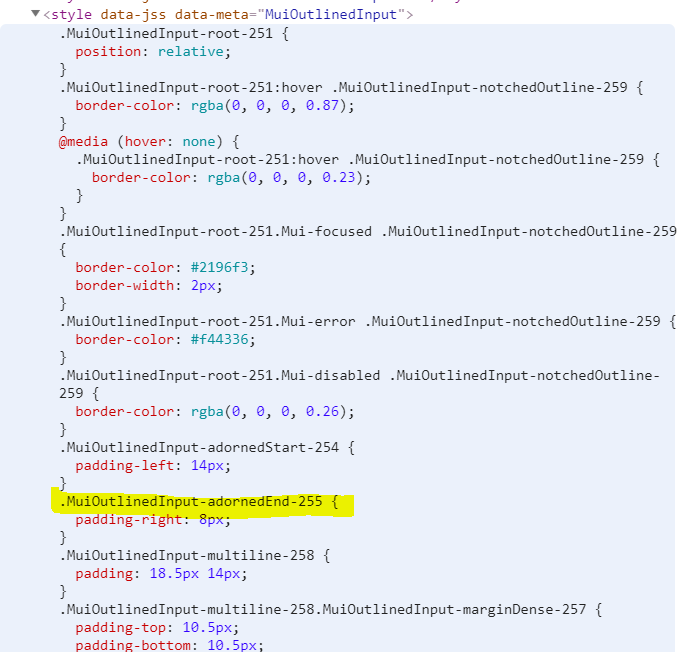
Correct class names in component:
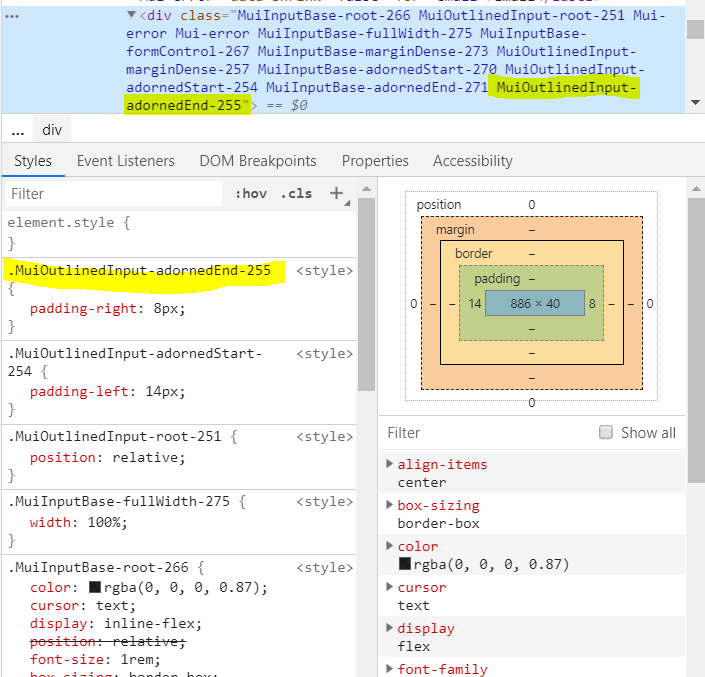
gatsby build, gatsby serve
In production, Gatsby uses the incorrect class names for the components. See below.
Style defined correctly:

INCORRECT class names in component:
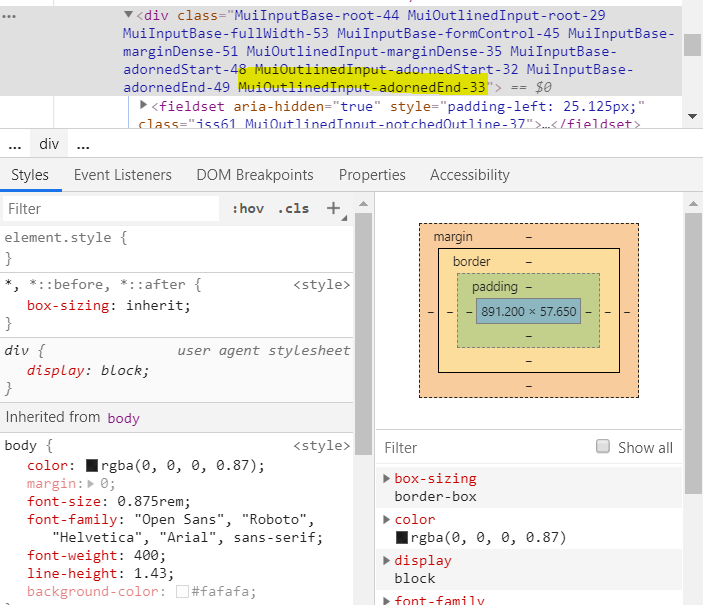
This obviously results in none of the classes being applied. I don't understand why it works fine in development but it breaks on production. Is this a known bug? If so, how do I fix it?
TidyIQ
on 26 Jul 2019
Also, it works fine on the initial load for a millisecond or two, then it refreshes and breaks.
TidyIQ
on 26 Jul 2019
Further investigation... It seems the issue is with how Gatsby compiles jss-server-side. Here's what the initial load looks like:
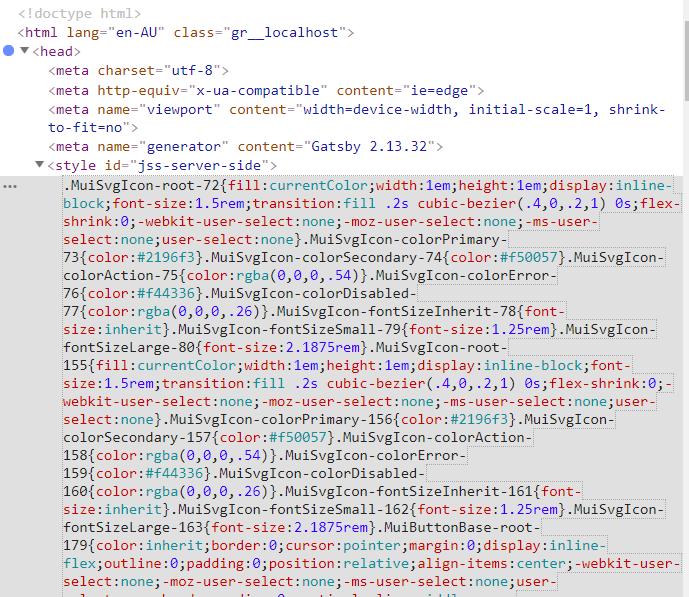
And it has the correct class names:

So something Gatsby does when it compiles this is causing the issue.
TidyIQ
on 26 Jul 2019
And if I continue with the debugger, I can see the issue starts from here:
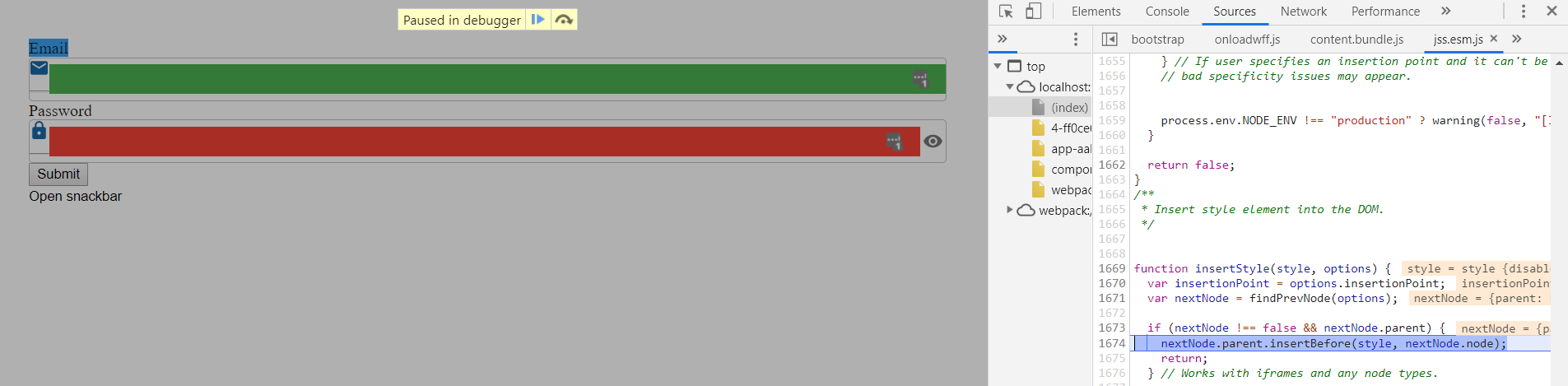
Which comes from https://github.com/cssinjs/jss/blob/0af646d31962518f9603493825d43f3410ff6c14/packages/jss/src/DomRenderer.js#L232
TidyIQ
on 26 Jul 2019
Annnd a bit more insight...
I realised that the CSS was only failing for the components I've imported from my custom gatsby theme. Basically, that form with the two imports and button are imported from the gatsby theme, while the Open Snackbar button is imported directly from Material UI (in node_modules) in the site itself.
The Open Snackbar button works fine. So the issue is with how Gatsby compiles the theme.
I added the following to my theme's gatsby-browser.js and gatsby-ssr.js files, and now it's working:
import NoSsr from "@material-ui/core/NoSsr"; // Imported this
import ContextProvider from "./src/_config/context";

export const wrapRootElement = ({ element }) => (
  <NoSsr> // Added this wrapper
    <ContextProvider>{element}</ContextProvider>
  </NoSsr>
);
I'm not sure if this is optimal or if it's going to cause performance and other issues, but it works now in production.
I won't close this as I don't believe the issue is resolved. The expected behaviour is that the production build should work exactly the same as the development build, and that is not the case.
TidyIQ
on 26 Jul 2019
For us, the issue happens when the site is first loaded. After the site is cached it stops happening. The CSS issue is also only on a few components. We would like to keep SSR, but I will try @TidyIQ's solution and see if it works for us.
zoecarver
on 26 Jul 2019
Having a similar issue. Wrapping the affected pages in the NoSsr component does seem to fix it. However, I would like to know what is causing this issue...
 hmeinertrita
on 26 Jul 2019
hmeinertrita
on 26 Jul 2019
Hiya!
This issue has gone quiet. Spooky quiet. 👻
We get a lot of issues, so we currently close issues after 30 days of inactivity. It’s been at least 20 days since the last update here.
If we missed this issue or if you want to keep it open, please reply here. You can also add the label "not stale" to keep this issue open!
As a friendly reminder: the best way to see this issue, or any other, fixed is to open a Pull Request. Check out gatsby.dev/contribute for more information about opening PRs, triaging issues, and contributing!
Thanks for being a part of the Gatsby community! 💪💜
![gatsbot[bot] picture](https://avatars2.githubusercontent.com/in/12849?v=4&s=40) gatsbot[bot]
on 16 Aug 2019
gatsbot[bot]
on 16 Aug 2019
Not stale. Having a very similar issue with CSS breaking on production. Specifically for SOME material UI elements.
 Skillz4Killz
on 22 Aug 2019
Skillz4Killz
on 22 Aug 2019
Hey again!
It’s been 30 days since anything happened on this issue, so our friendly neighborhood robot (that’s me!) is going to close it.
Please keep in mind that I’m only a robot, so if I’ve closed this issue in error, I’m HUMAN_EMOTION_SORRY. Please feel free to reopen this issue or create a new one if you need anything else.
As a friendly reminder: the best way to see this issue, or any other, fixed is to open a Pull Request. Check out gatsby.dev/contribute for more information about opening PRs, triaging issues, and contributing!
Thanks again for being part of the Gatsby community!
gatsbot[bot]
on 2 Sep 2019
Related issues
 kalinchernev
·
3Comments
kalinchernev
·
3Comments
 totsteps
·
3Comments
totsteps
·
3Comments
 mikestopcontinues
·
3Comments
mikestopcontinues
·
3Comments
 timbrandin
·
3Comments
timbrandin
·
3Comments
 benstr
·
3Comments
benstr
·
3Comments
Most helpful comment
Also, it works fine on the initial load for a millisecond or two, then it refreshes and breaks.