Gatsby: [gatsby-image] TypeError: Cannot read property 'src' of undefined
Summary
I have been banging my head against this issue for hours now and can't seem to figure it out. I am trying to build an e-commerce shop (small test one) on Gatsby, using Stripe. It's not my first Gatsby site, but it's my first time using gatsby-image. I am trying to query the Stripe image to use it as a product image on the front-end. I can find the relative path, which works, via GraphQL, as you can see below, but I keep getting TypeErrors no mater what I seem to change or add.
Relevant information

Here's what I can see from GraphQL.
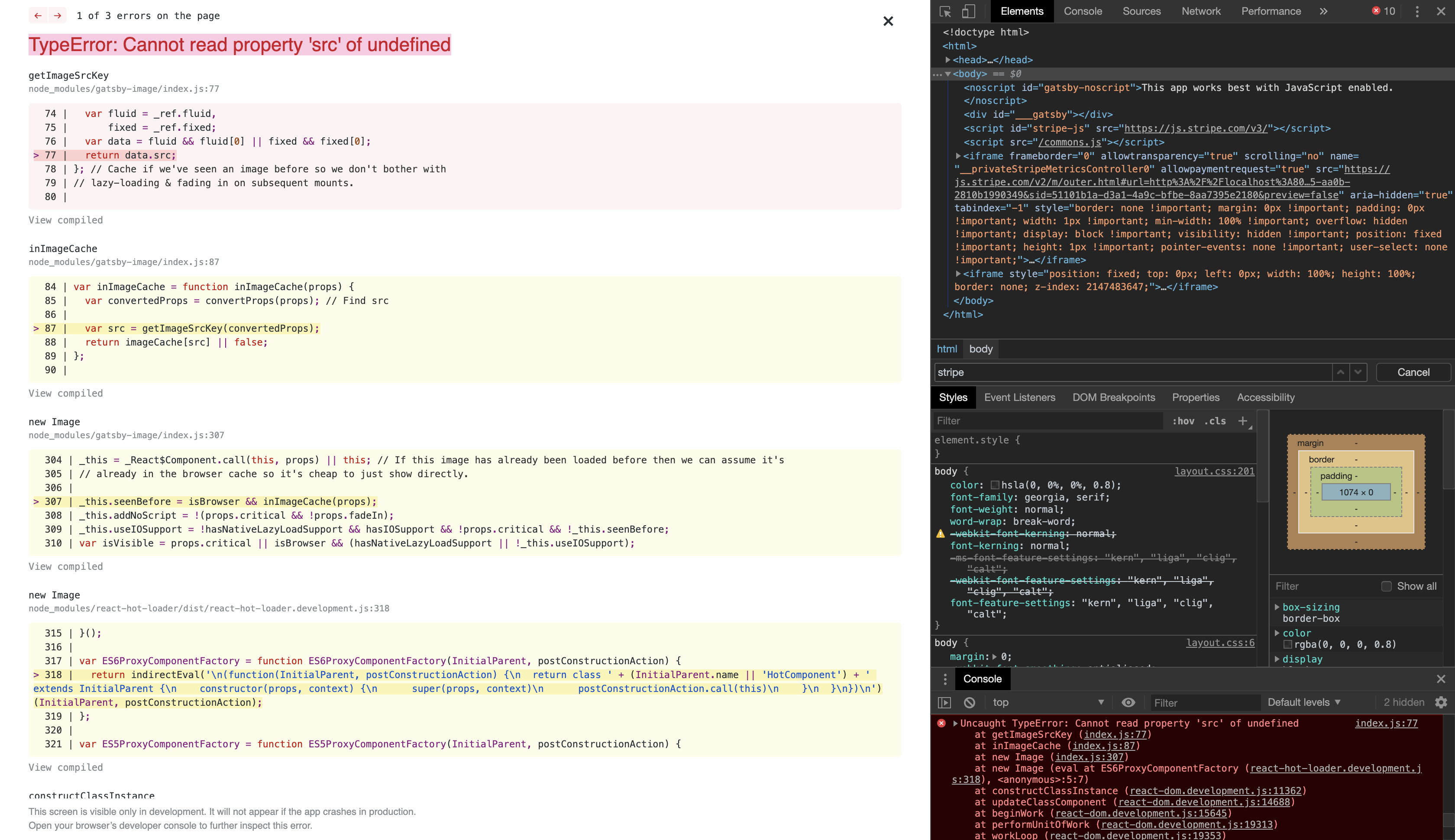
Here's the error I see from the frontend (localhost:8000/products).
https://github.com/elijahio/gatsby-stripe-store-test
Here is the repo in its current error state.
Environment (if relevant)
  System:
    OS: macOS 10.14.5
    CPU: (8) x64 Intel(R) Core(TM) i7-6700HQ CPU @ 2.60GHz
    Shell: 3.2.57 - /bin/bash
  Binaries:
    Node: 10.15.3 - /usr/local/bin/node
    Yarn: 1.17.3 - /usr/local/bin/yarn
    npm: 6.10.1 - /usr/local/bin/npm
  Languages:
    Python: 2.7.10 - /usr/bin/python
  Browsers:
    Chrome: 75.0.3770.100
    Safari: 12.1.1
  npmPackages:
    gatsby: ^2.13.18 => 2.13.18
    gatsby-image: ^2.2.6 => 2.2.6
    gatsby-plugin-manifest: ^2.2.3 => 2.2.3
    gatsby-plugin-offline: ^2.2.3 => 2.2.3
    gatsby-plugin-react-helmet: ^3.1.2 => 3.1.2
    gatsby-plugin-sharp: ^2.2.7 => 2.2.7
    gatsby-plugin-stripe: ^1.2.1 => 1.2.1
    gatsby-source-filesystem: ^2.1.5 => 2.1.5
    gatsby-source-stripe: ^3.0.1 => 3.0.1
    gatsby-transformer-sharp: ^2.2.3 => 2.2.3
  npmGlobalPackages:
    gatsby-cli: 2.7.8
File contents (if changed)
gatsby-config.js:
require("dotenv").config()

module.exports = {
  siteMetadata: {
    title: `Gatsby Default Starter`,
    description: `Kick off your next, great Gatsby project with this default starter. This barebones starter ships with the main Gatsby configuration files you might need.`,
    author: `@gatsbyjs`,
  },
  plugins: [
    `gatsby-plugin-stripe`,
    {
      resolve: `gatsby-source-stripe`,
      options: {
        objects: ['Sku'],
        secretKey: process.env.STRIPE_SECRET_KEY,
        downloadFiles: true,
      },
    },
    `gatsby-plugin-react-helmet`,
    {
      resolve: `gatsby-source-filesystem`,
      options: {
        name: `images`,
        path: `${__dirname}/src/images`,
      },
    },
    `gatsby-image`,
    `gatsby-transformer-sharp`,
    `gatsby-plugin-sharp`,
    {
      resolve: `gatsby-plugin-manifest`,
      options: {
        name: `gatsby-starter-default`,
        short_name: `starter`,
        start_url: `/`,
        background_color: `#663399`,
        theme_color: `#663399`,
        display: `minimal-ui`,
        icon: `src/images/gatsby-icon.png`, // This path is relative to the root of the site.
      },
    },
    // this (optional) plugin enables Progressive Web App + Offline functionality
    // To learn more, visit: https://gatsby.dev/offline
    // `gatsby-plugin-offline`,
  ],
}
package.json:
{
  "name": "gatsby-starter-default",
  "private": true,
  "description": "A simple starter to get up and developing quickly with Gatsby",
  "version": "0.1.0",
  "author": "Kyle Mathews <[email protected]>",
  "dependencies": {
    "gatsby": "^2.13.18",
    "gatsby-image": "^2.2.6",
    "gatsby-plugin-manifest": "^2.2.3",
    "gatsby-plugin-offline": "^2.2.3",
    "gatsby-plugin-react-helmet": "^3.1.2",
    "gatsby-plugin-sharp": "^2.2.7",
    "gatsby-plugin-stripe": "^1.2.1",
    "gatsby-source-filesystem": "^2.1.5",
    "gatsby-source-stripe": "^3.0.1",
    "gatsby-transformer-sharp": "^2.2.3",
    "prop-types": "^15.7.2",
    "react": "^16.8.6",
    "react-dom": "^16.8.6",
    "react-helmet": "^5.2.1"
  },
  "devDependencies": {
    "prettier": "^1.18.2"
  },
  "keywords": [
    "gatsby"
  ],
  "license": "MIT",
  "scripts": {
    "build": "gatsby build",
    "develop": "gatsby develop",
    "format": "prettier --write src/**/*.{js,jsx}",
    "start": "npm run develop",
    "serve": "gatsby serve",
    "test": "echo \"Write tests! -> https://gatsby.dev/unit-testing\""
  },
  "repository": {
    "type": "git",
    "url": "https://github.com/gatsbyjs/gatsby-starter-default"
  },
  "bugs": {
    "url": "https://github.com/gatsbyjs/gatsby/issues"
  }
}
gatsby-node.js: N/A
gatsby-browser.js: N/A
gatsby-ssr.js: N/A
 elijah-io
All 4 comments
I just now experienced this problem and the error block was quite telling in my case; the gatsby-image code is assigning either the fluid or fixed attribute to the data object, then attempting to return data as the image src. If neither contain any info, data.src is undefined.
I had this:
<Img src={imgSrc} />
What I needed was:
<Img fluid={imgSrc} />
Unsure if this helps your specific issue, but might your Img component attribute need to be <Img fixed={imgSrc} /> (or fluid={...})?
 courtness
on 15 Jul 2019
courtness
on 15 Jul 2019
You're only getting the "src" value of the fixed object in your query -- perhaps it's just a case of using a fragment that pulls all required values instead?
childImageSharp {
fixed {
...GatsbyImageSharpFixed
}
}
The Img component expects to receive an a FixedObject type in its fixed prop:
export interface FixedObject {
width: number
height: number
src: string
srcSet: string
base64?: string
tracedSVG?: string
srcWebp?: string
srcSetWebp?: string
media?: string
}
so at least width, height, src and srcSet are required.
Alternatively, I've had a similar error in the past when one of the posts I was pulling in a query didn't have an image defined so the entire fixed object was undefined in the result.
 fwojciec
on 15 Jul 2019
fwojciec
on 15 Jul 2019
Thank you, @courtness and @fwojciec for your willingness to help and detailed support.
@courtness – I do currently have it as <Img fixed={image} />, so I don't think that necessarily applies in my particular case, although I sincerely appreciate the suggestion. I do have my code pushed to a repo now in case you're able and willing to take a closer look: https://github.com/elijahio/gatsby-stripe-store-test
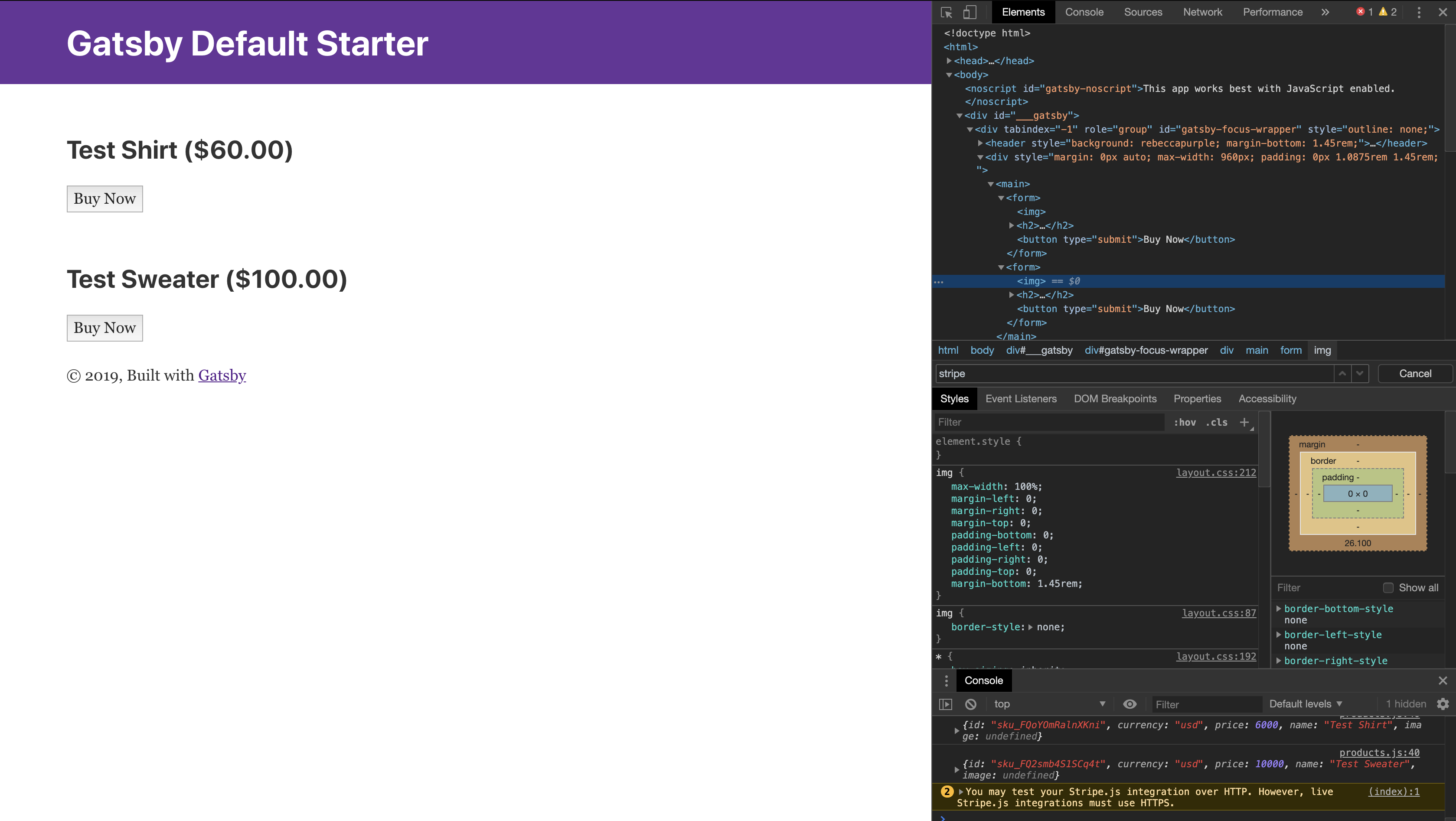
@fwojciec – I think you're probably onto something, but I changed it to a fragment that should pull all values, but cannot get anything to log as I still get the "fixed is undefined" error in this case. I definitely have a value for both images, so fixed shouldn't be undefined as a result of a missing image (you can see evidence for this in the GraphQL query). I added a link to my code above if you're able and willing to take a look. I apologize for any lack of knowledge/understanding on my part. Below are some screenshots of what happens if I selectively comment out usage to get a console.log() to return objects... as you can see, no childImageSharp, which is so strange given I can query it in GraphQL.
Again, thank you so much for your help! Hopefully I can get this figured out soon.

elijah-io
on 15 Jul 2019
I got a solution from @byurhanbeyzat on the Gatsby Discord server. Thank you everyone for your help.
Solution
<Product
            id={sku.id}
            currency={sku.currency}
            price={sku.price}
            name={sku.attributes.name}
            image={sku.localFiles[0].childImageSharp.fixed}
/>
And as @fwojciec mentioned, it needs to be queried in GraphQL as:
localFiles {
                      publicURL
                      childImageSharp {
                        fixed {
                            ...GatsbyImageSharpFixed
                        }
                      }
                    }
Related issues
 mikestopcontinues
·
3Comments
mikestopcontinues
·
3Comments
 rossPatton
·
3Comments
rossPatton
·
3Comments
 theduke
·
3Comments
theduke
·
3Comments
 totsteps
·
3Comments
totsteps
·
3Comments
 dustinhorton
·
3Comments
dustinhorton
·
3Comments
Most helpful comment
I got a solution from @byurhanbeyzat on the Gatsby Discord server. Thank you everyone for your help.
Solution
And as @fwojciec mentioned, it needs to be queried in GraphQL as: