Gatsby: How to call API script (from Dribble) into my Gatsby Site
Originally Posted on: https://stackoverflow.com/questions/56974242/how-to-add-api-script-from-dribble-into-my-gatsby-site
I am trying to call my Dribble posts onto my Gatsby website.
I followed the tutorial by this article https://medium.com/@nithin_94885/dribbble-shots-in-your-website-v2-api-5945a355d106, where I generated my Access Token from Dribble (a unique code to allow my gatsby site to access my dribble posts).
I am having trouble figuring out where to add the script that calls the API in my gatsby site.
I have tried pasting it to my gatsby-node.js file (In the past I thought this was where the script should go)
I am quite the newbie.. if the script that calls the Dribble API looks like this:
// Set the Access Token
var accessToken = '9f061d26c5a8be96b17a81718959a67dd54ca9669ca41752777193f7cc5be7c3';

// Call Dribble v2 API
$.ajax({
    url: 'https://api.dribbble.com/v2/user/shots?access_token='+accessToken,
    dataType: 'json',
    type: 'GET',
    success: function(data) {
      if (data.length > 0) {
        $.each(data.reverse(), function(i, val) {
          $('#shots').prepend(
            '<a class="shot" target="_blank" href="'+ val.html_url +'" title="' + val.title + '"><div class="title">' + val.title + '</div><img src="'+ val.images.hidpi +'"/></a>'
            )
        })
      }
      else {
        $('#shots').append('<p>No shots yet!</p>');
      }
    }
});
and my gatsby-node.js file looks like this:
const path = require('path');
const { createFilePath } = require('gatsby-source-filesystem');

// Look at every node when it is created
exports.onCreateNode = ({node, getNode, actions}) => {
    // Check for markdown nodes
    const { createNodeField } = actions;
    if(node.internal.type === 'MarkdownRemark') {
        // Create a slug out of the markdown filepath name
        const slug = createFilePath({
            node,
            getNode,
            basePath: 'projects'
        });
        // Add the newly created slug to the node itself
        createNodeField({
            node,
            name: 'slug',
            value: `/project${slug}`
        });
    }
};

exports.createPages = ({ graphql, actions }) => {
    const { createPage } = actions
    return new Promise((resolve, reject) => {
      graphql(`
        {
          allMarkdownRemark {
            edges {
              node {
                fields {
                  slug
                }
              }
            }
          }
        }
      `).then(result => {
        result.data.allMarkdownRemark.edges.forEach(({ node }) => {
          createPage({
            path: node.fields.slug,
            component: path.resolve(`./src/templates/project.js`),
            context: {
              // Data passed to context is available in page queries as GraphQL variables.
              slug: node.fields.slug,
            },
          })
        })
        resolve()
      })
    })
    };
How can I add the script so that the API script will call my shots in Dribble to link back to it?
I expected this to be an easy solution but I have been struggling with this Dribble/Gatsby integration for days now. :(
 judepark
All 9 comments
@judepark i'm going to create a demo with a couple of approaches for you and let you decide how you want to go from there. Can you wait a bit while i implement this and come back and provided a detailed explanation?
 jonniebigodes
on 10 Jul 2019
jonniebigodes
on 10 Jul 2019
Yes absolutely! thank you!
judepark
on 11 Jul 2019
@judepark sorry for the delay, but i was otherwise engaged. Below are the steps i took to try and solve your issue based on the information at hand.
- Created a new Gatsby website based on the hello world starter to keep it simple.
- Added following dependencies
axios,dotenv,gatsby-source-filesystemandgatsby-transformer-remark, the last two are to try and match your setup. Axios will handle handle the http requests. And finally dotenv to move the api token from a enviroment variable as you should always do. - Modified my
gatsby-config.jsto the following:
module.exports = {
  /* Your site config here */
  plugins:[
    {
      resolve: `gatsby-source-filesystem`,
      options: {
        path: `${__dirname}/content/projects`,
        name: `projects`,
      },
    },
    `gatsby-transformer-remark`

  ]
}
Nothing to complicated here, just configured gatsby-source-filesystem to look for content in the /content/projects folder. And "activated" gatsby-transformer-remark.
- Opened a new browser window to the endpoint you provided in your description and saw that some data was returned from it and based on that i've added the following folder structure. I don't know if that's your data. But if it's not the rest of this will at least provide you with a general direction to follow.
|project-root
  |content
    |projects
     |2-Dribbble-Invites
       index.md
      |Animated-Reserved-Toggle
       index.md
      |Limo-Hire-App-Concept
        index.md
      |Lynx-App-Icon
        index.md
      |Lynx-Branding
        index.md
      | Lynx-Limo-Hire-Brand
        index.md
      | S-Mark-Grid
        index.md
      |Sliding-S-Animation
        index.md
      |SPBranding
       index.md
      |The-Brush-Lady-Website
       index.md
      |The-New-Order-Branding
       index.md
      |Website-Scrolling-Animations
       index.md
- To keep it simple each
index.mdhas the following structure. For instance2-Dribbble-Invites/index.mdcontent is the following:
---
title: 2 Dribbble Invites
---

this is random data for 2 Dribbble Invites
- Created a
gatsby-node.jswith the following code inside. It's a simplified version of yours and is commented so that you can understand what is happening at every step of the way.
const dotenv = require("dotenv").config()
const axios = require("axios")
const { createFilePath } = require(`gatsby-source-filesystem`)

// api hook to create pages with async/await
// more on that below
// https://www.gatsbyjs.org/docs/creating-and-modifying-pages/
// https://www.gatsbyjs.org/tutorial/part-seven/

exports.createPages = async ({ actions, graphql }) => {
  const { createPage } = actions
  // uses axios to fetch the data from dribble
  const axiosRequest = await axios(
    `https://api.dribbble.com/v2/user/shots?access_token=${process.env.DRIBBLE_API_TOKEN}`
  )

  // destructure the axios data prop to get the result from the request made above
  const { data } = axiosRequest

  // gets the markdown data needed
  const markdDownPages = await graphql(`
    {
      allMarkdownRemark {
        edges {
          node {
            id
            html
            fields {
              slug
            }
            frontmatter {
              title
            }
            html
          }
        }
      }
    }
  `)
  if (markdDownPages.errors) {
    throw new Error(markdDownPages.errors)
  }

  // iterates over the results fetched and creates the page based on that data
  markdDownPages.data.allMarkdownRemark.edges.forEach(edge => {
    // gets the index from the result from dribble api request
    const dribblePosition = data.findIndex(
      x => x.title === edge.node.frontmatter.title
    )

    /**
     * invokes createpage api hook to create a page
     * path:based on the slug retrieved i.e http://localhost:8000/2-Dribbble-Invites/
     * component: the template used
     * context: data that will passed to the page internally
     * projectData: is the data coming from the graphql data
     * dribbleData: is the data from dribble
     */
    createPage({
      path: `${edge.node.fields.slug}`,
      component: require.resolve("./src/templates/ProjectTemplate.js"),
      context: {
          projectData:{
              id:edge.node.id,
              title:edge.node.frontmatter.title,
              content:edge.node.html
          },
          dribbleData:data[dribblePosition]
      },
    })
  })
}

// api hook to extend the node created
// in this case the nodes relative to markdown data
// more on that https://www.gatsbyjs.org/docs/node-apis/#onCreateNode
exports.onCreateNode = ({ node, actions, getNode }) => {
  const { createNodeField } = actions
  if (node.internal.type === `MarkdownRemark`) {
    const value = createFilePath({ node, getNode })
    createNodeField({
      name: `slug`,
      node,
      value,
    })
  }
}
- Created a .env file with the following content:
DRIBBLE_API_TOKEN=9f061d26c5a8be96b17a81718959a67dd54ca9669ca41752777193f7cc5be7c3
Now instead of leaving the api key directly in your code, it will be read from a environment variable loaded with dotenv package from the file.
- Created the template under
/src/templates/ProjectTemplate.jswith the following code inside:
import React from "react"

// basic functional component with the gatsby special prop `pageContext` already destructured
const ProjectTemplate = ({ pageContext }) => {
  // destructure both properties that were passed in via gatsby-node.js
  const { projectData, dribbleData } = pageContext

  return (
    <div
      style={{
        margin: "0 auto",
      }}
    >
      <div>
        <h1>{projectData.title}</h1>
        <div dangerouslySetInnerHTML={{ __html: projectData.content }} />
        <a
          href={`${dribbleData.html_url}`}
          title={dribbleData.title}
          target="_noopener"
          rel="nofollow"
        >
          <img
            style={{ width: "220px", height: "220px" }}
            src={`${dribbleData.images.hidpi}`}
            alt={`${dribbleData.title}`}
          />
        </a>
      </div>
      <div
        style={{
          fontFamily: "monospace",
          display: "block",
          padding: "10px 30px",
          margin: "0",
        }}
      >
        <h3>Dribble Data passsed via page context</h3>
        <pre>{JSON.stringify(dribbleData, null, 2)}</pre>
      </div>
    </div>
  )
}

export default ProjectTemplate
As you can see nothing complicated, this template will use the data passed via Gatsby's special prop pageContext so that you can see the data as soon as you hit the page.
- Modified
/src/pages/index.jsso that i could get a list of the pages available so that i could see if the actual data was being displayed correctly.
import React from "react"
import { useStaticQuery, graphql, Link } from "gatsby"
// simple functional component that will consume a graphql query via the hook useStaticQuery
// more on that here=>https://www.gatsbyjs.org/docs/static-query/
export default () => {
  const listOfMarkdownPages = useStaticQuery(graphql`
    {
      allMarkdownRemark {
        edges {
          node {
            id
            fields {
              slug
            }
            frontmatter {
              title
            }
          }
        }
      }
    }
  `)
  return (
    <div>
        <h1>List of pages</h1>
        <ul>
            {listOfMarkdownPages.allMarkdownRemark.edges.map(edge=>{
                return (<li key={edge.node.id}><Link to={edge.node.fields.slug}>{edge.node.frontmatter.title}</Link></li>)
            })}
        </ul>
    </div>
  )
}
- Issued
gatsby developand waited for the process to complete and opening up a browser window tohttp://localhost:8000i'm presented with the following:
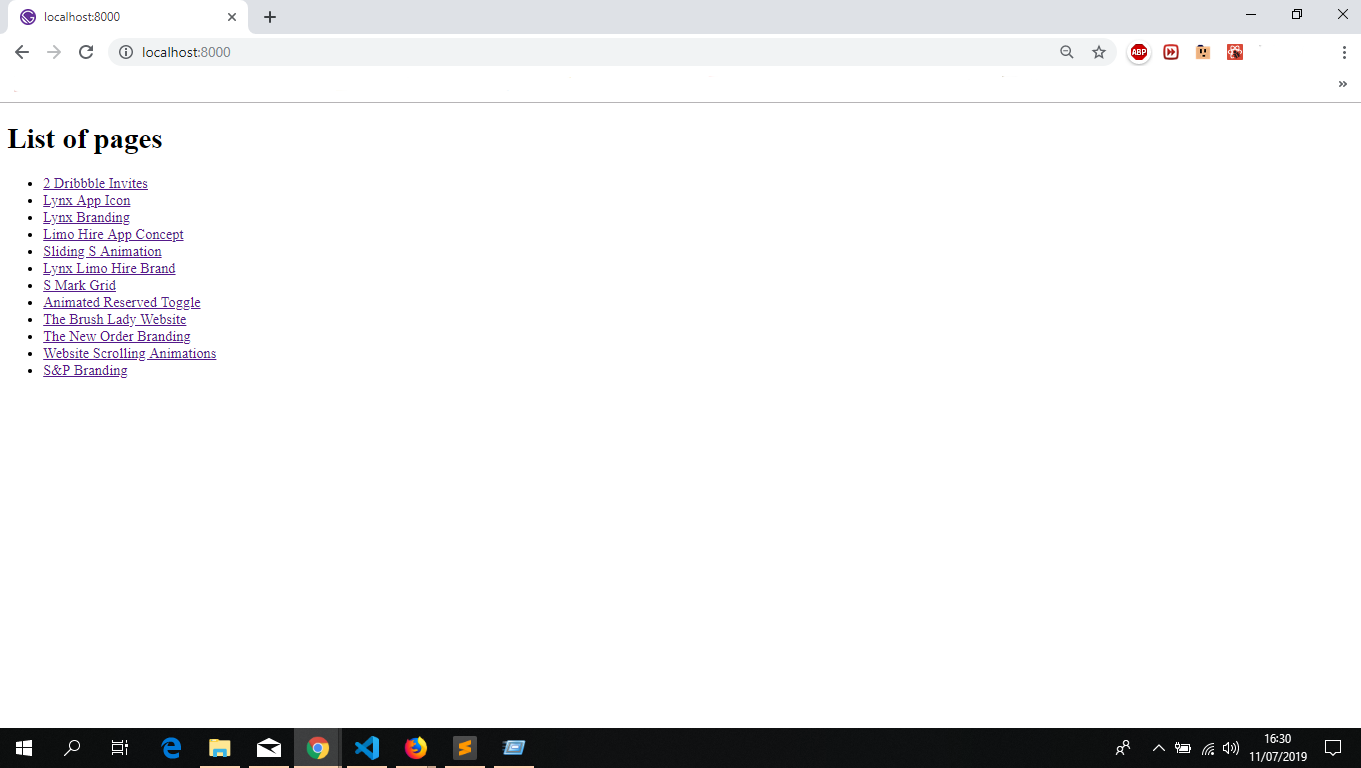
- Clicked a random item and i'm presented with the following:
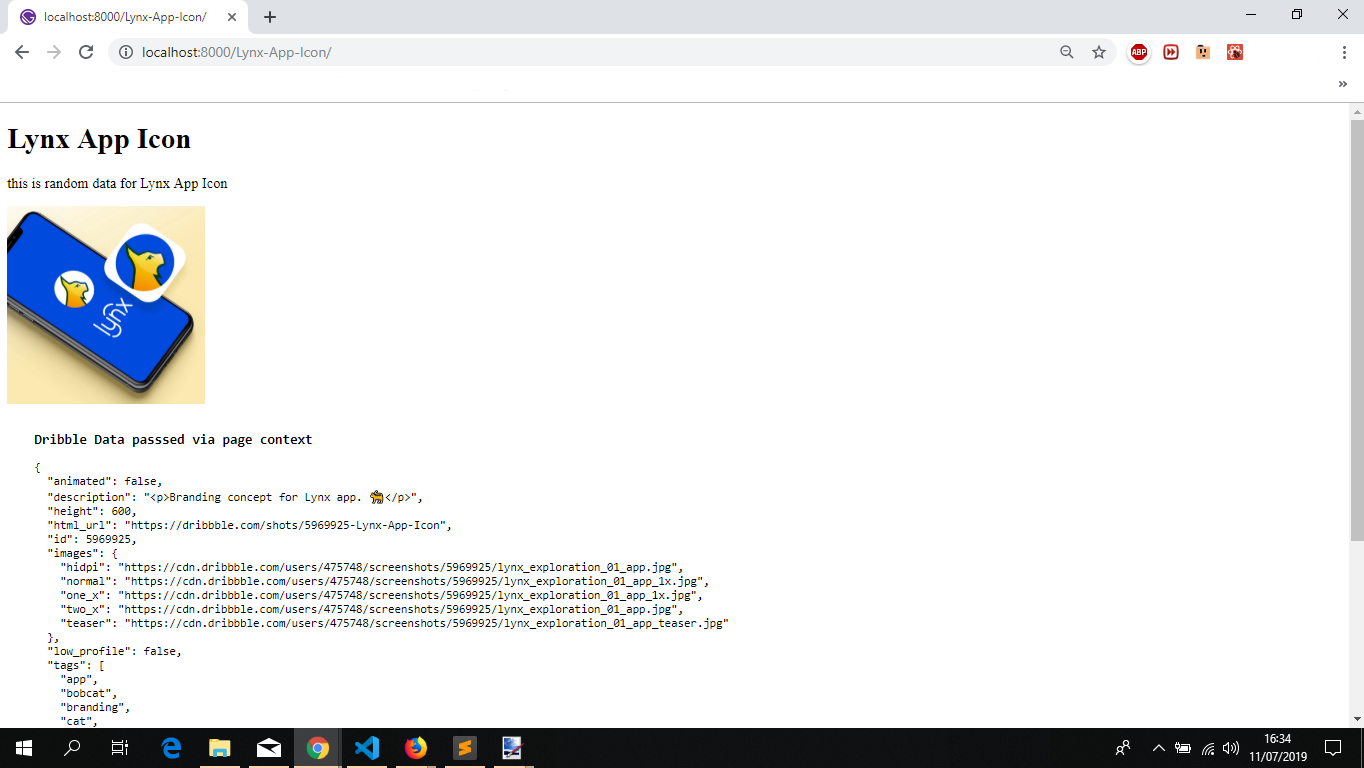
Below i'll document a alternative approach to your issue.
- Modified
gatsby-node.jscreatePagesapi call for the following:
exports.createPages = async ({ actions, graphql }) => {
  const { createPage } = actions

  // gets the markdown data needed
  const markdDownPages = await graphql(`
    {
      allMarkdownRemark {
        edges {
          node {
            id
            html
            fields {
              slug
            }
            frontmatter {
              title
            }
            html
          }
        }
      }
    }
  `)
  if (markdDownPages.errors) {
    throw new Error(markdDownPages.errors)
  }

  // iterates over the results fetched and creates the page based on that data
  markdDownPages.data.allMarkdownRemark.edges.forEach(edge => {
    /**
     * invokes createpage api hook to create a page for version 2
     * path:based on the slug retrieved i.e http://localhost:8000/v2/2-Dribbble-Invites/
     * component: the template used
     * context: data that will passed to the page internally
     * projectData: is the data coming from the graphql data
     */
    createPage({
      path: `/v2${edge.node.fields.slug}`,
      component: require.resolve("./src/templates/ProjectTemplate_v2.js"),
      context: {
          projectData:{
              id:edge.node.id,
              title:edge.node.frontmatter.title,
              content:edge.node.html
          },
      },
    })
  })
}
In this case the only thing that will be passed to the page itself will be the result of the graphl query.
- Created a new template in
/src/templates/calledProjectTemplate_v2.jswith the following content:
import React from 'react';
// basic functional component with the gatsby special prop `pageContext` and `location`already destructured
const ProjectTemplate_v2=({pageContext,location})=>{
    // destructures the object that was passed in gatsby-node.js
    const {projectData}= pageContext
    // get the data that is passed down when you click the link to hit a a page that was created
    // more on that https://www.gatsbyjs.org/docs/gatsby-link/
    const {state}= location
    return (
      <div
        style={{
          margin: "0 auto",
        }}
      >
        <div>
          <h1>{projectData.title}</h1>
          <div dangerouslySetInnerHTML={{ __html: projectData.content }} />
          {/* checks if the state object exists
              and renders the data acordingly
           */}
          {state !== undefined ? (
            <a
              href={`${state.dribleItem[0].html_url}`}
              title={state.dribleItem[0].title}
              target="_noopener"
              rel="nofollow"
            >
              <img
                style={{ width: "220px", height: "220px" }}
                src={`${state.dribleItem[0].images.hidpi}`}
                alt={`${state.dribleItem[0].title}`}
              />
            </a>
          ) : (
            <h3>no content</h3>
          )}
        </div>
        <div
          style={{
            fontFamily: "monospace",
            display: "block",
            padding: "10px 30px",
            margin: "0",
          }}
        >
          <h3>Dribble Data passsed via link</h3>
           {/* checks if the state object exists
              and renders the data acordingly
           */}
          <pre>
            {JSON.stringify(state !== undefined ? state.dribleItem[0] : {},null,2)}
          </pre>
        </div>
      </div>
    )
}

export default ProjectTemplate_v2
- Created a new page called
page-2.jsundersrc/pages/with the following content:
import React, { Component } from "react"
import axios from "axios"
import { graphql, Link } from "gatsby"


/**
 * this page will handle fetching the dribble data and store it in it's state
 */
class Page2 extends Component {
  state = {
    dribbleData: [],
    isError: false,
  }

  // component livecycle call
  async componentDidMount() {
    try {
      // this time the environment variable will use fetched depending on your mode(development or production) from .env.development or .env.production
      // more on that here https://www.gatsbyjs.org/docs/environment-variables/
      const datafromDribble = await axios(
        `https://api.dribbble.com/v2/user/shots?access_token=${process.env.GATSBY_DRIBBLE_API_TOKEN}`
      )
      const { data } = datafromDribble
      this.setState({ dribbleData: data })
    } catch (error) {
      console.log("====================================")
      console.log(`something went wrong:${error}`)
      console.log("====================================")
      this.setState({ isError: true })
    }
  }
  render() {
    const { dribbleData, isError } = this.state
    const { data } = this.props
    if (isError) {
      return (
        <>
          <h1>Something went wrong</h1>
          <h4>try reloading the page</h4>
        </>
      )
    }
    return (
      <div>
        <h1>List of pages version 2.0</h1>
        <ul>
          {data.allMarkdownRemark.edges.map(edge => {
            return (
              <li key={edge.node.id}>
                {/* creates a new gatsby link to the page created in gatsby-node.js (v2) and injects via link state prop the data regarding that page */}
                <Link to={`/v2${edge.node.fields.slug}`} state={{dribleItem:dribbleData.filter( x => x.title === edge.node.frontmatter.title)}}>
                  {edge.node.frontmatter.title}
                </Link>
              </li>
            )
          })}
        </ul>
      </div>
    )
  }
}
// a page query identical to the one used for v1
// more on that here https://www.gatsbyjs.org/docs/page-query/
export const query = graphql`
  {
    allMarkdownRemark {
      edges {
        node {
          id
          fields {
            slug
          }
          frontmatter {
            title
          }
        }
      }
    }
  }
`
export default Page2
Created a couple of more files namely
.env.developmentand.env.productionso that the api key from dribble can be accessible to Gatsby on the client side. It has the same content as the base.envfile.Issuing
gatsby developorgatsby build && gatsby serveto get a development build or a production build and opening up a browser window tohttp://localhost:8000/page-2/i'm presented with the following:

- Clicking a random item will yeld the following:

Now for some things regarding the approaches i took.
Both approaches documented here offer you some insight on how you can achieve what you want to with Gatsby.
It's entirely up to you on which route you want to follow.
Using the latter one might yeld you some issues if you don't modify the code accordingly. Probably instead of passing the whole object via state prop on page-2 to the pages that were created dynamically you might want to pass the dribble id for instance, or take another diferent approach so that when you share the page in a social media you'll actually get the dribble data, or when you open a browser window to a specific page.
On a personal note i would go with the first route. so that i can get the data from dribble during the build and when i hit a random page i have it already available. And with that leave only the pages and templates to render what i want to show on the website. In a nutshell a separation of concerns. But once again it's up to you to choose what approach you want to take.
Now if you want i can put the code in a repository so that you can look at it in more detail and at your own pace. Just let me know.
And if you don't mind, sorry for the extremely long comment.
Feel free to provide feedback so that we can close this issue or continue to work on it till we find a suitable solution.
jonniebigodes
on 11 Jul 2019
Firstly thank you so much for such a detailed step-by-step guide. I am working on recreating the environment to test for myself, if nothing else the steps you provided is helping me become more acquainted with calling API's in Gatsby, as well as axios, dotenv, which I am not acquainted with.
I am wondering how I can call my Dribble shots not as individual "blog" or "ProjectTemplate" posts, but to simply have the images of my dribble shots show up as clickable links that can then navigate the user to my original Dribble posts. This here is an example by Matthew Elsom: https://codepen.io/matthewelsom/pen/aVLyoO
I can tweak the css on my own, but I am wondering if there is a simpler way to integrate the JS script from the Matthew Elsom's example into my Gatsby site. If not, then I am right in assuming that Dribble API integration with Gatsby will require more work as you have suggested. I apologize if I am wrong in assuming there is an easier solution, either way the step by step guide you have provided is helping me become better acquainted with how Gatsby works!
judepark
on 11 Jul 2019
@judepark i'm going to expand my reproduction and come back and detail the steps i took. Do you mind waiting just a bit longer?
jonniebigodes
on 12 Jul 2019
Absolutely, thank you!!
judepark
on 12 Jul 2019
@judepark going to expand my previous comment so that it adjusts to what you mentioned in your previous comment. I've checked the codepen you supplied and adjusted accordingly.
- Starting from a approach like the first one i mentioned earlier. I modified my
gatsby-node.jswith the following code.
exports.createPages = async ({ actions, graphql }) => {
  const { createPage } = actions
  // uses axios to fetch the data from dribble
  const axiosRequest = await axios(
    `https://api.dribbble.com/v2/user/shots?access_token=${process.env.DRIBBLE_API_TOKEN}`
  )

  // destructure the axios data prop to get the result from the request made above
  const { data } = axiosRequest

  // gets the markdown data needed
  const markdDownPages = await graphql(`
    {
      allMarkdownRemark {
        edges {
          node {
            id
            html
            fields {
              slug
            }
            frontmatter {
              title
            }
            html
          }
        }
      }
    }
  `)
  if (markdDownPages.errors) {
    throw new Error(markdDownPages.errors)
  }
  /**
   * invokes createpage api hook to create a page
   * path: http://localhost:8000/mydribbles/
   * component: the template used
   * context: data that will passed to the page internally
   * dribbles: is the data coming from the graphql data
   */
  createPage({
    path: "/mydribbles/",
    component: require.resolve("./src/templates/DribblesTemplate.js"),
    context: {
      dribbles: data,
    },
  })

  // iterates over the results fetched and creates the page based on that data
  markdDownPages.data.allMarkdownRemark.edges.forEach(edge => {

    /**
     * invokes createpage api hook to create a page
     * path:based on the slug retrieved i.e http://localhost:8000/2-Dribbble-Invites/
     * component: the template used
     * context: data that will passed to the page internally
     * projectData: is the data coming from the graphql data
     */
    createPage({
      path: `${edge.node.fields.slug}`,
      component: require.resolve("./src/templates/ProjectTemplate.js"),
      context: {
        projectData: {
          id: edge.node.id,
          title: edge.node.frontmatter.title,
          content: edge.node.html,
        },
      },
    })
  })
}
Comparing with my first approach i mentioned above.
The changes here are the following. You're fetching the dribble data a priori like i mentioned before. But now instead of sending it to a page that is associated to a markdown post you're sending it to a page.
The template ProjectTemplate was modified accordingly so that these changes are reflected. I'm leaving it out so that the comment won't become very big.
- Now that the dribble data is being sent directly to a page, i had to create a template to show the data. With that in mind i've created the
./src/templates/DribblesTemplate.jsfile with the following content:
import React from "react"

import "../assets/css/dribbles.css"
// basic functional component with the gatsby special prop `pageContext` already destructured
const DribblesTemplate = ({ pageContext }) => {
  // destructure the propertie that were passed in via gatsby-node.js
  const { dribbles } = pageContext

  return (
    <div>
      <h1>dribbles via gatsby node</h1>
      <div className="shots">
        {dribbles.map(dribble => {
          return (
            <a
              className="shot"
              target="_noopener"
              href={dribble.html_url}
              rel="nofollow"
              title={dribble.title}
            >
              <div className="title">{dribble.title}</div>
              <img src={dribble.images.hidpi} alt={dribble.title} />
            </a>
          )
        })}
      </div>
    </div>
  )
}

export default DribblesTemplate
Nothing to different like before this component will recieve the data that is provided by Gatsby's special prop pageContext and it displays it. The css file is somewhat similar to the one supplied in the codepen you've supplied. I'm leaving it out for brevity purposes.
- Issuing
gatsby developand opening uphttp://localhost:8000/mydribbles/yelds the following result.

- Clicking a specific item will open a new tab directly to the dribble that was clicked.
Alternatively you can move from this approach and move the dribble fetching to the "client" side of things.
And i'm going to enumate to ways to achieve it, starting from a simple one.
- Created a new page in
src/pages/calledpage3.jsand inside i've added the following content:
import React from "react"
import MyDribbles_v1 from "../components/MyDribbles_v1"
const Page3 = () => (
  <div>
    <h1>this is a Gatsby page</h1>
    <div>
      <MyDribbles_v1 />
    </div>
  </div>
)

export default Page3
As you can see it's rather simple page. based on a functional React component,
- Created the
MyDribbles_v1component inside the./src/components/folder With the following content:
import React, { Component } from "react"
import axios from "axios"
import '../assets/css/dribbles.css'

class MyDribbles_v1 extends Component {
  state = {
    isError: false,
    dribbles: [],
  }

  async componentDidMount() {
    try {
      // this time the environment variable will use fetched depending on your mode(development or production) from .env.development or .env.production
      // more on that here https://www.gatsbyjs.org/docs/environment-variables/
      const datafromDribble = await axios(
        `https://api.dribbble.com/v2/user/shots?access_token=${process.env.GATSBY_DRIBBLE_API_TOKEN}`
      )
      const { data } = datafromDribble
      this.setState({ dribbles: data })
    } catch (error) {
      console.log("====================================")
      console.log(`something went wrong:${error}`)
      console.log("====================================")
      this.setState({ isError: true })
    }
  }
  render() {
    const { isError, dribbles } = this.state

    if (isError) {
      return (
        <>
          <h1>Something went wrong</h1>
          <h4>try reloading the page</h4>
        </>
      )
    }
    return (
      <div className="shots">
        <h1>dribbles shown directly in a component responsible for fetching the data</h1>
        {dribbles.map(dribble => {
          return (
            <a
              className="shot"
              target="_noopener"
              href={dribble.html_url}
              rel="nofollow"
              title={dribble.title}
            >
              <div className="title">{dribble.title}</div>
              <img src={dribble.images.hidpi} alt={dribble.title} />
            </a>
          )
        })}
      </div>
    )
  }
}

export default MyDribbles_v1
In this case the component itself is responsible to fetch the data and display it.
- Issued
gatsby develop, waited for the build process to finish and opened a new browser window tohttp://localhost:8000/page-3and i'm presented with the following:

- Just to ilustrate another way to achieve the same result, i created a new page called
page-4.jsinside/src/pageswith the following content:
import React, { Component } from "react"
import axios from "axios"
import MyDribbles_v2 from "../components/MyDribbles_v2"
class Page4 extends Component {
  state = {
    isError: false,
    dribbles: [],
  }

  async componentDidMount() {
    try {
      // this time the environment variable will use fetched depending on your mode(development or production) from .env.development or .env.production
      // more on that here https://www.gatsbyjs.org/docs/environment-variables/
      const datafromDribble = await axios(
        `https://api.dribbble.com/v2/user/shots?access_token=${process.env.GATSBY_DRIBBLE_API_TOKEN}`
      )
      const { data } = datafromDribble
      this.setState({ dribbles: data })
    } catch (error) {
      console.log("====================================")
      console.log(`something went wrong:${error}`)
      console.log("====================================")
      this.setState({ isError: true })
    }
  }
  render() {
    const { isError, dribbles } = this.state
    if (isError) {
      return (
        <>
          <h1>Something went wrong</h1>
          <h4>try reloading the page</h4>
        </>
      )
    }
    return(
      <div>
        <h1>this is another Gatsby page</h1>
        <div>
        {/* the dribble data that "lives" in the state will be passed down to the component as a prop */}
        <MyDribbles_v2 dribbles={dribbles}/>
        </div>
      </div>
    )
  }
}

export default Page4
- Created the
MyDribbles_v2component inside/src/componentswith the following content:
import React from "react"
import '../assets/css/dribbles.css';

const MyDribbles_v2 = ({ dribbles }) => {
  return (
    <div className="shots">
      <h1>
        dribbles shown directly in a functional component with the data passed via React Props
      </h1>
      {dribbles.map(dribble => {
        return (
          <a
            className="shot"
            target="_noopener"
            href={dribble.html_url}
            rel="nofollow"
            title={dribble.title}
          >
            <div className="title">{dribble.title}</div>
            <img src={dribble.images.hidpi} alt={dribble.title} />
          </a>
        )
      })}
    </div>
  )
}

export default MyDribbles_v2
In this case instead the component be responsible to fetch and display the data, it will be the responsibility of the page, when it's visited.
- Opened up
http://localhost:8000/page-4and i'm presented with the following:

As you can see you don't need to integrate the javascript file you mentioned. You can achieve the same result with a bit of work.
I've created a repo here with all of the code i mentioned here. So that you can go over it at your own pace and fiddle with it and see how things work.
Feel free to provide feedback so that we can close this issue or continue to work on it till we find a suitable solution.
Also one thing i forgot to mention, no need to thank, just glad i was able to help
jonniebigodes
on 12 Jul 2019
I followed your instructions and was able to integration my Dribble content directly into my Gatsby site! I say this was a huge learning curve for me but I was able to get there in the end, thank you for creating the repo, it made the process that much easier to follow, I learn better by having files to work with directly. Thank you for helping me out through this, now I can showcase my dribbble shots on my website :)
judepark
on 15 Jul 2019
@judepark again...no need to thank, i'm glad i was able to help out. If you don't mind i'm going to close this issue as it's now resolved and also should any other issues rise feel free to open a new issue. Thanks for using Gatsby 👍
jonniebigodes
on 15 Jul 2019
Related issues
 andykais
·
3Comments
andykais
·
3Comments
 theduke
·
3Comments
theduke
·
3Comments
 brandonmp
·
3Comments
brandonmp
·
3Comments
 mikestopcontinues
·
3Comments
mikestopcontinues
·
3Comments
 ferMartz
·
3Comments
ferMartz
·
3Comments
Most helpful comment
@judepark sorry for the delay, but i was otherwise engaged. Below are the steps i took to try and solve your issue based on the information at hand.
axios,dotenv,gatsby-source-filesystemandgatsby-transformer-remark, the last two are to try and match your setup. Axios will handle handle the http requests. And finally dotenv to move the api token from a enviroment variable as you should always do.gatsby-config.jsto the following:Nothing to complicated here, just configured
gatsby-source-filesystemto look for content in the/content/projectsfolder. And "activated"gatsby-transformer-remark.index.mdhas the following structure. For instance2-Dribbble-Invites/index.mdcontent is the following:gatsby-node.jswith the following code inside. It's a simplified version of yours and is commented so that you can understand what is happening at every step of the way.Now instead of leaving the api key directly in your code, it will be read from a environment variable loaded with
dotenvpackage from the file./src/templates/ProjectTemplate.jswith the following code inside:As you can see nothing complicated, this template will use the data passed via Gatsby's special prop
pageContextso that you can see the data as soon as you hit the page./src/pages/index.jsso that i could get a list of the pages available so that i could see if the actual data was being displayed correctly.gatsby developand waited for the process to complete and opening up a browser window tohttp://localhost:8000i'm presented with the following:Below i'll document a alternative approach to your issue.
gatsby-node.jscreatePagesapi call for the following:In this case the only thing that will be passed to the page itself will be the result of the graphl query.
/src/templates/calledProjectTemplate_v2.jswith the following content:page-2.jsundersrc/pages/with the following content:Created a couple of more files namely
.env.developmentand.env.productionso that the api key from dribble can be accessible to Gatsby on the client side. It has the same content as the base.envfile.Issuing
gatsby developorgatsby build && gatsby serveto get a development build or a production build and opening up a browser window tohttp://localhost:8000/page-2/i'm presented with the following:Now for some things regarding the approaches i took.
Both approaches documented here offer you some insight on how you can achieve what you want to with Gatsby.
It's entirely up to you on which route you want to follow.
Using the latter one might yeld you some issues if you don't modify the code accordingly. Probably instead of passing the whole object via
stateprop onpage-2to the pages that were created dynamically you might want to pass the dribble id for instance, or take another diferent approach so that when you share the page in a social media you'll actually get the dribble data, or when you open a browser window to a specific page.On a personal note i would go with the first route. so that i can get the data from dribble during the build and when i hit a random page i have it already available. And with that leave only the pages and templates to render what i want to show on the website. In a nutshell a separation of concerns. But once again it's up to you to choose what approach you want to take.
Now if you want i can put the code in a repository so that you can look at it in more detail and at your own pace. Just let me know.
And if you don't mind, sorry for the extremely long comment.
Feel free to provide feedback so that we can close this issue or continue to work on it till we find a suitable solution.