Gatsby: Typescript plugin breaks in development mode
Description
With the latest stable gatsby-plugin-typescript / gatsby i'm experiencing this error in development mode:
Element type is invalid: expected a string (for built-in components) or a class/function (for composite components) but got: object. You likely forgot to export your component from the file it's defined in, or you might have mixed up default and named imports.
If I build and serve, this error does not occur.
Steps to reproduce
I made an example project https://github.com/adaptivdesign/my-hello-world-starter
I created this example from gatsby-starter-hello-world and I simply followed the instructions for gatsby-plugin-typescript. See my changes here https://github.com/adaptivdesign/my-hello-world-starter/commit/850db7bf760af8262ba707116c4c89b932b63ad1
Environment
  System:
    OS: macOS 10.14.5
    CPU: (12) x64 Intel(R) Core(TM) i7-8700B CPU @ 3.20GHz
    Shell: 3.2.57 - /bin/bash
  Binaries:
    Node: 12.1.0 - /usr/local/bin/node
    Yarn: 1.16.0 - /usr/local/bin/yarn
    npm: 6.9.0 - /usr/local/bin/npm
  Languages:
    Python: 2.7.10 - /usr/bin/python
  Browsers:
    Chrome: 75.0.3770.100
    Safari: 12.1.1
  npmPackages:
    gatsby: ^2.13.3 => 2.13.3
    gatsby-plugin-typescript: 2.0.11 => 2.0.11
 rmmr
rmmr
All 21 comments
I'm also seeing this error while developing a theme. I'm also using gatsby-plugin-mdx.
gatsby-config.js
module.exports = {
  plugins: [
    {
      resolve: 'gatsby-source-filesystem',
      options: {
        name: 'projects',
        path: 'projects'
      }
    },
    'gatsby-plugin-mdx',
    'gatsby-plugin-sharp',
    'gatsby-transformer-sharp',
    'gatsby-plugin-typescript'
  ]
}
I'm getting this error (also have a look in the console):

 LekoArts
on 5 Jul 2019
LekoArts
on 5 Jul 2019
I also had this issue, I added @babel/plugin-transform-typescript as a dependency and it solve it. But there is nothing in the doc that mention adding this package.
Is it expected ?
 gotvitch
on 5 Jul 2019
gotvitch
on 5 Jul 2019
I am also having this issue when creating a new gatsby project using gatsby-plugin-typescript. @gotvitch I added it @babel/plugin-transform-typescript as a dependency and it did not solve it for me. Did you do anything else?
 lbucio
on 5 Jul 2019
lbucio
on 5 Jul 2019
I'm having this problem too. Something I think is worth noting is that happens with class components, but not when I use a functional component.
With a function:
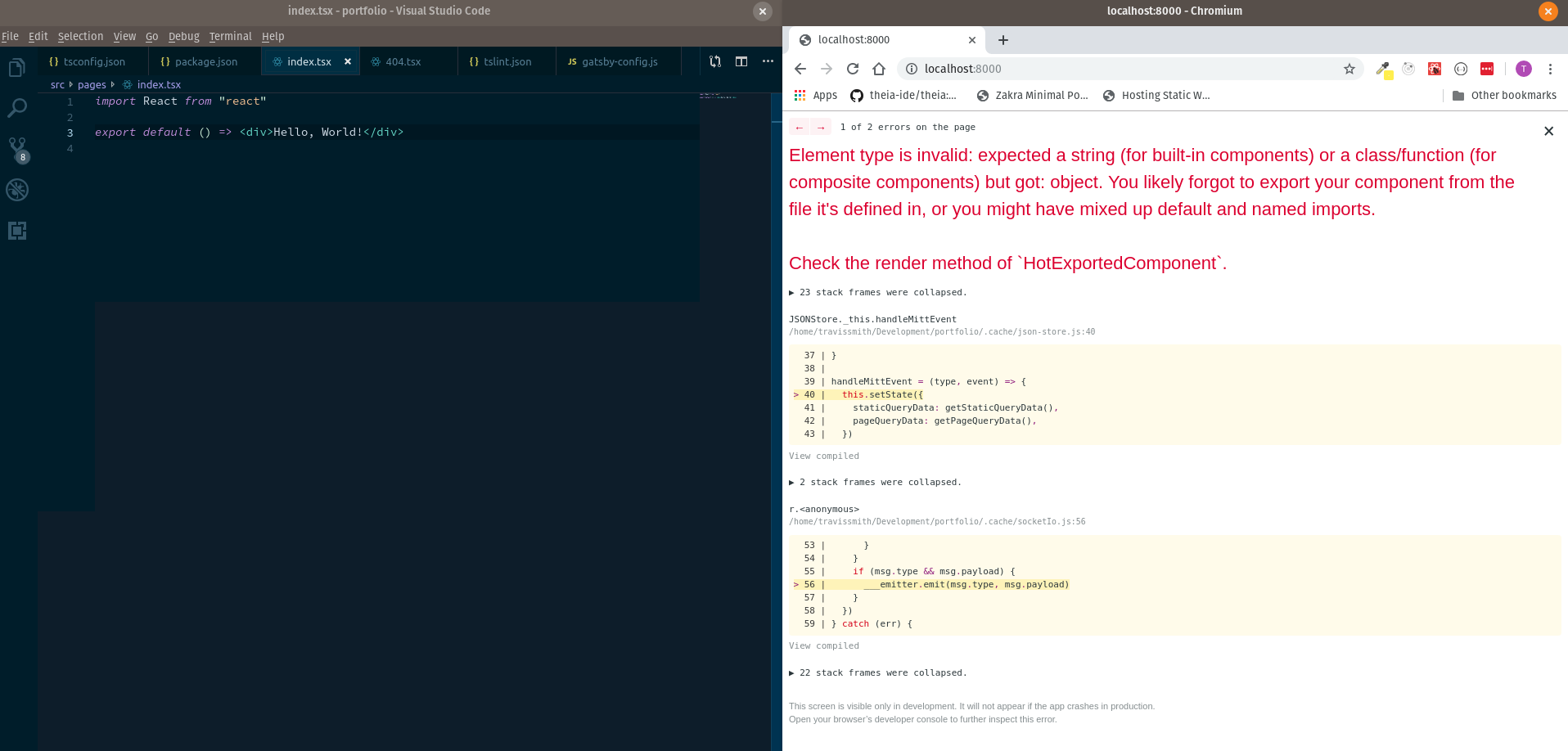
With a class:

 smithtal
on 6 Jul 2019
smithtal
on 6 Jul 2019
I am also having this problem. As per @tevyt, I only encounter this when trying to use a functional component, classes appear to work fine. Adding @babel/plugin-transform-typescript does NOT work for me.
 jefdavis54
on 6 Jul 2019
jefdavis54
on 6 Jul 2019
For me, neither a functional component nor a class component works. I found out that the problem occurs only when I'm using default exports. In case of named export it works as expected. Both ways.
 Peracek
on 6 Jul 2019
Peracek
on 6 Jul 2019
I'm also having this problem.
All components exported as default are failing. For example:
"export 'default' (imported as 'SEO') was not found in '../components/seo'
Adding @babel/plugin-transform-typescript did not solve it.
 aemonm
on 6 Jul 2019
aemonm
on 6 Jul 2019
Hmmm, it does appear to have something to do with 'default'. From what I can tell:
// Doesn't work
export default ()=>[div]Hello World[/div]
// Doesn't work
const IndexPage = ()=>[div]Hello World[/div]
export default IndexPage
// Doesn't work
class IndexPage extends React.Component {render() {return [div]Hello World[/div]}}
export default IndexPage
// Works
const IndexPage = () => [div]Hello World[/div]
export {IndexPage as default}
// Works
export default class IndexPage extends React.Component {render() {return [div]Hello World[/div]}}
// Works
class IndexPage extends React.Component {render() {return [div]Hello World[/div]}}
export {IndexPage as default}
jefdavis54
on 6 Jul 2019
Any idea when and where this issue was introduced? Rolling back gatsby and gatsby-plugin-typescript did not seem to fix it.
aemonm
on 6 Jul 2019
I have the same problem. It was working, but since deleting the existing node_modules it doesn't. It appears that a new version of gatsby-telemetry gets installed independent of the other items. Any idea how to roll this back? Are there other programs gatsby installs without version control from package.json?
jefdavis54
on 6 Jul 2019
Also having the same error with default exports as mentioned by @aemonm.
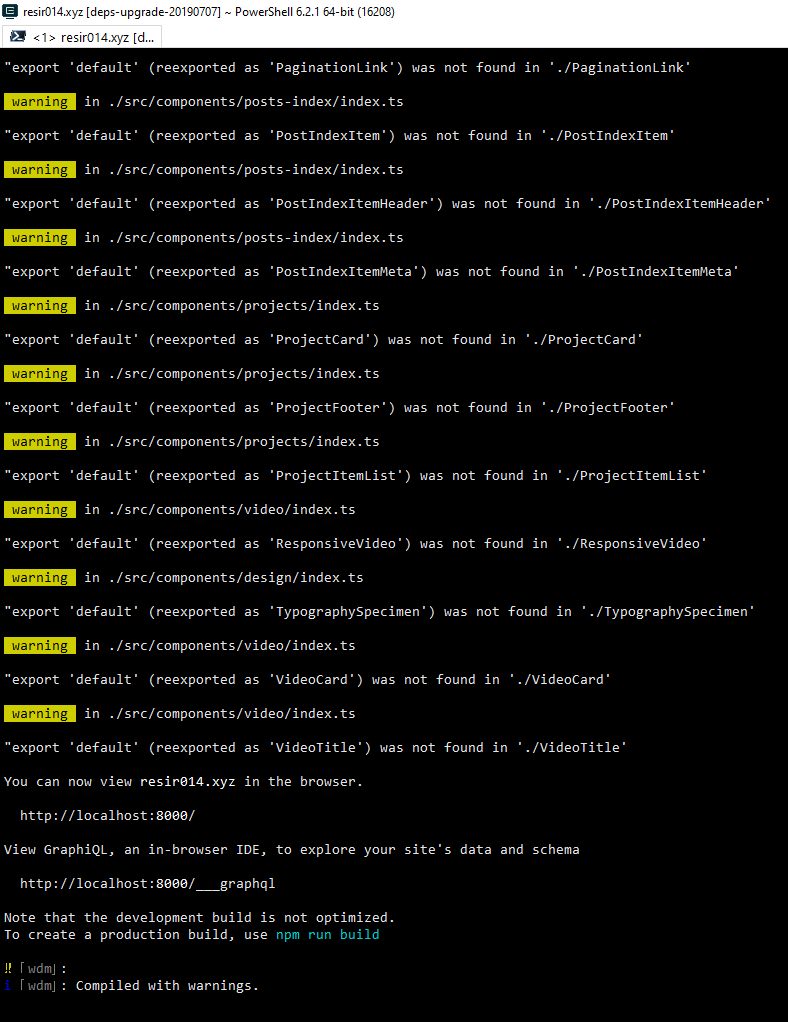
Other things that I can confirm:
- If you've recently rebuilt your
package-lock.jsonoryarn.lock, or you recently started a new project, you might run into this error. Tried rolling back myyarn.lockto the point before I rebuilt it and the issues no longer occur. So it might be the dependencies ofgatsbyorgatsby-plugin-typescriptthat broke the build when you upgrade them. - Should worth knowing that the TypeScript plugin uses Babel's TS preset. Last known
@babel/preset-typescriptversion that works without issues is~7.1.0and~7.2.0.
 resir014
on 7 Jul 2019
resir014
on 7 Jul 2019
I've also noticed that, this works:
export default class Page extends React.PureComponent {
    render = () => (
      // ...
    );
};
but this doesn't:
export default class extends React.PureComponent {
    render = () => (
      // ...
    );
};
and neither does this (as mentioned by many of you above):
class Page extends React.PureComponent {
    render = () => (
      // ...
    );
};
export default Page;
 iamtraction
on 7 Jul 2019
iamtraction
on 7 Jul 2019
To everyone who's facing this issue and is looking for a solution, here's one workaround until this is fixed:
- Change all your default exports from components, layouts, etc. to named exports.
So, these:
tsx
export default Header;
import Header from "../components/Header";
changes to:
tsx export { Header }; import { Header } from "../components/Header"; - Change all your page components' exports to:
tsx
export default class Page extends React.Component {
    render = () => (
      // ...
    );
};
iamtraction
on 7 Jul 2019
As temp workaround (if you are using yarn) you can add:
  "resolutions": {
    "@babel/plugin-transform-typescript": "7.4.5"
  }
to your package.json (we can't tmp pin this in gatsby-plugin-typescript bacause babel transform is dependency of @babel/preset-typescript, so we have are not in direct control of transform version)
This seems like related to this issues:
seems like mix of stuff that changed in @babel/[email protected] and react-hot-loader not handling changed transformation correctly
 pieh
on 7 Jul 2019
pieh
on 7 Jul 2019
New release of react-hot-loader (4.12.5) was release ~1 hour ago. It fixes the issue (at least in https://github.com/gatsbyjs/gatsby/tree/master/examples/using-typescript I used as reproduction).
Please try reinstalling deps (you might need to delete any lock files beforehand) and let us know if this fixes the problem.
I will open PR soon to bump minimal react-hot-loader version in gatsby so it's easier to resolve this without lock files shenanigans.
pieh
on 7 Jul 2019
Yes, works for me now 👍
LekoArts
on 7 Jul 2019
Fixes the issue for me too
smithtal
on 7 Jul 2019
I have recently had this issue when creating new projects via the Gatsby CLI and using the gatsby-plugin-typescript plugin. But after reinstalling dependencies, it now works for me, as well. Thanks!
 joshchua
on 7 Jul 2019
joshchua
on 7 Jul 2019
[email protected] was realeased - so you can update just gatsby package now without messing with lock files
pieh
on 7 Jul 2019
Also having a very similar issue with named exports.

 johnnyBira
on 11 Aug 2019
johnnyBira
on 11 Aug 2019
For anyone that is still having this issue, I solved it by updating gatsby to 2.24.7 in package.json
 mkezmkez
on 8 Aug 2020
mkezmkez
on 8 Aug 2020
Related issues
 ghost
·
3Comments
ghost
·
3Comments
 timbrandin
·
3Comments
timbrandin
·
3Comments
 totsteps
·
3Comments
totsteps
·
3Comments
 magicly
·
3Comments
magicly
·
3Comments
 brandonmp
·
3Comments
brandonmp
·
3Comments
Most helpful comment
New release of
react-hot-loader(4.12.5) was release ~1 hour ago. It fixes the issue (at least in https://github.com/gatsbyjs/gatsby/tree/master/examples/using-typescript I used as reproduction).Please try reinstalling deps (you might need to delete any lock files beforehand) and let us know if this fixes the problem.
I will open PR soon to bump minimal
react-hot-loaderversion in gatsby so it's easier to resolve this without lock files shenanigans.