Gatsby: "Uncaught Error: Missing resources for /" with Component Shadowing
Description
Since today after I serve my static files, I got this notorious Error: Uncaught Error: Missing resources for /. After researching and trying to find out what happened, I was able to pinpoint it to Component Shadowing with Themes.
My setup is, that I have a Theme that exports Utility Components and Section Components, basically behaving like a UI-Kit. It's exported by an export.js file.
Now when I shadow a Component, that I use, to let the user inject custom Components in a certain spot and at the same time import something from the theme, this occurs in the browser. This happens whenever that component is rendered on the page.
Steps to reproduce
- Build a theme with an export of any components.
- Shadow a component in that Theme and
import X from 'your-theme'and use X. yarn buildyarn serve- Visit the page
Expected result
Page should work normally
Actual result
Missing resources for / occurs.
Environment
  System:
    OS: macOS 10.14.3
    CPU: (8) x64 Intel(R) Core(TM) i5-8259U CPU @ 2.30GHz
    Shell: 5.3 - /bin/zsh
  Binaries:
    Node: 10.15.1 - /usr/local/bin/node
    Yarn: 1.13.0 - /usr/local/bin/yarn
    npm: 6.4.1 - /usr/local/bin/npm
  Languages:
    Python: 2.7.10 - /usr/bin/python
  Browsers:
    Chrome: 74.0.3729.169
    Firefox: 66.0.5
    Safari: 12.0.3
  npmPackages:
    gatsby: ^2.8.6 => 2.8.6
    gatsby-image: ^2.1.2 => 2.1.2
    gatsby-plugin-compile-es6-packages: ^1.1.0 => 1.1.0
    gatsby-plugin-manifest: ^2.1.1 => 2.1.1
    gatsby-plugin-offline: ^2.1.1 => 2.1.1
    gatsby-plugin-typescript: ^2.0.15 => 2.0.15
    gatsby-theme-shopify-poulo: ^0.8.12 => 0.8.12
 Saifadin
All 27 comments
@Saifadin I used component shadowing on this site (see also: the source code) and don't seem to be experiencing the issues you claim here.
Could you provide a reproduction?
 DSchau
on 9 Jun 2019
DSchau
on 9 Jun 2019
@dschau it only happens in the scenario described at the top. Normal component shadowing works fine.
I will try to provide a reproduction.
Saifadin
on 9 Jun 2019
I use that pattern, as well. See this file. Unless there's some weirdness with using the default export, that seems to be reasonably similar.
DSchau
on 9 Jun 2019
Do I need to import it from the file directly? If yes, then i shall try that.
Saifadin
on 9 Jun 2019
I wouldn't have thought it mattered, it's however the theme is distributed (e.g. if there's a main file that default exports something), then I'd have thought this would be just fine.
Again a reproduction would confirm that guess!
DSchau
on 9 Jun 2019
So here is a reproduction: https://github.com/Saifadin/component-shadowing-weirdness
What I also learned is: If I just shadow a Component everything is fine, but as soon as I import from a file, that is importing something from the theme, it breaks.
Tell me if you need anything else 😄
Saifadin
on 9 Jun 2019
The repo does not reproduce this issue for me:
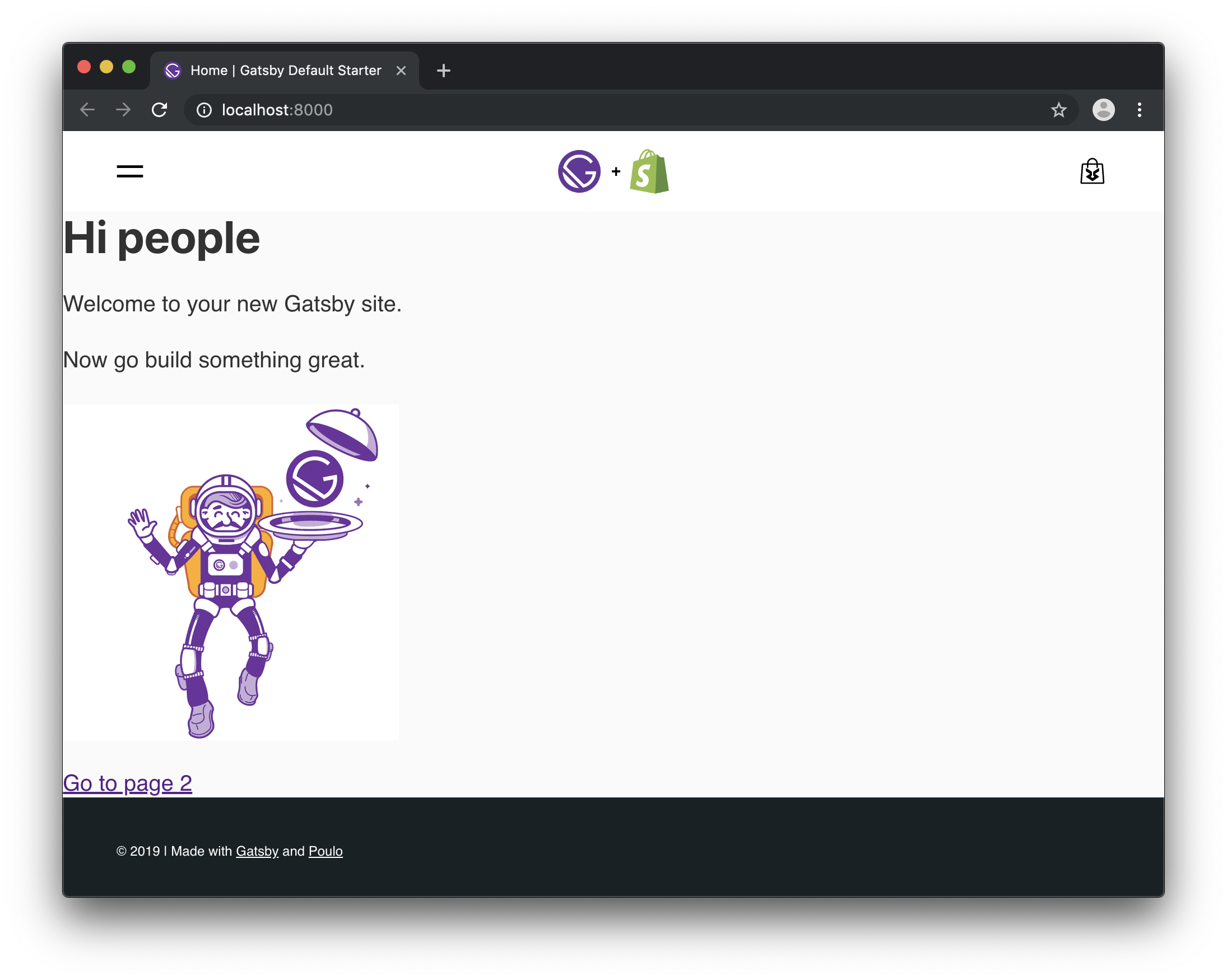
I do see a warning for a StaticQuery that isn't running, but it's hard to know if that's the reason for this since I haven't seen the original resources error.
Error loading a result for the StaticQuery in "/Users/christopherbiscardi/tmp/component-shadowing-weirdness/node_modules/gatsby-theme-shopify-poulo/src/components/Menu/index.tsx". Query was not run and no cached result was found.
 ChristopherBiscardi
on 9 Jun 2019
ChristopherBiscardi
on 9 Jun 2019
The warning is fine, need to fix that in the Theme, didnt get around to it.
You are running gatsby develop. You need to do a build and then serve that. It doesn't occur in dev mode.
Saifadin
on 9 Jun 2019
In src/styles.js this diff fixes it:
import styled from "@emotion/styled"
import { PrimaryTitle } from "gatsby-theme-shopify-poulo/src/components/Typography"

export const Title = styled(PrimaryTitle)`
  width: 100%;
`
Which makes me suspect the issue is the way TypeScript compiles gatsby-theme-shopify-poulo/export:
export { default as Hero } from './src/components/Hero';
export { default as Section, SectionDescription, SectionTitle, SectionSubTitle } from './src/components/Section';
export { default as ProductCardList } from './src/components/ProductCardList';
export { default as Button, ButtonLink } from './src/components/Button';
export { default as ImageGridTwoLargeFourSmall, LargeChild, SmallChild } from './src/components/ImageGridTwoLargeFourSmall';
export { default as ImageGridTwoHalfOneFullwidth, FullwidthChild, OneHalfChild } from './src/components/ImageGridTwoHalfOneFullwidth';
export { default as ImageGridTwoHalf } from './src/components/ImageGridTwoHalf';

export { default as EqualColumns } from './src/components/EqualColumns';
export { default as EqualColumn } from './src/components/EqualColumns/EqualColumn';

export { PrimaryTitle, SecondaryTitle, SubTitle, Paragraph } from './src/components/Typography';

export { default as Seo } from './src/containers/SeoContainer';
export { default as PageLayout } from './src/containers/PageLayout';
export { default as ProductPage } from './src/containers/ProductPage';
export { default as ErrorPage } from './src/containers/404';

export { useMedia, useMediaLayout } from './src/hooks/useMedia';

export { colors, layout, button, typo } from './src/components/tokens';
weirdly if you import PageLayout in export.js instead of export from'ing it, it's undefined. So there's something funky happening with that file that seems unrelated to shadowing. Perhaps TypeScript related?
import PageLayout from './src/containers/PageLayout';

console.log(PageLayout)
Thanks for looking into it @ChristopherBiscardi.
Yeah I noticed that, if I want to import layout, it arrives as undefined in my page and I can't use it. Surprisingly this only occurs in combination with Component Shadowing. If I import anything anywhere else it works just fine. 🤔
The thing is, that I don't want to make the User of the Theme to import it from the file, because if the location changes, it will always be a Breaking Change, which I would like to avoid.
What are the options we have here? Should I compile the Theme in its own gatsby-config or it doesn't matter in which one this code lays?
{
  resolve: "gatsby-plugin-compile-es6-packages",
  options: {
    modules: ["gatsby-theme-shopify-poulo"],
  },
},
Also if you do the following in the shadowed file, it works perfectly fine, it's only when I import the Title component from outside the shadowed folder.
import React from "react"

import { PrimaryTitle } from "gatsby-shopify-theme-poulo"

const Content = ({ activeDisplayName }) => {
  return <PrimaryTitle>Shadowed</PrimaryTitle>
}

export default Content
it's only when I import the Title component from outside the shadowed folder.
have you tried main: src/exports.js?
ChristopherBiscardi
on 9 Jun 2019
If I do that I get the following error:
Error: Unable to find plugin "gatsby-theme-shopify-poulo". Perhaps you need to install its package?

  - load.js:117 resolvePlugin
    [component-shadowing-weirdness]/[gatsby]/dist/bootstrap/load-plugins/load.js:117:11

  - load.js:161 processPlugin
    [component-shadowing-weirdness]/[gatsby]/dist/bootstrap/load-plugins/load.js:161:20
The resolvedPath is weirdly enough /Users/osamah/Projects/component-shadowing-weirdness/node_modules/gatsby-theme-shopify-poulo/src instead of /Users/osamah/Projects/component-shadowing-weirdness/node_modules/gatsby-theme-shopify-poulo
Saifadin
on 10 Jun 2019
The thing is, that I don't want to make the User of the Theme to import it from the file, because if the location changes, it will always be a Breaking Change, which I would like to avoid.
Also, due to the ability to shadow any component, refactoring file locations for components is always considered a breaking change and you would want to provide a codemod or other automated tool for users to upgrade if you plan on doing this often.
ChristopherBiscardi
on 10 Jun 2019
Also, due to the ability to shadow any component, refactoring file locations for components is always considered a breaking change and you would want to provide a codemod or other automated tool for users to upgrade if you plan on doing this often.
That is a very good point, although that means, we will require Users to always know the file structure of the Theme to always find the proper path.
Saifadin
on 10 Jun 2019
we will require Users to always know the file structure of the Theme to always find the proper path.
To shadow a component, knowing the filepath to the module is a pre-requisite. We're planning to provide a CLI and possibly a GUI to make that easier. It will likely be able to list shadowable files, etc and automate ejection for shadowable components. This may not happen before we go stable, but will happen at some point and I have some code written for this already.
In the reproduction example, the better way to accomplish what's happening is to shadow PrimaryTitle and MobileMegaMenu, importing the PrimaryTitle from the theme in MobileMegaMenu. Using an export.js file instead adds an additional custom layer of abstraction between the theme and using/customization of the theme that disconnects the shadowing paths and the import paths in the user's site. The shadowing PrimaryTitle can import itself from the theme and re-export a customized version, then the import path is plainly apparent in the shadow path because importing PrimaryTitle from the theme gives you the shadowed version in MobileMegaMenu.
That said, I'm still interested in seeing a minimal version reproduction of this that doesn't include typescript, etc to iron out what's happening with the exports.js weirdness.
ChristopherBiscardi
on 10 Jun 2019
To shadow a component, knowing the filepath to the module is a pre-requisite.
I forgot that 🤦🏽♂️
In the reproduction example, the better way to accomplish what's happening is to shadow PrimaryTitle and MobileMegaMenu
That is a way, but that means we have to explain these scenarios in the Docs eventually. Component Shadowing is a pretty new concept after all.
To avoid stuff like that, maybe it makes sense to extract everything non-shadowable into a UI-Kit and leave the Theme for the rest.
That said, I'm still interested in seeing a minimal version reproduction of this that doesn't include typescript, etc to iron out what's happening with the exports.js weirdness.
I will try do a repro, but I feel like this whole issue is caused by export.js not being compiled properly.
Saifadin
on 10 Jun 2019
That is a way, but that means we have to explain these scenarios in the Docs eventually. Component Shadowing is a pretty new concept after all.
Yeah, it's on my plate to document this kind of stuff before we call stable.
To avoid stuff like that,
To avoid what specifically? Shadowing components?
maybe it makes sense to extract everything non-shadowable into a UI-Kit and leave the Theme for the rest.
This seems pretty anti-pattern-y. The ability to shadow by default is a feature in this case, not a bug. Theme authors can not anticipate all use cases in advance and without shadowing there's no way to customize output. So intentionally bypassing shadowing means artificially restricting what users can do with a theme unnecessarily.
ChristopherBiscardi
on 11 Jun 2019
This seems pretty anti-pattern-y.
That's interesting to say. I always take the approach of customising through Props, so Component Shadowing is only necessary for the parts of the App that are completely custom, like the Footer, the Navigation, the MegaMenu or the tokens.
The UI-Kit will be exporting things like Button, Section, Hero etc which can be combined to create a page. I don't see a need for Component Shadowing in those cases, as they can be customised in other ways, eg Props.
Would love to hear your inputs on this, @ChristopherBiscardi
Saifadin
on 11 Jun 2019
Yeah so let's say you import and use Button in the theme, then someone imports, extends and uses Button in their site somewhere else. How would you expect to reconcile the visual appearance of the two buttons across the site?
ChristopherBiscardi
on 11 Jun 2019
Yeah I have thought of that my solution is to have a Provider for the UI Kit, that is used by the Theme to wrap the whole Page in gatsby-browser and gatsby-ssr.
import tokens from './src/components/tokens';
...
<KitProvider tokens={tokens}>
  {children}
</KitProvider>
That way the User can customise the look and feel of his application through eg shadowing tokens/buttons.js which then will be injected into the Provider.
Saifadin
on 11 Jun 2019
That's a valid technique and something we use in theme-ui. MDX also uses this technique with MDXProvider.
In addition, this technique doesn't cover the case of your original proposal where customization of components happens via props or styled.
ChristopherBiscardi
on 11 Jun 2019
In addition, this technique doesn't cover the case of your original proposal where customization of components happens via props or styled.
I agree, customising through styled is a bit like using !important. It should be the last effort in case of an edge case, it shouldn't be necessary in 99% of the time.
In the case of props, I try to have the props as high-level as possible and leave the styling to be mostly done through tokens. For example in the button token you can define "styles", eg primary, hollow etc. Now when you use the button you can say <Button appearance="primary"> and the styles from the tokens will be injected.
Saifadin
on 11 Jun 2019
I agree, customising through styled is a bit like using !important. It should be the last effort in case of an edge case, it shouldn't be necessary in 99% of the time.
I'm a bit confused as that's not what I was saying and I'm also curious as to why it was used as the original repro if you don't think it should be used. (for reference my personal opinion is that the styled API should never be used; but that's not really relevant to the shadowing conversation here).
In any case the the anti-pattern here is trying to control what is shadowable and what isn't. Going further as well, we may choose to enable shadowing for npm package based component libraries in the future which would render the "what should be shadowable/what shouldn't" separation moot.
Generally speaking, a theme author shouldn't have to think about what is and isn't shadowable, which is part of the reason it operates on the entire src directory.
ChristopherBiscardi
on 11 Jun 2019
Oh, I misunderstood the question. In my repro I was using styled to add additional styles, which is necessary sometimes and of course is an edge case.
—-
I understand what you mean and I will think more about my setup and how to improve without adding any overhead and complicating things.
Thanks for your input and insights^^
Saifadin
on 11 Jun 2019
Hiya!
This issue has gone quiet. Spooky quiet. 👻
We get a lot of issues, so we currently close issues after 30 days of inactivity. It’s been at least 20 days since the last update here.
If we missed this issue or if you want to keep it open, please reply here. You can also add the label "not stale" to keep this issue open!
As a friendly reminder: the best way to see this issue, or any other, fixed is to open a Pull Request. Check out gatsby.dev/contributefor more information about opening PRs, triaging issues, and contributing!
Thanks for being a part of the Gatsby community! 💪💜
![gatsbot[bot] picture](https://avatars2.githubusercontent.com/in/12849?v=4&s=40) gatsbot[bot]
on 2 Jul 2019
gatsbot[bot]
on 2 Jul 2019
Hey again!
It’s been 30 days since anything happened on this issue, so our friendly neighborhood robot (that’s me!) is going to close it.
Please keep in mind that I’m only a robot, so if I’ve closed this issue in error, I’m HUMAN_EMOTION_SORRY. Please feel free to reopen this issue or create a new one if you need anything else.
As a friendly reminder: the best way to see this issue, or any other, fixed is to open a Pull Request. Check out gatsby.dev/contribute for more information about opening PRs, triaging issues, and contributing!
Thanks again for being part of the Gatsby community!
gatsbot[bot]
on 13 Jul 2019
Related issues
 andykais
·
3Comments
andykais
·
3Comments
 rossPatton
·
3Comments
rossPatton
·
3Comments
 totsteps
·
3Comments
totsteps
·
3Comments
 Oppenheimer1
·
3Comments
Oppenheimer1
·
3Comments
 magicly
·
3Comments
magicly
·
3Comments