Gatsby: PORT not found when deploying on Heroku
Description
When I deploy on Heroku I get ( Error R10 (Boot timeout) -> Web process failed to bind to $PORT within 60 seconds of launch) which prevents the application from deploying
Steps to reproduce
- Commit and push a change to the master branch.
- Deploy changes with the 'Deploy' button on Heroku dashboard or
use commandgit push heroku master
Expected result
A working website. Showing homepage.
Actual result
(website) Heroku application error page
(logs) Error R10 (Boot timeout) -> Web process failed to bind to $PORT within 60 seconds of launch
2019-06-05T00:30:49.758049+00:00 heroku[web.1]: Starting process with command `npm start -p 30096`
2019-06-05T00:30:52.545317+00:00 app[web.1]:
2019-06-05T00:30:52.545347+00:00 app[web.1]: > [email protected] start /app
2019-06-05T00:30:52.545349+00:00 app[web.1]: > npm run develop "30096"
2019-06-05T00:30:52.545351+00:00 app[web.1]:
2019-06-05T00:30:52.937201+00:00 app[web.1]:
2019-06-05T00:30:52.937237+00:00 app[web.1]: > [email protected] develop /app
2019-06-05T00:30:52.937240+00:00 app[web.1]: > gatsby develop "30096"
2019-06-05T00:30:52.937242+00:00 app[web.1]:
2019-06-05T00:30:53.808885+00:00 app[web.1]: ╔════════════════════════════════════════════════════════════════════════╗
2019-06-05T00:30:53.808905+00:00 app[web.1]: ║                                                                        ║
2019-06-05T00:30:53.808908+00:00 app[web.1]: ║   Gatsby has started collecting anonymous usage analytics              ║
2019-06-05T00:30:53.808910+00:00 app[web.1]: ║   to help improve Gatsby for all users.                                ║
2019-06-05T00:30:53.808912+00:00 app[web.1]: ║                                                                        ║
2019-06-05T00:30:53.808914+00:00 app[web.1]: ║   If you'd like to opt-out, you can use `gatsby telemetry --disable`   ║
2019-06-05T00:30:53.808916+00:00 app[web.1]: ║   To learn more, checkout https://gatsby.dev/telemetry                 ║
2019-06-05T00:30:53.808918+00:00 app[web.1]: ║                                                                        ║
2019-06-05T00:30:53.808920+00:00 app[web.1]: ╚════════════════════════════════════════════════════════════════════════╝
2019-06-05T00:30:53.810471+00:00 app[web.1]:
2019-06-05T00:30:56.073854+00:00 app[web.1]: lscpu: failed to determine number of CPUs: /sys/devices/system/cpu/possible: No such file success open and validate gatsby-configs - 0.
008 s
success load plugins - 0.424 s
success onPreInit - 0.014 s
success delete html and css files from previo
us builds - 0.055 s
success initialize cache - 0.010 s
success copy gatsby files - 0.042 s
success onPreBootstrap - 0.012 s
success source and transform nodes - 0.266 s
success building schema - 0.507 s
success createPages - 0.206 s
success createPagesStatefully - 0.060 s
success onPreExtractQueries - 0.002 s
success update schema - 0.042 s
success extract queries from components - 0.2
36 s
success run static queries - 0.042 s — 6/6 16
2.82 queries/second
success run page queries - 0.150 s — 18/18 12
2.37 queries/second
success write out page data - 0.006 s
success write out redirect data - 0.002 s
success onPostBootstrap - 0.002 s
⠀
info bootstrap finished - 5.563 s
⠀
 DONE  Compiled successfully in 7671ms00:31:0
7
⠀
⠀
You can now view jamestewartjr.com in the bro
wser.
⠀
  http://localhost:8000/
⠀
View GraphiQL, an in-browser IDE, to explore
your site's data and schema
⠀
  http://localhost:8000/___graphql
⠀
Note that the development build is not optimized.
To create a production build, use npm run build
⠀
info ℹ 「wdm」:
info ℹ 「wdm」: Compiled successfully.
2019-06-05T00:31:07.598147+00:00 app[web.1]:
2019-06-05T00:31:50.070921+00:00 heroku[web.1]: Error R10 (Boot timeout) -> Web process failed to bind to $PORT within 60 seconds of launch
2019-06-05T00:31:50.071222+00:00 heroku[web.1]: Stopping process with SIGKILL
2019-06-05T00:31:50.230419+00:00 heroku[web.1]: State changed from starting to crashed
2019-06-05T00:31:50.204154+00:00 heroku[web.1]: Process exited with status 137
2019-06-05T00:52:29.808669+00:00 heroku[web.1]: State changed from crashed to starting
- (dev tools network tab) 503 service unavailable

Environment
  System:
    OS: macOS 10.14.5
    CPU: (8) x64 Intel(R) Core(TM) i7-7700HQ CPU @ 2.80GHz
    Shell: 3.2.57 - /bin/bash
  Binaries:
    Node: 8.9.4 - ~/.nvm/versions/node/v8.9.4/bin/node
    npm: 6.9.0 - ~/.nvm/versions/node/v8.9.4/bin/npm
  Languages:
    Python: 2.7.10 - /usr/bin/python
  Browsers:
    Chrome: 75.0.3770.80
    Safari: 12.1.1
  npmPackages:
    gatsby: ^2.0.33 => 2.8.2
    gatsby-plugin-google-analytics: ^2.0.14 => 2.0.20
    gatsby-plugin-react-helmet: ^3.0.4 => 3.0.12
    gatsby-plugin-sass: ^2.0.7 => 2.0.11
    gatsby-source-filesystem: ^2.0.12 => 2.0.38
    gatsby-transformer-json: ^2.1.6 => 2.1.11
    gatsby-transformer-remark: ^2.1.15 => 2.3.12
  npmGlobalPackages:
    gatsby-cli: 2.6.3
Other Information
Based on Deploying to Heroku
app.json
{
  "buildpacks": [
    {
      "url": "heroku/nodejs"
    },
    {
      "url": "https://github.com/heroku/heroku-buildpack-static"
    }
  ]
}
Confirmed with command: heroku buildpacks
=== floating-bayou-88551 Buildpack URLs
1. heroku/nodejs
2. https://github.com/heroku/heroku-buildpack-static.git
````

package.json
"scripts": {
"test": "echo "Error: no test specified" && exit 1",
"develop": "gatsby develop",
"start": "npm run develop",
"build": "gatsby build",
"serve": "gatsby serve",
"postinstall": "gatsby build"
},
static.json
{
"root": "public/",
"headers": {
"/**.js": {
"Cache-Control": "public, max-age=0, must-revalidate"
}
}
}
results from gatsby build
npm run build
jamestewartjr.[email protected] build /Users/jamesstewart/Code/jamestewartjr.com
gatsby build
success open and validate
success load plugins - 0.205 s
success onPreInit - 0.076 s
success delete html and css files from
success initialize cache - 0.011 s
success copy gatsby files - 0.065 s
success onPreBootstrap - 0.009 s
success source and transform nodes -
success building schema - 0.188 s
success createPages - 0.129 s
success createPagesStatefully - 0.038 s
success onPreExtractQueries - 0.004 s
success update schema - 0.022 s
success extract queries from components
success run static queries - 0.031 s —
success run page queries - 0.135 s —
success write out page data - 0.006 s
success write out redirect data - 0.003
success onPostBootstrap - 0.002 s
⠀
info bootstrap finished - 3.036 s
⠀
success Building production JavaScript
success Building static HTML for pages
info Done building in 7.43 sec
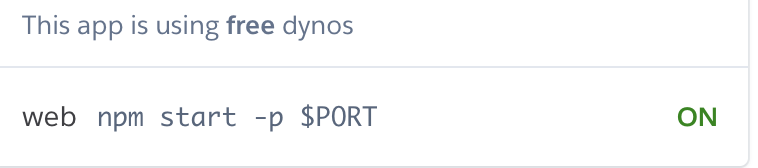
web: npm start -p $PORT
```
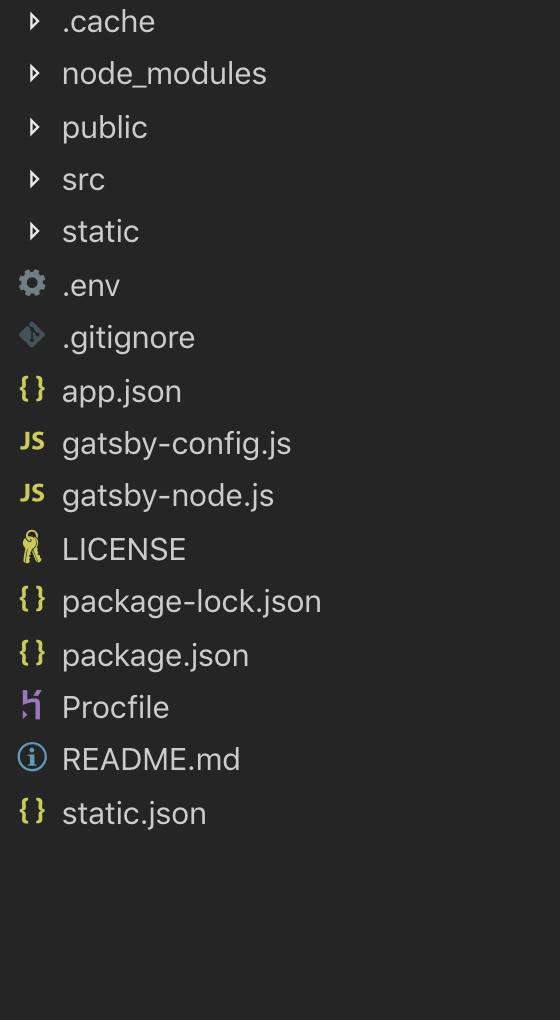
file structure
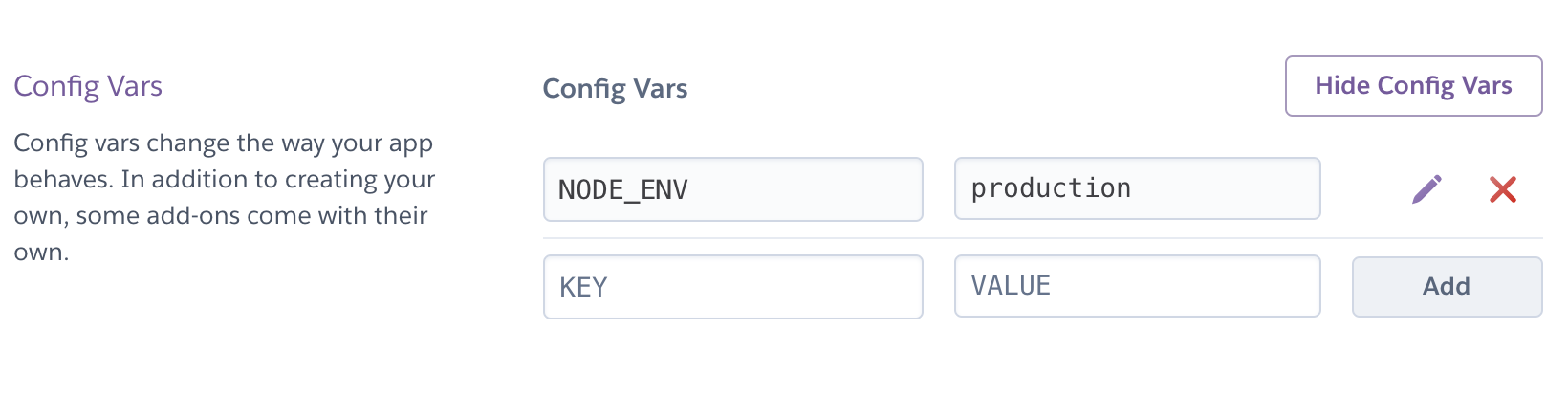
From Heroku Dashboard

 jamestewartjr
All 8 comments
Thanks in advance for any help.
jamestewartjr
on 5 Jun 2019
Thank you for creating this issue. We don't suggest running develop for a production build, this kinda defeats the purpose of gatsby because you won't get any static assets and the speed that comes with it. You should run npm run build and use heroku as a static site hosting which I believe you do. I think you need to remove the Procfile.
We have a guide in our gatsbyjs docs
 wardpeet
on 5 Jun 2019
wardpeet
on 5 Jun 2019
Thank you so much! That solved my problem completely. 💯
jamestewartjr
on 5 Jun 2019
@wardpeet I think a small update to those docs would be to add this script
heroku buildpacks:add --index 1 heroku/nodejs
and replace
heroku buildpacks:set heroku/nodejs
I had a problem early on where my heroku/nodejs buildpack was replaced by the static buildpack. I found that script from the official Heroku documentation.
Thanks for the quick support and creating this great software.
jamestewartjr
on 5 Jun 2019
@jameswartjr how you solved your problem? What did you changed?
Maybe you can update the linked doc with your caveats? (just hit the edit on GitHub)
 muescha
on 6 Jun 2019
muescha
on 6 Jun 2019
I see your change. You removed the procfile https://github.com/jamestewartjr/jamestewartjr.com/commit/d19a0f3cda30ed691b1f3ddd567b052f125923c5
muescha
on 6 Jun 2019
Yes. I removed the Procfile and Heroku deployed correctly.
jamestewartjr
on 8 Jun 2019
Do you mind creating a PR and update the docs like @muescha mentioned? We would really love that ❤️
wardpeet
on 8 Jun 2019
Related issues
 theduke
·
3Comments
theduke
·
3Comments
 Oppenheimer1
·
3Comments
Oppenheimer1
·
3Comments
 hobochild
·
3Comments
hobochild
·
3Comments
 3CordGuy
·
3Comments
3CordGuy
·
3Comments
 mikestopcontinues
·
3Comments
mikestopcontinues
·
3Comments