Gatsby: GraphQL Error Unknown field that happens randomly
Description
When I run gatsby develop or build it fails sometimes on the first few runs and then without any code changes running the same command after will build successfully.
For example, today I started the project and had to repeat: gatsby clean && gatsby develop, several times until it starts working. I'm fetching data from a remote GraphQL and not the local or md files, etc. Checked the remote GraphQl and is always fully working (tested with HTTP Post requests sending the query + variables, returns data absolutely fine); then checked the local __graphpql and could not find the remote GraphQL.
Steps to reproduce
It's random!
Here's a youtube video where I demonstrate the issue ( https://youtu.be/2uniflq5I-Q )
Expected result
I expect to not have to run the command several times to make it work
Actual result
`GraphQL Error Encountered 2 error(s):
Unknown field 'wpcms' on type 'Query'. Source: document`
Environment
System:
OS: macOS 10.14
CPU: (4) x64 Intel(R) Core(TM) i5-5257U CPU @ 2.70GHz
Shell: 3.2.57 - /bin/bash
Binaries:
Node: 8.12.0 - ~/.nvm/versions/node/v8.12.0/bin/node
Yarn: yarn install v0.27.5
[1/4] Resolving packages...
success Already up-to-date.
Done in 1.05s. - /usr/local/bin/yarn
npm: 6.4.1 - ~/.nvm/versions/node/v8.12.0/bin/npm
Languages:
Python: 2.7.10 - /usr/bin/python
Browsers:
Chrome: 73.0.3683.103
Firefox: 66.0.3
Safari: 12.0
npmPackages:
gatsby: ^2.3.16 => 2.3.16
gatsby-image: ^2.0.37 => 2.0.37
gatsby-plugin-alias-imports: ^1.0.5 => 1.0.5
gatsby-plugin-eslint: ^2.0.4 => 2.0.4
gatsby-plugin-manifest: ^2.0.28 => 2.0.28
gatsby-plugin-offline: ^2.0.25 => 2.0.25
gatsby-plugin-react-helmet: ^3.0.12 => 3.0.12
gatsby-plugin-sharp: ^2.0.32 => 2.0.32
gatsby-source-filesystem: ^2.0.29 => 2.0.29
gatsby-source-graphql: ^2.0.18 => 2.0.18
gatsby-transformer-sharp: ^2.1.17 => 2.1.17
npmGlobalPackages:
gatsby-cli: 2.5.7
 heldrida
All 27 comments
@heldrida can you share the repo, or create a reproduction? So that it can be better looked at we can try and find a solution for your issue? The video helps out, but we need a little bit more to go
 jonniebigodes
on 4 May 2019
jonniebigodes
on 4 May 2019
I've been having a similar issue, totally intermittent. Nothing crazy here with our setup, but we are using gatsby-source-graphql as well.
 ZLevine
on 6 May 2019
ZLevine
on 6 May 2019
@ZLevine like i said earlier if you can, care to make a reproduction so that it can be further looked at?
jonniebigodes
on 6 May 2019
Just got back to work from a long weekend; Thanks for checking @jonniebigodes
Now, I'll have to tweak the current project because I have private npm package. Let's see what I can do!
I was going to debug gatsby-source-graphql, I might do it at a later stage to help.
heldrida
on 7 May 2019
Here's the repo ( https://github.com/heldrida/gatsby-issue-13838 )
in gatsby-config.js change to a wordpress wpgraphql endpoint ( https://www.wpgraphql.com/ )
Have in mind that if I do a HTTP Post request with the query, it works fine!
Also, have in mind this is random; Check the video to understand.
heldrida
on 7 May 2019
Same today, had to do gatsby develop several times, after a few attempts it worked. Below npm run start is gatsby clean && gatsby develop
`Helder@Punkbit-mbp:~/www/moola-blog-ui$ npm run start
[email protected] start /Users/Helder/www/moola-blog-ui
npm run develop
[email protected] develop /Users/Helder/www/moola-blog-ui
gatsby clean && gatsby develop
info Deleting .cache, public
info Successfully deleted directories
success open and validate gatsby-configs — 0.017 s
success load plugins — 0.754 s
success onPreInit — 0.004 s
success initialize cache — 0.007 s
success copy gatsby files — 0.086 s
success onPreBootstrap — 0.013 s
error Plugin gatsby-source-graphql returned an error
ServerParseError: Unexpected token < in JSON at position 0
JSON.parse
index.js:35
[moola-blog-ui]/[apollo-link-http-common]/lib/index.js:35:25next_tick.js:189 process._tickCallback
internal/process/next_tick.js:189:7
warning The gatsby-source-graphql plugin has generated no Gatsby nodes. Do you need it?
success source and transform nodes — 8.623 s
success building schema — 0.324 s
error gatsby-node.js returned an error
TypeError: Cannot read property 'wpcms' of undefined
- gatsby-node.js:39 Object.exports.createPages
/Users/Helder/www/moola-blog-ui/gatsby-node.js:39:8
success createPages — 0.039 s
success createPagesStatefully — 0.080 s
success onPreExtractQueries — 0.005 s
success update schema — 0.055 s
error GraphQL Error Encountered 2 error(s):
- Unknown field 'wpcms' on type 'Query'. Source: document
usersHelderWwwMoolaBlogUiSrcPagesIndexJs3331254085file:GraphQL request
GraphQL request (3:5)
2: query {
3: wpcms {
^
4: posts {
Unknown field 'wpcms' on type 'Query'.
file: /Users/Helder/www/moola-blog-ui/src/templates/Blog/Post/index.js
success extract queries from components — 0.145 s
⠁ (node:2125) DeprecationWarning: Passing lineNumber and colNumber is deprecated to @babel/code-frame. Please use codeFrameColumns.
success run graphql queries — 0.120 s — 4/4 34.39 queries/second
success write out page data — 0.010 s
success write out redirect data — 0.002 s
success onPostBootstrap — 0.001 s
info bootstrap finished - 14.462 s
DONE Compiled successfully in 5920ms 11:16:05
You can now view moola-blog in the browser.
http://localhost:8000/
View GraphiQL, an in-browser IDE, to explore your site's data and schema
http://localhost:8000/___graphql
Note that the development build is not optimized.
To create a production build, use npm run build
ℹ 「wdm」:
ℹ 「wdm」: Compiled successfully.
Helder@Punkbit-mbp:~/www/moola-blog-ui$ npm run start
[email protected] start /Users/Helder/www/moola-blog-ui
npm run develop
[email protected] develop /Users/Helder/www/moola-blog-ui
gatsby clean && gatsby develop
info Deleting .cache, public
info Successfully deleted directories
success open and validate gatsby-configs — 0.008 s
success load plugins — 0.502 s
success onPreInit — 0.004 s
success initialize cache — 0.007 s
success copy gatsby files — 0.059 s
success onPreBootstrap — 0.009 s
error Plugin gatsby-source-graphql returned an error
ServerParseError: Unexpected token < in JSON at position 0
JSON.parse
index.js:35
[moola-blog-ui]/[apollo-link-http-common]/lib/index.js:35:25next_tick.js:189 process._tickCallback
internal/process/next_tick.js:189:7
warning The gatsby-source-graphql plugin has generated no Gatsby nodes. Do you need it?
success source and transform nodes — 6.076 s
success building schema — 0.398 s
error gatsby-node.js returned an error
TypeError: Cannot read property 'wpcms' of undefined
- gatsby-node.js:39 Object.exports.createPages
/Users/Helder/www/moola-blog-ui/gatsby-node.js:39:8
success createPages — 0.054 s
success createPagesStatefully — 0.106 s
success onPreExtractQueries — 0.004 s
success update schema — 0.065 s
error GraphQL Error Encountered 2 error(s):
- Unknown field 'wpcms' on type 'Query'. Source: document
usersHelderWwwMoolaBlogUiSrcPagesIndexJs3331254085file:GraphQL request
GraphQL request (3:5)
2: query {
3: wpcms {
^
4: posts {
Unknown field 'wpcms' on type 'Query'.
file: /Users/Helder/www/moola-blog-ui/src/templates/Blog/Post/index.js
success extract queries from components — 0.169 s
⠁ (node:2158) DeprecationWarning: Passing lineNumber and colNumber is deprecated to @babel/code-frame. Please use codeFrameColumns.
success run graphql queries — 0.026 s — 4/4 186.38 queries/second
success write out page data — 0.022 s
success write out redirect data — 0.001 s
success onPostBootstrap — 0.001 s
info bootstrap finished - 11.33 s
DONE Compiled successfully in 4278ms 11:19:49
You can now view moola-blog in the browser.
http://localhost:8000/
View GraphiQL, an in-browser IDE, to explore your site's data and schema
http://localhost:8000/___graphql
Note that the development build is not optimized.
To create a production build, use npm run build
ℹ 「wdm」:
ℹ 「wdm」: Compiled successfully.
Helder@Punkbit-mbp:~/www/moola-blog-ui$
Helder@Punkbit-mbp:~/www/moola-blog-ui$ npm run start
[email protected] start /Users/Helder/www/moola-blog-ui
npm run develop
[email protected] develop /Users/Helder/www/moola-blog-ui
gatsby clean && gatsby develop
info Deleting .cache, public
info Successfully deleted directories
success open and validate gatsby-configs — 0.016 s
success load plugins — 0.653 s
success onPreInit — 0.005 s
success initialize cache — 0.009 s
success copy gatsby files — 0.141 s
success onPreBootstrap — 0.016 s
error Plugin gatsby-source-graphql returned an error
ServerParseError: Unexpected token < in JSON at position 0
JSON.parse
index.js:35
[moola-blog-ui]/[apollo-link-http-common]/lib/index.js:35:25next_tick.js:189 process._tickCallback
internal/process/next_tick.js:189:7
warning The gatsby-source-graphql plugin has generated no Gatsby nodes. Do you need it?
success source and transform nodes — 7.362 s
success building schema — 0.295 s
error gatsby-node.js returned an error
TypeError: Cannot read property 'wpcms' of undefined
- gatsby-node.js:39 Object.exports.createPages
/Users/Helder/www/moola-blog-ui/gatsby-node.js:39:8
success createPages — 0.035 s
success createPagesStatefully — 0.056 s
success onPreExtractQueries — 0.003 s
success update schema — 0.042 s
error GraphQL Error Encountered 2 error(s):
- Unknown field 'wpcms' on type 'Query'. Source: document
usersHelderWwwMoolaBlogUiSrcPagesIndexJs3331254085file:GraphQL request
GraphQL request (3:5)
2: query {
3: wpcms {
^
4: posts {
Unknown field 'wpcms' on type 'Query'.
file: /Users/Helder/www/moola-blog-ui/src/templates/Blog/Post/index.js
success extract queries from components — 0.121 s
⠁ (node:2373) DeprecationWarning: Passing lineNumber and colNumber is deprecated to @babel/code-frame. Please use codeFrameColumns.
success run graphql queries — 0.016 s — 4/4 297.50 queries/second
success write out page data — 0.011 s
success write out redirect data — 0.002 s
success onPostBootstrap — 0.001 s
info bootstrap finished - 12.404 s
DONE Compiled successfully in 4145ms 11:29:33
You can now view moola-blog in the browser.
http://localhost:8000/
View GraphiQL, an in-browser IDE, to explore your site's data and schema
http://localhost:8000/___graphql
Note that the development build is not optimized.
To create a production build, use npm run build
ℹ 「wdm」:
ℹ 「wdm」: Compiled successfully.
WAIT Compiling... 11:29:33
ℹ 「wdm」: Compiling...
DONE Compiled successfully in 41ms 11:29:33
ℹ 「wdm」:
ℹ 「wdm」: Compiled successfully.
Helder@Punkbit-mbp:~/www/moola-blog-ui$
Helder@Punkbit-mbp:~/www/moola-blog-ui$ clear
Helder@Punkbit-mbp:~/www/moola-blog-ui$ npm run start
[email protected] start /Users/Helder/www/moola-blog-ui
npm run develop
[email protected] develop /Users/Helder/www/moola-blog-ui
gatsby clean && gatsby develop
info Deleting .cache, public
info Successfully deleted directories
success open and validate gatsby-configs — 0.019 s
success load plugins — 0.507 s
success onPreInit — 0.077 s
success initialize cache — 0.011 s
success copy gatsby files — 0.067 s
success onPreBootstrap — 0.008 s
success source and transform nodes — 6.061 s
success building schema — 0.272 s
success createPages — 0.914 s
success createPagesStatefully — 0.045 s
success onPreExtractQueries — 0.004 s
success update schema — 0.045 s
success extract queries from components — 0.112 s
error
The GraphQL query from /Users/Helder/www/moola-blog-ui/src/templates/Blog/Post/index.js failed.
Errors:
Unexpected token < in JSON at position 0
GraphQL request (5:5)
4: wpcms {
5: postBy(slug: $slug) {
^
6: id
URL path:
/why-you-shouldnt-worry-about-market-crashes
Context:
{
"slug": "why-you-shouldnt-worry-about-market-crashes"
}
Plugin:
none
Query:
query usersHelderWwwMoolaBlogUiSrcTemplatesBlogPostIndexJs1540855318(
$slug: String
) {
wpcms {
postBy(slug: $slug) {
id
content
postId
title
slug
date
author {
id
firstName
lastName
}
featuredImage {
id
sourceUrl
slug
}
}
}
}
success run graphql queries — 6.074 s — 18/18 2.96 queries/second
success write out page data — 0.008 s
success write out redirect data — 0.001 s
success onPostBootstrap — 0.001 s
info bootstrap finished - 17.323 s
ℹ 「wdm」: wait until bundle finished: /static/819af3d3abdc9f135d49b80a91e2ff4c-819af3d3abdc9f135d49b80a91e2ff4c.woff2
ℹ 「wdm」: wait until bundle finished: /static/33543c5cc5d88f5695dd08c87d280dfd-33543c5cc5d88f5695dd08c87d280dfd.woff2
ℹ 「wdm」: wait until bundle finished: /static/0edb76284a7a0f8db4665b560ee2b48f-0edb76284a7a0f8db4665b560ee2b48f.woff2
DONE Compiled successfully in 4583ms 11:30:16
You can now view moola-blog in the browser.
http://localhost:8000/
View GraphiQL, an in-browser IDE, to explore your site's data and schema
http://localhost:8000/___graphql
Note that the development build is not optimized.
To create a production build, use npm run build
ℹ 「wdm」:
ℹ 「wdm」: Compiled successfully.
WAIT Compiling... 11:30:17
ℹ 「wdm」: Compiling...
DONE Compiled successfully in 42ms 11:30:17
ℹ 「wdm」:
ℹ 「wdm」: Compiled successfully.`
heldrida
on 8 May 2019
@heldrida i've cloned the repo and i'm currently checking out the wpgraphql, and going to run some tests, and report back to you? do you mind waiting just a bit longer?
jonniebigodes
on 8 May 2019
@jonniebigodes take your time! I should be the one checking this issue, just been super busy, so will try to check the problem later on, but if you are familiar with the library and can at least confirm the issue, that is great!
heldrida
on 8 May 2019
Just found another (related?!) bug!
So, if you try to fetch posts by "tag" it fails completely, as " TypeError: Cannot read property 'wpcms' of undefined", where wpcms is the fieldname in the gatsby-config.js file! Updated the repository above, if you don't mind checking!
`~/www/gatsby-issue-13838$ gatsby develop
success open and validate gatsby-configs — 0.016 s
success load plugins — 0.624 s
success onPreInit — 0.005 s
info One or more of your plugins have changed since the last time you ran Gatsby. As
a precaution, we're deleting your site's cache to ensure there's not any stale
data
success initialize cache — 0.021 s
success copy gatsby files — 0.090 s
success onPreBootstrap — 0.011 s
success source and transform nodes — 2.484 s
success building schema — 0.270 s
[debug] createTopicListPages: data: undefined
error gatsby-node.js returned an error
TypeError: Cannot read property 'wpcms' of undefined
gatsby-node.js:54 createTopicListPages
/Users/Helder/www/gatsby-issue-13838/gatsby-node.js:54:8next_tick.js:189 process._tickCallback
internal/process/next_tick.js:189:7
success createPages — 0.963 s
success createPagesStatefully — 0.055 s
success onPreExtractQueries — 0.004 s
success update schema — 0.043 s
warning The GraphQL query in the non-page component "/Users/Helder/www/gatsby-issue-13838/src/templates/Topic/index.js" will not be run.
Exported queries are only executed for Page components. It's possible you're
trying to create pages in your gatsby-node.js and that's failing for some
reason.
If the failing component(s) is a regular component and not intended to be a page
component, you generally want to use a
instead of exporting a page query.
If you're more experienced with GraphQL, you can also export GraphQL
fragments from components and compose the fragments in the Page component
query and pass data down into the child component — http://graphql.org/learn/queries/#fragments
success extract queries from components — 0.168 s
success run static queries — 0.088 s — 3/3 34.86 queries/second
success run page queries — 8.242 s — 40/40 4.85 queries/second
success write out page data — 0.007 s
success write out redirect data — 0.002 s
success Build manifest and related icons — 0.180 s
success onPostBootstrap — 0.183 s
info bootstrap finished - 17.417 s
DONE Compiled successfully in 4127ms 16:38:48
You can now view gatsby-starter-default in the browser.
http://localhost:8000/
View GraphiQL, an in-browser IDE, to explore your site's data and schema
http://localhost:8000/___graphql
Note that the development build is not optimized.
To create a production build, use npm run build
info ℹ 「wdm」:
info ℹ 「wdm」: Compiled successfully.`
heldrida
on 9 May 2019
The original query works fine in the graphqli in wordpress, as you can see here: https://pasteboard.co/IdV1zxe.png
heldrida
on 9 May 2019
The query used in the code paste directly into the logal __graphql also works, as you can see here:
https://pasteboard.co/IdVeCQ9.png
heldrida
on 9 May 2019
The error in the console https://pasteboard.co/IdVfaYa.png
heldrida
on 9 May 2019
For the Tags issue, here's a temporary fix; In the gatsby-node.js instead of relying upon gatsby-source-graphql, use instead of an async call to graphql...query... a regular HTTP Post, as you can see in the next example:
const GET_TAGS =
query {
tags {
edges {
node {
id
slug
name
}
}
}
}
`
const response = await axios({
url: process.env.GATSBY_GRAPHQL_API_URL,
method: 'post',
data: {
query: GET_TAGS
}
})`
You can then just pass the slug to the context as before:
actions.createPage({
path:/topic/${data.node.slug},
component: path.resolve(./src/templates/Topics/index.js),
context: {
tag: data.node.slug
}
})
heldrida
on 10 May 2019
although, the above causes the warning:
warning The GraphQL query in the non-page component "/Users/Helder/www/moola-blog-ui/src/templates/Blog/Topic/index.js" will not be run.
Exported queries are only executed for Page components. It's possible you're
trying to create pages in your gatsby-node.js and that's failing for some
reason.
If the failing component(s) is a regular component and not intended to be a page
component, you generally want to use a
instead of exporting a page query.
If you're more experienced with GraphQL, you can also export GraphQL
fragments from components and compose the fragments in the Page component
query and pass data down into the child component — http://graphql.org/learn/queries/#fragments
heldrida
on 10 May 2019
the last comment should be ignored because the offical example does the same thing and it's absolutely valid ( https://github.com/gatsbyjs/gatsby/blob/master/examples/using-gatsby-source-graphql/src/components/blog-post.js )
heldrida
on 10 May 2019
@heldrida sorry for the "radio silence"(pardon the bad pun), but do you mind waiting a little longer?
Tomorrow i'll enumerate what i did and the testing methodology used and my results? Sounds good?
jonniebigodes
on 14 May 2019
Today I had to gatsby clean and develop quite a lot of times 'till it started working again. No code changes!
heldrida
on 14 May 2019
@heldrida in this comment i'm documenting the approach taken and methodology used to test your issue and results.
- Based on your description, i cloned the repository, installed the dependencies.
- Did a little investigation on wpgraphql for a test endpoint and found out this and looking at it, it seems that you're basing the code on that example.
- Updated the
gatsby-config.jsto match theirs, so that i can have access to their data, resulting in the following, i'm leaving in only thegatsby-source-graphqlpart to keep it short.
module.exports = {
  plugins: [
    {
      resolve: "gatsby-source-graphql",
      options: {
        // This type will contain remote schema Query type
        //typeName: "WPCMS",
        typeName:"WPGraphQL",
        // This is field under which it's accessible
        //fieldName: "wpcms",
        fieldName:"wpgraphql",
        url: 'https://demo.wpgraphql.com/graphql', // SET YOURS
        refetchInterval: 240
      }
    }
  ],
}
- Updated
gatsby-node.jsto match the updatedgatsby-config.js, resulting in the following:
const createBlogPostPages = async (actions, graphql) => {
  const { data } = await graphql(`
    query {
      wpgraphql {
        posts (first:9999) {
          edges {
            node {
              slug
            }
          }
        }
      }
    }
  `)
  data.wpgraphql.posts.edges.forEach(data => {
    if (_has(data, 'node.slug') && typeof data.node.slug === 'string' && data.node.slug.length > 0) {
      actions.createPage({
        path: `${data.node.slug}`,
        component: path.resolve(`./src/templates/Blog/Post/index.js`),
        context: {
          slug: data.node.slug
        }
      })
    }
  })
}

const createTopicListPages = async (actions, graphql) => {
  const { data } = await graphql`
    query {
      wpgraphql {
        tags {
          edges {
            node {
              id
              slug
              name
            }
          }
        }
      }
    }
  `
  console.log('[debug] createTopicListPages: data: ', data)
  data.wpgraphql.posts.edges.forEach(data => {
    if (_has(data, 'node.slug') && typeof data.node.slug === 'string' && data.node.slug.length > 0) {
      actions.createPage({
        path: `/topic/${data.node.slug}`,
        component: path.resolve(`./src/templates/Topic/index.js`),
        context: {
          tag: data.node.slug
        }
      })
    }
  })
}

exports.createPages = async ({ actions, graphql }) => {
  // Generate the Blog post pages
  await createBlogPostPages(actions, graphql)
  // Generate the Topic list pages
  await createTopicListPages(actions, graphql)
}
- Modified
./src/templates/Blog/Post/index.jsto match the change, the imports are omitted for brevity, resulting in the following:
const Post = ({ data }) => {
  const { wpgraphql } = data
  const { postBy } = wpgraphql

  return (
    <>
      <h1>{postBy.title}</h1>
      {postBy.featuredImage !== null ? (
        <img
          style={{ width: "500px", height: "auto" }}
          src={postBy.featuredImage.sourceUrl}
          alt={postBy.featuredImage.altText}
        />
      ) : (
        <h6>no image</h6>
      )}
      <div dangerouslySetInnerHTML={{ __html: postBy.content }} />
      <div>{`Post by ${postBy.author.firstName} ${postBy.author.lastName} on ${
        postBy.date
      }`}</div>
    </>
  )
}

Post.propTypes = {
  // heldrida proptypes data: PropTypes.object.isRequired,
  data: PropTypes.shape({
    wpgraphql: PropTypes.shape({
      postBy: PropTypes.shape({
        id: PropTypes.string,
        content: PropTypes.string,
        postId: PropTypes.number,
        title: PropTypes.string,
        slug: PropTypes.string,
        date: PropTypes.string,
        author: PropTypes.shape({
          id: PropTypes.string,
          firstName: PropTypes.string,
          lastName: PropTypes.string,
        }),
        featuredImage: PropTypes.shape({
          id: PropTypes.string,
          sourceUrl: PropTypes.string,
          slug: PropTypes.string,
        }),
      }),
    }),
  }).isRequired,
}

export default Post

export const query = graphql`
  query($slug: String!) {
    wpgraphql {
      postBy(slug: $slug) {
        id
        content
        postId
        title
        slug
        date
        content
        author {
          id
          firstName
          lastName
        }
        featuredImage {
          id
          sourceUrl
          slug
        }
      }
    }
  }
`
- Modified
./src/templates/Topic/index.jsto match the change, the imports are omitted once again for brevity, resulting in the following:
const Topic = ({ data }) => {
  const { postBySlug, stockImage } = data
  const { posts } = postBySlug
  const { edges } = posts

  return (
    <div style={{ margin: "0.85rem" }}>
      {edges.map(item => {
        return (
          <div key={item.node.id}>
            <h1>{item.node.title}</h1>
            <img
              src={
                item.node.featuredImage !== null
                  ? item.node.featuredImage.altText
                  : stockImage.childImageSharp.fluid.src
              }
              alt={
                item.node.featuredImage !== null
                  ? item.node.featuredImage.altText
                  : `random text`
              }
            />
            <div dangerouslySetInnerHTML={{ __html: item.node.excerpt }} />
            <Link to={`/${item.node.slug}/`}>{item.node.slug}</Link>
            <hr />
            <h5>
              Created By:{item.node.author.name} in {item.node.date}
            </h5>
          </div>
        )
      })}
    </div>
  )
}

export const query = graphql`
  query($tag: String!) {
    postBySlug: wpgraphql {
      posts(where: { tag: $tag }) {
        pageInfo {
          hasNextPage
          endCursor
        }
        edges {
          cursor
          node {
            id
            title
            slug
            date
            excerpt
            author {
              id
              name
            }
            featuredImage {
              id
              sourceUrl
              slug
            }
          }
        }
      }
    }
    stockImage: file(relativePath: { eq: "gatsby-icon.png" }) {
      childImageSharp {
        fluid {
          src
          srcSet
        }
      }
    }
  }
`

export default Topic
Key thing to take from this, once again the query is aliased to fetch in one go the graphql data and a dummy image, in this case gatsby-icon.png and based on the condition show the icon or the image coming in from the graphql endpoint.
- Modified also
./src/pages/index.jsto reflect the changes, transforming it into:
import React from "react"
import PropTypes from "prop-types"
import { graphql } from "gatsby"

const Index = ({ data }) => (
  <>
    {data.wpgraphql.posts.edges.map(v => (
      <div>
        <p>{`Title of id "${v.node.id}" is "${v.node.title}"`}</p>
      </div>
    ))}
  </>
)

Index.propTypes = {
  data: PropTypes.object.isRequired,
}

export default Index


export const query = graphql`
  {
    wpgraphql {
      posts {
        pageInfo {
          hasNextPage
          endCursor
        }
        edges {
          cursor
          node {
            id
            title
            slug
            date
            excerpt
            author {
              id
              name
            }
            featuredImage {
              id
              sourceUrl
              slug
            }
          }
        }
      }
    }
  }
`
- Issued
gatsby developto check for errors, no errors, so i cleaned the cache withgatsby clean, issuedgatsby build && gatsby serveto get a production build and see if errors happened. Once again no errors. But one thing caught my eye and kept bugging me. And that was the code oncreatePages, and i'm no javascript expert but the way it's setup in your code and the example i mentioned, sounded a bit awkward and a bit error prone and i'm saying this based on the following discussion. - Modified accordingly and applied a test to emulate a somewhat normal workflow of development. I setup a pomodoro timer and after each iteration i issued
gatsby clean && gatsby developand thengatsby clean && gatsby build && gatsby serve. So that i was able to test both case scenarios.
Below are the final 3 iterations of the test. Issuing gatsby develop
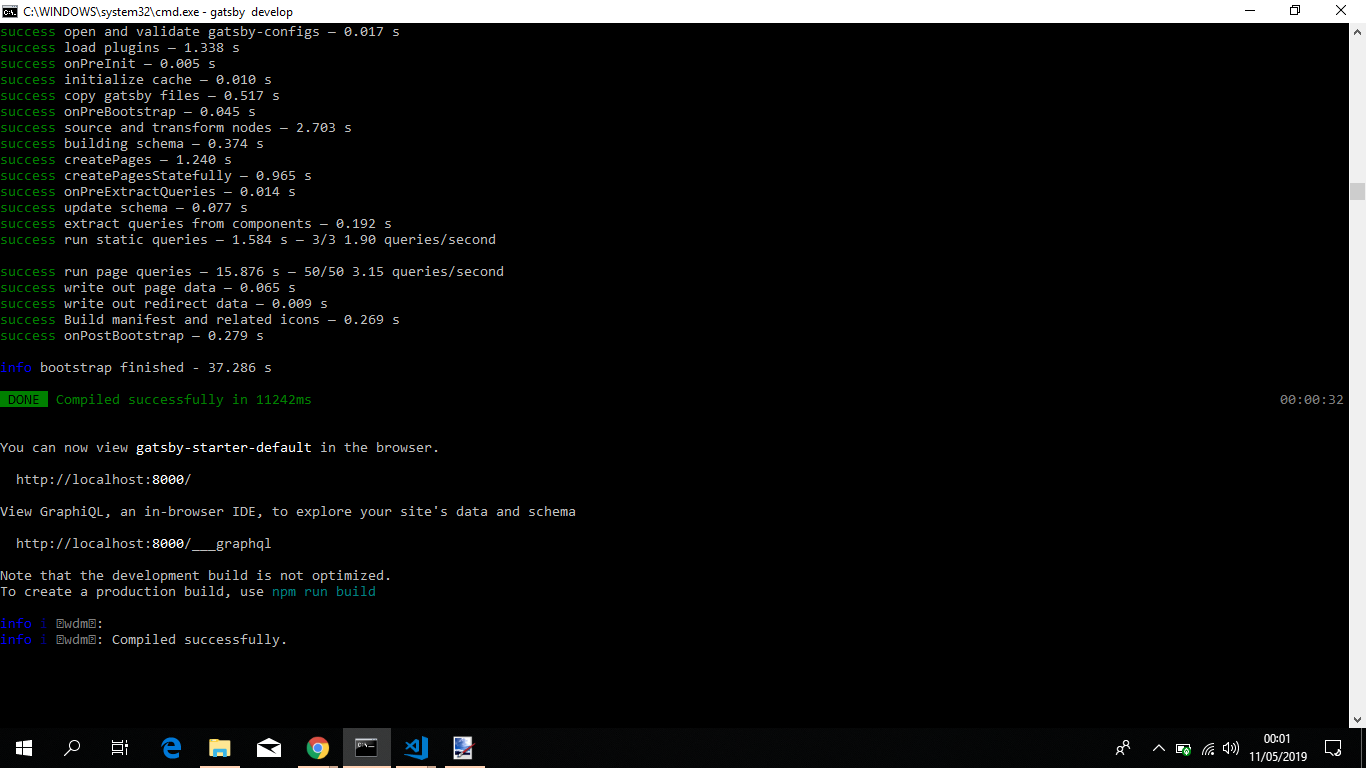
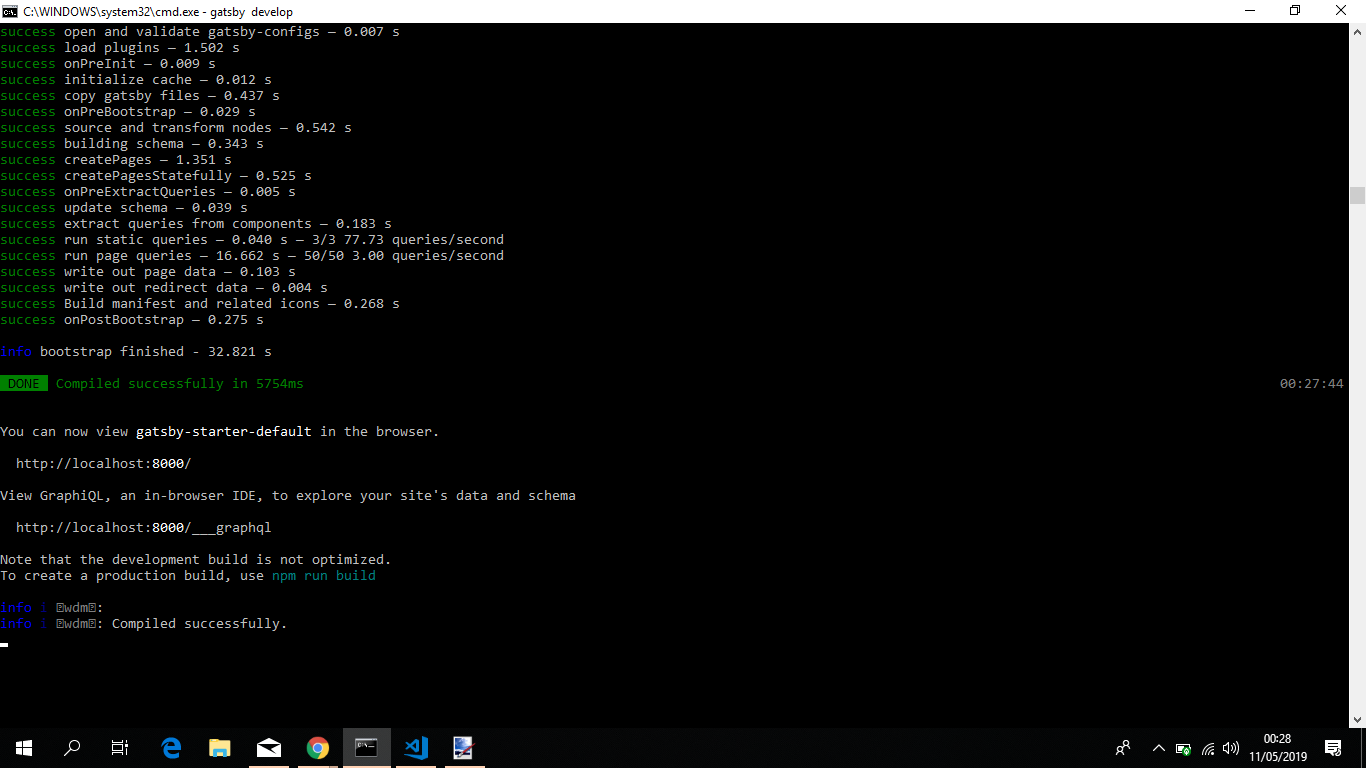
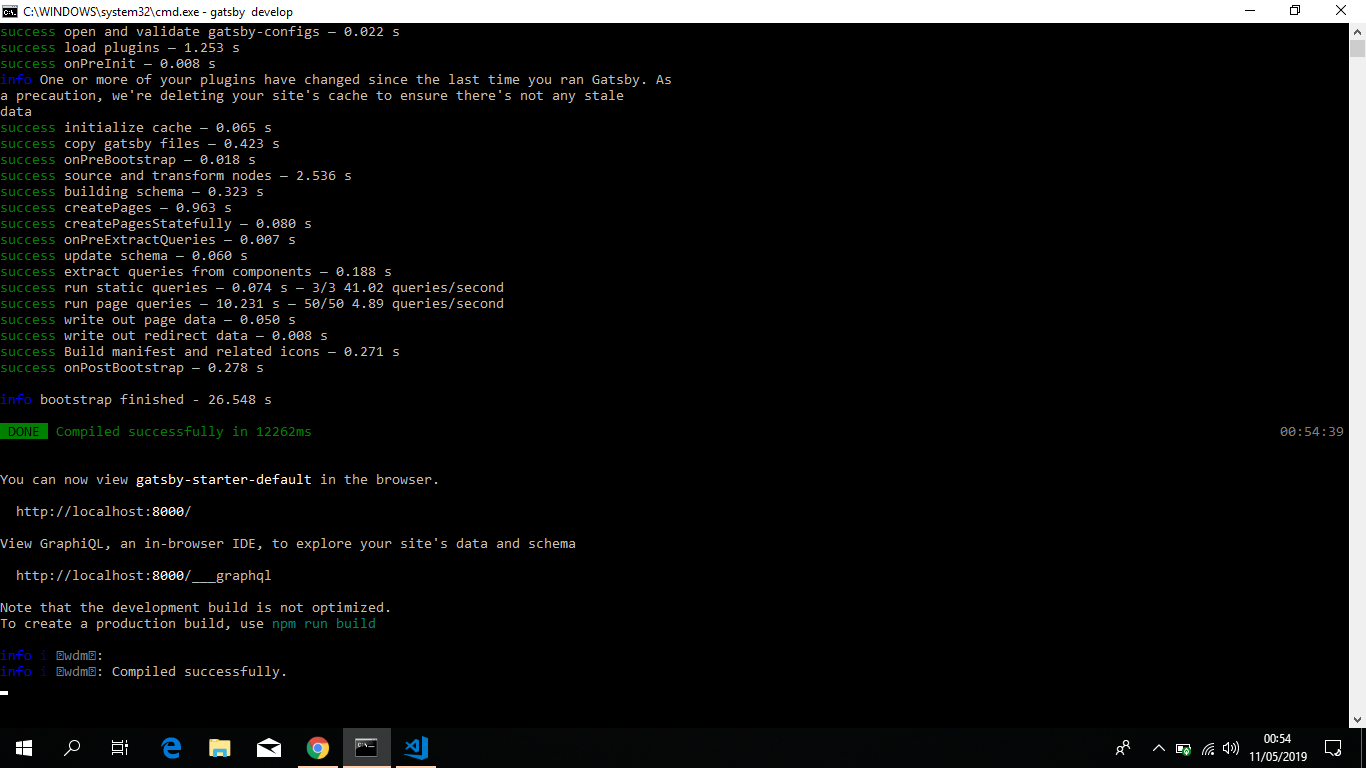
- As i was not satisfied with the result i went along and made some changes to your example code and in a nutshell simplified quite a bit resulting in the following:
exports.createPages = ({ actions, graphql }) => {
  const { createPage } = actions

  return graphql(`
    {
      allPosts: wpgraphql {
        posts(first: 9999) {
          edges {
            node {
              slug
            }
          }
        }
      }
      allTopics: wpgraphql {
        tags {
          edges {
            node {
              slug
            }
          }
        }
      }
    }
  `).then(result => {
    if (result.errors) {
      throw result.errors
    }
    const { data } = result
    const { allPosts, allTopics } = data
    allPosts.posts.edges.forEach(element => {

      createPage({
        path: `/${element.node.slug}/`,
        component: path.resolve(`./src/templates/Blog/Post/index.js`),
        context: {
          slug: element.node.slug,
        },
      })
    })
    allTopics.tags.edges.forEach(element => {
      createPage({
        path: `/topic/${element.node.slug}/`,
        component: path.resolve(`./src/templates/Topic/index.js`),
        context: {
          tag: element.node.slug,
        },
      })
    })
  })
}
Key thing to take from this, instead of "jumping through hoops"(pardon the bad pun) to get the information i wanted, i simplified it in a single graphql query aliased to fetch what is needed, and then inject the data i want through Gatsby's context special prop.
- Applied the same methodology as above to test it out, yelded the same results.
- Took it a step further, created a git repo to test your code and connected it to netlify, let it run and see if was able to get some errors. No errors once more. I then went on to zapier and connected it to netlify, more specifically this particular app and created a scheduled task that would trigger a build every hour. each build would clear the cache every single time. I left it running for about 4 days. And doing some rough metrics on it, on about 70 builds, 66 were ok, the remaining 4 failed due to the following:
Error: ENOSPC: System limit for number of file watchers reached, watch '/opt/b  uild/repo/gatsby-config.js'

 - watchers.js:165 FSWatcher.start
 internal/fs/watchers.js:165:26

- nodefs-handler.js:38 createFsWatchInstance
 [repo]/[chokidar]/lib/nodefs-handler.js:38:15

- nodefs-handler.js:81 setFsWatchListener
[repo]/[chokidar]/lib/nodefs-handler.js:81:15

- nodefs-handler.js:233 FSWatcher.NodeFsHandler._watchWithNodeFs
 [repo]/[chokidar]/lib/nodefs-handler.js:233:14

 - nodefs-handler.js:262 FSWatcher.NodeFsHandler._handleFile
 [repo]/[chokidar]/lib/nodefs-handler.js:262:21

 - nodefs-handler.js:495 FSWatcher.<anonymous>
I'm confortable with that, simply based on the fact that i was basically pushing a bit harder, at each build with a clean cache every single hour deploying the website, there bound to pop some issues, javascript ecosystem is becoming quite powerfull, but it's not bullet proof.
I would like to apologize for two things, one the long comment and second for grabbing the code and applying the test i've mentioned. But in my defense i was aiming to see if my testing methodology could be flawed and also get the most approximate production case.
One last thing, i saw in your issue description the path where you're running the code, namely /Users/Helder/www/.... and i would like to ask you something, is that webserver folder? Or is it simply the name of the folder you defined?
Feel free to provide feedback so that we can close this issue, or continue to work on it till we find a solution.
jonniebigodes
on 15 May 2019
Hi, thanks for checking and all the hard work on this, that's impressive!
Today I had the same issue, I initialized the project and got similar error messages, etc; The solution provided by @jasonbahl helped since the tags query was failing, so I've decided to do an HTTP Post request as he has in his source code.
I'll try the single query approach, as currently, I have the await sequence you mentioned that might be problematic.
Hope to get back on this asap!
heldrida
on 15 May 2019
- forgot to answer the question regarding
web server folder, it's just a directory where I keep my projects but they are mostly self-served by a nodejs server; there might be cases where I might have a project directory mapped to a Docker container, but the www directory is not handled by apache/nginx, etc
heldrida
on 15 May 2019
So, one thing to note is that WPGraphQL has a default cap of 100 items. It can be increased if the server maintainer wants it to be higher, but the use of first:9999 will cap at 100 items to protect the WP server from crazy memory issues.
My example showed how to paginate using hasNextPage / endCursor, so that would still need to be in place if there are more than 100 posts/pages to be built.
Likewise with the tags query, it will default to 10 items if more are not asked and will cap at 100 if first is used.
So there’s a chance that all the data needed isn’t being fetched here.
 jasonbahl
on 15 May 2019
jasonbahl
on 15 May 2019
Thanks for looking @jasonbahl!
* FORGET THIS LINE "Following up on Jason's answer, we can't variables unless we stick with HTTP Post (as in the Axios example); how would we do the same with gatsby graphql?" *
this should do graphql(query, variables), I'll try
I'll check the tests you've done and compare it with my local implementation, the single query is definitely a plus; just not sure why I've been getting errors with the same codebase though and in all the tests you've done, that hasn't happened once @jonniebigodes
heldrida
on 15 May 2019
I've checked @jasonbahl answer and did pagination and also changed the query in the templates to use non-nullable String! and at the moment is not throwing errors. I'll keep work with these changes and will let know if the error happens again, if not then it was an issue managing memory and the nullable types?! If that's so, sorry about taking your time @jonniebigodes that is a tremendous effort
heldrida
on 15 May 2019
After more testings and start getting more errors, randomly and difficult to replicate; So, once I decided to run the query directly in the GraphiQL immediately after the error happens.
I got the error response 500:
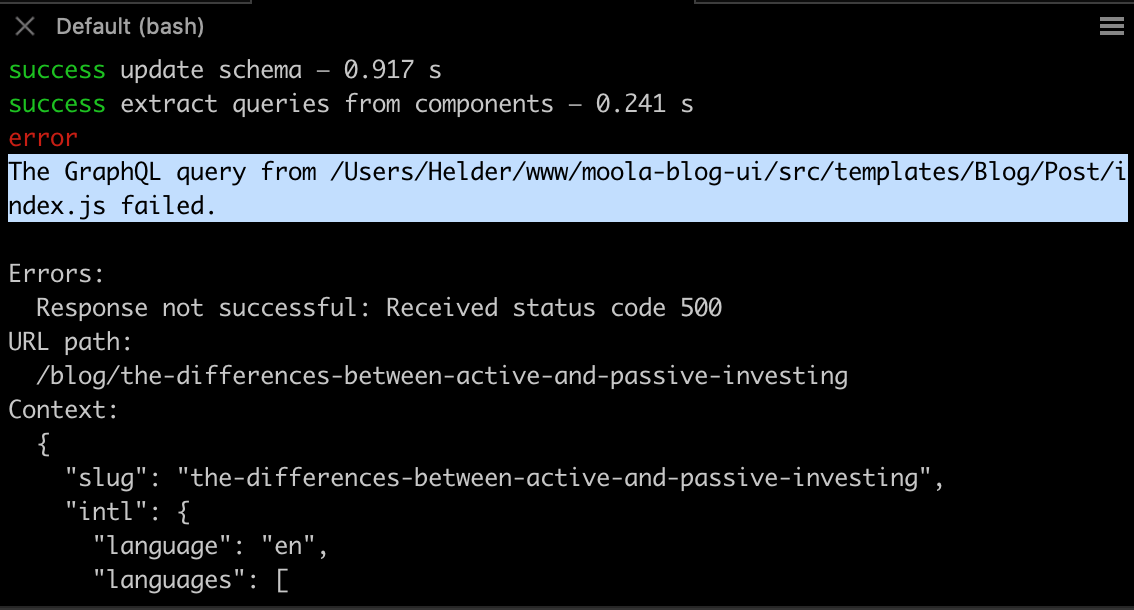
And immediately threw the slug and un in GraphiQL:
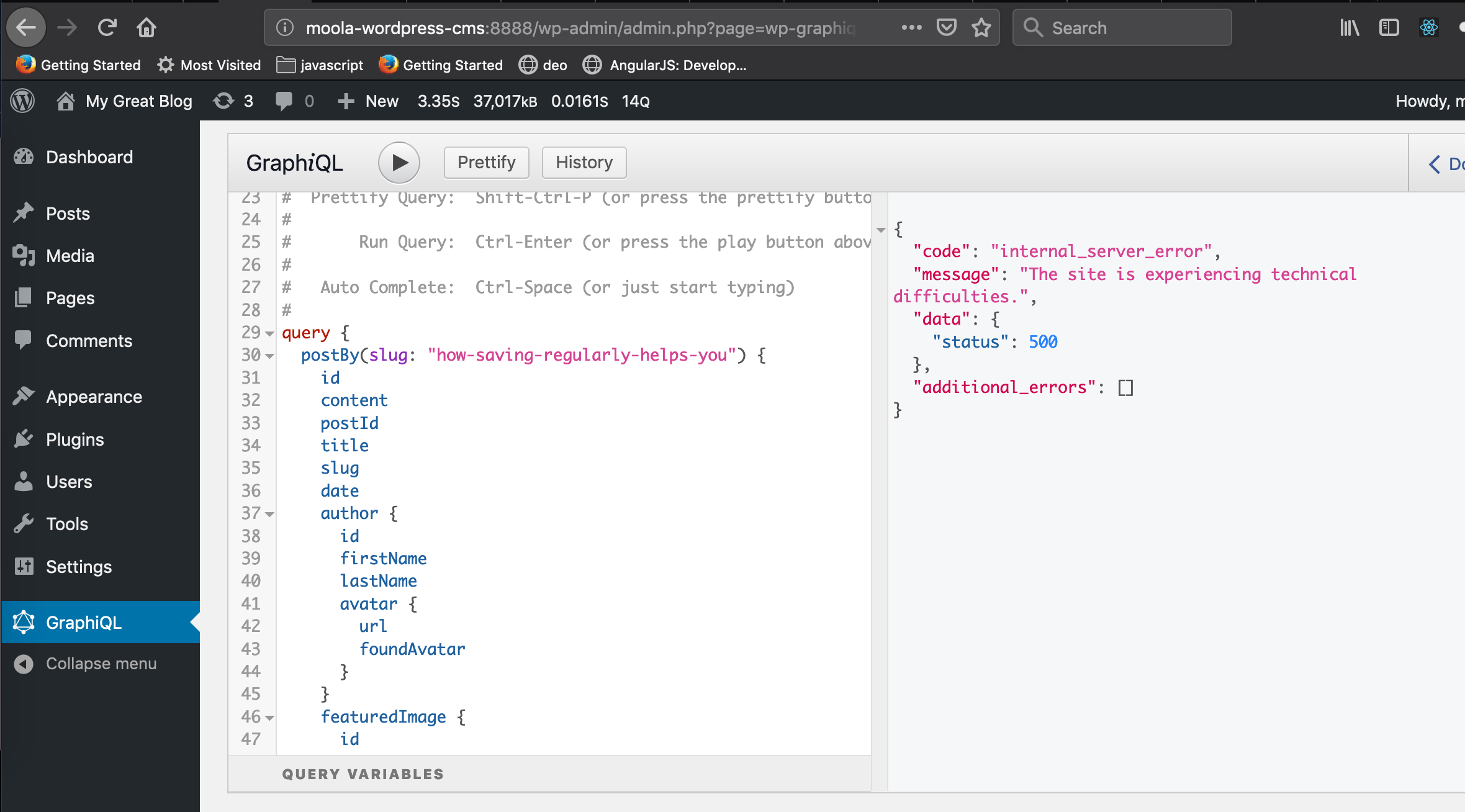
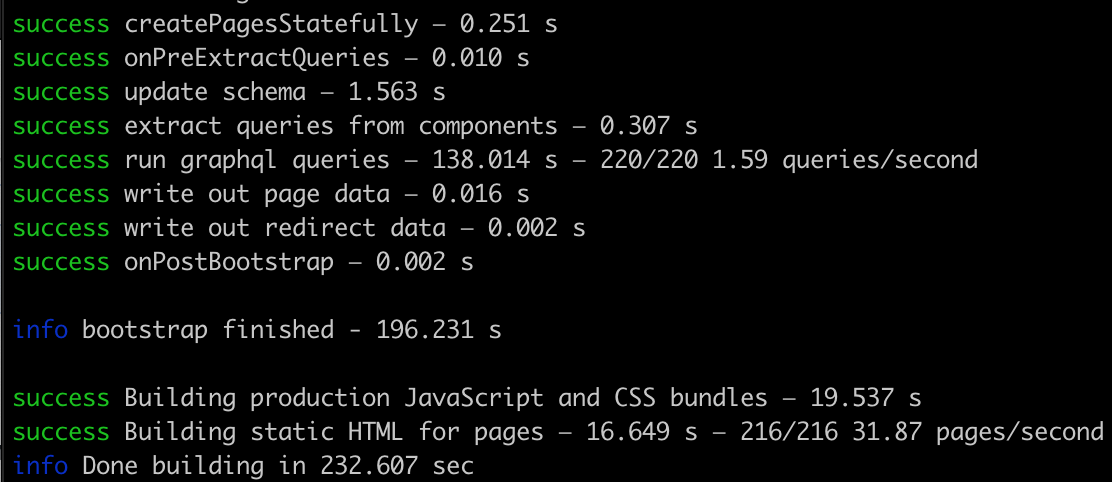
Which lead me to consider that this is memory issue. After increasing PHP memory to 256, the error stopped:
heldrida
on 15 May 2019
@jasonbahl i suspected as much that you would take that route, from my understanding is a good practice to limit the items fetched so that the server doesn't get hammered, not only by the data it has to fetch but also the transformation that it has to do and return it. @heldrida glad that you got it to work, i think that it was a good idea to ramp up the php memory to 256, i don't know about your infrastructure, or anything, but a bit more memory is always good.
jonniebigodes
on 16 May 2019
Hiya!
This issue has gone quiet. Spooky quiet. 👻
We get a lot of issues, so we currently close issues after 30 days of inactivity. It’s been at least 20 days since the last update here.
If we missed this issue or if you want to keep it open, please reply here. You can also add the label "not stale" to keep this issue open!
As a friendly reminder: the best way to see this issue, or any other, fixed is to open a Pull Request. Check out gatsby.dev/contributefor more information about opening PRs, triaging issues, and contributing!
Thanks for being a part of the Gatsby community! 💪💜
![gatsbot[bot] picture](https://avatars2.githubusercontent.com/in/12849?v=4&s=40) gatsbot[bot]
on 6 Jun 2019
gatsbot[bot]
on 6 Jun 2019
Hey again!
It’s been 30 days since anything happened on this issue, so our friendly neighborhood robot (that’s me!) is going to close it.
Please keep in mind that I’m only a robot, so if I’ve closed this issue in error, I’m HUMAN_EMOTION_SORRY. Please feel free to reopen this issue or create a new one if you need anything else.
As a friendly reminder: the best way to see this issue, or any other, fixed is to open a Pull Request. Check out gatsby.dev/contribute for more information about opening PRs, triaging issues, and contributing!
Thanks again for being part of the Gatsby community!
gatsbot[bot]
on 17 Jun 2019
Related issues
 magicly
·
3Comments
magicly
·
3Comments
 mikestopcontinues
·
3Comments
mikestopcontinues
·
3Comments
 Oppenheimer1
·
3Comments
Oppenheimer1
·
3Comments
 jimfilippou
·
3Comments
jimfilippou
·
3Comments
 ferMartz
·
3Comments
ferMartz
·
3Comments
Most helpful comment
I've been having a similar issue, totally intermittent. Nothing crazy here with our setup, but we are using
gatsby-source-graphqlas well.