Gatsby: Two StaticQueries into one map array
The goal, Combine two StaticQueries hooks from separate files into single ES6 array map(). Start with two queries hooks
Query hooks #1: useTeamImg,js
import { useStaticQuery, graphql } from 'gatsby';

export const useTeanImg = () => {
    const { source } = useStaticQuery(
        graphql`
            query allImgQuery {
                source: allFile(filter: { absolutePath: { regex: "/sponsors/" } }) {
                    edges {
                        node {
                            childImageSharp {
                                fluid(maxWidth: 2000) {
                                    ...GatsbyImageSharpFluid
                                }
                            }
                        }
                    }
                }
            }
        `
    );

    return { source };
};
... Query hooks #2: useUrls.js
import { useStaticQuery, graphql } from 'gatsby';

export const useUrls = () => {
    const { urls } = useStaticQuery(
        graphql`
            query {
                urls: allLinkJson {
                    edges {
                        node {
                            url
                        }
                    }
                }
            }
        `
    );

    return { urls };
};
FYI: fetching data of urls from data.json for useUrls hooks
[{
        "url": "https://item1.com/"
    },
    {
        "url": "https://item2.com/"
    },
    {
        "url": "https://item3.com/"
    },
    {
        "url": "https://item4.com/"
    }
]
The source is set up using gatsby-source-filesystem inside _gatsby-config.js_ and translate json following gatsby-transformer-json plugin.
        `gatsby-transformer-json`,
        {
            /* Data */
            resolve: `gatsby-source-filesystem`,
            options: {
                name: `url`,
                path: `${__dirname}/src/assets/data`
            }
        },
And on my first attempt...
import React from 'react';
import { useStaticQuery, graphql } from 'gatsby';

import { useTeamImg } from '../hooks/useTeamImg';
import { useUrls } from '../hooks/useUrls';

const ComponentA = () => {
    const { source } = useSponsorsImg();
    const { urls } = useUrls();

    const value = { source, urls };

      console.log(value);

    return (
         <div>
            {value.edges.map(({ node }, i) => (
               <Img key={i} fluid={node.childImageSharp.fluid} />
                           <p key={i}>url: {node.url}</p>)}
            ))}
          </div>
    );
};

export default ComponentA;
Instead of success, I am getting an "Cannot read property 'map' of undefined" even though The browser console shows
{source: {…}, urls: {…}}
   source: {edges: Array(21)}
   urls: {edges: Array(4)}
__proto__: Object
On another attempt which is almost similar as first one but without using const value = {source, urls};
    <div>
    {{ source, urls }.edges.map(({ node }, i) => (
    <div>
        <Img key={i} fluid={node.childImageSharp.fluid} />
                <p>url: {node.url}</p>)}
        </div>
        ))}
    </div>
Still no success with same error.
I am trying to find possibilities and I only wonder if its possible? Any suggestion or better alternatives?
Additional: Do I really need to use gatsby-transformer-json to fetch data from source? Could I use simple js instead i.e.
export default [{
        "url": "https://item1.com/"
    },
    {
        "url": "https://item2.com/"
    },
    {
        "url": "https://item3.com/"
    },
    {
        "url": "https://item4.com/"
    }
]
Thanks in advance.
 aprather51
All 9 comments
@aprather51 I've picked up on your issue and i believe i have a solution for you.
Here are the steps i took to get it working, going to to breakdown into smaller steps:
- Created a new Gatsby site with the hello hello world to keep it simple.
- Added the the appropriate dependencies to match yours.
- Grabbed some images from a old folder with wallpapers i have laying around and moved them to
src/images/sponsors/. - Created a file called
Urls.jsoninsrc/assets/datato match your setup, with a slight difference as you can see below:
[
    {
        "name":"wallpaper-10053",
        "url":"wwww.one.com"
    },
    {
        "name":"wallpaper-1386",
        "url":"wwww.two.com"
    },
    {
        "name":"wallpaper-25570",
        "url":"wwww.three.com"
    },
    {
        "name":"wallpaper-364251",
        "url":"wwww.four.com"
    }
]
- Created a
gatsby-config-jswith the following contents:
module.exports = {
    plugins: [

      {
        resolve: `gatsby-source-filesystem`,
        options: {
          name: `content`,
          path: `${__dirname}/src/images`,
        },
      },
      'gatsby-transformer-sharp',
      'gatsby-plugin-sharp',
    ],
  }
- Created the file
src/components/ComponentA.jswith the following contents.
import React from 'react';
import { useStaticQuery,graphql } from 'gatsby';
import Img from 'gatsby-image'
import Urls from '../assets/data/Urls.json'

const ComponentA=()=>{
    const data=useStaticQuery(graphql`
        query AllSponsors {
            allFile(filter: {absolutePath: {regex: "/sponsors/"}}) {
            edges {
                node {
                name #name added to match the url
                childImageSharp {
                    fluid(maxWidth: 2000) {
                        ...GatsbyImageSharpFluid
                    }
                }
                }
            }
            }
        }

    `)

    return(
        <div>
            {
                data.allFile.edges.map(item=>(
                    <div>
                        <Img key={`image_${item.node.name}`} fluid={item.node.childImageSharp.fluid} style={{height:'500px'}}/>
                         <p key={`image_${item.node.name}`} style={{fontSize:'18px', fontWeight:'bold'}}>
                            {
                                Urls.filter(x=>x.name===item.node.name).map(url=>{return url.url}) // returns the  url based on the name of the image
                            }
                         </p>
                    </div>
                ))
            }
        </div>
    )
}

export default ComponentA
- Added the component to
/src/pages/index.jsand runninggatsby developand openinghttp://localhost:8000i'm presented with the following:
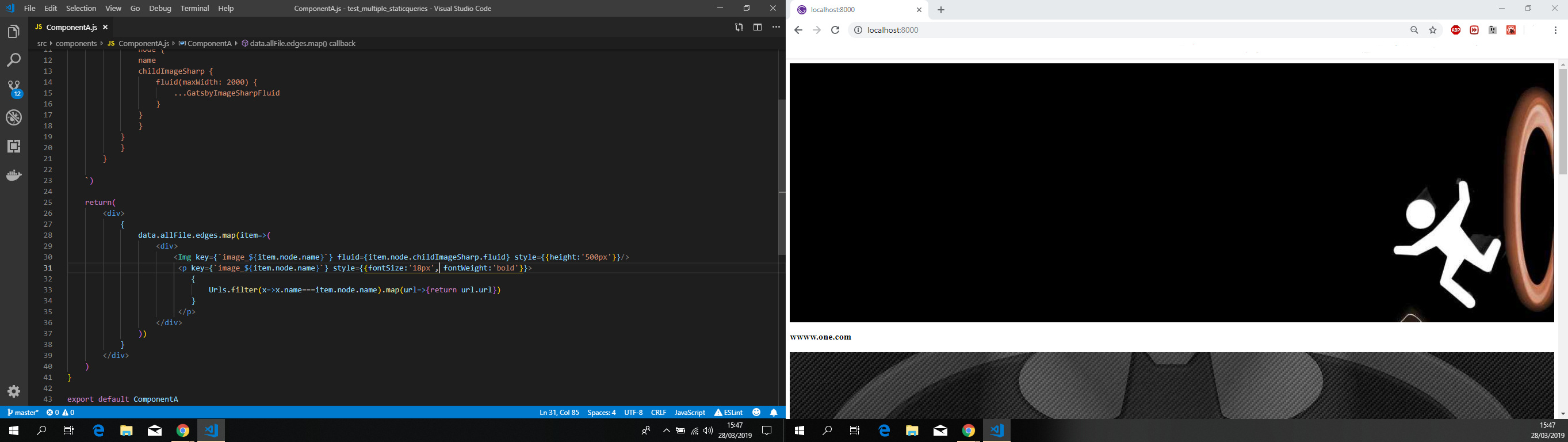
Now, the key things to take from your issue.
- You can have the plugin if you absolutely need it, more specifically if you have a good number of json files with data in your project and you need to expose to the data layer. From my perspective while reading the issue text you created, you don't need it. Gatsby out of the box offers a way to add JSON into components at build time.
- Based on the reason above, and extrapolating from your issue's text, you would not need to have two hooks.
- When you created the json file, it looks like you missed one thing, how will you correlate the images that are returned and the urls you're querying? You need to adjust both the image query and the json so that you can get them to match.
Feel free to provide feedback, so that we can close this issue or we can continue to work on it.
 jonniebigodes
on 28 Mar 2019
jonniebigodes
on 28 Mar 2019
Thanks for this @jonniebigodes, I had been looking for an example of how to do this all day yesterday. Just used it to match up people listed in a json file with their images in a directory.
 ewalpole
on 28 Mar 2019
ewalpole
on 28 Mar 2019
@ewalpole no problem glad that my reproduction could be of help.
jonniebigodes
on 28 Mar 2019
Your value variable hast this elements:
value.source.edges...
value.url.edges...
There is no value.edges... where you will do a .map on it
 muescha
on 29 Mar 2019
muescha
on 29 Mar 2019
If you like to map it 1:1 you can also have a dictonary:
    {
        "wallpaper-10053":"wwww.one.com",
        "wallpaper-1386":"wwww.two.com",
        "wallpaper-25570":"wwww.three.com",
        "wallpaper-364251":"wwww.four.com"
    }
urls[item.node.name]
muescha
on 29 Mar 2019
Hello, @jonniebigodes we bump again, .filter() solves pretty much everything. You are amazing! The picture become more clearer after learned about name value which is new to me. I dug into localhost:8000/__graphiql docs explorer and discover more thing to play around. Thank you for taking your time breaking this down with clear explaination.
On other issues, but related. Sorting map of image files in alphabet order, should I use graphQL's
sort: {order: ASC} method or JS's .sort((a, b) => a.item.node > b.item.node). Any example on sorting file in ascending order would be great.
@muescha
_Your value variable hast this elements:_
value.source.edges...
value.url.edges...
There is no value.edges... where you will do a .map on it
_There is no value.edges... where you will do a .map on it_
I am not sure I understand your question... As explained above, I am able to see both values from separated queries as result from browser console
{source: {…}, urls: {…}}
   source: {edges: Array(21)}
   urls: {edges: Array(4)}
__proto__: Object
I didn't have problem mapping on both queries. I had problem with sharing value from separate queries and map as one whole.
aprather51
on 29 Mar 2019
@aprather51 no need to thank, just glad i could be of assistance and help you solve your original issue.
Regarding your related issue.
Me, personally and from my background i lean towards having all of the data a priori and leave React to render to render it/show it. With that i'm more inclined to have a graphql query executed in gatsby-node.js and pass down the data through the use of pageContext, but for this case and my reproduction the same principle can be achieved, leave the component to render the data supplied by the result of a graphql query. I'm going to extend the example i provided earlier to allow sorting the files by ascending order like you asked. Below are the steps taken:
- Grabbed a couple of extra images and added them to images folder.
- Modified
Urls.jsonto the following:
[
    {
        "name":"wallpaper-10053",
        "url":"wwww.one.com"
    },
    {
        "name":"wallpaper-1386",
        "url":"wwww.two.com"
    },
    {
        "name":"wallpaper-25570",
        "url":"wwww.three.com"
    },
    {
        "name":"batmanvillains",
        "url":"www.batmanvillains.com"
    },
    {
        "name":"wallpaper-364251",
        "url":"wwww.four.com"
    },
    {
        "name":"chucknorrium",
        "url":"www.strongest-element-on-earth.com"
    }
]
- Modified the existing graphql query to the following:
query AllSponsors {
  allFile(sort: {fields: [name], order: ASC}, filter: {absolutePath: {regex: "/sponsors/"}}) {
    edges {
      node {
        name
        childImageSharp {
          fluid(maxWidth: 2000) {
            src
            srcSet
          }
        }
      }
    }
  }
}
Adding the sort:{fields:[name#same as the name below],order:ASC} will order the files ascending.
- Issuing
gatsby developand opening up a new browser window tohttp://localhost:8000will show me the images accordingly as you can see below:

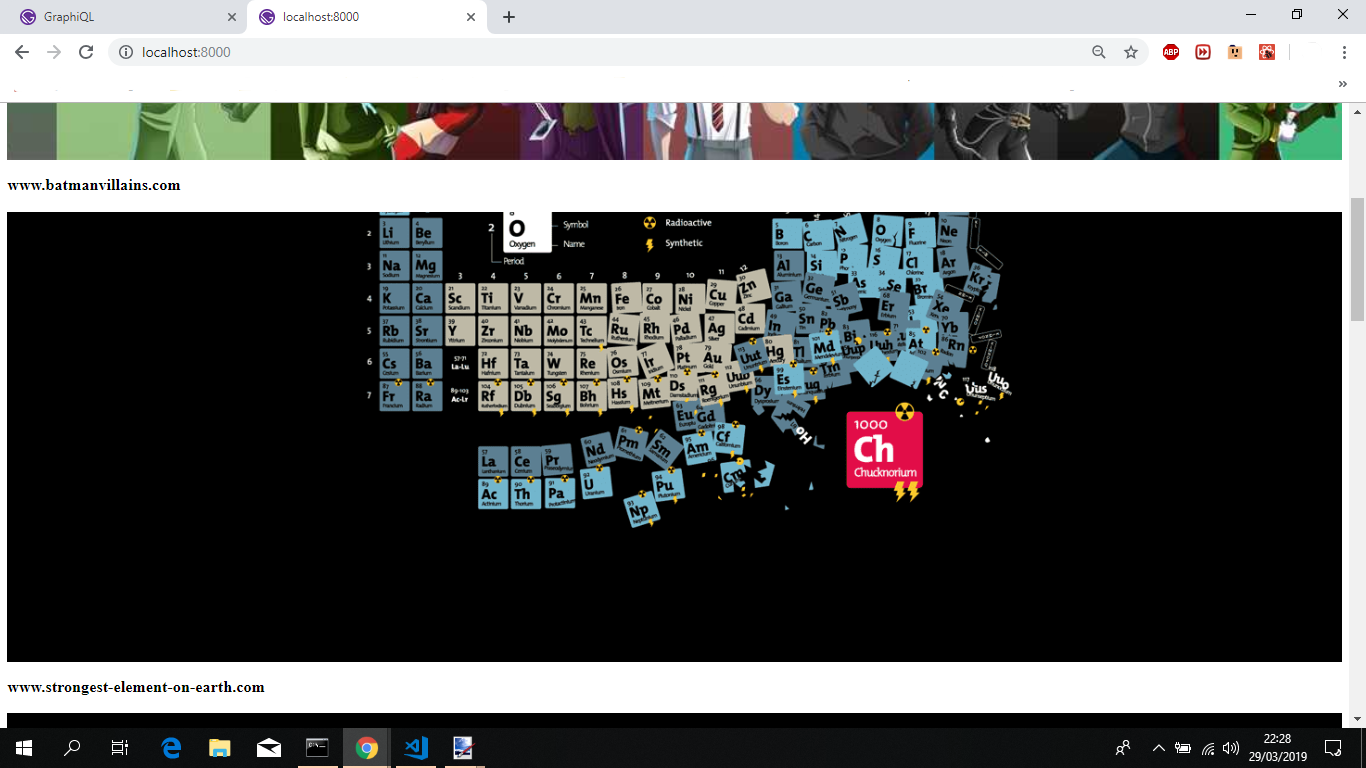
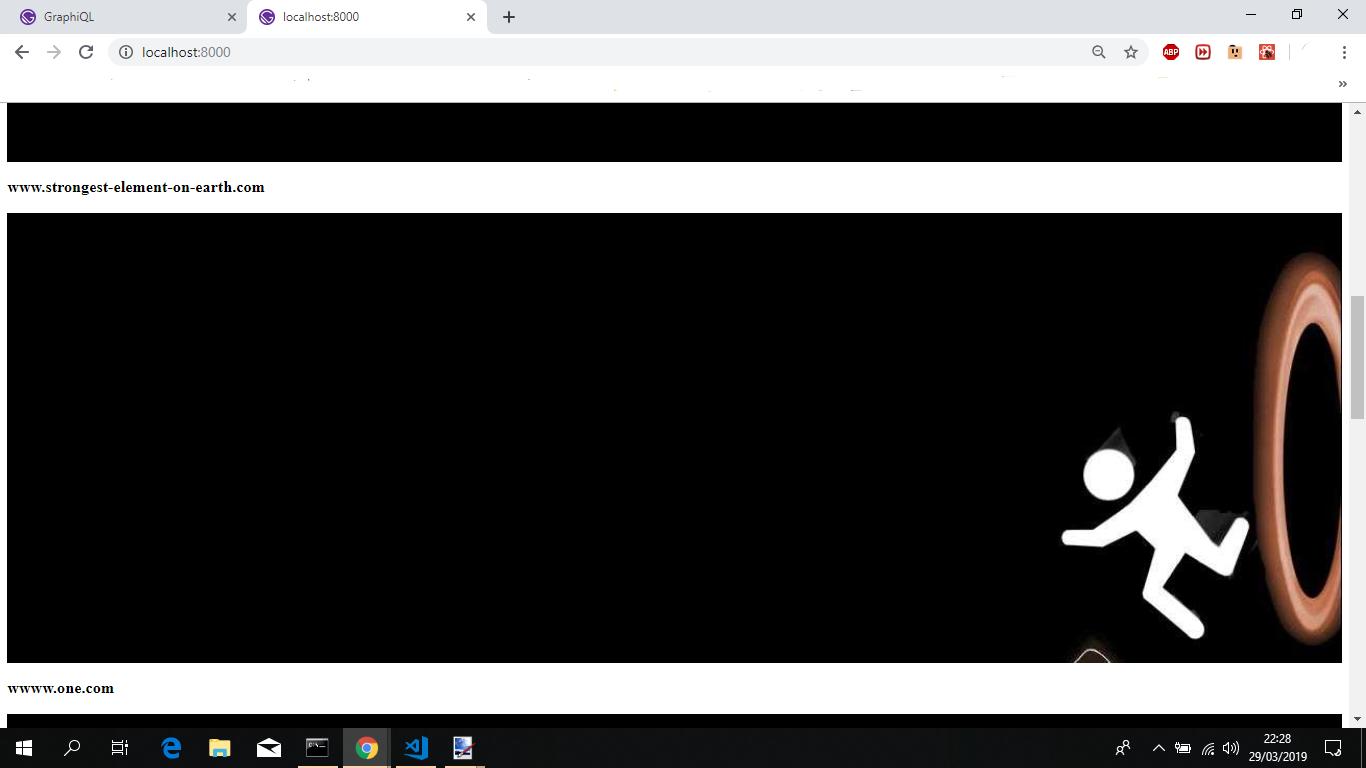
Hope that this small addition to the reproduction provided earlier solves your issue.
Feel free to provide feedback.
jonniebigodes
on 29 Mar 2019
Excellent! With every conceived details, this now solve my issues!
aprather51
on 30 Mar 2019
thanks @jonniebigodes to give such great advice and fixing this issue for @aprather51
 wardpeet
on 1 Apr 2019
wardpeet
on 1 Apr 2019
Related issues
 theduke
·
3Comments
theduke
·
3Comments
 Oppenheimer1
·
3Comments
Oppenheimer1
·
3Comments
 KyleAMathews
·
3Comments
KyleAMathews
·
3Comments
 magicly
·
3Comments
magicly
·
3Comments
 dustinhorton
·
3Comments
dustinhorton
·
3Comments
Most helpful comment
@aprather51 I've picked up on your issue and i believe i have a solution for you.
Here are the steps i took to get it working, going to to breakdown into smaller steps:
src/images/sponsors/.Urls.jsoninsrc/assets/datato match your setup, with a slight difference as you can see below:gatsby-config-jswith the following contents:src/components/ComponentA.jswith the following contents./src/pages/index.jsand runninggatsby developand openinghttp://localhost:8000i'm presented with the following:Now, the key things to take from your issue.
Feel free to provide feedback, so that we can close this issue or we can continue to work on it.