Gatsby: The site is empty after going back
Description
Describe the issue that you're seeing.
I see nothing, the page is blank.
Steps to reproduce
1) Visit https://www.gatsbyjs.org/showcase
2) Click on ReactJS
2) Click the purple visit site button
3) Go back
Clear steps describing how to reproduce the issue. Please please please link to a demo project if possible, this makes your issue _much_ easier to diagnose (seriously).
Expected result
What should happen?
See the original page.
Actual result
What happened.
Blank
Environment
Run npx gatsby info --clipboard in your project directory and paste the output here.
 whs-dot-hk
All 15 comments
Interesting. I can reproduce on my machine. The console shows TypeError: Cannot read property 'json' of undefined and this https://github.com/gatsbyjs/gatsby/blob/3971ed4d6cc788b2fdc44d3b197bfe3fe68037ab/packages/gatsby/cache-dir/public-page-renderer-prod.js#L12 seems to be the line that breaks.
Edit: The really interesting thing is that I get in on desktop, but not on mobile or a smaller desktop window. It's not a popup for smaller windows, so maybe that has something to do with it.
 JacobBlomgren
on 27 Feb 2019
JacobBlomgren
on 27 Feb 2019
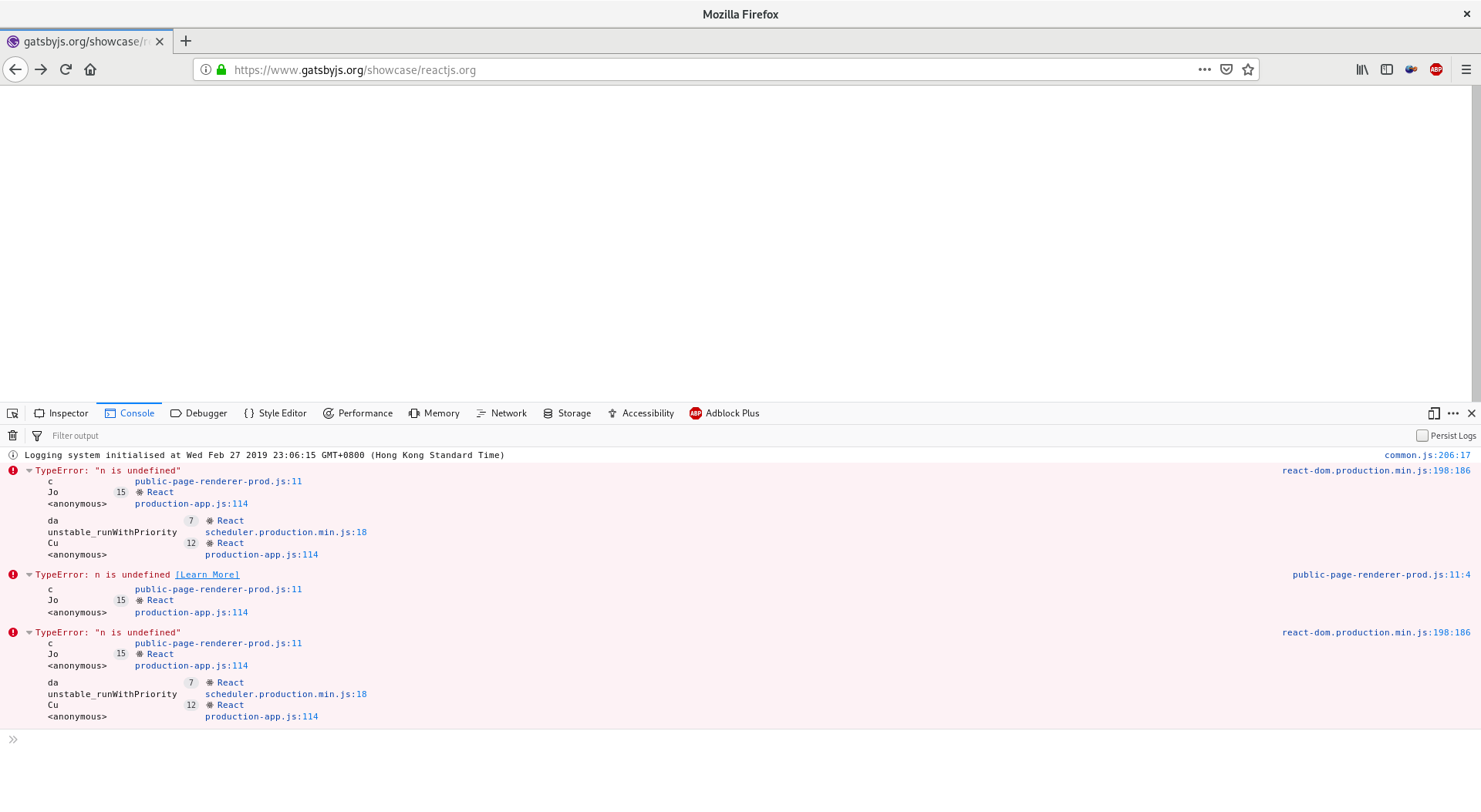
Hi, my error looks like this
whs-dot-hk
on 27 Feb 2019
Im getting the same error and the blank page.
TypeError: Cannot read property 'json' of undefined
    at c (public-page-renderer-prod.js:12)
 t2ca
on 28 Feb 2019
t2ca
on 28 Feb 2019
Looks like the findpage function is null
but I can't fire a debugger to confirm
How to debug a built gatsbyjs site?
whs-dot-hk
on 28 Feb 2019
Not just reactjs.org site but all the sites.
- Go to showcase Page
- Click on any site title.
- Press Reload button.
 yogeshkotadiya
on 28 Feb 2019
yogeshkotadiya
on 28 Feb 2019
@whs-dot-hk Do you want to take a stab at this? Otherwise I can try.
JacobBlomgren
on 2 Mar 2019
@JacobBlomgren You can
whs-dot-hk
on 3 Mar 2019
I think I know what causes this. The location state here https://github.com/gatsbyjs/gatsby/blob/master/www/src/templates/template-showcase-details.js#L78 says that it should be a modal, but since the page is refreshed, it doesn't have the data to render the /showcase background page here https://github.com/gatsbyjs/gatsby/blob/master/www/src/components/layout.js#L71, which causes the crash described above. One solution would be show it without a modal, as it is when server side rendered, but I don't know how to detect the special case where the user has gone back/refreshed. It's kinda tricky. Don't know if it's worth solving @gatsbyjs/website ?
JacobBlomgren
on 11 Mar 2019
Hiya!
This issue has gone quiet. Spooky quiet. 👻
We get a lot of issues, so we currently close issues after 30 days of inactivity. It’s been at least 20 days since the last update here.
If we missed this issue or if you want to keep it open, please reply here. You can also add the label "not stale" to keep this issue open!
Thanks for being a part of the Gatsby community! 💪💜
![gatsbot[bot] picture](https://avatars2.githubusercontent.com/in/12849?v=4&s=40) gatsbot[bot]
on 1 Apr 2019
gatsbot[bot]
on 1 Apr 2019
Someone fixed it! It works in firefox now (lol, only after I install noscript), but chrome.
whs-dot-hk
on 4 Apr 2019
Can't seem to reproduce it anymore in chrome & firefox. I'm closing this, feel free to re-open if I'm wrong on this one.
 wardpeet
on 4 Apr 2019
wardpeet
on 4 Apr 2019
@wardpeet The bug is still there
whs-dot-hk
on 4 Apr 2019
@whs-dot-hk could you give me your browser info as it did work for me
wardpeet
on 4 Apr 2019
@wardpeet My chrome version is 73.0.3683.86. Firefox is 66.0.2.
whs-dot-hk
on 4 Apr 2019
@wardpeet I have just post a PR. It should fix the problem above.
whs-dot-hk
on 4 Apr 2019
Related issues
 mikestopcontinues
·
3Comments
mikestopcontinues
·
3Comments
 hobochild
·
3Comments
hobochild
·
3Comments
 totsteps
·
3Comments
totsteps
·
3Comments
 jimfilippou
·
3Comments
jimfilippou
·
3Comments
 3CordGuy
·
3Comments
3CordGuy
·
3Comments
Most helpful comment
Hi, my error looks like this