Gatsby: Add pre-existing HTML to gatsby blog template
Dependencies:
  "dependencies": {
    "gatsby": "^1.9.250",
    "gatsby-link": "^1.6.39",
    "gatsby-plugin-feed": "^1.3.20",
    "gatsby-plugin-google-analytics": "^1.0.29",
    "gatsby-plugin-offline": "^1.0.15",
    "gatsby-plugin-react-helmet": "^1.0.8",
    "gatsby-plugin-sharp": "^1.6.42",
    "gatsby-plugin-typography": "^1.7.18",
    "gatsby-remark-copy-linked-files": "^1.5.31",
    "gatsby-remark-images": "^1.5.61",
    "gatsby-remark-prismjs": "^1.2.24",
    "gatsby-remark-responsive-iframe": "^1.4.18",
    "gatsby-remark-smartypants": "^1.4.12",
    "gatsby-source-filesystem": "^1.5.31",
    "gatsby-transformer-remark": "^1.7.40",
    "gatsby-transformer-sharp": "^1.6.22",
    "lodash": "^4.17.5",
    "typeface-merriweather": "0.0.43",
    "typeface-montserrat": "0.0.43",
    "typography-theme-wordpress-2016": "^0.15.10"
  },
  "devDependencies": {
    "eslint": "^4.19.1",
    "eslint-plugin-react": "^7.7.0",
    "gh-pages": "^1.2.0",
    "prettier": "^1.12.0"
  }
I'm trying to integrate pre-existing html into a blog website that originated from the Gatsby blog template.
I tried making a new directory inside the public folder and move the html file there. I then typed my website's url slash the name of the html file, but the Not Found page appeared. Just to double check that the page exists on my github pages, curling the route does give me the html file. In the browser, though, this is what I get:

Appreciate guidance on proper way to integrate existing html file into a gatsby project.
 ekeleshian
All 12 comments
You can either:
- name this file
public/visualizations.htmland access it from/visualizations.html - name this file
public/visualizations/index.htmland access it from/visualizations - name this file
public/visualizations/whatever.htmland access it from/visualizations/whatever.html
Here, i see /visualizations.html , but you say you created a directory inside public. Check this first.
If you only want to get a minimal part of your old html file, and keep your new gatsby template, you could create a new page in src/pages .
e.g: src/pages/test.js
import React from 'react'

const Test = () =>
  <>
   <h1>Your Custom</h1>
   <h2>HTML</h2>
   <p>here</p>
  </>

export default Test
and access it from /test
 arnriu
on 21 Dec 2018
arnriu
on 21 Dec 2018
Thanks, Arnaud. I tried the bullet pointed suggestions. Parts of the UI
appear, but if I click on a button, nothing happens. I checked in the
inspector, saw that my js code is there, and the server is working fine,
but I'm not getting error messages. The functions from the js file aren't
being called. Not sure where to go from here.
On Thu, Dec 20, 2018 at 5:25 PM Arnaud Riu notifications@github.com wrote:
You can either:
- name this file public/visualizations.html and access it from
/visualizations.html- name this file public/visualizations/index.html and access it from
/visualizations- name this file public/visualizations/whatever.html and access it
from /visualizations/whatever.html
Here, i see /visualizations.html , but you say you created a directory
inside public. Check this first.If you only want to get a minimal part of your old html file, and keep
your new gatsby template, you could create a new page in src/pages .
e.g:src/pages/test.js`import React from 'react'
const Test = () =>
<>
Your Custom
HTML
here
export default Test
and access it from /test
—
You are receiving this because you authored the thread.
Reply to this email directly, view it on GitHub
https://github.com/gatsbyjs/gatsby/issues/10594#issuecomment-449203023,
or mute the thread
https://github.com/notifications/unsubscribe-auth/AgFrcnAA1NL8ejkEktShkch3XeDsafLUks5u7DiggaJpZM4ZdJRx
.
ekeleshian
on 21 Dec 2018
Maybe your html page need external assets, and moving only this file break those assets path.
Could you give us snippets ? Or a repo ?
arnriu
on 21 Dec 2018
@ekeleshian Could you link to a minimal reproduction repo if possible?
 sidharthachatterjee
on 21 Dec 2018
sidharthachatterjee
on 21 Dec 2018
Here's the link to the repo:
https://github.com/ekeleshian/ekeleshian.github.io/tree/developed
https://github.com/ekeleshian/ekeleshian.github.io/tree/developed
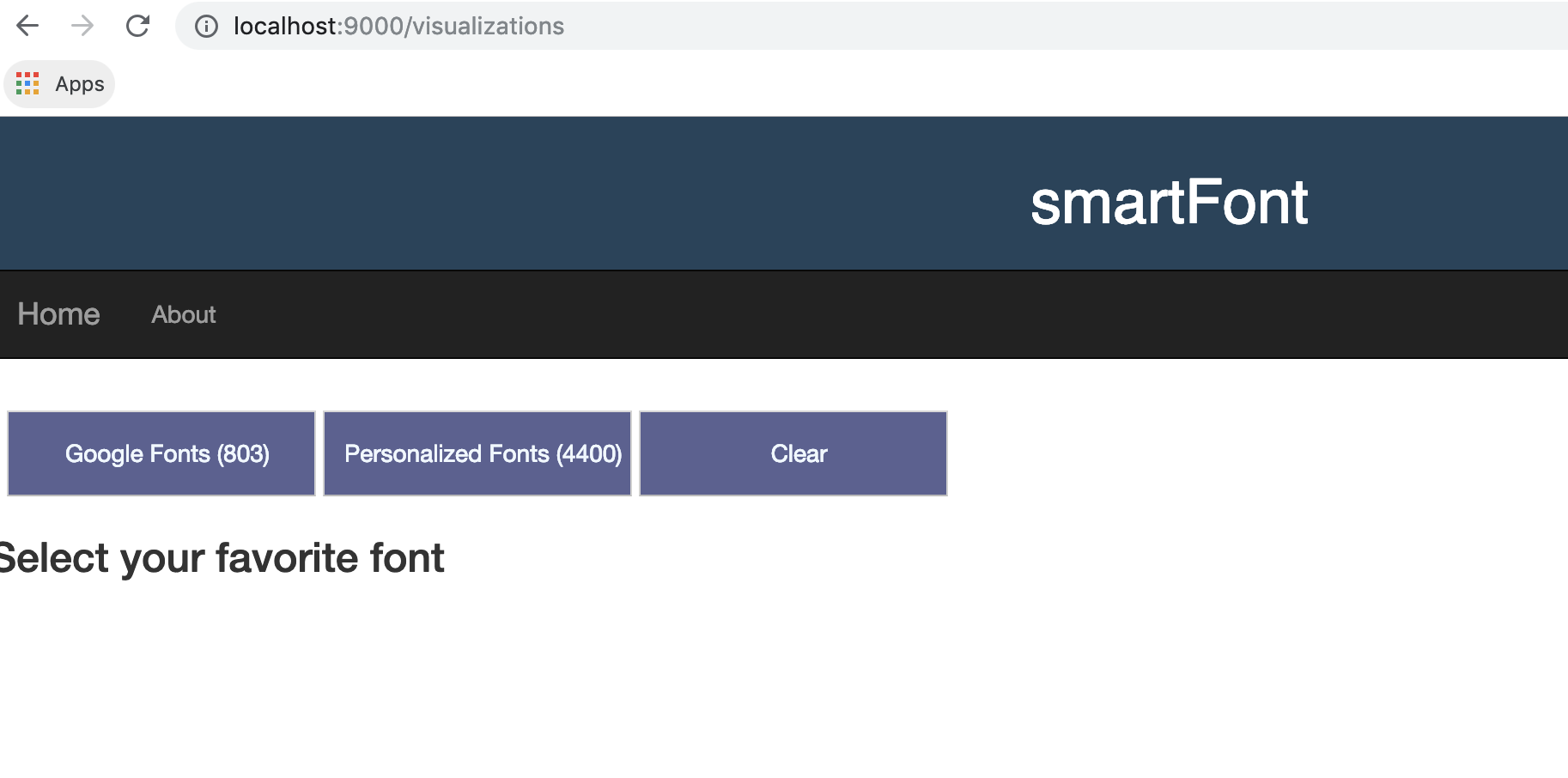
Just as a recap: I'm having a hard time fully integrating my pre-existing
code into my gatsby blog. This code is located in public/ and are called
visualizations.html and new_vis.js. When I type
ekeleshian.github.io/visualizations.html, it indeed directs me to the
custom made page, but when I click on a button, it won't call the function
that's supposed to be triggered in my js code.
Any ideas?
On Fri, Dec 21, 2018 at 9:00 AM Sidhartha Chatterjee <
[email protected]> wrote:
@ekeleshian https://github.com/ekeleshian Could you link to a minimal
reproduction repo if possible?—
You are receiving this because you were mentioned.
Reply to this email directly, view it on GitHub
https://github.com/gatsbyjs/gatsby/issues/10594#issuecomment-449441841,
or mute the thread
https://github.com/notifications/unsubscribe-auth/AgFrcjnXzvuh8ctiihVafGLiND32RzfGks5u7RORgaJpZM4ZdJRx
.
ekeleshian
on 21 Dec 2018
This seems to be an issue with gatsby-plugin-offline, specifically because this page was added outside of the Gatsby lifecycle, the plugin isn't aware of that page.
Could you try removing gatsby-plugin-offline and check if this fixes your issue?
 DSchau
on 21 Dec 2018
DSchau
on 21 Dec 2018
Removing gatsby-plugin-offline unfortunately didn't fix the issue
On Fri, Dec 21, 2018 at 9:56 AM Dustin Schau notifications@github.com
wrote:
This seems to be an issue with gatsby-plugin-offline, specifically
because this page was added outside of the Gatsby lifecycle, the plugin
isn't aware of that page.Could you try removing gatsby-plugin-offline and check if this fixes your
issue?—
You are receiving this because you were mentioned.
Reply to this email directly, view it on GitHub
https://github.com/gatsbyjs/gatsby/issues/10594#issuecomment-449455757,
or mute the thread
https://github.com/notifications/unsubscribe-auth/AgFrci0Try-nezjUIyDSoMFURckMDMTrks5u7SCvgaJpZM4ZdJRx
.
ekeleshian
on 21 Dec 2018
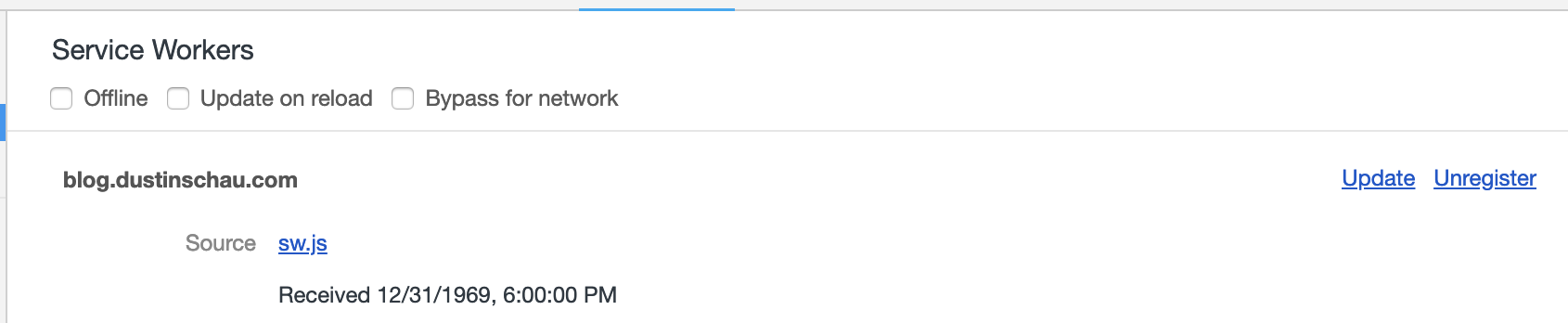
This error is _from_ gatsby-plugin-offline

Perhaps you need to clear out the service worker? Additionally, you could investigate gatsby-plugin-remove-service-worker
DSchau
on 21 Dec 2018
OK - so what's happening is that the public folder is being wiped. In general, you want to use the static folder for assets that will be directly copied to the public folder.
So to fix this, you'll want to copy public/* (e.g. those two files) into static. The build process will copy these files for you into public and then they should be routable in the resulting build.
Hope this helps!
DSchau
on 21 Dec 2018
Thanks so much. This indeed worked.
On Fri, Dec 21, 2018 at 10:29 AM Dustin Schau notifications@github.com
wrote:
OK - so what's happening is that the public folder is being wiped. In
general, you want to use the static folder for assets that will be
directly copied to the public folder.e.g. this guide is helpful
https://www.gatsbyjs.org/docs/adding-images-fonts-files/#using-the-static-folderSo to fix this, you'll want to copy public/* (e.g. those two files) into
static. The build process will copy these files for you into public and
then they should be routable in the resulting build.Hope this helps!
[image: screen shot 2018-12-21 at 12 29 14 pm]
https://user-images.githubusercontent.com/3924690/50357588-099cb980-051c-11e9-8405-8d8253018cd4.png—
You are receiving this because you were mentioned.
Reply to this email directly, view it on GitHub
https://github.com/gatsbyjs/gatsby/issues/10594#issuecomment-449463737,
or mute the thread
https://github.com/notifications/unsubscribe-auth/AgFrcpktkkb-bHGAEr2Av4p9Jigs9gtJks5u7SiagaJpZM4ZdJRx
.
ekeleshian
on 21 Dec 2018
OK - so what's happening is that the
publicfolder is being wiped. In general, you want to use thestaticfolder for assets that will be directly copied to thepublicfolder.So to fix this, you'll want to copy
public/*(e.g. those two files) intostatic. The build process will copy these files for you intopublicand then they should be routable in the resulting build.Hope this helps!
I added an existing html file test.html to gatsby_project/static, and run gatsby develop. After everything is up and running, I tried to visit http://localhost:8000/test.html and got 404 page, in which it says Gatsby.js development 404 page, There's not a page yet at /test.html.
Did I miss something ?
Appreciate any help.
 ethan-cao
on 13 Jan 2020
ethan-cao
on 13 Jan 2020
Yeah, same issue. Seems to work if you do a gatsby build && gatsby serve though.
 TimFletcher
on 9 May 2020
TimFletcher
on 9 May 2020
Related issues
 dustinhorton
·
3Comments
dustinhorton
·
3Comments
 andykais
·
3Comments
andykais
·
3Comments
 ferMartz
·
3Comments
ferMartz
·
3Comments
 benstr
·
3Comments
benstr
·
3Comments
 rossPatton
·
3Comments
rossPatton
·
3Comments
Most helpful comment
Yeah, same issue. Seems to work if you do a
gatsby build && gatsby servethough.