Gatsby: Change the content of a child component in function of the device
Hi everyone,
I'm trying to render a different component inside a page with the second version of Gatsby. Before I rendered this element in the layout component.
I created a prop for the default layout component in order to detect if the the layout is in or not in mobile mode.
Inside my child component i want to set two different types of content to change it in function of the device.
What am I missing ?
for my src/components/layout.js
import React from 'react'
import PropTypes from 'prop-types'
import { Helmet } from 'react-helmet'
import 'flexboxgrid/dist/flexboxgrid.min.css'
import { Footer, Header } from '../components/organisms'
import '../scss/main.scss'
export class DefaultLayout extends React.Component {
   constructor(props) {
     super(props)
     this.state = {
       width: 601 // or your default width here
     }
   }
   componentDidMount() {
     this.handleWindowSizeChange() // Set width
     window.addEventListener('resize', this.handleWindowSizeChange)
   }
   // make sure to remove the listener
   // when the component is not mounted anymore
   componentWillUnmount() {
     window.removeEventListener('resize', this.handleWindowSizeChange)
   }
   handleWindowSizeChange = () => {
     this.setState({
       width: window.innerWidth
     })
   }
  render(){
      const {
        width
      } = this.state;
      const isMobile = width <= 600;
    const {
      siteTitle,
      siteDescription,
      mobile
    } = this.props;
    console.log('The browser actual width is equal to : '+width+ ' px')

    return(
      <div className="wrapper">
        <div className="wrapper__top">
            <Helmet>
            <html lang="fr" />
            <meta charSet="utf-8" />
            <meta httpEquiv="X-UA-Compatible" content="IE-edge,chrome=1" />
            <meta name="viewport" content="width=device-width,initial-scale=1" />
            <link rel="icon" type="image/png" href="/favicon.png" />
            <meta name="description" content={siteDescription} />
          <title>
            {siteTitle}
          </title>
          </Helmet>
          <Header />
          <main>
            { (isMobile && location.pathname === '/') ?
               <h1>Foo bar</h1>
              : this.props.children
              }
          </main>
          <Footer />
        </div>
      </div >
    )
  }
}
DefaultLayout.propTypes = {
   children: PropTypes.oneOfType([PropTypes.arrayOf(PropTypes.node), PropTypes.node]).isRequired,
    siteTitle: PropTypes.string,
    siteDescription: PropTypes.string,
    mobile: PropTypes.bool
};
DefaultLayout.defaultProps = {
  siteTitle: undefined,
  siteDescription: undefined,
  mobile:false
};
export default DefaultLayout;
for my src/pages/index.js
import React from 'react'
import { DefaultLayout } from '../components/layout';
import { Teaser } from '../components/organisms'
import { Project } from '../components/molecules'
import { StaticQuery, graphql } from "gatsby"

const pageQuery = graphql `{
  allProjectsJson {
    edges {
      node {
        title
        category
        description
        image
        logo
        website
      }
    }
  }
  allGeneralJson(filter: {url: {eq: "/"}}){
    edges{
      node{
        url
        pageTitle
        metaDesc
        metaTitle
      }
    }
  }

}`;
const IndexPage = () => (
  <StaticQuery
    query={pageQuery}
    render={
        ({ allProjectsJson, allGeneralJson }) =>
        {
        const {
         metaTitle,
         metaDesc

        } = allGeneralJson.edges[0].node;

   return(
     <DefaultLayout siteTitle={metaTitle} siteDescription={metaDesc} mobile={false}>
      <div>
        <Teaser />


      </div>
    </DefaultLayout>

  );
   }}
   />
);


export default IndexPage
 MaralS
All 13 comments
I'm not sure I understand your question, which exactly is the component that you want to render conditionally?
 jgierer12
on 27 Nov 2018
jgierer12
on 27 Nov 2018
@jgierer12 absolutely display another content in mobile mode
MaralS
on 27 Nov 2018
I've picked up on your issue and for what i've read you can do it.
You can render conditionally the data you want to.
I grabbed your code and tweaked it a bit, removed the graphql part as it'is not mentioned, also some imports that also are not mentioned and extrapolated some components used.
And with that in mind here's the code.
Index page
import React from 'react'

//import Layout from '../components/layout'
import DefaultLayout from '../components/DefaultLayout'
import Organisms from '../components/Organisms'

const IndexPage = ({location}) => (
  <DefaultLayout
    siteTitle={'metaTitle'}
    siteDescription={'metaDesc'}
    location={location}
    mobile={false} >
    <div>
      <h1>Hi people</h1>
      <Organisms />
    </div>
  </DefaultLayout>
)

export default IndexPage
Organisms component
import React from 'react'

const Organisms = () => <h1>i'm a organism</h1>
export default Organisms
And the DefaultLayout component
import React, { Component } from 'react'
import PropTypes from 'prop-types'
import Helmet from 'react-helmet'
import Header from '../components/header'
import Footer from '../components/footer'
export class DefaultLayout extends Component {
  state = {
    width: 601, // or your default width here
  }

  componentDidMount() {
    if (typeof window !== 'undefined') {
      this.handleWindowSizeChange() // Set width
      window.addEventListener('resize', this.handleWindowSizeChange)
    }
  }
  // make sure to remove the listener
  // when the component is not mounted anymore
  componentWillUnmount() {
    if (typeof window !== 'undefined') {
      window.removeEventListener('resize', this.handleWindowSizeChange)
    }
  }
  handleWindowSizeChange = () => {
    this.setState({
      width: window.innerWidth,
    })
  }
  render() {
    const { width } = this.state
    const isMobile = width <= 600
    const { siteTitle, siteDescription, location } = this.props
    console.log('The browser actual width is equal to : ' + width + ' px')

    return (
      <div className="wrapper">
        <div className="wrapper__top">
          <Helmet>
            <html lang="fr" />
            <meta charSet="utf-8" />
            <meta httpEquiv="X-UA-Compatible" content="IE-edge,chrome=1" />
            <meta
              name="viewport"
              content="width=device-width,initial-scale=1"
            />
            <link rel="icon" type="image/png" href="/favicon.png" />
            <meta name="description" content={siteDescription} />
            <title>{siteTitle}</title>
          </Helmet>
          <Header />
          <main>
            {isMobile && location.pathname === '/' ? (
              <h1>Foo bar</h1>
            ) : (
              this.props.children
            )}
          </main>
          <Footer />
        </div>
      </div>
    )
  }
}
DefaultLayout.propTypes = {
  children: PropTypes.oneOfType([
    PropTypes.arrayOf(PropTypes.node),
    PropTypes.node,
  ]).isRequired,
  siteTitle: PropTypes.string,
  siteDescription: PropTypes.string,
  mobile: PropTypes.bool,
}
DefaultLayout.defaultProps = {
  siteTitle: undefined,
  siteDescription: undefined,
  mobile: false,
}
export default DefaultLayout
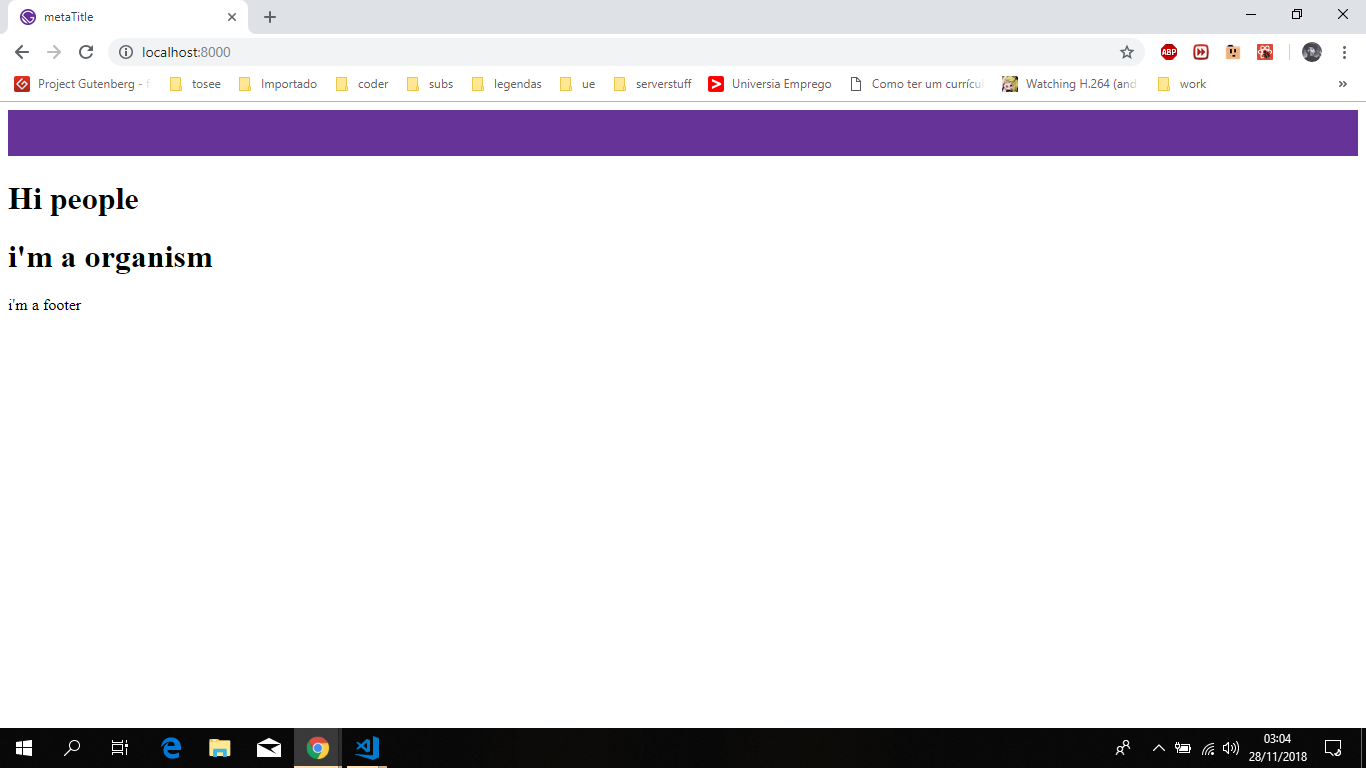
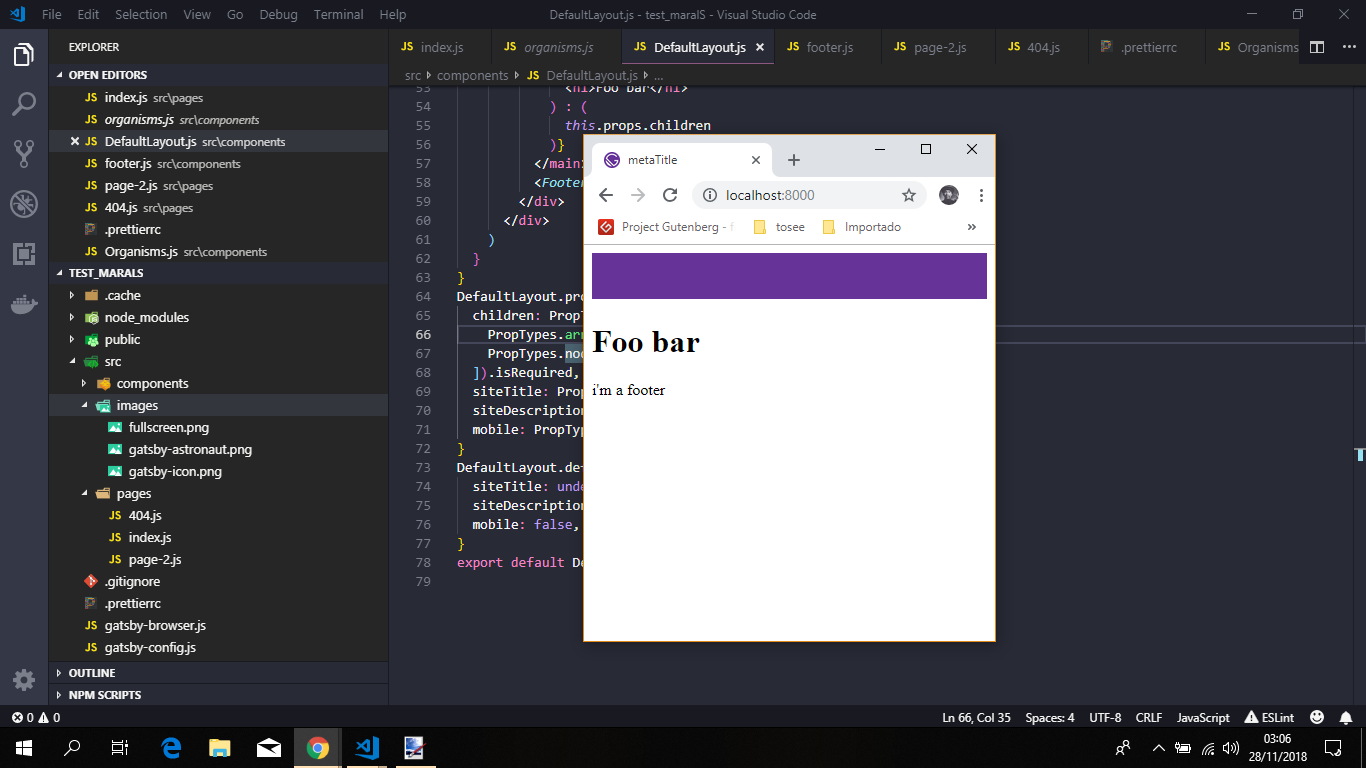
As you can see the results bellow
Fullscreen
Resized
 jonniebigodes
on 28 Nov 2018
jonniebigodes
on 28 Nov 2018
@jonniebigodes Thanks for your overview but is it possible to render conditionnally inside the IndexPage component ? The reason why i added a new prop to the DefaultLayoutcomponent is to use the value to render a different content. I don't want to directly in the layout.js file because my content is actually a loop of graphql data (need a graphql query and to fetch the data of my project).
I also have an issue I when I build my project, it says that window.innerWidth is not defined.
MaralS
on 28 Nov 2018
@MaralS that's what it's doing, the code i posted is based on yours and is rendering the content conditionally
The page is a stateless, flat component in which the DefaultLayout"sits" on.
And when the user lands there, the layout component you defined is triggered and inside that component you chose how to show the content.
Here is the repo for the code i used for your issue.
Clone it to a folder, install the dependencies and run gatsby develop, open your browser of choice and "play" with the window, resize it back and forth and see the content being shown/rendered changing.
And extrapolate from there.
The window.innerWidth is not defined error is caused because in ssr(Server side rendering) you don't have access to that object, only on the client. That's why in the code i posted, there's a safeguard there in the form of a if statement that checks if the type window is not equal to undefined and the acts accordingly, that is it only creates the event listeners when that object is available i.e on the client.
jonniebigodes
on 28 Nov 2018
@jonniebigodes excellent work explaining this and diving in! The reproduction will be super helpful for clarification and learning purposes.
This seems answered, so I'm going to close this as answered. If you'd like any additional assistance @MaralS please feel free to comment or re-open.
Thanks to all involved for helping here! 💪
 DSchau
on 28 Nov 2018
DSchau
on 28 Nov 2018
@DSchau @jonniebigodes thanks for your help
MaralS
on 30 Nov 2018
@jonniebigodes If I want to render another child component instead of the "foo bar content. How can I call it ?
I tried to do this but it does not work.
{ (isMobile && location.pathname === '/')
            ? this.props.children{...this.props, location: '/projets'}
            : this.props.children
 }
@MaralS you can do it.
I've created a component named AnotherComponent.js with the following code:
import React from 'react';

const AnotherComponent =props=>{
    const {siteDescription,siteTitle,location}= props
    const {hostname,port}= location
    return(
        <div>
            <p>
                this is another component child with props inherited from a parent.{` `}
            </p>
            <p>
                As you can see the siteDescription=>{siteDescription} prop was inherited from the parent.
            </p>
            <p>As you can see the siteDescription=>{siteDescription} prop was inherited from the parent.</p>
            <p>As does siteTitle={siteTitle}.</p>
            <p>As does the origin property coming from the parent component above.</p>
            <p>Namely the hostname=>{hostname} and port=>{port} coming from the property location.</p>
        </div>
    )
}
export default AnotherComponent
Nothing much here, just a plain flat, stateless component that recieves a object props.
And changed the DefaultLayout component to the following.
import React, { Component } from 'react'
import PropTypes from 'prop-types'
import Helmet from 'react-helmet'
import Header from '../components/header'
import Footer from '../components/footer'
import AnotherComponent from '../components/AnotherComponent';
export class DefaultLayout extends Component {
  state = {
    width: 601, // or your default width here
  }

  /** */
  componentDidMount() {
    if (typeof window !== 'undefined') {
      this.handleWindowSizeChange() // Set width
      window.addEventListener('resize', this.handleWindowSizeChange)
    }
  }
  // make sure to remove the listener
  // when the component is not mounted anymore
  componentWillUnmount() {
    if (typeof window !== 'undefined') {
      window.removeEventListener('resize', this.handleWindowSizeChange)
    }
  }
  handleWindowSizeChange = () => {
    this.setState({
      width: window.innerWidth,
    })
  }
  render() {
    const { width } = this.state
    const isMobile = width <= 600
    const { siteTitle, siteDescription, location } = this.props
    console.log('The browser actual width is equal to : ' + width + ' px')

    return (
      <div className="wrapper">
        <div className="wrapper__top">
          <Helmet>
            <html lang="fr" />
            <meta charSet="utf-8" />
            <meta httpEquiv="X-UA-Compatible" content="IE-edge,chrome=1" />
            <meta
              name="viewport"
              content="width=device-width,initial-scale=1"
            />
            <link rel="icon" type="image/png" href="/favicon.png" />
            <meta name="description" content={siteDescription} />
            <title>{siteTitle}</title>
          </Helmet>
          <Header />
          <main>
            {isMobile && location.pathname === '/' ? (
              <AnotherComponent {...this.props}/> // <====this is where the magic happens all props are going to be passed down
            ) : (
              this.props.children
            )}
          </main>
          <Footer />
        </div>
      </div>
    )
  }
}
DefaultLayout.propTypes = {
  children: PropTypes.oneOfType([
    PropTypes.arrayOf(PropTypes.node),
    PropTypes.node,
  ]).isRequired,
  siteTitle: PropTypes.string,
  siteDescription: PropTypes.string,
  mobile: PropTypes.bool,
}
DefaultLayout.defaultProps = {
  siteTitle: undefined,
  siteDescription: undefined,
  mobile: false,
}
export default DefaultLayout
And as you can see here the AnotherComponent will be rendered while obeying the same rules as before and the component now created will render the props that were inherited.
jonniebigodes
on 30 Nov 2018
@jonniebigodes I'm not an expert in ReactJS sorry but my Project component is in the project Page in a graphql loop. When I import only the component I only get the default values. I tried to create a graphql query inside the DefaultLayout component and to create a loop in order to render the projects.
Thanks for helping again 👍
Here is the DefaultLayout.js file
import React from 'react'
import PropTypes from 'prop-types'
import { Helmet } from 'react-helmet'
import 'flexboxgrid/dist/flexboxgrid.min.css'
import { Footer, Header } from './organisms'
import { Project } from '../components/molecules/project'
import { StaticQuery, graphql } from "gatsby"
import '../scss/main.scss'

const pageQuery = graphql ` {
        allProjectsJson {
          edges {
            node {
              title
              category
              description
              image
              logo
              website
            }
          }
        }

      }
      `;
export class DefaultLayout extends React.Component {
  state = {
    width: 601, // or your default width here
  }
   componentDidMount() {
     this.handleWindowSizeChange() // Set width
     window.addEventListener('resize', this.handleWindowSizeChange)
   }
   // make sure to remove the listener
   // when the component is not mounted anymore
   componentWillUnmount() {
     window.removeEventListener('resize', this.handleWindowSizeChange)
   }
   handleWindowSizeChange = () => {
     this.setState({
        width: window.innerWidth,
     })
   }
  render(){
    <StaticQuery
    query={pageQuery}
    render={
      ({allProjectsJson})=>{
     const {
        imageSrc,
        imageAlt,
        category,
        description,
        image,
        logo,
        website
     } = allProjectsJson.edges[0].node;

     const {
        width
      } = this.state
      const isMobile = width <= 600
      const {
        siteTitle,
        siteDescription,
        location
      } = this.props
      console.log('The browser actual width is equal to : ' + width + ' px')


    return(
      <div className="wrapper">
        <div className="wrapper__top">
            <Helmet>
            <html lang="fr" />
            <meta charSet="utf-8" />
            <meta httpEquiv="X-UA-Compatible" content="IE-edge,chrome=1" />
            <meta name="viewport" content="width=device-width,initial-scale=1" />
            <link rel="icon" type="image/png" href="/favicon.png" />
            <meta name="description" content={siteDescription} />
          <title>
            {siteTitle}
          </title>
          </Helmet>
          <Header />
          <main>
            { (isMobile && location.pathname === '/')
            ?
            <div className="projects__container">
              {allProjectsJson.edges.map(() =>
                        (<Project {...this.props}/>),
              )}
            </div>

            : this.props.children
            }
          </main>
          <Footer />
        </div>
      </div >
    )
  }} />
  }
}
DefaultLayout.propTypes = {
  children: PropTypes.oneOfType([
    PropTypes.arrayOf(PropTypes.node),
    PropTypes.node,
  ]).isRequired,
  siteTitle: PropTypes.string,
  siteDescription: PropTypes.string,
  mobile: PropTypes.bool,
}
DefaultLayout.defaultProps = {
  siteTitle: undefined,
  siteDescription: undefined,
  mobile: false,
}
Here is the project.jscomponent (src/components/molecules/projects/)
import React, { Component } from 'react'
import PropTypes from 'prop-types'
import './project.scss'
import {LinkWebsite} from '../../../components/atoms/button'
import { Modal } from '../modal'
import { CSSTransition } from 'react-transition-group'

export class Project extends Component {
    constructor(props){
        super(props)
        this.state = {
            opened:false
        }
    }
    _toggleModal(){
      this.setState({
          opened: !this.state.opened
      })
    }

    render(){
        const { title, category, image, logo, children, website} = this.props

        return(
           <div className="project__container">
                <div className="project__preview">
                    <button onClick={() => { this._toggleModal() }}>
                        {logo ? <img className="logo" src={logo.src} alt={title} /> : null}
                        <h2>{title} <span className="category">{category}</span></h2>
                    </button>
                </div>
                <div className="project__details">
                <CSSTransition
                    in={this.state.opened}
                    timeout={300}
                    classNames="fade"
                    unmountOnExit
                    onExited={() => {
                        this.setState({
                        opened: this.state.opened,
                        });
                    }}
                    >
              {state => (
                 <Modal
                            onClose={() => {this._toggleModal()}}
                            show={this.state.opened}
                            >
                            {image ? <a href={website} title={title}><img src={image.src} alt={title} /></a> : null}
                            <h3>{title} <span className="category">{category}</span></h3>
                            {children}
                            {website ? <LinkWebsite link={website}>Voir le site</LinkWebsite> : null}
                        </Modal>
              )}
            </CSSTransition>


                </div>
                </div>


        )
    }

}
export default Project

Project.propTypes = {
    title: PropTypes.string.isRequired,
    category: PropTypes.string.isRequired,
    image: PropTypes.shape({
        src: PropTypes.string.isRequired,
        alt: PropTypes.string.isRequired,
    }).isRequired,
    logo: PropTypes.shape({
        src: PropTypes.string.isRequired,
        alt: PropTypes.string.isRequired,
    }).isRequired,
    children: PropTypes.element.isRequired,
    website: PropTypes.string,
};

Project.defaultProps = {
    title: 'Nom du projet',
    image: null,
    logo: null,
    children: 'Texte introductif du projet. Il fourni les éléments clés',
    website: null,
};
Here is the projets.js file (project page)
import React from 'react'
import { DefaultLayout } from '../components/DefaultLayout'
import { Project } from '../components/molecules/project'
import { StaticQuery, graphql } from "gatsby"
const pageQuery = graphql ` {
allProjectsJson {
edges {
node {
title
category
description
image
logo
website
}
}
}
allGeneralJson(filter: {url: {eq: "/projets"}}){
edges{
node{
url
pageTitle
metaDesc
metaTitle
}
}
}
}
`;
const ProjectPage = ({location}) => (
<StaticQuery
query={pageQuery}
render={
({allProjectsJson, allGeneralJson})=>{
const {
metaTitle,
metaDesc,
imageSrc,
imageAlt,
title,
contentBlocks,
category,
description,
image,
logo,
website
} = allGeneralJson.edges[0].node;
return(
<DefaultLayout
siteTitle={metaTitle}
siteDescription={metaDesc}
location={location}
mobile={false}>
<div className="fade_anim">
<h1>Projets récents</h1>
<div className="projects__container">
{allProjectsJson.edges.map(({ node }, i) =>
(<Project
key={i}
title={node.title}
category={node.category}
image={{
src: node.image,
alt: node.title,
}}
logo={{
src: node.logo,
alt: node.title,
}}
website={node.website}
>
<p dangerouslySetInnerHTML={{ __html: node.description }} />
</Project>),
)}
</div>
</div>
</DefaultLayout>
);
}} />
);
export default ProjectPage;
@MaralS sorry for the late response, but i've grabbed your latest code and made some changes to it and with that i'm going to break my response into some parts.
- Extrapolating from what i've read in that component, i assume that you started using
gatsby-transformer-jsonin your project. I've added it and configured it on my end, it seems that you have on your end multiple JSON files that will contain the information you want, i only used one for testing purposes and also simplicity and clarity. - With that out of the way i've changed the
DefaultLayout.js, to the following:
export class DefaultLayout extends Component {
  state = {
    width: 601, // or your default width here
  }

  /** */
  componentDidMount() {
    if (typeof window !== 'undefined') {
      this.handleWindowSizeChange() // Set width
      window.addEventListener('resize', this.handleWindowSizeChange)
    }
  }
  // make sure to remove the listener
  // when the component is not mounted anymore
  componentWillUnmount() {
    if (typeof window !== 'undefined') {
      window.removeEventListener('resize', this.handleWindowSizeChange)
    }
  }
  handleWindowSizeChange = () => {
    this.setState({
      width: window.innerWidth,
    })
  }
  render() {
    const { width } = this.state
    const isMobile = width <= 600
    const { location} = this.props
    console.log('The browser actual width is equal to : ' + width + ' px')
    return (
      <StaticQuery
        query={graphql`
          query SiteInfoQuery {
            site {
              siteMetadata {
                title
                description
              }
            }
          }
        `}
        render={data => (
          <div className="wrapper">
            <div className="wrapper__top">
              <Helmet>
                <html lang="fr" />
                <meta charSet="utf-8" />
                <meta httpEquiv="X-UA-Compatible" content="IE-edge,chrome=1" />
                <meta
                  name="viewport"
                  content="width=device-width,initial-scale=1"
                />
                <link rel="icon" type="image/png" href="/favicon.png" />
                <meta
                  name="description"
                  content={data.site.siteMetadata.description}
                />
                <title>{data.site.siteMetadata.title}</title>
              </Helmet>
              <Header />
              <main>
                {isMobile && location.pathname === '/' ? (
                  <ProjectsContainer {...this.props} />
                ) : (
                  this.props.children
                )}
              </main>
              <Footer />
            </div>
          </div>
        )}
      />
    )
  }
}
What i did here, was remove the graphql query for getting the json information about the projects and only leaving in the site information that you need. Instead of having it fetch the data in here, that particular piece of information is moved to another component, namely ProjectsContainer.
Applying a little separation of concerns to the components.
Layout deals with the layout and the ProjectsContainer deals with fetching that specific piece of data.
ProjectsContaineris a plain flat, stateless component that recieves a object props and fetches the projects information in the json file and then iterates and will then show it.
const ProjectsContainer = props => (
  <StaticQuery
    query={graphql`
      query {
        allProjectsJson {
          edges {
            node {
              id
              title
              category
              description
              image {
                src
                alt
              }
              logo {
                src
                alt
              }
              website
            }
          }
        }
      }
    `}
    render={data => {
      const {
        allProjectsJson: { edges },
      } = data
      return edges.map(item => {
        return (
          <Project
            key={`project_${item.node.id}`}
            title={item.node.title}
            category={item.node.category}
            image={item.node.image}
            logo={item.node.logo}
            website={item.node.website}>
            <p>Lore ipsum....bananas</p>
          </Project>
        )
      })
    }}
  />
)

export default ProjectsContainer
As a side note, a tip for you, don't use this:
{allProjectsJson.edges.map(({ node }, i) =>
                        (<Project
                            key={i}
                           ......
                    )}
Having the component key be a index based on the array you're iterating is considered anti-pattern.
In a nutshell it can cause more harm than good in the long run.
I've changed on my end the JSON file to have a property id with a uuid value.
- The component stored in
project.jsfile was changed to the following:
class Project extends Component {
  state = {
    opened: false,
  }


  _toggleModal = () => {
    this.setState(prevstate => ({
      opened: !prevstate.opened,
    }))
  }

  render() {
    const { title, category, image, logo, children, website } = this.props
    const { opened } = this.state
    return (
      <div className="project__container">
        <div className="project__preview">
          <button onClick={this._toggleModal}>
            {logo ? <img className="logo" src={logo.src} alt={title} /> : null}
            <h2>
              {title} <span className="category">{category}</span>
            </h2>
          </button>
        </div>
        <div className="project__details">
          <CSSTransition
            in={opened}
            timeout={800}
            classNames="fade"
            unmountOnExit>
            {state => (
              <Modal show={opened}>
                {image ? (
                  <a href={website} title={title}>
                    <img src={image.src} alt={title} />
                  </a>
                ) : null}
                <h3>
                  {title} <span className="category">{category}</span>
                </h3>
                {children}
                {website ? <a href={website}>Voir le site</a> : null}
              </Modal>
            )}
          </CSSTransition>
        </div>
      </div>
    )
  }
}
export default Project
- Finally the page itself, for me i used index page, but the same applies to you.
The code was refactored a bit and condensed.
import React from 'react'

//import Layout from '../components/layout'
import DefaultLayout from '../components/DefaultLayout'
import Organisms from '../components/Organisms'
/**
 *
 * @param {Object} location is the object inherited from gatsby to get the location prop and pass it down to children
 * in this case the DefaultLayout
 */
const IndexPage = ({ location }) => (
  <DefaultLayout location={location} mobile={false}>
    <div>
      <h1>Hi people</h1>
      <Organisms />
    </div>
  </DefaultLayout>
)


export default IndexPage
I once again ask that you go to the repo i created for this issue, get the code, install the dependencies and run gatsby develop, open your browser of choice and "play" with the window, resize it back and forth and see the content being shown/rendered changing.
jonniebigodes
on 12 Dec 2018
@jonniebigodes thanks a lot for your answer. It's more clear right now. React's still a little abstract for me sometimes. Thank you for the tips too, i will improve my current project !
MaralS
on 17 Dec 2018
@MaralS no need to thanks, i'm glad i could help you out. And don't worry, i know that React has it's quirks sometimes and can be a little daunting. But the trick is don't give up 😁. Thanks for using Gatsby 👍
jonniebigodes
on 18 Dec 2018
Related issues
 jimfilippou
·
3Comments
jimfilippou
·
3Comments
 hobochild
·
3Comments
hobochild
·
3Comments
 andykais
·
3Comments
andykais
·
3Comments
 dustinhorton
·
3Comments
dustinhorton
·
3Comments
 magicly
·
3Comments
magicly
·
3Comments