Gatsby: [V2] Reach/router extremely slow while `gatsby develop`
Context
All dependencies up-to-date.
Bug description
I just migrated from react-dom-router to reach/router (following these instructions), and I'm encountering a strange behaviour:
- Everything works as expected on a build project
- Every route change while
gatsby developis totally buggy: the current page blink, then change after a huge amount of time.
Did any of you encounter that bug? Any idea?
 monsieurnebo
All 16 comments
All the sites I've upgraded have behaved normally. This is I assume in an existing site of yours? If you start a new site from scratch do you see any problems? If you do a performance audit in chrome when changing links, what do you see?
 KyleAMathews
on 6 Aug 2018
KyleAMathews
on 6 Aug 2018
I'm also seeing this on the upgraded reactjs.org site.
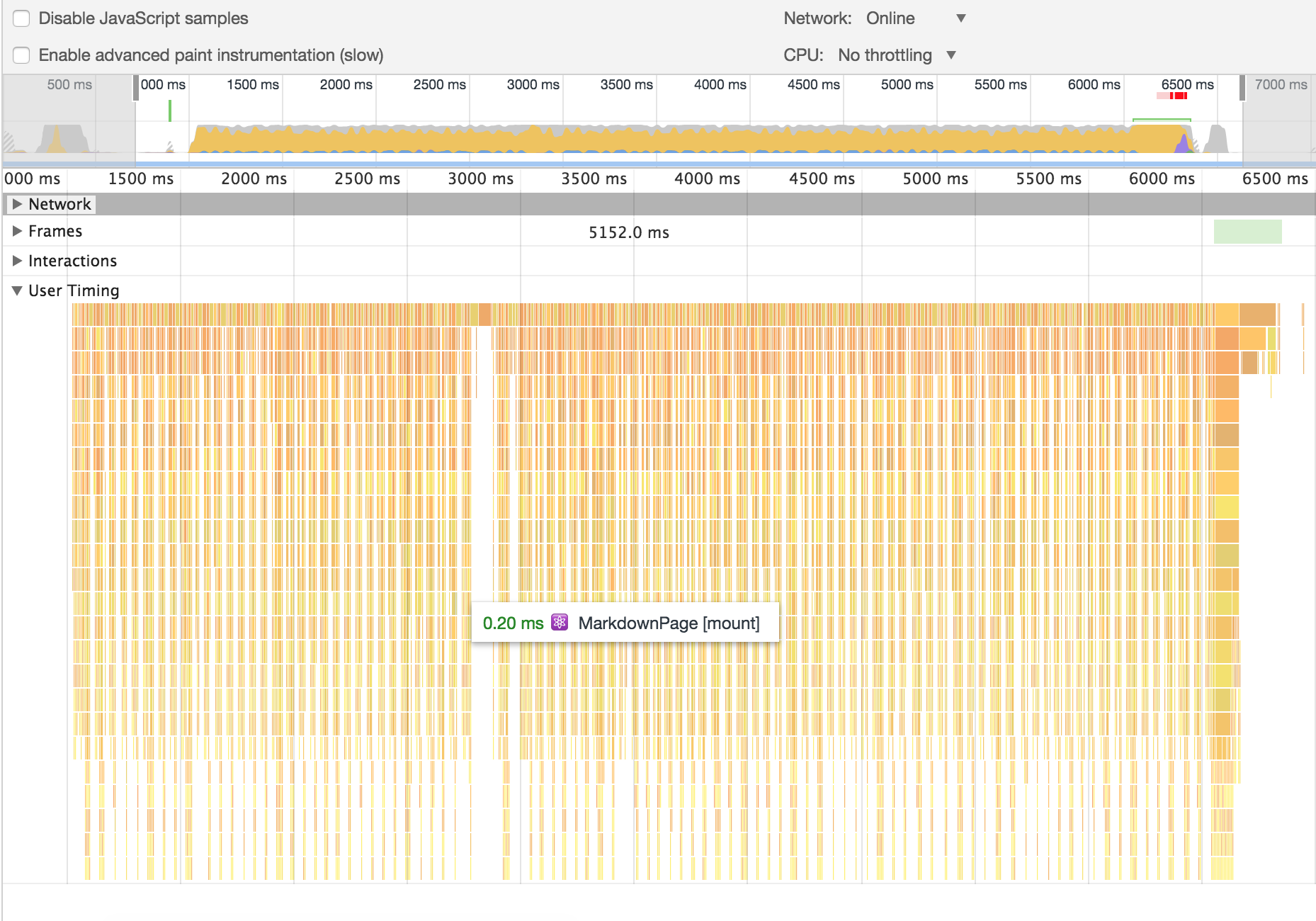
Profiling from navigating once, I can send a saved profiling json file if you'd like
 alexandernanberg
on 6 Aug 2018
alexandernanberg
on 6 Aug 2018
I also started experiencing this,
Here's the performance profile
gatsby-slow-link.zip
There is a 5 second lag before the page switch occurs. The url is updated instantly.
 anantoghosh
on 6 Aug 2018
anantoghosh
on 6 Aug 2018
Seeing this delay after updating as well. Also noticed that the location prop is passed to the <a> tag from gatsby-link in html (<a href="/" location="[object Object]">).
 Fetten
on 6 Aug 2018
Fetten
on 6 Aug 2018
The activeClassName also gets passed:
<a aria-current="page" location="[object Object]" activeclassname="active" class="active" href="/contact">Contact</a>
 LekoArts
on 6 Aug 2018
LekoArts
on 6 Aug 2018
I can confirm this issue also.
 porfirioribeiro
on 7 Aug 2018
porfirioribeiro
on 7 Aug 2018
Tested with Safari, Chrome, Firefox. All 3 browsers exhibit slowness in develop, only Firefox is slow in built.
Strangely, title and meta description (plus other stuff within react-helmet) are updated instantly, but the rest of the content takes ~5s to update.
 ryanditjia
on 7 Aug 2018
ryanditjia
on 7 Aug 2018
Hey, everyone!
I'm also facing the same issue.
Created a new project from scratch and manually imported step-by-step everything I had from v1.
I'm importing Link from gatsby.
Other than this, everything worked as expected!
Last night I tried to follow the guide from upgrading from v1 to v2 and had all sorts of issues.
Building from scratch works best at the moment, I think.
 JoaoTMDias
on 7 Aug 2018
JoaoTMDias
on 7 Aug 2018
@JoaoTMDias in regard to
Last night I tried to follow the guide from upgrading from v1 to v2 and had all sorts of issues.
Was there information missing from the guide? Or were things unclear?
Would love to get your feedback to see if I could make it better! 🙏
 kkemple
on 7 Aug 2018
kkemple
on 7 Aug 2018
@kkemple I think if you put the time into it, it's easy to follow through. :)
I also watched @Swizec video on upgrading to v2, to see if some things were different.
There's nothing very difficult to follow through, but obviously some things broke.
For instance, now I need to use "gatsby-plugin-sass" instead of "gatsby-plugin-postcss-sass". I had to go to the plugins page, and came to the conclusion that if the postcss-sass plugin didn't had any info and the sass had, it must mean that from now on I should use that one.
A few things I had some doubts were the "why's".
Thinks like:
"Why should I upgrade?"
"What benefits will I gain from going through this tutorial?"
"Will my site break?"
"What happens when the gatsby team finally releases the 2.0 version? What will I need to do to get onboard that latest version?"
"Is this some temporary tutorial?"
Maybe some small introductory text with some advantages on upgrading to v2, for example, would help to set the user in "learning mode" because, after all, there are some steps to follow through.
JoaoTMDias
on 7 Aug 2018
I just tested the PR.
The "slow behaviour" seems fixed, but there is an "epileptic flash" when switching pages now:

Probably related to @pieh message:
changes here skip triggering lifecycle methods that causes unneeded component updates and renders.
monsieurnebo
on 8 Aug 2018
@monsieurnebo is your site source public? I would like to check it and possibly continue with fixes
 pieh
on 8 Aug 2018
pieh
on 8 Aug 2018
@pieh Unfortunatly, I cannot make it public...
However, I can give you specific informations if needed.
monsieurnebo
on 8 Aug 2018
With gatsby version in 2.0.0-beta.84, I am still have the slowness Link redirection issue
during idling, my chrome console keep printing something like:
[Violation] 'requestIdleCallback' handler took 83ms
[Violation] 'requestIdleCallback' handler took 121ms
[Violation] 'requestIdleCallback' handler took 144ms
[Violation] 'requestIdleCallback' handler took 124ms
Users/yanghaku/weimi/sites/node_modules/react-dom/cjs/react-dom.development.js:5427 [Violation] 'message' handler took 167ms
[Violation] 'requestIdleCallback' handler took 122ms
I'll try to create a minimal repo to reproduce this bug
 youngboy
on 8 Aug 2018
youngboy
on 8 Aug 2018
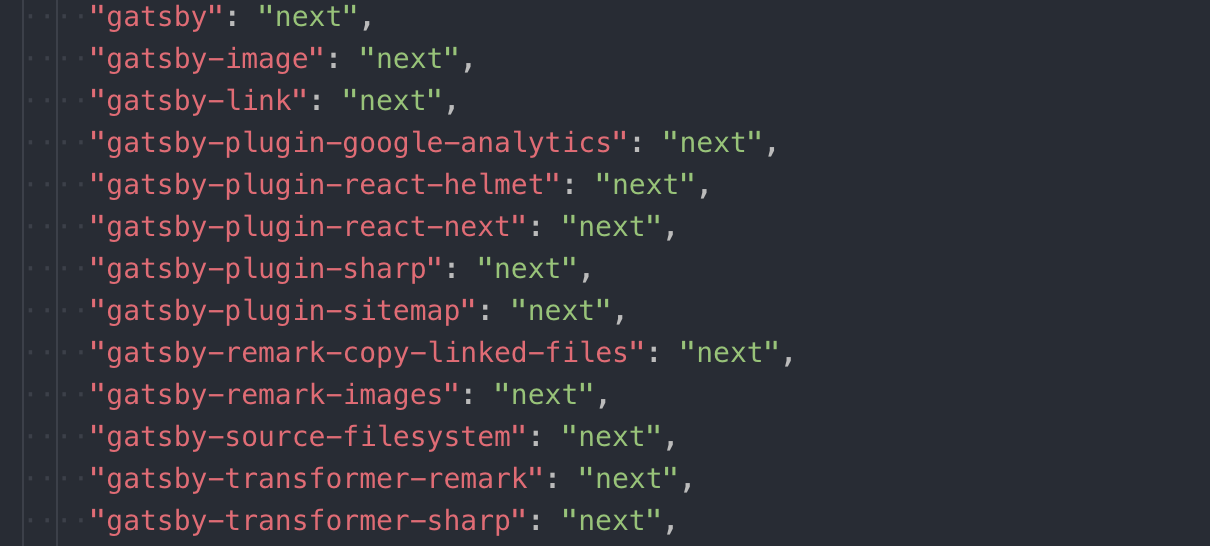
@KyleAMathews Is there a clear resolution to this? Just converted a site to V2 and am experiencing this
 benadam11
on 4 Sep 2018
benadam11
on 4 Sep 2018
The original issue was fixed. Please open a new issue with reproduction instructions for what you're seeing now.
KyleAMathews
on 4 Sep 2018
Related issues
 ghost
·
3Comments
ghost
·
3Comments
 andykais
·
3Comments
andykais
·
3Comments
 theduke
·
3Comments
theduke
·
3Comments
 jimfilippou
·
3Comments
KyleAMathews
·
3Comments
jimfilippou
·
3Comments
KyleAMathews
·
3Comments
Most helpful comment
I also started experiencing this,
Here's the performance profile
gatsby-slow-link.zip
There is a 5 second lag before the page switch occurs. The url is updated instantly.