gatsby-remark-autolink-headers: Page jump on scrolling to anchor links
Description
gatsby-remark-autolink-headers adds a script to scroll to the anchor. The issue is since the native browser event is also fired, it takes to target to complete top and then the above script adds the offset which leads to a jumping effect
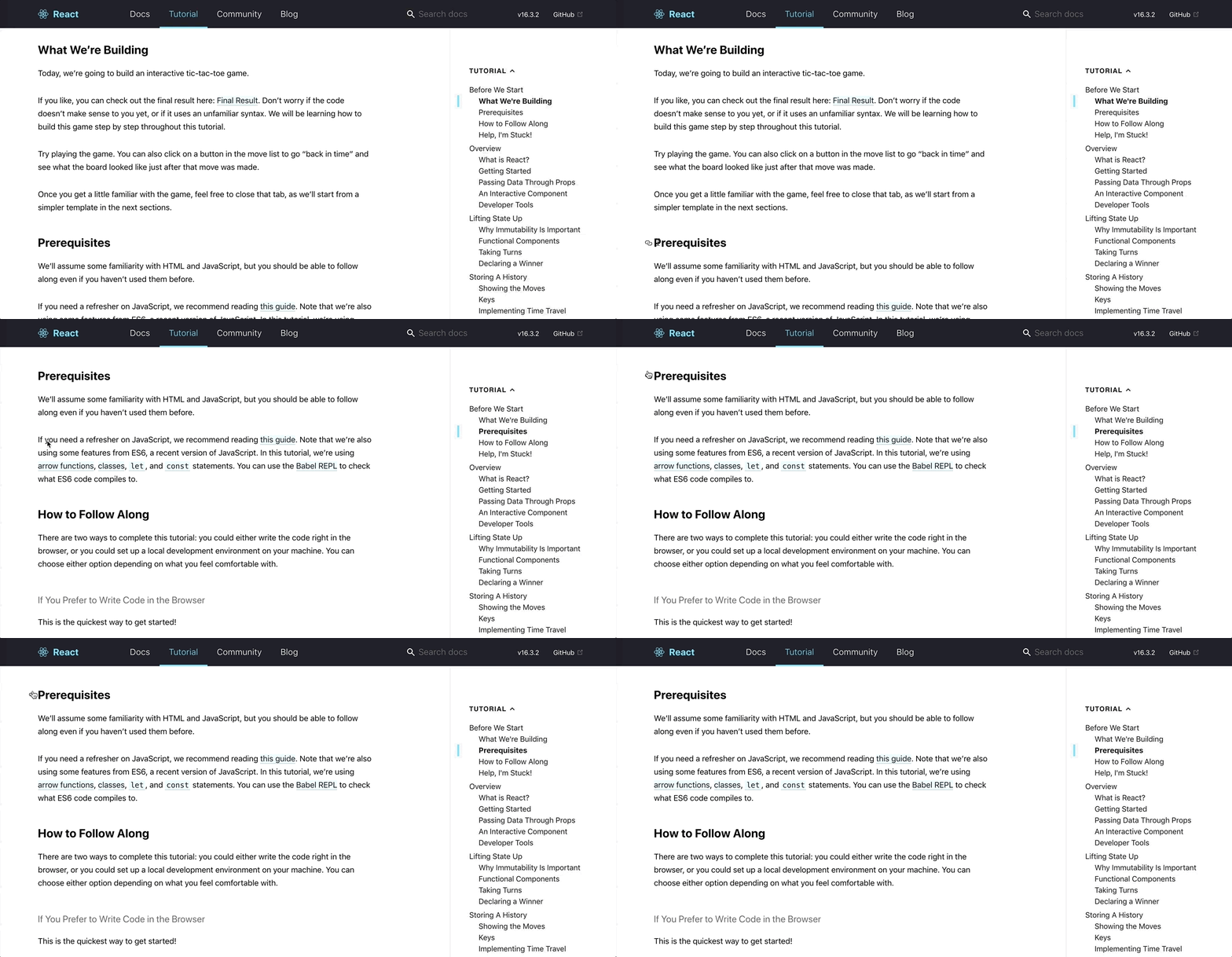
.
Steps to reproduce
Visit this page and click on anchor link to see it
Expected result
The native click event needs to be somehow prevented from firing.
 sidoshi
All 9 comments
Not sure if its something to fix because most of the time, it does not jump on first click, But it gets annoying when it does.
sidoshi
on 7 May 2018
Oh hmmm yeah :-( perhaps we could listen for clicks on the anchor and do e.preventDefault(). return false to stop the native click handling?
 KyleAMathews
on 7 May 2018
KyleAMathews
on 7 May 2018
There are two different issues here. The SSR script that scrolls to the target element on load is broken.
For eg, when this link on the react site is visited for the first time, the offset is calculated from the top of the screen and hence it overlaps with the fixed header. Further, when we scroll away and refresh the page, it does not take back to the target.
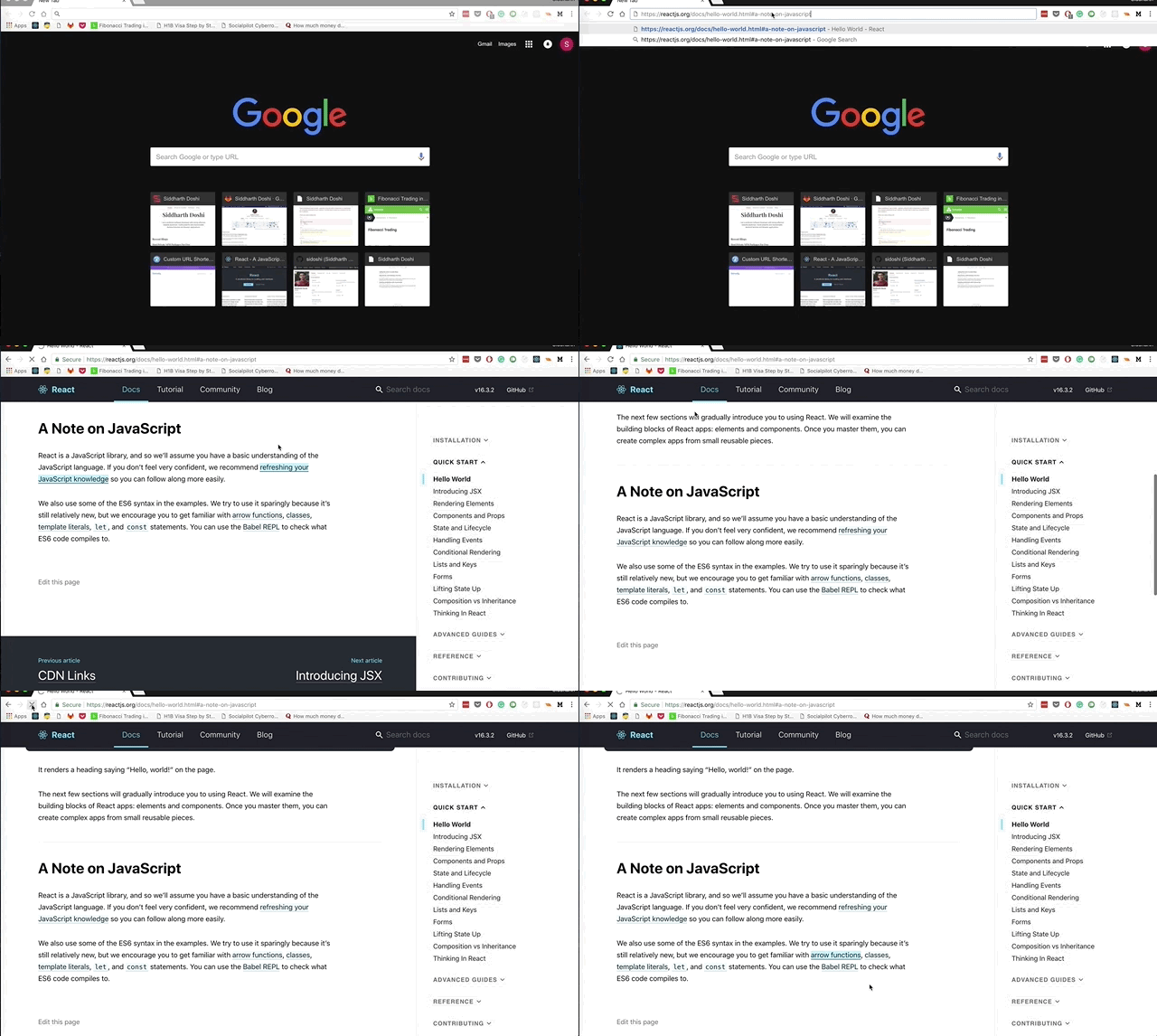
I am not sure what causes this wierd behaviour on the initial load. But on next refreshes, the problem seems to be that the scroll function is called too early. I have verified the using the load event instead of DOMContentLoaded solves this issue. Though it still creates a jumpy effect.
The other issue is when we click on a link on a loaded page, It goes all the way to the top and then offsets back. Currently we use onRouteUpdate to set the offset. But, as you said, we could instead listen for click events on all the a elements that target an internal element, call e.preventDefault and manually scroll that element to view.
sidoshi
on 7 May 2018
The SSR script seems ok so the bug must be within Gatsby, getElementByIdcan't find the element even know we are listening to DOMContentLoaded. Tested in V1 and V2. @KyleAMathews any hints ?
 TomPichaud
on 16 Jun 2018
TomPichaud
on 16 Jun 2018
Found this issue after dealing with quite an odd one on my end. Using tableOfContents from MarkdownRemark and here's what I'm seeing:
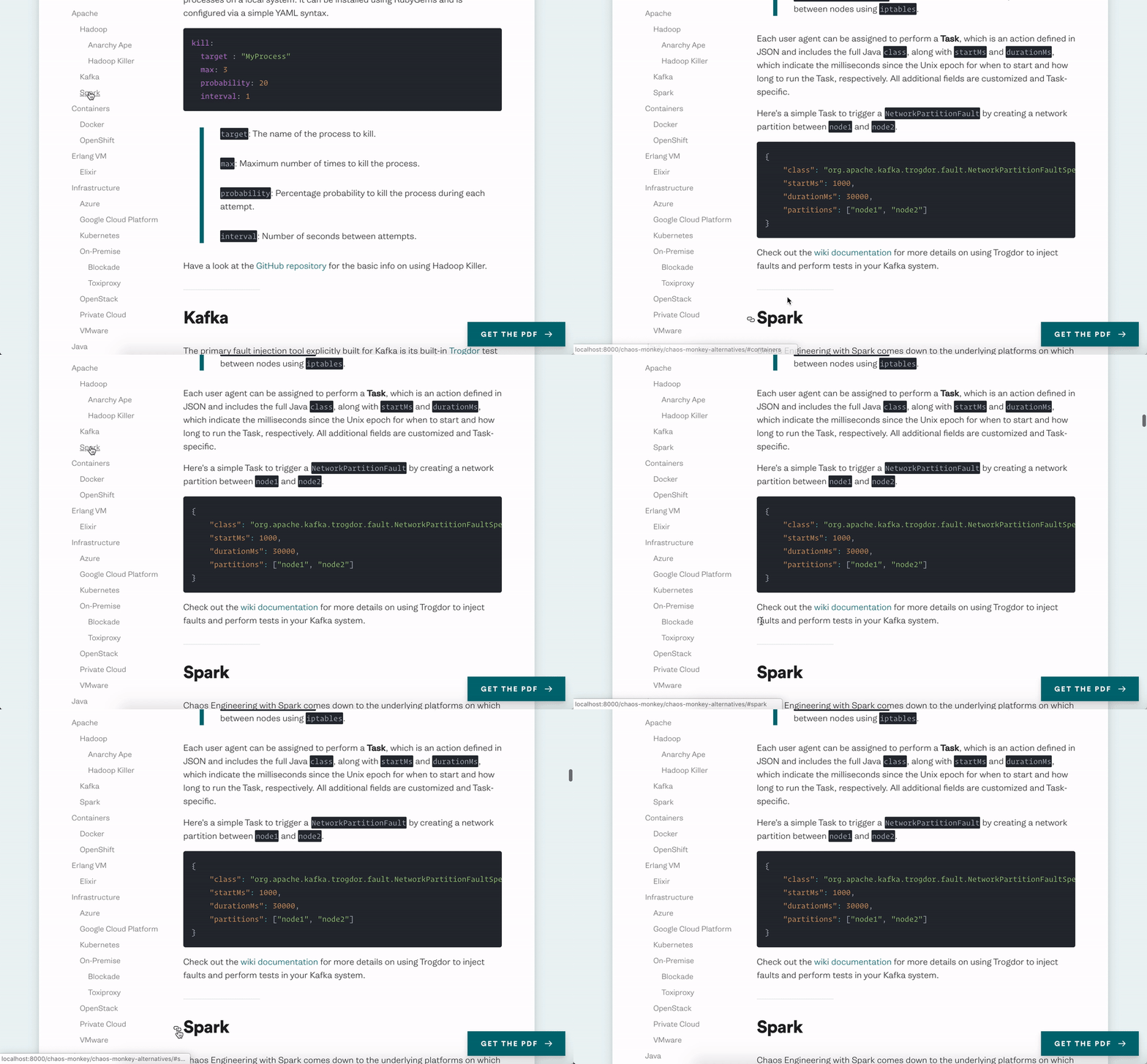
Then links generated by that property are just simple anchor links, but also noticed that refreshing the page with a hash isn't scrolling down to where it needs to. I do see
    document.addEventListener("DOMContentLoaded", function(event) {
      var hash = window.decodeURI(location.hash.replace('#', ''))
      if (hash !== '') {
        var element = document.getElementById(hash)
        if (element) {
          var offset = element.offsetTop
          // Wait for the browser to finish rendering before scrolling.
          setTimeout((function() {
            window.scrollTo(0, offset - 16)
          }), 0)
        }
      }
    })
  ```

But I'm wondering if this has something to do with it... really confused on why a simple anchor link is getting confused. When I run `gatsby build`, I can see a flicker of the right element being pushed to the top of the screen, but then it reverts to the wrong position again. Here's my `gatbsy-config` around this area:
{
resolve: 'gatsby-transformer-remark',
options: {
excerpt_separator: '',
plugins: [
'gatsby-remark-relative-images-v2',
{
resolve: 'gatsby-remark-images',
options: {
maxWidth: 1000,
linkImagesToOriginal: false,
quality: 75,
},
},
{
resolve: 'gatsby-remark-autolink-headers',
options: {
offsetY: 16,
},
},
'gatsby-remark-prismjs',
],
},
},
```
 zslabs
on 12 Oct 2018
zslabs
on 12 Oct 2018
@zslabs would you be able to provide a link to the repo or some other way to reproduce? reactjs.org follows a similar approach (e.g. a sidebar linking to anchor tags) and it seems like it works just fine!
 DSchau
on 12 Oct 2018
DSchau
on 12 Oct 2018
@DSchau This ended up being a very specific issue to my setup; not Gatsby-derived at all, a very odd CSS thing that I dare not recite 💪
Sorry for the false alarm!
zslabs
on 12 Oct 2018
Old issues will be closed after 30 days of inactivity. This issue has been quiet for 20 days and is being marked as stale. Reply here or add the label "not stale" to keep this issue open!
![gatsbot[bot] picture](https://avatars2.githubusercontent.com/in/12849?v=4&s=40) gatsbot[bot]
on 23 Jan 2019
gatsbot[bot]
on 23 Jan 2019
Hey again!
It’s been 30 days since anything happened on this issue, so our friendly neighborhood robot (that’s me!) is going to close it.
Please keep in mind that I’m only a robot, so if I’ve closed this issue in error, I’m HUMAN_EMOTION_SORRY. Please feel free to reopen this issue or create a new one if you need anything else.
As a friendly reminder: the best way to see this issue, or any other, fixed is to open a Pull Request. Check out gatsby.dev/contribute for more information about opening PRs, triaging issues, and contributing!
Thanks again for being part of the Gatsby community!
gatsbot[bot]
on 1 Oct 2019
Related issues
 ferMartz
·
3Comments
ferMartz
·
3Comments
 benstr
·
3Comments
benstr
·
3Comments
 Oppenheimer1
·
3Comments
Oppenheimer1
·
3Comments
 hobochild
·
3Comments
hobochild
·
3Comments
 theduke
·
3Comments
theduke
·
3Comments