Game-compatibility: NamcoMuseum [Namco Museum] [NM-007] [1.01]
Issues
- Loses sound at main menu and graphical glitches at menu
_From @bhodg22 on March 24, 2017 1:24_
Game loses sound once you reach the main menu and has some graphical glitches but apart from that very playable
KrnlDebug.txt


_Copied from original issue: Cxbx-Reloaded/Cxbx-Reloaded#265_
 PatrickvL
All 16 comments
_From @LukeUsher on March 24, 2017 6:13_
That's great. I've tested this game many times over the past year and it's never worked. This is a good sign we are making progress!
PatrickvL
on 21 Aug 2017
_From @bhodg22 on March 25, 2017 9:0_
After some more testing I did find that Namco museum will crash back to the cxbx screen on certain games
KrnlDebug.txt
I also noticed that this game gets a significant speed boost to pretty much full speed when I have dota 2 open in the background, when I close dota again the game goes back to about 50% speed
PatrickvL
on 21 Aug 2017
_From @ObiKKa on April 18, 2017 17:19_
After PR #375 (Simple overlay conversion & others) and #376 (Integrated copy OOVPAs), unfortunately, the video previews look like a horror show!
Reply to below: Yes, Turok did run OK in Hardware Video mode that I tested (Will work fine in normal mode too). Also Namco's 50th Anniversary pack somehow doesn't work. But with the POC 0.0.1 release last year or some builds this year it showed a grainy snap of a list of games if I pressed on a crash message button but I can't remember. I think that was with a secondary xbe file and not the default.xbe file.
 PatrickvL
on 21 Aug 2017
PatrickvL
on 21 Aug 2017
I really should get a copy of this game, so that I can make sure it actually works before I submit another problematic commit like this. My apologies - I meant it well, Turok ran okay, I figured other video plays would work too...
PatrickvL
on 21 Aug 2017
_From @ObiKKa on May 2, 2017 16:49_
Oh no, these error messages are spreading like wildfire, interrupting several games before they can even play a movie or get to a menu properly!

PatrickvL
on 21 Aug 2017
_From @bhodg22 on May 13, 2017 3:1_
I also have the same regression
PatrickvL
on 21 Aug 2017
Marked this as unverified as a regression has not been tested for since May. If someone could test on the latest build I will update the game's state.
 CakeLancelot
on 16 Sep 2017
CakeLancelot
on 16 Sep 2017
Ask and ye shall receive.
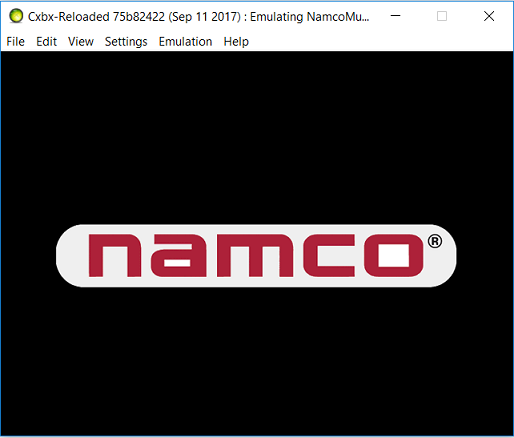
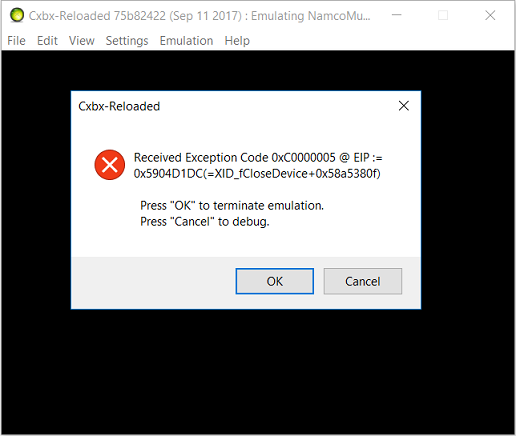
Now, it seems that it displays the Namco logo, and then just crashes immediately after. Can't reach menus or movies or anything...
 Voxel9
on 17 Sep 2017
Voxel9
on 17 Sep 2017
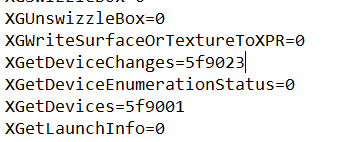
Can you try again by adding XGetDeviceChanges=5f9023 to your HLE cache file? I think this is the cause of crash.
 RadWolfie
on 17 Sep 2017
RadWolfie
on 17 Sep 2017
There already appears to be an XGetDeviceChanges=5f9023 in my cache file
Voxel9
on 17 Sep 2017
Oops, I meant without XGetDeviceChanges from your HLE cache file.
RadWolfie
on 17 Sep 2017
Unfortunately, removing it from the cache file didn't change the behaviour at all 😕
Voxel9
on 17 Sep 2017
Alright, thanks for trying. I wonder if the issue somewhere internally Cxbx is the cause.
RadWolfie
on 17 Sep 2017
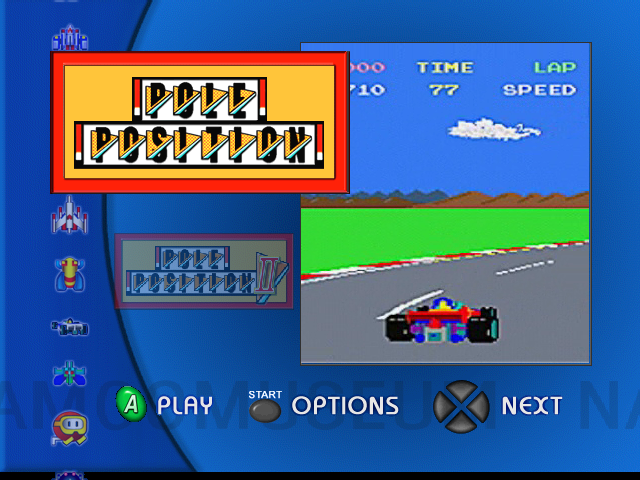
As of the latest commits https://github.com/Cxbx-Reloaded/Cxbx-Reloaded/commit/52e289252e71580e53020d0483c7c47afb31862b, this now goes back to main menu and plays sound and videos correctly!

You can also select each of the games (such as pacman and galaga) but only a black screen is shown, however audio from the game can still be heard
 bhodg22
on 24 Mar 2018
bhodg22
on 24 Mar 2018
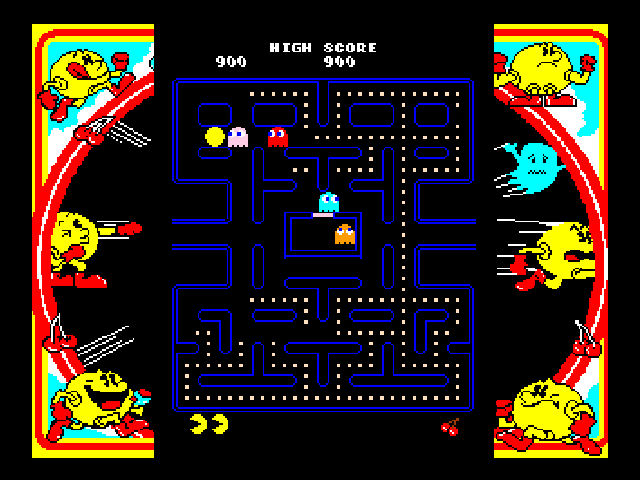
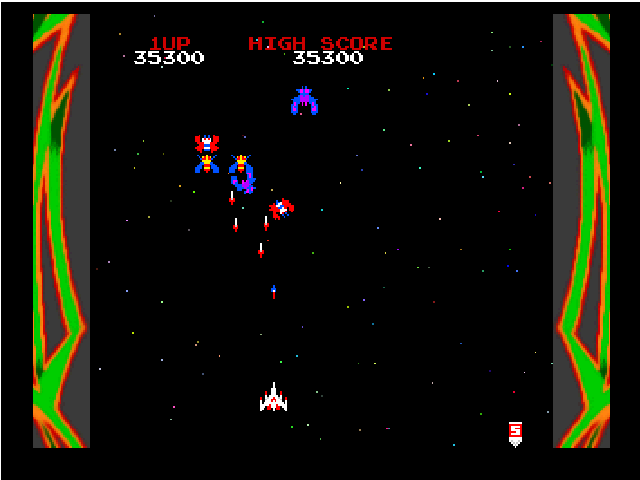
This game seems to be 100% now, can't find any issues with audio or with the games
bhodg22
on 9 Jun 2018
Duplicate of #68
 Margen67
on 27 Jun 2020
Margen67
on 27 Jun 2020
Related issues
 fatjohnny118
·
3Comments
fatjohnny118
·
3Comments
 hotzenplotz3000
·
3Comments
hotzenplotz3000
·
3Comments
 equipeXomega117
·
3Comments
fatjohnny118
·
3Comments
PatrickvL
·
3Comments
equipeXomega117
·
3Comments
fatjohnny118
·
3Comments
PatrickvL
·
3Comments
Most helpful comment
This game seems to be 100% now, can't find any issues with audio or with the games


