Gadgetbridge: App crashes when I try to go into Settings.
Before opening an issue please confirm the following:
- [ ] I have read the wiki, and I didn't find a solution to my problem / an answer to my question.
- [ ] I have searched the issues, and I didn't find a solution to my problem / an answer to my question.
- [ ] If you upload an image or other content, please make sure you have read and understood the github policies and terms of services
Your issue is:
When I tap Settings. I cannot show any logs since the app crashes then.
Your wearable device is:
Pebble 2
Please specify model and firmware version if possible
Your android version is:
Android 8.1.0 on Nexus 5X
Your Gadgetbridge version is:
0.24.3
New issues about already solved/documented topics could be closed without further comments. Same for too generic or incomplete reports.
 bigrjsuto
All 13 comments
Where did you get Gadgetbridge from?
(We need to add this to the issue template since there is a fork in play store which might have extra bugs)
 ashimokawa
on 8 Feb 2018
ashimokawa
on 8 Feb 2018
That version number has never been on GPlay. I'm keeping xx.yy.zz.qq version number on my builds.
 TaaviE
on 8 Feb 2018
TaaviE
on 8 Feb 2018
What about the changelog that gets displayed?
 danielegobbetti
on 8 Feb 2018
danielegobbetti
on 8 Feb 2018
F-Droid is where I get Gadgetbridge from.
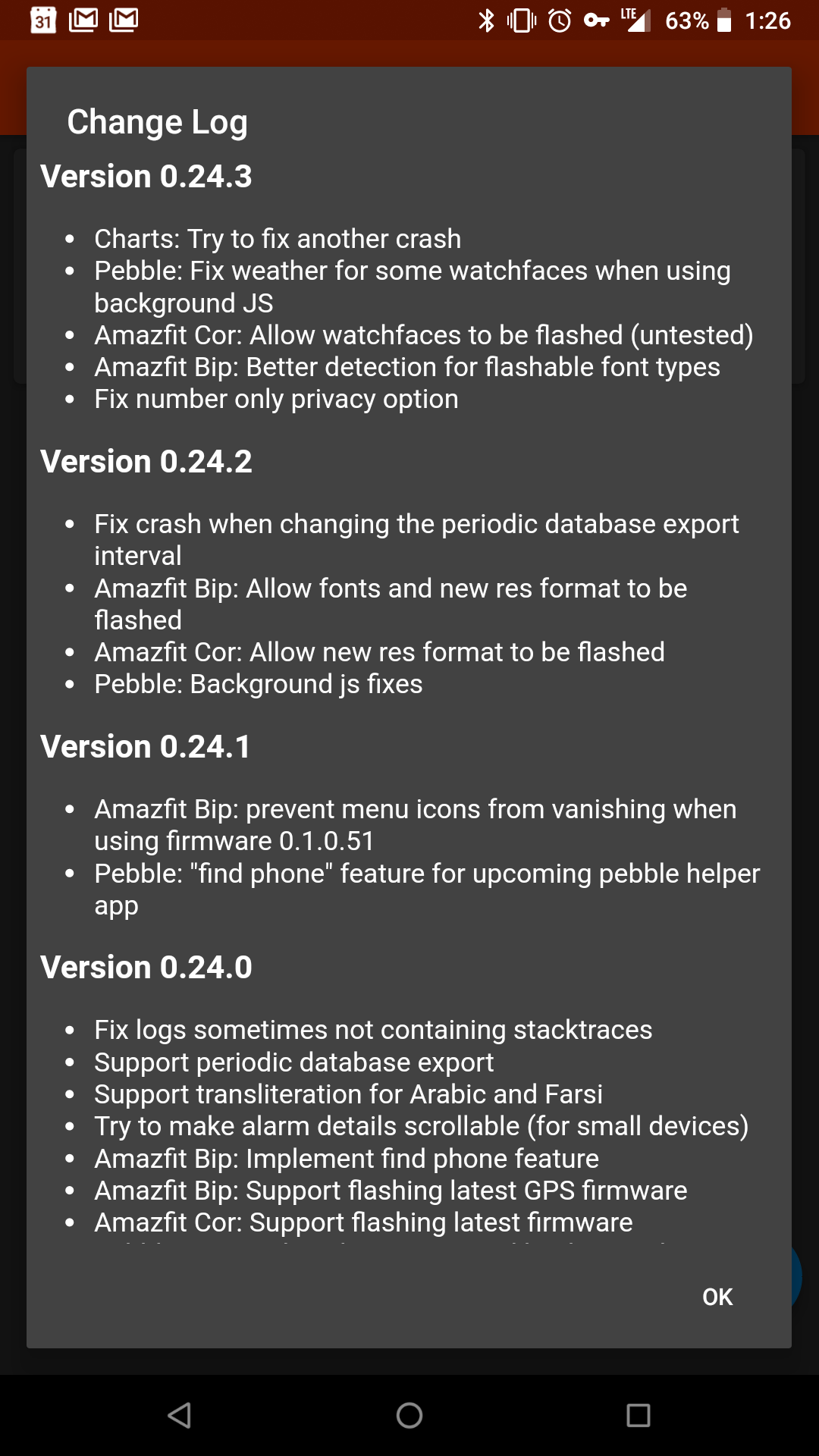
bigrjsuto
on 8 Feb 2018
@bigrjsuto would it be possible for you to run adb logcat from a computer attached to the phone? That way you can capture the log output without turning on saving logs to a file in the settings.
Another question: is this a fresh installation? Did you recover settings/DB from a previous export before the crash?
danielegobbetti
on 8 Feb 2018
I may not have time tonight to do a logcat, but I'll try to.
I've had this installed on my phone for awhile. It's not a fresh installation. The app has updated before the last time I attempted to go into settings. The last time I went into settings it was to blacklist an app (Join by joaoapps) from sending notifications to the watch.
I also fairly recently enabled export of data from Gadgetbridge to the phone's memory. Specifically the phone's internal Google Drive folder.
bigrjsuto
on 8 Feb 2018
perhaps this is related to the automatic export crash?
 NotAFile
on 8 Feb 2018
NotAFile
on 8 Feb 2018
I just upgraded to 8.1 and can access the settings menu without problem, so we know this is not related to android version.
danielegobbetti
on 9 Feb 2018
Hi, I have the same issue on my Nexus 5X with Android 8.1 and Gadgetbridge 0.24.3. I've used the app for some time with my Amazfit Bip (fw: 0.1.0.87). The issue occurred after I used the export function for the first time.
Logcat:
AndroidRuntime: FATAL EXCEPTION: main
02-10 23:33:14.888 27230 27230 E AndroidRuntime: Process: nodomain.freeyourgadget.gadgetbridge, PID: 27230
02-10 23:33:14.888 27230 27230 E AndroidRuntime: java.lang.RuntimeException: Unable to start activity ComponentInfo{nodomain.freeyourgadget.gadgetbridge/nodomain.freeyourgadget.gadgetbridge.activities.SettingsActivity}: java.lang.NumberFormatException: For input string: "raw:/storage/emulated/0/Download/amazefit/backup"
02-10 23:33:14.888 27230 27230 E AndroidRuntime:    at android.app.ActivityThread.performLaunchActivity(ActivityThread.java:2778)
02-10 23:33:14.888 27230 27230 E AndroidRuntime:    at android.app.ActivityThread.handleLaunchActivity(ActivityThread.java:2856)
02-10 23:33:14.888 27230 27230 E AndroidRuntime:    at android.app.ActivityThread.-wrap11(Unknown Source:0)
02-10 23:33:14.888 27230 27230 E AndroidRuntime:    at android.app.ActivityThread$H.handleMessage(ActivityThread.java:1589)
02-10 23:33:14.888 27230 27230 E AndroidRuntime:    at android.os.Handler.dispatchMessage(Handler.java:106)
02-10 23:33:14.888 27230 27230 E AndroidRuntime:    at android.os.Looper.loop(Looper.java:164)
02-10 23:33:14.888 27230 27230 E AndroidRuntime:    at android.app.ActivityThread.main(ActivityThread.java:6494)
02-10 23:33:14.888 27230 27230 E AndroidRuntime:    at java.lang.reflect.Method.invoke(Native Method)
02-10 23:33:14.888 27230 27230 E AndroidRuntime:    at com.android.internal.os.RuntimeInit$MethodAndArgsCaller.run(RuntimeInit.java:438)
02-10 23:33:14.888 27230 27230 E AndroidRuntime:    at com.android.internal.os.ZygoteInit.main(ZygoteInit.java:807)
02-10 23:33:14.888 27230 27230 E AndroidRuntime: Caused by: java.lang.NumberFormatException: For input string: "raw:/storage/emulated/0/Download/amazefit/backup"
02-10 23:33:14.888 27230 27230 E AndroidRuntime:    at java.lang.Long.parseLong(Long.java:590)
02-10 23:33:14.888 27230 27230 E AndroidRuntime:    at java.lang.Long.valueOf(Long.java:804)
02-10 23:33:14.888 27230 27230 E AndroidRuntime:    at nodomain.freeyourgadget.gadgetbridge.util.AndroidUtils.getFilePath(AndroidUtils.java:144)
02-10 23:33:14.888 27230 27230 E AndroidRuntime:    at nodomain.freeyourgadget.gadgetbridge.activities.SettingsActivity.getAutoExportLocationSummary(SettingsActivity.java:389)
02-10 23:33:14.888 27230 27230 E AndroidRuntime:    at nodomain.freeyourgadget.gadgetbridge.activities.SettingsActivity.onPostCreate(SettingsActivity.java:303)
02-10 23:33:14.888 27230 27230 E AndroidRuntime:    at android.app.Instrumentation.callActivityOnPostCreate(Instrumentation.java:1285)
02-10 23:33:14.888 27230 27230 E AndroidRuntime:    at android.app.ActivityThread.performLaunchActivity(ActivityThread.java:2760)
02-10 23:33:14.888 27230 27230 E AndroidRuntime:    ... 9 more
Looks like the name of my exported file is causing the issue. I named it "backup". And well, Java is right, "backup" is not a number ;)
 ikarus23
on 10 Feb 2018
ikarus23
on 10 Feb 2018
@ikarus23
When looking at the code, I think it rather has to do with the folder being located in the download directory. It also would not work iif you named it 123 😛
EDIT: of course I acknowledge it is a bug, and we should fix that
ashimokawa
on 11 Feb 2018
Thanks for the workaround! (Not tested yet.)
ikarus23
on 11 Feb 2018
Sorry I wasn't able to post the logcat, but thanks @ikarus23 !
Wait, what's the workaround? Or should I just wait for an update?
Thanks for being so active and helping, @ashimokawa
bigrjsuto
on 11 Feb 2018
Just wait for an update. By "workaround" I just referred to the way the fix is implemented. ;)
ikarus23
on 11 Feb 2018
Related issues
 raku-cat
·
7Comments
raku-cat
·
7Comments
 6arms1leg
·
6Comments
6arms1leg
·
6Comments
 cpfeiffer
·
4Comments
cpfeiffer
·
4Comments
 RustyRaptor
·
3Comments
RustyRaptor
·
3Comments
 ShapeShifter499
·
3Comments
ShapeShifter499
·
3Comments
Most helpful comment
Hi, I have the same issue on my Nexus 5X with Android 8.1 and Gadgetbridge 0.24.3. I've used the app for some time with my Amazfit Bip (fw: 0.1.0.87). The issue occurred after I used the export function for the first time.
Logcat:
Looks like the name of my exported file is causing the issue. I named it "backup". And well, Java is right, "backup" is not a number ;)