Gadgetbridge: Skagen / Fossil Watches
Before opening an issue please confirm the following:
- [x] I have read the wiki, and I didn't find a solution to my problem / an answer to my question.
- [x] I have searched the issues, and I didn't find a solution to my problem / an answer to my question.
- [x] If you upload an image or other content, please make sure you have read and understood the github policies and terms of services
- [x] I have read and accepted the terms of eating the cookies in the jar
I'm thinking about getting a Hybrid Watch from Skagen or Fossil. And I really like this project / what I've seen so far of it. The thought of keeping this kind of data privately is nice.
I've never reverse engineered a Bluetooth device, so I'm wondering how much effort it would be and whether I can do it with just my PC and Smartphone. Since communication is done via BLE AFAIK it should be possible to read everything using the Smartphone, right?
Some of the tutorials I found online required additional hardware to do BLE sniffing. I don't have a BLE device at the moment so I can't really check that.
Would decompiling the official App be a viable option as well? Maybe one of the other device supporters can give a hint on how they accomplished to make things work.
I read the article on how to create a new device for Gadgetbridge BTW but I guess my questions concern the BLE side of things more than the GadgetBridge part.
With best regards,
Yannick
 ElectricCookie
All 385 comments
We all started without having ever reverse engineered a Bluetooth device, so welcome to the club :grinning:
The effort really depends on how much time the supplier spent on making reverse engineering uncomfortable.
The first thing I'd do is check if someone else already did some work on the device. Then I'd decide if I want to spend the money with the risk of not getting it to work without the official app.
There's some short information about capturing bluetooth traffic here: https://github.com/Freeyourgadget/Gadgetbridge/wiki/Log-Files
If you have a Linux-PC with BLE support (borrowing a BLE dongle for an evening would be sufficient), the BLE logs will be much better to follow (more hints on that when you've come that far :-)
 cpfeiffer
on 2 Feb 2018
cpfeiffer
on 2 Feb 2018
Thanks! I got the watch so now I can get started 😄
Unfortunately there's no work done for this type of device so far.
I suppose I will need a BLE dongle then.. thanks for the insight!
ElectricCookie
on 2 Feb 2018
Another method of course is taking apart the vendors applications, but that might be more difficult depending on the countermeasures used.
 NotAFile
on 2 Feb 2018
NotAFile
on 2 Feb 2018
I think these watches are sharing a lot of logic with the misfit family of devices! Very interesting! At least I found hints of that in the App
ElectricCookie
on 2 Feb 2018
Wow, that was quick, I hope this suggestion doesn't come too late: in case you use the official app to sniff the communication (BTSnoop), make sure you do it from the very beginning, in order to capture a possible one-time initialization.
cpfeiffer
on 2 Feb 2018
I already found some of the GATT Ids. There's some standard GATT properties:
Device Name 0x2A00 READ
Appearance 0x2A01 READ

Manufacturer Name String 0x2A29 READ
SystemID 0x2A23 READ
Model Number String 0x2A24 READ
Firmware Revision String 0x2A26 READ
Hardware Revision String 0x2A27 (Dev happening on HW.B0.A0)
Software Revision String READ

Battery Level 0x2A19 NOTIFY, READ

HID Information 0x2A4A READ
Report Map 0x2A4B READ
Report 0x2A4D NOTIFY, READ
HID Control Point 0xA24C WRITE NO RESPONSE
There's also some unknown characteristics. Which are probably for sleep-tracking, the clock movement, alert and fitness tracking.
ElectricCookie
on 4 Feb 2018
I just read the privacy policy of the App.. Just makes me sick.. If I pay 180€ for a product I can expect that data will stay on my device.. There's zero need for storing it in the cloud...
ElectricCookie
on 6 Feb 2018
Good job for finding the characteristics! We have a brief tutorial in the wiki to add a new device to Gadgetbridge. See the *BleProfile classes for reusable support for standard ble profiles/services.
cpfeiffer
on 6 Feb 2018
Sadly these characteristics are not sufficent yet. I will probably need to investigate further. Sadly the API of misfit is closed 🔐. I will probably need to do some Bluetooth proxying and a lot of trial an error 😥.
ElectricCookie
on 6 Feb 2018
Yeah, it's a tough job. Did you manage to create a basic connection to the watch?
cpfeiffer
on 10 Feb 2018
Not yet, only through the nrf connect app
ElectricCookie
on 10 Feb 2018
I recently got gifted a Fossil Watch Commuter and I'm also interested in using Gadget-Bridge with it.
I have no previous experience in reversing Bluetooth but I'm really eager to help!
@ElectricCookie did you make any progress?
 allgoewer
on 2 Mar 2018
allgoewer
on 2 Mar 2018
Not yet - sadly very busy at the moment. 🕐
But my BLE dongle is in the mail 📫 . Will need to see if I can get some meaningful results while using Windows. Else I will need to install Linux first. I Couldn't use HCI-Log-Snooping, since it isn't working on my LG G6. 👎
But I'm happy to hear I'm not alone on this journey. I hope the protocol allows for some extra shenanigans 😉
ElectricCookie
on 2 Mar 2018
You may need to restart Bluetooth and/or your phone to get the hci log working, at least that did the trick for me.
allgoewer
on 2 Mar 2018
I tried everything haha. Restarting, disabling encryption, toggling bluetooth... Seems broken
ElectricCookie
on 2 Mar 2018
I inspected the log I made yesterday with wireshark but it seems to be only partial at a size of 16kB...
I will try it with my old Nexus 5 next week.
Apart from that I will try to understand how the HID Service works. It exposes various readable characteristics, but the read seems to hang indefinitely when I try to actually read them with the nrf app but maybe thats on purpose, who knows...
allgoewer
on 3 Mar 2018
Just found this:
https://github.com/kskull41196/doancoso/tree/master/DoAnCoSo/ButtonService/buttonservice/src/main/java/com/misfit/frameworks/buttonservice
ElectricCookie
on 3 Mar 2018
Is there any progress in this issue. I own a Skagen connected watch my own and would be really happy to help.
Unfortunately, my coding skills are limited.
There are numerous owners of hybrid watches of the Fossil group (Skagen, Diesel...). Maybe there are also others who are interested or can support...
 jnstllng
on 9 Apr 2018
jnstllng
on 9 Apr 2018
I recently got a hybrid smartwatch from Fossil and want to help on this issue as well - no experience in Bluetooth / GATT but am slowly digging into it :) Here are my first results:
$ sudo bluetoothctl
[bluetooth]# info <MAC_ADDR>
Device <MAC_ADDR>
    Name: FossilQ Hybrid
    Alias: FossilQ Hybrid
    Paired: yes
    Trusted: no
    Blocked: no
    Connected: no
    LegacyPairing: no
    UUID: Generic Access Profile    (00001800-0000-1000-8000-00805f9b34fb)
    UUID: Generic Attribute Profile (00001801-0000-1000-8000-00805f9b34fb)
    UUID: Device Information        (0000180a-0000-1000-8000-00805f9b34fb)
    UUID: Battery Service           (0000180f-0000-1000-8000-00805f9b34fb)
    UUID: Human Interface Device    (00001812-0000-1000-8000-00805f9b34fb)
    UUID: Vendor specific           (3dda0001-957f-7d4a-34a6-74696673696d)
I plan on sniffing bluetooth traffic via https://github.com/securing/gattacker using two bluetooth-enabled linux systems (does anyone know of an easier method?). The plan would then be to use the watch via official Fossil Q app and see what happens. This would propably be necessary for all "smart" functions except for the buttons:
I would expect that the "Human Interface Device" service works like a bluetooth keyboard and sends standard keypresses when using the buttons on the watch (e.g. the "take a photo" function seems to send a "volume down" key event). Maybe that part can be figured out without sniffing via https://github.com/getsenic/gatt-python etc..
 joep27182
on 9 Apr 2018
joep27182
on 9 Apr 2018
Ok, I lifted some secrets :) Using a python script + gatt-python package, I can now send commands to get / set the current time on the watch, play predefined animations with the watch hands & send notifications (i.e. vibration patterns + point at a number with the watch hands). There are many more commands available, but I couldn't test those yet.
For a short demo, do the following with a tool of your choice:
- connect to your watch (if you are using a PC / Laptop instead of your phone maybe you need to remove the watch from the official app and unpair it in the bluetooth settings)
- enable notifications for the characteristic
3dda0002-957f-7d4a-34a6-74696673696dwhich belongs to service3dda0001-957f-7d4a-34a6-74696673696d - write one of the following byte sequences to the characteristic to achieve various effects:
0x02 0xf1 0x05=> watch hands animation 10x02 0xf1 0x06=> watch hands animation 20x01 0x04=> 10 byte response with current time (32bit little-endian unix timestamp starts at 0x02)
My plan would be to write up a specification of the protocol, so someone else can go ahead and implement it for Gadgetbridge (in the sense of a clean-room implementation). Would anyone be interested in this? If yes, please also provide some pointers which specific information is needed most so I can focus on that. Lets get this started! :)
joep27182
on 10 Apr 2018
Awesome work. Once I have time I will join you in development
ElectricCookie
on 11 Apr 2018
My plan would be to write up a specification of the protocol, so someone else can go ahead and implement it for Gadgetbridge (in the sense of a clean-room implementation). Would anyone be interested in this?
The best is if someone who owns such a device implements the protocol as described by @joep27182, otherwise a blind implementation might be attempted but it would take a much longer time.
By following our wiki and checking this pull request as concrete example it should be doable!
 danielegobbetti
on 11 Apr 2018
danielegobbetti
on 11 Apr 2018
We can also assist, either via this issue, or in a chat or by helping to get the basic skeleton going.
cpfeiffer
on 12 Apr 2018
@joep27182 how did you find these characteristics? Did you use two PCs to sniff?
ElectricCookie
on 13 Apr 2018
@joep27182 how did you find these characteristics? Did you use two PCs to sniff?
sorry for the long delay... I got HCI-Log-Snooping to work on my device (you need to enable two settings and reboot the device to get the latest logs). The next best thing would propably have been the Bluefruit LE Sniffer from Adafruit, so you can see traffic in realtime with Wireshark. Using two PCs with gattacker proved quite difficult.
For now, I try to produce events and find the corresponding traffic in the logs. I made a little app that only shows dummy notifications and logs the timestamp. The app is set up as notification source in the fossil app. Then you can send e.g. 10 notifications via adb, grab the logs from the app (adb logcat), reboot & get the HCI logs, and then compare. Analysis is done manually at first, then automated with pyshark.
After some commands are identified, the details have to be decoded. In the original Fossil app, you can map the digits from 1 to 12 to different apps' notifications. The plan would then be to place the app on each position manually, capture some logs for that position, and switch to the next one.
Hope this gives some insights :)
joep27182
on 22 Apr 2018
Based on my Bluetooth Sniff, I figured that you can individually program the indicators. In the app you can only set the indicators to a specific number, but with the BLE you can basically decide for every location. Also it is possible to use the indicator at the different colors (white, grey, dark grey and blue). I found also there are some patterns of vibration. This gives a lot stronger vibration levels for notifications.
var initmessage_0_3 = "0207"
var vibratingpattern_10_11 = "04"
/*
08 = quite long
04 = short
05 = long
06 = two times long
/
var useindicator_12_13 = "05"
/
05 = yes
everything else no
/
var indicatorvariaion_14_15 = "06"
/
06 = use both
05 = use only minute indicator
01 = do not use them both
/
var onlyvibrate_16_17 = "b8"
var displaytime_18_19 = "0b"
var minuteindicator_20_21 = "1e"
/
1e = 1
3c = 2
4b = 2,5
5a = 3
*/
var hourindicator_24_25 = "1e"
This is all behind Service 3dda0001 and characteristik 3dda0002. This characteristik also allows for setting up the percentage values with the indicator. I am working on an app for android, to be able to make more individual notifications.
 phalix
on 21 May 2018
phalix
on 21 May 2018
@phalix thabks for sharing your findings. Any reason why you are going for an own app instead of adding support for the watch in gadgetbridge? Lack of info? Can we help somehow?
danielegobbetti
on 21 May 2018
Hi Daniele,
Definity Lack of Info! Additionally I am not able to search for a Skagen
watch, I have to directly connect by providing the Mac address. Hence I am
not completely able to operate the watch without the vendors app. Is
gadgetbridge a native Android application? Maybe I can have a look into it.
BR
Sebastian
Daniele Gobbetti notifications@github.com schrieb am Mo., 21. Mai 2018,
10:17:
@phalix https://github.com/phalix thabks for sharing your findings. Any
reason why you are going for an own app instead of adding support for the
watch in gadgetbridge? Lack of info? Can we help somehow?—
You are receiving this because you were mentioned.
Reply to this email directly, view it on GitHub
https://github.com/Freeyourgadget/Gadgetbridge/issues/965#issuecomment-390586029,
or mute the thread
https://github.com/notifications/unsubscribe-auth/ACVM9l3oSgdfXZUh3ZhKsmfgOvBLdNQ8ks5t0ngigaJpZM4R0SCa
.
phalix
on 21 May 2018
https://github.com/Freeyourgadget/Gadgetbridge/wiki/New-Device-Tutorial
It should be fairly easy to add at least basic functionality (like setting the time) with the details you described of the ble protocol. Same goes for notifications.
Yes gadgetbridge is an android native app ( I thought it was obvious since you were commenting in our issue tracker :-) )
danielegobbetti
on 21 May 2018
Thanks for the Tutorial, I will have a look at it.
phalix
on 21 May 2018
I decompiled the official app for people interested in it.
https://github.com/MathiasMonstrey/fosil_decompiled (It's obfuscated with proguard so it's hard to read)
I think "fosil_decompiled/tree/master/com/misfit/ble" seems to be interesting. Gonna dump some more time in it (just got my watch)
 MathiasMonstrey
on 7 Jun 2018
MathiasMonstrey
on 7 Jun 2018
I jumped into reverse engineering the protocoll aswell, here is what i got so far:
I managed to set the vibration strength, which is simply accomplished by writing the bytes
{2, 15, 8 [25/50/100]} to characteristic "3dda0002-957f-7d4a-34a6-74696673696d" on service "3dda0001-957f-7d4a-34a6-74696673696d".
The issue is that the watch returns a 253 code upon writing the value, not executing the command.
I was not able to find any possible meaning of the code yet.
The only way to get it working for me was to Hook into the app via Xposed and catch the Initialized Gatt-Object, since the watch seems to reject commands without having been initialized by the Q-App.
I plan to Stacktrace every initialization-command and figure out what data exactly is sent, as well as how the commands are composed, since they somehow differ on every intialization.
 dakhnod
on 30 Jun 2018
dakhnod
on 30 Jun 2018
So, i made a little project which was initially targeted at Xposed, but now is a standalone demo of a protocoll implementation.
The app allows some trivial actions, but contains a "commands.txt", which is a list of all possible commands, their names and responsible classes, aswell as the argument format, as far as i could decode it yet.
Feel free to use or complete the list.
I am currently working on a Gadgetbridge implementation for the Q hybrid aswell, the connecting process already works.
dakhnod
on 3 Jul 2018
My fork can already auto-set the time on the watch, make it vibrate in case of loss, get the battery level, map app notifications to different vibration types and hand notifications, even with the hands showing different numbers.
Next up I will implement filters for numbers, notification text etc...
I am trying to wrap my hand around how to get and parse activity files from the watch, making it possible to get the sleep statistics etc.
Btw., I was able to find every night and day I had the watch on Fossils servers, so just keep in mind that Fossil knows when, how many steps you walked, how many calories you burned, what distance you walked and how much you have slept.
dakhnod
on 23 Jul 2018
Btw., I was able to find every night and day I had the watch on Fossils servers, so just keep in mind that Fossil knows when, how many steps you walked, how many calories you burned, what distance you walked and how much you have slept.
This is basically with any smart wearable, and the very reason why this project exists...
cpfeiffer
on 27 Jul 2018
@cpfeiffer absolutely, yet this was the first time I encountered that issue myself, and seeing my precise sleep-data and analysis hit kind of close to home, so I just wanted to share that.
Of course big data is nothing new nowadays.
dakhnod
on 27 Jul 2018
Hi @dakhnod, I've just got myself a Fossil Q Hybrid and was looking to contribute to your fork but I can't see it on your profile and the link you provided above goes nowhere! If you've still got the source I'd love to help out.
 mattnotmitt
on 19 Aug 2018
mattnotmitt
on 19 Aug 2018
for legal reasons the code is currently under review, but i can give you a private link to the source if you don't plan on distributing it as of now.
dakhnod
on 19 Aug 2018
Are you not doing blackbox reverse engineering? How is there legal issues? I'd rather not get myself tied up in that stuff tbh.
mattnotmitt
on 19 Aug 2018
is you consider looking at nothing but the BLE input/output as blackbox than yes, i am doin blackbox reverse engineering.
Yet, i wanted to give Fossil a chance to look at the code before releasing it, although there should be no conflicts and they do not seem to care anyway.
dakhnod
on 19 Aug 2018
Oh, great then. I'd be happy to help with that :)
mattnotmitt
on 19 Aug 2018
There is actually one thing i am not able to wrap my head around.
The Q stores activity data in files on the watch. I have written all the code necesary to download those files.
The activity files start at handle 257, the number of files can be retrieved through the ListFilesRequest class.
I was also able to decipher some parts of the header, but i am not able to interpret the data itself.
It seems like the Q would somehow integrate the gyro every minute or so, writing a short into the current file.
When the Q is not in motion, that short is alway 0x0001, besides that it gets messy.
As of now, my app dumps those files every hour onto the sdcard (thus it needs to be given that permission manually).
Of course, when i release the code i will remove that automatic dump.
dakhnod
on 20 Aug 2018
Yeah, it takes some time to make sense of those blobs. We've all been through that :-) Maybe some others can join you deciphering them?
cpfeiffer
on 20 Aug 2018
Hey @dakhnod , I'm interested to help.
Can you share your code with me ?
Thank you :)
 tekkeitserktok
on 23 Aug 2018
tekkeitserktok
on 23 Aug 2018
Hey everyone,
here is the code: https://github.com/dakhnod/Gadgetbridge/tree/fossil-q-hybrid.
Concidering the whole activity tracking stuff, here is what i have so far:
The code for the automatic file dumps can be found in the QHybridSupport.downloadActivityFiles() method.
Good luck figuring that out.
Every time such a file is downloaded from the Q, it starts a new file.
Thus, after every download the file has to be erased, then it will reuse the same handle.
Here is that i know so far:
byte 0-4: handle
4-8: unknown
8-16: length
16-24: timestamp
24-88: no idea yet
88-(length-8): data
(length-8)-length: crc32
To get a feeling for that trigger such a download, put the watch down, and after a few minutes trigger a download again.
You may see some values like 0x0001, those shorts describe each one minute of recorded activity.
If you get any idea how the activity data can be read let me know.
dakhnod
on 26 Aug 2018
@dakhnod I did a sync with de Fossil Q app. After that, I lauched your GadgetBridge version and obtained this as file content:
04011400380000004909845B570078004700000CFE00FD00D501D701DC04DD01DE01E101E209E601E707CA01511371FF011701933445F8DC
03011400380000005708845B4E0078004600000CFE00FD00D501D701DC04DD01DE01E101E209E601E707CA0171FF31C751E761E3776CC2B8
020114003C0000002D07845B410078004500000CFE00FD00D501D701DC04DD01DE01E101E209E601E707CA0151371153210F63C331836173A1EBDDC7
01011400340000007906845B540078004400000CFE00FD00D501D701DC04DD01DE01E101E209E601E707CA01518721FBBCF4B3E8
If we take the first line and apply what you said, we obtain this:
- 0401 : handle
- 1400 : unknow
- 38000000 : length
- 4909845B : timestamp
I don't understand the timestamp... How can it be correct ? When I try to convert hexa to decimal and after to timestamp, I found a date in 2008.
Can you explain how you found a timestamp ? Thank you !
tekkeitserktok
on 27 Aug 2018
@tekkeitserktok @dakhnod
For analyzing binary files I highly recommend kaitai: https://ide.kaitai.io/
It helps in the discovery phase and makes it easy to share the progress with other devs. Further it allows to create a parser in various languages (Java included).
danielegobbetti
on 27 Aug 2018
don't know why i didn't mention it, its little-endian.
but only reverse the single parts, not the whole file.
For the mentioned timestamp 4909845B that gives us 5B840949, or "Monday, 27. August 2018 14:23:05" in epoch time.
dakhnod
on 27 Aug 2018
@dakhnod It's not like it wasn't in the code... ;-)
I wasn't paying attention.
buffer1.order(ByteOrder.LITTLE_ENDIAN);
Thank you !
tekkeitserktok
on 28 Aug 2018
This is awesome. I just got my watch the other day and was dissapointed they don't let you have your own data, so i started looking for alternative apps and found this.
I'll totally join in analyzing those files. Has anyone made more progress with it?
@danielegobbetti Thanks for sharing that kaitai ide! I have always hated working with binary files and that makes it so much easier.
 Mungoid
on 8 Sep 2018
Mungoid
on 8 Sep 2018
They should really call themselves CCSSil, not FOSSil. Because of FOSS, get it?
dakhnod
on 8 Sep 2018
I know that name sucks, just like their software policy.
dakhnod
on 8 Sep 2018
I just wanted to give a short statement regarding the current state of development:
I have been focusing on outputting things through the watch, not on reading any input.
This has to main reasons:
- I never really cared about reading any input, although i had some ideas
- It is quite hard to read any input, since the watch registers as a generic input device and any button press is handled by the bluetooth stack, just like with a bluetooth headset.
Yet, there are some button functions which look quite promising, never looked into that though.
Funilly enough, if the watch is connected and any one of the buttons is configured as e.g. play/pause music, it works even with my app and may work even without any app at all.
But, be assured, whenever i get any further towards reading any input, i will embed that into the app and adjust my tasker module/whatever interface relevant by then.
dakhnod
on 12 Sep 2018
@dakhnod Yeah I started picking apart the dump files the other day. I found where the watch sync data db's are stored on my phone and can now see my own data so ive been going through that trying to match values up with the binary dumps. Seems like lots of interesting data that the Fossil app doesn't really show.
Haven't spent a ton of time yet on it but I'll post any useful updates as i come across them.
Mungoid
on 16 Sep 2018
I had another approach in my mind:
One could simply use the compiled code from the app, without decompiling it.
And using that code, you could simply generate your own files and look at the sleep and activity data the algorithms give you.
For some reason, they packed all of those algorithms in a compiled .so, which makes it impossible to read the code for any sane human.
Yet, one could make a blackbox out that .so and plat with inputting different data sets.
dakhnod
on 16 Sep 2018
Sorry, but this is not the way how this project works. If you want to use the original code, use the original app.
cpfeiffer
on 16 Sep 2018
I also guess that's impossible, since you would also break copy right by distributing fossil's code.
ElectricCookie
on 16 Sep 2018
I did not suggest to use any original code in the final APP.
My idea was to look at the in- and output of original compiled code, to write that code yourself based on the findings.
I may understand that wrong, but isn't that the definition of the blackbox approach?
dakhnod
on 16 Sep 2018
That's a possible approach, yes.
cpfeiffer
on 17 Sep 2018
Hi there people. I haven't understood if there is sth finished for the fossil q or not. Someone may clarify that to me?
 FranciscodeMaussion
on 3 Oct 2018
FranciscodeMaussion
on 3 Oct 2018
I will try to answer your question with my own code in mind.
What it can do pretty well IMO is to output things.
You can set different settings for different applications and even create connections to tasker by now, although I might patch that out in the future.
I have yet not been able to read any input from the watch like activity data or button presses, although I might have some ideas how to get those.
To be precise, while I am not able to read button presses at all, I am able to download activity files, just no one was able to decipher them by now.
dakhnod
on 3 Oct 2018
Thanks for the response, I will start to work on this some days in the
future.
El mié., 3 de oct. de 2018 18:49, Daniel Dakhno notifications@github.com
escribió:
I will try to answer your question with my own code in mind.
What it can do pretty well IMO is to output things.
You can set different settings for different applications and even create
connections to tasker by now, although I might patch that out in the future.I have yet not been able to read any input from the watch like activity
data or button presses, although I might have some ideas how to get those.
To be precise, while I am not able to read button presses at all, I am
able to download activity files, just no one was able to decipher them by
now.—
You are receiving this because you are subscribed to this thread.
Reply to this email directly, view it on GitHub
https://github.com/Freeyourgadget/Gadgetbridge/issues/965#issuecomment-426815508,
or mute the thread
https://github.com/notifications/unsubscribe-auth/AZDrJUU7bf7isz0u1thQ-JUdsFR96Pi0ks5uhTDmgaJpZM4R0SCa
.
FranciscodeMaussion
on 3 Oct 2018
May I know what your plan is?
I may be able to help :)
dakhnod
on 4 Oct 2018
I don know, ay the moment help with this project, may e late try to make
something New with the buttons. I am not here because of my data, Im here
because of the features.
El mié., 3 de oct. de 2018 19:01, Daniel Dakhno notifications@github.com
escribió:
May I know what your plan is?
I may be able to help :)—
You are receiving this because you are subscribed to this thread.
Reply to this email directly, view it on GitHub
https://github.com/Freeyourgadget/Gadgetbridge/issues/965#issuecomment-426818657,
or mute the thread
https://github.com/notifications/unsubscribe-auth/AZDrJa6h_puml1TdnDk5lJIt4Y_E7NXxks5uhTPJgaJpZM4R0SCa
.
FranciscodeMaussion
on 4 Oct 2018
Ok, I lifted some secrets :) Using a python script + gatt-python package, I can now send commands to get / set the current time on the watch, play predefined animations with the watch hands & send notifications (i.e. vibration patterns + point at a number with the watch hands). There are many more commands available, but I couldn't test those yet.
For a short demo, do the following with a tool of your choice:
- connect to your watch (if you are using a PC / Laptop instead of your phone maybe you need to remove the watch from the official app and unpair it in the bluetooth settings)
- enable notifications for the characteristic
3dda0002-957f-7d4a-34a6-74696673696dwhich belongs to service3dda0001-957f-7d4a-34a6-74696673696dwrite one of the following byte sequences to the characteristic to achieve various effects:
0x02 0xf1 0x05=> watch hands animation 10x02 0xf1 0x06=> watch hands animation 20x01 0x04=> 10 byte response with current time (32bit little-endian unix timestamp starts at 0x02)My plan would be to write up a specification of the protocol, so someone else can go ahead and implement it for Gadgetbridge (in the sense of a clean-room implementation). Would anyone be interested in this? If yes, please also provide some pointers which specific information is needed most so I can focus on that. Lets get this started! :)
Can you provide your scripts to connect to the watch and send commands to adjust time on the watch and send vibrations to the watch? Thank you, Steve
 seskindell
on 25 Oct 2018
seskindell
on 25 Oct 2018
Thanks for all your work. This is great. I have it mostly working with my Skagen Connected. The only issue though is that it sets my watch one hour ahead of the actual time. My guess is that this is a daylight savings time issue. Any ideas? The time on my phone is correct, so you'd think it would send the right time to the watch.
Thanks again!
 tmalone14
on 11 Jan 2019
tmalone14
on 11 Jan 2019
Hi, I'm glad you like my work.
You can offset the time in the settings :)
Hope that helps,
Regards,
Daniel
Am Fr., 11. Jan. 2019, 19:59 hat tmalone14 notifications@github.com
geschrieben:
Thanks for all your work. This is great. I have it mostly working with my
Skagen Connected. The only issue though is that it sets my watch one hour
ahead of the actual time. My guess is that this is a daylight savings time
issue. Any ideas? The time on my phone is correct, so you'd think it would
send the right time to the watch.Thanks again!
—
You are receiving this because you were mentioned.
Reply to this email directly, view it on GitHub
https://github.com/Freeyourgadget/Gadgetbridge/issues/965#issuecomment-453621497,
or mute the thread
https://github.com/notifications/unsubscribe-auth/AY7qF0SfFN4EgsUCNJSt8OXpnwP9z0N4ks5vCN8dgaJpZM4R0SCa
.
dakhnod
on 11 Jan 2019
Thanks for the quick reply! I tried the offset and I'm guessing this is an area where Skagen watches don't behave the same as Fossil ones. When I enter an offset it changes the number of steps on the step counter.
When I have some time I'll try to sniff the bluetooth packets that get sent when the official app sets the time.
tmalone14
on 11 Jan 2019
That is strange...the time offset does not get sent to the watch, it gets
taken into account when the actual time gets sent to the watch.
So, if latter works, the time offset should work, too.
Am Fr., 11. Jan. 2019, 20:43 hat tmalone14 notifications@github.com
geschrieben:
Thanks for the quick reply! I tried the offset and I'm guessing this is an
area where Skagen watches don't behave the same as Fossil ones. When I
enter an offset it changes the number of steps on the step counter.
When I have some time I'll try to sniff the bluetooth packets that get
sent when the official app sets the time.—
You are receiving this because you were mentioned.
Reply to this email directly, view it on GitHub
https://github.com/Freeyourgadget/Gadgetbridge/issues/965#issuecomment-453634820,
or mute the thread
https://github.com/notifications/unsubscribe-auth/AY7qFys8VCMvTM-aEp5AIVzFBPTlhWlyks5vCOlJgaJpZM4R0SCa
.
dakhnod
on 11 Jan 2019
The time get calculated here
https://github.com/dakhnod/Gadgetbridge/blob/fossil-q-hybrid/app/src/main/java/nodomain/freeyourgadget/gadgetbridge/service/devices/qhybrid/QHybridSupport.java#L278,
the same code applies to skagen watches...
Am Fr., 11. Jan. 2019 um 21:00 Uhr schrieb Daniel Dakhno <[email protected]
:
That is strange...the time offset does not get sent to the watch, it gets
taken into account when the actual time gets sent to the watch.So, if latter works, the time offset should work, too.
Am Fr., 11. Jan. 2019, 20:43 hat tmalone14 notifications@github.com
geschrieben:Thanks for the quick reply! I tried the offset and I'm guessing this is
an area where Skagen watches don't behave the same as Fossil ones. When I
enter an offset it changes the number of steps on the step counter.
When I have some time I'll try to sniff the bluetooth packets that get
sent when the official app sets the time.—
You are receiving this because you were mentioned.
Reply to this email directly, view it on GitHub
https://github.com/Freeyourgadget/Gadgetbridge/issues/965#issuecomment-453634820,
or mute the thread
https://github.com/notifications/unsubscribe-auth/AY7qFys8VCMvTM-aEp5AIVzFBPTlhWlyks5vCOlJgaJpZM4R0SCa
.
dakhnod
on 14 Jan 2019
Well, one, I'm an idiot and I missed the fact that the time adjustment is below the step goal in the settings. So that solves that one.
I never got to try the time adjustment properly though. I installed the Skagen Connected app and let it synchronize, which fixed the time. I'm back to using Gadgetbridge now and so far the time has stayed correct, even with the "sync time" option checked. Is it possible that the watches have an internal DST setting that was incorrectly set on mine? Prior to installing Gadgetbridge I had been doing some probing of my own by sniffing packets and sending them via bluetooth. Maybe I inadvertently changed a setting.
Anyway, thanks again. Oh, and the tasker integration works great.
tmalone14
on 14 Jan 2019
@tmalone14,
I'm very much a rookie with this stuff, but can you provide a bit more detail with how I can get my hybrid commuter working with gadgetbridge and Tasker?
I've downloaded gadgetbridge from the app store.... But that may have been the wrong first step even?! As I can't add my watch!
Any guidance is greatly appreciated!!
Cheers!
Scott
 Hamelscott
on 28 Jan 2019
Hamelscott
on 28 Jan 2019
All the Fossil hybrid watches are, as of now, only supported on my fork of Gadgetbridge.
And that fork (basically my own working copy of the original Gadgetbridge) does not get compiled into FDroid yet.
Thus, you would have to either download my source and compile it yourself, or i could update, compile and send the compiled apk to you the other day.
Cheers,
Daniel
dakhnod
on 29 Jan 2019
Hmm @dakhnod,
Thanks for the reply. Compiling apps seems a bit beyond my skill level! Does your fork mirror the functionality of fossils app completely? I.e. alarms, notifications etc, and then also add in the ability to use Tasker to increase button functionality? Or is it not that easy! (Apologies if this is a dumbass question, I'm just looking for a way to get more functionality from my watch! And fossil isn't likely to implement ifttt or Tasker!)
Hamelscott
on 29 Jan 2019
Hi,
I have mainly worked on outputting Information, e.g. binding watch notifications (even with different vibration patterns) to apps, and even outputting dynamic variables with Tasker.
Thus, I would have Tasker get my current Bitcoin value and output it on the watch hourly, for instance.
Regarding Button events there is not much I can do right now since neither of the available events is really captured by the fossil companion app.
Some of the functions for the buttons should remain functional even without the official fossil app, though.
dakhnod
on 29 Jan 2019
Regarding Button events there is not much I can do right now since neither of the available events is really captured by the fossil companion app.
Some of the functions for the buttons should remain functional even without the official fossil app, though.
I assume that there is certain features (stopwatch) that don't generate events and others (commute time) that do. If we could get a list of which features trigger which BLE events we could capture those in the app and attach them to custom features. In other words just treat them as "generic button 1 event" instead of "commute time button".
I've recently got a fossil watch and I'm playing around with the app. I'm not set up to do the Bluetooth capture stuff but if someone who is can get me some info on the flow for buttons that require the app to respond I can try to code something up and see how handling them might work.
 Jordandev678
on 30 Jan 2019
Jordandev678
on 30 Jan 2019
I doubt that you can simply capture BLE events, since they do not even surpass the official fossil app.
The way it works is the q simply acts as a keyboard, generating events like the press of a pause/play button.
Those features would even work without any app at all, since they are handled by the Bluetooth stack itself.
That is the whole issue with intercepting them. Of course, you could assign volume-down to one of the buttons and listen for a volume change, but thats really hacky and somehow not really the point.
I remember seeing a command to activate an event-stream mode on the watch, but have not yet dug further into it.
dakhnod
on 30 Jan 2019
Hi @dakhnod ,
Great work. I have been string to do something similar but you are way more ahead. I was simply trying to understand BLE communication via HCI snoop logs and wireshark. On Ubuntu with bluetoothctl, I can do a few stuff but can't get the real stuff: activity!
My watch has 3 buttons: 1st = HID, 2nd not communicating with the app, 3rd via GATT.
I have some dumps of ~10 mins constantly pressing the same button
and dump of long walk with once in a while refreshing step counts on the app.
I have found the handles of data but it is a lot more than just a number of so many thousands of steps...
I was thinking: I connect the watch in between with the PC to try GATT commands. But again with the phone. I guess the phone doesn't lose track of steps in between. Or let's imagine this scenario:
we have 2 apps, and 1 watch. If we connect the watch with each app after an activity, would the other app miss those activities?
Does the watch store check points for each time data is sent? For instance watch has a circular memory for 3 days. after 1st day app #1 get activity for day 1. After second day app #2 connects and does it get the activity for day 2 only or day 1 and 2? Does the app request with a time stamp to tell the watch, what it is missing?
Please let me know, how I can help?
 SarenT
on 10 Mar 2019
SarenT
on 10 Mar 2019
Hi @SarenT
To sum it up, activity data is stored in an internal file system, thus the GetFileRequest etc. Classes I implemented.
All the activity data, including the current step count, is stored in those files.
When the official fossil app requests those files, it parses them and deletes them afterwards on the watch.
If you want to play with those files, I think you should just give Gadgetbridge the Storage permission and it will dump those files hourly to the sdcard.
Concerning the file format, I do not have any clue.
The files seem to grow two bytes per minute, but I have no idea how to parses those two bytes and all the official code parsing happens in native c, which makes it a pain to reverse engineer.
Somewhere in my fork I should have a documentation on how the metadata in those files I built plus some basic parsing, excluding the activity data itself.
So far, that is all I can tell you, yet I am always happy to answer any questions :)
dakhnod
on 10 Mar 2019
That is great news! A lot more than I know. I will look into it. It has been a while, since I developed Android applications... Where can I find the native C file, where the file is parsed? One issue is that it can be encrypted! In that case, it is much more difficult.
Would it help, if I send you my HCI Snoop log?
There are these bursts of handle 0x0208 communication during a walk but I can't seem to find the GATT UUID?!
I can also perform some tests... Watch resting, resting and walking, resting and walking after midnight (goal gets reset) etc...
SarenT
on 10 Mar 2019
Hi!
As stated above, I am quite sure that all the activity is stored in the activity files on the watch.
Thus, I don't think there is a need to analyze the HCI logs.
Concerning the native code, it is all in a .so file somewhere in the .APK, but you would have to unzip it yourself. The file is called lib/*/libLibMisfitAlgorithm.so .
The code is not encrypted, and I am unsure whether Android natively supports encrypted native code...
What I noticed in regards of the activity files is that while the watch is resting, the recorded data is always 0x0001. That is all I was able to figure out as of now.
What I would suggest is to load the native lib yourself and let it parses some made up values, basically the standard blackbox approach...
dakhnod
on 11 Mar 2019
Btw, you may be interested in taking a look at how i implemented some commands...
dakhnod
on 11 Mar 2019
there seems to be a getCurrentSteps request, i will implemented it when i find some time
dakhnod
on 11 Mar 2019
Alright, now i am feeling a bit stupid...
After finding the SQL statement "CREATE TABLE minute_data ( minute_id INTEGER PRIMARY KEY NOT NULL UNIQUE, start_time INTEGER, n_steps INTEGER, n_points INTEGER )" it seems to me that each short in the activity files created every minute simply may encode the step count for that minute...that was somehow too obvious for me to think about...
i will look into it.
dakhnod
on 12 Mar 2019
I was planning to investigate that exactly. That makes most of the sense but I was worried about it being encrypted. Since you said that resting watch generates 0x0001 I assumed it was not. I will jump into it on the weekend! Thanks a lot.
SarenT
on 12 Mar 2019
Hi,
did you manage to connect the Gadgetbridge app to you watch? @dakhnod Or Do you have any other way of sending the commands you implemented to the watch?
 stangier
on 13 Mar 2019
stangier
on 13 Mar 2019
Hi,
yes, connecting the app to my watch worked quite well so far.
What issues do you encounter?
dakhnod
on 13 Mar 2019
The app does not list my watch when I am trying to connect a device. I also disconnected the watch from the fossil app.
stangier
on 14 Mar 2019
What watch do you have? Is it in pairing mode? In order to get it there you have to press the center button until it vibrates several times
dakhnod
on 14 Mar 2019
@SarenT in order to get to the files you have to frant the external storage permission to the app, e.g. tick the corrisponding permission checkbox and do "adb shell pm grant nodomain.freeyourgadget.gadgetbridge android.permission.WRITE_EXTERNAL_STORAGE"
dakhnod
on 15 Mar 2019
@dakhnod Yes, I finally managed to install and try it. I got the a file too. I will now try some tests to see how the file changes. My theory is that 2 bytes are probably about sleep/activity. The app can tell between intense and mild activity. Maybe, that is calculated by the movement per minute (time resolution we have). Let's see...
SarenT
on 18 Mar 2019
@SarenT I had a quick look at it and could somehow not find any correlation between the step count the watch measured per minute and the file.
I realised that the 1st, third, fifth and so on data bytes are equal in each file, which confused me even more.
I wonder if there is a misfit engineer reading this thinking "it is really not that hard"
dakhnod
on 18 Mar 2019
@dakhnod Did you do the same experiment while sleeping? Maybe 1st, 3rd, 5th are about sleeping or activity. Since, one cannot sleep and walk at the same time (with some exceptions :) ), those bytes may tell something about the state? Or it is really encrpyted... :(
SarenT
on 18 Mar 2019
@SarenT maybe we should brainstorm through skype or discord or something over this....
dakhnod
on 20 Mar 2019
@dakhnod that would be great! Is it ok, if we do it either on Friday evening or on the weekend? And let's try over discord. I really don't like Skype. I am writing you an e-mail...
SarenT
on 21 Mar 2019
to everyone interested in the development of the hybrid interface...
There might be a possibility to catch button presses, but developing that would include pushing settings files to the watch, which seems like a huge pain right now.
So, i decided to try to reprogram the watch itself, hoping there is an nRF51 or 52 installed.
To achieve that, i would need to see what components are there aswell and how they communicate with the uc.
The problem is that i did not manage to disassemble the watch far enough without braking it.
So, if anyone is able to get me any details, or even to send me a broken watch i could disassemble without having the fear of braking it (i would pay for the shipment), i would be extremely thankful.
My plan is to implement a multi-dimensional menu on the watch, which then could be connected to tasker, so you can have a huge lot of options.
Generally, i think that seeing the watch as a freely programmable wrist watch opens a lot of opportunities.
So far, i have to thank everyone for helping me in the development process,
if there is really anything easily flashable in there i think that the hardware has a lot more potential
than it has now with fossils implementation.
dakhnod
on 5 Apr 2019
I was even thinking about opening a patreon or kickstarter to be able to buy a used hybrid watch and some electrical development tool, but unsure about that...
dakhnod
on 5 Apr 2019
@dakhnod I experiment with electronics and might be helpful on that. I really don't want to violate warranty, therefore I won't try to open my watch yet... However, we may find some broken/defect watches online. I looked a local website (willhaben) to see if there any but nothing yet. Can you maybe find one in your area? Imo, a broken one should not cost more than 10€.
SarenT
on 5 Apr 2019
i did search for broken watches, but didn't manage to find anything useful aswell.
I really doubt that selling is the first thing that comes into anyone mind when his watch breaks,
but it is certainly worth a shot.
dakhnod
on 5 Apr 2019
My watch is open now.
I asked a watch maker, and he opened it for free, although he broke the small hand, but that is a sacrifice i am willing to make.
If i broke my watch only to discover that there is some stupid not-really-flashable uC in will be really mad.
Half open, there are quite promising little motors, which i failed to find on the internet yet.
I will post detailed pictures when i manage to fully open it, of course.
dakhnod
on 5 Apr 2019
Is there any chance that you can upload some pictures? Maybe I or others can dig something out...
SarenT
on 5 Apr 2019
Hi,
Sure I will upload pictures later, but as of now I can tell you that there is certainly dialog DA14681 uC on there...not a nRF as I hoped
dakhnod
on 6 Apr 2019
25€ on digi key... I was looking forward to also make my own smart watch with display for a broken watch but didn't know what μC to use. I guess, this will do fine... BLE + battery + PMU SPIs, UARTs no bad...
SarenT
on 6 Apr 2019
You probably have found already but to document: https://www.dialog-semiconductor.com/sites/default/files/da14681-01_ds_v3.0.pdf
SarenT
on 6 Apr 2019
@dakhnod if you still need a watch, I'll be happy to send you my Fossil Q activist without any regrets if it is broken at the end !
 imagoiq
on 6 Apr 2019
imagoiq
on 6 Apr 2019
@imagoiq big thanks for the offer, but i already took mine apart...
But thats fine, i think i will be able to reassemble mine, so no worries :)
pictures coming soon btw., i'll just try to label all the parts
dakhnod
on 6 Apr 2019
So, after half a day trying to recolor my watch hands and reassemble it it is completely f*cked.
But as already stated, that was a risk i was willing to make...
Is anyone familiar with the uC i provided? Maybe not all hope is lost and that project could still be my magnum opus...
Pics still comming soon :)
dakhnod
on 6 Apr 2019
Holy shit. What have I pushed started here! :D
Semi Off Topic: I just came back to GitHub after thinking that an open-source watch would be super cool. 👍 I would love to have a freely programmable NFC Chip and some other gimmicks as I'm trying to leave behind my smartphone as much as possible. Keeping a little bit of smart tech would be great, but I often find my phone to just be distracting.
Great to see this project advancing though, since the Fossil App is just crappy all things considered... 😈
ElectricCookie
on 7 Apr 2019


I hope the teardown pictures are okay, since i already reassembled my Q...
I would really apreciate if anyone could contribute to what all the parts except the dialog mean and do...
Also, where can i find those stepper morots online?
The button contacts are quite smart, since contact 1, 4, 7, 10... are interconnected, 2, 5, 8, 11... are interconnected and 3, 6, 9, 12... are also interconnected.
That way, the three buttons can be attached to any three subsequent contacts, allowing the mechanism to be in any one of 27 rotational positions.
That way, the machine and the commuter can have the same mechanism built in, just in a slightly different angle. (The machine has the third hand directly below the main handy while the commuter has the third hand slightly shifted below the main hands).
The vibration motor is embedded into a part of the housing (line 1 row 2).
dakhnod
on 7 Apr 2019
@dakhnod if you still need a watch, I'll be happy to send you my
Fossil Q activistwithout any regrets if it is broken at the end !
Hi,
is that is still an option, could you write me an email? Thanks in advance :)
dakhnod
on 7 Apr 2019
Pictures are great! However, all the components except the μC are all... mysterious :/
We can assume though, that there should be
1) 1/2motor drivers
2) 1 driver for the vibrator
3) 1 voltage regulator? (although dialog has one inside)
Apollo seems to be another μC (there is only a chached website, where "512K APOLLO" is mentioned.
https://webcache.googleusercontent.com/search?q=cache:KBF53SjAhasJ:https://www.techinsights.com/eCommerce/Product.aspx%3Fid%3D27917292601+&cd=2&hl=en&ct=clnk&gl=at&client=ubuntu
I wonder if that is used for flashing?
Oh, another thing, following traces would give more info... It is hardly doable with these pictures. Illuminating from behind the PCB, can unveil the traces.
SarenT
on 7 Apr 2019
Hi,
regarding the motor drivers, i am unsure about that.
I would completely agree if there was a normal DC motor in there, which does not seem to be the case.
You know those standard clockwork motors? That basically work like two-phase stepper motors?
I assume that that is such a thing.
So, considering the low amperage of those things, i assume one could drive them directly from a GPIO.
Which doesn't guarantee the they didn't use drivers anyway...
Oh, the traces...i illuminated the PCB from behind myself, that did not really give any usable result, since there seem two be multiple layers, and all the important parts are completely blacked out, i assume that thats some sort of ground layer or something....
dakhnod
on 7 Apr 2019
I just read a bit about the Apollo, it seems to be a low-pwer uC indeed.
That takes me to the assumption that the Apollo reads and analyses the sensor data and controls the hands, while the dialog is responsible for BT.
dakhnod
on 7 Apr 2019
I guess they use something custom made for the job. From the way the handles move I always thought they were driven by small steppers (also thinking of the calibration process). The closest I got was digital gauge steppers, but those are still way bigger. It can't be a standard watch motor (https://en.m.wikipedia.org/wiki/Lavet-type_stepping_motor) since those apparently only rotate in one direction. The hybrid watches can do both directions on all handles...
ElectricCookie
on 9 Apr 2019
From the outside I could indeed see at least two coils on those motors, so I don't think there is a DC motor in there...i think it is some sort of a stepper motor.
As soon as I will really have a watch to tear apart completely I will have a look at them...
What really makes me wonder is what the four contact points behind the battery are for...maybe the chips are flashable using the contact points without fully taking it apart
dakhnod
on 9 Apr 2019
To be more precise, I think they are servo motors.
SarenT
on 9 Apr 2019
I somehow doubt that, since it would make no sense to embed a DC motor in that...my bet is that it is some sort of modified lavet motor as @ElectricCookie mentioned
dakhnod
on 9 Apr 2019
It doesn't have to be a DC motor. Any motor (also stepper motor) can be combined with a sensor to precisely control the rotary position. But it makes a difference in the control of the actuation. AFAIK, servo motors are driven differently than stepper motors.
SarenT
on 9 Apr 2019
I am thinking about opening a separate repo for a Q open-source SDK, since that idea is quite remote from native Gadgetbridge
dakhnod
on 9 Apr 2019
@SarenT I don't think they have encoders since that would make the calibration process obsolete. I think something that at least behaves like a stepper is used. They just keep close track of the position. You usually only have to adjust the pointers when swapping batteries. You could find out more by looking at pin-counts. However, for this purpose, I think a stepper makes the most sense since DC-Motors require a lot more electronics to be driven this precisely (encoders or even a motor driver if it's a brushless 3-Phase (which would be crazy)).
ElectricCookie
on 9 Apr 2019
@ElectricCookie It could be a servo with a stepper motor. But the fact that it needs to be calibrated, doesn't necessarily mean anything. Both servos or steppers in general can be calibrated.
SarenT
on 10 Apr 2019
I am quite sure that there is no servo in there.
There is really no need to put a sensor into that kind of mechanism, since there are no real forces that may somehow change the mechanical resistance and thus influence the movement in any way.
Right now, i think that there is some extremely simple sort of stepper motor in there,
most likely a variation of a lavet motor with an additional coil.
As sson as i have a watch to actually wear (thanks to @imagoiq) i will try to disassemble the motors, that will clarify the inner workings...
I find it quite funny that no professional watchmaker i have yet talked to has ever seen thise motors...
dakhnod
on 10 Apr 2019
@dakhnod Well you have closest look after all :)
SarenT
on 10 Apr 2019
any comments on the idea of opening a seperate repo for that?
dakhnod
on 10 Apr 2019
Does anyone here have any other device from misfit? Some shine thingy?
dakhnod
on 12 Apr 2019
Instead of opening a separated repo, wouldn't you just do a new branch ?
Also, is that all about Q model and what about hybrid ones (i.e. https://www.fossil.com/us/en/products/hybrid-smartwatch-neutra-whiskey-leather-sku-ftw1179p.html)?
 cazzoo
on 2 May 2019
cazzoo
on 2 May 2019
There does not seem to be any difference between their Q models and the newer hybrid smartwatches besides of the renaming...
I am thinking about opening a new repo, because a whole new SDK for the hardware built into those hybrid smartwatches seems quite distant from Gadgetbridge itself, although i might open a branch for the app-side of the project.
dakhnod
on 2 May 2019
Hi mate!
Any news on that topic ?
I recently got an hybrid watch and struggling with fossil app which doesn't allow much configuration...
cazzoo
on 3 Jun 2019
@cazzoo Hi,
i focused on flashing the watch itself, but i think i will give up on that, or wait for someone to help me with getting the chip into debug mode.
I will focus on Gadgetbridge again, i have some ideas on how to gain control over the buttons...
If you have any additional idea, feel free to share it and i will have a look at it :)
dakhnod
on 11 Jun 2019
One way of hacking the buttons might be to set them to Media Control (pause/play; next; prev) and intercept those on your phone (and replay the signal if necessary)? I've been meaning to try to hack this for ages using that method, since using that and sending notifications you should be able to get a decent amount of use cases outside the watch.
 c-oreills
on 17 Jun 2019
c-oreills
on 17 Jun 2019
@c-oreills yes, that is something many people suggested and do.
Since the HID signal would be routed through the system before it reaches the app,
i don't know how one could intercept that...
Sure, it would be possible to receive some PLAY_BUTTON_PRESSED event, but that would also intercept events from a headset etc.
It would be far more interesting to intercept button events through the Misfit protocol, which i am starting to achieve.
dakhnod
on 17 Jun 2019
Just looked at the API docs and they suggest this will only work if the Freeyourgadget app was the last playing media session, since that's what Android uses to route these requests.
So unless you can catch it before it gets converted into the Media action, probably a no go. =(
c-oreills
on 17 Jun 2019
That is exactly why i am working on decipehring the Misfit protocol...
dakhnod
on 17 Jun 2019
I just wanted to thank all of you for putting your time and effort into this! I recently got a Skagen watch and will try your fork (@dakhnod) probably this weekend. I'll report back if I can help in any way.
 ploebb
on 19 Jun 2019
ploebb
on 19 Jun 2019
@ploebb Thanks for the support!
I will try to implement button presses when i have some time....
I got a new idea regarding activity files from the watch.
As already stated, each minute two bytes are generated and written to the watch.
Thus, i got the idea that one of those two bytes simply represents the dominant activity the watch senses in that minute...
Is anyone able to check the activity files and confirm this?
dakhnod
on 19 Jun 2019
Got the buttons working and toggling my home lights!
To get that to work, each button has to be set to "ring my phone", which is not that trivial to achieve so far without root...
I'll report back...
dakhnod
on 4 Jul 2019
Breaking news!
Buttons are now programmable from the app.
But keep in mind that you can only overwrite all three buttons at once, i am yet working on assigning Fossils functions like Stopwatch to individual buttons.
dakhnod
on 7 Jul 2019
Could anyone please test?
dakhnod
on 8 Jul 2019
Thanks! I got your version of Gadgetbridge up and running now. Notifications seem to work fine. If I tap the button "overwrite buttons" an infinite loading-circle shows up. Am I missing something? Is there a menu to configure the buttons supposed to show up?
ploebb
on 9 Jul 2019
Could you try one thing for me?
Could you please use the Fossil app to assign "ring my phone" to one of the buttons, kill the Fossil App, open the Q settings in Gadgetbridge, press that button and tell me if a Toast appears?
If it doesn't, maybe you have to adjust the notification settings for Gadgetbridge...
dakhnod
on 9 Jul 2019
Just tried it. No toast. If I just kill the Skagen App, the phone starts ringing. If I remove the watch from the skagen app, the watch vibrates without the phone ringing, but still no toast in the gadgetbridge q-settings. The GB notifications are still working, so the connection ist up. What notifications settings are you talking about?
ploebb
on 9 Jul 2019
Could you please post your logcat when you press the override button?
dakhnod
on 10 Jul 2019
@ploebb would it be possible for you to send me the *_deviceModel database from the database directory of the skagen app?
That would marginally help me, but would require root on your side.
dakhnod
on 10 Jul 2019
I've gotten pretty far into reverse engineering the Bluetooth communication to my Skagen Hybrid watch. I'm pretty much feature complete with the official app, even some extra, undocumented features (like the stopwatch). The only thing I'm stuck on is the decoding of the activity/sleep data. This is done in the LibMisfit.so library inside the APK, but I have not been able to reverse engineer this library. I'll make a decent write-up of the protocol as soon as possible.
 Robbe7730
on 14 Jul 2019
Robbe7730
on 14 Jul 2019
@Robbe7730 Did you have a look at my fork? I also have most of the features, Including button presses, that work with Skagen and fossil watches. I have also spent a lot of time with the activity files, and have at least the header decoded.
Besides activities I have difficulties with the button press setting files, maybe we could have a look at that together.
dakhnod
on 14 Jul 2019
@dakhnod no, I didn't really look into your fork, I started figuring out the protocol before I even knew GadgetBridge existed. I'm not really sure what you mean by button press setting files, but I'd love to help as much as I can. I'll at least finish my notes so you kan check if there's anything you hadn't figures out yet.
Robbe7730
on 14 Jul 2019
My app can broadcast an intent whenever a watch button is pressed, so one can attach an action to it in e.g. Tasker.
What I am trying to figure out is how to attach native watcvh actions like e.g. stopwatch to one of the buttons.
Do you have any experiences with that?
dakhnod
on 14 Jul 2019
@dakhnod Hi. Is it possible that you could help me a little with Tasker integration? In Q Hybrid settings I can see toasts Button 1 pressed etc. I guess that I should set event in tasker and watch for some intent now?
 maartinez
on 14 Jul 2019
maartinez
on 14 Jul 2019
@dakhnod Yes I do. I've made a first draft of a writeup, including the buttons: https://gist.github.com/Robbe7730/1791dca20a29df8342879c4450a10e10#0b-buttons
Robbe7730
on 14 Jul 2019
There's still some "magic numbers" but I've been able to reprogram all the buttons of my watch.
Robbe7730
on 14 Jul 2019
@maartinez watch for nodomain.freeyourgadget.gadgetbridge.Q_BUTTON_PRESSED
The BUTTON extra gets converted to %button automatically, but only in the directly receiving task
dakhnod
on 15 Jul 2019
@Robbe7730 maybe we should have a talk over discord or something
dakhnod
on 15 Jul 2019
@dakhnod should I email you my discord handle? Or what's the best way of sending it to you?
Robbe7730
on 15 Jul 2019
@Robbe7730
Sure, just email it to [email protected]
dakhnod
on 15 Jul 2019
Hi! I've just got myself a Skagen SKT1107, so if you guys need any help with testing for example, I'm more than happy to help.
 meszaros-lajos-gyorgy
on 17 Jul 2019
meszaros-lajos-gyorgy
on 17 Jul 2019
@maartinez did you get it to work?
May i know which model you own?
dakhnod
on 17 Jul 2019
@dakhnod Hi, sorry for not replying earlier.
Yes, everything is working with the intent you gave me. I also tested replying to the watch, setting hands to different angles and vibrations. Everything is working fine.
I have Fossil Q Hybrid Commuter FTW1161.
If you want me to test something with this watch, no problem. Great work, thank you.
maartinez
on 17 Jul 2019
@maartinez
Glad it works, I am just slightly annoyed by the fact that one cannot press the same button twice fast. (Working on that)
Also, I have the slight fear that the payload I have to send may differ from model to model, but so far so good
dakhnod
on 17 Jul 2019
@dakhnod I was wondering is it somehow possible now to get steps recorded on the watch?
maartinez
on 17 Jul 2019
@maartinez
Sure, the code is already there.
How do you suggest should I show that information?
dakhnod
on 17 Jul 2019
@dakhnod Wow, great. I use tasker to communicate with watch so as for me something that will work with this would be nice. Unfortunately I only work with python. I am not very good at android development so I really don't even know what are the possibilities to show that information. I would say that maybe calling some intent could return the value but...
I guess it depends how it is stored on the watch. If it is one digit with steps or by dates.
maartinez
on 17 Jul 2019
@maartinez as already mentioned, i can already retrieve the step count from the watch.
I am just unsure about how to display that information in the app itself.
dakhnod
on 17 Jul 2019
@dakhnod Maybe next to the battery level in the app notification
maartinez
on 17 Jul 2019
Can somebody please help me set up my environment to download/install the gadgetbridge fork for the Skagen/Fossil Watch? I just recently purchased a STK1103. I also have a small Fossil Hybrid watch. I would definitely like to be a beta tester of this app. I have a Nexus 5 phone.
Thank you,
Steve
seskindell
on 18 Jul 2019
should i just upload a precompiled apk?
dakhnod
on 18 Jul 2019
Yes .. that would be great! I tried to use the f-droid program to get the latest gadgetbridge program. However, it would not connect to my Fossil watch. Thank you, Steve
seskindell
on 18 Jul 2019
should i just upload a precompiled apk?
Yes .. that would be GREAT!!!
seskindell
on 18 Jul 2019
@seskindell there you go
dakhnod
on 18 Jul 2019
Thank you! ... I installed the app on my nexus and it connected fine.
Do you know how the polling of the time on the Fossil watch is done? For example, if I change the
system time on the Android the fossil watches seem to take up to 7 seconds to update on the watch.
The Skagen Connected watch is instant. Must be hardware in the watch that is polling for the time .. is that correct?
seskindell
on 18 Jul 2019
Is there an intent that can be used to change the time on the watch via the app without having to change the system time .. i.e., change the watch time directly?
Right now I have to have the phone rooted in order to change the system time .. which changes the time on the watch.
seskindell
on 18 Jul 2019
@seskindell nope, that is not the watch polling.
I have to send a certain command to set the time, can't tell why it takes that much time.
The only thing to change the time right now you can do is to set the offset by hours.
dakhnod
on 18 Jul 2019
offset by hours ... Is that a menu item I can access from your app?
seskindell
on 18 Jul 2019
Yes, you can just click on 00:00 in the Q settings
dakhnod
on 18 Jul 2019
That works really well!
How many steps are in an hour and minute on the stepper motors?
seskindell
on 18 Jul 2019
Do you know if the stepper motors have encoders built into them?
seskindell
on 18 Jul 2019
I can't precisely tell you...I would need to sniff that...I think around 120.
Can't you find out through the calibration in the Fossil app?
The stepper motors themselves have two coils each, no logic.
But there is an IC, that controls the steppers, maybe that one has an encoder or some other logic as an i2c slave.
dakhnod
on 18 Jul 2019
Hi, I installed via the apk and tried it out. Notifications didn't seem to work, so I decided to head back to the Fossil App for another few weeks. Problem is, I can't connect to that anymore. I tried removing it from Gadgetbridge, uninstalling Gadgetbride, restarting my device. Any idea?
Edit: The watch goes into pairing mode just fine. The Fossil app finds it, but then says there was a pairing error.
 mupf
on 18 Jul 2019
mupf
on 18 Jul 2019
did you try wiping the fossil app?
dakhnod
on 18 Jul 2019
I tested notifications with your apk when my screen was turned on. I didn't see the checkbox that disables the watch with screen on. So it works. F the Fossil app. I will test this long-term. Can you help me with assigning functions to the buttons? Or is it still work in progress? Does step tracking work?
Thank you for taking this massive effort of creating the fork! If I can help you out in any way, feel free to ask!
mupf
on 18 Jul 2019
@mupf Unpairing fossil from android bluetooth settings helped when I had problems with connection after switching apps from official (Fossil) to this fork.
maartinez
on 18 Jul 2019
@mupf the checkbox does a slightly different thing.
It tells the app to vibrate the watch despite of the phone being in silent mode.
Although i see how that could have solved your problem.
Concerning the buttons, what watch do you have? Skagen is still work in Progress...
dakhnod
on 18 Jul 2019
@maartinez I tried that before. When I have time I will troubleshoot more. Right now I'll stick with Gadgetbridge
@dakhnod I mean the checkbox in general settings, after "General notification support", that's called something like "..even when the screen is on". Maybe it didn't even have any effect and it just randomly works now.
Anyway, I have a Fossil Q Commuter. It says "overwrite buttons" in the Q Hybrid settings, but there is nothing else to select regarding buttons.
mupf
on 18 Jul 2019
@mupf when you overwrite the buttons, a toast should appear whenever you press one, for testing purposes.
Furthermore, the intent nodomain.freeyourgadget.gadgetbridge.Q_BUTTON_PRESSED is broadcasted with the extra BUTTON.
In Tasker, the BUTTON extra gets converted to %button automatically, but only in the directly receiving task
dakhnod
on 18 Jul 2019
Hello,
2 days ago, i've received a Fossil Q Commute and so far this fork is yet much better than the official fossil application.
About the button pressed, what works for me: I can only receive the button n°3 in Tasker.
The actions set via the official Fossil application are still active (the Fossil application is uninstalled): 1) Date 2) Stopwatch 3) Commute.
Hope it helps and thank you.
 Uytkosan
on 19 Jul 2019
Uytkosan
on 19 Jul 2019
@Uytkosan thanks for the faaedback, glad you like it.
Could you test something for me? Could you please assign "ring my phone" to each of the buttons, and then test the button press in the Gadgetbridge settings?
Because "ring my phone" is exactly the function I am hooking.
dakhnod
on 19 Jul 2019
@dakhnod
I reinstalled the Fossil App. The app has been updated:
- I can assign "ring my phone" to only one button;
- The firmware has been updated (HW0.0.2.2r.v2).
In Gadgetbridge, i can pair the watch but something is going wrong:
- In the "Q Settings", the upper part of the screen keeps loading endlessly;
- I can assign notifications but they do not seem to work;
- In Tasker, no button work anymore.
I unpaired the watch / wipe the apps / reboot the phone but it did not fix my problem. I also activated logs but i don't see anything relevant.
I'll keep watching this thread and post here if i find any solutions to my problems. I can do any test if it helps. Sorry and thank you.
Uytkosan
on 19 Jul 2019
I can confirm @Uytkosan's observations - exactly the same happened to me
 yaringal
on 19 Jul 2019
yaringal
on 19 Jul 2019
Fossil updated their app in the Google play store. It updated my firmware on my watch and when I ran the Fossil app. adjusting the time I noticed that the update changes the time on the watch almost instantly.
seskindell
on 20 Jul 2019
i got myself a commuter, although im broke af and will most likely have to send it back....
anyway, i am able to reproduce the buttons not working.
I am having slight difficulties finding the error, since the uploaded payload is the same.
But at least, the app now shows an error when you try to overwrite buttons on a Commuter....
Will fix it ASAP.
dakhnod
on 20 Jul 2019
voila, adapted it to commuter.
at least the button overwrite should work now.
Please anyone test and report.
Although it might not work with other models now, did not have time to look into that yet.
Better just not test it on other models if you have it working right now....
dakhnod
on 20 Jul 2019
Quick update: button overwrite never really worked, the error handling was just off enough to let basically every error slip, giving me the impression that everything is bueno.
Now it should work though.
Once again, please test everyone.
dakhnod
on 20 Jul 2019
I now decided to blackbox the activity file parser code and to play around with some values,
and i am starting to understand how those files are assembled.
I can already extract how many steps were walked every minute, now i need to somehow decode the sleep data and activity type.
dakhnod
on 22 Jul 2019
I can overwrite the buttons now. I don't understand what to do in tasker though. I'm new to the app and can't find anything. Can you give me directions to a tutorial or something?
mupf
on 24 Jul 2019
sure, always glad to help.
I am not sure how familiar you are with tasker or android at all, so i'll explain some basics.
Whenever a button is pressed, Gadgetbridge broadcasts a Message to all Apps, a so-called Intent.
Each Intent has an action, that defines the overall source of the Intent, e.g. MEDIA_BUTTON_PRESSED, BATTERY_LEVEL_CHANGED or, in this case, "nodomain.freeyourgadget.gadgetbridge.Q_BUTTON_PRESSED".
In Tasker, you can define Profiles that basically describes Triggers.
That can be a State like Screen on/off, or an Event like "charger connected" or an Intent received.
So, to receive a Q Button press, you have to define a new Profile, just add a Profile and type Intent into the search Field. The one you are searching should be called something like "Intent received" or something.
Then, enter "nodomain.freeyourgadget.gadgetbridge.Q_BUTTON_PRESSED" into the Action-field.
After closing the action-window, you are going to be prompted to create a new task, which is basically the executed code on that trigger. To test it, create an Alert ->Flash, and enter "%BUTTON" into the Text window. "%BUTTON" is a variable that is automatically created by Tasker from the received Intent in this case.
Sorry if you already knew all of that, i just wanted to give an overall Instruction on how to use a Q with Tasker.
Hope it helped anyway.
dakhnod
on 24 Jul 2019
Thank you for your quick reply. Detailed is good, I have zero experience with tasker.
It kind of works now. But how do I distinguish between the buttons? If in the task I set IF %BUTTON = 1 nothing happens. If I set it %BUTTON!=1 it triggers with every button.
mupf
on 24 Jul 2019
Could you please make an Alert->Flash with %BUTTON as the text, so we can determine if the button is properly sent?
dakhnod
on 24 Jul 2019
What do you mean by "as the text"? I did the following:

mupf
on 24 Jul 2019
Try to add just "Alarm->Popup Benachrichtigung" as an Action instead of Flashlight.
Nothing else.
There you will be able to set a text.
Then it should display a popup with the pressed button, just as it does in the Gadgetbridge Q settings.
dakhnod
on 24 Jul 2019
It doesn't. It just says %BUTTON for all three buttons. In the Gadgetbridge Q settings, it works.
mupf
on 24 Jul 2019
Is the Popup-task directly linked to the Profile?
Or is it called through another Task that is linked to the Profile?
dakhnod
on 24 Jul 2019
It is directly linked, I guess. On the "Profiles" tab, there is a green arrow behind the profile pointing to the task. When I click it, I get to a list containing only the pop-up task.
mupf
on 24 Jul 2019
oh, i am just being stupid.
the var is called %button.
Regarding the linking, that variable is only available in the directly linked task.
If you want to call another Task and parse it there you either have to transfer the value to a global var, or pass it as a parameter.
dakhnod
on 24 Jul 2019
Okay, %button seems to work now. Thank you for your help. I will play around and see what tasker is capable of. Are double or long presses possible?
mupf
on 24 Jul 2019
I did not yet figure out how to use double and long presses, since the intent is fired on the first button press.
After thinking about it i don't think there is a way, unfortunately.
dakhnod
on 24 Jul 2019
Hi!
I have just sign in to thank you the work you are doing. I think you are doing what Fossil app should be from the beggining.
I have installed your debug apk on my phone (Xiaomi Mi6) and synced with my Fossil Q Hybrid Activist.
I haven't have time to mess with tasker (i might be helpful on this, i have some experience), but the clock hands, the vibration and the buttons (pop up the button number) works fine in gatebridge (i have to assign the fossil app, right?)
I can not promise much time, but i will help as much as possible.
 alespg
on 24 Jul 2019
alespg
on 24 Jul 2019
What do you mean by "assign the Fossil app"?
The button handling is done all by my code itself, the Fossil app is not even needed to be installed, so you don't have to assign it...
dakhnod
on 25 Jul 2019
I know now, but you have to choose an app to assign a patern of clockhands and vibration.
I have seen it doesnt matter which app you use, tasker catch the intent anyway. But i still dont know how to run these profiles in tasker
alespg
on 25 Jul 2019
If we are talking about just the buttons, you still don't have to assign anything.
And concerning Tasker, see this link
dakhnod
on 25 Jul 2019
The app now knows the difference between certain hardware versions, and limits the functions that are unavailable.
I would like to ask everyone to update the app and to report and Toasts asking to contact me, so i can include as many hardware versions as possible.
dakhnod
on 25 Jul 2019
I have the Activist model, which doesn't have vibration strength and it is disabled, but it was already disabled in the previous version
I have notice that the vibration pattern doesn't match exactly the descriptions: single_short vibrates twice, double_short vibrates 3 double times, triple_short vibrates 6 times and go on.
alespg
on 25 Jul 2019
I have the activist as well, and I noticed the vibration pattern issue aswell.
I just lack the motivation to adjust that...
dakhnod
on 25 Jul 2019
What's the best way to update? I don't have the environment set up to build from source
yaringal
on 28 Jul 2019
dakhnod
on 29 Jul 2019
Thanks! I managed to connect to the watch with the previous version of the app (after lots of fiddling). I can't connect it now though - even with the fossil app removed / disconnected / restarting phone / unpairing device / etc. Tapping add device would pair with the watch and go back to the main screen with no new device added. Gadgetbridge then has the watch listed in the taskbar as "FossilQ hybrid", but tapping connect it says "Connecting" and never changes. Quitting the app and restarting it the taskbar forgets the watch and doesn't mention the name. Going in settings under fossilQ the app crashes and restarts.
yaringal
on 29 Jul 2019
@yaringal which model?
Also, could you send me the logcat of the crash?
dakhnod
on 29 Jul 2019
Fossil Q Grant, firmware HW0.0.2.2r.v2
yaringal
on 29 Jul 2019
@yaringal could you acquire the logcat during the crash?
dakhnod
on 1 Aug 2019
Do the logs get preserved after the app is uninstalled? (I had to uninstall it and install the official Fossil app again); if so - how do you get the logcat? I'll send it over PM
yaringal
on 1 Aug 2019
@yaringal You can have both apps installed at the some time...
Can we meet up on discord or something?
dakhnod
on 1 Aug 2019
I had issues with both apps being installed at the same time - the Fossil app would keep hijacking the watch (I unpaired the watch from the phone so Gadgetbridge could find the watch, but the Fossil app would keep pairing with the watch automatically every time I unpaired).
yaringal
on 1 Aug 2019
@yaringal Yes, that may happen.
You can
- delete the watch from the fossil app
- kill the fossil app through settings
- delete the watch from gadgetbridge
Again, could we somehow have a chat? Could you write me a mail?
dakhnod
on 1 Aug 2019
I finally got the time to configure it and it works beautifully.
Tasker catch the notifications from the apps i select and i set a variable from the app and a variable from the contact and assign an angle to each one. Then i assign the variable app to the hours hand and the contact to the minutes hand, and run the gadgetbridge plugin with those values. It is great. I can assign a vibration pattern too.
As far as the activist vibrations are not correctly assign and i was able to compile the code, i may try to tune it.
Thank you very much!!
alespg
on 3 Aug 2019
do NOT update the fossil app nor the firmware on the watch!
The newest firmware breaks literally everything, including my will to adapt to fossils protocol.
In order to play a notification the phone seems to upload a file to the watch now, i have no idea concerning the other functions...
wtf...
dakhnod
on 9 Aug 2019
Sad to hear about the update, which will make it hard for those of us joining in now. @dakhnod, @phalix I would be interested in knowing the technical details of how you are reverse engineering the protocol so I can contribute without spending a lot of time figuring it out on my own. Have you documented any of your process somewhere? (I have read this thread and looked at the BLESkagen repository, where I only found code)
 g2010a
on 22 Aug 2019
g2010a
on 22 Aug 2019
So, is there any way to flash the old firmware? I made the mistake of updating before coming here.
mupf
on 10 Sep 2019
@mupf - probably not without significant risk of ruining the device. I just came back to this project after several months and also updated.
I think for now I'll just mess with reading the sqlite files in their app directory. Those at least seem to be less of a pain to work with. Will just have to deal with the fact I still need their app running to get the data
Mungoid
on 10 Sep 2019
@Mungoid the app makes a REST request to the fossil servers to check for the latest firmware, so there may be a possibility to intercept that and to trick the app into downloading and installing the older firmware.
Or one could reverse enigneer the firmware update process and directly flash the older firmware through that...
dakhnod
on 10 Sep 2019
@dakhnod good point! That might not be too terrible to do. May have to mess around with that a little and see
Mungoid
on 10 Sep 2019
@Mungoid did you have any success on finding anything in the obfuscated code?
It would marginally help to find the piece of code that decodes the json containing the available firmwares.
dakhnod
on 15 Sep 2019
I managed to downgrade the watch!
It was extremely tedious and a lot of tasker hooking, yet it is possible.
If the process is not too complicated i may implement that into gadgetbridge.
dakhnod
on 17 Sep 2019
Where you able to download the firmware? (Or you have the url?)
 poz1
on 18 Sep 2019
poz1
on 18 Sep 2019
@poz1 could you pm me? [email protected]
dakhnod
on 18 Sep 2019
I am working on a modded version of the official fossil app in order to downgrade a hybrid watch to a version compatible with the current gadgetbridge fork.
I anyone is interested in that app just contact me.
dakhnod
on 24 Sep 2019
Dear all,
Thank you all for this wonderfull project !
I recently bought a Fossil Q Commuter with the hope of not ever having to install the official app thanks to the Gadgetbridge project + darknod's contribution.
I dearly hope mine will be delivered with the "old" firmware but anyway i'm interested in a modded version of the app just in case. Will it need root ?
I will be able to do some testing for you in a couple of days. I am very familiar with linux command line and a little with ADB, but not at all with bluetooth protocols and testing tools. But I'd like to learn a few tricks !
Also, is there any plan to merge back darknod's changes into the mainline Gadgetbridge branch ? that would allow us to benefit from future versions.
Kind regards,
Olivier
(my use case might interest someone here: I'd like to use the watch buttons with Easer or Tasker or something like that to perform a http request to my home automation system to open my garage door. Darknod, I saw your link that explains the Intent thing and I believe that's what I need)
 Aquariu
on 25 Sep 2019
Aquariu
on 25 Sep 2019
@Aquariu
i am using the watch for the same thing, each button sends an openhab update through tasker-http.
The mod aims not to need root to downgrade the watch, thats the goal.
Finally, i want to build the downgrade process into Gadgetbridge, and maybe when that is done i may consider merging it into the master branch.
Right now, it is still in development.
I really love to see everyone helping in development and using my fork to build cool things with the Q.
dakhnod
on 25 Sep 2019
i am having a slight issue signing the recompiled fossil app, thus i may focus on embedding the OTA downgrade in Gadgetbridge.
Also, if you need to use the official app to calibrate the watch, use this version.
It is original, just not the newest version, and will not upgrade your watch, will not work with the newer firmware though.
dakhnod
on 25 Sep 2019
I got the watch today but it's still in the box as your Gadgetbridge build (here) fails to install. I have no failure message displayed just "App not installed" after the try.
EDIT:
Phone is a non-rooted, quasi-stock android Nokia 6.1 running Android 9 with latest security update.
I uninstalled f-droid's Gadgetbridge before trying.
I haven't installed the Fossil app you linked above as I'd rather avoid that if possible, even if it means wasting a couple of days.
EDIT2: I've installed the old Fossil app, set the time, and removed the app. So it's a dumb watch for now :)
EDIT3: scratch that, I used adb -t install app-debug.apk and it worked.
I'll report back with what I find.
Aquariu
on 30 Sep 2019
Feedback after a couple of hours of use:
- Pairing got a couple of tries to work. Don't know why. maybe I just failed to set the watch in the correct mode. Once done no need to do anything else. I believe I had to manually disconnect the watch in the phone's general bluetooth settings for it to work. (Due to former association with the Fossil app)
- Settings for notifications are cristal clear. Great work ! Do you think you could implement an option so that notifications don't actually move the needles? (i.e. they keep displaying the current time and the notification is just a choice of vibration mode). The idea is to save some battery life although I don't know how real the savings would be.
BUT
Notifications don't actually work for me. In the Fossil Q settings I add a couple of apps in the notification area with various vibration & hands settings. When I recieve a notification of said apps, nothing happens on the watch.
- I don't understand what the "Overwrite Buttons" does.
- The Intent on button press work great too. I was able to catch it with the Easer app (some sort of open source Tasker clone in f-droid). I can't get my app to do anything with it yet but that probably a user problem. (i.e. me).
- I believe that there is only ONE intent for all 3 buttons, with a variable somehow sent along the way. Is there a possiblity to have 3 distinct Intents ? I believe it would be easier to use it like that. That's probably not a dealbreaker at all.
- Putting down the watch yeasterday night, picking it up in the morning: the Gadgetbridge notification says the the watch is disconnected, although I didn't put the phone in Airplane mode. Also, uppon reconnection, Battery life in the notification now says 78% down from 100% yeasterday. I'm not too trusting of the battery life the watch reports. I'll see in a couple of days.
EDIT:
- Is there a way to disable the dayly excercise goals ? (disable the reporting, idealy disable the data collection on the watch entirely to save battery) I'm not interrested in that and would rather save the battery life
Again, generaly, it works! And I'm free from fossil thanks to you :)
Olivier
(I can do some additional testing for you of course)
Aquariu
on 1 Oct 2019
@Aquariu
what firmware version do you have installed on your watch?
Pairing with the newest version does work, notification don't, though.
You can test each notification setting by simply tapping on it, btw.
If that does not work chances are high that you have the newest firmware version.
That is displayed if you tap on the three dots next to our device name in the overview screen?
You can look around in your watch and see things like the battery state and the firmware version through any GATT app like NRF connect, that might be interesting for you.
dakhnod
on 1 Oct 2019
Quoting you above... "Oh I'm beeing stupid" :/
- In the Gadgetbridge Q settings, taping on notification works (moving hands, vibration modes)
- I installed Tasker (the time limited free version) and it's much better than Easer: I just created a profile like you describe above
On Intent Received--> Alert --> Flash --> %button , NEXT: IF %button = 1, THEN http request to my home automation just to send me a notification on the Android app for my home system. - "1" is displayed as it should.
- The notification from my home reaches my phone (bonus point : through VPN !)
- The notification reaches my watch !
So I don't know what went wrong with the various emails I sent to myself in the hope of triggering this, but those didn't work. I'll test more and with other apps
By the way: Firmware version is
FW HW0.0.1.2r.v1
HW : HW0.0
I need to get back to real work. I'll play with it more tonight.
Cheers!
Olivier
Aquariu
on 1 Oct 2019
everyone, there is a new update that displays a warning on an uncompatible firmware version, along with some other changes such as an upstream merge.
dakhnod
on 1 Oct 2019
Do I need to uninstall your previous version first ?
Aquariu
on 1 Oct 2019
now that should not be necessary.
dakhnod
on 1 Oct 2019
Hi guys,
I've been reading here for a bit and am thrilled that some people care about making the fossil hybrid more customizable.
I got the Fossil Q Commuter a month ago and really like it, but it could do so much more with the customizability with Gadgetbridge.
Here's where I'm at:
Phone: OnePlus 5 on Android 9
Watch: Fossil Q Commuter on HW0.0.2.2r.v2
Gadgetbridge: dakhnod's version from 1 day ago
I got the app to install using adb install from the PC (on the phone the install failed because debug I presume).
But: Whatever I try, I cannot get the watch to connect. I am on the newest watch-firmware so I won't be able to do much before downgrading, but as I understood, connecting should work..
I tried every possible combination, fossil app installed/uninstalled, watch paired/unpaired/disconnected, but it just won't show up in the device discovery. Pairing with the phone works no problem with and without the fossil app. The Gadgetbridge-app seems to work fine though, since my neighbors MiBand shows up in the list..
Can you give me some tips maybe on how to get it to connect and how to downgrade the watch-firmware?
 jo930
on 3 Oct 2019
jo930
on 3 Oct 2019
@jo930 unfirtunately, there is no convenient way to downgrade, yet.
I will post an update when it becomes available...
dakhnod
on 3 Oct 2019
news!
I managed to utilize Fossil code to downgrade the watch without xposed.
RIght now, it seems like the easiest to do would be to simply release a standalone app that downgrades the watch, and not to integrate that functionality into gadgetbridge...
dakhnod
on 4 Oct 2019
That sounds awesome, I'd be happy to try it out if you need someone to test it.
jo930
on 4 Oct 2019
I did write up quite a nice application that even scans for Q devices by itself and just needs the user to click the right device to downgrade,
Unfortunately, my watch seems to have had one OTAs too many, since it seems to be dead now.
So, unless I find a way to recover it and prove the whole process to be somewhat reliable, I am not releasing the downgrader...
dakhnod
on 5 Oct 2019
on another note...it is now possible to play a watch notification even without moving the hands.
Only works with freshly created notification settings, though.
To enable this on an already set setting you have to delete and recreate it.
dakhnod
on 5 Oct 2019
News! My watch is not broken at all, my phone just somehow is not able to connect to the watch after updating it.
Any other device is able to connect to it, working on that...
dakhnod
on 6 Oct 2019
That's great news! I'm glad you are advancing this project.
I am still not able to get Gadgetbridge to detect my watch, even after several more tries. And on some older hardware I have available, I get an error on installation (INSTALL_PARSE_FAILED_NO_CERTIFICATES). I'm into programming, but have no experience with Android/AppDevelopment, so I didn't get around that yet..
jo930
on 6 Oct 2019
@jo930 Please try again with the new apk.
To find your watch i always need some attempts aswell, try with another app like nrf connect.
If that app can find your watch, disconnect everything from it and let gadgetbridge search for a few minutes.
That works for me, atleast...
dakhnod
on 7 Oct 2019
Thank you for the update!
So with the new build, the installation on my older hardware works fine now, so that's fixed.
But I literally tried for a whole hour now to get GadgetBridge to detect the watch, but it's just not happening...
I tried on two different phones, but it just won't show up no matter what I do:
I put the watch in binding mode, and under the Android-Bluetooth-Settings and in nrf-connect it shows up immediately and binding/connecting is no problem. But no matter if connected or not, even after phone-restart, GadgetBridge just won't pick it up. I waited literally 10 minutes..
I'm kind of out of ideas here...
jo930
on 7 Oct 2019
@jo930 I will have a look at that tomorrow...
dakhnod
on 7 Oct 2019
The app just updated the watch firmware to hw0.0.2.4r.v1
yaringal
on 8 Oct 2019
so your watch is not incompatible with gadgetbridge.
dakhnod
on 8 Oct 2019
@dakhnod what do you mean by compatibility with gadgetbridge? Is firmware hw0.0.2.4r.v1 supported with your build? (my watch was dead for more than a month)
yaringal
on 8 Oct 2019
@yaringal no, that firmware is not supported. But the app should tell you that.
I am working on a downgrader app.
dakhnod
on 8 Oct 2019
Hello !
I installed the new version and it works great. The ability to just have the vibration is nice !
Anyway now I can concentrate on related activities like having Tasker work as intended. (example: how does a button press reliably wakes up the phone from deep sleep to run a Tasker job?).
Is there a possibility to completely deactivate health data acquisition and reporting ? I totally don't care about that. It's just a battery waste for me. Bonus question: is there a way to do something with the small "activity" hand ? (just curiosity on my part, no idea of what this could lead to)
Conclusion: works like a charm ! Thanks to Dakhnod and the Gadgetbridge project! I can run some tests and additionnal checks if you need.
Olivier
Aquariu
on 9 Oct 2019
@Aquariu to have tasker react at every time I had to deactivate any power save settings for both tasker and Gadgetbridge in Android.
I also wanted to be able to do cool stuff with the activity hand, did not have a look at that yet, though.
dakhnod
on 9 Oct 2019
I hope I have found the issue....
dakhnod
on 10 Oct 2019
@jo930 please try the new apk, I tried to work around the problem by using the new BTLE scan method...
dakhnod
on 10 Oct 2019
@Aquariu to have tasker react at every time I had to deactivate any power save settings for both tasker and Gadgetbridge in Android.
I also wanted to be able to do cool stuff with the activity hand, did not have a look at that yet, though.
Did that already. I believe it's related to what I'm trying to achieve:
From the front of my garage door, I'm a little too far from wifi range so I want tasker to connect to my home VPN server first, wait 5s and only then perform a http request. for some reason that doesn't work. I need to investigate more, read logs, etc...
For some reason I can't find the correct setting (activity/package name...) for my usual OpenVPN app to connect and the things I found on the net aren't so helpfull.
The other button I configured to just play an alarm on the phone (a.k.a. the "find my phone" feature these things have usually) works well, even with phone in deep sleep.
Aquariu
on 10 Oct 2019
Sounds great, thank you @dakhnod!
Unfortunately I don't have my personal computer with me currently so I will have to wait until Sunday to try it out :/
I'll let you know as soon as I tried it.
jo930
on 10 Oct 2019
@jo930 since it is a fresh build you could try directly downloading and installing the apk
dakhnod
on 10 Oct 2019
Great news:
The app installed without issues on the device directly now and the watch is detected basically immediately!!!
So that is a wonderful progress :)
Unfortunately, it says my watch is on HW0.0.2.3r.v5 so not compatible, as expected.
I am still very happy about this fix and am looking forward to your downgrader!
jo930
on 10 Oct 2019
@jo930 did the app tell you that is is incompatible?
I mean...it certainly is, but did the app tell that aswell?
Anyway, i think i will soon finish and release the downgrader.
dakhnod
on 10 Oct 2019
I have made a set of icons for those who use the gadgetbridge only for the FossilQ Hybrid, because they overwrite the original gadgetbridget notification icons (it is very transparent, open in a new page to see the image)

You only have to copy the res folder to \StudioProjects\Gadgetbridge\Gadgetbridge\app\src\main, replace every file and compile the apk.
I have also made a personal modification to the lower battery trigger, switching it from 25% to 5%, because 25% is still more than a month.
alespg
on 10 Oct 2019
@dakhnod: Yes, Gadgetbridge told me "Firmware HW0.0.2.3r.v5 not compatible", so that's as you programmed I think.
Very much looking forward to the downgrader, already started to setup my tasks :)
jo930
on 11 Oct 2019
@alespg thanks for the icons, i will open a pull request regarding that...
Could you tell me where you got 25% from? Currently the threshold for Qs is 2%...
dakhnod
on 11 Oct 2019
Hi all - I have been following this thread with interest, and am really looking forward to the downgrader app. Once finished, a simple set of instructions would also be really appreciated!!!
It will be interesting to hear what ideas people come up with for using the Tasker / Fossil interaction!
 rmold
on 11 Oct 2019
rmold
on 11 Oct 2019
@dakhnod thank you very much for the customized notification icon option, i am glad you liked the icons and be a little useful
forget about the battery threshold, i changed it for another device...
alespg
on 11 Oct 2019
the new app with the new icons is now available for download
dakhnod
on 11 Oct 2019
@dakhnod Thank you so much for your work on this! Would you mind answering a few questions that I had?
- I have a Fossil Commuter that is currently at version HW0.0.2.4r.v1. Based on what I've read on this thread, your fork of Gadgetbridge doesn't support this version and I would need to downgrade. Correct?
- Is there any chance you would work on supporting the newer firmware versions?
- Is it possible to use the watch with both the Fossil App and Gadgetbridge? Reason: I like the activity data visualization on the Fossil App but would like to set up tasker to do stuff on button presses. Is this even possible? (after downgrading of course)
 disrupticons
on 14 Oct 2019
disrupticons
on 14 Oct 2019
@disrupticons
- correct.
- not yet, i focus on releasing a downgrader, though.
- Should be possible, may need some adjustments from my side, though.
dakhnod
on 16 Oct 2019
If there is anyone with a working firmware left try the new apk, it now displays a human readable device name!
dakhnod
on 16 Oct 2019
I have never could install your apk, i have to pull the project and compile my own. So when i got home i will try and tell you.
alespg
on 17 Oct 2019
@alespg die you try to install the latest apk?
I have started to do Gradle clean before building, might help...
dakhnod
on 17 Oct 2019
@dakhnod Yes, i have tried every apk you have compiled and none have worked for me.
I already have the new version and shows the watch model correctly:
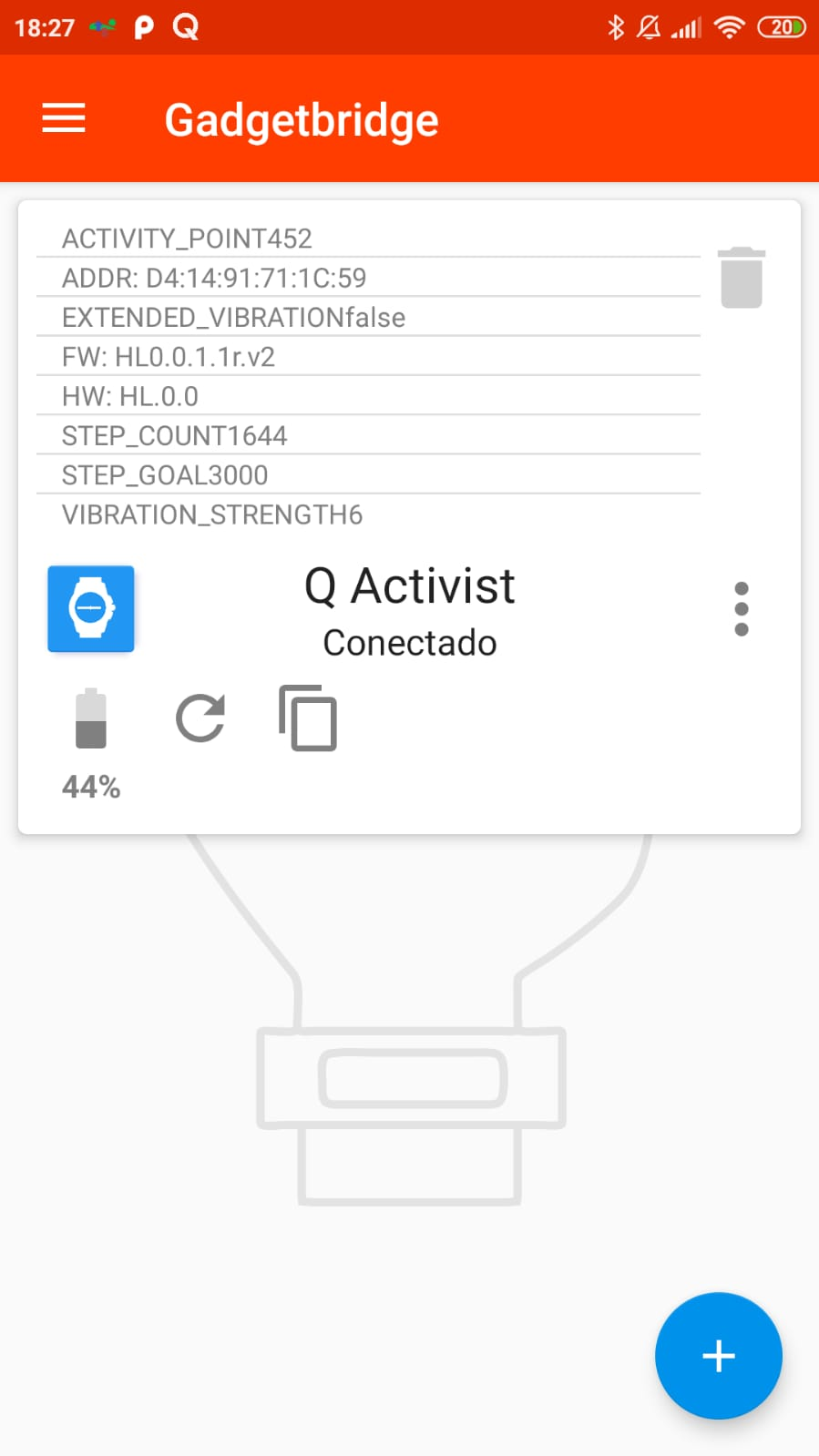
alespg
on 17 Oct 2019
news! you can now use the activity hand to show the amount of notifications posted, or control it via an intent through tasker for instance.
dakhnod
on 20 Oct 2019
Wow, amazing thread. I just bought my Fossil FTW1174, I installed Fossil app and it updated my watch to HW0.0.2.4r.v1 and I can't connect to Gadgetbridge :( I can't see my watch in paring view.
 GrzegorzZajac000
on 22 Oct 2019
GrzegorzZajac000
on 22 Oct 2019
@GrzegorzZajac000 its only discoverable when not connected to anything.
And even then, that firmware version is currently not supported...
dakhnod
on 22 Oct 2019
@dakhnod I know it's not supported, but it's also undiscoverable (I disconnect watch from official fossil app).
GrzegorzZajac000
on 22 Oct 2019
@GrzegorzZajac000 did you put it in pairing mode?
dakhnod
on 22 Oct 2019
@dakhnod I tried, but it doesn't work as at first time. I held the middle button but watch doesn't vibrate.
GrzegorzZajac000
on 22 Oct 2019
@GrzegorzZajac000 you have to completely remove it from the phone and kill the fossil app
dakhnod
on 22 Oct 2019
@dakhnod ahhh, okay. Now that part works ;)
GrzegorzZajac000
on 22 Oct 2019
I decided to have a look at adapting the new fossil BLE api, although i really not like it so far...
Thus, i created an abstraction layer that should help me implementing the new communication methods.
dakhnod
on 25 Oct 2019
Dear all,
I have an issue with Daylight Saving Time on my watch. Since I don't know if it's related to that particular watch or with Gadgetbridge as a whole, I ask here before creating a new Issue.
"Winter time" kicked in yeasterday morning (at 03:00 clocks moved back to 02:00). My phone, computers, etc... did that without any issue. But the watch stayed on "Summer time".
- Disconnect/reconnect the watch did nothing
- Neither did rebooting the phone
- Unticking/ ticking the "sync time with phone" option in the Gadgetbridge app did not work.
- I decided to wait 24h because I thought that maybe the watch syncs time with the phone once per day. We're now 30+ hours past the switch and the watch is still 1 hour ahead of real time.
Expected behaviour: The watch hands should move back 1 hour at the same time as the phone.
As a workaround, is there a way to force time syncing between watch and phone ?
FW: HW0.0.1.2r.v1
Kind regards,
Olivier
(by the way congratulations on your progress with the app)
Aquariu
on 28 Oct 2019
@Aquariu yeah, i fixes that a few dass ago But did Not deploy it yet. You can go to the watch settings and click on that tiny "00:00" to the right of "time Offset" for now.
dakhnod
on 28 Oct 2019
Thanks very much for that very fast answer ! Sorry to not having seen that offset setting myself.
Cheers!
Olivier
Aquariu
on 28 Oct 2019
@Aquariu no problem, it is rather hard to find
dakhnod
on 28 Oct 2019
I am mostly done with the new api, there is just one little bug i have to find before publishing it.
In case anyone wants to take a look, there is a feature branch for the new api.
dakhnod
on 4 Nov 2019
That's great news! I'm having great troubles with missing notifications using the Fossil app, I'll switch back immediately.
mupf
on 4 Nov 2019
Nice! Very much looking forward to it!
So it will work with the latest firmware on the watch?
jo930
on 5 Nov 2019
@jo930 yes, that is the goal
dakhnod
on 5 Nov 2019
@dakhnod once the new firmware is supported, do you recommend to update the watch? is there any improvement? i am very happy with how things work now and i wouldn't update if there is no benefits. besides, i have the activist model, which doesn't have the third hand.
have you seen the new fossil hybrid models? they include a screen now, so i think these analogical models will be the last of their kind and we must take care well of them.
alespg
on 8 Nov 2019
@alespg I do not really see any benefits of the new firmware, so no reason to upgrade...
TBH, the new models look quite nice to me, I may get one
dakhnod
on 8 Nov 2019
@dakhnod lets see what fossil can offer, but in that concept i like best the vivomove aproach
alespg
on 8 Nov 2019
TBH, the new models look quite nice to me, I may get one
I just bought a "Collider HR". Indeed, a very nice watch!
The Fossil app of course transmits all data to Fossil. I have completely deactivated data access for the app, so that should solve that problem, although I guess I will miss out on Firmware updates.
Unbelievably, the original app can only send notifications for a few select "mainstream" apps. The only email notifications, for example, it can send for GMail. No K9-Mail, also no Threema, Signal, Telegram, ...
So, it would be superb if you could build support for the Collider HR and Charger HR into your Gadgetbridge fork. :)
 TimH54
on 11 Nov 2019
TimH54
on 11 Nov 2019
@TimH54 I would love to implement support for those, but unfortunately, I don't own one and don't have the means to get one right now...
dakhnod
on 11 Nov 2019
@TimH54 I would love to implement support for those, but unfortunately, I don't own one and don't have the means to get one right now...
Yeah, I understand. Maybe if there are a few people interested in this, we could find the money to buy you one? I for one would be willing to donate some money ...
If you sign up to the Fossil newsletter, you get a 15% discount code, so the watch costs 170 EUR.
TimH54
on 11 Nov 2019
>
Yeah, I understand. Maybe if there are a few people interested in this, we could find the money to buy you one? I for one would be willing to donate some money ...
+1 on this
alespg
on 11 Nov 2019
news! i managed to fix the bug i have been searching for the last month, just had to up the MTU...
When everything works as intended the next few days i will merge the fossil feature branch into my q branch and you all can test it!
dakhnod
on 14 Nov 2019
@TimH54 could you connect to your collider using an app like NRF connect and send me a screenshot of all the services and their characteristics?
dakhnod
on 15 Nov 2019
Hello, I ordered a Fossil Collider today and play around with nRF Connect. As soon I get the watch I'll help you with information about the BLE services.
 GitKalle
on 16 Nov 2019
GitKalle
on 16 Nov 2019
Yo yo, new firmware should work now.
Please someone check it out and tell me if everything is fine.
People using tasker to forward notifications my have issues since the new api does not allow to send random notifications but rather needs to register every new application beforehand, but we will figure this out somehow.
dakhnod
on 17 Nov 2019
furthermore, one can now use buttons to natively show the date and use the stopwatch, you can even assign the same function to all three buttons!
Only with the new firmware though.
dakhnod
on 17 Nov 2019
First off, thanks for the work put in so far to support the hybrid watches. I tested the the app and it instantly recognized and paired with my Fossil Q however I get this error (see screenshot). I am unable to edit any settings/button mappings. I can only connect and disconnect.
Take a look and let me know if you need more info.
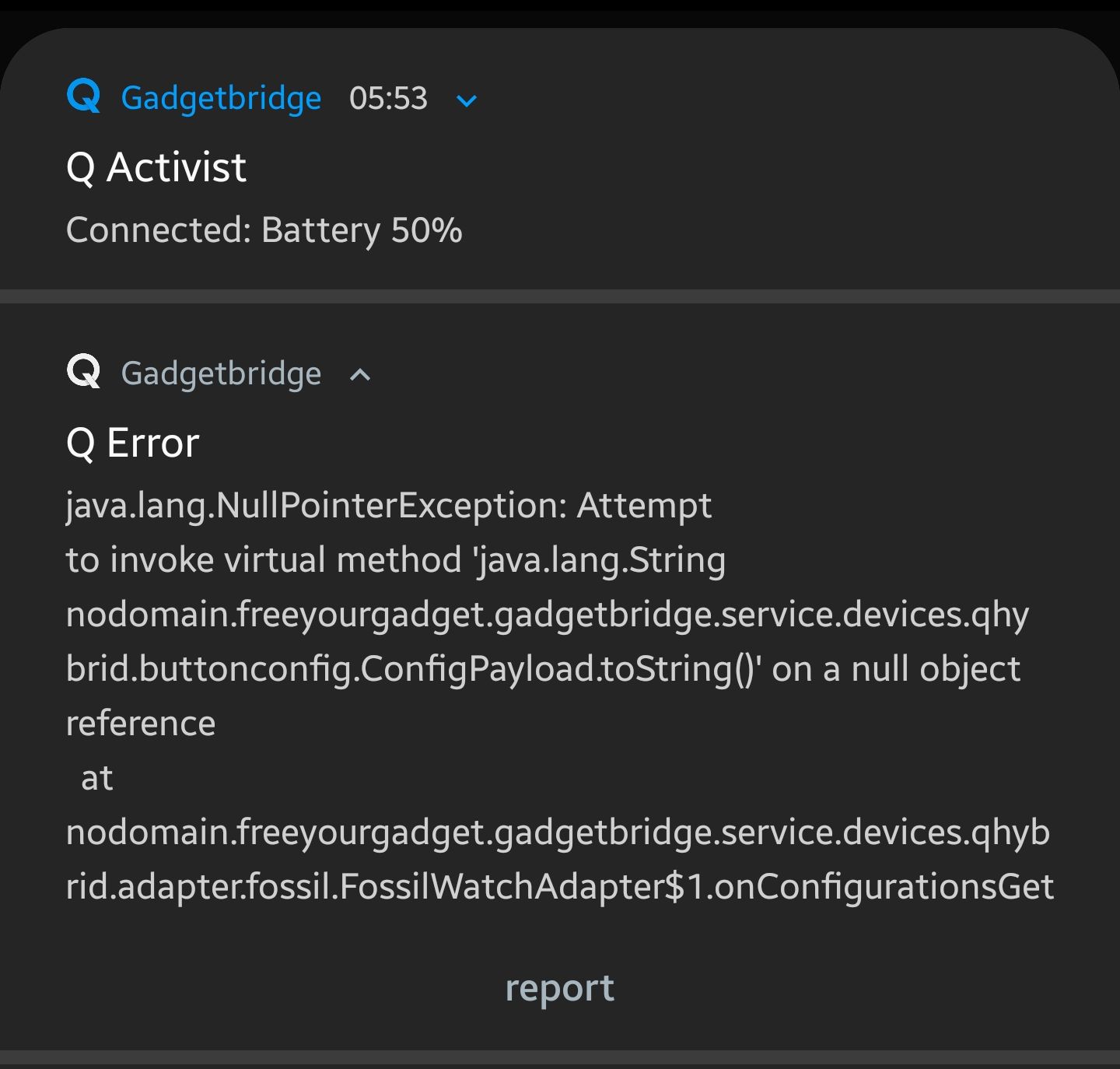
 accountForIssues
on 17 Nov 2019
accountForIssues
on 17 Nov 2019
@accountForIssues right, that is the one case I hoped would just work without testing it...just a sec
For future cases, please consider simply sending the error to me by clicking the little "report"-button on the bottom of the notification.
@accountForIssues, could you please do that?
dakhnod
on 17 Nov 2019
it seems the new firmware starts to be worth it, the stopwatch feature was unexpected.
any chance to support double or long clicking? :)
alespg
on 17 Nov 2019
@dakhnod When I click on report, it just opens up an email client with no files/text attached. That's why I commented here. What do I do ? I can provide logs if you'd like.
accountForIssues
on 17 Nov 2019
I got the same error as shown above.
The report-sending worked flawlessly for me 👍
jo930
on 17 Nov 2019
@TimH54 could you connect to your collider using an app like NRF connect and send me a screenshot of all the services and their characteristics?
Hey @dakhnod - sorry for the delayed reply - I am travelling with bad internet connection. Anyway, I installed NRF connect and initiated scans. However, I cannot see my Fossil Collider HR!? I only see a few devices that I know and some "Apple devices" that are not mine, but which I think cannot be the Collider!? I tried several times, same result. Strange! Not sure what to do? Maybe @GitKalle has more luck?
PS: Might it be better to discuss the Collider HR in a separate issue? Would give it more visibility and also keep things cleaner here ...
TimH54
on 17 Nov 2019
Do you think it will be possible to add/replace custom widgets for the Fossil Hybrid HR or similar? Or are we completely stuck with the factory widgets (the ones that show in place of a complications of a normal watch)?
 imperative
on 17 Nov 2019
imperative
on 17 Nov 2019
alright, the error amongst another should be fixed now.
dakhnod
on 17 Nov 2019
@TimH54 try disconnecting the collider from everything first, them it should start to broadcast.
Concidering the custom widgets i can't tell anything for now without having a device...
dakhnod
on 17 Nov 2019
Hello !
I'm uncertain on how to proceed.
I've got a "previous firmware" Commuter, working fine with your first version of the Gadgetbridge app.
is there any benefit for me in updating the app ?
Will it install the new firmware on the watch? Should I install the Fossil app first to do that and reinstall gadgetbridge afterwards ?
Cheers!
Aquariu
on 17 Nov 2019
@Aquariu gadgetbridge will not install the newest firmware, you could do that using the fossil app.
The newer firmware would allow you to use functions like stopwatch and date for the buttons, although I could patch that to work with gen1 as well.
On the negative side, gen2 does not allow for playing arbitrary crafted notifications from Tasker.
It can only play notifications configured in GB.
dakhnod
on 17 Nov 2019
So first of all big thank you @dakhnod for the update, it all seems to work wonderful now!
It is really awesome to finally be able to customize the watch features just the way I want...
One open question I have is: For the watch buttons, there are only the options "Show date"/"Forward to phone"/"stopwatch", but no option to show the last notification again. When I programmed the watch with the Fossil app and don't overwrite that button, the function remains, but I guess it is not added as a gadgetbridge-feature yet. I might have a look in the code myself, but if you already know something about it, let me know.
jo930
on 17 Nov 2019
@TimH54 i added the function.
Unfortunately, for every new function i have to hardcode a byte array that has to be sniffed from the fossil app. So it is not that easy to add another function.
dakhnod
on 17 Nov 2019
It connected instantly and seems to work really well again. Thank you so much.
What I noticed so far: The clock face to assign a hand movement to a notification is invisible when not using dark mode. Same goes for Button assignment. I'd love to be able to set alarms, is that a future possibility? Keep up the good work! Can I donate you some euros somehow?
mupf
on 18 Nov 2019
@mupf the background is white in standard mode, yes.
You just need to tap somewhere to enable one of the hands and it becomes sufficiently visible, in my eyes.
You may be right about the button assignments, though.
I will have a look at the alarms, didn't care about that enough, yet.
dakhnod
on 18 Nov 2019
Just figured it's difficult for people who don't know the interface. I'm fine.
Can you also add the media control button binding from the fossil app? Tasker can do something like that, but only for a specific app. I'd like to play/pause any app that's currently playing.
mupf
on 18 Nov 2019
@mupf gotcha. Media buttons are slightly more difficult and will require a bit more customization, but should be doable.
dakhnod
on 18 Nov 2019
I'm really excited about the recent progress! @dakhnod, is there a good place to open bugs and report problems with the branches you are working on that is not this very long thread? I have an issue with a Skagen Jorn hybrid... I finally got it to be seen by Gadgetbridge (the latest debug APK you uploaded to GitHub, downloaded a few minutes ago), and it connects, but immediately after confirming that it connected to the watch, I get a dimmed notification towards the bottom of the application saying it's trying to connect to the device and it disappears from the list. Pretty much instantly. The main app screen shows no devices. A toast notification remains in the pulldown, correctly showing the watch name ("Skagen") and the remaining battery percent. That's about it.
g2010a
on 18 Nov 2019
Yeah the latest apk solves the button assignment issue.
+1 for a place to add issues and suggestions. Create a new repo, maybe ? The thread _is_ getting really long :)
Media button controls, volume controls and second time zone would also be nice and/or support to forward double press/long press of buttons.
accountForIssues
on 19 Nov 2019
How can I configure the Q Hybrid action in Tasker? I can add it, but configuration stays on "nope" when I try to set it.
+1 for a place to add issues and suggestions
mupf
on 19 Nov 2019
@mupf you can not.
The new firmware does not allow Tasker notifications, since you have to configure every playable notification through the settings.
The only way is see to work around this issue is to create "virtual" notifications that are not bound to an app, but rather to an action string.
You could be able to trigger those virtual notifications through Tasker.
Anyone got any other ideas?
dakhnod
on 19 Nov 2019
well, iwas wrong.
It seems like there is a way to send variable notifications to the watch e.g. to craft the hand positions and vibration pattern on the fly.
To, sending notification through tasker should still be possible, will be ditched in favour of intents soon, though.
dakhnod
on 19 Nov 2019
@dakhnod Thats exactly what I've been looking for too.
I played around a bit in the code and added the possibility to add "dummy-package"-Notifications to the list in Gadgetbridge and an intent that can be used to call these in Tasker by name. But of course this makes it impossible to have complete flexibility from Tasker-side...
I am interested to see how that is possible without "storing the notification" on the watch, can you let us in on some details?
Also: Is there a way to set the activity hand together with a notification (so that it does not simply jump to "ALERT" when I set the hands)?
jo930
on 19 Nov 2019
@jo930
i have been trying to understant the whole system for the few hours and for now it seems like it is not that simple to play variable notification on the fly...
Also, i implemented volume and play pause buttons, but they are absolutely useless since fossil seems to have shifted to translate to real volume/play/pause events in their app, and I don't have the energy to deal with this right now...
TL;DR
no native media control
no random on-the-fly-crafted notifications
dakhnod
on 19 Nov 2019
I have some good news, though:
i kinda added alarms, just not sure yet how to display them graphically.
Also you can now declare ONE of the three buttons as a multibutton, allowing you not only to press it, but to double press and even hold it.
Other apps can then listen to the "nodomain.freeyourgadget.gadgetbridge.Q_MULTI_BUTTON_PRESSED" intent with the extra "ACTION" being one of "SINGLE", "DOUBLE" or "LONG".
You could declare multiple buttons as multibuttons, but atm I see no way do differentiate which button was pressed. So, unfortunately, you can effectively only use one of them as multibutton.
dakhnod
on 19 Nov 2019
also, alarms should work now.
dakhnod
on 20 Nov 2019
@dakhnod Awesome work ! The multi button works really well with Tasker and is so much faster than before. It now makes sense that Fossil used their app for media control as it was slower and sometimes controlled other media apps. Imho, multi button with Tasker is a better way.
It would have been great to use all the buttons as multi buttons but maybe you'll find a way ;)
I'm sorry if I missed it somewhere but how do you setup Alarms (or can you currently) ?
BUG? : In the latest app, time shift doesn't seem to work for me. The app just crashes and restarts.
If the second time zone function can be implemented, I can say goodbye to the Fossil app for good. To start with it can be something simple as having an offset option connected with a button so that when it's pressed, it would temporarily show the time with the offset and return back. I'd assume this is simpler than having to implement a whole time zone picker.
accountForIssues
on 20 Nov 2019
@accountForIssues could you try to set up the time shift a few times? Sometimes the whole app crashes regardless of which setting you change.
If it continues to crash, could you send me the logcat output?
Also, in the home screen of gadgetbridge you should be able to see a little alarm icon amongst the other icons beneath your device name.
dakhnod
on 20 Nov 2019
@dakhnod Yep you're right. Time shift worked after a few tries.
There is no alarm icon for me but I was wondering whether the alarm feature is for specific devices or all ? I dunno if I used or had an alarm feature in the fossil app.
accountForIssues
on 20 Nov 2019
I have the Commuter which has an alarm feature. Alarm icon does not show up in Gadgetbridge.
mupf
on 20 Nov 2019
@mupf could you please post a screenshot of your GB home screen?
dakhnod
on 20 Nov 2019
i forgot to build the apk with alarms, should work now
dakhnod
on 20 Nov 2019
also, I implemented second timezone. gotcha.
dakhnod
on 20 Nov 2019
Second time zone and alarms work perfectly. Thank you so much for this.
accountForIssues
on 20 Nov 2019
+1 for a place to add issues and suggestions
There is a fossil label now, so you can simply create new issues for different fossil topics.
cpfeiffer
on 20 Nov 2019
status update: it seems like you are only able to arbitary set hands and even play little scripts consisting of delays, hand movements and vibrations after a button has been pressed. I did not find a way to run such a script without a pressed button.
Yet, that does open quite some oppurtunities, like issuing a http request and displaying the answer on the watch somehow, or vibrating an error if there is no internet connection.
dakhnod
on 21 Nov 2019
I have Fossil Hybrid Neutra. How can I help? :-)
Additionally - where is the latest APK with Fossil support?
 redhandpl
on 21 Nov 2019
redhandpl
on 21 Nov 2019
I got my Hybrid HR and make a screenshot from nRF Connect discovering:

Futhermore I want to help with programming, sniffing and analyzing the BLE protocol from the Hybrid HR (when I have time).
@dakhnod
- Should I clone your repo and make pull requests there?
- Maybe it's better to open an issue in your repo for technical questions?
- How can we organize programming that we don't work on the same issue?
GitKalle
on 21 Nov 2019
@redhandpl sorry, i don't like the look of that watch. no apk for you.
Just kidding, there you go.
@GitKalle the answers depend on the amount of work necessary, which i could emagine being even quite reasonable.
Could you firstly please connect to the watch via nRF connect and make a screenshot of the services?
Also, could you try to connect to your watch with the current version of my app?
dakhnod
on 21 Nov 2019


I tried to connect with your latest GB version. The watch is shown in GB but when I try to connect then an exception occurred:
java.lang.UnsupportedOperationException: model DN.1.0 not supported
    at nodomain.freeyourgadget.gadgetbridge.service.devices.qhybrid.adapter.fossil.FossilWatchAdapter.supportsExtendedVibration(FossilWatchAdapter.java:291)
    at nodomain.freeyourgadget.gadgetbridge.service.devices.qhybrid.QHybridSupport.onCharacteristicRead(QHybridSupport.java:520)
    at nodomain.freeyourgadget.gadgetbridge.service.btle.BtLEQueue$InternalGattCallback.onCharacteristicRead(BtLEQueue.java:559)
    at android.bluetooth.BluetoothGatt$1$6.run(BluetoothGatt.java:384)
    at android.bluetooth.BluetoothGatt.runOrQueueCallback(BluetoothGatt.java:770)
    at android.bluetooth.BluetoothGatt.access$200(BluetoothGatt.java:39)
My characteristics of service 0x180A (device information) are:

GitKalle
on 21 Nov 2019
@GitKalle could you please tap on the 3dda-0001 service and make a screenshot of the characteristics?
dakhnod
on 21 Nov 2019
@GitKalle could you email me? Maybe we could speed things a little up.
dakhnod
on 21 Nov 2019
This is more of an enhancement feature and maybe it's already there but it would be nice if there could be an in-app notification if the battery level drops below, say 15%, so one can keep a replacement ready.
It could be something on the home screen of gadget builder and/or in the notification drawer.
accountForIssues
on 22 Nov 2019
@accountForIssues that is already implemented triggering at 2% if I recall correctly
dakhnod
on 22 Nov 2019
@dakhnod I have noticed this error a few times. Everything seems to be working fine. Usually happens when the device connects but have also seen it appear once or twice randomly.
The report button just opens up my email client with a blank draft hence why I'm commenting here. Is the report button supposed to automatically attach logs or something ?
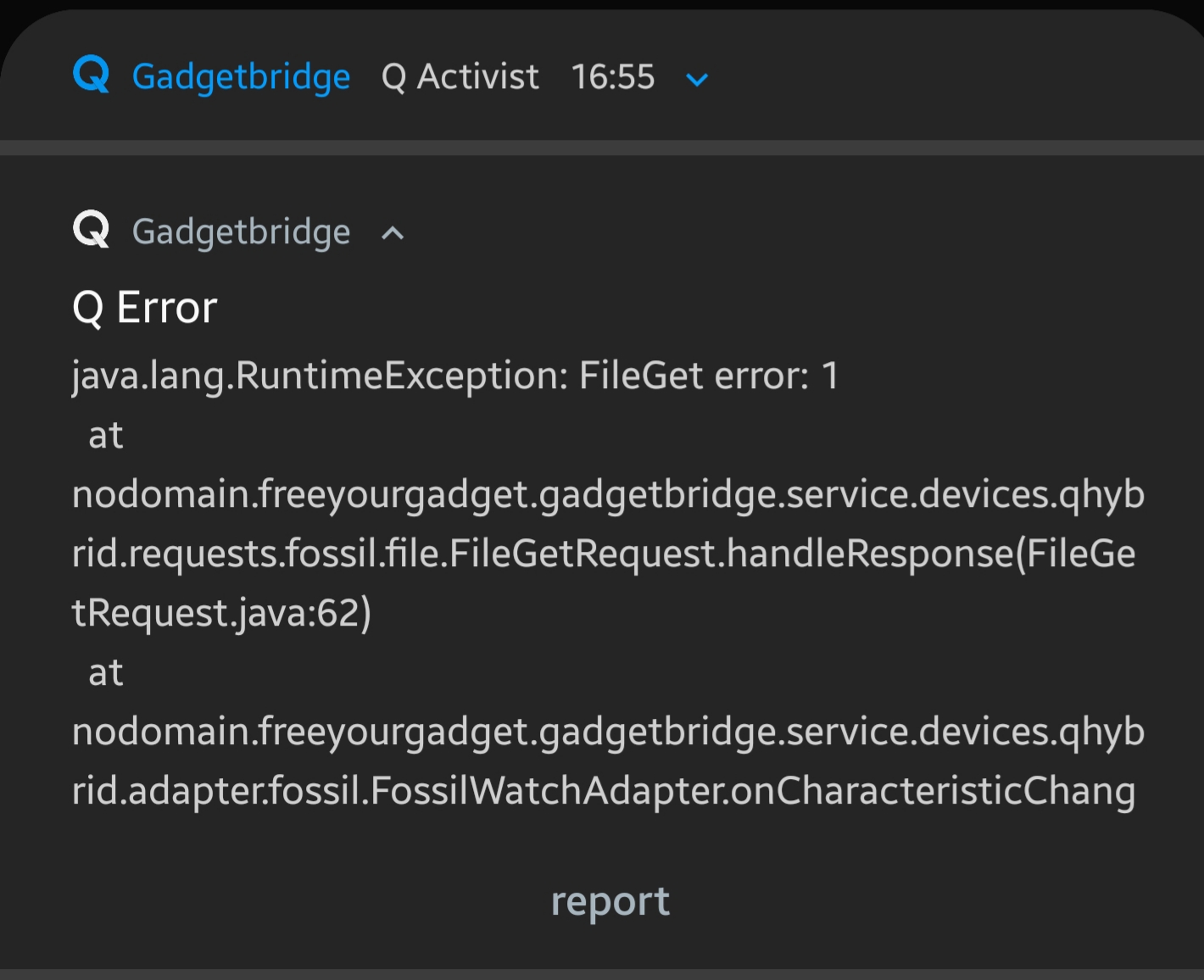
accountForIssues
on 22 Nov 2019
it seems like fossil added authentication, so there will be no way to use the watch without creating a fossil account...
dakhnod
on 22 Nov 2019
Was that a response to my error ? Now I can't seem to be able to change any functions nor tasker works.
How could it change all of a sudden ? It worked fine until yesterday when I noticed the error. I didn't update the firmware and it's not like the watch has WiFi.
accountForIssues
on 22 Nov 2019
@accountForIssues did you try wiping the watch from your phone and readding it?
I don't know where that error is comming from yet...
dakhnod
on 22 Nov 2019
@dakhnod yep, just tried again. I get a toast saying "button get configuration request failed" and that error.
accountForIssues
on 22 Nov 2019
Here's a debug log. Maybe it'll help.
gadgetbridge.log
accountForIssues
on 22 Nov 2019
hope some issues are fixed now.
The settings are now stored in the app instead of being read from the watch on every synchronisation.
dakhnod
on 24 Nov 2019
@dakhnod Yes, the previous error has gone away and everything seems to work well.
Any ideas if it will be possible at all to support more than one multi button or is it just impossible ?
Is there support for contacts to watch faces in the works ?
Also, two of the parameters seem to have merged or maybe it's just an erroneous string description. In the screenshot, it says STEPTIMEZONE_OFFSET_COUNT where I'm guessing it should be STEP_COUNT and another for TIMEZONE_OFFSET ?

accountForIssues
on 24 Nov 2019
@accountForIssues "Is there support for contacts to watch faces in the works ?": I created a fork in which that is possible with tasker already: You can store a notification on the watch with a "dummy-package" (just give it any name that will be used to trigger this notification) and then in tasker program something like "if WhatsApp from XYZ, send intent to watch with extra "dummy-package", which will trigger the notification on the watch.
If @dakhnod likes this approach too, I could create a pull-request for that.
jo930
on 24 Nov 2019
@jo930 although i don't like the fact that we have to invent such hacks you could indeed create a pull request for that
dakhnod
on 25 Nov 2019
I have some good news, though:
i kinda added alarms, just not sure yet how to display them graphically.
Also you can now declare ONE of the three buttons as a multibutton, allowing you not only to press it, but to double press and even hold it.
Other apps can then listen to the "nodomain.freeyourgadget.gadgetbridge.Q_MULTI_BUTTON_PRESSED" intent with the extra "ACTION" being one of "SINGLE", "DOUBLE" or "LONG".You could declare multiple buttons as multibuttons, but atm I see no way do differentiate which button was pressed. So, unfortunately, you can effectively only use one of them as multibutton.
Sorry what do you mean by "extra action"? I've got a single press working in tasker by putting "nodomain.freeyourgadget.gadgetbridge.Q_MULTI_BUTTON_PRESSED" into the action field, but where do I put the SINGLE, DOUBLE or LONG?
 ayoung10
on 30 Nov 2019
ayoung10
on 30 Nov 2019
@ayoung10 the intent contains an extra "ACTION". Tasker extracts it automatically and converts it to the variable %action afaik.
dakhnod
on 30 Nov 2019
So I can put it in as an IF statement in a task? I've tried putting in %long equals 1, but it's not responding. If I remove the IF, the task works.
Do you have any ideas? Thanks for the quick reply before.
ayoung10
on 30 Nov 2019
@ayoung10 yes, you need an if statement.
Precisely, you need to compare %action to "SINGLE", "DOUBLE" and "LONG".
dakhnod
on 30 Nov 2019
That works perfectly thanks!
Set the IF variable in tasker to: "%action" equals "LONG" and it recognises a long press. Set it to "DOUBLE" recognises double etc.
Thank you for your amazing work - now to see if I can control my lights!
ayoung10
on 30 Nov 2019
so... with new firmware and new app i can do everything in tasker as before + have long and double presses? or just replicate the official intents?
i am a bit afraid, because i have a lot of code collencting info from notifications and defining angles, will i loose that or just have to change the intents and actions in tasker?
alespg
on 30 Nov 2019
@alespg with the new firmware you lose the ability to play notifications from Tasker for now.
Even when I patch it you will not be able to set the angles from Tasker directly ...
dakhnod
on 30 Nov 2019
oh, too bad. it is amazing what you are getting with new firmware, but i will keep the old one, i am too used to it!
alespg
on 30 Nov 2019
Thought some of you might like this

dakhnod
on 2 Dec 2019
Thought some of you might like this
That is absolutely super-cool! :)
By the way, I am back from my travels and very willing to test things if that helps. Just wondering: Can I install your Gadgetbridge in parallel with the original version?
TimH54
on 2 Dec 2019
@dakhnod that's great to see! I picked one of these up today and have previously compiled/debugged local GadgetBridge builds, so I'm happy to help. Which branch will you be focusing the HR work in? I can take a look and try to contribute.
 hackoder
on 4 Dec 2019
hackoder
on 4 Dec 2019
Nice work on the background image @dakhnod ! I've been playing with the original background image files in the vendor app too, yep they're just basic 8bit raw images.
Have you looked at the icons transmitted for notification use? I've got the original files easily accessible here: https://gitlab.com/alelec/fossil_smartwatches_alelec_android/tree/master/src/main/assets but cannot figure out what the file format it. They're variable length with consistent header (0x1818) and footer (0xFFFF) but that hasn't helped me so far.
 andrewleech
on 4 Dec 2019
andrewleech
on 4 Dec 2019
@andrewleech the background images are not only 8 bit images, but even 2 bit.
Every pixel consists of two bits.
I was also trying to wrap my head around the notification and complication icons, but did not figure it out yet...
I was thinking that it could be some sort of vector image, but the file size seems to be too consistent for that...
Also, i think that the first two bytes display the image dimensions, 24*24 pixels, which would be a tenth of the screen width and height, which seems to make sense...
dakhnod
on 5 Dec 2019
@dakhnod Ah I'd noticed a couple of the backgrounds were different size/format, hadn't figured out what they were. 2bit eh, nice one!
I just figured out what the notification icons are!
That 24 x 24 at the start made perfect sense, and it's right!
So
header: 2 bytes: height, width
footer: 2 bytes, 0xffff
data in between is RLE encoded 8 bit data, with only 2 significant bits (0 == black, 3 == white).
In case you're a python fan:
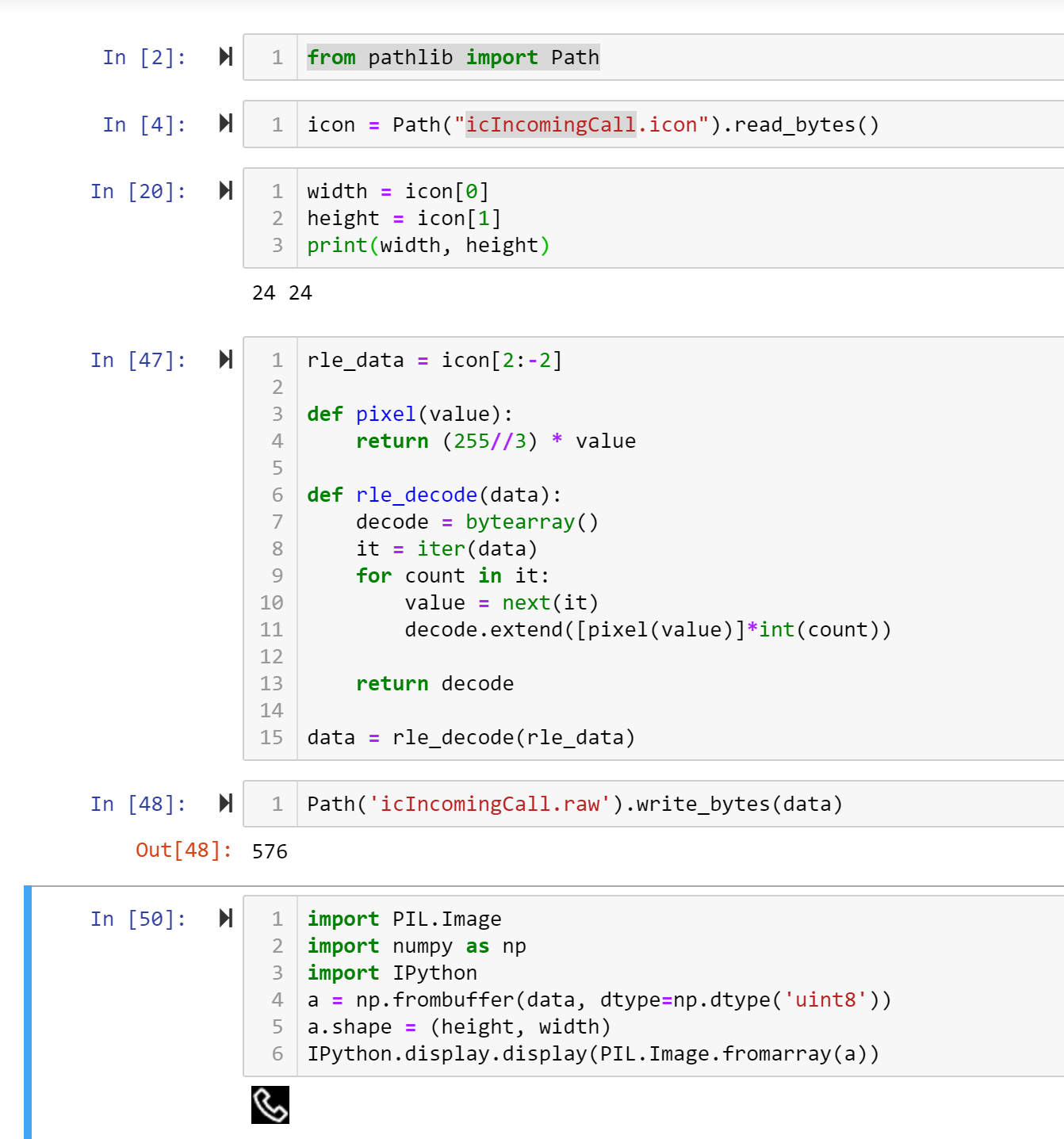
andrewleech
on 5 Dec 2019
In case it helps, I've got working Android/java code for converting notification icons into the appropriate image format for the watch here: https://gitlab.com/alelec/fossil_smartwatches_alelec_android/blob/f0b97a91f5e44ef3b17c93a167c88bf8c2b93731/src/main/java/com/portfolio/platform/service/notification/DianaNotificationComponent.java#L71
andrewleech
on 8 Dec 2019
@andrewleech props for figuring that out! how did you know it was RLE?
So, that simply means that one byte means the repitition count and the next byte equals the repeated value?
Something like 0x01 0x01 0x01 0x01 0x03 would be 0x04 0x01 0x01 0x03 then?
dakhnod
on 8 Dec 2019
Yep that's it! I'm not too sure how I really figured it out, mix of trial and error and thinking the pattern in the hex numbers was really odd, the other morning rle popped into my head and tested right. Your mention of the 2 bit images used elsewhere helped, because I had noticed every second byte was always from 0 to 3. The code I linked to is my patched version of the fossil app I'm working on, I've got support for notifications from all apps working there. Happy to compare notes to assist here too!
andrewleech
on 8 Dec 2019
Where can I get the most recent apk?
https://github.com/dakhnod/Gadgetbridge/tree/fossil-q-hybrid/app/build/outputs/apk/debug is not there anymore
mupf
on 8 Dec 2019
@mupf
Yep, I nuked it, the branch is merged into master here now and will be part of official release.
I deleted the file because I did not want to merge them in our branch, they definitely do not belong in a git repository.
@dakhnod
If you want to release unofficial versions, you can upload them to the release tab (of your fork) without pushing to git. That would be cleaner imho.
 ashimokawa
on 9 Dec 2019
ashimokawa
on 9 Dec 2019
Any idea on when the next release will be? The fossil hybrid commit isn't in 0.39.1.
ayoung10
on 9 Dec 2019
TBH nothing really interesting happened in my last commits.
Just some development for the HR, it can now play every notification, without showing the app icon, though. Yet, there is some work to be done for it to be really usable.
@andrewleech can you tell me how the app icons are linked to the notification filters?
dakhnod
on 9 Dec 2019
@dakhnod yeah the notification images are all sent to the watch in one list of NotificationFilters. The list only contains the notifications which are enabled in the app.
When each notification is sent to the watch, I believe it's matched up with the filter based on the name, packageId and/or crc (which can be generated with this crc code I wrote).
I'm not certain now whether the image is matched up to the ime in the filter directly the same way, or separately via the iconFwPath image name that's used / associated with the image in the filter and also in the application profile sent in the notification.
I'm also not too sure what the filter looks like by the time it hits BLE as I've been working at higher layers in the app, but basically when you enable or disable an app's notifications the entire list of filters gets sent to this AppNotificationFilterSettings function which then passes it to the builtin IButtonConnectivity service which handles the actual ble. Inside the IButtonConnectivity I think this toSDKNotificationFilter function is what assembles the class that's turned directly into the parcel of data to send to the watch, this is where I added the notification image load from file code to grab the rle image I saved earlier from a notification to send to the watch. I'm not too sure where it goes from there, following the obfuscated & coroutine based java is rather tedious.
andrewleech
on 9 Dec 2019
@andrewleech i think i figured it out, there is a certain part of the notification filter that indicates the icon image.
dakhnod
on 10 Dec 2019
Related issues
 raku-cat
·
7Comments
raku-cat
·
7Comments
 RustyRaptor
·
3Comments
RustyRaptor
·
3Comments
 robalvsan
·
3Comments
robalvsan
·
3Comments
 ShapeShifter499
·
3Comments
ShapeShifter499
·
3Comments
 bigretromike
·
8Comments
bigretromike
·
8Comments
Most helpful comment
Ok, I lifted some secrets :) Using a python script + gatt-python package, I can now send commands to get / set the current time on the watch, play predefined animations with the watch hands & send notifications (i.e. vibration patterns + point at a number with the watch hands). There are many more commands available, but I couldn't test those yet.
For a short demo, do the following with a tool of your choice:
3dda0002-957f-7d4a-34a6-74696673696dwhich belongs to service3dda0001-957f-7d4a-34a6-74696673696d0x02 0xf1 0x05=> watch hands animation 10x02 0xf1 0x06=> watch hands animation 20x01 0x04=> 10 byte response with current time (32bit little-endian unix timestamp starts at 0x02)My plan would be to write up a specification of the protocol, so someone else can go ahead and implement it for Gadgetbridge (in the sense of a clean-room implementation). Would anyone be interested in this? If yes, please also provide some pointers which specific information is needed most so I can focus on that. Lets get this started! :)