` 3.x版本
const Grid = require("@antv/g6/build/grid");
const grid = new Grid();
const graph = new G6.Graph({
  plugins: [grid],
  container: "mountNode",
  width: 500,
  height: 500
});
graph.data(data);
graph.render();`
bug
 yh0210
All 8 comments
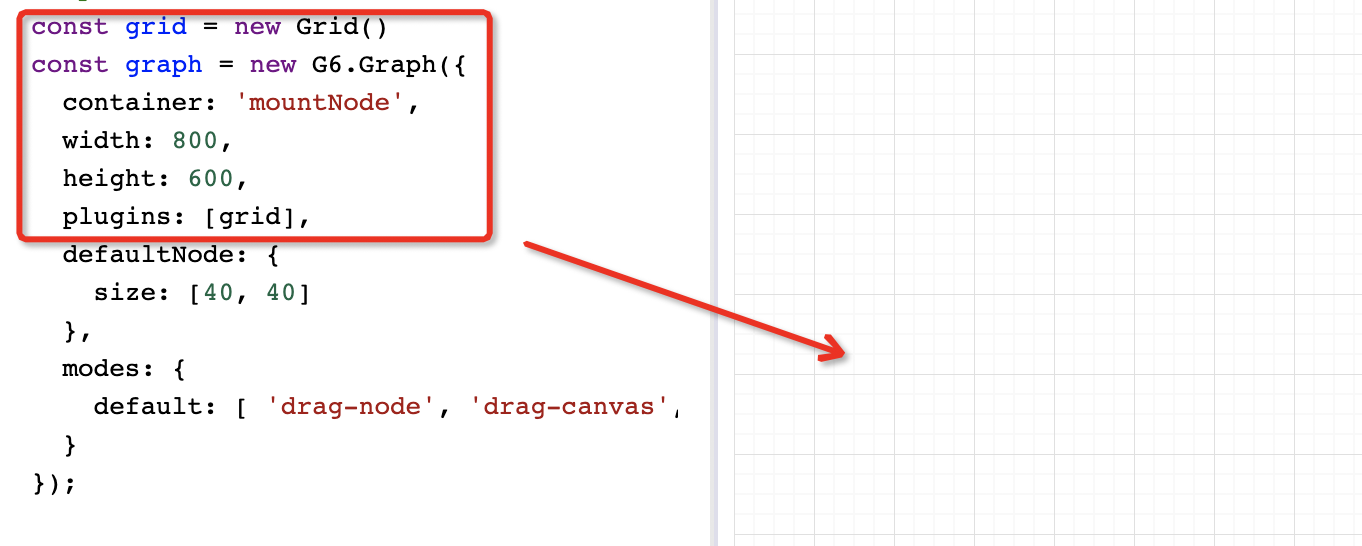
升级到最新版本,还不行的话提供个复现的demo?刚试了下是可以的。
 baizn
on 28 Jun 2019
baizn
on 28 Jun 2019
如果容器的div是有背景色的时候显示不出来
 yangyining
on 11 Jul 2019
yangyining
on 11 Jul 2019
👍3
在vue中不显示grid。"vue": "^2.6.10" "@antv/g6": "^3.0.5-beta.7"
<template>
<div id="mountNode"></div>
</template>
<script>
import G6 from "@antv/g6";
import Grid from "@antv/g6/build/grid";
export default {
mounted() {
const minimap = new Grid();
var graph = new G6.Graph({
container: "mountNode",
width: 1000,
height: 1000,
plugins: [minimap]
});
}
};
</script>
 chen-jianpeng
on 1 Aug 2019
chen-jianpeng
on 1 Aug 2019
👍1
@yangyining 恩,是的,目前这种实现方案是把Grid放到最底层的,使用一张图片作为背景,设置了画布容器背景色后就被遮住了, 是一个BUG,我们后面考虑换种方案来实现,Grid是作为plugin来实现的,有实现方案的话可以提个PR。
baizn
on 12 Aug 2019
找到了以下两个坑导致了网格不显示:
- vuetify 全局设置了background-repeat: no-repeat,导致了背景图片不显示。
- 网格图片背景的div的父容器设置了z-index为-1。这样导致网格图片被父容器背景色遮挡住了。具体可以看一下这个小例子
https://jsfiddle.net/chenjianpeng/qewomzgc/11/
chen-jianpeng
on 29 Aug 2019
👍2
如果是父级的背景色影响了,可以通过简单的覆盖CSS 先处理掉这个问题
// .graph 是graph容器
.graph{
    // FIXME:  g6 bug: https://github.com/antvis/G6/issues/747
    // 设置第一个div元素
    >div:first-child{
      z-index:0 !important;
    }
    canvas {
      position: absolute;
      z-index: 1;
    }
    // 如果用到Minimap的话下面的也要加上
    // .g6-minimap{
    //   z-index: 2;
    //   // viewport index
    //   .g6-minimap-viewport{
    //     z-index: 2;
    //   }
    // }
  }
 QDMarkMan
on 11 Mar 2020
QDMarkMan
on 11 Mar 2020
👍5
审查一下元素,一般来说很可能是层级问题被其他元素盖住了,调整一下 DOM CSS 的 z-index
 Yanyan-Wang
on 12 Mar 2020
Yanyan-Wang
on 12 Mar 2020
如果是父级的背景色影响了,可以通过简单的覆盖CSS 先处理掉这个问题
// .graph 是graph容器
.graph{
    // FIXME:  g6 bug: https://github.com/antvis/G6/issues/747
    // 设置第一个div元素
    >div:first-child{
      z-index:0 !important;
    }
    canvas {
      position: absolute;
      z-index: 1;
    }
    // 如果用到Minimap的话下面的也要加上
    // .g6-minimap{
    //   z-index: 2;
    //   // viewport index
    //   .g6-minimap-viewport{
    //     z-index: 2;
    //   }
    // }
  }
这种方式svg有问题
 hqzh
on 19 May 2020
hqzh
on 19 May 2020
Was this page helpful?
0 / 5 - 0 ratings
Related issues
 huyaocode
·
7Comments
huyaocode
·
7Comments
 COLDkl
·
6Comments
COLDkl
·
6Comments
 FISHers6
·
5Comments
FISHers6
·
5Comments
 franckchen
·
4Comments
franckchen
·
4Comments
 bluce
·
4Comments
bluce
·
4Comments
Most helpful comment
如果是父级的背景色影响了,可以通过简单的覆盖CSS 先处理掉这个问题