Fullpage.js: scrollOverflow can not scroll when modal closed on mobile device
Description
When modal open and closed,
It can't scroll to other page.
It lock on same page
Link to isolated reproduction with no external CSS / JS
https://codepen.io/anon/pen/WPPoqv?editors=1010
Steps to reproduce it
without open modal
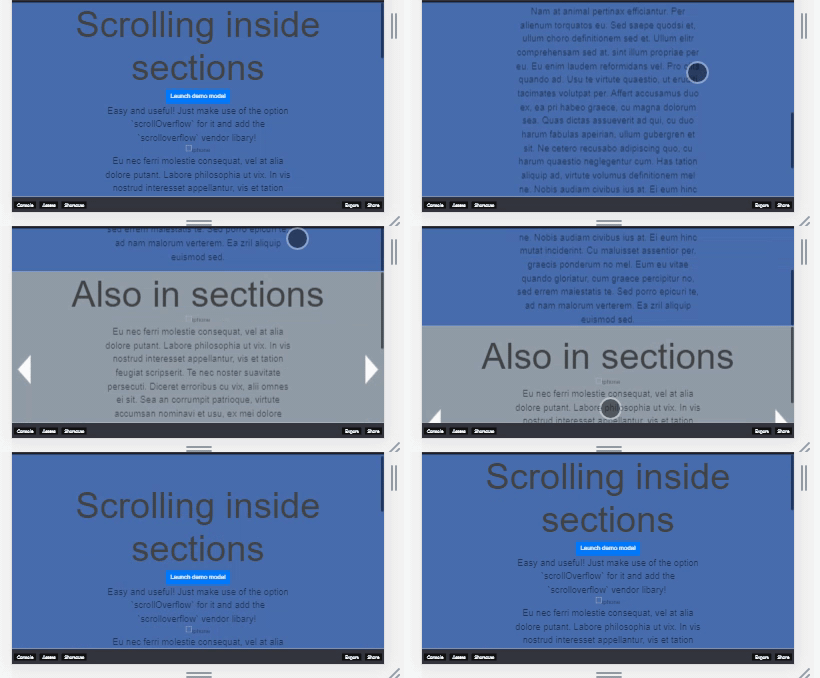
https://upload.cc/i1/2019/02/19/fhcNCg.gif
after opened modal

https://upload.cc/i1/2019/02/19/ZNMQkl.gif
 david43
All 14 comments
Thanks for reporting it!
It indeed looks like a bug! I'll take a look at it for the next release!
 alvarotrigo
on 19 Feb 2019
alvarotrigo
on 19 Feb 2019
Any solution to fix it now?
Now I just destroy and reinit fullpage when modal closed.
david43
on 22 Feb 2019
Any solution to fix it now?
You'll known when there's a solution because I will reply to this topic :)
alvarotrigo
on 22 Feb 2019
temporary fix
$('#exampleModal').on('hidden.bs.modal', function (e) {
    fullpage_api.setMouseHijack(true)
});
Hello there. I'm having the same problem.And I guess we're not alone.
When I examine a little, I have seen that this problem occurs when an event occurs on an element inside the container that is defined as normalScrollElements (for example 'click'). For example, popUp closes when a close button is used in a popUp tag defined in the regularScrollElement, but the error occurs. If the Close button is taken out of the popUp tags, there is no problem. However, when you think you have created a popUp menu, it is not possible to have links outside this popUp tag. If it is not used in the normalScrollElements definition, it is impossible for the entire menu to appear on a horizontal mobile device.
The error is more evident in mobile devices. In the desktop version, the error disappears when the mouse is moved after clicking the close button. However, scrolling does not work unless the mouse is moved after clicking the close button.
To better understand the error, you can review the exercise here.
Best Regards
 ofsahinler
on 15 Mar 2019
ofsahinler
on 15 Mar 2019
I was having this problem, with a Foundation modal. I was banging my head against a wall for a couple hours trying to figure it out. But @ofsahinler is right.
I was using the ID on the modal (the one that is used to open it) as the selector for normalScrollElements, but after reading @ofsahinler 's post, I added a wrapper div inside the modal and used that selector instead. Problem solved!
If needed, I can create a codepen replicating it after tomorrow.
 syren
on 27 Mar 2019
syren
on 27 Mar 2019
I've fixed the issue on the dev branch!
It was related with the mouseenter event getting fired after touchEnd event on touch devices.
alvarotrigo
on 29 Mar 2019
I've fixed the issue on the dev branch!
It was related with the mouseenter event getting fired after touchEnd event on touch devices.
Hi, this great.
However, the problem persists on desktop devices. After you click the close button to see the problem, just scroll the page without moving the cursor.
Thank you for your work.
ofsahinler
on 29 Mar 2019
@ofsahinler I can not reproduce the issue on the provided codepen using the latest Chrome version.
Can you give more information on your setup?
alvarotrigo
on 29 Mar 2019
I saw that the problem was due to the use of 'visibility' property instead of 'display' for modal.
Thank you very much.
ofsahinler
on 29 Mar 2019
Awesome!
alvarotrigo
on 29 Mar 2019
This issue has been fixed in the latest fullPage.js release 3.0.5!
alvarotrigo
on 12 Apr 2019
Same issue on latest version
I'm tested values of normalScrollElements '.fancybox-slide--html', or '.fancybox-container' - no difference.
Multiple tests make page unaccesible (I think it is memory leak), and I don'n know how to fix that(
Please, any help!
Demo: https://youtu.be/nG9e8_4LU70
Current workaroud:
...

normalScrollElements: '.fancybox-container',

....

function allowScrolling() {
    fullpage_api.setAllowScrolling(true);
}
function disallowScrolling() {
    fullpage_api.setAllowScrolling(false);
}

$(document).on('beforeShow.fb', disallowScrolling);
$(document).on('beforeClose.fb', allowScrolling);
BUT, after closing fancybox, slides scrolling _sometimes_ not works at all!
Demo2: https://youtu.be/Ci1XWZ6BD4o
 7iomka
on 7 Jun 2019
7iomka
on 7 Jun 2019
Related issues
 ortonomy
·
3Comments
ortonomy
·
3Comments
 villain2
·
3Comments
villain2
·
3Comments
 VanIvano
·
5Comments
VanIvano
·
5Comments
 pepi3
·
4Comments
pepi3
·
4Comments
 Andi-Stevenson
·
4Comments
Andi-Stevenson
·
4Comments
Most helpful comment
I've fixed the issue on the dev branch!
It was related with the mouseenter event getting fired after touchEnd event on touch devices.