In raising this issue, I confirm the following (please check boxes, eg [X]) Failure to fill the template will close your issue:
- [x] I have read and understood the contributors guide.
- [x] The issue I am reporting can be replicated
- [x] The issue I am reporting isn't a duplicate
How familiar are you with the codebase?:
3
[BUG | ISSUE] Expected Behaviour:
FTL should not crash
[BUG | ISSUE] Actual Behaviour:
FTL crashed
[BUG | ISSUE] Steps to reproduce:
- Running pihole after upgrade to v4.2 makes it crash after some time.
- It has crashed 3 times over 2 hour period after upgrade. Every time with crash in the same place.
Log file output [if available]
```[2019-02-04 20:46:00.478] !!!!!!!!!!!!!!!!!!!!!!!!!!!!!!!!!!!!!!!!!!!!!!!!!!!!!!!!!!!!!!!!!!!!!!!!!!
[2019-02-04 20:46:00.478] ----------------------------> FTL crashed! <----------------------------
[2019-02-04 20:46:00.478] !!!!!!!!!!!!!!!!!!!!!!!!!!!!!!!!!!!!!!!!!!!!!!!!!!!!!!!!!!!!!!!!!!!!!!!!!!
[2019-02-04 20:46:00.478] Please report a bug at https://github.com/pi-hole/FTL/issues
[2019-02-04 20:46:00.479] and include in your report already the following details:
[2019-02-04 20:46:00.479] FTL has been running for 384 seconds
[2019-02-04 20:46:00.479] FTL branch: master
[2019-02-04 20:46:00.479] FTL version: v4.2
[2019-02-04 20:46:00.479] FTL commit: 178cc52
[2019-02-04 20:46:00.479] FTL date: 2019-02-03 08:42:40 -0800
[2019-02-04 20:46:00.479] FTL user: pihole
[2019-02-04 20:46:00.480] Received signal: Segmentation fault
[2019-02-04 20:46:00.480] at address: 3065831424
[2019-02-04 20:46:00.480] with code: SEGV_MAPERR (Address not mapped to object)
[2019-02-04 20:46:00.481] Backtrace:
[2019-02-04 20:46:00.483] Thank you for helping us to improve our FTL engine!
[2019-02-04 20:46:00.483] FTL terminated!
**Device specifics**

Hardware Type: rPi, VPS, etc
OS: Linux raspberrypi 4.14.79+ #1159 Sun Nov 4 17:28:08 GMT 2018 armv6l GNU/Linux
root@raspberrypi:/var/log# pihole version
Pi-hole version is v4.2.1 (Latest: v4.2.1)
AdminLTE version is v4.2 (Latest: v4.2)
FTL version is v4.2 (Latest: v4.2)
Your debug token is: dcpx20ghx8
```
Thanks for great software 👍
 errtus
All 183 comments
Please share the lines that appeared above the crash (5-10 lines).
 AzureMarker
on 5 Feb 2019
AzureMarker
on 5 Feb 2019
I'm having this problem as well.
FTL is crashing a couple of times a day on my primary DNS, seems stable on secondary server
This is the crash, with the lines above included:
[2019-02-05 11:05:26.792] Resizing "/FTL-queries" from 1179648 to 1474560
[2019-02-05 11:05:32.523] Resizing "/FTL-strings" from 8192 to 12288
[2019-02-05 11:35:48.442] Resizing "/FTL-queries" from 1474560 to 1769472
[2019-02-05 12:03:28.228] Resizing "/FTL-queries" from 1769472 to 2064384
[2019-02-05 12:03:28.311] !!!!!!!!!!!!!!!!!!!!!!!!!!!!!!!!!!!!!!!!!!!!!!!!!!!!!!!!!!!!!!!!!!!!!!!!!!
[2019-02-05 12:03:28.312] ----------------------------> FTL crashed! <----------------------------
[2019-02-05 12:03:28.312] !!!!!!!!!!!!!!!!!!!!!!!!!!!!!!!!!!!!!!!!!!!!!!!!!!!!!!!!!!!!!!!!!!!!!!!!!!
[2019-02-05 12:03:28.312] Please report a bug at https://github.com/pi-hole/FTL/issues
[2019-02-05 12:03:28.312] and include in your report already the following details:
[2019-02-05 12:03:28.312] FTL has been running for 12158 seconds
[2019-02-05 12:03:28.312] FTL branch: master
[2019-02-05 12:03:28.312] FTL version: v4.2
[2019-02-05 12:03:28.312] FTL commit: 178cc52
[2019-02-05 12:03:28.312] FTL date: 2019-02-03 08:42:40 -0800
[2019-02-05 12:03:28.312] FTL user: pihole
[2019-02-05 12:03:28.312] Received signal: Segmentation fault
[2019-02-05 12:03:28.313] at address: 140294867705856
[2019-02-05 12:03:28.313] with code: SEGV_ACCERR (Invalid permissions for mapped object)
[2019-02-05 12:03:28.317] Backtrace:
[2019-02-05 12:03:28.318] Thank you for helping us to improve our FTL engine!
[2019-02-05 12:03:28.318] FTL terminated!
 fayelund
on 5 Feb 2019
fayelund
on 5 Feb 2019
I am having the issue also.
[2019-02-05 08:59:20.799] FATAL ERROR: Trying to access overTime[0], but magic byte is 0
[2019-02-05 08:59:20.799] found in FTL_new_query() (dnsmasq_interface.c:176)
[2019-02-05 08:59:20.860] FATAL ERROR: Trying to access overTime[0], but magic byte is 0
[2019-02-05 08:59:20.860] found in FTL_cache() (dnsmasq_interface.c:678)
[2019-02-05 08:59:27.341] FATAL ERROR: Trying to access overTime[0], but magic byte is 0
[2019-02-05 08:59:27.341] found in FTL_new_query() (dnsmasq_interface.c:119)
[2019-02-05 08:59:27.341] FATAL ERROR: Trying to access overTime[0], but magic byte is 0
[2019-02-05 08:59:27.341] found in FTL_new_query() (dnsmasq_interface.c:176)
[2019-02-05 08:59:27.342] FATAL ERROR: Trying to access overTime[0], but magic byte is 0
[2019-02-05 08:59:27.342] found in FTL_forwarded() (dnsmasq_interface.c:292)
[2019-02-05 08:59:27.439] !!!!!!!!!!!!!!!!!!!!!!!!!!!!!!!!!!!!!!!!!!!!!!!!!!!!!!!!!!!!!!!!!!!!!!!!!!
[2019-02-05 08:59:27.439] ----------------------------> FTL crashed! <----------------------------
[2019-02-05 08:59:27.439] !!!!!!!!!!!!!!!!!!!!!!!!!!!!!!!!!!!!!!!!!!!!!!!!!!!!!!!!!!!!!!!!!!!!!!!!!!
[2019-02-05 08:59:27.439] Please report a bug at https://github.com/pi-hole/FTL/issues
[2019-02-05 08:59:27.439] and include in your report already the following details:
[2019-02-05 08:59:27.439] FTL has been running for 950 seconds
[2019-02-05 08:59:27.439] FTL branch: master
[2019-02-05 08:59:27.439] FTL version: v4.2
[2019-02-05 08:59:27.439] FTL commit: 178cc52
[2019-02-05 08:59:27.439] FTL date: 2019-02-03 08:42:40 -0800
[2019-02-05 08:59:27.439] FTL user: pihole
[2019-02-05 08:59:27.439] Received signal: Segmentation fault
[2019-02-05 08:59:27.439] at address: 2126781776
[2019-02-05 08:59:27.439] with code: SEGV_MAPERR (Address not mapped to object)
[2019-02-05 08:59:27.496] Backtrace:
[2019-02-05 08:59:27.497] Thank you for helping us to improve our FTL engine!
[2019-02-05 08:59:27.497] FTL terminated!
pihole version
Pi-hole version is v4.2.1 (Latest: v4.2.1)
AdminLTE version is v4.2 (Latest: v4.2)
FTL version is v4.2 (Latest: v4.2)
 tomb1015
on 5 Feb 2019
tomb1015
on 5 Feb 2019
It is unclear if you are all affected by the same bug. I'll try my best to help the three of you in this thread, but they should probably be separated to be more readable.
@errtus or @fayelund Please run
addr2line -e /usr/bin/pihole-FTL 0x2af00 0x19c14
you are likely affected by the same bug.
@tomb1015 Let's continue in #499 to keep this issue ticket clean.
 DL6ER
on 5 Feb 2019
DL6ER
on 5 Feb 2019
@Mcat12 more lines from just before crash
[2019-02-04 20:39:37.044] Imported 7965 queries from the long-term database
[2019-02-04 20:39:37.045] -> Total DNS queries: 7965
[2019-02-04 20:39:37.045] -> Cached DNS queries: 218
[2019-02-04 20:39:37.045] -> Forwarded DNS queries: 5346
[2019-02-04 20:39:37.045] -> Exactly blocked DNS queries: 2307
[2019-02-04 20:39:37.045] -> Unknown DNS queries: 94
[2019-02-04 20:39:37.046] -> Unique domains: 1067
[2019-02-04 20:39:37.046] -> Unique clients: 7
[2019-02-04 20:39:37.046] -> Known forward destinations: 1
[2019-02-04 20:39:37.046] Successfully accessed setupVars.conf
[2019-02-04 20:39:37.090] PID of FTL process: 521
[2019-02-04 20:39:37.093] Listening on port 4711 for incoming IPv4 telnet connections
[2019-02-04 20:39:37.094] Listening on port 4711 for incoming IPv6 telnet connections
[2019-02-04 20:39:37.094] Listening on Unix socket
[2019-02-04 20:39:37.110] Compiled 15 Regex filters and 224 whitelisted domains in 11.3 msec (0 errors)
[2019-02-04 20:39:37.119] /etc/pihole/black.list: parsed 0 domains (took 0.3 ms)
[2019-02-04 20:40:10.588] /etc/pihole/gravity.list: parsed 1078237 domains (took 33467.0 ms)
[2019-02-04 20:46:00.268] Resizing "/FTL-queries" from 458752 to 688128
[2019-02-04 20:46:00.478] !!!!!!!!!!!!!!!!!!!!!!!!!!!!!!!!!!!!!!!!!!!!!!!!!!!!!!!!!!!!!!!!!!!!!!!!!!
[2019-02-04 20:46:00.478] ----------------------------> FTL crashed! <----------------------------
[2019-02-04 20:46:00.478] !!!!!!!!!!!!!!!!!!!!!!!!!!!!!!!!!!!!!!!!!!!!!!!!!!!!!!!!!!!!!!!!!!!!!!!!!!
@DL6ER output of command
root@raspberrypi:/var/log# addr2line -e /usr/bin/pihole-FTL 0x2af00 0x19c14
/root/project/dnsmasq_interface.c:144
:?
Okay, so the crash is happening exactly where it tries to access an queries struct element:
Does the issue persist after you run
sudo pihole checkout ftl release/v4.2.1
?
DL6ER
on 5 Feb 2019
I'm getting the same. Do you get more debug output in the log, if you build FTL with -O0?
 cryptomilk
on 5 Feb 2019
cryptomilk
on 5 Feb 2019
I had also several crashes after upgrading to v4.2. Swiching to release/v4.2 did not help so I switched back to master and the crashes are gone for 24h now. I keep watching.
BTW, thank you for the great peace of code.
 toopaq
on 6 Feb 2019
toopaq
on 6 Feb 2019
I've compiled the master branch, but it still crashes:
[2019-02-05 23:30:49.173] FTL has been running for 4994 seconds
[2019-02-05 23:30:49.174] FTL branch: master-fix
[2019-02-05 23:30:49.174] FTL version: v4.2
[2019-02-05 23:30:49.174] FTL commit: ea54777-dirty
[2019-02-05 23:30:49.174] FTL date: 2019-02-05 21:48:28 +0100
[2019-02-05 23:30:49.174] FTL user: root
[2019-02-05 23:30:49.174] Received signal: Segmentation fault
[2019-02-05 23:30:49.174] at address: 281473372311565
[2019-02-05 23:30:49.175] with code: SEGV_MAPERR (Address not mapped to object)
[2019-02-05 23:30:49.176] Backtrace:
[2019-02-05 23:30:49.176] B[0000]: pihole-FTL(+0x1a888) [0xaaaad9ca1888]
[2019-02-05 23:30:49.176] B[0001]: linux-vdso.so.1(__kernel_rt_sigreturn+0) [0xffffa05f066c]
[2019-02-05 23:30:49.176] B[0002]: pihole-FTL(findClientID+0x94) [0xaaaad9ca116c]
[2019-02-05 23:30:49.176] B[0003]: pihole-FTL(FTL_new_query+0x5ac) [0xaaaad9cb042c]
[2019-02-05 23:30:49.176] B[0004]: pihole-FTL(receive_query+0x8d4) [0xaaaad9ccbf20]
[2019-02-05 23:30:49.177] B[0005]: pihole-FTL(+0x62928) [0xaaaad9ce9928]
[2019-02-05 23:30:49.177] B[0006]: pihole-FTL(main_dnsmasq+0x2504) [0xaaaad9ce8358]
[2019-02-05 23:30:49.177] B[0007]: pihole-FTL(main+0x138) [0xaaaad9c9f38c]
[2019-02-05 23:30:49.177] B[0008]: /lib64/libc.so.6(__libc_start_main+0xe4) [0xffffa02b2924]
[2019-02-05 23:30:49.177] B[0009]: pihole-FTL(+0x18184) [0xaaaad9c9f184]
[2019-02-05 23:30:49.177] Thank you for helping us to improve our FTL engine!
# addr2line -e /usr/bin/pihole-FTL 0x2af00 0x1a888
/home/asn/workspace/projects/FTL/dnsmasq_interface.c:680
/home/asn/workspace/projects/FTL/signals.c:4
I'm getting the same. Do you get more debug output in the log, if you build FTL with -O0?
No, we do not add any extra debugging information through compile time options or flags.
@cryptomilk try on the release/v4.2.1 branch.
AzureMarker
on 6 Feb 2019
@cryptomilk and the others:
If you are willing to debug pihole-FTL, this would be very helpful as I'm still unable to reproduce the bug. We have detailed debugging instructions here: https://docs.pi-hole.net/ftldns/debugging/
Please debug on branch master as this is the current officially release version FTL v4.2.
When FTL crashes, run the following snippet and post the result here:
where
print counters[0]
print queries[0]
print queries[counters->queries-1]
print clients[0]
print clients[counters->clients-1]
print domains[0]
print domains[counters->domains-1]
print overTime[0]
print overTime[counters->overTime-1]
print forwarded[0]
print forwarded[counters->forwarded-1]
You are free to remove sensitive data like IP addresses and domain names, but please mark clearly where you did this by replacing the field with [REMOVED] so I know that this is missing intentionally.
When we find out what is going wrong, we can proceed and push a hotfix in FTL version v4.2.1. The release is already prepared but still lacking a fix for this crash.
DL6ER
on 6 Feb 2019
It is unclear if you are all affected by the same bug. I'll try my best to help the three of you in this thread, but they should probably be separated to be more readable.
@errtus or @fayelund Please run
addr2line -e /usr/bin/pihole-FTL 0x2af00 0x19c14you are likely affected by the same bug.
@tomb1015 Let's continue in #499 to keep this issue ticket clean.
Output of command
/root/project/database.c:752
??:0
I've built the release/v4.2.1 with -O0 and running with gdb now.
You should really avoid using extern variables. Create getter function to get a pointer and do proper checks in the getter. We did the same many many years ago and it was a bad idea ;-)
cryptomilk
on 6 Feb 2019
You should really avoid using
externvariables. Create getter function to get a pointer and do proper checks in the getter.
Yes, there is work on this already going on in the background and I plan to make it part of the next release after v4.2.1. However, this shouldn't be the issue here as the crash happens when accessing the memory in the shared memory objects after or while we ran the validate_access(...) subroutine which does exactly do the checks a getter function would be doing as well.
Let us stay focused on finding and fixing the presently discussed bug here. If you want to discuss this, we should do it offline and probably even on https://discourse.pi-hole.net/ as it's a much better platform for discussions.
You mentioned that you as running pihole-FTL in gdb. Do you already have anything for me?
DL6ER
on 6 Feb 2019
Yes, v4.2.1 is still running under gdb without issues. No crash so far ...
cryptomilk
on 6 Feb 2019
@DL6ER I'm running on ftl release/v4.2.1 almost for 24h now without any crash.
errtus
on 6 Feb 2019
It still runs in gdb without any issue. I will build a -O3 version again and check then.
Question: Can github CI run other distros than Ubuntu?
cryptomilk
on 7 Feb 2019
Same issue here. Will test 4.2.1 now.
 restalfep
on 7 Feb 2019
restalfep
on 7 Feb 2019
Similar issue here with 4.2.1:
[2019-02-07 19:01:37.009] !!!!!!!!!!!!!!!!!!!!!!!!!!!!!!!!!!!!!!!!!!!!!!!!!!!!!!!!!!!!!!!!!!!!!!!!!!
[2019-02-07 19:01:37.010] ----------------------------> FTL crashed! <----------------------------
[2019-02-07 19:01:37.010] !!!!!!!!!!!!!!!!!!!!!!!!!!!!!!!!!!!!!!!!!!!!!!!!!!!!!!!!!!!!!!!!!!!!!!!!!!
[2019-02-07 19:01:37.010] Please report a bug at https://github.com/pi-hole/FTL/issues
[2019-02-07 19:01:37.010] and include in your report already the following details:[2019-02-07 19:01:37.010] FTL has been running for 233 seconds
[2019-02-07 19:01:37.010] FTL branch: master
[2019-02-07 19:01:37.010] FTL version: v4.2.1
[2019-02-07 19:01:37.010] FTL commit: 5f98312
[2019-02-07 19:01:37.010] FTL date: 2019-02-06 18:36:55 -0800
[2019-02-07 19:01:37.010] FTL user: started as pihole, ended as pihole
[2019-02-07 19:01:37.010] Received signal: Segmentation fault
[2019-02-07 19:01:37.010] at address: 33
[2019-02-07 19:01:37.010] with code: SEGV_MAPERR (Address not mapped to object)
[2019-02-07 19:01:37.010] Backtrace:
[2019-02-07 19:01:37.010] B[0000]: /usr/bin/pihole-FTL(+0x254a8) [0x5599e0fe34a8]
[2019-02-07 19:01:37.010] B[0001]: /lib/x86_64-linux-gnu/libpthread.so.0(+0x12890) [0x7f2246e5e890]
[2019-02-07 19:01:37.010] B[0002]: /usr/bin/pihole-FTL(getClientsOverTime+0x2a6) [0x5599e0febd06]
[2019-02-07 19:01:37.010] B[0003]: /usr/bin/pihole-FTL(process_request+0x517) [0x5599e0fe4e67]
[2019-02-07 19:01:37.010] B[0004]: /usr/bin/pihole-FTL(telnet_connection_handler_thread+0x106) [0x5599e0fe3736]
[2019-02-07 19:01:37.011] B[0005]: /lib/x86_64-linux-gnu/libpthread.so.0(+0x76db) [0x7f2246e536db]
[2019-02-07 19:01:37.011] B[0006]: /lib/x86_64-linux-gnu/libc.so.6(clone+0x3f) [0x7f2246b7c88f]
[2019-02-07 19:01:37.011] Thank you for helping us to improve our FTL engine!
[2019-02-07 19:01:37.011] FTL terminated!
 zoc
on 7 Feb 2019
zoc
on 7 Feb 2019
@zoc This is likely a different issue, please run
addr2line -e /usr/bin/pihole-FTL 0x26e67 0x2dd06 0x254a8
root@pihole:~# addr2line -e /usr/bin/pihole-FTL 0x26e67 0x2dd06 0x254a8
/root/project/request.c:121
/root/project/api.c:1056
/root/project/signals.c:46
Happened again to me after the 4.2.1 update still:
[2019-02-07 13:31:00.090] FATAL ERROR: Trying to access queries[159744], but magic byte is 0
[2019-02-07 13:31:00.090] found in save_to_DB() (database.c:411)
[2019-02-07 13:31:00.090] FATAL ERROR: Trying to access queries[159744], but magic byte is 0
[2019-02-07 13:31:00.090] found in save_to_DB() (database.c:426)
[2019-02-07 13:32:00.066] FATAL ERROR: Trying to access queries[159744], but magic byte is 0
[2019-02-07 13:32:00.066] found in save_to_DB() (database.c:411)
[2019-02-07 13:33:00.117] FATAL ERROR: Trying to access queries[159744], but magic byte is 0
[2019-02-07 13:33:00.118] found in save_to_DB() (database.c:411)
[2019-02-07 13:34:00.054] FATAL ERROR: Trying to access queries[159744], but magic byte is 0
[2019-02-07 13:34:00.054] found in save_to_DB() (database.c:411)
[2019-02-07 13:35:00.086] FATAL ERROR: Trying to access queries[159744], but magic byte is 0
[2019-02-07 13:35:00.086] found in save_to_DB() (database.c:411)
[2019-02-07 13:36:00.072] FATAL ERROR: Trying to access queries[159744], but magic byte is 0
[2019-02-07 13:36:00.072] found in save_to_DB() (database.c:411)
[2019-02-07 13:39:29.084] IPv4 telnet error: Interrupted system call (4)
[2019-02-07 13:40:00.108] FATAL ERROR: Trying to access queries[159744], but magic byte is 0
[2019-02-07 13:40:00.108] found in save_to_DB() (database.c:411)
Higher in the log for a different crash that seemed similar I saw:
Received signal: Segmentation fault
[2019-02-07 12:53:00.155] at address: 1910403072
[2019-02-07 12:53:00.155] with code: SEGV_ACCERR (Invalid permissions for mapped object)
[2019-02-07 12:53:00.157] Backtrace:
[2019-02-07 12:53:00.158] Thank you for helping us to improve our FTL engine!
[2019-02-07 12:53:00.158] FTL terminated!
restalfep
on 7 Feb 2019
@zoc Please share the lines that appear before the crash in the log.
@restalfep Please share the full crash log.
AzureMarker
on 7 Feb 2019
!!!!!!!!!!!!!!!!!!!!!!!!!!!!!!!!!!!!!!!!!!!!!!!!!!!!!!!!!!!!!!!!!!!!!!!!!!
[2019-02-07 12:53:00.154] ----------------------------> FTL crashed! <----------------------------
[2019-02-07 12:53:00.154] !!!!!!!!!!!!!!!!!!!!!!!!!!!!!!!!!!!!!!!!!!!!!!!!!!!!!!!!!!!!!!!!!!!!!!!!!!
[2019-02-07 12:53:00.154] Please report a bug at https://github.com/pi-hole/FTL/issues
[2019-02-07 12:53:00.154] and include in your report already the following details:
[2019-02-07 12:53:00.154] FTL has been running for 7704 seconds
[2019-02-07 12:53:00.154] FTL branch: release/v4.2.1
[2019-02-07 12:53:00.154] FTL version:
[2019-02-07 12:53:00.154] FTL commit: d2a71a0
[2019-02-07 12:53:00.155] FTL date: 2019-02-05 19:56:46 +0100
[2019-02-07 12:53:00.155] FTL user: started as pihole, ended as pihole
[2019-02-07 12:53:00.155] Received signal: Segmentation fault
[2019-02-07 12:53:00.155] at address: 1910403072
[2019-02-07 12:53:00.155] with code: SEGV_ACCERR (Invalid permissions for mapped object)
[2019-02-07 12:53:00.157] Backtrace:
[2019-02-07 12:53:00.158] Thank you for helping us to improve our FTL engine!
[2019-02-07 12:53:00.158] FTL terminated!
restalfep
on 7 Feb 2019
It would still be very helpful if you could try to debug pihole-FTL as I described in one of my previous comments: https://github.com/pi-hole/FTL/issues/496#issuecomment-460909156
The sooner we can identify where exactly the bug is happening, the sooner a fix will be available.
DL6ER
on 7 Feb 2019
I get the following when trying those instructions, will try again:
836: No such file or directory.
Attaching to process 5661
warning: Could not load vsyscall page because no executable was specified
0x76ecdbbc in ?? ()
(gdb)
(gdb) handle SIGHUP nostop SIGPIPE nostop
Signal Stop Print Pass to program Description
SIGHUP No Yes Yes Hangup
SIGPIPE No Yes Yes Broken pipe
(gdb) continue
Continuing.
[Inferior 1 (process 5661) exited normally]
(gdb)
restalfep
on 7 Feb 2019
What was the exact command you ran? Please make sure that FTL is already running before you try gdb (sudo service pihole-FTL restart)
DL6ER
on 7 Feb 2019
Well @DL6ER before the crash in the logs I only have the previous crash log without any other line... Below the full log from the time I restarted the server until the crash:
[2019-02-07 18:57:44.785] ########## FTL started! ##########
[2019-02-07 18:57:44.785] FTL branch: master
[2019-02-07 18:57:44.785] FTL version: v4.2.1
[2019-02-07 18:57:44.785] FTL commit: 5f98312
[2019-02-07 18:57:44.785] FTL date: 2019-02-06 18:36:55 -0800
[2019-02-07 18:57:44.785] FTL user: pihole
[2019-02-07 18:57:44.785] Starting config file parsing (/etc/pihole/pihole-FTL.conf)
[2019-02-07 18:57:44.785] SOCKET_LISTENING: only local
[2019-02-07 18:57:44.785] AAAA_QUERY_ANALYSIS: Show AAAA queries
[2019-02-07 18:57:44.785] MAXDBDAYS: max age for stored queries is 365 days
[2019-02-07 18:57:44.785] RESOLVE_IPV6: Resolve IPv6 addresses
[2019-02-07 18:57:44.785] RESOLVE_IPV4: Resolve IPv4 addresses
[2019-02-07 18:57:44.785] DBINTERVAL: saving to DB file every minute
[2019-02-07 18:57:44.785] DBFILE: Using /etc/pihole/pihole-FTL.db
[2019-02-07 18:57:44.785] MAXLOGAGE: Importing up to 24.0 hours of log data
[2019-02-07 18:57:44.785] PRIVACYLEVEL: Set to 0
[2019-02-07 18:57:44.785] IGNORE_LOCALHOST: Show queries from localhost
[2019-02-07 18:57:44.785] BLOCKINGMODE: Null IPs for blocked domains
[2019-02-07 18:57:44.785] REGEX_DEBUGMODE: Inactive
[2019-02-07 18:57:44.785] ANALYZE_ONLY_A_AND_AAAA: Disabled. Analyzing all queries
[2019-02-07 18:57:44.785] DBIMPORT: Importing history from database
[2019-02-07 18:57:44.785] PIDFILE: Using /var/run/pihole-FTL.pid
[2019-02-07 18:57:44.785] PORTFILE: Using /var/run/pihole-FTL.port
[2019-02-07 18:57:44.785] SOCKETFILE: Using /var/run/pihole/FTL.sock
[2019-02-07 18:57:44.785] WHITELISTFILE: Using /etc/pihole/whitelist.txt
[2019-02-07 18:57:44.785] BLACKLISTFILE: Using /etc/pihole/black.list
[2019-02-07 18:57:44.785] GRAVITYFILE: Using /etc/pihole/gravity.list
[2019-02-07 18:57:44.785] REGEXLISTFILE: Using /etc/pihole/regex.list
[2019-02-07 18:57:44.785] SETUPVARSFILE: Using /etc/pihole/setupVars.conf
[2019-02-07 18:57:44.785] AUDITLISTFILE: Using /etc/pihole/auditlog.list
[2019-02-07 18:57:44.785] Finished config file parsing
[2019-02-07 18:57:44.785] Compiled 0 Regex filters and 10 whitelisted domains in 0.0 msec (0 errors)
[2019-02-07 18:57:44.786] Database successfully initialized
[2019-02-07 18:57:44.786] New forward server: 192.168.70.212 (0/4096)
[2019-02-07 18:57:44.786] New forward server: 2606:4700:4700::1111 (1/4096)
[2019-02-07 18:57:44.786] New forward server: 2606:4700:4700::1001 (2/4096)
[2019-02-07 18:57:44.786] New forward server: 1.0.0.1 (3/4096)
[2019-02-07 18:57:44.786] New forward server: 1.1.1.1 (4/4096)
[2019-02-07 18:57:44.786] Imported 338 queries from the long-term database
[2019-02-07 18:57:44.786] -> Total DNS queries: 338
[2019-02-07 18:57:44.786] -> Cached DNS queries: 59
[2019-02-07 18:57:44.786] -> Forwarded DNS queries: 231
[2019-02-07 18:57:44.786] -> Exactly blocked DNS queries: 42
[2019-02-07 18:57:44.786] -> Unknown DNS queries: 6
[2019-02-07 18:57:44.786] -> Unique domains: 125
[2019-02-07 18:57:44.786] -> Unique clients: 7
[2019-02-07 18:57:44.786] -> Known forward destinations: 5
[2019-02-07 18:57:44.786] Successfully accessed setupVars.conf
[2019-02-07 18:57:44.788] PID of FTL process: 1031
[2019-02-07 18:57:44.788] Listening on port 4711 for incoming IPv4 telnet connections
[2019-02-07 18:57:44.789] Listening on port 4711 for incoming IPv6 telnet connections
[2019-02-07 18:57:44.789] Listening on Unix socket
[2019-02-07 18:57:44.791] Compiled 0 Regex filters and 10 whitelisted domains in 0.0 msec (0 errors)
[2019-02-07 18:57:44.791] /etc/pihole/black.list: parsed 0 domains (took 0.0 ms)
[2019-02-07 18:57:45.056] /etc/pihole/gravity.list: parsed 112856 domains (took 264.7 ms)
[2019-02-07 19:00:02.380] !!!!!!!!!!!!!!!!!!!!!!!!!!!!!!!!!!!!!!!!!!!!!!!!!!!!!!!!!!!!!!!!!!!!!!!!!!
[2019-02-07 19:00:02.380] ----------------------------> FTL crashed! <----------------------------
[2019-02-07 19:00:02.380] !!!!!!!!!!!!!!!!!!!!!!!!!!!!!!!!!!!!!!!!!!!!!!!!!!!!!!!!!!!!!!!!!!!!!!!!!!
[2019-02-07 19:00:02.380] Please report a bug at https://github.com/pi-hole/FTL/issues
[2019-02-07 19:00:02.380] and include in your report already the following details:
[2019-02-07 19:00:02.380] FTL has been running for 138 seconds
[2019-02-07 19:00:02.380] FTL branch: master
[2019-02-07 19:00:02.380] FTL version: v4.2.1
[2019-02-07 19:00:02.380] FTL commit: 5f98312
[2019-02-07 19:00:02.380] FTL date: 2019-02-06 18:36:55 -0800
[2019-02-07 19:00:02.380] FTL user: started as pihole, ended as pihole
[2019-02-07 19:00:02.380] Received signal: Segmentation fault
[2019-02-07 19:00:02.380] at address: 49
[2019-02-07 19:00:02.380] with code: SEGV_MAPERR (Address not mapped to object)
[2019-02-07 19:00:02.380] Backtrace:
[2019-02-07 19:00:02.381] B[0000]: /usr/bin/pihole-FTL(+0x254a8) [0x5599e0fe34a8]
[2019-02-07 19:00:02.381] B[0001]: /lib/x86_64-linux-gnu/libpthread.so.0(+0x12890) [0x7f2246e5e890]
[2019-02-07 19:00:02.381] B[0002]: /usr/bin/pihole-FTL(FTL_new_query+0x679) [0x5599e0fed0e9]
[2019-02-07 19:00:02.381] B[0003]: /usr/bin/pihole-FTL(tcp_request+0x2d8) [0x5599e1001cb8]
[2019-02-07 19:00:02.381] B[0004]: /usr/bin/pihole-FTL(+0x5abf4) [0x5599e1018bf4]
[2019-02-07 19:00:02.381] B[0005]: /usr/bin/pihole-FTL(main_dnsmasq+0xfdc) [0x5599e101a75c]
[2019-02-07 19:00:02.381] B[0006]: /usr/bin/pihole-FTL(main+0xbc) [0x5599e0fe174c]
[2019-02-07 19:00:02.381] B[0007]: /lib/x86_64-linux-gnu/libc.so.6(__libc_start_main+0xe7) [0x7f2246a7cb97]
[2019-02-07 19:00:02.381] B[0008]: /usr/bin/pihole-FTL(_start+0x2a) [0x5599e0fe187a]
[2019-02-07 19:00:02.381] Thank you for helping us to improve our FTL engine!
[2019-02-07 19:00:02.381] FTL terminated!
[2019-02-07 19:00:02.383] !!!!!!!!!!!!!!!!!!!!!!!!!!!!!!!!!!!!!!!!!!!!!!!!!!!!!!!!!!!!!!!!!!!!!!!!!!
[2019-02-07 19:00:02.384] ----------------------------> FTL crashed! <----------------------------
[2019-02-07 19:00:02.384] !!!!!!!!!!!!!!!!!!!!!!!!!!!!!!!!!!!!!!!!!!!!!!!!!!!!!!!!!!!!!!!!!!!!!!!!!!
[2019-02-07 19:00:02.384] Please report a bug at https://github.com/pi-hole/FTL/issues
[2019-02-07 19:00:02.384] and include in your report already the following details:
[2019-02-07 19:00:02.384] FTL has been running for 138 seconds
[2019-02-07 19:00:02.384] FTL branch: master
[2019-02-07 19:00:02.384] FTL version: v4.2.1
[2019-02-07 19:00:02.384] FTL commit: 5f98312
[2019-02-07 19:00:02.384] FTL date: 2019-02-06 18:36:55 -0800
[2019-02-07 19:00:02.384] FTL user: started as pihole, ended as pihole
[2019-02-07 19:00:02.384] Received signal: Segmentation fault
[2019-02-07 19:00:02.384] at address: 49
[2019-02-07 19:00:02.384] with code: SEGV_MAPERR (Address not mapped to object)
[2019-02-07 19:00:02.384] Backtrace:
[2019-02-07 19:00:02.384] B[0000]: /usr/bin/pihole-FTL(+0x254a8) [0x5599e0fe34a8]
[2019-02-07 19:00:02.384] B[0001]: /lib/x86_64-linux-gnu/libpthread.so.0(+0x12890) [0x7f2246e5e890]
[2019-02-07 19:00:02.385] B[0002]: /usr/bin/pihole-FTL(FTL_new_query+0x679) [0x5599e0fed0e9]
[2019-02-07 19:00:02.385] B[0003]: /usr/bin/pihole-FTL(tcp_request+0x2d8) [0x5599e1001cb8]
[2019-02-07 19:00:02.385] B[0004]: /usr/bin/pihole-FTL(+0x5abf4) [0x5599e1018bf4]
[2019-02-07 19:00:02.385] B[0005]: /usr/bin/pihole-FTL(main_dnsmasq+0xfdc) [0x5599e101a75c]
[2019-02-07 19:00:02.385] B[0006]: /usr/bin/pihole-FTL(main+0xbc) [0x5599e0fe174c]
[2019-02-07 19:00:02.385] B[0007]: /lib/x86_64-linux-gnu/libc.so.6(__libc_start_main+0xe7) [0x7f2246a7cb97]
[2019-02-07 19:00:02.385] B[0008]: /usr/bin/pihole-FTL(_start+0x2a) [0x5599e0fe187a]
[2019-02-07 19:00:02.385] Thank you for helping us to improve our FTL engine!
[2019-02-07 19:00:02.385] FTL terminated!
[2019-02-07 19:01:37.009] !!!!!!!!!!!!!!!!!!!!!!!!!!!!!!!!!!!!!!!!!!!!!!!!!!!!!!!!!!!!!!!!!!!!!!!!!!
[2019-02-07 19:01:37.010] ----------------------------> FTL crashed! <----------------------------
[2019-02-07 19:01:37.010] !!!!!!!!!!!!!!!!!!!!!!!!!!!!!!!!!!!!!!!!!!!!!!!!!!!!!!!!!!!!!!!!!!!!!!!!!!
[2019-02-07 19:01:37.010] Please report a bug at https://github.com/pi-hole/FTL/issues
[2019-02-07 19:01:37.010] and include in your report already the following details:
[2019-02-07 19:01:37.010] FTL has been running for 233 seconds
[2019-02-07 19:01:37.010] FTL branch: master
[2019-02-07 19:01:37.010] FTL version: v4.2.1
[2019-02-07 19:01:37.010] FTL commit: 5f98312
[2019-02-07 19:01:37.010] FTL date: 2019-02-06 18:36:55 -0800
[2019-02-07 19:01:37.010] FTL user: started as pihole, ended as pihole
[2019-02-07 19:01:37.010] Received signal: Segmentation fault
[2019-02-07 19:01:37.010] at address: 33
[2019-02-07 19:01:37.010] with code: SEGV_MAPERR (Address not mapped to object)
[2019-02-07 19:01:37.010] Backtrace:
[2019-02-07 19:01:37.010] B[0000]: /usr/bin/pihole-FTL(+0x254a8) [0x5599e0fe34a8]
[2019-02-07 19:01:37.010] B[0001]: /lib/x86_64-linux-gnu/libpthread.so.0(+0x12890) [0x7f2246e5e890]
[2019-02-07 19:01:37.010] B[0002]: /usr/bin/pihole-FTL(getClientsOverTime+0x2a6) [0x5599e0febd06]
[2019-02-07 19:01:37.010] B[0003]: /usr/bin/pihole-FTL(process_request+0x517) [0x5599e0fe4e67]
[2019-02-07 19:01:37.010] B[0004]: /usr/bin/pihole-FTL(telnet_connection_handler_thread+0x106) [0x5599e0fe3736]
[2019-02-07 19:01:37.011] B[0005]: /lib/x86_64-linux-gnu/libpthread.so.0(+0x76db) [0x7f2246e536db]
[2019-02-07 19:01:37.011] B[0006]: /lib/x86_64-linux-gnu/libc.so.6(clone+0x3f) [0x7f2246b7c88f]
[2019-02-07 19:01:37.011] Thank you for helping us to improve our FTL engine!
[2019-02-07 19:01:37.011] FTL terminated!
I got the debug/screen/gdp working... will let it run until it crashes.
restalfep
on 7 Feb 2019
I received this when running the gdp command: sudo gdb -p $(pidof pihole-FTL)
Attaching to process 7506
Reading symbols from /usr/bin/pihole-FTL...done.
Reading symbols from /usr/lib/arm-linux-gnueabihf/libarmmem.so...(no debugging symbols found)...done.
Reading symbols from /lib/arm-linux-gnueabihf/librt.so.1...Reading symbols from /usr/lib/debug/.build-id/3d/00566818bef1d0427ba395a11911ab1051fa5f.debug...done.
done.
Reading symbols from /lib/arm-linux-gnueabihf/libgcc_s.so.1...(no debugging symbols found)...done.
Reading symbols from /lib/arm-linux-gnueabihf/libpthread.so.0...Reading symbols from /usr/lib/debug/.build-id/63/611c0140f28f76743bcb347716c5e3c191bcb8.debug...done.
done.
[Thread debugging using libthread_db enabled]
Using host libthread_db library "/lib/arm-linux-gnueabihf/libthread_db.so.1".
Reading symbols from /lib/arm-linux-gnueabihf/libc.so.6...Reading symbols from /usr/lib/debug/.build-id/c9/78825ec2291301fdda577f2fc4626b4e31c91a.debug...done.
done.
Reading symbols from /lib/ld-linux-armhf.so.3...Reading symbols from /usr/lib/debug/.build-id/f3/0052baa0ea4a5b7650b0c5e5bc37c3475a5e0f.debug...done.
done.
Reading symbols from /lib/arm-linux-gnueabihf/libnss_compat.so.2...Reading symbols from /usr/lib/debug/.build-id/00/99bf9da48323ffe6c4f5607c5eb5a8540d8682.debug...done.
done.
Reading symbols from /lib/arm-linux-gnueabihf/libnss_nis.so.2...Reading symbols from /usr/lib/debug/.build-id/01/d09a0958145291af585abd647af8f85fbf860a.debug...done.
done.
Reading symbols from /lib/arm-linux-gnueabihf/libnsl.so.1...Reading symbols from /usr/lib/debug/.build-id/d0/506919ed509c4c89501314b8883789e65b35c4.debug...done.
done.
Reading symbols from /lib/arm-linux-gnueabihf/libnss_files.so.2...Reading symbols from /usr/lib/debug/.build-id/dc/264a7f4f4a66f1fc81f63886300c96e27d7bd5.debug...done.
done.
Reading symbols from /lib/arm-linux-gnueabihf/libnss_mdns4_minimal.so.2...(no debugging symbols found)...done.
Reading symbols from /lib/arm-linux-gnueabihf/libnss_dns.so.2...Reading symbols from /usr/lib/debug/.build-id/43/61939ebc8eca8ea556250918ff0738f9106982.debug...done.
done.
Reading symbols from /lib/arm-linux-gnueabihf/libresolv.so.2...Reading symbols from /usr/lib/debug/.build-id/8f/67e7abe8c265d25a69ea55a2136bb3e9879bac.debug...done.
done.
0x76e4bbbc in __libc_read (fd=fd@entry=18, buf=buf@entry=0x7ea379b0, nbytes=nbytes@entry=1) at ../sysdeps/unix/sysv/linux/read.c:27
27 ../sysdeps/unix/sysv/linux/read.c: No such file or directory.
but then it seems to still have continued, although I don't know what this means or if it is working:
(gdb) handle SIGHUP nostop SIGPIPE nostop
Signal Stop Print Pass to program Description
SIGHUP No Yes Yes Hangup
SIGPIPE No Yes Yes Broken pipe
(gdb) continue
Continuing.
Edit: Also I had to restart since it said something regarding exited due to inferior process and after that I couldn't get pihole-FTL to restart (until I restarted entire raspberry pi). It seems to be working now, same error as above regarding "no such file or directly read.c" but rest is going.
restalfep
on 7 Feb 2019
Received: [Inferior 1 (process 996) exited normally]
then back to (gdp).
restalfep
on 7 Feb 2019
Incase it helps, after that I detached from screen and went terminal and received the following when checking FTL status:
● pihole-FTL.service - LSB: pihole-FTL daemon
Loaded: loaded (/etc/init.d/pihole-FTL; generated; vendor preset: enabled)
Active: active (exited) since Thu 2019-02-07 14:37:30 EST; 14min ago
Docs: man:systemd-sysv-generator(8)
Process: 948 ExecStop=/etc/init.d/pihole-FTL stop (code=exited, status=0/SUCCESS)
Process: 954 ExecStart=/etc/init.d/pihole-FTL start (code=exited, status=0/SUCCESS)
CGroup: /system.slice/pihole-FTL.service
Feb 07 14:37:26 raspberrypi systemd[1]: Starting LSB: pihole-FTL daemon...
Feb 07 14:37:26 raspberrypi pihole-FTL[954]: Not running
Feb 07 14:37:27 raspberrypi su[980]: Successful su for pihole by root
Feb 07 14:37:27 raspberrypi su[980]: + ??? root:pihole
Feb 07 14:37:27 raspberrypi su[980]: pam_unix(su:session): session opened for user pihole by (uid=0)
Feb 07 14:37:30 raspberrypi pihole-FTL[954]: dnsmasq: failed to bind DHCP server socket: Address already in use
Feb 07 14:37:30 raspberrypi systemd[1]: Started LSB: pihole-FTL daemon.
restalfep
on 7 Feb 2019
me too, running 4.2.1 inside an LXC container:
[2019-02-07 20:07:19.736] !!!!!!!!!!!!!!!!!!!!!!!!!!!!!!!!!!!!!!!!!!!!!!!!!!!!!!!!!!!!!!!!!!!!!!!!!!
[2019-02-07 20:07:19.736] ----------------------------> FTL crashed! <----------------------------
[2019-02-07 20:07:19.736] !!!!!!!!!!!!!!!!!!!!!!!!!!!!!!!!!!!!!!!!!!!!!!!!!!!!!!!!!!!!!!!!!!!!!!!!!!
[2019-02-07 20:07:19.736] Please report a bug at https://github.com/pi-hole/FTL/issues
[2019-02-07 20:07:19.736] and include in your report already the following details:
[2019-02-07 20:07:19.736] FTL has been running for 149 seconds
[2019-02-07 20:07:19.736] FTL branch: master
[2019-02-07 20:07:19.736] FTL version: v4.2.1
[2019-02-07 20:07:19.736] FTL commit: 5f98312
[2019-02-07 20:07:19.736] FTL date: 2019-02-06 18:36:55 -0800
[2019-02-07 20:07:19.737] FTL user: started as pihole, ended as pihole
[2019-02-07 20:07:19.737] Received signal: Segmentation fault
[2019-02-07 20:07:19.737] at address: 140000676163584
[2019-02-07 20:07:19.737] with code: SEGV_ACCERR (Invalid permissions for mapped object)
[2019-02-07 20:07:19.737] Backtrace:
[2019-02-07 20:07:19.737] B[0000]: /usr/bin/pihole-FTL(+0x254a8) [0x55730e2b04a8]
[2019-02-07 20:07:19.738] B[0001]: /lib/x86_64-linux-gnu/libpthread.so.0(+0x12890) [0x7f5473568890]
[2019-02-07 20:07:19.738] B[0002]: /usr/bin/pihole-FTL(FTL_new_query+0x55e) [0x55730e2b9fce]
[2019-02-07 20:07:19.738] B[0003]: /usr/bin/pihole-FTL(receive_query+0x9b2) [0x55730e2d1492]
[2019-02-07 20:07:19.738] B[0004]: /usr/bin/pihole-FTL(+0x5ad4b) [0x55730e2e5d4b]
[2019-02-07 20:07:19.738] B[0005]: /usr/bin/pihole-FTL(main_dnsmasq+0xfdc) [0x55730e2e775c]
[2019-02-07 20:07:19.738] B[0006]: /usr/bin/pihole-FTL(main+0xbc) [0x55730e2ae74c]
[2019-02-07 20:07:19.738] B[0007]: /lib/x86_64-linux-gnu/libc.so.6(__libc_start_main+0xe7) [0x7f5473186b97]
[2019-02-07 20:07:19.738] B[0008]: /usr/bin/pihole-FTL(_start+0x2a) [0x55730e2ae87a]
[2019-02-07 20:07:19.738] Thank you for helping us to improve our FTL engine!
[2019-02-07 20:07:19.738] FTL terminated!
 chuegel
on 7 Feb 2019
chuegel
on 7 Feb 2019
I hope I’m not speaking too soon but mine may have been caused by a misconfiguration in dnscrypt-proxy and not Pihole. I will continue to monitor Incase unrelated.
P.s. Screen is great. Thanks for showing that in your Pihole debug guide
restalfep
on 7 Feb 2019
Everyone having this issue, please follow these steps:
sudo service pihole-FTL stop
sudo rm /dev/shm/FTL-*
sudo service pihole-FTL start
And then follow the debugging instructions here: https://docs.pi-hole.net/ftldns/debugging/
If you experience a crash, share the full crash log and 10-20 lines above the crash log so we can understand the context in which the crash occurred. It would also be helpful to share some information about the environment you are running in, such as architecture, hardware, other running programs, etc.
AzureMarker
on 8 Feb 2019
reverted back to 4.2.0 after a couple of hours the same crash occurred. I'm also using dnscrypt-proxy.
[2019-02-08 04:00:00.914] Resizing "/FTL-strings" from 12288 to 16384
[2019-02-08 10:00:10.706] Resizing "/FTL-queries" from 884736 to 1179648
[2019-02-08 10:01:00.040] FATAL ERROR: Trying to access queries[12288], but magic byte is 0
[2019-02-08 10:01:00.040] found in save_to_DB() (database.c:411)
[2019-02-08 10:01:00.040] FATAL ERROR: Trying to access queries[12288], but magic byte is 0
[2019-02-08 10:01:00.040] found in save_to_DB() (database.c:426)
[2019-02-08 10:02:00.011] FATAL ERROR: Trying to access queries[12288], but magic byte is 0
[2019-02-08 10:02:00.011] found in save_to_DB() (database.c:411)
[2019-02-08 10:03:00.088] FATAL ERROR: Trying to access queries[12288], but magic byte is 0
[2019-02-08 10:03:00.088] found in save_to_DB() (database.c:411)
[2019-02-08 10:04:00.047] FATAL ERROR: Trying to access queries[12288], but magic byte is 0
[2019-02-08 10:04:00.048] found in save_to_DB() (database.c:411)
[2019-02-08 10:05:00.093] FATAL ERROR: Trying to access queries[12288], but magic byte is 0
[2019-02-08 10:05:00.093] found in save_to_DB() (database.c:411)
[2019-02-08 10:06:00.076] FATAL ERROR: Trying to access queries[12288], but magic byte is 0
[2019-02-08 10:06:00.076] found in save_to_DB() (database.c:411)
[2019-02-08 10:07:00.080] FATAL ERROR: Trying to access queries[12288], but magic byte is 0
[2019-02-08 10:07:00.081] found in save_to_DB() (database.c:411)
[2019-02-08 10:08:00.100] FATAL ERROR: Trying to access queries[12288], but magic byte is 0
[2019-02-08 10:08:00.100] found in save_to_DB() (database.c:411)
[2019-02-08 10:09:00.009] FATAL ERROR: Trying to access queries[12288], but magic byte is 0
[2019-02-08 10:09:00.009] found in save_to_DB() (database.c:411)
[2019-02-08 10:10:00.040] FATAL ERROR: Trying to access queries[12288], but magic byte is 0
[2019-02-08 10:10:00.040] found in save_to_DB() (database.c:411)
---zip----
[2019-02-08 10:59:09.404] FATAL ERROR: Trying to access overTime[226], but magic byte is 0
[2019-02-08 10:59:09.404] found in findOverTimeID() (datastructure.c:36)
[2019-02-08 10:59:09.404] Resizing "/FTL-overTime" from 262144 to 524288
[2019-02-08 10:59:09.405] Resizing "/FTL-client-0" from 16384 to 32768
[2019-02-08 10:59:09.405] Resizing "/FTL-client-1" from 16384 to 32768
[2019-02-08 10:59:09.405] Resizing "/FTL-client-2" from 16384 to 32768
[2019-02-08 10:59:09.405] Resizing "/FTL-client-3" from 16384 to 32768
[2019-02-08 10:59:09.405] Resizing "/FTL-client-4" from 16384 to 32768
[2019-02-08 10:59:09.405] Resizing "/FTL-client-5" from 16384 to 32768
[2019-02-08 10:59:09.405] Resizing "/FTL-client-6" from 16384 to 32768
[2019-02-08 10:59:09.405] Resizing "/FTL-client-7" from 16384 to 32768
[2019-02-08 10:59:09.405] Resizing "/FTL-client-8" from 16384 to 32768
[2019-02-08 10:59:09.406] Resizing "/FTL-overTime" from 524288 to 786432
[2019-02-08 10:59:09.406] Resizing "/FTL-client-0" from 32768 to 49152
[2019-02-08 10:59:09.406] Resizing "/FTL-client-1" from 32768 to 49152
[2019-02-08 10:59:09.406] Resizing "/FTL-client-2" from 32768 to 49152
----couple of thousend lines later----
[2019-02-08 10:59:09.752] !!!!!!!!!!!!!!!!!!!!!!!!!!!!!!!!!!!!!!!!!!!!!!!!!!!!!!!!!!!!!!!!!!!!!!!!!!
[2019-02-08 10:59:09.752] ----------------------------> FTL crashed! <----------------------------
[2019-02-08 10:59:09.752] !!!!!!!!!!!!!!!!!!!!!!!!!!!!!!!!!!!!!!!!!!!!!!!!!!!!!!!!!!!!!!!!!!!!!!!!!!
[2019-02-08 10:59:09.752] Please report a bug at https://github.com/pi-hole/FTL/issues
[2019-02-08 10:59:09.752] and include in your report already the following details:
[2019-02-08 10:59:09.752] FTL has been running for 49704 seconds
[2019-02-08 10:59:09.752] FTL branch: master
[2019-02-08 10:59:09.752] FTL version: v4.2
[2019-02-08 10:59:09.752] FTL commit: 178cc52
[2019-02-08 10:59:09.752] FTL date: 2019-02-03 08:42:40 -0800
[2019-02-08 10:59:09.752] FTL user: pihole
[2019-02-08 10:59:09.752] Received signal: Segmentation fault
[2019-02-08 10:59:09.752] at address: 139792224587416
[2019-02-08 10:59:09.752] with code: SEGV_MAPERR (Address not mapped to object)
[2019-02-08 10:59:09.753] Backtrace:
[2019-02-08 10:59:09.753] B[0000]: /usr/bin/pihole-FTL(+0x25463) [0x5654c9f87463]
[2019-02-08 10:59:09.753] B[0001]: /lib/x86_64-linux-gnu/libpthread.so.0(+0x12890) [0x7f23e991b890]
[2019-02-08 10:59:09.753] B[0002]: /usr/bin/pihole-FTL(FTL_new_query+0x55e) [0x5654c9f90f8e]
[2019-02-08 10:59:09.753] B[0003]: /usr/bin/pihole-FTL(receive_query+0x9b2) [0x5654c9fa8452]
[2019-02-08 10:59:09.753] B[0004]: /usr/bin/pihole-FTL(+0x5aceb) [0x5654c9fbcceb]
[2019-02-08 10:59:09.753] B[0005]: /usr/bin/pihole-FTL(main_dnsmasq+0xfdc) [0x5654c9fbe6fc]
[2019-02-08 10:59:09.753] B[0006]: /usr/bin/pihole-FTL(main+0xba) [0x5654c9f8574a]
[2019-02-08 10:59:09.753] B[0007]: /lib/x86_64-linux-gnu/libc.so.6(__libc_start_main+0xe7) [0x7f23e9539b97]
[2019-02-08 10:59:09.753] B[0008]: /usr/bin/pihole-FTL(_start+0x2a) [0x5654c9f8587a]
[2019-02-08 10:59:09.753] Thank you for helping us to improve our FTL engine!
[2019-02-08 10:59:09.753] FTL terminated!
[2019-02-08 15:42:19.002] Using log file /var/log/pihole-FTL.log <-- service pihole-FTL restart
[2019-02-08 15:42:19.002] ########## FTL started! ##########
[2019-02-08 15:42:19.002] FTL branch: master
[2019-02-08 15:42:19.002] FTL version: v4.2
[2019-02-08 15:42:19.002] FTL commit: 178cc52
[2019-02-08 15:42:19.002] FTL date: 2019-02-03 08:42:40 -0800
[2019-02-08 15:42:19.002] FTL user: pihole
[2019-02-08 15:42:20.026] Starting config file parsing (/etc/pihole/pihole-FTL.conf)
[2019-02-08 15:42:20.026] SOCKET_LISTENING: only local
[2019-02-08 15:42:20.026] AAAA_QUERY_ANALYSIS: Show AAAA queries
[2019-02-08 15:42:20.026] MAXDBDAYS: max age for stored queries is 365 days
[2019-02-08 15:42:20.026] RESOLVE_IPV6: Resolve IPv6 addresses
[2019-02-08 15:42:20.026] RESOLVE_IPV4: Resolve IPv4 addresses
[2019-02-08 15:42:20.026] DBINTERVAL: saving to DB file every minute
[2019-02-08 15:42:20.026] DBFILE: Using /etc/pihole/pihole-FTL.db
[2019-02-08 15:42:20.026] MAXLOGAGE: Importing up to 24.0 hours of log data
[2019-02-08 15:42:20.026] PRIVACYLEVEL: Set to 0
[2019-02-08 15:42:20.026] IGNORE_LOCALHOST: Show queries from localhost
[2019-02-08 15:42:20.026] BLOCKINGMODE: Null IPs for blocked domains
[2019-02-08 15:42:20.026] REGEX_DEBUGMODE: Inactive
[2019-02-08 15:42:20.026] ANALYZE_ONLY_A_AND_AAAA: Disabled. Analyzing all queries
[2019-02-08 15:42:20.027] DBIMPORT: Importing history from database
[2019-02-08 15:42:20.027] PIDFILE: Using /var/run/pihole-FTL.pid
[2019-02-08 15:42:20.027] PORTFILE: Using /var/run/pihole-FTL.port
[2019-02-08 15:42:20.027] SOCKETFILE: Using /var/run/pihole/FTL.sock
[2019-02-08 15:42:20.027] WHITELISTFILE: Using /etc/pihole/whitelist.txt
[2019-02-08 15:42:20.027] BLACKLISTFILE: Using /etc/pihole/black.list
[2019-02-08 15:42:20.027] GRAVITYFILE: Using /etc/pihole/gravity.list
[2019-02-08 15:42:20.027] REGEXLISTFILE: Using /etc/pihole/regex.list
[2019-02-08 15:42:20.027] SETUPVARSFILE: Using /etc/pihole/setupVars.conf
[2019-02-08 15:42:20.027] AUDITLISTFILE: Using /etc/pihole/auditlog.list
[2019-02-08 15:42:20.027] Finished config file parsing
[2019-02-08 15:42:20.027] Compiled 0 Regex filters and 1 whitelisted domains in 0.1 msec (0 errors)
[2019-02-08 15:42:20.028] Database successfully initialized
[2019-02-08 15:42:20.028] New forward server: 127.0.0.1 (0/4096
[2019-02-08 15:42:20.030] Resizing "/FTL-strings" from 4096 to 8192
[2019-02-08 15:42:20.052] Resizing "/FTL-queries" from 294912 to 589824
[2019-02-08 15:42:20.054] Resizing "/FTL-strings" from 8192 to 12288
[2019-02-08 15:42:20.069] Resizing "/FTL-queries" from 589824 to 884736
[2019-02-08 15:42:20.075] Resizing "/FTL-strings" from 12288 to 16384
[2019-02-08 15:42:20.078] Resizing "/FTL-queries" from 884736 to 1179648
[2019-02-08 15:42:20.079] Imported 12794 queries from the long-term database
[2019-02-08 15:42:20.079] -> Total DNS queries: 12794
[2019-02-08 15:42:20.079] -> Cached DNS queries: 4077
[2019-02-08 15:42:20.079] -> Forwarded DNS queries: 8304
[2019-02-08 15:42:20.079] -> Exactly blocked DNS queries: 411
[2019-02-08 15:42:20.079] -> Unknown DNS queries: 2
[2019-02-08 15:42:20.079] -> Unique domains: 554
[2019-02-08 15:42:20.079] -> Unique clients: 9
[2019-02-08 15:42:20.079] -> Known forward destinations: 2
[2019-02-08 15:42:20.028] New forward server: 10.91.87.1 (1/4096)
[2019-02-08 15:42:20.079] Successfully accessed setupVars.conf
[2019-02-08 15:42:20.082] PID of FTL process: 21084
[2019-02-08 15:42:20.083] Listening on port 4711 for incoming IPv4 telnet connections
[2019-02-08 15:42:20.083] Listening on port 4711 for incoming IPv6 telnet connections
[2019-02-08 15:42:20.083] Listening on Unix socket
[2019-02-08 15:42:20.095] Compiled 0 Regex filters and 1 whitelisted domains in 0.1 msec (0 errors)
[2019-02-08 15:42:20.095] /etc/pihole/black.list: parsed 0 domains (took 0.1 ms)
[2019-02-08 15:42:22.845] /etc/pihole/gravity.list: parsed 700578 domains (took 2737.2 ms)
@huegelc please share the lines immediately above the crash. The other lines are helpful, but not as helpful as the lines immediately before the crash.
AzureMarker
on 8 Feb 2019
@Mcat12
[2019-02-08 10:59:09.752] Resizing "/FTL-overTime" from 165150720 to 165412864
[2019-02-08 10:59:09.752] Resizing "/FTL-client-0" from 10321920 to 10338304
[2019-02-08 10:59:09.752] Resizing "/FTL-client-1" from 10321920 to 10338304
[2019-02-08 10:59:09.752] Resizing "/FTL-client-2" from 10321920 to 10338304
[2019-02-08 10:59:09.752] Resizing "/FTL-client-3" from 10321920 to 10338304
[2019-02-08 10:59:09.752] Resizing "/FTL-client-4" from 10321920 to 10338304
[2019-02-08 10:59:09.752] Resizing "/FTL-client-5" from 10321920 to 10338304
[2019-02-08 10:59:09.752] Resizing "/FTL-client-6" from 10321920 to 10338304
[2019-02-08 10:59:09.752] Resizing "/FTL-client-7" from 10321920 to 10338304
[2019-02-08 10:59:09.752] Resizing "/FTL-client-8" from 10321920 to 10338304
cat /var/log/pihole-FTL.log | grep Resizing | wc -l
6308
Are those the lines immediately above the crash?
AzureMarker
on 8 Feb 2019
yes
[2019-02-08 10:59:09.752] Resizing "/FTL-client-8" from 10321920 to 10338304
is the last line before the crash
chuegel
on 8 Feb 2019
Similar issue here:
[2019-02-08 05:00:00.709] Resizing "/FTL-strings" from 24576 to 28672
[2019-02-08 06:51:31.814] Resizing "/FTL-queries" from 917504 to 1146880
[2019-02-08 10:52:01.902] Resizing "/FTL-strings" from 28672 to 32768
[2019-02-08 11:34:01.388] Resizing "/FTL-queries" from 1146880 to 1376256
[2019-02-08 11:34:01.416] !!!!!!!!!!!!!!!!!!!!!!!!!!!!!!!!!!!!!!!!!!!!!!!!!!!!!!!!!!!!!!!!!!!!!!!!!!
[2019-02-08 11:34:01.417] ----------------------------> FTL crashed! <----------------------------
[2019-02-08 11:34:01.417] !!!!!!!!!!!!!!!!!!!!!!!!!!!!!!!!!!!!!!!!!!!!!!!!!!!!!!!!!!!!!!!!!!!!!!!!!!
[2019-02-08 11:34:01.417] Please report a bug at https://github.com/pi-hole/FTL/issues
[2019-02-08 11:34:01.418] and include in your report already the following details:
[2019-02-08 11:34:01.418] FTL has been running for 89369 seconds
[2019-02-08 11:34:01.418] FTL branch: master
[2019-02-08 11:34:01.418] FTL version: v4.2.1
[2019-02-08 11:34:01.419] FTL commit: 5f98312
[2019-02-08 11:34:01.419] FTL date: 2019-02-06 18:36:55 -0800
[2019-02-08 11:34:01.420] FTL user: started as pihole, ended as pihole
[2019-02-08 11:34:01.420] Received signal: Segmentation fault
[2019-02-08 11:34:01.421] at address: 3003121664
[2019-02-08 11:34:01.421] with code: SEGV_ACCERR (Invalid permissions for mapped object)
[2019-02-08 11:34:01.423] Backtrace:
[2019-02-08 11:34:01.424] B[0000]: /usr/bin/pihole-FTL(+0x1f89c) [0x4fe89c]
[2019-02-08 11:34:01.424] B[0001]: /lib/arm-linux-gnueabihf/libc.so.6(__default_rt_sa_restorer+0) [0xb6e336c0]
[2019-02-08 11:34:01.424] B[0002]: /usr/bin/pihole-FTL(FTL_new_query+0x540) [0x509f40]
[2019-02-08 11:34:01.425] B[0003]: /usr/bin/pihole-FTL(receive_query+0x6c8) [0x521834]
[2019-02-08 11:34:01.425] B[0004]: /usr/bin/pihole-FTL(+0x56e1c) [0x535e1c]
[2019-02-08 11:34:01.425] B[0005]: /usr/bin/pihole-FTL(main_dnsmasq+0xe7c) [0x53787c]
[2019-02-08 11:34:01.425] B[0006]: /usr/bin/pihole-FTL(main+0xd8) [0x4fc77c]
[2019-02-08 11:34:01.426] B[0007]: /lib/arm-linux-gnueabihf/libc.so.6(__libc_start_main+0x114) [0xb6e1d678]
[2019-02-08 11:34:01.426] Thank you for helping us to improve our FTL engine!
[2019-02-08 11:34:01.426] FTL terminated!
[2019-02-08 14:26:24.894] Using log file /var/log/pihole-FTL.log
No events in the log before the [2019-02-08 05:00:00.709] mark (I assume the logs are rotated at 00:00; so five hours of nothing?).
Running 4.2.1 on a Raspberry Pi (Linux pi-hole 4.9.41+ #1023 Tue Aug 8 15:47:12 BST 2017 armv6l).
Crashes intermittently (after updating within 12 hours; the second time - the log you see above - after about 24 hours). Executed sudo rm /dev/shm/FTL-*-command after the crash reported above.
 thijsputman
on 8 Feb 2019
thijsputman
on 8 Feb 2019
@huegelc @thijsputman Please follow the debugging instructions here: https://docs.pi-hole.net/ftldns/debugging/
Have you seen any crashes after running the sudo rm /dev/shm/FTL-* command and restarting FTL?
AzureMarker
on 9 Feb 2019
I´ll post the results although the crash didnt´t occur in the last 24h
chuegel
on 9 Feb 2019
@Mcat12
Thread 1 "pihole-FTL" received signal SIGABRT, Aborted.
__GI_raise (sig=sig@entry=6) at ../sysdeps/unix/sysv/linux/raise.c:51
51 ../sysdeps/unix/sysv/linux/raise.c: No such file or directory.
(gdb)
Continuing.
Couldn't get registers: No such process.
Couldn't get registers: No such process.
(gdb)
Continuing.
Couldn't get registers: No such process.
(gdb)
Continuing.
Couldn't get registers: No such process.
(gdb) [Thread 0x7f76cc276700 (LWP 371) exited]
[Thread 0x7f76cca77700 (LWP 370) exited]
[Thread 0x7f76cd278700 (LWP 369) exited]
[Thread 0x7f76cda79700 (LWP 368) exited]
[Thread 0x7f76ce27a700 (LWP 367) exited]
[Thread 0x7f76cea7b700 (LWP 366) exited]
Program terminated with signal SIGABRT, Aborted.
The program no longer exists.
Did you use the continue command in that snippet? It would be useful to get a backtrace when the crash occurs instead of continuing.
AzureMarker
on 9 Feb 2019
I have made an experimental branch with a possible fix. It would be appreciated if those experiencing the issue could test this branch:
pihole checkout ftl fix/client-over-time-alignment
@huegelc the logs you have provided have been very helpful, thanks. Can you either share your full FTL log with [email protected] or share more logs above this point?
[2019-02-08 10:59:09.404] FATAL ERROR: Trying to access overTime[226], but magic byte is 0
[2019-02-08 10:59:09.404] found in findOverTimeID() (datastructure.c:36)
I have found a symptom of the issue which may cause the crash, but more information is necessary from before this point in time to find the root cause.
AzureMarker
on 10 Feb 2019
I've been playing with the proposed branch fix/client-over-time-alignment for a couple of hours, it crashed a couple of times, I'm not sure whether it's the same bug. Currently I'm running the debugger in a screen, will post the crash when it happens
@Mcat12 Thank you for looking into that
[2019-02-09 21:29:40.855] /etc/pihole/black.list: parsed 2 domains (took 0.0 ms)
[2019-02-09 21:29:41.401] /etc/pihole/gravity.list: parsed 112856 domains (took 545.4 ms)
[2019-02-09 22:00:00.693] Resizing "/FTL-strings" from 28672 to 32768
[2019-02-09 22:10:00.569] Resizing "(null)" from 0 to 16384
[2019-02-09 22:10:00.569] realloc_shm(): munmap((nil), 0) failed: Invalid argument
[2019-02-09 22:10:00.569] !!!!!!!!!!!!!!!!!!!!!!!!!!!!!!!!!!!!!!!!!!!!!!!!!!!!!!!!!!!!!!!!!!!!!!!!!!
[2019-02-09 22:10:00.569] ----------------------------> FTL crashed! <----------------------------
[2019-02-09 22:10:00.569] !!!!!!!!!!!!!!!!!!!!!!!!!!!!!!!!!!!!!!!!!!!!!!!!!!!!!!!!!!!!!!!!!!!!!!!!!!
[2019-02-09 22:10:00.569] Please report a bug at https://github.com/pi-hole/FTL/issues
[2019-02-09 22:10:00.569] and include in your report already the following details:
[2019-02-09 22:10:00.569] FTL has been running for 2420 seconds
[2019-02-09 22:10:00.569] FTL branch: fix/client-over-time-alignment
[2019-02-09 22:10:00.569] FTL version:
[2019-02-09 22:10:00.569] FTL commit: 363a28f
[2019-02-09 22:10:00.569] FTL date: 2019-02-08 22:08:07 -0800
[2019-02-09 22:10:00.569] FTL user: started as pihole, ended as pihole
[2019-02-09 22:10:00.569] Received signal: Segmentation fault
[2019-02-09 22:10:00.569] at address: 0
[2019-02-09 22:10:00.569] with code: SEGV_MAPERR (Address not mapped to object)
[2019-02-09 22:10:00.570] Backtrace:
[2019-02-09 22:10:00.570] B[0000]: /usr/bin/pihole-FTL(+0x254a8) [0x559cb168a4a8]
[2019-02-09 22:10:00.570] B[0001]: /lib/x86_64-linux-gnu/libpthread.so.0(+0x11390) [0x7f10b66b7390]
[2019-02-09 22:10:00.570] B[0002]: /lib/x86_64-linux-gnu/librt.so.1(shm_open+0x2c) [0x7f10b68c748c]
[2019-02-09 22:10:00.570] B[0003]: /usr/bin/pihole-FTL(realloc_shm+0x4c) [0x559cb169893c]
[2019-02-09 22:10:00.570] B[0004]: /usr/bin/pihole-FTL(addOverTimeClientSlot+0x75) [0x559cb1698b05]
[2019-02-09 22:10:00.570] B[0005]: /usr/bin/pihole-FTL(findOverTimeID+0x16b) [0x559cb1689c9b]
[2019-02-09 22:10:00.570] B[0006]: /usr/bin/pihole-FTL(FTL_new_query+0x38d) [0x559cb1693f0d]
[2019-02-09 22:10:00.570] B[0007]: /usr/bin/pihole-FTL(receive_query+0x9b2) [0x559cb16ab5a2]
[2019-02-09 22:10:00.570] B[0008]: /usr/bin/pihole-FTL(+0x5ae5b) [0x559cb16bfe5b]
[2019-02-09 22:10:00.570] B[0009]: /usr/bin/pihole-FTL(main_dnsmasq+0xfdc) [0x559cb16c186c]
[2019-02-09 22:10:00.570] B[0010]: /usr/bin/pihole-FTL(main+0xbc) [0x559cb168874c]
[2019-02-09 22:10:00.570] B[0011]: /lib/x86_64-linux-gnu/libc.so.6(__libc_start_main+0xf0) [0x7f10b62fc830]
[2019-02-09 22:10:00.570] B[0012]: /usr/bin/pihole-FTL(_start+0x2a) [0x559cb168887a]
[2019-02-09 22:10:00.570] Thank you for helping us to improve our FTL engine!
[2019-02-09 22:10:00.570] FTL terminated!
 aYoussef
on 10 Feb 2019
aYoussef
on 10 Feb 2019
I like to join the party, I had a crash a few hours after upgrading to 4.2.1. I reverted back to 4.1.1, but I can't get pihole to start, so I upgraded back again to 4.2.1.
This is my latest log:
[2019-02-10 12:43:48.060] Using log file /var/log/pihole-FTL.log
[2019-02-10 12:43:48.060] ########## FTL started! ##########
[2019-02-10 12:43:48.060] FTL branch: master
[2019-02-10 12:43:48.060] FTL version: v4.2.1
[2019-02-10 12:43:48.060] FTL commit: 5f98312
[2019-02-10 12:43:48.060] FTL date: 2019-02-06 18:36:55 -0800
[2019-02-10 12:43:48.060] FTL user: pihole
[2019-02-10 12:43:48.060] Starting config file parsing (/etc/pihole/pihole-FTL.conf)
[2019-02-10 12:43:48.060] SOCKET_LISTENING: only local
[2019-02-10 12:43:48.060] AAAA_QUERY_ANALYSIS: Show AAAA queries
[2019-02-10 12:43:48.060] MAXDBDAYS: max age for stored queries is 365 days
[2019-02-10 12:43:48.061] RESOLVE_IPV6: Resolve IPv6 addresses
[2019-02-10 12:43:48.061] RESOLVE_IPV4: Resolve IPv4 addresses
[2019-02-10 12:43:48.061] DBINTERVAL: saving to DB file every minute
[2019-02-10 12:43:48.061] DBFILE: Using /etc/pihole/pihole-FTL.db
[2019-02-10 12:43:48.061] MAXLOGAGE: Importing up to 24.0 hours of log data
[2019-02-10 12:43:48.061] PRIVACYLEVEL: Set to 0
[2019-02-10 12:43:48.061] IGNORE_LOCALHOST: Show queries from localhost
[2019-02-10 12:43:48.061] BLOCKINGMODE: Null IPs for blocked domains
[2019-02-10 12:43:48.061] REGEX_DEBUGMODE: Inactive
[2019-02-10 12:43:48.061] ANALYZE_ONLY_A_AND_AAAA: Disabled. Analyzing all queries
[2019-02-10 12:43:48.061] DBIMPORT: Importing history from database
[2019-02-10 12:43:48.061] PIDFILE: Using /var/run/pihole-FTL.pid
[2019-02-10 12:43:48.061] PORTFILE: Using /var/run/pihole-FTL.port
[2019-02-10 12:43:48.061] SOCKETFILE: Using /var/run/pihole/FTL.sock
[2019-02-10 12:43:48.061] WHITELISTFILE: Using /etc/pihole/whitelist.txt
[2019-02-10 12:43:48.061] BLACKLISTFILE: Using /etc/pihole/black.list
[2019-02-10 12:43:48.061] GRAVITYFILE: Using /etc/pihole/gravity.list
[2019-02-10 12:43:48.061] REGEXLISTFILE: Using /etc/pihole/regex.list
[2019-02-10 12:43:48.062] SETUPVARSFILE: Using /etc/pihole/setupVars.conf
[2019-02-10 12:43:48.062] AUDITLISTFILE: Using /etc/pihole/auditlog.list
[2019-02-10 12:43:48.062] Finished config file parsing
[2019-02-10 12:43:48.062] Skipping empty regex filter on line 1
[2019-02-10 12:43:48.062] Compiled 2 Regex filters and 84 whitelisted domains in 0.6 msec (0 errors)
[2019-02-10 12:43:48.064] Database successfully initialized
[2019-02-10 12:43:48.070] New forward server: 8.8.8.8 (0/4096)
[2019-02-10 12:43:48.072] New forward server: 8.8.4.4 (1/4096)
[2019-02-10 12:43:48.079] Resizing "/FTL-strings" from 4096 to 8192
[2019-02-10 12:43:48.080] New forward server: 192.168.1.1 (2/4096)
[2019-02-10 12:43:48.089] Resizing "/FTL-strings" from 8192 to 12288
[2019-02-10 12:43:48.090] Resizing "/FTL-strings" from 12288 to 16384
[2019-02-10 12:43:48.092] Resizing "/FTL-strings" from 16384 to 20480
[2019-02-10 12:43:48.097] Resizing "/FTL-strings" from 20480 to 24576
[2019-02-10 12:43:48.100] Resizing "/FTL-strings" from 24576 to 28672
[2019-02-10 12:43:48.101] Resizing "/FTL-strings" from 28672 to 32768
[2019-02-10 12:43:48.101] Resizing "/FTL-strings" from 32768 to 36864
[2019-02-10 12:43:48.102] Resizing "/FTL-strings" from 36864 to 40960
[2019-02-10 12:43:48.103] Resizing "/FTL-strings" from 40960 to 45056
[2019-02-10 12:43:48.111] Resizing "/FTL-strings" from 45056 to 49152
[2019-02-10 12:43:48.121] Resizing "/FTL-strings" from 49152 to 53248
[2019-02-10 12:43:48.133] Resizing "/FTL-strings" from 53248 to 57344
[2019-02-10 12:43:48.135] Resizing "/FTL-queries" from 229376 to 458752
[2019-02-10 12:43:48.159] Resizing "/FTL-strings" from 57344 to 61440
[2019-02-10 12:43:48.175] Resizing "/FTL-strings" from 61440 to 65536
[2019-02-10 12:43:48.189] Resizing "/FTL-strings" from 65536 to 69632
[2019-02-10 12:43:48.193] Resizing "/FTL-queries" from 458752 to 688128
[2019-02-10 12:43:48.207] Resizing "/FTL-strings" from 69632 to 73728
[2019-02-10 12:43:48.220] Resizing "/FTL-strings" from 73728 to 77824
[2019-02-10 12:43:48.237] Resizing "/FTL-strings" from 77824 to 81920
[2019-02-10 12:43:48.267] Resizing "/FTL-strings" from 81920 to 86016
[2019-02-10 12:43:48.282] Resizing "/FTL-queries" from 688128 to 917504
[2019-02-10 12:43:48.306] Resizing "/FTL-strings" from 86016 to 90112
[2019-02-10 12:43:48.329] Resizing "/FTL-strings" from 90112 to 94208
[2019-02-10 12:43:48.345] Resizing "/FTL-strings" from 94208 to 98304
[2019-02-10 12:43:48.360] Resizing "/FTL-strings" from 98304 to 102400
[2019-02-10 12:43:48.364] Resizing "/FTL-queries" from 917504 to 1146880
[2019-02-10 12:43:48.388] Resizing "/FTL-strings" from 102400 to 106496
[2019-02-10 12:43:48.402] Resizing "/FTL-strings" from 106496 to 110592
[2019-02-10 12:43:48.434] Resizing "/FTL-strings" from 110592 to 114688
[2019-02-10 12:43:48.437] Resizing "/FTL-queries" from 1146880 to 1376256
[2019-02-10 12:43:48.459] Resizing "/FTL-strings" from 114688 to 118784
[2019-02-10 12:43:48.484] Resizing "/FTL-strings" from 118784 to 122880
[2019-02-10 12:43:48.508] Resizing "/FTL-strings" from 122880 to 126976
[2019-02-10 12:43:48.541] Resizing "/FTL-queries" from 1376256 to 1605632
[2019-02-10 12:43:48.545] Resizing "/FTL-strings" from 126976 to 131072
[2019-02-10 12:43:48.592] Resizing "/FTL-strings" from 131072 to 135168
[2019-02-10 12:43:48.616] New forward server: 127.10.10.2 (3/4096)
[2019-02-10 12:43:48.628] Resizing "/FTL-strings" from 135168 to 139264
[2019-02-10 12:43:48.653] Resizing "/FTL-queries" from 1605632 to 1835008
[2019-02-10 12:43:48.678] Resizing "/FTL-strings" from 139264 to 143360
[2019-02-10 12:43:48.732] Resizing "/FTL-queries" from 1835008 to 2064384
[2019-02-10 12:43:48.735] Resizing "/FTL-strings" from 143360 to 147456
[2019-02-10 12:43:48.772] Resizing "/FTL-strings" from 147456 to 151552
[2019-02-10 12:43:48.786] Resizing "/FTL-strings" from 151552 to 155648
[2019-02-10 12:43:48.815] Resizing "/FTL-strings" from 155648 to 159744
[2019-02-10 12:43:48.818] Resizing "/FTL-queries" from 2064384 to 2293760
[2019-02-10 12:43:48.868] Resizing "/FTL-queries" from 2293760 to 2523136
[2019-02-10 12:43:48.913] Resizing "/FTL-queries" from 2523136 to 2752512
[2019-02-10 12:43:48.952] Resizing "/FTL-queries" from 2752512 to 2981888
[2019-02-10 12:43:49.060] Resizing "/FTL-queries" from 2981888 to 3211264
[2019-02-10 12:43:49.107] Resizing "/FTL-strings" from 159744 to 163840
[2019-02-10 12:43:49.140] Resizing "/FTL-queries" from 3211264 to 3440640
[2019-02-10 12:43:49.145] Resizing "/FTL-strings" from 163840 to 167936
[2019-02-10 12:43:49.178] Resizing "/FTL-strings" from 167936 to 172032
[2019-02-10 12:43:49.218] Resizing "/FTL-queries" from 3440640 to 3670016
[2019-02-10 12:43:49.229] Resizing "/FTL-strings" from 172032 to 176128
[2019-02-10 12:43:49.238] Resizing "/FTL-strings" from 176128 to 180224
[2019-02-10 12:43:49.287] Resizing "/FTL-strings" from 180224 to 184320
[2019-02-10 12:43:49.301] Resizing "/FTL-queries" from 3670016 to 3899392
[2019-02-10 12:43:49.324] Resizing "/FTL-strings" from 184320 to 188416
[2019-02-10 12:43:49.384] Resizing "/FTL-domains" from 131072 to 262144
[2019-02-10 12:43:49.393] Resizing "/FTL-queries" from 3899392 to 4128768
[2019-02-10 12:43:49.426] Resizing "/FTL-strings" from 188416 to 192512
[2019-02-10 12:43:49.495] Imported 73496 queries from the long-term database
[2019-02-10 12:43:49.496] -> Total DNS queries: 73496
[2019-02-10 12:43:49.496] -> Cached DNS queries: 11854
[2019-02-10 12:43:49.496] -> Forwarded DNS queries: 53316
[2019-02-10 12:43:49.496] -> Exactly blocked DNS queries: 8182
[2019-02-10 12:43:49.496] -> Unknown DNS queries: 144
[2019-02-10 12:43:49.496] -> Unique domains: 4170
[2019-02-10 12:43:49.496] -> Unique clients: 28
[2019-02-10 12:43:49.496] -> Known forward destinations: 4
[2019-02-10 12:43:49.496] Successfully accessed setupVars.conf
[2019-02-10 12:43:49.501] PID of FTL process: 7694
[2019-02-10 12:43:49.501] Listening on port 4711 for incoming IPv4 telnet connections
[2019-02-10 12:43:49.502] Listening on port 4711 for incoming IPv6 telnet connections
[2019-02-10 12:43:49.502] Listening on Unix socket
[2019-02-10 12:43:49.503] Skipping empty regex filter on line 1
[2019-02-10 12:43:49.504] Compiled 2 Regex filters and 84 whitelisted domains in 0.6 msec (0 errors)
[2019-02-10 12:43:49.508] /etc/pihole/black.list: parsed 4 domains (took 0.1 ms)
[2019-02-10 12:43:56.939] /etc/pihole/gravity.list: parsed 993464 domains (took 7429.8 ms)
[2019-02-10 12:44:26.314] Resizing "/FTL-queries" from 4128768 to 4358144
[2019-02-10 12:44:26.372] !!!!!!!!!!!!!!!!!!!!!!!!!!!!!!!!!!!!!!!!!!!!!!!!!!!!!!!!!!!!!!!!!!!!!!!!!!
[2019-02-10 12:44:26.372] ----------------------------> FTL crashed! <----------------------------
[2019-02-10 12:44:26.372] !!!!!!!!!!!!!!!!!!!!!!!!!!!!!!!!!!!!!!!!!!!!!!!!!!!!!!!!!!!!!!!!!!!!!!!!!!
[2019-02-10 12:44:26.372] Please report a bug at https://github.com/pi-hole/FTL/issues
[2019-02-10 12:44:26.372] and include in your report already the following details:
[2019-02-10 12:44:26.372] FTL has been running for 38 seconds
[2019-02-10 12:44:26.372] FTL branch: master
[2019-02-10 12:44:26.372] FTL version: v4.2.1
[2019-02-10 12:44:26.372] FTL commit: 5f98312
[2019-02-10 12:44:26.372] FTL date: 2019-02-06 18:36:55 -0800
[2019-02-10 12:44:26.372] FTL user: started as pihole, ended as pihole
[2019-02-10 12:44:26.372] Received signal: Segmentation fault
[2019-02-10 12:44:26.372] at address: 3740192291
[2019-02-10 12:44:26.372] with code: SEGV_MAPERR (Address not mapped to object)
[2019-02-10 12:44:26.373] Backtrace:
[2019-02-10 12:44:26.373] B[0000]: /usr/bin/pihole-FTL(+0x1a3e0) [0x4b43e0]
[2019-02-10 12:44:26.373] B[0001]: /lib/arm-linux-gnueabihf/libc.so.6(__default_rt_sa_restorer+0) [0x76d4e6c0]
[2019-02-10 12:44:26.373] B[0002]: /usr/bin/pihole-FTL(findDomainID+0x79) [0x4b3f56]
[2019-02-10 12:44:26.373] B[0003]: /usr/bin/pihole-FTL(FTL_new_query+0x319) [0x4bbe8a]
[2019-02-10 12:44:26.373] B[0004]: /usr/bin/pihole-FTL(receive_query+0x2bb) [0x4cb460]
[2019-02-10 12:44:26.373] B[0005]: /usr/bin/pihole-FTL(+0x3edee) [0x4d8dee]
[2019-02-10 12:44:26.373] B[0006]: /usr/bin/pihole-FTL(main_dnsmasq+0xa33) [0x4d9f70]
[2019-02-10 12:44:26.373] B[0007]: /usr/bin/pihole-FTL(main+0x87) [0x4b2d8c]
[2019-02-10 12:44:26.373] B[0008]: /lib/arm-linux-gnueabihf/libc.so.6(__libc_start_main+0x114) [0x76d38678]
[2019-02-10 12:44:26.373] Thank you for helping us to improve our FTL engine!
[2019-02-10 12:44:26.373] FTL terminated!
If I can help, please let me know.
 Calimerorulez
on 10 Feb 2019
Calimerorulez
on 10 Feb 2019
Just out of curiosity (it is unclear if this fixes the present bug), please try
pihole checkout ftl tweak/overhaul_overTime
You can always go back using
pihole checkout ftl master
Just out of curiosity (it is unclear if this fixes the present bug), please try
pihole checkout ftl tweak/overhaul_overTimeYou can always go back using
pihole checkout ftl master
OK, I will check it now.
Calimerorulez
on 10 Feb 2019
Short update, FTL is still running, but:
[2019-02-10 13:58:50.496] Valid overTime: 149, 1549803300
[2019-02-10 13:58:50.509] Valid overTime: 149, 1549803300
[2019-02-10 13:58:51.187] Valid overTime: 149, 1549803300
[2019-02-10 13:59:00.126] Valid overTime: 149, 1549803300
[2019-02-10 13:59:00.398] WARN: overTime ID 149: 1549806300 != 1549803300
[2019-02-10 13:59:00.722] WARN: overTime ID 149: 1549806300 != 1549803300
[2019-02-10 13:59:01.020] WARN: overTime ID 149: 1549806300 != 1549803300
[2019-02-10 13:59:18.777] WARN: overTime ID 149: 1549806300 != 1549803300
[2019-02-10 13:59:18.777] WARN: overTime ID 149: 1549806300 != 1549803300
[2019-02-10 13:59:18.784] WARN: overTime ID 149: 1549806300 != 1549803300
[2019-02-10 13:59:18.793] WARN: overTime ID 149: 1549806300 != 1549803300
[2019-02-10 13:59:19.258] WARN: overTime ID 149: 1549806300 != 1549803300
[2019-02-10 13:59:19.259] WARN: overTime ID 149: 1549806300 != 1549803300
[2019-02-10 13:59:19.265] WARN: overTime ID 149: 1549806300 != 1549803300
[2019-02-10 13:59:19.274] WARN: overTime ID 149: 1549806300 != 1549803300
[2019-02-10 13:59:27.616] WARN: overTime ID 149: 1549806300 != 1549803300
[2019-02-10 13:59:27.630] WARN: overTime ID 149: 1549806300 != 1549803300
[2019-02-10 13:59:27.949] WARN: overTime ID 149: 1549806300 != 1549803300
[2019-02-10 13:59:40.191] WARN: overTime ID 149: 1549806300 != 1549803300
[2019-02-10 13:59:50.736] WARN: overTime ID 149: 1549806300 != 1549803300
[2019-02-10 13:59:59.186] WARN: overTime ID 149: 1549806300 != 1549803300
[2019-02-10 13:59:59.435] WARN: overTime ID 149: 1549806300 != 1549803300
[2019-02-10 13:59:59.450] WARN: overTime ID 149: 1549806300 != 1549803300
[2019-02-10 14:00:00.407] WARN: overTime ID 144: 1549803300 != 1549803900
[2019-02-10 14:00:00.407] WARN: overTime ID 144: 1549803300 != 1549803900
[2019-02-10 14:00:00.420] WARN: overTime ID 144: 1549803300 != 1549803900
[2019-02-10 14:00:00.455] WARN: overTime ID 144: 1549803300 != 1549803900
[2019-02-10 14:00:00.550] WARN: overTime ID 144: 1549803300 != 1549803900
[2019-02-10 14:00:00.550] WARN: overTime ID 144: 1549803300 != 1549803900
[2019-02-10 14:00:00.570] WARN: overTime ID 144: 1549803300 != 1549803900
[2019-02-10 14:00:00.586] WARN: overTime ID 144: 1549803300 != 1549803900
[2019-02-10 14:00:00.686] WARN: overTime ID 144: 1549803300 != 1549803900
[2019-02-10 14:00:00.715] WARN: overTime ID 144: 1549803300 != 1549803900
[2019-02-10 14:00:00.743] WARN: overTime ID 144: 1549803300 != 1549803900
[2019-02-10 14:00:00.768] WARN: overTime ID 144: 1549803300 != 1549803900
[2019-02-10 14:00:00.794] WARN: overTime ID 144: 1549803300 != 1549803900
[2019-02-10 14:00:00.819] Resizing "/FTL-strings" from 184320 to 188416
[2019-02-10 14:00:00.820] WARN: overTime ID 144: 1549803300 != 1549803900
I will keep it running ;-)
Calimerorulez
on 10 Feb 2019
@Calimerorulez Yes, this branch is on a beta stage, I rewrote a lot of code this morning.
The
[2019-02-10 13:58:50.496] Valid overTime: 149, 1549803300
were meant to be shown only in debug mode, I'll fix this.
The
[2019-02-10 14:00:00.407] WARN: overTime ID 144: 1549803300 != 1549803900
lines mean that the query time prediction algorithm is not working 100% correctly. This is not a problem per se as these queries are omitted in the overTime calculations. (I will nevertheless try to identify and fix them).
DL6ER
on 10 Feb 2019
Hi have see DNS crash on your new version 4.2.x no have see for what :(
 liberodark
on 10 Feb 2019
liberodark
on 10 Feb 2019
Unfortunately crashed again for me. Started again after I did some rewiring for network so reset everything for that. Unfortunately had to disable pi-hole completely because everyone in my house is going to kill me otherwise since it keeps crashing the entire network.
restalfep
on 10 Feb 2019
We're working on a solution in the branch @DL6ER shared.
AzureMarker
on 10 Feb 2019
Have you ever run FTL using AddressSanitizer?
cryptomilk
on 10 Feb 2019
sorry - this is all I got now.
[2019-02-10 12:40:00.391] !!!!!!!!!!!!!!!!!!!!!!!!!!!!!!!!!!!!!!!!!!!!!!!!!!!!!!!!!!!!!!!!!!!!!!!!!!
[2019-02-10 12:40:00.391] ----------------------------> FTL crashed! <----------------------------
[2019-02-10 12:40:00.391] !!!!!!!!!!!!!!!!!!!!!!!!!!!!!!!!!!!!!!!!!!!!!!!!!!!!!!!!!!!!!!!!!!!!!!!!!!
[2019-02-10 12:40:00.391] Please report a bug at https://github.com/pi-hole/FTL/issues
[2019-02-10 12:40:00.391] and include in your report already the following details:
[2019-02-10 12:40:00.392] FTL has been running for 91 seconds
[2019-02-10 12:40:00.392] FTL branch: master
[2019-02-10 12:40:00.392] FTL version: v4.2.1
[2019-02-10 12:40:00.392] FTL commit: 5f98312
[2019-02-10 12:40:00.392] FTL date: 2019-02-06 18:36:55 -0800
[2019-02-10 12:40:00.392] FTL user: started as pihole, ended as pihole
[2019-02-10 12:40:00.392] Received signal: Segmentation fault
[2019-02-10 12:40:00.392] at address: 4
[2019-02-10 12:40:00.392] with code: SEGV_MAPERR (Address not mapped to object)
[2019-02-10 12:40:00.394] Backtrace:
[2019-02-10 12:40:00.395] Thank you for helping us to improve our FTL engine!
 craigphicks
on 10 Feb 2019
craigphicks
on 10 Feb 2019
@cryptomilk we test using valgrind, and have not found any significant issues in the last run (no real memory issues).
AzureMarker
on 10 Feb 2019
tweak/overhaul_overTime has received new changes, please run pihole -up to update.
AzureMarker
on 10 Feb 2019
@Mcat12 Did you also run with helgrind and drd (both part of valgrind)?
cryptomilk
on 11 Feb 2019
It's curiously a random issue. Having the crashes in v4.2 and v4.2.1, I am running v4.2 again since 6 days without issues. The only thing i get regularly is:
[2019-02-11 07:15:01.836] IPv4 telnet error: Interrupted system call (4)
toopaq
on 11 Feb 2019
I'm having a very similar crash starting with 4.2.1, with the following logs:
[2019-02-11 22:05:53.473] FATAL ERROR: Trying to access forwarded[2], but magic byte is 2
[2019-02-11 22:05:53.473] found in findForwardID() (datastructure.c:94)
[2019-02-11 22:05:53.476] FATAL ERROR: Trying to access forwarded[2], but magic byte is 2
[2019-02-11 22:05:53.476] found in findForwardID() (datastructure.c:94)
[2019-02-11 22:05:53.477] FATAL ERROR: Trying to access forwarded[2], but magic byte is 2
[2019-02-11 22:05:53.477] found in findForwardID() (datastructure.c:94)
[2019-02-11 22:05:53.479] !!!!!!!!!!!!!!!!!!!!!!!!!!!!!!!!!!!!!!!!!!!!!!!!!!!!!!!!!!!!!!!!!!!!!!!!!!
[2019-02-11 22:05:53.479] ----------------------------> FTL crashed! <----------------------------
[2019-02-11 22:05:53.479] !!!!!!!!!!!!!!!!!!!!!!!!!!!!!!!!!!!!!!!!!!!!!!!!!!!!!!!!!!!!!!!!!!!!!!!!!!
[2019-02-11 22:05:53.479] Please report a bug at https://github.com/pi-hole/FTL/issues
[2019-02-11 22:05:53.479] and include in your report already the following details:
[2019-02-11 22:05:53.479] FTL has been running for 3342 seconds
[2019-02-11 22:05:53.479] FTL branch: master
[2019-02-11 22:05:53.479] FTL version: v4.2.1
[2019-02-11 22:05:53.479] FTL commit: 5f98312
[2019-02-11 22:05:53.480] FTL date: 2019-02-06 18:36:55 -0800
[2019-02-11 22:05:53.480] FTL user: started as pihole, ended as pihole
[2019-02-11 22:05:53.480] Received signal: Segmentation fault
[2019-02-11 22:05:53.480] at address: 1995965201
[2019-02-11 22:05:53.480] with code: SEGV_MAPERR (Address not mapped to object)
[2019-02-11 22:05:53.480] Backtrace:
[2019-02-11 22:05:53.480] B[0000]: /usr/bin/pihole-FTL(+0x1a3e0) [0x4db3e0]
[2019-02-11 22:05:53.480] B[0001]: /lib/arm-linux-gnueabihf/libc.so.6(__default_rt_sa_restorer+0) [0x76d8d6c0]
[2019-02-11 22:05:53.481] B[0002]: /usr/bin/pihole-FTL(findClientID+0x7b) [0x4db088]
[2019-02-11 22:05:53.481] B[0003]: /usr/bin/pihole-FTL(FTL_new_query+0x323) [0x4e2e94]
[2019-02-11 22:05:53.481] B[0004]: /usr/bin/pihole-FTL(receive_query+0x2bb) [0x4f2460]
[2019-02-11 22:05:53.481] B[0005]: /usr/bin/pihole-FTL(+0x3edee) [0x4ffdee]
[2019-02-11 22:05:53.481] B[0006]: /usr/bin/pihole-FTL(main_dnsmasq+0xa33) [0x500f70]
[2019-02-11 22:05:53.481] B[0007]: /usr/bin/pihole-FTL(main+0x87) [0x4d9d8c]
[2019-02-11 22:05:53.481] B[0008]: /lib/arm-linux-gnueabihf/libc.so.6(__libc_start_main+0x114) [0x76d77678]
[2019-02-11 22:05:53.481] Thank you for helping us to improve our FTL engine!
[2019-02-11 22:05:53.481] FTL terminated!
I am using dnscrypt-proxy as well. I have deactivated dnscrypt-proxy (now going straight to cloudflare dns), and I have turned off conditional forwarding, and so far it seems to be stable :crossed_fingers:
I'll let it run for a bit and if still stable, I'll try going through dnscrypt-proxy again, while leaving conditional forwarding off and see how it goes.
 abusch
on 11 Feb 2019
abusch
on 11 Feb 2019
A have a small update, after my daily reboot at 03:00, FTL crashes:
[2019-02-11 03:58:57.440] Valid overTime: 149, 1549853700
[2019-02-11 03:59:00.103] !!!!!!!!!!!!!!!!!!!!!!!!!!!!!!!!!!!!!!!!!!!!!!!!!!!!!!!!!!!!!!!!!!!!!!!!!!
[2019-02-11 03:59:00.103] ----------------------------> FTL crashed! <----------------------------
[2019-02-11 03:59:00.103] !!!!!!!!!!!!!!!!!!!!!!!!!!!!!!!!!!!!!!!!!!!!!!!!!!!!!!!!!!!!!!!!!!!!!!!!!!
[2019-02-11 03:59:00.104] Please report a bug at https://github.com/pi-hole/FTL/issues
[2019-02-11 03:59:00.104] and include in your report already the following details:
[2019-02-11 03:59:00.104] FTL has been running for 3489 seconds
[2019-02-11 03:59:00.104] FTL branch: tweak/overhaul_overTime
[2019-02-11 03:59:00.104] FTL version:
[2019-02-11 03:59:00.104] FTL commit: b9166d4
[2019-02-11 03:59:00.104] FTL date: 2019-02-03 12:32:42 -0800
[2019-02-11 03:59:00.104] FTL user: started as pihole, ended as pihole
[2019-02-11 03:59:00.104] Received signal: Segmentation fault
[2019-02-11 03:59:00.104] at address: 1987170304
[2019-02-11 03:59:00.104] with code: SEGV_MAPERR (Address not mapped to object)
[2019-02-11 03:59:00.105] Backtrace:
[2019-02-11 03:59:00.105] B[0000]: /usr/bin/pihole-FTL(+0x1a178) [0x447178]
[2019-02-11 03:59:00.105] B[0001]: /lib/arm-linux-gnueabihf/libc.so.6(__default_rt_sa_restorer+0) [0x76dc16c0]
[2019-02-11 03:59:00.105] Thank you for helping us to improve our FTL engine!
[2019-02-11 03:59:00.105] FTL terminated!
[2019-02-11 05:30:37.582] Using log file /var/log/pihole-FTL.log
[2019-02-11 05:30:37.582] ########## FTL started! ##########
[2019-02-11 05:30:37.582] FTL branch: tweak/overhaul_overTime
[2019-02-11 05:30:37.582] FTL version:
[2019-02-11 05:30:37.582] FTL commit: b9166d4
[2019-02-11 05:30:37.582] FTL date: 2019-02-03 12:32:42 -0800
[2019-02-11 05:30:37.582] FTL user: pihole
[2019-02-11 05:30:37.584] Writing 149 = 1549860900
In addition, I'm running dnscrypt-proxy too...
Calimerorulez
on 11 Feb 2019
I am also retrying. This time with Pihole going directly to Cloudflare without dnscrypt-proxy (i.e. 127.0.01#PORT). Also leaving router as DHCP server for now instead of pihole. Strange that it was crashing, then after some dnscrypt-proxy adjustments it was working, then after network reset and moving around of some devices it started crashing again. Wondering if conflict between dnscrypt-proxy and pihole new version somehow.
restalfep
on 11 Feb 2019
@Calimerorulez Please run
addr2line -e /usr/bin/pihole-FTL 0x1a178
and post the output. Afterwards, please run
pihole ftl checkout tweak/overhaul_overTime
as there are new changes in this branch.
DL6ER
on 11 Feb 2019
@Calimerorulez Please run
addr2line -e /usr/bin/pihole-FTL 0x1a178and post the output. Afterwards, please run
pihole ftl checkout tweak/overhaul_overTimeas there are new changes in this branch.
@DL6ER
/root/project/signals.c:46
/edit:
And another crash after the 'pihole checkout' and restarting pihole-FTL:
[2019-02-11 19:00:53.898] /etc/pihole/black.list: parsed 4 domains (took 0.1 ms)
[2019-02-11 19:00:58.680] /etc/pihole/gravity.list: parsed 634153 domains (took 4782.5 ms)
[2019-02-11 19:03:51.989] Resizing "/FTL-queries" from 2293760 to 2523136
[2019-02-11 19:03:52.224] !!!!!!!!!!!!!!!!!!!!!!!!!!!!!!!!!!!!!!!!!!!!!!!!!!!!!! !!!!!!!!!!!!!!!!!!!!
[2019-02-11 19:03:52.224] ----------------------------> FTL crashed! <-------- --------------------
[2019-02-11 19:03:52.224] !!!!!!!!!!!!!!!!!!!!!!!!!!!!!!!!!!!!!!!!!!!!!!!!!!!!!! !!!!!!!!!!!!!!!!!!!!
[2019-02-11 19:03:52.224] Please report a bug at https://github.com/pi-hole/FTL/ issues
[2019-02-11 19:03:52.224] and include in your report already the following detai ls:
[2019-02-11 19:03:52.224] FTL has been running for 180 seconds
[2019-02-11 19:03:52.224] FTL branch: tweak/overhaul_overTime
[2019-02-11 19:03:52.224] FTL version:
[2019-02-11 19:03:52.224] FTL commit: 5f3b3ed
[2019-02-11 19:03:52.224] FTL date: 2019-02-11 18:37:28 +0100
[2019-02-11 19:03:52.225] FTL user: started as pihole, ended as pihole
[2019-02-11 19:03:52.225] Received signal: Segmentation fault
[2019-02-11 19:03:52.225] at address: 1990914048
[2019-02-11 19:03:52.225] with code: SEGV_MAPERR (Address not mapped to obj ect)
[2019-02-11 19:03:52.225] Backtrace:
[2019-02-11 19:03:52.225] B[0000]: /usr/bin/pihole-FTL(+0x1a178) [0x491178]
[2019-02-11 19:03:52.225] B[0001]: /lib/arm-linux-gnueabihf/libc.so.6(__default_ rt_sa_restorer+0) [0x76e296c0]
[2019-02-11 19:03:52.225] B[0002]: /usr/bin/pihole-FTL(FTL_new_query+0x343) [0x4 98af4]
[2019-02-11 19:03:52.225] B[0003]: /usr/bin/pihole-FTL(receive_query+0x2bb) [0x4 a8050]
[2019-02-11 19:03:52.225] B[0004]: /usr/bin/pihole-FTL(+0x3e9de) [0x4b59de]
[2019-02-11 19:03:52.225] B[0005]: /usr/bin/pihole-FTL(main_dnsmasq+0xa33) [0x4b 6b60]
[2019-02-11 19:03:52.225] B[0006]: /usr/bin/pihole-FTL(main+0x87) [0x48fd2c]
[2019-02-11 19:03:52.226] B[0007]: /lib/arm-linux-gnueabihf/libc.so.6(__libc_sta rt_main+0x114) [0x76e13678]
[2019-02-11 19:03:52.226] Thank you for helping us to improve our FTL engine!
[2019-02-11 19:03:52.226] FTL terminated!
In the 5 minutes between updating and the crash I did re-enable queries via Upstream DNS Servers, to my dnscrypt-proxy.
I disabled queries to dnscrypt-proxy for now, and restarted FTL.
/edit 2:
These are new to me:
[2019-02-11 19:59:07.711] FATAL ERROR: Trying to access clients[5], but magic byte is 5a
[2019-02-11 19:59:07.711] found in FTL_cache() (dnsmasq_interface.c:679)
[2019-02-11 19:59:08.105] FATAL ERROR: Trying to access clients[5], but magic byte is 5a
[2019-02-11 19:59:08.105] found in FTL_cache() (dnsmasq_interface.c:679)
[2019-02-11 19:59:08.105] FATAL ERROR: Trying to access clients[5], but magic byte is 5a
[2019-02-11 19:59:08.105] found in FTL_cache() (dnsmasq_interface.c:679)
[2019-02-11 19:59:16.506] FATAL ERROR: Trying to access clients[2], but magic byte is 92
[2019-02-11 19:59:16.506] found in FTL_cache() (dnsmasq_interface.c:679)
[2019-02-11 19:59:16.637] FATAL ERROR: Trying to access clients[2], but magic byte is 92
[2019-02-11 19:59:16.637] found in FTL_cache() (dnsmasq_interface.c:679)
[2019-02-11 19:59:32.959] FATAL ERROR: Trying to access clients[1], but magic byte is 80
[2019-02-11 19:59:32.959] found in FTL_cache() (dnsmasq_interface.c:679)
[2019-02-11 20:03:00.097] FATAL ERROR: Trying to access clients[2], but magic byte is 92
[2019-02-11 20:03:00.097] found in getClientIPString() (datastructure.c:193)
[2019-02-11 20:03:00.097] FATAL ERROR: Trying to access clients[2], but magic byte is 92
[2019-02-11 20:03:00.097] found in getClientIPString() (datastructure.c:193)
[2019-02-11 20:05:00.149] FATAL ERROR: Trying to access clients[5], but magic byte is 5a
[2019-02-11 20:05:00.149] found in resolveClients() (resolve.c:81)
[2019-02-11 20:05:00.150] FATAL ERROR: Trying to access clients[6], but magic byte is 89
[2019-02-11 20:05:00.150] found in resolveClients() (resolve.c:81)
platform armhf
os Raspbian
version v4.2.1
raspberrypi:/home/pi/FTL# pihole-FTL FTL started! raspberrypi:/home/pi/FTL# cat /var/log/pihole-FTL.log [2019-02-12 10:18:21.410] Using log file /var/log/pihole-FTL.log [2019-02-12 10:18:21.411] ########## FTL started! ########## [2019-02-12 10:18:21.411] FTL branch: master [2019-02-12 10:18:21.411] FTL version: v4.2.1 [2019-02-12 10:18:21.411] FTL commit: 5f98312 [2019-02-12 10:18:21.411] FTL date: 2019-02-06 18:36:55 -0800 [2019-02-12 10:18:21.411] FTL user: root [2019-02-12 10:18:21.412] WARNING: Starting pihole-FTL as user root is not recommended [2019-02-12 10:18:21.412] Starting config file parsing (/etc/pihole/pihole-FTL.conf) [2019-02-12 10:18:21.412] SOCKET_LISTENING: only local [2019-02-12 10:18:21.412] AAAA_QUERY_ANALYSIS: Show AAAA queries [2019-02-12 10:18:21.412] MAXDBDAYS: max age for stored queries is 365 days [2019-02-12 10:18:21.412] RESOLVE_IPV6: Resolve IPv6 addresses [2019-02-12 10:18:21.412] RESOLVE_IPV4: Resolve IPv4 addresses [2019-02-12 10:18:21.412] DBINTERVAL: saving to DB file every minute [2019-02-12 10:18:21.412] DBFILE: Using /etc/pihole/pihole-FTL.db [2019-02-12 10:18:21.412] MAXLOGAGE: Importing up to 24.0 hours of log data [2019-02-12 10:18:21.413] PRIVACYLEVEL: Set to 0 [2019-02-12 10:18:21.413] IGNORE_LOCALHOST: Show queries from localhost [2019-02-12 10:18:21.413] BLOCKINGMODE: Null IPs for blocked domains [2019-02-12 10:18:21.413] REGEX_DEBUGMODE: Inactive [2019-02-12 10:18:21.413] ANALYZE_ONLY_A_AND_AAAA: Disabled. Analyzing all queries [2019-02-12 10:18:21.413] DBIMPORT: Importing history from database [2019-02-12 10:18:21.413] PIDFILE: Using /var/run/pihole-FTL.pid [2019-02-12 10:18:21.413] PORTFILE: Using /var/run/pihole-FTL.port [2019-02-12 10:18:21.413] SOCKETFILE: Using /var/run/pihole/FTL.sock [2019-02-12 10:18:21.413] WHITELISTFILE: Using /etc/pihole/whitelist.txt [2019-02-12 10:18:21.414] BLACKLISTFILE: Using /etc/pihole/black.list [2019-02-12 10:18:21.414] GRAVITYFILE: Using /etc/pihole/gravity.list [2019-02-12 10:18:21.414] REGEXLISTFILE: Using /etc/pihole/regex.list [2019-02-12 10:18:21.414] SETUPVARSFILE: Using /etc/pihole/setupVars.conf [2019-02-12 10:18:21.414] AUDITLISTFILE: Using /etc/pihole/auditlog.list [2019-02-12 10:18:21.414] Finished config file parsing [2019-02-12 10:18:21.415] Compiled 5 Regex filters and 5 whitelisted domains in 0.4 msec (0 errors) [2019-02-12 10:18:21.417] Database successfully initialized [2019-02-12 10:18:21.418] New forward server: 117.50.11.11 (0/4096) [2019-02-12 10:18:21.419] New forward server: 117.50.22.22 (1/4096) [2019-02-12 10:18:21.433] New forward server: 1.0.0.1 (2/4096) [2019-02-12 10:18:21.433] New forward server: 223.6.6.6 (3/4096) [2019-02-12 10:18:21.436] New forward server: 223.5.5.5 (4/4096) [2019-02-12 10:18:21.444] Resizing "/FTL-strings" from 4096 to 8192 [2019-02-12 10:18:21.469] New forward server: 1.1.1.1 (5/4096) [2019-02-12 10:18:21.470] Resizing "/FTL-strings" from 8192 to 12288 [2019-02-12 10:18:21.474] Resizing "/FTL-queries" from 229376 to 458752 [2019-02-12 10:18:21.492] Resizing "/FTL-strings" from 12288 to 16384 [2019-02-12 10:18:21.534] Resizing "/FTL-strings" from 16384 to 20480 [2019-02-12 10:18:21.574] Resizing "/FTL-queries" from 458752 to 688128 [2019-02-12 10:18:21.600] Resizing "/FTL-strings" from 20480 to 24576 [2019-02-12 10:18:21.644] Resizing "/FTL-strings" from 24576 to 28672 [2019-02-12 10:18:21.649] New forward server: 208.67.220.220 (6/4096) [2019-02-12 10:18:21.649] New forward server: 208.67.222.222 (7/4096) [2019-02-12 10:18:21.671] New forward server: 84.200.70.40 (8/4096) [2019-02-12 10:18:21.693] Resizing "/FTL-strings" from 28672 to 32768 [2019-02-12 10:18:21.785] Resizing "/FTL-queries" from 688128 to 917504 [2019-02-12 10:18:21.862] Resizing "/FTL-strings" from 32768 to 36864 [2019-02-12 10:18:21.865] New forward server: 84.200.69.80 (9/4096) [2019-02-12 10:18:21.982] Resizing "/FTL-strings" from 36864 to 40960 [2019-02-12 10:18:22.076] Resizing "/FTL-queries" from 917504 to 1146880 [2019-02-12 10:18:22.078] Resizing "/FTL-strings" from 40960 to 45056 [2019-02-12 10:18:22.275] Resizing "/FTL-queries" from 1146880 to 1376256 [2019-02-12 10:18:22.396] Resizing "/FTL-queries" from 1376256 to 1605632 [2019-02-12 10:18:22.512] Resizing "/FTL-queries" from 1605632 to 1835008 [2019-02-12 10:18:22.636] Resizing "/FTL-queries" from 1835008 to 2064384 [2019-02-12 10:18:22.748] New forward server: 1.2.4.8 (10/4096) [2019-02-12 10:18:22.748] New forward server: 169.239.202.202 (11/4096) [2019-02-12 10:18:22.752] New forward server: 210.2.4.8 (12/4096) [2019-02-12 10:18:22.753] New forward server: 185.121.177.177 (13/4096) [2019-02-12 10:18:22.754] New forward server: 77.88.8.1 (14/4096) [2019-02-12 10:18:22.754] Resizing "/FTL-strings" from 45056 to 49152 [2019-02-12 10:18:22.804] Resizing "/FTL-queries" from 2064384 to 2293760 [2019-02-12 10:18:22.863] New forward server: 64.6.64.6 (15/4096) [2019-02-12 10:18:23.045] Resizing "/FTL-queries" from 2293760 to 2523136 [2019-02-12 10:18:23.148] Resizing "/FTL-strings" from 49152 to 53248 [2019-02-12 10:18:23.200] New forward server: 77.88.8.8 (16/4096) [2019-02-12 10:18:23.255] Resizing "/FTL-queries" from 2523136 to 2752512 [2019-02-12 10:18:23.340] Resizing "/FTL-queries" from 2752512 to 2981888 [2019-02-12 10:18:23.466] Resizing "/FTL-queries" from 2981888 to 3211264 [2019-02-12 10:18:23.507] Resizing "/FTL-strings" from 53248 to 57344 [2019-02-12 10:18:23.591] Resizing "/FTL-queries" from 3211264 to 3440640 [2019-02-12 10:18:23.600] Imported 57699 queries from the long-term database [2019-02-12 10:18:23.602] -> Total DNS queries: 57699 [2019-02-12 10:18:23.602] -> Cached DNS queries: 17941 [2019-02-12 10:18:23.602] -> Forwarded DNS queries: 22424 [2019-02-12 10:18:23.602] -> Exactly blocked DNS queries: 17334 [2019-02-12 10:18:23.602] -> Unknown DNS queries: 0 [2019-02-12 10:18:23.602] -> Unique domains: 2807 [2019-02-12 10:18:23.602] -> Unique clients: 4 [2019-02-12 10:18:23.602] -> Known forward destinations: 17 [2019-02-12 10:18:23.603] Successfully accessed setupVars.conf [2019-02-12 10:18:40.663] Using log file /var/log/pihole-FTL.log [2019-02-12 10:18:40.663] ########## FTL started! ########## [2019-02-12 10:18:40.663] FTL branch: master [2019-02-12 10:18:40.664] FTL version: v4.2.1 [2019-02-12 10:18:40.664] FTL commit: 5f98312 [2019-02-12 10:18:40.664] FTL date: 2019-02-06 18:36:55 -0800 [2019-02-12 10:18:40.664] FTL user: root [2019-02-12 10:18:40.668] WARNING: Starting pihole-FTL as user root is not recommended [2019-02-12 10:18:40.668] Starting config file parsing (/etc/pihole/pihole-FTL.conf) [2019-02-12 10:18:40.668] SOCKET_LISTENING: only local [2019-02-12 10:18:40.668] AAAA_QUERY_ANALYSIS: Show AAAA queries [2019-02-12 10:18:40.668] MAXDBDAYS: max age for stored queries is 365 days [2019-02-12 10:18:40.668] RESOLVE_IPV6: Resolve IPv6 addresses [2019-02-12 10:18:40.668] RESOLVE_IPV4: Resolve IPv4 addresses [2019-02-12 10:18:40.668] DBINTERVAL: saving to DB file every minute [2019-02-12 10:18:40.668] DBFILE: Using /etc/pihole/pihole-FTL.db [2019-02-12 10:18:40.669] MAXLOGAGE: Importing up to 24.0 hours of log data [2019-02-12 10:18:40.669] PRIVACYLEVEL: Set to 0 [2019-02-12 10:18:40.669] IGNORE_LOCALHOST: Show queries from localhost [2019-02-12 10:18:40.669] BLOCKINGMODE: Null IPs for blocked domains [2019-02-12 10:18:40.669] REGEX_DEBUGMODE: Inactive [2019-02-12 10:18:40.669] ANALYZE_ONLY_A_AND_AAAA: Disabled. Analyzing all queries [2019-02-12 10:18:40.669] DBIMPORT: Importing history from database [2019-02-12 10:18:40.669] PIDFILE: Using /var/run/pihole-FTL.pid [2019-02-12 10:18:40.669] PORTFILE: Using /var/run/pihole-FTL.port [2019-02-12 10:18:40.669] SOCKETFILE: Using /var/run/pihole/FTL.sock [2019-02-12 10:18:40.670] WHITELISTFILE: Using /etc/pihole/whitelist.txt [2019-02-12 10:18:40.670] BLACKLISTFILE: Using /etc/pihole/black.list [2019-02-12 10:18:40.670] GRAVITYFILE: Using /etc/pihole/gravity.list [2019-02-12 10:18:40.670] REGEXLISTFILE: Using /etc/pihole/regex.list [2019-02-12 10:18:40.670] SETUPVARSFILE: Using /etc/pihole/setupVars.conf [2019-02-12 10:18:40.670] AUDITLISTFILE: Using /etc/pihole/auditlog.list [2019-02-12 10:18:40.670] Finished config file parsing [2019-02-12 10:18:40.671] Compiled 5 Regex filters and 5 whitelisted domains in 0.4 msec (0 errors) [2019-02-12 10:18:40.673] Database successfully initialized [2019-02-12 10:18:40.675] New forward server: 117.50.11.11 (0/4096) [2019-02-12 10:18:40.675] New forward server: 117.50.22.22 (1/4096) [2019-02-12 10:18:40.690] New forward server: 1.0.0.1 (2/4096) [2019-02-12 10:18:40.690] New forward server: 223.6.6.6 (3/4096) [2019-02-12 10:18:40.692] New forward server: 223.5.5.5 (4/4096) [2019-02-12 10:18:40.701] Resizing "/FTL-strings" from 4096 to 8192 [2019-02-12 10:18:40.727] New forward server: 1.1.1.1 (5/4096) [2019-02-12 10:18:40.728] Resizing "/FTL-strings" from 8192 to 12288 [2019-02-12 10:18:40.731] Resizing "/FTL-queries" from 229376 to 458752 [2019-02-12 10:18:40.753] Resizing "/FTL-strings" from 12288 to 16384 [2019-02-12 10:18:40.801] Resizing "/FTL-strings" from 16384 to 20480 [2019-02-12 10:18:40.843] Resizing "/FTL-queries" from 458752 to 688128 [2019-02-12 10:18:40.870] Resizing "/FTL-strings" from 20480 to 24576 [2019-02-12 10:18:40.915] Resizing "/FTL-strings" from 24576 to 28672 [2019-02-12 10:18:40.920] New forward server: 208.67.220.220 (6/4096) [2019-02-12 10:18:40.921] New forward server: 208.67.222.222 (7/4096) [2019-02-12 10:18:40.943] New forward server: 84.200.70.40 (8/4096) [2019-02-12 10:18:40.966] Resizing "/FTL-strings" from 28672 to 32768 [2019-02-12 10:18:41.062] Resizing "/FTL-queries" from 688128 to 917504 [2019-02-12 10:18:41.140] Resizing "/FTL-strings" from 32768 to 36864 [2019-02-12 10:18:41.143] New forward server: 84.200.69.80 (9/4096) [2019-02-12 10:18:41.258] Resizing "/FTL-strings" from 36864 to 40960 [2019-02-12 10:18:41.344] Resizing "/FTL-queries" from 917504 to 1146880 [2019-02-12 10:18:41.345] Resizing "/FTL-strings" from 40960 to 45056 [2019-02-12 10:18:41.542] Resizing "/FTL-queries" from 1146880 to 1376256 [2019-02-12 10:18:41.664] Resizing "/FTL-queries" from 1376256 to 1605632 [2019-02-12 10:18:41.779] Resizing "/FTL-queries" from 1605632 to 1835008 [2019-02-12 10:18:41.911] Resizing "/FTL-queries" from 1835008 to 2064384 [2019-02-12 10:18:42.025] New forward server: 1.2.4.8 (10/4096) [2019-02-12 10:18:42.026] New forward server: 169.239.202.202 (11/4096) [2019-02-12 10:18:42.030] New forward server: 210.2.4.8 (12/4096) [2019-02-12 10:18:42.031] New forward server: 185.121.177.177 (13/4096) [2019-02-12 10:18:42.031] New forward server: 77.88.8.1 (14/4096) [2019-02-12 10:18:42.032] Resizing "/FTL-strings" from 45056 to 49152 [2019-02-12 10:18:42.082] Resizing "/FTL-queries" from 2064384 to 2293760 [2019-02-12 10:18:42.139] New forward server: 64.6.64.6 (15/4096) [2019-02-12 10:18:42.316] Resizing "/FTL-queries" from 2293760 to 2523136 [2019-02-12 10:18:42.412] Resizing "/FTL-strings" from 49152 to 53248 [2019-02-12 10:18:42.464] New forward server: 77.88.8.8 (16/4096) [2019-02-12 10:18:42.519] Resizing "/FTL-queries" from 2523136 to 2752512 [2019-02-12 10:18:42.603] Resizing "/FTL-queries" from 2752512 to 2981888 [2019-02-12 10:18:42.728] Resizing "/FTL-queries" from 2981888 to 3211264 [2019-02-12 10:18:42.769] Resizing "/FTL-strings" from 53248 to 57344 [2019-02-12 10:18:42.860] Resizing "/FTL-queries" from 3211264 to 3440640 [2019-02-12 10:18:42.871] Imported 57706 queries from the long-term database [2019-02-12 10:18:42.873] -> Total DNS queries: 57706 [2019-02-12 10:18:42.873] -> Cached DNS queries: 17945 [2019-02-12 10:18:42.873] -> Forwarded DNS queries: 22422 [2019-02-12 10:18:42.874] -> Exactly blocked DNS queries: 17339 [2019-02-12 10:18:42.874] -> Unknown DNS queries: 0 [2019-02-12 10:18:42.874] -> Unique domains: 2807 [2019-02-12 10:18:42.874] -> Unique clients: 4 [2019-02-12 10:18:42.874] -> Known forward destinations: 17 [2019-02-12 10:18:42.874] Successfully accessed setupVars.conf [2019-02-12 10:18:42.882] PID of FTL process: 12668 [2019-02-12 10:18:42.883] Listening on port 4711 for incoming IPv4 telnet connections [2019-02-12 10:18:42.884] Listening on port 4711 for incoming IPv6 telnet connections [2019-02-12 10:18:42.885] Listening on Unix socket [2019-02-12 10:18:42.889] Compiled 5 Regex filters and 5 whitelisted domains in 0.4 msec (0 errors) [2019-02-12 10:18:45.348] /etc/pihole/black.list: parsed 74 domains (took 1.6 ms) [2019-02-12 10:18:46.876] /etc/pihole/gravity.list: parsed 85358 domains (took 1527.1 ms) [2019-02-12 11:02:57.381] Using log file /var/log/pihole-FTL.log [2019-02-12 11:02:57.382] ########## FTL started! ########## [2019-02-12 11:02:57.382] FTL branch: master [2019-02-12 11:02:57.382] FTL version: v4.2.1 [2019-02-12 11:02:57.382] FTL commit: 5f98312 [2019-02-12 11:02:57.382] FTL date: 2019-02-06 18:36:55 -0800 [2019-02-12 11:02:57.382] FTL user: root [2019-02-12 11:02:57.383] WARNING: Starting pihole-FTL as user root is not recommended [2019-02-12 11:02:57.383] Starting config file parsing (/etc/pihole/pihole-FTL.conf) [2019-02-12 11:02:57.383] SOCKET_LISTENING: only local [2019-02-12 11:02:57.383] AAAA_QUERY_ANALYSIS: Show AAAA queries [2019-02-12 11:02:57.383] MAXDBDAYS: max age for stored queries is 365 days [2019-02-12 11:02:57.383] RESOLVE_IPV6: Resolve IPv6 addresses [2019-02-12 11:02:57.383] RESOLVE_IPV4: Resolve IPv4 addresses [2019-02-12 11:02:57.383] DBINTERVAL: saving to DB file every minute [2019-02-12 11:02:57.383] DBFILE: Using /etc/pihole/pihole-FTL.db [2019-02-12 11:02:57.384] MAXLOGAGE: Importing up to 24.0 hours of log data [2019-02-12 11:02:57.384] PRIVACYLEVEL: Set to 0 [2019-02-12 11:02:57.384] IGNORE_LOCALHOST: Show queries from localhost [2019-02-12 11:02:57.384] BLOCKINGMODE: Null IPs for blocked domains [2019-02-12 11:02:57.384] REGEX_DEBUGMODE: Inactive [2019-02-12 11:02:57.384] ANALYZE_ONLY_A_AND_AAAA: Disabled. Analyzing all queries [2019-02-12 11:02:57.384] DBIMPORT: Importing history from database [2019-02-12 11:02:57.384] PIDFILE: Using /var/run/pihole-FTL.pid [2019-02-12 11:02:57.384] PORTFILE: Using /var/run/pihole-FTL.port [2019-02-12 11:02:57.385] SOCKETFILE: Using /var/run/pihole/FTL.sock [2019-02-12 11:02:57.385] WHITELISTFILE: Using /etc/pihole/whitelist.txt [2019-02-12 11:02:57.385] BLACKLISTFILE: Using /etc/pihole/black.list [2019-02-12 11:02:57.385] GRAVITYFILE: Using /etc/pihole/gravity.list [2019-02-12 11:02:57.385] REGEXLISTFILE: Using /etc/pihole/regex.list [2019-02-12 11:02:57.385] SETUPVARSFILE: Using /etc/pihole/setupVars.conf [2019-02-12 11:02:57.385] AUDITLISTFILE: Using /etc/pihole/auditlog.list [2019-02-12 11:02:57.385] Finished config file parsing [2019-02-12 11:02:57.386] Compiled 5 Regex filters and 5 whitelisted domains in 0.4 msec (0 errors) [2019-02-12 11:02:57.388] Database successfully initialized [2019-02-12 11:02:57.389] New forward server: 117.50.22.22 (0/4096) [2019-02-12 11:02:57.391] New forward server: 117.50.11.11 (1/4096) [2019-02-12 11:02:57.394] New forward server: 1.0.0.1 (2/4096) [2019-02-12 11:02:57.395] New forward server: 223.6.6.6 (3/4096) [2019-02-12 11:02:57.397] New forward server: 223.5.5.5 (4/4096) [2019-02-12 11:02:57.415] Resizing "/FTL-strings" from 4096 to 8192 [2019-02-12 11:02:57.431] New forward server: 1.1.1.1 (5/4096) [2019-02-12 11:02:57.437] Resizing "/FTL-strings" from 8192 to 12288 [2019-02-12 11:02:57.453] Resizing "/FTL-queries" from 229376 to 458752 [2019-02-12 11:02:57.455] Resizing "/FTL-strings" from 12288 to 16384 [2019-02-12 11:02:57.501] Resizing "/FTL-strings" from 16384 to 20480 [2019-02-12 11:02:57.568] Resizing "/FTL-strings" from 20480 to 24576 [2019-02-12 11:02:57.569] Resizing "/FTL-queries" from 458752 to 688128 [2019-02-12 11:02:57.614] Resizing "/FTL-strings" from 24576 to 28672 [2019-02-12 11:02:57.619] New forward server: 208.67.220.220 (6/4096) [2019-02-12 11:02:57.619] New forward server: 208.67.222.222 (7/4096) [2019-02-12 11:02:57.641] New forward server: 84.200.70.40 (8/4096) [2019-02-12 11:02:57.664] Resizing "/FTL-strings" from 28672 to 32768 [2019-02-12 11:02:57.796] Resizing "/FTL-queries" from 688128 to 917504 [2019-02-12 11:02:57.830] Resizing "/FTL-strings" from 32768 to 36864 [2019-02-12 11:02:57.832] New forward server: 84.200.69.80 (9/4096) [2019-02-12 11:02:57.948] Resizing "/FTL-strings" from 36864 to 40960 [2019-02-12 11:02:58.034] Resizing "/FTL-strings" from 40960 to 45056 [2019-02-12 11:02:58.092] Resizing "/FTL-queries" from 917504 to 1146880 [2019-02-12 11:02:58.252] Resizing "/FTL-queries" from 1146880 to 1376256 [2019-02-12 11:02:58.369] Resizing "/FTL-queries" from 1376256 to 1605632 [2019-02-12 11:02:58.485] Resizing "/FTL-queries" from 1605632 to 1835008 [2019-02-12 11:02:58.618] Resizing "/FTL-queries" from 1835008 to 2064384 [2019-02-12 11:02:58.696] New forward server: 1.2.4.8 (10/4096) [2019-02-12 11:02:58.696] New forward server: 169.239.202.202 (11/4096) [2019-02-12 11:02:58.700] New forward server: 210.2.4.8 (12/4096) [2019-02-12 11:02:58.701] New forward server: 185.121.177.177 (13/4096) [2019-02-12 11:02:58.701] New forward server: 77.88.8.1 (14/4096) [2019-02-12 11:02:58.715] Resizing "/FTL-strings" from 45056 to 49152 [2019-02-12 11:02:58.804] Resizing "/FTL-queries" from 2064384 to 2293760 [2019-02-12 11:02:58.809] New forward server: 64.6.64.6 (15/4096) [2019-02-12 11:02:59.065] Resizing "/FTL-queries" from 2293760 to 2523136 [2019-02-12 11:02:59.087] Resizing "/FTL-strings" from 49152 to 53248 [2019-02-12 11:02:59.140] New forward server: 77.88.8.8 (16/4096) [2019-02-12 11:02:59.218] Resizing "/FTL-queries" from 2523136 to 2752512 [2019-02-12 11:02:59.295] Resizing "/FTL-queries" from 2752512 to 2981888 [2019-02-12 11:02:59.437] Resizing "/FTL-queries" from 2981888 to 3211264 [2019-02-12 11:02:59.447] Resizing "/FTL-strings" from 53248 to 57344 [2019-02-12 11:02:59.566] Resizing "/FTL-queries" from 3211264 to 3440640 [2019-02-12 11:02:59.617] Imported 58388 queries from the long-term database [2019-02-12 11:02:59.620] -> Total DNS queries: 58388 [2019-02-12 11:02:59.621] -> Cached DNS queries: 17998 [2019-02-12 11:02:59.621] -> Forwarded DNS queries: 22637 [2019-02-12 11:02:59.621] -> Exactly blocked DNS queries: 17753 [2019-02-12 11:02:59.621] -> Unknown DNS queries: 0 [2019-02-12 11:02:59.621] -> Unique domains: 2859 [2019-02-12 11:02:59.621] -> Unique clients: 4 [2019-02-12 11:02:59.621] -> Known forward destinations: 17 [2019-02-12 11:02:59.621] Successfully accessed setupVars.conf [2019-02-12 11:03:46.125] Shutting down... [2019-02-12 11:03:46.292] Finished final database update [2019-02-12 11:03:46.292] delete_shm(): shm_unlink(/FTL-lock) failed: Permission denied [2019-02-12 11:03:46.293] delete_shm(): shm_unlink(/FTL-strings) failed: Permission denied [2019-02-12 11:03:46.293] delete_shm(): shm_unlink(/FTL-counters) failed: Permission denied [2019-02-12 11:03:46.293] delete_shm(): shm_unlink(/FTL-domains) failed: Permission denied [2019-02-12 11:03:46.293] delete_shm(): shm_unlink(/FTL-clients) failed: Permission denied [2019-02-12 11:03:46.298] delete_shm(): shm_unlink(/FTL-queries) failed: Permission denied [2019-02-12 11:03:46.298] delete_shm(): shm_unlink(/FTL-forwarded) failed: Permission denied [2019-02-12 11:03:46.298] delete_shm(): shm_unlink(/FTL-overTime) failed: Permission denied [2019-02-12 11:03:46.298] delete_shm(): shm_unlink(/FTL-client-0) failed: Permission denied [2019-02-12 11:03:46.298] delete_shm(): shm_unlink(/FTL-client-1) failed: Permission denied [2019-02-12 11:03:46.299] delete_shm(): shm_unlink(/FTL-client-2) failed: Permission denied [2019-02-12 11:03:46.299] delete_shm(): shm_unlink(/FTL-client-3) failed: Permission denied [2019-02-12 11:03:46.299] ########## FTL terminated after 2705635.5 ms! ########## [2019-02-12 11:03:54.433] Using log file /var/log/pihole-FTL.log [2019-02-12 11:03:54.434] ########## FTL started! ########## [2019-02-12 11:03:54.434] FTL branch: master [2019-02-12 11:03:54.434] FTL version: v4.2.1 [2019-02-12 11:03:54.434] FTL commit: 5f98312 [2019-02-12 11:03:54.434] FTL date: 2019-02-06 18:36:55 -0800 [2019-02-12 11:03:54.434] FTL user: root [2019-02-12 11:03:54.438] WARNING: Starting pihole-FTL as user root is not recommended [2019-02-12 11:03:54.438] Starting config file parsing (/etc/pihole/pihole-FTL.conf) [2019-02-12 11:03:54.438] SOCKET_LISTENING: only local [2019-02-12 11:03:54.438] AAAA_QUERY_ANALYSIS: Show AAAA queries [2019-02-12 11:03:54.438] MAXDBDAYS: max age for stored queries is 365 days [2019-02-12 11:03:54.438] RESOLVE_IPV6: Resolve IPv6 addresses [2019-02-12 11:03:54.438] RESOLVE_IPV4: Resolve IPv4 addresses [2019-02-12 11:03:54.439] DBINTERVAL: saving to DB file every minute [2019-02-12 11:03:54.439] DBFILE: Using /etc/pihole/pihole-FTL.db [2019-02-12 11:03:54.439] MAXLOGAGE: Importing up to 24.0 hours of log data [2019-02-12 11:03:54.439] PRIVACYLEVEL: Set to 0 [2019-02-12 11:03:54.439] IGNORE_LOCALHOST: Show queries from localhost [2019-02-12 11:03:54.439] BLOCKINGMODE: Null IPs for blocked domains [2019-02-12 11:03:54.439] REGEX_DEBUGMODE: Inactive [2019-02-12 11:03:54.439] ANALYZE_ONLY_A_AND_AAAA: Disabled. Analyzing all queries [2019-02-12 11:03:54.439] DBIMPORT: Importing history from database [2019-02-12 11:03:54.439] PIDFILE: Using /var/run/pihole-FTL.pid [2019-02-12 11:03:54.440] PORTFILE: Using /var/run/pihole-FTL.port [2019-02-12 11:03:54.440] SOCKETFILE: Using /var/run/pihole/FTL.sock [2019-02-12 11:03:54.440] WHITELISTFILE: Using /etc/pihole/whitelist.txt [2019-02-12 11:03:54.440] BLACKLISTFILE: Using /etc/pihole/black.list [2019-02-12 11:03:54.440] GRAVITYFILE: Using /etc/pihole/gravity.list [2019-02-12 11:03:54.440] REGEXLISTFILE: Using /etc/pihole/regex.list [2019-02-12 11:03:54.440] SETUPVARSFILE: Using /etc/pihole/setupVars.conf [2019-02-12 11:03:54.440] AUDITLISTFILE: Using /etc/pihole/auditlog.list [2019-02-12 11:03:54.440] Finished config file parsing [2019-02-12 11:03:54.441] Compiled 5 Regex filters and 5 whitelisted domains in 0.4 msec (0 errors) [2019-02-12 11:03:54.443] Database successfully initialized [2019-02-12 11:03:54.445] New forward server: 117.50.22.22 (0/4096) [2019-02-12 11:03:54.446] New forward server: 117.50.11.11 (1/4096) [2019-02-12 11:03:54.450] New forward server: 1.0.0.1 (2/4096) [2019-02-12 11:03:54.450] New forward server: 223.6.6.6 (3/4096) [2019-02-12 11:03:54.452] New forward server: 223.5.5.5 (4/4096) [2019-02-12 11:03:54.470] Resizing "/FTL-strings" from 4096 to 8192 [2019-02-12 11:03:54.486] New forward server: 1.1.1.1 (5/4096) [2019-02-12 11:03:54.491] Resizing "/FTL-strings" from 8192 to 12288 [2019-02-12 11:03:54.508] Resizing "/FTL-queries" from 229376 to 458752 [2019-02-12 11:03:54.510] Resizing "/FTL-strings" from 12288 to 16384 [2019-02-12 11:03:54.556] Resizing "/FTL-strings" from 16384 to 20480 [2019-02-12 11:03:54.619] Resizing "/FTL-strings" from 20480 to 24576 [2019-02-12 11:03:54.620] Resizing "/FTL-queries" from 458752 to 688128 [2019-02-12 11:03:54.663] Resizing "/FTL-strings" from 24576 to 28672 [2019-02-12 11:03:54.668] New forward server: 208.67.220.220 (6/4096) [2019-02-12 11:03:54.668] New forward server: 208.67.222.222 (7/4096) [2019-02-12 11:03:54.690] New forward server: 84.200.70.40 (8/4096) [2019-02-12 11:03:54.713] Resizing "/FTL-strings" from 28672 to 32768 [2019-02-12 11:03:54.846] Resizing "/FTL-queries" from 688128 to 917504 [2019-02-12 11:03:54.882] Resizing "/FTL-strings" from 32768 to 36864 [2019-02-12 11:03:54.884] New forward server: 84.200.69.80 (9/4096) [2019-02-12 11:03:55.004] Resizing "/FTL-strings" from 36864 to 40960 [2019-02-12 11:03:55.088] Resizing "/FTL-strings" from 40960 to 45056 [2019-02-12 11:03:55.148] Resizing "/FTL-queries" from 917504 to 1146880 [2019-02-12 11:03:55.307] Resizing "/FTL-queries" from 1146880 to 1376256 [2019-02-12 11:03:55.424] Resizing "/FTL-queries" from 1376256 to 1605632 [2019-02-12 11:03:55.540] Resizing "/FTL-queries" from 1605632 to 1835008 [2019-02-12 11:03:55.668] Resizing "/FTL-queries" from 1835008 to 2064384 [2019-02-12 11:03:55.745] New forward server: 1.2.4.8 (10/4096) [2019-02-12 11:03:55.746] New forward server: 169.239.202.202 (11/4096) [2019-02-12 11:03:55.750] New forward server: 210.2.4.8 (12/4096) [2019-02-12 11:03:55.751] New forward server: 185.121.177.177 (13/4096) [2019-02-12 11:03:55.751] New forward server: 77.88.8.1 (14/4096) [2019-02-12 11:03:55.765] Resizing "/FTL-strings" from 45056 to 49152 [2019-02-12 11:03:55.853] Resizing "/FTL-queries" from 2064384 to 2293760 [2019-02-12 11:03:55.857] New forward server: 64.6.64.6 (15/4096) [2019-02-12 11:03:56.113] Resizing "/FTL-queries" from 2293760 to 2523136 [2019-02-12 11:03:56.135] Resizing "/FTL-strings" from 49152 to 53248 [2019-02-12 11:03:56.189] New forward server: 77.88.8.8 (16/4096) [2019-02-12 11:03:56.267] Resizing "/FTL-queries" from 2523136 to 2752512 [2019-02-12 11:03:56.343] Resizing "/FTL-queries" from 2752512 to 2981888 [2019-02-12 11:03:56.490] Resizing "/FTL-queries" from 2981888 to 3211264 [2019-02-12 11:03:56.499] Resizing "/FTL-strings" from 53248 to 57344 [2019-02-12 11:03:56.622] Resizing "/FTL-queries" from 3211264 to 3440640 [2019-02-12 11:03:56.676] Imported 58435 queries from the long-term database [2019-02-12 11:03:56.678] -> Total DNS queries: 58435 [2019-02-12 11:03:56.679] -> Cached DNS queries: 18011 [2019-02-12 11:03:56.679] -> Forwarded DNS queries: 22652 [2019-02-12 11:03:56.679] -> Exactly blocked DNS queries: 17772 [2019-02-12 11:03:56.679] -> Unknown DNS queries: 0 [2019-02-12 11:03:56.679] -> Unique domains: 2859 [2019-02-12 11:03:56.679] -> Unique clients: 4 [2019-02-12 11:03:56.679] -> Known forward destinations: 17 [2019-02-12 11:03:56.679] Successfully accessed setupVars.conf [2019-02-12 11:03:56.688] PID of FTL process: 28852 [2019-02-12 11:03:56.689] Listening on port 4711 for incoming IPv4 telnet connections [2019-02-12 11:03:56.689] Listening on port 4711 for incoming IPv6 telnet connections [2019-02-12 11:03:56.690] Listening on Unix socket [2019-02-12 11:03:56.694] Compiled 5 Regex filters and 5 whitelisted domains in 0.4 msec (0 errors) [2019-02-12 11:03:59.107] /etc/pihole/black.list: parsed 74 domains (took 1.5 ms) [2019-02-12 11:04:00.659] /etc/pihole/gravity.list: parsed 85358 domains (took 1551.7 ms) [2019-02-12 11:10:43.255] Compiled 5 Regex filters and 5 whitelisted domains in 0.4 msec (0 errors) [2019-02-12 11:10:45.188] /etc/pihole/black.list: parsed 75 domains (took 0.8 ms) [2019-02-12 11:10:46.233] /etc/pihole/gravity.list: parsed 85358 domains (took 1044.0 ms) [2019-02-12 11:12:18.315] Compiled 5 Regex filters and 5 whitelisted domains in 0.4 msec (0 errors) [2019-02-12 11:12:20.279] /etc/pihole/black.list: parsed 74 domains (took 0.8 ms) [2019-02-12 11:12:21.336] /etc/pihole/gravity.list: parsed 85358 domains (took 1056.9 ms) [2019-02-12 11:12:25.785] Compiled 5 Regex filters and 5 whitelisted domains in 0.6 msec (0 errors) [2019-02-12 11:12:27.739] /etc/pihole/black.list: parsed 75 domains (took 1.0 ms) [2019-02-12 11:12:28.796] /etc/pihole/gravity.list: parsed 85358 domains (took 1056.5 ms) [2019-02-12 11:12:37.600] Compiled 5 Regex filters and 5 whitelisted domains in 0.4 msec (0 errors) [2019-02-12 11:12:39.556] /etc/pihole/black.list: parsed 76 domains (took 0.8 ms) [2019-02-12 11:12:40.604] /etc/pihole/gravity.list: parsed 85358 domains (took 1047.8 ms) [2019-02-12 11:15:34.260] Compiled 5 Regex filters and 5 whitelisted domains in 0.5 msec (0 errors) [2019-02-12 11:15:36.203] /etc/pihole/black.list: parsed 77 domains (took 0.8 ms) [2019-02-12 11:15:37.247] /etc/pihole/gravity.list: parsed 85358 domains (took 1044.0 ms) [2019-02-12 11:18:52.645] Compiled 5 Regex filters and 5 whitelisted domains in 0.5 msec (0 errors) [2019-02-12 11:18:54.601] /etc/pihole/black.list: parsed 78 domains (took 0.9 ms) [2019-02-12 11:18:55.646] /etc/pihole/gravity.list: parsed 85358 domains (took 1044.6 ms) [2019-02-12 12:23:26.682] Resizing "/FTL-strings" from 57344 to 61440 [2019-02-12 12:23:26.683] realloc_shm(): Failed to open shared memory object "/FTL-strings": Permission denied [2019-02-12 12:23:26.683] !!!!!!!!!!!!!!!!!!!!!!!!!!!!!!!!!!!!!!!!!!!!!!!!!!!!!!!!!!!!!!!!!!!!!!!!!! [2019-02-12 12:23:26.683] ----------------------------> FTL crashed! <---------------------------- [2019-02-12 12:23:26.683] !!!!!!!!!!!!!!!!!!!!!!!!!!!!!!!!!!!!!!!!!!!!!!!!!!!!!!!!!!!!!!!!!!!!!!!!!! [2019-02-12 12:23:26.683] Please report a bug at https://github.com/pi-hole/FTL/issues [2019-02-12 12:23:26.683] and include in your report already the following details: [2019-02-12 12:23:26.683] FTL has been running for 4772 seconds [2019-02-12 12:23:26.683] FTL branch: master [2019-02-12 12:23:26.683] FTL version: v4.2.1 [2019-02-12 12:23:26.683] FTL commit: 5f98312 [2019-02-12 12:23:26.684] FTL date: 2019-02-06 18:36:55 -0800 [2019-02-12 12:23:26.684] FTL user: started as root, ended as pihole [2019-02-12 12:23:26.684] Received signal: Segmentation fault [2019-02-12 12:23:26.684] at address: 1995190284 [2019-02-12 12:23:26.684] with code: SEGV_MAPERR (Address not mapped to object) [2019-02-12 12:23:26.685] Backtrace: [2019-02-12 12:23:26.685] B[0000]: pihole-FTL(+0x1f89c) [0x4cc89c] [2019-02-12 12:23:26.685] B[0001]: /lib/arm-linux-gnueabihf/libc.so.6(__default_rt_sa_restorer+0) [0x76d436c0] [2019-02-12 12:23:26.685] B[0002]: pihole-FTL(findClientID+0xb4) [0x4cc388] [2019-02-12 12:23:26.686] B[0003]: pihole-FTL(FTL_new_query+0x4e8) [0x4d7ee8] [2019-02-12 12:23:26.686] B[0004]: pihole-FTL(receive_query+0x6c8) [0x4ef834] [2019-02-12 12:23:26.686] B[0005]: pihole-FTL(+0x56e1c) [0x503e1c] [2019-02-12 12:23:26.686] B[0006]: pihole-FTL(main_dnsmasq+0xe7c) [0x50587c] [2019-02-12 12:23:26.686] B[0007]: pihole-FTL(main+0xd8) [0x4ca77c] [2019-02-12 12:23:26.686] B[0008]: /lib/arm-linux-gnueabihf/libc.so.6(__libc_start_main+0x114) [0x76d2d678] [2019-02-12 12:23:26.686] Thank you for helping us to improve our FTL engine!
MOD EDIT: added spoiler tag to reduce wall-of-text
 wxf26054
on 12 Feb 2019
wxf26054
on 12 Feb 2019
@wxf26054 Please try this branch: pihole checkout ftl tweak/overhaul_overTime
AzureMarker
on 12 Feb 2019
I am encountering either this or a _very_ similar issue. I do not know the code base well enough to tell the difference (the exception in my stack trace is not quite the same as OPs but the symptoms are similar...)
SEGV_MAPERR vs SEGV_ACCERR
If this needs to be it's own issue, let me know!
in the span of ... 10, possibly 15 min, i had several crashes. 19 by my count. What's curious is the time stamps / uptime:
[2019-02-11 22:56:23.175] FTL has been running for 1379 seconds
[2019-02-11 22:56:23.309] FTL has been running for 1379 seconds
[2019-02-11 22:56:23.464] FTL has been running for 1379 seconds
[2019-02-11 22:56:34.412] FTL has been running for 1390 seconds
[2019-02-11 22:56:34.622] FTL has been running for 1390 seconds
[2019-02-11 22:56:34.771] FTL has been running for 1390 seconds
[2019-02-11 22:57:32.492] FTL has been running for 1448 seconds
[2019-02-11 22:57:32.623] FTL has been running for 1448 seconds
[2019-02-11 22:57:32.846] FTL has been running for 1448 seconds
[2019-02-11 22:57:59.292] FTL has been running for 1475 seconds
[2019-02-11 22:57:59.426] FTL has been running for 1475 seconds
[2019-02-11 22:57:59.556] FTL has been running for 1475 seconds
[2019-02-11 22:58:08.309] FTL has been running for 1484 seconds
[2019-02-11 22:58:08.440] FTL has been running for 1484 seconds
[2019-02-11 22:58:08.575] FTL has been running for 1484 seconds
[2019-02-11 22:58:55.111] FTL has been running for 1531 seconds
[2019-02-11 22:58:55.242] FTL has been running for 1531 seconds
[2019-02-11 22:58:55.374] FTL has been running for 1531 seconds
[2019-02-11 22:59:00.071] FTL has been running for 1536 seconds
I will be more than happy to share the full log (all 19 stack traces...) if needed.
I am also running piHole behind a TLS terminating proxy. The containers are on a typical x86 host:
$ cat /proc/cpuinfo | grep vendor
vendor_id : GenuineIntel
 kquinsland
on 12 Feb 2019
kquinsland
on 12 Feb 2019
Same for me with Debian9:
2019-02-12 00:09:45.474] Resizing "/FTL-strings" from 94208 to 98304
[2019-02-12 06:53:38.147] Resizing "/FTL-strings" from 98304 to 102400
[2019-02-12 10:00:00.872] Resizing "(null)" from 321 to 17356
[2019-02-12 10:00:00.872] realloc_shm(): munmap(0xb98e16b9fed20002, 321) failed: Invalid argument
[2019-02-12 10:00:00.872] !!!!!!!!!!!!!!!!!!!!!!!!!!!!!!!!!!!!!!!!!!!!!!!!!!!!!!!!!!!!!!!!!!!!!!!!!!
[2019-02-12 10:00:00.872] ----------------------------> FTL crashed! <----------------------------
[2019-02-12 10:00:00.872] !!!!!!!!!!!!!!!!!!!!!!!!!!!!!!!!!!!!!!!!!!!!!!!!!!!!!!!!!!!!!!!!!!!!!!!!!!
[2019-02-12 10:00:00.872] Please report a bug at https://github.com/pi-hole/FTL/issues
[2019-02-12 10:00:00.872] and include in your report already the following details:
[2019-02-12 10:00:00.872] FTL has been running for 58554 seconds
[2019-02-12 10:00:00.872] FTL branch: master
[2019-02-12 10:00:00.872] FTL version: v4.2.1
[2019-02-12 10:00:00.872] FTL commit: 5f98312
[2019-02-12 10:00:00.872] FTL date: 2019-02-06 18:36:55 -0800
[2019-02-12 10:00:00.872] FTL user: started as pihole, ended as pihole
[2019-02-12 10:00:00.872] Received signal: Segmentation fault
[2019-02-12 10:00:00.872] at address: 0
[2019-02-12 10:00:00.872] with code: SEGV_MAPERR (Address not mapped to object)
[2019-02-12 10:00:00.873] Backtrace:
[2019-02-12 10:00:00.873] Thank you for helping us to improve our FTL engine!
[2019-02-12 10:00:00.873] FTL terminated!
uname -a:
4.9.0-8-amd64 #1 SMP Debian 4.9.130-2 (2018-10-27) x86_64 GNU/Linux
 tschuchort
on 12 Feb 2019
tschuchort
on 12 Feb 2019
I've been running this branch tweak/overhaul_overTime for a couple of days now, no crashes so far which is perfect, it's just I noticed something unusual with the stats in the admin dashboard, some times it shows negative values in graphs. This is the build I'm currently on vDev-0bcbdc8, and attached is a screenshot of what I'm seeing.
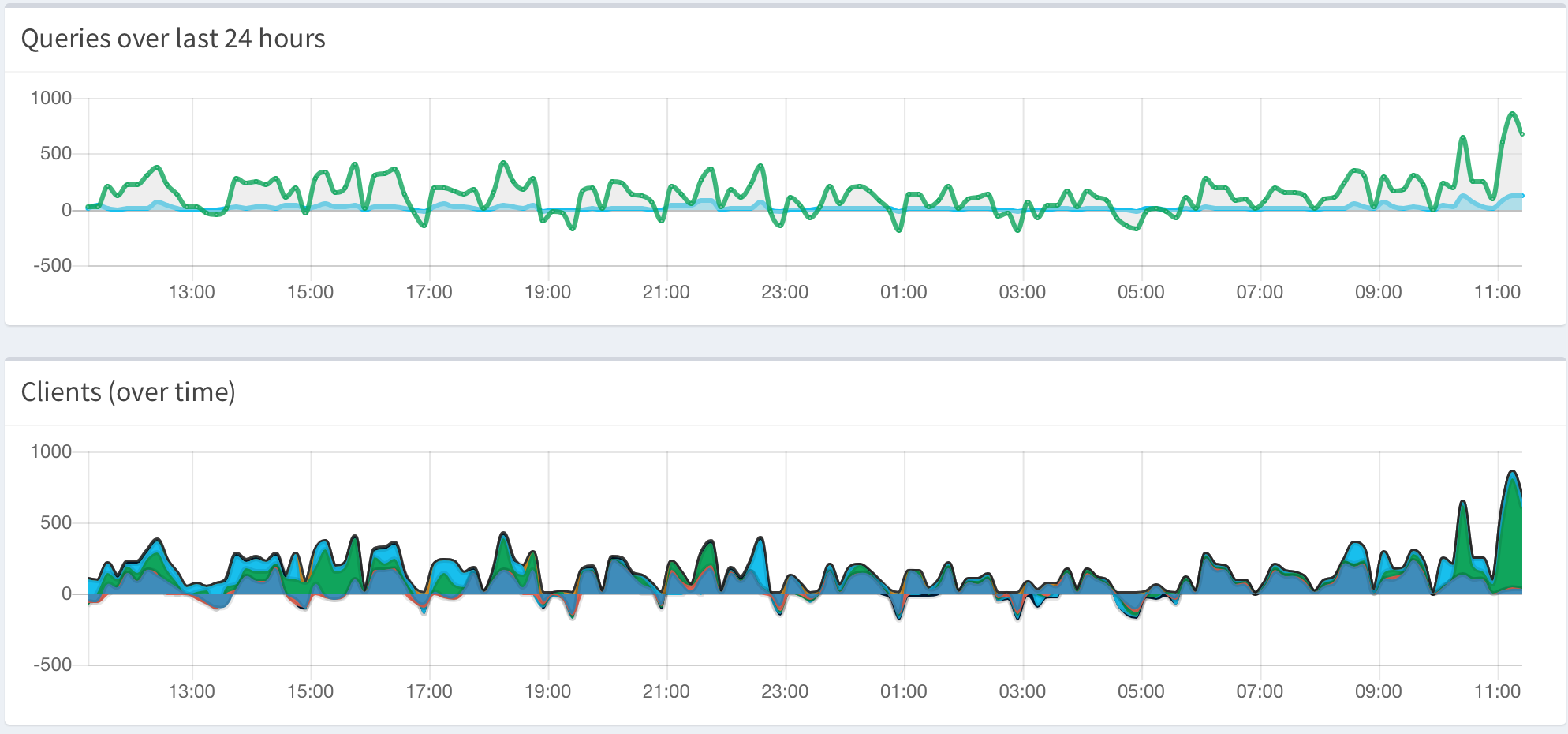
aYoussef
on 12 Feb 2019
@aYoussef Thanks, this branch is constantly evolving. I've seen something similar to what you've seen and it should already be fixed. Feel free to check out the latest version.
DL6ER
on 12 Feb 2019
@DL6ER Just a quick update, I tried to checkout the latest version of tweak/overhaul_overTime, but I can't get pihole-FTL to start with that version, had to go back to master pihole checkout ftl master to get pihole-FTL to start again.
Tried pihole -r and reconfigure, but I get the following error
pihole-FTL: error while loading shared libraries: libubsan.so.0: cannot open shared object file: No such file or directory
I'll keep looking on how to solve this problem, I'm not sure it's because of the latest changes to tweak/overhaul_overTime, if the branch is the issue please let me know.
aYoussef
on 12 Feb 2019
@aYoussef Yes, this might be caused by recent changes in the branch. I added a strict boundaries sanitarization, but this seems to cause other issues. Please try again, I now statically linked the necessary library. I this doesn't help we need to remove the bounds checker for now.
DL6ER
on 12 Feb 2019
@DL6ER vDev-833aa57 solved the missing lib problem, and now the graphs are showing proper states with no negative values.
I have the debugger running, will post a comment if it crashes.
Thank you for your help
aYoussef
on 12 Feb 2019
@kquinsland @tschuchort Please try this branch:
pihole checkout ftl tweak/overhaul_overTime
No stable release for fix the crashs ?
liberodark
on 13 Feb 2019
We prefer to test fixes before releasing them to stable master.
 dschaper
on 13 Feb 2019
dschaper
on 13 Feb 2019
I've also encountered the same issues.
I'm running now the overhaul_overTime branch without issue. It has been already 24h and no crash before I was getting a crash every 20-30 minutes before.
(I have more or less 1 000 000 requests per day on the server).
 Belphemur
on 13 Feb 2019
Belphemur
on 13 Feb 2019
The issue seems to be related to DNSCrypt-Proxy conflicting with FTL (at least for me). As soon as I disabled and uninstalled DNSCrypt-Proxy the issue went away. I also tried with Unbound and had no problems.
restalfep
on 13 Feb 2019
@Mcat12 thanks for working on a fix and makig it stupid easy to checkout / implement :).
I had a solid 28+ hours with no FTL crash... and then just now, 20+ backtraces. Branch checked out and i'll monitor stability.
kquinsland
on 13 Feb 2019
@wxf26054 @Calimerorulez @abusch @toopaq @craigphicks @liberodark @huegelc @thijsputman @zoc @errtus @tomb1015 @fayelund
Please try this branch to see if it fixes the issues you are experiencing:
pihole checkout ftl tweak/overhaul_overTime
One question to all of you: What do you see in the webinterface if the FTL crashed?
In my case, there aren´t any stats and "Lost connectin to API" appears.
My token: 92gbnp03oe
 Nachtwesen
on 13 Feb 2019
Nachtwesen
on 13 Feb 2019
can confirm
chuegel
on 13 Feb 2019
@Nachtwesen do you expect to see something different? If FTL has crashed, the web interface can not obtain any stats.
AzureMarker
on 14 Feb 2019
@Mcat12
After updating and enabling running over dnscrypt-proxy again, I get:
[2019-02-14 00:30:52.827] Resizing "/FTL-queries" from 2293760 to 2523136
[2019-02-14 00:30:53.304] !!!!!!!!!!!!!!!!!!!!!!!!!!!!!!!!!!!!!!!!!!!!!!!!!!!!!!!!!!!!!!!!!!!!!!!!!!
[2019-02-14 00:30:53.304] ----------------------------> FTL crashed! <----------------------------
[2019-02-14 00:30:53.304] !!!!!!!!!!!!!!!!!!!!!!!!!!!!!!!!!!!!!!!!!!!!!!!!!!!!!!!!!!!!!!!!!!!!!!!!!!
[2019-02-14 00:30:53.305] Please report a bug at https://github.com/pi-hole/FTL/issues
[2019-02-14 00:30:53.305] and include in your report already the following details:
[2019-02-14 00:30:53.305] FTL has been running for 14078 seconds
[2019-02-14 00:30:53.305] FTL branch: tweak/overhaul_overTime
[2019-02-14 00:30:53.305] FTL version:
[2019-02-14 00:30:53.305] FTL commit: 833aa57
[2019-02-14 00:30:53.305] FTL date: 2019-02-12 21:14:31 +0100
[2019-02-14 00:30:53.305] FTL user: started as pihole, ended as pihole
[2019-02-14 00:30:53.305] Received signal: Segmentation fault
[2019-02-14 00:30:53.305] at address: 1910538240
[2019-02-14 00:30:53.305] with code: SEGV_ACCERR (Invalid permissions for mapped object)
[2019-02-14 00:30:53.306] Backtrace:
[2019-02-14 00:30:53.306] B[0000]: /usr/bin/pihole-FTL(+0x26b4c) [0x44ab4c]
[2019-02-14 00:30:53.306] B[0001]: /lib/arm-linux-gnueabihf/libc.so.6(__default_rt_sa_restorer+0) [0x76cbc6c0]
[2019-02-14 00:30:53.306] B[0002]: /usr/bin/pihole-FTL(FTL_new_query+0x35d) [0x452ba6]
[2019-02-14 00:30:53.306] B[0003]: /usr/bin/pihole-FTL(receive_query+0x2bb) [0x462570]
[2019-02-14 00:30:53.306] B[0004]: /usr/bin/pihole-FTL(+0x4c05c) [0x47005c]
[2019-02-14 00:30:53.306] B[0005]: /usr/bin/pihole-FTL(main_dnsmasq+0x9e3) [0x47128c]
[2019-02-14 00:30:53.306] B[0006]: /usr/bin/pihole-FTL(main+0x87) [0x449678]
[2019-02-14 00:30:53.306] B[0007]: /lib/arm-linux-gnueabihf/libc.so.6(__libc_start_main+0x114) [0x76ca6678]
[2019-02-14 00:30:53.306] Thank you for helping us to improve our FTL engine!
[2019-02-14 00:30:53.306] FTL terminated!
[2019-02-14 03:00:55.303] Using log file /var/log/pihole-FTL.log
addr2line -e /usr/bin/pihole-FTL 0x26b4c
gives
/root/project/signals.c:46
Calimerorulez
on 14 Feb 2019
@Calimerorulez does that only happen with dnscrypt-proxy running?
AzureMarker
on 14 Feb 2019
@Mcat12 As you don't seem to get backtraces, why don't you impelement a SIGSEGV signal handler which calls:
char cmd[256] = {0};
prctl(PR_SET_PTRACER, getpid(), 0, 0, 0);
snprintf(cmd, sizeof(cmd), "gdb -p -ex 'set height 0' -ex 'backtrace full' -ex 'quit' /proc/%u/exe '%u'", getpid(), getpid());
system(cmd);
abort();
@Nachtwesen do you expect to see something different? If FTL has crashed, the web interface can not obtain any stats.
Hi. I only want to know if I had the same issue you all are talking about :)
I use tweak/overhaul_overTime for testing now.
Nachtwesen
on 14 Feb 2019
It definitely seems to be linked to dnscrypt-proxy. I disabled it a couple of days ago and haven't had a crash. I re-enabled it a few hours ago and just had a crash:
[2019-02-14 15:46:00.312] New forward server: 127.0.0.1 (3/4096)
[2019-02-14 19:27:19.625] Resizing "/FTL-strings" from 20480 to 24576
[2019-02-14 19:33:00.615] Resizing "/FTL-queries" from 688128 to 917504
[2019-02-14 20:02:12.818] IPv4 telnet error: Interrupted system call (4)
[2019-02-14 20:46:19.473] Resizing "/FTL-strings" from 24576 to 28672
[2019-02-14 20:54:33.870] IPv4 telnet error: Interrupted system call (4)
[2019-02-14 20:55:42.681] Resizing "/FTL-queries" from 917504 to 1146880
[2019-02-14 20:56:00.049] FATAL ERROR: Trying to access queries[16384], but magic byte is 10
[2019-02-14 20:56:00.049] found in save_to_DB() (database.c:411)
[2019-02-14 20:56:00.050] FATAL ERROR: Trying to access queries[16384], but magic byte is 10
[2019-02-14 20:56:00.050] found in save_to_DB() (database.c:426)
[2019-02-14 20:56:00.050] FATAL ERROR: Trying to access queries[16385], but magic byte is 0
[2019-02-14 20:56:00.050] found in save_to_DB() (database.c:411)
[2019-02-14 20:56:00.050] FATAL ERROR: Trying to access queries[16386], but magic byte is 68
[2019-02-14 20:56:00.050] found in save_to_DB() (database.c:411)
[2019-02-14 20:56:00.050] FATAL ERROR: Trying to access queries[16387], but magic byte is a0
[2019-02-14 20:56:00.050] found in save_to_DB() (database.c:411)
[2019-02-14 20:56:00.051] FATAL ERROR: Trying to access queries[16390], but magic byte is 48
[2019-02-14 20:56:00.051] found in save_to_DB() (database.c:411)
[2019-02-14 20:56:00.051] FATAL ERROR: Trying to access queries[16391], but magic byte is 80
[2019-02-14 20:56:00.051] found in save_to_DB() (database.c:411)
[2019-02-14 20:56:00.051] FATAL ERROR: Trying to access queries[16394], but magic byte is 28
[2019-02-14 20:56:00.051] found in save_to_DB() (database.c:411)
[2019-02-14 20:56:00.051] FATAL ERROR: Trying to access queries[16395], but magic byte is 60
[2019-02-14 20:56:00.051] found in save_to_DB() (database.c:411)
[2019-02-14 20:56:00.052] FATAL ERROR: Trying to access queries[16400], but magic byte is 78
[2019-02-14 20:56:00.052] found in save_to_DB() (database.c:411)
[2019-02-14 20:56:00.052] FATAL ERROR: Trying to access queries[16401], but magic byte is b0
[2019-02-14 20:56:00.052] found in save_to_DB() (database.c:411)
[2019-02-14 20:56:00.052] FATAL ERROR: Trying to access queries[16402], but magic byte is e8
[2019-02-14 20:56:00.052] found in save_to_DB() (database.c:411)
[2019-02-14 20:56:00.052] FATAL ERROR: Trying to access queries[16403], but magic byte is 20
[2019-02-14 20:56:00.052] found in save_to_DB() (database.c:411)
[2019-02-14 20:57:00.085] FATAL ERROR: Trying to access queries[16384], but magic byte is 10
[2019-02-14 20:57:00.085] found in save_to_DB() (database.c:411)
[2019-02-14 20:57:00.085] FATAL ERROR: Trying to access queries[16385], but magic byte is 0
[2019-02-14 20:57:00.085] found in save_to_DB() (database.c:411)
[2019-02-14 20:57:00.085] FATAL ERROR: Trying to access queries[16386], but magic byte is 68
[2019-02-14 20:57:00.085] found in save_to_DB() (database.c:411)
[2019-02-14 20:57:00.086] FATAL ERROR: Trying to access queries[16387], but magic byte is a0
[2019-02-14 20:57:00.086] found in save_to_DB() (database.c:411)
[2019-02-14 20:57:00.086] FATAL ERROR: Trying to access queries[16390], but magic byte is 48
[2019-02-14 20:57:00.086] found in save_to_DB() (database.c:411)
[2019-02-14 20:57:00.086] FATAL ERROR: Trying to access queries[16391], but magic byte is 80
[2019-02-14 20:57:00.086] found in save_to_DB() (database.c:411)
[2019-02-14 20:57:00.086] FATAL ERROR: Trying to access queries[16394], but magic byte is 28
[2019-02-14 20:57:00.086] found in save_to_DB() (database.c:411)
[2019-02-14 20:57:00.086] FATAL ERROR: Trying to access queries[16395], but magic byte is 60
[2019-02-14 20:57:00.086] found in save_to_DB() (database.c:411)
[2019-02-14 20:57:00.086] FATAL ERROR: Trying to access queries[16400], but magic byte is 78
[2019-02-14 20:57:00.087] found in save_to_DB() (database.c:411)
[2019-02-14 20:57:00.087] FATAL ERROR: Trying to access queries[16401], but magic byte is b0
[2019-02-14 20:57:00.087] found in save_to_DB() (database.c:411)
[2019-02-14 20:57:00.087] FATAL ERROR: Trying to access queries[16402], but magic byte is e8
[2019-02-14 20:57:00.087] found in save_to_DB() (database.c:411)
[2019-02-14 20:57:00.087] FATAL ERROR: Trying to access queries[16403], but magic byte is 20
[2019-02-14 20:57:00.087] found in save_to_DB() (database.c:411)
[2019-02-14 20:58:00.092] FATAL ERROR: Trying to access queries[16384], but magic byte is 10
[2019-02-14 20:58:00.092] found in save_to_DB() (database.c:411)
[2019-02-14 20:58:00.092] FATAL ERROR: Trying to access queries[16385], but magic byte is 0
[2019-02-14 20:58:00.092] found in save_to_DB() (database.c:411)
[2019-02-14 20:58:00.092] FATAL ERROR: Trying to access queries[16386], but magic byte is 68
[2019-02-14 20:58:00.092] found in save_to_DB() (database.c:411)
[2019-02-14 20:58:00.092] FATAL ERROR: Trying to access queries[16387], but magic byte is a0
[2019-02-14 20:58:00.093] found in save_to_DB() (database.c:411)
[2019-02-14 20:58:00.093] FATAL ERROR: Trying to access queries[16390], but magic byte is 48
[2019-02-14 20:58:00.093] found in save_to_DB() (database.c:411)
[2019-02-14 20:58:00.093] FATAL ERROR: Trying to access queries[16391], but magic byte is 80
[2019-02-14 20:58:00.093] found in save_to_DB() (database.c:411)
[2019-02-14 20:58:00.093] FATAL ERROR: Trying to access queries[16394], but magic byte is 28
[2019-02-14 20:58:00.093] found in save_to_DB() (database.c:411)
[2019-02-14 20:58:00.093] FATAL ERROR: Trying to access queries[16395], but magic byte is 60
[2019-02-14 20:58:00.093] found in save_to_DB() (database.c:411)
[2019-02-14 20:58:00.093] FATAL ERROR: Trying to access queries[16400], but magic byte is 78
[2019-02-14 20:58:00.093] found in save_to_DB() (database.c:411)
[2019-02-14 20:58:00.094] FATAL ERROR: Trying to access queries[16401], but magic byte is b0
[2019-02-14 20:58:00.094] found in save_to_DB() (database.c:411)
[2019-02-14 20:58:00.094] FATAL ERROR: Trying to access queries[16402], but magic byte is e8
[2019-02-14 20:58:00.094] found in save_to_DB() (database.c:411)
[2019-02-14 20:58:00.094] FATAL ERROR: Trying to access queries[16403], but magic byte is 20
[2019-02-14 20:58:00.094] found in save_to_DB() (database.c:411)
[2019-02-14 20:59:00.048] !!!!!!!!!!!!!!!!!!!!!!!!!!!!!!!!!!!!!!!!!!!!!!!!!!!!!!!!!!!!!!!!!!!!!!!!!!
[2019-02-14 20:59:00.049] ----------------------------> FTL crashed! <----------------------------
[2019-02-14 20:59:00.049] !!!!!!!!!!!!!!!!!!!!!!!!!!!!!!!!!!!!!!!!!!!!!!!!!!!!!!!!!!!!!!!!!!!!!!!!!!
[2019-02-14 20:59:00.049] Please report a bug at https://github.com/pi-hole/FTL/issues
[2019-02-14 20:59:00.049] and include in your report already the following details:
[2019-02-14 20:59:00.049] FTL has been running for 18816 seconds
[2019-02-14 20:59:00.049] FTL branch: master
[2019-02-14 20:59:00.049] FTL version: v4.2.1
[2019-02-14 20:59:00.049] FTL commit: 5f98312
[2019-02-14 20:59:00.049] FTL date: 2019-02-06 18:36:55 -0800
[2019-02-14 20:59:00.050] FTL user: started as pihole, ended as pihole
[2019-02-14 20:59:00.050] Received signal: Segmentation fault
[2019-02-14 20:59:00.050] at address: 1927417856
[2019-02-14 20:59:00.050] with code: SEGV_ACCERR (Invalid permissions for mapped object)
[2019-02-14 21:01:11.068] Using log file /var/log/pihole-FTL.log
I have now switched to the tweak/overhaul_overTime branch and will report back.
abusch
on 14 Feb 2019
So it crashed very quickly with dnscrypt-proxy on the tweak/overhaul_overTime branch:
2019-02-14 21:01:11.249] Listening on port 4711 for incoming IPv4 telnet connections
[2019-02-14 21:01:11.249] Listening on port 4711 for incoming IPv6 telnet connections
[2019-02-14 21:01:11.250] Listening on Unix socket
[2019-02-14 21:01:11.252] Compiled 0 Regex filters and 1 whitelisted domains in 0.1 msec (0 errors)
[2019-02-14 21:01:11.252] /etc/pihole/black.list: parsed 0 domains (took 0.1 ms)
[2019-02-14 21:01:12.600] /etc/pihole/gravity.list: parsed 112857 domains (took 1347.9 ms)
[2019-02-14 21:03:22.651] IPv4 telnet error: Interrupted system call (4)
[2019-02-14 21:09:50.839] Resizing "/FTL-queries" from 917504 to 1146880
[2019-02-14 21:09:51.086] FATAL ERROR: Trying to access forwarded[3], but magic byte is 90
[2019-02-14 21:09:51.086] found in findForwardID() (datastructure.c:24)
[2019-02-14 21:09:51.133] FATAL ERROR: Trying to access forwarded[3], but magic byte is 90
[2019-02-14 21:09:51.133] found in findForwardID() (datastructure.c:24)
[2019-02-14 21:09:51.133] New forward server: 127.0.0.1 (4/4096)
[2019-02-14 21:09:51.133] !!!!!!!!!!!!!!!!!!!!!!!!!!!!!!!!!!!!!!!!!!!!!!!!!!!!!!!!!!!!!!!!!!!!!!!!!!
[2019-02-14 21:09:51.133] ----------------------------> FTL crashed! <----------------------------
[2019-02-14 21:09:51.133] !!!!!!!!!!!!!!!!!!!!!!!!!!!!!!!!!!!!!!!!!!!!!!!!!!!!!!!!!!!!!!!!!!!!!!!!!!
[2019-02-14 21:09:51.133] Please report a bug at https://github.com/pi-hole/FTL/issues
[2019-02-14 21:09:51.134] and include in your report already the following details:
[2019-02-14 21:09:51.134] FTL has been running for 520 seconds
[2019-02-14 21:09:51.134] FTL branch: tweak/overhaul_overTime
[2019-02-14 21:09:51.134] FTL version:
[2019-02-14 21:09:51.134] FTL commit: 16d7bcf
[2019-02-14 21:09:51.134] FTL date: 2019-02-14 06:43:25 +0100
[2019-02-14 21:09:51.134] FTL user: started as pihole, ended as pihole
[2019-02-14 21:09:51.134] Received signal: Segmentation fault
[2019-02-14 21:09:51.135] at address: 1997237252
[2019-02-14 21:09:51.135] with code: SEGV_MAPERR (Address not mapped to object)
[2019-02-14 21:09:51.136] Backtrace:
[2019-02-14 21:09:51.136] B[0000]: /usr/bin/pihole-FTL(+0x26b4c) [0x4e5b4c]
[2019-02-14 21:09:51.136] B[0001]: /lib/arm-linux-gnueabihf/libc.so.6(__default_rt_sa_restorer+0) [0x76d2a6c0]
[2019-02-14 21:09:51.136] B[0002]: /usr/bin/pihole-FTL(FTL_forwarded+0x1bd) [0x4ee0c2]
[2019-02-14 21:09:51.136] B[0003]: /usr/bin/pihole-FTL(+0x3e0c4) [0x4fd0c4]
[2019-02-14 21:09:51.136] B[0004]: /usr/bin/pihole-FTL(receive_query+0x599) [0x4fd8be]
[2019-02-14 21:09:51.136] B[0005]: /usr/bin/pihole-FTL(+0x4c0cc) [0x50b0cc]
[2019-02-14 21:09:51.136] B[0006]: /usr/bin/pihole-FTL(main_dnsmasq+0x9e3) [0x50c2fc]
[2019-02-14 21:09:51.136] B[0007]: /usr/bin/pihole-FTL(main+0x87) [0x4e4678]
[2019-02-14 21:09:51.136] B[0008]: /lib/arm-linux-gnueabihf/libc.so.6(__libc_start_main+0x114) [0x76d14678]
[2019-02-14 21:09:51.137] Thank you for helping us to improve our FTL engine!
[2019-02-14 21:09:51.137] FTL terminated!
[2019-02-14 21:12:24.317] Using log file /var/log/pihole-FTL.log
I got crashes without ever using dnscrypt-proxy.
btw: With tweak/overhaul_overTime no crashes since over 12 hours.
Nachtwesen
on 14 Feb 2019
@Mcat12
I have dnscrypt-proxy permanently running. But when I switch pihole over to dnscrypt-proxy as resolver, pihole crashes. Pihole does not crash when using e.g. Google as DNS.
Calimerorulez
on 14 Feb 2019
I can confirm here that if I'm not on the tweak/overhaul_overTime branch and am using dnscrypt-proxy, FTL crashes within 5 minutes of startup.
I have not had any problems with dnscrypt-proxy and FTL since switching to the tweak/overhaul_overTime branch and keeping it up-to-date via pihole -up.
 domainzero
on 14 Feb 2019
domainzero
on 14 Feb 2019
Likewise, it has been about 24 hours on the new branch and i've noticed zero crashes.
I am running piHole behind coreDNS (does the TLS -> regular DNS) and also takes the forwarded DNS queries from piHole and re-encapsulates them in TLS before sending to the authoritative resolver.
I have noticed _zero_ crashes on the piHole instances that i run with no proxy infront of piHole.
kquinsland
on 14 Feb 2019
I'm going to add my trace too, my crashes are from 2-4 days of difference.
[2019-02-14 07:48:39.579] Resizing "/FTL-strings" from 40960 to 45056
[2019-02-14 08:59:00.015] !!!!!!!!!!!!!!!!!!!!!!!!!!!!!!!!!!!!!!!!!!!!!!!!!!!!!!!!!!!!!!!!!!!!!!!!!!
[2019-02-14 08:59:00.015] ----------------------------> FTL crashed! <----------------------------
[2019-02-14 08:59:00.015] !!!!!!!!!!!!!!!!!!!!!!!!!!!!!!!!!!!!!!!!!!!!!!!!!!!!!!!!!!!!!!!!!!!!!!!!!!
[2019-02-14 08:59:00.015] Please report a bug at https://github.com/pi-hole/FTL/issues
[2019-02-14 08:59:00.015] and include in your report already the following details:
[2019-02-14 08:59:00.015] FTL has been running for 254075 seconds
[2019-02-14 08:59:00.015] FTL branch: master
[2019-02-14 08:59:00.015] FTL version: v4.2.1
[2019-02-14 08:59:00.015] FTL commit: 5f98312
[2019-02-14 08:59:00.015] FTL date: 2019-02-06 18:36:55 -0800
[2019-02-14 08:59:00.015] FTL user: started as pihole, ended as pihole
[2019-02-14 08:59:00.015] Received signal: Segmentation fault
[2019-02-14 08:59:00.015] at address: 1477
[2019-02-14 08:59:00.015] with code: SEGV_MAPERR (Address not mapped to object)
[2019-02-14 08:59:00.015] Backtrace:
[2019-02-14 08:59:00.015] B[0000]: /usr/bin/pihole-FTL(+0x254a8) [0x55aa01d074a8]
[2019-02-14 08:59:00.015] B[0001]: /lib/x86_64-linux-gnu/libpthread.so.0(+0x110c0) [0x7f47b5fdb0c0]
[2019-02-14 08:59:00.015] B[0002]: /usr/bin/pihole-FTL(GC_thread+0x250) [0x55aa01d0a130]
[2019-02-14 08:59:00.015] B[0003]: /lib/x86_64-linux-gnu/libpthread.so.0(+0x7494) [0x7f47b5fd1494]
[2019-02-14 08:59:00.015] B[0004]: /lib/x86_64-linux-gnu/libc.so.6(clone+0x3f) [0x7f47b5d13acf]
[2019-02-14 08:59:00.015] Thank you for helping us to improve our FTL engine!
[2019-02-14 08:59:00.015] FTL terminated!
 vgsystems
on 14 Feb 2019
vgsystems
on 14 Feb 2019
@cryptomilk that is a very dirty way of getting a backtrace. We already generate a backtrace, so I do not understand the premise of your comment.
AzureMarker
on 15 Feb 2019
@vgsystems that is v4.2.1, do you get any crashes on the branch suggested here? https://github.com/pi-hole/FTL/issues/496#issuecomment-463313923
AzureMarker
on 15 Feb 2019
@Mcat12 Even with the overhaul_overTime branch, FTL will crash as soon as I switch it to forward through dnscrypt-proxy. Switching it back to Cloudflare allows it to stay running normally.
```[2019-02-14 20:15:36.517] !!!!!!!!!!!!!!!!!!!!!!!!!!!!!!!!!!!!!!!!!!!!!!!!!!!!!!!!!!!!!!!!!!!!!!!!!!
[2019-02-14 20:15:36.517] ----------------------------> FTL crashed! <----------------------------
[2019-02-14 20:15:36.517] !!!!!!!!!!!!!!!!!!!!!!!!!!!!!!!!!!!!!!!!!!!!!!!!!!!!!!!!!!!!!!!!!!!!!!!!!!
[2019-02-14 20:15:36.517] Please report a bug at https://github.com/pi-hole/FTL/issues
[2019-02-14 20:15:36.517] and include in your report already the following details:
[2019-02-14 20:15:36.517] FTL has been running for 137 seconds
[2019-02-14 20:15:36.517] FTL branch: tweak/overhaul_overTime
[2019-02-14 20:15:36.517] FTL version:
[2019-02-14 20:15:36.517] FTL commit: aadd065
[2019-02-14 20:15:36.517] FTL date: 2019-02-14 18:08:18 -0800
[2019-02-14 20:15:36.517] FTL user: started as pihole, ended as pihole
[2019-02-14 20:15:36.517] Received signal: Segmentation fault
[2019-02-14 20:15:36.517] at address: 0
[2019-02-14 20:15:36.517] with code: Unknown (128),
[2019-02-14 20:15:36.518] Backtrace:
[2019-02-14 20:15:36.518] Thank you for helping us to improve our FTL engine!
[2019-02-14 20:15:36.518] FTL terminated!
[2019-02-14 20:15:36.652] !!!!!!!!!!!!!!!!!!!!!!!!!!!!!!!!!!!!!!!!!!!!!!!!!!!!!!!!!!!!!!!!!!!!!!!!!!
[2019-02-14 20:15:36.652] ----------------------------> FTL crashed! <----------------------------
[2019-02-14 20:15:36.652] !!!!!!!!!!!!!!!!!!!!!!!!!!!!!!!!!!!!!!!!!!!!!!!!!!!!!!!!!!!!!!!!!!!!!!!!!!
[2019-02-14 20:15:36.652] Please report a bug at https://github.com/pi-hole/FTL/issues
[2019-02-14 20:15:36.652] and include in your report already the following details:
[2019-02-14 20:15:36.652] FTL has been running for 137 seconds
[2019-02-14 20:15:36.652] FTL branch: tweak/overhaul_overTime
[2019-02-14 20:15:36.652] FTL version:
[2019-02-14 20:15:36.652] FTL commit: aadd065
[2019-02-14 20:15:36.652] FTL date: 2019-02-14 18:08:18 -0800
[2019-02-14 20:15:36.652] FTL user: started as pihole, ended as pihole
[2019-02-14 20:15:36.652] Received signal: Segmentation fault
[2019-02-14 20:15:36.652] at address: 0
[2019-02-14 20:15:36.652] with code: Unknown (128),
[2019-02-14 20:15:36.652] Backtrace:
[2019-02-14 20:15:36.652] Thank you for helping us to improve our FTL engine!
[2019-02-14 20:15:36.652] FTL terminated!```
 dailow
on 15 Feb 2019
dailow
on 15 Feb 2019
We are investigating the dnscrypt crash. For now, use FTL without dnscrypt.
AzureMarker
on 15 Feb 2019
Does the crash also happen when you run dnscrypt on another device or only if you run it on the Pi-hole itself?
DL6ER
on 15 Feb 2019
@cryptomilk that is a very dirty way of getting a backtrace. We already generate a backtrace, so I do not understand the premise of your comment.
It doesn't look like the backtrace is useful, you can script gdb to output a lot more print variables and more so you can get the information you need to fix it in case you can't reproduce it yourself. It is not ugly it is a valid way to collect information to fix bugs.
cryptomilk
on 15 Feb 2019
Hi All,
Just wanted to say that i have been experiencing this exact same issue in a VM (dnscrypt not running). At first the VM had CentOS7 installed, then i wiped it and installed Ubuntu 18 (to see if it made a difference) and had the exact same thing happen to it. For me it would crash after about 30-40min.
After running tweak/overhaul_overTime It has stabilised
Thanks
 boxheadmoose
on 15 Feb 2019
boxheadmoose
on 15 Feb 2019
@cryptomilk "scripting" is not what we want to be doing in a segfault signal handler. We are interested in a programmatic way to get this data, not by running commands via system.
AzureMarker
on 15 Feb 2019
@vgsystems that is v4.2.1, do you get any crashes on the branch suggested here? #496 (comment)
Hi @Mcat12 I installed PiHole from bash command, so I'm not pretty sure of how can I switch to git version without break anything :S
vgsystems
on 15 Feb 2019
@vgsystems You just have to run the command from that comment. There is no "git" version.
AzureMarker
on 15 Feb 2019
@Mcat12 haha sorry! Done and rebooting the machine (Debian 9), I will tell what happen during weekend on Monday. Thanks
vgsystems
on 15 Feb 2019
New tweak/overhaul_overTime version is available. I test it from now on.
Nachtwesen
on 15 Feb 2019
@wxf26054 @Calimerorulez @abusch @toopaq @craigphicks @liberodark @huegelc @thijsputman @zoc @errtus @tomb1015 @fayelund ...
@Mcat12 since this update i have no problems
 Tealk
on 16 Feb 2019
Tealk
on 16 Feb 2019
Jep the Update works. Please put it into the master branch :)
Nachtwesen
on 16 Feb 2019
Likewise, it's been almost 3 full days since pulling the overhaul_overTime branch. no detected crashes.
kquinsland
on 16 Feb 2019
@dailow @Calimerorulez @abusch @restalfep @huegelc Do you still experience issues with dnscrypt-proxy on the latest revision of this branch? Update to the latest revision with:
pihole checkout ftl overhaul_overTime
We have tested on various platforms, but are unable to reproduce any crashes with dnscrypt-proxy.
AzureMarker
on 16 Feb 2019
I haven’t been able to test with description-proxy re enabled yet. My family was going to kill me from the disconnects. I have been using the master without dnscrupt proxy with no problems though. I can try to new branch when I’m home later today.
restalfep
on 16 Feb 2019
@Mcat12 it seems to be more stable now. Will let it run longer, but before it would crash within a few minutes.
dailow
on 16 Feb 2019
Testing it now with dnscrypt-proxy, so far no issues.
restalfep
on 17 Feb 2019
Unfortunately looks like it crashed again
[2019-02-16 15:27:47.306] !!!!!!!!!!!!!!!!!!!!!!!!!!!!!!!!!!!!!!!!!!!!!!!!!!!!!!!!!!!!!!!!!!!!!!!!!!
[2019-02-16 15:27:47.306] ----------------------------> FTL crashed! <----------------------------
[2019-02-16 15:27:47.306] !!!!!!!!!!!!!!!!!!!!!!!!!!!!!!!!!!!!!!!!!!!!!!!!!!!!!!!!!!!!!!!!!!!!!!!!!!
[2019-02-16 15:27:47.306] Please report a bug at https://github.com/pi-hole/FTL/issues
[2019-02-16 15:27:47.306] and include in your report already the following details:
[2019-02-16 15:27:47.306] FTL has been running for 3803 seconds
[2019-02-16 15:27:47.306] FTL branch: tweak/overhaul_overTime
[2019-02-16 15:27:47.306] FTL version:
[2019-02-16 15:27:47.306] FTL commit: ffd8047
[2019-02-16 15:27:47.306] FTL date: 2019-02-15 20:33:37 -0800
[2019-02-16 15:27:47.306] FTL user: started as pihole, ended as pihole
[2019-02-16 15:27:47.306] Received signal: Segmentation fault
[2019-02-16 15:27:47.306] at address: 140591596908552
[2019-02-16 15:27:47.306] with code: SEGV_ACCERR (Invalid permissions for mapped object)
[2019-02-16 15:27:47.306] Backtrace:
[2019-02-16 15:27:47.306] B[0000]: /usr/bin/pihole-FTL(+0x251c8) [0x55a1e083e1c8]
[2019-02-16 15:27:47.306] B[0001]: /lib/x86_64-linux-gnu/libpthread.so.0(+0x11390) [0x7fde0cf8e390]
[2019-02-16 15:27:47.306] B[0002]: /usr/bin/pihole-FTL(FTL_new_query+0x552) [0x55a1e0847d12]
[2019-02-16 15:27:47.306] B[0003]: /usr/bin/pihole-FTL(receive_query+0x9b2) [0x55a1e085f222]
[2019-02-16 15:27:47.307] B[0004]: /usr/bin/pihole-FTL(+0x5aadb) [0x55a1e0873adb]
[2019-02-16 15:27:47.307] B[0005]: /usr/bin/pihole-FTL(main_dnsmasq+0xfdc) [0x55a1e08754ec]
[2019-02-16 15:27:47.307] B[0006]: /usr/bin/pihole-FTL(main+0xbc) [0x55a1e083c6cc]
[2019-02-16 15:27:47.307] B[0007]: /lib/x86_64-linux-gnu/libc.so.6(__libc_start_main+0xf0) [0x7fde0cbd3830]
[2019-02-16 15:27:47.307] B[0008]: /usr/bin/pihole-FTL(_start+0x2a) [0x55a1e083c7fa]
[2019-02-16 15:27:47.307] Thank you for helping us to improve our FTL engine!
[2019-02-16 15:27:47.307] FTL terminated!
@dailow When it crashes, could you give the output of this command?
ls -alh /dev/shm
[2019-02-16 17:59:51.886] !!!!!!!!!!!!!!!!!!!!!!!!!!!!!!!!!!!!!!!!!!!!!!!!!!!!!!!!!!!!!!!!!!!!!!!!!!
[2019-02-16 17:59:51.886] ----------------------------> FTL crashed! <----------------------------
[2019-02-16 17:59:51.886] !!!!!!!!!!!!!!!!!!!!!!!!!!!!!!!!!!!!!!!!!!!!!!!!!!!!!!!!!!!!!!!!!!!!!!!!!!
[2019-02-16 17:59:51.886] Please report a bug at https://github.com/pi-hole/FTL/issues
[2019-02-16 17:59:51.886] and include in your report already the following details:
[2019-02-16 17:59:51.886] FTL has been running for 900 seconds
[2019-02-16 17:59:51.886] FTL branch: tweak/overhaul_overTime
[2019-02-16 17:59:51.886] FTL version:
[2019-02-16 17:59:51.886] FTL commit: ffd8047
[2019-02-16 17:59:51.886] FTL date: 2019-02-15 20:33:37 -0800
[2019-02-16 17:59:51.886] FTL user: started as pihole, ended as pihole
[2019-02-16 17:59:51.886] Received signal: Segmentation fault
[2019-02-16 17:59:51.886] at address: 3302829850813
[2019-02-16 17:59:51.886] with code: SEGV_MAPERR (Address not mapped to object)
[2019-02-16 17:59:51.886] Backtrace:
[2019-02-16 17:59:51.886] B[0000]: /usr/bin/pihole-FTL(+0x251c8) [0x56093a9861c8]
[2019-02-16 17:59:51.886] B[0001]: /lib/x86_64-linux-gnu/libpthread.so.0(+0x11390) [0x7f5742eaa390]
[2019-02-16 17:59:51.887] B[0002]: /usr/bin/pihole-FTL(cache_find_by_addr+0xc4) [0x56093a9b7f64]
[2019-02-16 17:59:51.887] B[0003]: /usr/bin/pihole-FTL(answer_request+0x1f3c) [0x56093a9b446c]
[2019-02-16 17:59:51.887] B[0004]: /usr/bin/pihole-FTL(receive_query+0x5ec) [0x56093a9a6e5c]
[2019-02-16 17:59:51.887] B[0005]: /usr/bin/pihole-FTL(+0x5aadb) [0x56093a9bbadb]
[2019-02-16 17:59:51.887] B[0006]: /usr/bin/pihole-FTL(main_dnsmasq+0xfdc) [0x56093a9bd4ec]
[2019-02-16 17:59:51.887] B[0007]: /usr/bin/pihole-FTL(main+0xbc) [0x56093a9846cc]
[2019-02-16 17:59:51.887] B[0008]: /lib/x86_64-linux-gnu/libc.so.6(__libc_start_main+0xf0) [0x7f5742aef830]
[2019-02-16 17:59:51.887] B[0009]: /usr/bin/pihole-FTL(_start+0x2a) [0x56093a9847fa]
[2019-02-16 17:59:51.887] Thank you for helping us to improve our FTL engine!
ls -alh /dev/shm
total 2.6M
drwxrwxrwt 2 root root 600 Feb 16 17:45 .
drwxr-xr-x 19 root root 3.9K Feb 12 22:16 ..
-rw------- 1 pihole pihole 16K Feb 12 23:52 FTL-client-73
-rw------- 1 pihole pihole 16K Feb 12 23:38 FTL-client-74
-rw------- 1 pihole pihole 16K Feb 12 23:53 FTL-client-75
-rw------- 1 pihole pihole 16K Feb 12 22:20 FTL-client-76
-rw------- 1 pihole pihole 16K Feb 12 23:48 FTL-client-77
-rw------- 1 pihole pihole 16K Feb 12 22:21 FTL-client-78
-rw------- 1 pihole pihole 16K Feb 12 23:29 FTL-client-79
-rw------- 1 pihole pihole 16K Feb 12 23:42 FTL-client-80
-rw------- 1 pihole pihole 16K Feb 12 23:51 FTL-client-81
-rw------- 1 pihole pihole 16K Feb 12 23:52 FTL-client-82
-rw------- 1 pihole pihole 16K Feb 12 23:13 FTL-client-83
-rw------- 1 pihole pihole 16K Feb 12 23:55 FTL-client-84
-rw------- 1 pihole pihole 16K Feb 12 23:51 FTL-client-85
-rw------- 1 pihole pihole 16K Feb 12 23:35 FTL-client-86
-rw------- 1 pihole pihole 16K Feb 12 23:52 FTL-client-87
-rw------- 1 pihole pihole 16K Feb 12 23:37 FTL-client-88
-rw------- 1 pihole pihole 16K Feb 12 23:52 FTL-client-89
-rw------- 1 pihole pihole 16K Feb 12 23:06 FTL-client-90
-rw------- 1 pihole pihole 16K Feb 12 23:19 FTL-client-91
-rw------- 1 pihole pihole 16K Feb 12 23:17 FTL-client-92
-rw------- 1 pihole pihole 2.5M Feb 16 17:45 FTL-clients
-rw------- 1 pihole pihole 108 Feb 16 17:45 FTL-counters
-rw------- 1 pihole pihole 128K Feb 16 17:45 FTL-domains
-rw------- 1 pihole pihole 160K Feb 16 17:45 FTL-forwarded
-rw------- 1 pihole pihole 48 Feb 16 17:45 FTL-lock
-rw------- 1 pihole pihole 12K Feb 16 17:45 FTL-overTime
-rw------- 1 pihole pihole 2.9M Feb 16 17:59 FTL-queries
-rw------- 1 pihole pihole 24K Feb 16 17:45 FTL-strings
Crashed for me too with the tweak branch still. Disabled dnscrypt-proxy and went back to FTL master for now.
The log didn't have the usual crash/terminated thing, instead it shows as below:
[2019-02-16 19:40:34.327] IPv4 telnet error: Interrupted system call (4)
[2019-02-16 21:00:01.257] Resizing "/FTL-strings" from 73728 to 77824
[2019-02-16 22:34:09.801] Resizing "/FTL-queries" from 5505024 to 5734400
[2019-02-16 22:40:51.055] Resizing "/FTL-queries" from 5734400 to 5963776
[2019-02-16 22:41:00.073] FATAL ERROR: Trying to access queries[102400], but magic byte is 0
[2019-02-16 22:41:00.073] found in save_to_DB() (database.c:411)
[2019-02-16 22:41:00.073] FATAL ERROR: Trying to access queries[102400], but magic byte is 0
[2019-02-16 22:41:00.073] found in save_to_DB() (database.c:426)
[2019-02-16 22:42:00.053] FATAL ERROR: Trying to access queries[102400], but magic byte is 0
[2019-02-16 22:42:00.054] found in save_to_DB() (database.c:411)
[2019-02-16 22:43:00.046] FATAL ERROR: Trying to access queries[102400], but magic byte is 0
[2019-02-16 22:43:00.047] found in save_to_DB() (database.c:411)
[2019-02-16 22:44:00.036] FATAL ERROR: Trying to access queries[102400], but magic byte is 0
[2019-02-16 22:44:00.036] found in save_to_DB() (database.c:411)
[2019-02-16 22:45:00.113] FATAL ERROR: Trying to access queries[102400], but magic byte is 0
[2019-02-16 22:45:00.113] found in save_to_DB() (database.c:411)
[2019-02-16 22:46:00.028] FATAL ERROR: Trying to access queries[102400], but magic byte is 0
[2019-02-16 22:46:00.028] found in save_to_DB() (database.c:411)
[2019-02-16 22:47:00.105] FATAL ERROR: Trying to access queries[102400], but magic byte is 0
[2019-02-16 22:47:00.106] found in save_to_DB() (database.c:411)
[2019-02-16 22:48:00.103] FATAL ERROR: Trying to access queries[102400], but magic byte is 0
[2019-02-16 22:48:00.103] found in save_to_DB() (database.c:411)
[2019-02-16 22:49:00.091] FATAL ERROR: Trying to access queries[102400], but magic byte is 0
[2019-02-16 22:49:00.092] found in save_to_DB() (database.c:411)
[2019-02-16 22:50:00.096] FATAL ERROR: Trying to access queries[102400], but magic byte is 0
[2019-02-16 22:50:00.097] found in save_to_DB() (database.c:411)
[2019-02-16 22:51:00.039] FATAL ERROR: Trying to access queries[102400], but magic byte is 0
[2019-02-16 22:51:00.039] found in save_to_DB() (database.c:411)
[2019-02-16 22:52:00.088] FATAL ERROR: Trying to access queries[102400], but magic byte is 0
[2019-02-16 22:52:00.089] found in save_to_DB() (database.c:411)
[2019-02-16 22:53:00.050] FATAL ERROR: Trying to access queries[102400], but magic byte is 0
[2019-02-16 22:53:00.050] found in save_to_DB() (database.c:411)
[2019-02-16 22:54:00.025] FATAL ERROR: Trying to access queries[102400], but magic byte is 0
[2019-02-16 22:54:00.026] found in save_to_DB() (database.c:411)
[2019-02-16 22:55:00.048] FATAL ERROR: Trying to access queries[102400], but magic byte is 0
[2019-02-16 22:55:00.049] found in save_to_DB() (database.c:411)
[2019-02-16 22:56:00.045] FATAL ERROR: Trying to access queries[102400], but magic byte is 0
[2019-02-16 22:56:00.046] found in save_to_DB() (database.c:411)
[2019-02-16 22:57:00.040] FATAL ERROR: Trying to access queries[102400], but magic byte is 0
[2019-02-16 22:57:00.040] found in save_to_DB() (database.c:411)
[2019-02-16 22:58:00.066] FATAL ERROR: Trying to access queries[102400], but magic byte is 0
[2019-02-16 22:58:00.066] found in save_to_DB() (database.c:411)
restalfep
on 17 Feb 2019
@dailow I'm especially interested in the output of the ls command when FTL crashes with this code: SEGV_ACCERR (Invalid permissions for mapped object). If that specific error comes up, please post the output again.
The error you just found actually does not touch FTL code, so it may be a dnsmasq error:
$ addr2line -e pihole-FTL-linux-x86_64 0x56F64 0x5346C 0x45E5C
/root/project/dnsmasq/cache.c:780
/root/project/dnsmasq/rfc1035.c:1468
/root/project/dnsmasq/forward.c:1634
no crash in the last 24h with overhaul_overTime ...continue monitoring
chuegel
on 17 Feb 2019
So far so good on the latest FTL 4.2.1 + dnscrypt-proxy 2.0.19. Fingers crossed.
 jdrch
on 17 Feb 2019
jdrch
on 17 Feb 2019
Welp, spoke too soon. Crashed again.
jdrch
on 17 Feb 2019
I opened a corresponding issue with dnscrypt-proxy (see link above), since so many of us use it in conjunction with Pi-hole.
jdrch
on 18 Feb 2019
It would also be useful to see if it's related to dnsmasq v2.80 (test with pure dnsmasq instead of FTL).
AzureMarker
on 18 Feb 2019
I'm currently running the debugger using screen and gdb as directed in a previous post.
jdrch
on 18 Feb 2019
@cryptomilk and the others:
If you are willing to debugpihole-FTL, this would be very helpful as I'm still unable to reproduce the bug. We have detailed debugging instructions here: https://docs.pi-hole.net/ftldns/debugging/
Please debug on branchmasteras this is the current officially release version FTL v4.2.When FTL crashes, run the following snippet and post the result here:
where print counters[0] print queries[0] print queries[counters->queries-1] print clients[0] print clients[counters->clients-1] print domains[0] print domains[counters->domains-1] print overTime[0] print overTime[counters->overTime-1] print forwarded[0] print forwarded[counters->forwarded-1]You are free to remove sensitive data like IP addresses and domain names, but please mark clearly where you did this by replacing the field with
[REMOVED]so I know that this is missing intentionally.When we find out what is going wrong, we can proceed and push a hotfix in FTL version v4.2.1. The release is already prepared but still lacking a fix for this crash.
OK here's what I get when following the official debugging instructions combined with what you requested. It's all in a single text file; I separated the 3 different command chunks into 3 separate sections for readability.
[New Thread 0x728ff470 (LWP 3592)]
[Thread 0x728ff470 (LWP 3592) exited]
[New Thread 0x728ff470 (LWP 3635)]
[Thread 0x728ff470 (LWP 3635) exited]
[New Thread 0x728ff470 (LWP 3643)]
[Thread 0x728ff470 (LWP 3643) exited]
[New Thread 0x728ff470 (LWP 3646)]
[Thread 0x728ff470 (LWP 3646) exited]
[New Thread 0x728ff470 (LWP 3652)]
[Thread 0x728ff470 (LWP 3652) exited]
[New Thread 0x728ff470 (LWP 3679)]
[Thread 0x728ff470 (LWP 3679) exited]
[New Thread 0x728ff470 (LWP 3702)]
[Thread 0x728ff470 (LWP 3702) exited]
[New Thread 0x728ff470 (LWP 3715)]
[Thread 0x728ff470 (LWP 3715) exited]
[New Thread 0x728ff470 (LWP 3717)]
[Thread 0x728ff470 (LWP 3717) exited]
[New Thread 0x728ff470 (LWP 3721)]
[Thread 0x728ff470 (LWP 3721) exited]
[New Thread 0x728ff470 (LWP 3725)]
[Thread 0x728ff470 (LWP 3725) exited]
[New Thread 0x728ff470 (LWP 3742)]
[Thread 0x728ff470 (LWP 3742) exited]
[New Thread 0x728ff470 (LWP 3764)]
[Thread 0x728ff470 (LWP 3764) exited]
[New Thread 0x728ff470 (LWP 3782)]
[Thread 0x728ff470 (LWP 3782) exited]
[New Thread 0x728ff470 (LWP 3785)]
[Thread 0x728ff470 (LWP 3785) exited]
[New Thread 0x728ff470 (LWP 3798)]
[Thread 0x728ff470 (LWP 3798) exited]
[New Thread 0x728ff470 (LWP 3804)]
[Thread 0x728ff470 (LWP 3804) exited]
[New Thread 0x728ff470 (LWP 3806)]
[Thread 0x728ff470 (LWP 3806) exited]
[New Thread 0x728ff470 (LWP 3816)]
[Thread 0x728ff470 (LWP 3816) exited]
[New Thread 0x728ff470 (LWP 3822)]
[Thread 0x728ff470 (LWP 3822) exited]
[New Thread 0x728ff470 (LWP 3825)]
[Thread 0x728ff470 (LWP 3825) exited]
[New Thread 0x728ff470 (LWP 3844)]
[Thread 0x728ff470 (LWP 3844) exited]
[New Thread 0x728ff470 (LWP 3848)]
[Thread 0x728ff470 (LWP 3848) exited]
[New Thread 0x728ff470 (LWP 3857)]
[Thread 0x728ff470 (LWP 3857) exited]
[New Thread 0x728ff470 (LWP 3860)]
[Thread 0x728ff470 (LWP 3860) exited]
[New Thread 0x728ff470 (LWP 3867)]
[Thread 0x728ff470 (LWP 3867) exited]
[New Thread 0x728ff470 (LWP 3871)]
[Thread 0x728ff470 (LWP 3871) exited]
[New Thread 0x728ff470 (LWP 3891)]
[Thread 0x728ff470 (LWP 3891) exited]
[New Thread 0x728ff470 (LWP 3895)]
[Thread 0x728ff470 (LWP 3895) exited]
[New Thread 0x728ff470 (LWP 3898)]
[Thread 0x728ff470 (LWP 3898) exited]
[New Thread 0x728ff470 (LWP 3904)]
[Thread 0x728ff470 (LWP 3904) exited]
[New Thread 0x728ff470 (LWP 3921)]
[Thread 0x728ff470 (LWP 3921) exited]
[New Thread 0x728ff470 (LWP 3929)]
[Thread 0x728ff470 (LWP 3929) exited]
[New Thread 0x728ff470 (LWP 3942)]
[Thread 0x728ff470 (LWP 3942) exited]
[New Thread 0x728ff470 (LWP 3944)]
[Thread 0x728ff470 (LWP 3944) exited]
Thread 1 "pihole-FTL" received signal SIGSEGV, Segmentation fault.
0x004bbed8 in FTL_new_query (flags=<optimized out>,
name=name@entry=0x1e2d598 "client-s.gateway.messenger.live.com",
addr=<optimized out>, types=<optimized out>, id=93414,
type=type@entry=1 '\001') at dnsmasq_interface.c:144
144 dnsmasq_interface.c: No such file or directory.
(gdb) handle SIGHUP nostop SIGPIPE nostop
(gdb) backtrace
#0 0x004bbed8 in FTL_new_query (flags=<optimized out>, name=name@entry=0x1e2d598 "client-s.gateway.messenger.live.com", addr=<optimized out>, types=<optimized out>, id=93414, type=type@entry=1 '\001') at dnsmasq_interface.c:144
#1 0x004cb460 in receive_query (listen=listen@entry=0x1df74f8, now=1795205312, now@entry=1550453915) at dnsmasq/forward.c:1566
#2 0x004d8dee in check_dns_listeners (now=now@entry=1550453915) at dnsmasq/dnsmasq.c:1657
#3 0x004d9f70 in main_dnsmasq (argc=<optimized out>, argv=<optimized out>) at dnsmasq/dnsmasq.c:1108
#4 0x004b2d8c in main (argc=<optimized out>, argv=<optimized out>) at main.c:73
(gdb) where
#0 0x004bbed8 in FTL_new_query (flags=<optimized out>, name=name@entry=0x1e2d598 "client-s.gateway.messenger.live.com", addr=<optimized out>, types=<optimized out>, id=93414, type=type@entry=1 '\001') at dnsmasq_interface.c:144
#1 0x004cb460 in receive_query (listen=listen@entry=0x1df74f8, now=1795205312, now@entry=1550453915) at dnsmasq/forward.c:1566
#2 0x004d8dee in check_dns_listeners (now=now@entry=1550453915) at dnsmasq/dnsmasq.c:1657
#3 0x004d9f70 in main_dnsmasq (argc=<optimized out>, argv=<optimized out>) at dnsmasq/dnsmasq.c:1108
#4 0x004b2d8c in main (argc=<optimized out>, argv=<optimized out>) at main.c:73
(gdb) print counters[0]
$12 = {queries = 45056, blocked = 1389, cached = 14808, unknown = 169, forwarded = 2, clients = 23, domains = 2430, queries_MAX = 49152, forwarded_MAX = 4096, clients_MAX = 4096, domains_MAX = 4096, overTime_MAX = 4096, gravity = 670682, gravity_conf = 0,
overTime = 121, querytype = {37553, 3485, 0, 68, 2, 3944, 5}, forwardedqueries = 28690, reply_NODATA = 41, reply_NXDOMAIN = 453, reply_CNAME = 1829, reply_IP = 1598, reply_domain = 0}
(gdb) print queries[0]
$13 = {magic = 87 'W', timestamp = 1550381522, timeidx = 0, type = 1 '\001', status = 2 '\002', domainID = 0, clientID = 0, forwardID = 0, db = 5039802, id = 0, complete = true, privacylevel = 0 '\000', response = 0, reply = 0 '\000', dnssec = 5 '\005',
AD = false}
(gdb) print queries[counters->queries-1]
$14 = {magic = 87 'W', timestamp = 1550453914, timeidx = 120, type = 1 '\001', status = 2 '\002', domainID = 1267, clientID = 4, forwardID = 0, db = 0, id = 93314, complete = true, privacylevel = 0 '\000', response = 808, reply = 3 '\003',
dnssec = 2 '\002', AD = false}
(gdb) print clients[0]
$15 = {magic = 87 'W', count = 1730, blockedcount = 0, ippos = 34, namepos = 45084, new = false}
(gdb) print clients[counters->clients-1]
$16 = {magic = 87 'W', count = 677, blockedcount = 171, ippos = 48100, namepos = 48207, new = false}
(gdb) print domains[0]
$17 = {magic = 87 'W', count = 14, blockedcount = 0, domainpos = 11, regexmatch = 0 '\000'}
(gdb) print domains[counters->domains-1]
$18 = {magic = 87 'W', count = 1, blockedcount = 1, domainpos = 53124, regexmatch = 2 '\002'}
(gdb) print overTime[0]
$19 = {magic = 87 'W', timestamp = 1550381700, total = 522, blocked = 0, cached = 18, forwarded = 0, querytypedata = {286, 163, 0, 40, 0, 33, 0}}
(gdb) print overTime[counters->overTime-1]
$20 = {magic = 87 'W', timestamp = 1550453700, total = 1532, blocked = 165, cached = 124, forwarded = 1243, querytypedata = {1187, 315, 0, 0, 0, 31, 0}}
(gdb) print forwarded[0]
$21 = {magic = 87 'W', count = 27665, failed = 5, ippos = 1, namepos = 45114, new = false}
(gdb) print forwarded[counters->forwarded-1]
Besides Pi-hole and dnscrypt-proxy, what's everyone else running on the device on which this crash is occurring?
Here's everything that runs 24/7/52 on my Pi 3B+:
- Pi-hole
- dnscrypt-proxy
- Resilio Sync
- TeamViewer
- UniFi Controller
All of the above are latest stable release. Just wondering if that's related to anything as someone chimed in on the dnscrypt-proxy issue I filed to say they're running Pi-hole + dnscrypt-proxy too and haven't had an issues.
Also, I recently switched to the webupd8team Java PPA to support the latest UniFi Controller stable release (5.10.*+) as it doesn't support the Java version that ships with Raspbian.
jdrch
on 18 Feb 2019
Currently Pi 3B+ with dnscrypt-proxy and Pihole only basically. Problem started after update. Then not sure how but after reinstalling and configuring dnscrypt-proxy (don’t know exactly what I changed) it seemed to be fixed for a few days. Then have Ethernet wiring ran so moved everything around on network, etc and after that problem came back. I disabled dnscrypt-proxy and no problems since so must be related to that somehow for me.
restalfep
on 18 Feb 2019
Hi @Mcat12 after update to tweak/overhaul_overTime, no crashes since friday. I will report any news.
vgsystems
on 18 Feb 2019
@wxf26054 @Calimerorulez @abusch @toopaq @craigphicks @liberodark @huegelc @thijsputman @zoc @errtus @tomb1015 @fayelund
Please try this branch to see if it fixes the issues you are experiencing:pihole checkout ftl tweak/overhaul_overTime
@Mcat12 thanks a lot but I am running on v4.2.1 (master) now without any issues since 14 days.
My update cycle was:
v4.1 -> v4.2 (crashed) -> release/v4.2.1 (crashed) -> back to v4.2 (stable) -> regular update to v4.2.1 (stable)
Somehow the switchback to v4.2 master did the trick. Maybe some corrupt file during installation.
My Rig:
Raspberry Pi 3B+
Linux raspberrypi 4.14.79-v7+ #1159 SMP Sun Nov 4 17:50:20 GMT 2018 armv7l
Raspbian/Debian Strech
Running services:
- Pi-hole Version v4.2.1 Web Interface Version v4.2 FTL Version v4.2.1
- flightradar24 raspberrypi-stable
- dnscrypt-proxy 2.0.19
- pivpn / OpenVPN 2.4.0
- munin-node
Network:
IPv4 only
wlan0 only
[2019-02-17 08:09:14.002] /etc/pihole/gravity.list: parsed 1806681 domains (took 9457.6 ms)
toopaq
on 18 Feb 2019
[2019-02-18 05:00:01.065] Resizing "/FTL-strings" from 28672 to 32768
[2019-02-18 12:48:02.548] Resizing "/FTL-strings" from 32768 to 36864
[2019-02-18 12:48:02.757] Resizing "/FTL-strings" from 32768 to 36864
[2019-02-18 12:48:02.943] Resizing "/FTL-strings" from 32768 to 36864
[2019-02-18 12:49:00.224] Resizing "/FTL-strings" from 32768 to 36864
[2019-02-18 12:50:01.573] Resizing "(null)" from 177 to 17260
[2019-02-18 12:50:01.573] !!!!!!!!!!!!!!!!!!!!!!!!!!!!!!!!!!!!!!!!!!!!!!!!!!!!!!!!!!!!!!!!!!!!!!!!!!
[2019-02-18 12:50:01.573] ----------------------------> FTL crashed! <----------------------------
[2019-02-18 12:50:01.573] !!!!!!!!!!!!!!!!!!!!!!!!!!!!!!!!!!!!!!!!!!!!!!!!!!!!!!!!!!!!!!!!!!!!!!!!!!
[2019-02-18 12:50:01.573] Please report a bug at https://github.com/pi-hole/FTL/issues
[2019-02-18 12:50:01.573] and include in your report already the following details:
[2019-02-18 12:50:01.573] FTL has been running for 44355 seconds
[2019-02-18 12:50:01.573] FTL branch: master
[2019-02-18 12:50:01.573] FTL version: v4.2.1
[2019-02-18 12:50:01.573] FTL commit: 5f98312
[2019-02-18 12:50:01.573] FTL date: 2019-02-06 18:36:55 -0800
[2019-02-18 12:50:01.574] FTL user: started as pihole, ended as pihole
[2019-02-18 12:50:01.574] Received signal: Segmentation fault
[2019-02-18 12:50:01.574] at address: 0
[2019-02-18 12:50:01.574] with code: SEGV_MAPERR (Address not mapped to object)
[2019-02-18 12:50:01.574] Backtrace:
[2019-02-18 12:50:01.575] Thank you for helping us to improve our FTL engine!
[2019-02-18 12:50:01.575] FTL terminated!
 asumos
on 18 Feb 2019
asumos
on 18 Feb 2019
We just release Pi-hole FTL v4.2.2. Please return to normal operation using
pihole checkout master
and run
pihole -up
afterwards if needed. You should get both, Core, and FTL version v4.2.2.
Note that we are probably discussing two issues in the same ticket. The issue corresponding to crashes deep in the embedded dnsmasq-code that comes in conjunction with dnscrypt-proxy is not fixed by this release as we're still trying to identify what is causing these crashes.
DL6ER
on 18 Feb 2019
My update cycle was:
v4.1 -> v4.2 (crashed) -> release/v4.2.1 (crashed) -> back to v4.2 (stable) -> regular update to v4.2.1 (stable)
How do you move between versions like that?
Somehow the switchback to v4.2 master did the trick. Maybe some corrupt file during installation.
If said corruption is sufficiently widespread it's definitely a bug in the code and not a random effect, I'd say.
My Rig:
Raspberry Pi 3B+ Linux raspberrypi 4.14.79-v7+ #1159 SMP Sun Nov 4 17:50:20 GMT 2018 armv7l Raspbian/Debian StrechRunning services:
```
- Pi-hole Version v4.2.1 Web Interface Version v4.2 FTL Version v4.2.1
- flightradar24 raspberrypi-stable
- dnscrypt-proxy 2.0.19
- pivpn / OpenVPN 2.4.0
- munin-node
Munin looks interesting, but I think I'm already pushing my Pi's performance limits with what's on it so far.
jdrch
on 18 Feb 2019
dnscrypt-proxy's dev is suggesting shared memory management may be the culprit.
jdrch
on 18 Feb 2019
We just release Pi-hole FTL v4.2.2. Please return to normal operation using
pihole checkout masterand run
pihole -upafterwards if needed. You should get both, Core, and FTL version v4.2.2.
Note that we are probably discussing two issues in the same ticket. The issue corresponding to crashes deep in the embedded
dnsmasq-code that comes in conjunction withdnscrypt-proxyis _not_ fixed by this release as we're still trying to identify what is causing these crashes.
Done!
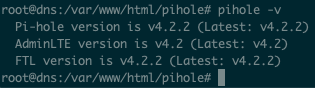
vgsystems
on 18 Feb 2019
Oh no!!! :(((
The "overhaul_overTime" works the last days without any crash. Now with 4.2.2 (master) it crashes within minutes again :(
My token: db2wxofjeu (after reboot)
Nachtwesen
on 18 Feb 2019
Anyone currently experiencing the dnscrypt crash, it would be helpful if you could see if the crash occurs on the development version of Pi-hole:
pihole checkout dev
Anyone currently experiencing the dnscrypt crash, it would be helpful if you could see if the crash occurs on the development version of Pi-hole:
pihole checkout dev
So far so good, but it's only been a couple hours 😅😅😅
Is anyone experiencing the dnscrypt-proxy bug who is _NOT_ running Pi-hole on Pi hardware or Raspbian?
jdrch
on 19 Feb 2019
@jdrch I'm running on a Ubuntu 16.04 VM
dailow
on 19 Feb 2019
My update cycle was:
v4.1 -> v4.2 (crashed) -> release/v4.2.1 (crashed) -> back to v4.2 (stable) -> regular update to v4.2.1 (stable)How do you move between versions like that?
Since the master branch was still v4.2 I just switched back to it;
pihole checkout master
for me 10H no crash on 4.2.2
liberodark
on 19 Feb 2019
And crash after 14h
liberodark
on 19 Feb 2019
And crash after 14h
Yours took that long, or did you fall asleep? :P
I'm running the debugger on 4.2.2, posting the results (probably not gonna be able to do this until after I get back from work), and then switching to the dev channel.
jdrch
on 19 Feb 2019
tweak/overhaul_overTime, vDev-44fe3d3)
uptime -p
up 2 days, 7 hours, 14 minutes
after the upgrade to the latest version my FTL crashed
[2019-02-19 16:58:00.044 21514] FATAL ERROR: Trying to access queries[24599], but magic byte is 68
[2019-02-19 16:58:00.044 21514] found in save_to_DB() (database.c:411)
[2019-02-19 16:58:00.044 21514] FATAL ERROR: Trying to access queries[24601], but magic byte is f8
[2019-02-19 16:58:00.044 21514] found in save_to_DB() (database.c:411)
[2019-02-19 16:58:00.044 21514] FATAL ERROR: Trying to access queries[24603], but magic byte is 88
[2019-02-19 16:58:00.044 21514] found in save_to_DB() (database.c:411)
[2019-02-19 16:58:00.044 21514] FATAL ERROR: Trying to access queries[24606], but magic byte is 58
[2019-02-19 16:58:00.044 21514] found in save_to_DB() (database.c:411)
[2019-02-19 16:59:00.072 21514] !!!!!!!!!!!!!!!!!!!!!!!!!!!!!!!!!!!!!!!!!!!!!!!!!!!!!!!!!!!!!!!!!!!!!!!!!!
[2019-02-19 16:59:00.072 21514] ----------------------------> FTL crashed! <----------------------------
[2019-02-19 16:59:00.072 21514] !!!!!!!!!!!!!!!!!!!!!!!!!!!!!!!!!!!!!!!!!!!!!!!!!!!!!!!!!!!!!!!!!!!!!!!!!!
[2019-02-19 16:59:00.073 21514] Please report a bug at https://github.com/pi-hole/FTL/issues
[2019-02-19 16:59:00.073 21514] and include in your report already the following details:
[2019-02-19 16:59:00.073 21514] FTL has been running for 59387 seconds
[2019-02-19 16:59:00.073 21514] FTL branch: master
[2019-02-19 16:59:00.073 21514] FTL version: v4.2.2
[2019-02-19 16:59:00.073 21514] FTL commit: 4a8003c
[2019-02-19 16:59:00.073 21514] FTL date: 2019-02-18 18:30:16 +0100
[2019-02-19 16:59:00.073 21514] FTL user: started as pihole, ended as pihole
[2019-02-19 16:59:00.073 21514] Received signal: Segmentation fault
[2019-02-19 16:59:00.073 21514] at address: 140453014016000
[2019-02-19 16:59:00.073 21514] with code: SEGV_ACCERR (Invalid permissions for mapped object)
[2019-02-19 16:59:00.075 21514] Backtrace:
[2019-02-19 16:59:00.075 21514] Thank you for helping us to improve our FTL engine!
[2019-02-19 16:59:00.075 21514] FTL terminated!
 LANopop
on 19 Feb 2019
LANopop
on 19 Feb 2019
@LANopop are you using dnscrypt as an upstream? Please refer to this comment if so: https://github.com/pi-hole/FTL/issues/496#issuecomment-464888297
AzureMarker
on 20 Feb 2019
Here's the debugger output for 4.2.2 stable. Sorry it took so long, day job gets in the way sometimes ;)
[Thread 0x733ff470 (LWP 2330) exited]
[New Thread 0x733ff470 (LWP 2344)]
[Thread 0x733ff470 (LWP 2344) exited]
[New Thread 0x733ff470 (LWP 2348)]
[Thread 0x733ff470 (LWP 2348) exited]
[New Thread 0x733ff470 (LWP 2356)]
[Thread 0x733ff470 (LWP 2356) exited]
[New Thread 0x733ff470 (LWP 2359)]
[Thread 0x733ff470 (LWP 2359) exited]
[New Thread 0x733ff470 (LWP 2361)]
[Thread 0x733ff470 (LWP 2361) exited]
[New Thread 0x733ff470 (LWP 2382)]
[Thread 0x733ff470 (LWP 2382) exited]
[New Thread 0x733ff470 (LWP 2384)]
[Thread 0x733ff470 (LWP 2384) exited]
[New Thread 0x733ff470 (LWP 2385)]
[Thread 0x733ff470 (LWP 2385) exited]
Thread 1 "pihole-FTL" received signal SIGSEGV, Segmentation fault.
__GI_strcmp (p1=<optimized out>, p2=0x18f9eb0 "127.0.0.1") at strcmp.c:38
38 strcmp.c: No such file or directory.
(gdb) backtrace
#0 __GI_strcmp (p1=<optimized out>, p2=0x18f9eb0 "127.0.0.1") at strcmp.c:38
#1 0x004cbb92 in findForwardID (forward=forward@entry=0x18f9eb0 "127.0.0.1",
count=count@entry=true) at datastructure.c:28
#2 0x004d3f12 in FTL_forwarded (flags=flags@entry=55, name=<optimized out>,
addr=addr@entry=0x18f2c5c, id=30651) at dnsmasq_interface.c:288
#3 0x004e2d54 in forward_query (udpfd=4,
udpaddr=0x4e3417 <receive_query+1434>, udpaddr@entry=0x7ef9b9a0,
dst_addr=0xffffff, dst_addr@entry=0x7ef9b9d0, dst_iface=2130295200,
dst_iface@entry=2, header=header@entry=0x18f4cb8, plen=2130295148,
plen@entry=55, now=<optimized out>, now@entry=1550583060,
forward=0x18f96c0, ad_reqd=<optimized out>, ad_reqd@entry=0,
do_bit=do_bit@entry=0) at dnsmasq/forward.c:557
#4 0x004e3416 in receive_query (listen=listen@entry=0x18f2f28,
now=1795205312, now@entry=1550583060) at dnsmasq/forward.c:1640
#5 0x004f0ac6 in check_dns_listeners (now=now@entry=1550583060)
at dnsmasq/dnsmasq.c:1657
#6 0x004f1c48 in main_dnsmasq (argc=<optimized out>, argv=<optimized out>)
at dnsmasq/dnsmasq.c:1108
#7 0x004cad28 in main (argc=<optimized out>, argv=<optimized out>)
at main.c:70
(gdb) where
#0 __GI_strcmp (p1=<optimized out>, p2=0x18f9eb0 "127.0.0.1") at strcmp.c:38
#1 0x004cbb92 in findForwardID (forward=forward@entry=0x18f9eb0 "127.0.0.1", count=count@entry=true) at datastructure.c:28
#2 0x004d3f12 in FTL_forwarded (flags=flags@entry=55, name=<optimized out>, addr=addr@entry=0x18f2c5c, id=30651) at dnsmasq_interface.c:288
#3 0x004e2d54 in forward_query (udpfd=4, udpaddr=0x4e3417 <receive_query+1434>, udpaddr@entry=0x7ef9b9a0, dst_addr=0xffffff, dst_addr@entry=0x7ef9b9d0, dst_iface=2130295200, dst_iface@entry=2, header=header@entry=0x18f4cb8, plen=2130295148, plen@entry=55,
now=<optimized out>, now@entry=1550583060, forward=0x18f96c0, ad_reqd=<optimized out>, ad_reqd@entry=0, do_bit=do_bit@entry=0) at dnsmasq/forward.c:557
#4 0x004e3416 in receive_query (listen=listen@entry=0x18f2f28, now=1795205312, now@entry=1550583060) at dnsmasq/forward.c:1640
#5 0x004f0ac6 in check_dns_listeners (now=now@entry=1550583060) at dnsmasq/dnsmasq.c:1657
#6 0x004f1c48 in main_dnsmasq (argc=<optimized out>, argv=<optimized out>) at dnsmasq/dnsmasq.c:1108
#7 0x004cad28 in main (argc=<optimized out>, argv=<optimized out>) at main.c:70
(gdb) print counters[0]
$1 = {queries = 12292, blocked = 1085, cached = 3045, unknown = 6, forwarded = 6, clients = 17, domains = 1138, queries_MAX = 16384, forwarded_MAX = 4096, clients_MAX = 4096, domains_MAX = 4096, overTime_MAX = 8192, gravity = 666029, gravity_conf = 0,
querytype = {10825, 628, 0, 40, 0, 799, 0}, forwardedqueries = 8156, reply_NODATA = 83, reply_NXDOMAIN = 178, reply_CNAME = 431, reply_IP = 471, reply_domain = 0}
(gdb) print queries[0]
$2 = {magic = 87 'W', timestamp = 1550543108, timeidx = 80, type = 6 '\006', status = 2 '\002', domainID = 0, clientID = 0, forwardID = 0, db = 5088951, id = 0, complete = true, privacylevel = 0 '\000', response = 0, reply = 0 '\000', dnssec = 5 '\005',
AD = false}
(gdb) print queries[counters->queries-1]
$3 = {magic = 87 'W', timestamp = 1550583060, timeidx = 147, type = 1 '\001', status = 0 '\000', domainID = 155, clientID = 10, forwardID = 0, db = 0, id = 30651, complete = false, privacylevel = 0 '\000', response = 998662832, reply = 0 '\000',
dnssec = 0 '\000', AD = false}
(gdb) print clients[0]
$4 = {magic = 87 'W', count = 656, blockedcount = 0, ippos = 40, namepos = 24590, new = false, overTime = {0 <repeats 80 times>, 85, 358, 0, 0, 18, 0, 13, 0, 0, 0, 19, 0, 8, 0, 0, 1, 20, 10, 9, 0, 0, 0, 10, 0 <repeats 41 times>, 99, 6, 0, 0, 0, 0}}
(gdb) print clients[counters->clients-1]
$5 = {magic = 87 'W', count = 78, blockedcount = 6, ippos = 16217, namepos = 24615, new = false, overTime = {0 <repeats 95 times>, 53, 12, 4, 9, 0 <repeats 51 times>}}
(gdb) print domains[0]
$6 = {magic = 87 'W', count = 6, blockedcount = 0, domainpos = 13, regexmatch = 0 '\000'}
(gdb) print domains[counters->domains-1]
$7 = {magic = 87 'W', count = 2, blockedcount = 0, domainpos = 27129, regexmatch = 2 '\002'}
(gdb) print overTime[0]
$8 = {magic = 87 'W', timestamp = 1550495100, total = 0, blocked = 0, cached = 0, forwarded = 0, querytypedata = {0, 0, 0, 0, 0, 0, 0}}
(gdb) print overTime[counters->overTime-1]
There is no member named overTime.
(gdb) print forwarded[0]
$9 = {magic = 87 'W', count = 1550583054, failed = 147, ippos = 4294967579, namepos = 1, new = 184}
(gdb) handle SIGHUP nostop SIGPIPE nostop
Now to install the dev build and try that instead.
jdrch
on 20 Feb 2019
(gdb) print forwarded[0] $9 = {magic = 87 'W', count = 1550583054, failed = 147, ippos = 4294967579, namepos = 1, new = 184}
@jdrch Thanks, this shows that there is some memory corruption happening. count, ippos, and new should not be that high.
countis suspiciously close to the timestamps used in the other variables.ipposis just over the maximum number that anintcan hold (luckily it's anunsigned long long).newis supposed to be abool, which should only have a value of0or1.
Based on the numbers, it looks like a query from queries is getting written over the forwarded entry.
Edit: Could you share the pihole-FTL.log lines which were generated during this run?
AzureMarker
on 20 Feb 2019
Could you share the
pihole-FTL.loglines which were generated during this run?
I'm not sure that still exists? I updated to the dev channel right after I posted that debug output and have been running it for a couple hours since. Would there be anything useful in the log at this point?
jdrch
on 20 Feb 2019
It should still exist, though it may have been rotated into pihole-FTL.log.1.
If you run into the bug again, please run these additional debugger commands:
print forwarded
print queries
print &forwarded[counters->forwarded-1]
print &queries[counters->queries-1]
You're in luck! See attached file.
pihole-FTL.log
I'll run those commands if the dev channel crashes. Thanks for the work you've put into this so far!
jdrch
on 20 Feb 2019
Here's what I found so far by looking at your log:
[2019-02-19 07:04:51.342 1085] New forward server: \E1\F9\FF\FF
(3/4096)
This upstream is loaded from the database, and is corrupt (not a real string). You may want to split your database to avoid pulling in this upstream. I'm not sure yet if this is causing the crashes.
[2019-02-19 07:04:51.169 1085] New forward server: 127.0.0.1 (1/4096)
...
[2019-02-19 07:30:54.068 2388] New forward server: 127.0.0.1 (5/4096)
[2019-02-19 07:31:00.056 1092] FATAL ERROR: Trying to access forwarded[1], but magic byte is 55
[2019-02-19 07:31:00.056 1092] found in save_to_DB() (database.c:455)
The upstream 127.0.0.1 is loaded twice, and only after it is added the second time do the errors start showing up.
AzureMarker
on 20 Feb 2019
I too am experiencing similar problems with 4.2.1 and 4.2.2. pi hole FTL keeps on crashing a few hours after reboot on a ubuntu VM and I do not use dnscrypt.
 rafale77
on 20 Feb 2019
rafale77
on 20 Feb 2019
No crashes here since Monday with 4.2.2.
vgsystems
on 20 Feb 2019
Dev branch crashed again sometime in the wee hours, but I haven't had the time to even touch the Pi since last night.
Plan is to:
- Debug dev branch
- Run @Mcat12's requested debug commands
- Split database, and then see what happens from there
May take me up to Saturday to get all of that done, based on the other things I have to do.
jdrch
on 20 Feb 2019
Logs attached
[2019-02-20 00:13:34.921 1598] Resizing "/FTL-queries" from 589824 to 884736
[2019-02-20 00:24:34.095 1598] Resizing "/FTL-strings" from 16384 to 20480
[2019-02-20 00:41:51.795 1598] Resizing "/FTL-queries" from 884736 to 1179648
[2019-02-20 01:01:22.283 1598] Resizing "/FTL-strings" from 20480 to 24576
[2019-02-20 01:08:50.954 1598] Resizing "/FTL-queries" from 1179648 to 1474560
[2019-02-20 01:35:59.227 1598] Resizing "/FTL-queries" from 1474560 to 1769472
[2019-02-20 02:02:45.668 1598] Resizing "/FTL-queries" from 1769472 to 2064384
[2019-02-20 02:04:51.345 1598] Resizing "/FTL-strings" from 24576 to 28672
[2019-02-20 02:30:28.316 1598] Resizing "/FTL-queries" from 2064384 to 2359296
[2019-02-20 02:45:11.698 1598] Resizing "/FTL-strings" from 28672 to 32768
[2019-02-20 02:49:16.911 1598] Compiled 1 Regex filters and 6 whitelisted domains in 0.0 msec (0 errors)
[2019-02-20 02:49:16.955 1598] /etc/pihole/black.list: parsed 9 domains (took 0.0 ms)
[2019-02-20 02:49:17.122 1598] /etc/pihole/gravity.list: parsed 112810 domains (took 167.7 ms)
[2019-02-20 02:49:20.551 1598] Compiled 1 Regex filters and 6 whitelisted domains in 0.0 msec (0 errors)
[2019-02-20 02:49:20.595 1598] /etc/pihole/black.list: parsed 10 domains (took 0.0 ms)
[2019-02-20 02:49:20.760 1598] /etc/pihole/gravity.list: parsed 112810 domains (took 164.9 ms)
[2019-02-20 02:53:35.575 1598] Resizing "/FTL-queries" from 2359296 to 2654208
[2019-02-20 03:02:43.784 1598] Resizing "/FTL-strings" from 32768 to 36864
[2019-02-20 03:10:03.565 1598] Resizing "/FTL-queries" from 2654208 to 2949120
[2019-02-20 03:28:18.184 1598] Resizing "/FTL-queries" from 2949120 to 3244032
[2019-02-20 03:35:09.244 1598] Resizing "/FTL-strings" from 36864 to 40960
[2019-02-20 03:51:42.511 11564] Resizing "/FTL-queries" from 3244032 to 3538944
[2019-02-20 03:51:42.517 11565] !!!!!!!!!!!!!!!!!!!!!!!!!!!!!!!!!!!!!!!!!!!!!!!!!!!!!!!!!!!!!!!!!!!!!!!!!!
[2019-02-20 03:51:42.517 11565] ----------------------------> FTL crashed! <----------------------------
[2019-02-20 03:51:42.517 11565] !!!!!!!!!!!!!!!!!!!!!!!!!!!!!!!!!!!!!!!!!!!!!!!!!!!!!!!!!!!!!!!!!!!!!!!!!!
[2019-02-20 03:51:42.517 11565] Please report a bug at https://github.com/pi-hole/FTL/issues
[2019-02-20 03:51:42.517 11565] and include in your report already the following details:
[2019-02-20 03:51:42.517 11565] FTL has been running for 43984 seconds
[2019-02-20 03:51:42.517 11565] FTL branch: master
[2019-02-20 03:51:42.517 11565] FTL version: v4.2.2
[2019-02-20 03:51:42.517 11565] FTL commit: 4a8003c
[2019-02-20 03:51:42.517 11565] FTL date: 2019-02-18 18:30:16 +0100
[2019-02-20 03:51:42.517 11565] FTL user: started as pihole, ended as pihole
[2019-02-20 03:51:42.517 11565] Received signal: Segmentation fault
[2019-02-20 03:51:42.517 11565] at address: 140564321128456
[2019-02-20 03:51:42.517 11565] with code: SEGV_ACCERR (Invalid permissions for mapped object)
[2019-02-20 03:51:42.517 11565] Backtrace:
[2019-02-20 03:51:42.517 11565] Thank you for helping us to improve our FTL engine!
[2019-02-20 03:51:42.517 11565] FTL terminated!
[2019-02-20 03:51:42.519 1598] !!!!!!!!!!!!!!!!!!!!!!!!!!!!!!!!!!!!!!!!!!!!!!!!!!!!!!!!!!!!!!!!!!!!!!!!!!
[2019-02-20 03:51:42.519 1598] ----------------------------> FTL crashed! <----------------------------
[2019-02-20 03:51:42.519 1598] !!!!!!!!!!!!!!!!!!!!!!!!!!!!!!!!!!!!!!!!!!!!!!!!!!!!!!!!!!!!!!!!!!!!!!!!!!
[2019-02-20 03:51:42.519 1598] Please report a bug at https://github.com/pi-hole/FTL/issues
[2019-02-20 03:51:42.519 1598] and include in your report already the following details:
[2019-02-20 03:51:42.519 1598] FTL has been running for 43984 seconds
[2019-02-20 03:51:42.519 1598] FTL branch: master
[2019-02-20 03:51:42.519 1598] FTL version: v4.2.2
[2019-02-20 03:51:42.519 1598] FTL commit: 4a8003c
[2019-02-20 03:51:42.519 1598] FTL date: 2019-02-18 18:30:16 +0100
[2019-02-20 03:51:42.519 1598] FTL user: started as pihole, ended as pihole
[2019-02-20 03:51:42.519 1598] Received signal: Segmentation fault
[2019-02-20 03:51:42.519 1598] at address: 140564321128456
[2019-02-20 03:51:42.519 1598] with code: SEGV_ACCERR (Invalid permissions for mapped object)
[2019-02-20 03:51:42.520 1598] Backtrace:
[2019-02-20 03:51:42.520 1598] B[0000]: /usr/bin/pihole-FTL(+0x251c8) [0x55c2a36941c8]
[2019-02-20 03:51:42.520 1598] B[0001]: /lib/x86_64-linux-gnu/libpthread.so.0(+0x11390) [0x7fd7b2c19390]
[2019-02-20 03:51:42.520 1598] B[0002]: /usr/bin/pihole-FTL(FTL_new_query+0x552) [0x55c2a369dc02]
[2019-02-20 03:51:42.520 1598] B[0003]: /usr/bin/pihole-FTL(receive_query+0x9b2) [0x55c2a36b5112]
[2019-02-20 03:51:42.520 1598] B[0004]: /usr/bin/pihole-FTL(+0x5a9cb) [0x55c2a36c99cb]
[2019-02-20 03:51:42.520 1598] B[0005]: /usr/bin/pihole-FTL(main_dnsmasq+0xfdc) [0x55c2a36cb3dc]
[2019-02-20 03:51:42.520 1598] B[0006]: /usr/bin/pihole-FTL(main+0xb7) [0x55c2a36926c7]
[2019-02-20 03:51:42.520 1598] B[0007]: /lib/x86_64-linux-gnu/libc.so.6(__libc_start_main+0xf0) [0x7fd7b285e830]
[2019-02-20 03:51:42.520 1598] B[0008]: /usr/bin/pihole-FTL(_start+0x2a) [0x55c2a36927fa]
[2019-02-20 03:51:42.520 1598] Thank you for helping us to improve our FTL engine!
[2019-02-20 03:51:42.520 1598] FTL terminated!
[2019-02-20 00:34:49.794 1654] Using log file /var/log/pihole-FTL.log
Thanks everyone for helping debug, we have been able to successfully reproduce the crash. We also think we know the root cause of the issues, and why there are so many different variations.
Brief overview of the issue
DNS requests and responses can happen over UDP or TCP. UDP is the most common, but TCP is used often for large responses. Handling TCP connections requires more communication with the client and server, so dnsmasq creates TCP helper processes by forking.
When shared memory gets resized, it gets unmapped, resized, and then re-mapped. If this happens on a TCP handler process, the other processes keep using the old shared memory, which causes a segfault when accessed (or undefined behavior, both are bad). This may be a simplified view of what happens, as there is also some memory corruption going on. That may be caused by the kernel re-using the old shared memory pages, and the other processes also reading those re-used pages. We are still investigating some of the details of the issue.
We discovered this issue when we noticed the PIDs printed to the log sometimes did not match. v4.2.2 introduced logging PIDs, and it showed that the main FTL process was not the only process manipulating shared memory:
[2019-02-20 03:28:18.184 1598] Resizing "/FTL-queries" from 2949120 to 3244032
...
[2019-02-20 03:51:42.511 11564] Resizing "/FTL-queries" from 3244032 to 3538944
Notice the different PIDs: 1598 and 11564
If you run FTL with the no-daemon or debug options, it will not spawn TCP handler processes, and this bug should not occur.
We will work on a solution to this, and will release a patch version (v4.2.3) when we are confident in the fix.
AzureMarker
on 21 Feb 2019
Great, thanks :) Looking forward to the fix!
jdrch
on 21 Feb 2019
@rmveras You commented that no-daemon still crashed for you, were you able to resolve that issue, as I see the comment is deleted?
AzureMarker
on 21 Feb 2019
I don’t think so @Mcat12
I’m not with access to the pihole’s server right now...
I thought I had started using the no-daemon option in the wrong way, so I deleted the post, but the crashes continued even using the -f option.
 rmveras
on 21 Feb 2019
rmveras
on 21 Feb 2019
We are currently working on a bug fix for the TCP forking bug (see @Mcat12's description above).
You can participate in testing by running:
pihole checkout ftl hotfix/v4.2.3
and observing your Pi-hole. The crashes should not appear anymore. If you still see crashes, please let us know so we can look closer at this.
Note that you can always go back to the previous state using
pihole checkout ftl master
@DL6ER Thanks! Updated just now, just missing the requisite animal sacrifices ;)
jdrch
on 22 Feb 2019
The latest version of the hotfix branch appears to be stable (I have not been able to crash it).
If pihole-FTL version does not return v4.2.2-9-ga11d3dd, then run the checkout command @DL6ER posted to update.
AzureMarker
on 22 Feb 2019
hotfix/v4.2.3 has been running without crashing for a couple of hours now with dnscrypt-proxy :crossed_fingers:. Will keep monitoring tonight.
abusch
on 22 Feb 2019
@rmveras @rafale77 @LANopop @liberodark @Nachtwesen and possibly others,
please try the suggested command above to get the latest version of our v4.2.3 release candidate which should resolve this bug permanently.
DL6ER
on 22 Feb 2019
Jumping on it now.
rafale77
on 22 Feb 2019
[root@pihole ~]# pihole checkout ftl hotfix/v4.2.3
  Please note that changing branches severely alters your Pi-hole subsystems
  Features that work on the master branch, may not on a development branch
  This feature is NOT supported unless a Pi-hole developer explicitly asks!
  Have you read and understood this? [y/N] y

  [i] Detecting architecture...[root@pihole ~]# uname -a
Linux pihole 3.10.0-957.5.1.el7.x86_64 #1 SMP Fri Feb 1 14:54:57 UTC 2019 x86_64 x86_64 x86_64 GNU/Linux
[root@pihole ~]# cat /etc/redhat-release
CentOS Linux release 7.6.1810 (Core)
[root@pihole ~]#
@rmveras Please try
pihole checkout core fix/FTL_arch_detect_rpm
pihole checkout ftl hotfix/v4.2.3
Over 12 hours uptime with no crash so far. At least up to when I left the house earlier. Updated to the hotfix at around 17:30 Central yesterday, was still running at 10:something today.
jdrch
on 22 Feb 2019
@DL6ER ok, done.
Looks good now, I'm monitoring...
Thanks!
[root@pihole ~]# pihole version
  Pi-hole version is v4.2-23-g9867b7f (Latest: v4.2.2)
  AdminLTE version is v4.2 (Latest: v4.2)
  FTL version is vDev-a11d3dd (Latest: v4.2.2)
[root@pihole ~]#
Looking good. Normally would crash within an hour but still going strong. Thank you for the fix!
dailow
on 23 Feb 2019
so far so good here as well. No crash in the past 10hrs.
rafale77
on 23 Feb 2019
Same here. Been running without issues for about 24h. Great job on the fix!
abusch
on 23 Feb 2019
Got a similar crash on 4.2.2 - several crashes over the last few days.
Have applied pihole checkout ftl hotfix/v4.2.3.
Will let you know if there's any further crashes.
Many thanks for all your work on PiHole :-)
...
[2019-02-23 01:17:26.999 707] Resizing "/FTL-queries" from 7372800 to 7667712
[2019-02-23 01:32:59.258 707] Resizing "/FTL-queries" from 7667712 to 7962624
[2019-02-23 01:49:32.370 707] Resizing "/FTL-queries" from 7962624 to 8257536
[2019-02-23 02:05:33.573 707] Resizing "/FTL-queries" from 8257536 to 8552448
[2019-02-23 02:21:31.829 707] Resizing "/FTL-queries" from 8552448 to 8847360
[2019-02-23 02:38:01.511 707] Resizing "/FTL-queries" from 8847360 to 9142272
[2019-02-23 02:54:11.268 707] Resizing "/FTL-queries" from 9142272 to 9437184
[2019-02-23 03:10:50.798 11311] Resizing "/FTL-queries" from 9437184 to 9732096
[2019-02-23 03:10:50.852 11312] !!!!!!!!!!!!!!!!!!!!!!!!!!!!!!!!!!!!!!!!!!!!!!!!!!!!!!!!!!!!!!!!!!!!!!!!!!
[2019-02-23 03:10:50.852 11312] ---------------------------->  FTL crashed!  <----------------------------
[2019-02-23 03:10:50.852 11312] !!!!!!!!!!!!!!!!!!!!!!!!!!!!!!!!!!!!!!!!!!!!!!!!!!!!!!!!!!!!!!!!!!!!!!!!!!
[2019-02-23 03:10:50.852 11312] Please report a bug at https://github.com/pi-hole/FTL/issues
[2019-02-23 03:10:50.852 11312] and include in your report already the following details:
[2019-02-23 03:10:50.852 11312] FTL has been running for 72996 seconds
[2019-02-23 03:10:50.852 11312] FTL branch: master
[2019-02-23 03:10:50.852 11312] FTL version: v4.2.2
[2019-02-23 03:10:50.852 11312] FTL commit: 4a8003c
[2019-02-23 03:10:50.852 11312] FTL date: 2019-02-18 18:30:16 +0100
[2019-02-23 03:10:50.852 11312] FTL user: started as pihole, ended as pihole
[2019-02-23 03:10:50.852 11312] Received signal: Segmentation fault
[2019-02-23 03:10:50.853 11312]      at address: 139821102374920
[2019-02-23 03:10:50.853 11312]      with code: SEGV_ACCERR (Invalid permissions for mapped object)
[2019-02-23 03:10:50.853 11312] Backtrace:
[2019-02-23 03:10:50.853 11312] B[0000]: /usr/bin/pihole-FTL(+0x251c8) [0x55f0e604d1c8]
[2019-02-23 03:10:50.853 11312] B[0001]: /lib/x86_64-linux-gnu/libpthread.so.0(+0x110c0) [0x7f2aa84020c0]
[2019-02-23 03:10:50.853 11312] B[0002]: /usr/bin/pihole-FTL(FTL_new_query+0x552) [0x55f0e6056c02]
[2019-02-23 03:10:50.853 11312] B[0003]: /usr/bin/pihole-FTL(tcp_request+0x778) [0x55f0e606bdd8]
[2019-02-23 03:10:50.854 11312] B[0004]: /usr/bin/pihole-FTL(+0x5a874) [0x55f0e6082874]
[2019-02-23 03:10:50.854 11312] B[0005]: /usr/bin/pihole-FTL(main_dnsmasq+0xfdc) [0x55f0e60843dc]
[2019-02-23 03:10:50.854 11312] B[0006]: /usr/bin/pihole-FTL(main+0xb7) [0x55f0e604b6c7]
[2019-02-23 03:10:50.854 11312] B[0007]: /lib/x86_64-linux-gnu/libc.so.6(__libc_start_main+0xf1) [0x7f2aa80722e1]
[2019-02-23 03:10:50.854 11312] B[0008]: /usr/bin/pihole-FTL(_start+0x2a) [0x55f0e604b7fa]
[2019-02-23 03:10:50.854 11312] Thank you for helping us to improve our FTL engine!
[2019-02-23 03:10:50.854 11312] FTL terminated!
[2019-02-23 03:10:53.157 707] !!!!!!!!!!!!!!!!!!!!!!!!!!!!!!!!!!!!!!!!!!!!!!!!!!!!!!!!!!!!!!!!!!!!!!!!!!
[2019-02-23 03:10:53.157 707] ---------------------------->  FTL crashed!  <----------------------------
[2019-02-23 03:10:53.157 707] !!!!!!!!!!!!!!!!!!!!!!!!!!!!!!!!!!!!!!!!!!!!!!!!!!!!!!!!!!!!!!!!!!!!!!!!!!
[2019-02-23 03:10:53.157 707] Please report a bug at https://github.com/pi-hole/FTL/issues
[2019-02-23 03:10:53.157 707] and include in your report already the following details:
[2019-02-23 03:10:53.157 707] FTL has been running for 72999 seconds
[2019-02-23 03:10:53.157 707] FTL branch: master
[2019-02-23 03:10:53.157 707] FTL version: v4.2.2
[2019-02-23 03:10:53.157 707] FTL commit: 4a8003c
[2019-02-23 03:10:53.158 707] FTL date: 2019-02-18 18:30:16 +0100
[2019-02-23 03:10:53.158 707] FTL user: started as pihole, ended as pihole
[2019-02-23 03:10:53.158 707] Received signal: Segmentation fault
[2019-02-23 03:10:53.158 707]      at address: 139821102374920
[2019-02-23 03:10:53.158 707]      with code: SEGV_ACCERR (Invalid permissions for mapped object)
[2019-02-23 03:10:53.158 707] Backtrace:
[2019-02-23 03:10:53.158 707] B[0000]: /usr/bin/pihole-FTL(+0x251c8) [0x55f0e604d1c8]
[2019-02-23 03:10:53.158 707] B[0001]: /lib/x86_64-linux-gnu/libpthread.so.0(+0x110c0) [0x7f2aa84020c0]
[2019-02-23 03:10:53.158 707] B[0002]: /usr/bin/pihole-FTL(FTL_new_query+0x552) [0x55f0e6056c02]
[2019-02-23 03:10:53.158 707] B[0003]: /usr/bin/pihole-FTL(receive_query+0x9b2) [0x55f0e606e112]
[2019-02-23 03:10:53.158 707] B[0004]: /usr/bin/pihole-FTL(+0x5a9cb) [0x55f0e60829cb]
[2019-02-23 03:10:53.158 707] B[0005]: /usr/bin/pihole-FTL(main_dnsmasq+0xfdc) [0x55f0e60843dc]
[2019-02-23 03:10:53.158 707] B[0006]: /usr/bin/pihole-FTL(main+0xb7) [0x55f0e604b6c7]
[2019-02-23 03:10:53.158 707] B[0007]: /lib/x86_64-linux-gnu/libc.so.6(__libc_start_main+0xf1) [0x7f2aa80722e1]
[2019-02-23 03:10:53.159 707] B[0008]: /usr/bin/pihole-FTL(_start+0x2a) [0x55f0e604b7fa]
[2019-02-23 03:10:53.159 707] Thank you for helping us to improve our FTL engine!
[2019-02-23 03:10:53.159 707] FTL terminated!
 ligos
on 23 Feb 2019
ligos
on 23 Feb 2019
Finally my v4.2.1 crashed after a bit more then two weeks but now as we know the reason v.4.2.3 should work. I am running the hotfix since you published it without incidents so far. Looking forward to switch to master again 😄 Thanks once again for your work!
toopaq
on 23 Feb 2019
I think I'm at 60 hours of uptime now with the hotfix. So far so good.
jdrch
on 24 Feb 2019
same here. seems like this was the fix
rafale77
on 24 Feb 2019
Up and running! ;-)
rmveras
on 25 Feb 2019
To all of you: FTL v4.2.3 has been released. It fixes the current issue.
Please run
pihole checkout ftl master
to return back to the master branch to also continue receiving updates in the future. The branch hotfix/v4.2.3 will not be updated any longer.
DL6ER
on 26 Feb 2019
Thanks! I kept forgetting to ask when we should do this.
jdrch
on 26 Feb 2019
Related issues
 herdingcatz
·
23Comments
herdingcatz
·
23Comments
 maniackcrudelis
·
17Comments
maniackcrudelis
·
17Comments
 iamperson347
·
17Comments
iamperson347
·
17Comments
 deepgray
·
20Comments
deepgray
·
20Comments
 awallgren
·
14Comments
awallgren
·
14Comments
Most helpful comment
Thanks everyone for helping debug, we have been able to successfully reproduce the crash. We also think we know the root cause of the issues, and why there are so many different variations.
Brief overview of the issue
DNS requests and responses can happen over UDP or TCP. UDP is the most common, but TCP is used often for large responses. Handling TCP connections requires more communication with the client and server, so dnsmasq creates TCP helper processes by forking.
When shared memory gets resized, it gets unmapped, resized, and then re-mapped. If this happens on a TCP handler process, the other processes keep using the old shared memory, which causes a segfault when accessed (or undefined behavior, both are bad). This may be a simplified view of what happens, as there is also some memory corruption going on. That may be caused by the kernel re-using the old shared memory pages, and the other processes also reading those re-used pages. We are still investigating some of the details of the issue.
We discovered this issue when we noticed the PIDs printed to the log sometimes did not match. v4.2.2 introduced logging PIDs, and it showed that the main FTL process was not the only process manipulating shared memory:
Notice the different PIDs:
1598and11564If you run FTL with the
no-daemonordebugoptions, it will not spawn TCP handler processes, and this bug should not occur.We will work on a solution to this, and will release a patch version (v4.2.3) when we are confident in the fix.